★
Embedded AI Series – Code Analysis of YOLOv3 Deployment on RV1126 – Post-Processing 2
”
1. Introduction
The previous article “Embedded AI Series – Code Analysis of YOLOv3 Deployment on RV1126 – Post-Processing 1” focused on the knowledge related to the output tensor data of the YOLOv3 model. Understanding this knowledge can help us write code to parse the output tensor data of the YOLOv3 model.
However, the model output tensor data lists all the positions of detected objects and the probabilities of their categories, which are not the final results. We need to write code to filter and process these results. Among these, Non-Maximum Suppression (NMS) is a key post-processing technique used to solve the problem of multiple bounding boxes detecting the same object.
2. Why is NMS Needed?
In object detection (such as YOLOv3), the model generates multiple overlapping bounding boxes for the same object, each with a different confidence score. Therefore, directly outputting all boxes can lead to redundant and confusing results.
If we remove the NMS processing function from our code and directly draw the model’s output bounding boxes on the image:

ps: For complete code, see “Embedded AI Series – Deploying YOLOv3 Model on RV1126”
The resulting image looks like this:
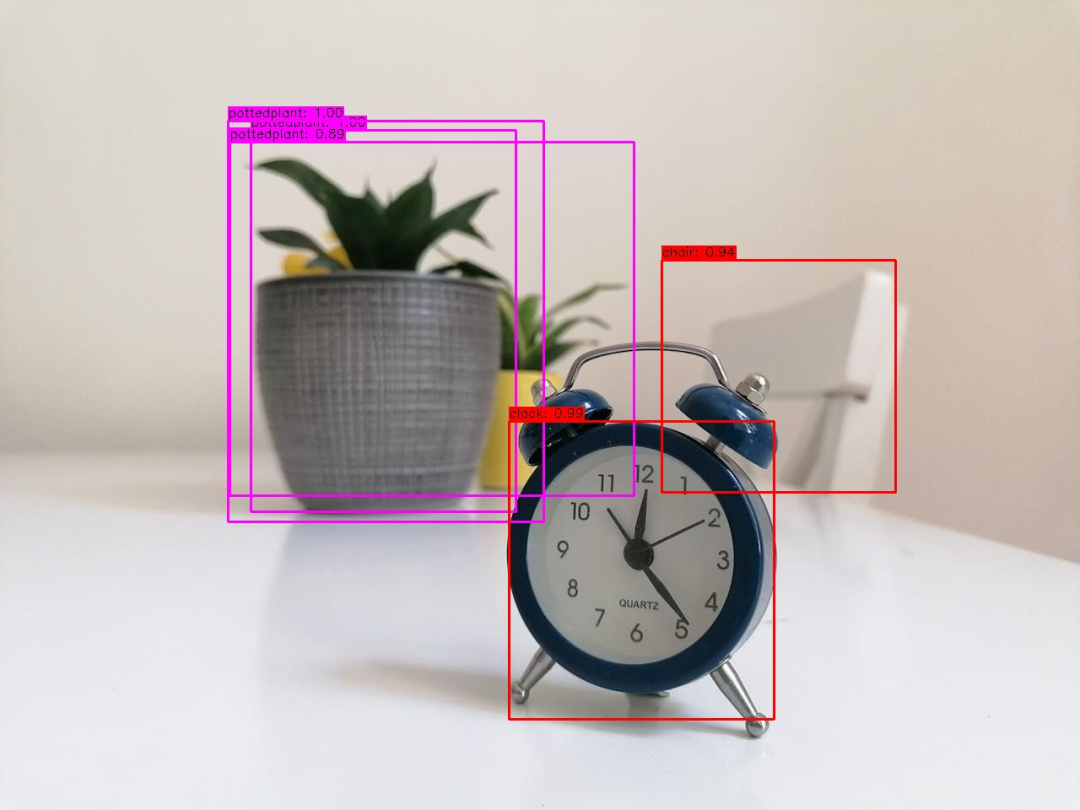
Only after adding the NMS processing function can we achieve the desired effect:
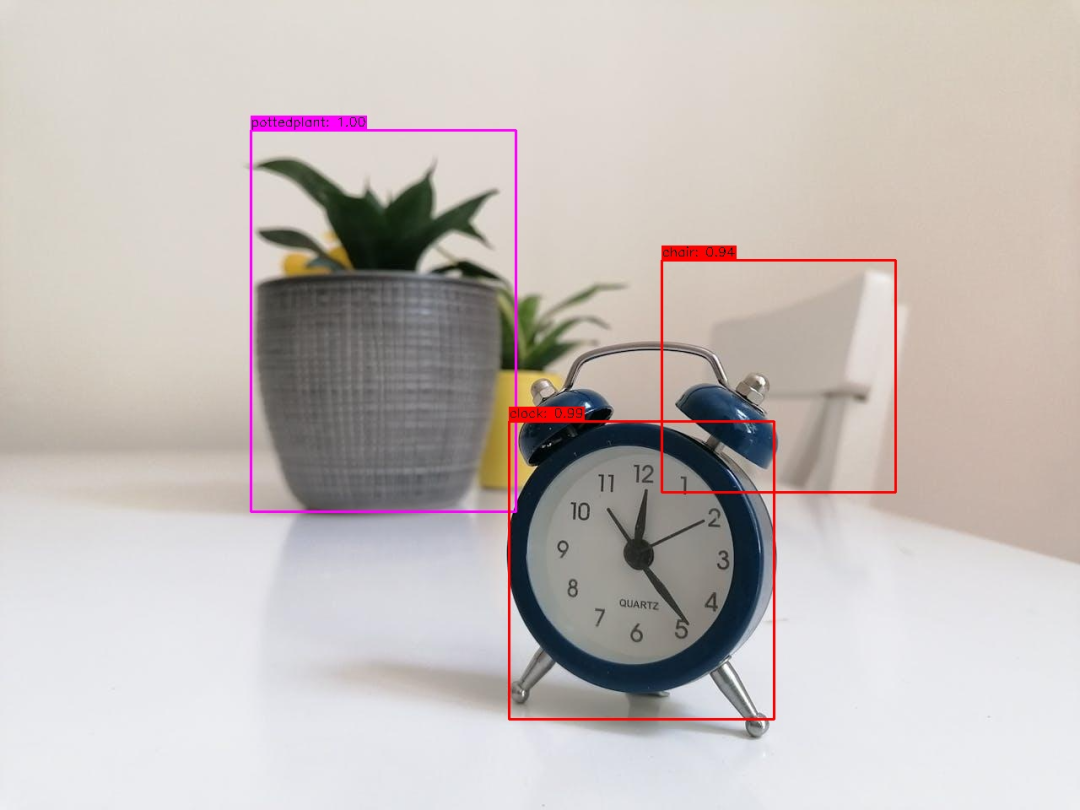
3. Working Principle of NMS
The NMS algorithm mainly consists of several steps:
1. Confidence Sorting: Sort all detection boxes in descending order of confidence.
# Python example code
boxes = sorted(boxes, key=lambda x: x['score'], reverse=True)
2. Select the Highest Scoring Box: Add the box with the highest confidence to the final results.
# Python
keep_boxes = [highest_score_box]
3. Calculate IoU: Calculate the Intersection over Union (IoU) of the current box with the remaining boxes.
# Python example code
iou = area_of_intersection / area_of_union
4. Suppress Overlapping Boxes: Remove boxes with IoU exceeding the threshold with the current box.
# Python example code
remaining_boxes = [box for box in remaining_boxes if iou(current_box, box) < threshold]
5. Repeat Iteration: Repeat steps 2-4 for the remaining boxes until all boxes are processed.
In actual C++ code, two key parameters are used:
- IoU Threshold: Typically 0.45-0.5 (the smaller the value, the stricter the suppression).
- Confidence Threshold: First filter out low-confidence boxes (e.g., <0.25).