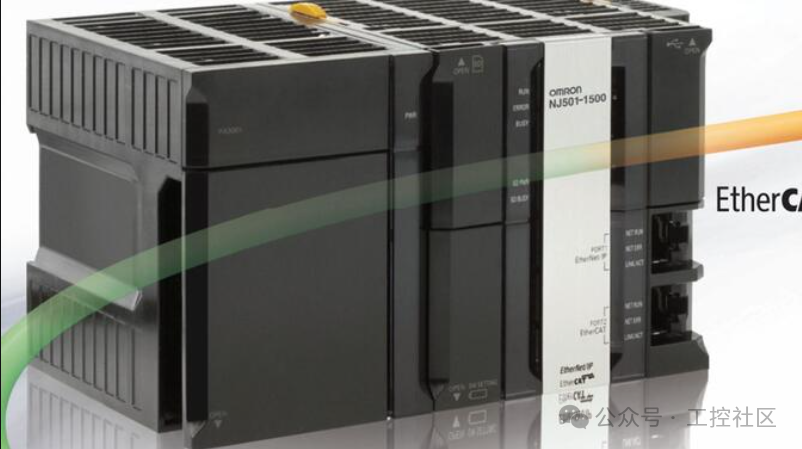
Structured Text(ST) Programming from Basics to Advanced Applications
ST Language Basics and Overview
Structured Text(ST) is a high-level PLC programming language that complies with the IEC 61131-3 standard. It uses a syntax similar to Pascal, making it particularly suitable for implementing complex algorithms, mathematical calculations, and data processing. The Omron NJ series PLC fully supports ST language and provides a rich set of instructions.
The main features of the ST language include:
· Syntax structure similar to high-level programming languages
· Supports complex mathematical operations and algorithm implementations
· Powerful data processing capabilities
· Good readability and maintainability
· Supports functions and function blocks
Basic Instructions and Use Cases
1. Assignment Instruction (:=)
The most basic instruction, used to assign the value of the expression on the right to the variable on the left.
Case 1: Simple Assignment
VAR
counter : INT;
status : BOOL;
END_VAR
counter := 0; // Assign 0 to the counter
status := TRUE; // Assign TRUE to the status variable
Explanation: Initialize the counter to 0, set the status to TRUE.
Case 2: Expression Assignment
VAR
a, b, result : INT;
END_VAR
a := 15;
b := 27;
result := a * b + 10; // Calculate the expression and assign the value
Explanation: Calculate the expression 15 * 27 + 10 and assign the result 405 to the result variable.
2. Conditional Statement (IF…THEN…ELSE)
Execute different code branches based on conditions.
Case 1: Simple Conditional Control
VAR
temperature : REAL;
cooler : BOOL;
END_VAR
IF temperature > 85.0 THEN
cooler := TRUE; // Start the cooler if the temperature exceeds 85 degrees
ELSE
cooler := FALSE; // Otherwise, turn off the cooler
END_IF;
Explanation: Control the start and stop of the cooler based on the temperature value.
Case 2: Multiple Conditional Branches
VAR
pressure : REAL;
alarmLevel : INT;
END_VAR
IF pressure < 50.0 THEN
alarmLevel := 0; // Normal
ELSIF pressure < 75.0 THEN
alarmLevel := 1; // Warning
ELSIF pressure < 90.0 THEN
alarmLevel := 2; // Severe Warning
ELSE
alarmLevel := 3; // Emergency Shutdown
END_IF;
Explanation: Set different alarm levels based on pressure values.
3. Loop Statement (FOR…DO)
Repeat a block of code a specified number of times.
Case 1: Array Initialization
VAR
i : INT;
sensorValues : ARRAY[1..10] OF REAL;
END_VAR
FOR i := 1 TO 10 DO
sensorValues[i] := 0.0; // Initialize all elements of the array to 0
END_FOR;
Explanation: Use a loop to initialize an array of 10 elements.
Case 2: Array Summation
VAR
i : INT;
total : REAL := 0.0;
dailyProduction : ARRAY[1..7] OF REAL := [120.5, 135.2, 110.7, 145.8, 130.0, 95.5, 150.2];
END_VAR
FOR i := 1 TO 7 DO
total := total + dailyProduction[i]; // Accumulate daily production
END_FOR;
Explanation: Calculate the total production for the week.
Advanced Instructions and Use Cases
1. Function Call (FUNCTION)
Call predefined or custom functions to perform specific operations.
Case 1: Mathematical Functions
VAR
angle : REAL := 45.0;
sineValue, cosineValue : REAL;
distance : REAL;
END_VAR
// Calculate trigonometric function values
sineValue := SIN(angle * 3.14159 / 180.0);
cosineValue := COS(angle * 3.14159 / 180.0);
// Calculate the distance between two points
distance := SQRT(POWER(10.0, 2) + POWER(15.0, 2));
Explanation: Use mathematical functions for trigonometric calculations and distance calculations.
Case 2: Custom Function
// Custom function: Calculate average
FUNCTION CalculateAverage : REAL
VAR_INPUT
values : ARRAY[*] OF REAL;
END_VAR
VAR
i : INT;
sum : REAL := 0.0;
END_VAR
FOR i := 1 TO UPPER_BOUND(values,1) DO
sum := sum + values[i];
END_FOR;
CalculateAverage := sum / UPPER_BOUND(values,1);
END_FUNCTION
// Call custom function
VAR
temperatures : ARRAY[1..5] OF REAL := [23.5, 24.8, 22.7, 25.2, 23.9];
avgTemp : REAL;
END_VAR
avgTemp := CalculateAverage(temperatures);
Explanation: Create a custom function to calculate the average of an array and call it.
2. Function Block (FUNCTION BLOCK)
Encapsulate reusable logic with state retention capabilities.
Case 1: Motor Control Function Block
// Define motor control function block
FUNCTION_BLOCK MotorControl
VAR_INPUT
start : BOOL;
stop : BOOL;
reset : BOOL;
END_VAR
VAR_OUTPUT
running : BOOL;
fault : BOOL;
END_VAR
VAR
runTimer : TON;
END_VAR
// Function block logic
IF reset THEN
running := FALSE;
fault := FALSE;
runTimer(IN:=FALSE);
ELSIF stop THEN
running := FALSE;
ELSIF start AND NOT fault THEN
runTimer(IN:=TRUE, PT:=T#2s);
IF runTimer.Q THEN
running := TRUE;
END_IF;
END_IF;
Explanation: Create a motor control function block that includes start, stop, reset logic, and delayed start functionality.
Case 2: PID Controller Function Block
// Use the system PID function block
VAR
conveyorPID : PID_3STEP; // Omron NJ built-in PID function block
setpoint : REAL := 100.0; // Setpoint
processValue : REAL; // Process value
controlOutput : REAL; // Control output
END_VAR
// Configure PID parameters
conveyorPID.Kp := 0.75;
conveyorPID.Ki := 0.05;
conveyorPID.Kd := 0.02;
conveyorPID.Cycle := T#100ms;
// Execute PID calculation
conveyorPID(
SV:=setpoint,
PV:=processValue,
MAN:=FALSE,
MV:=controlOutput
);
Explanation: Use the built-in Omron NJ PID function block to implement conveyor speed control.
3. Advanced Data Processing Instructions
Used for complex data processing such as arrays, strings, and structures.
Case 1: Array Sorting
VAR
i : INT;
unsorted : ARRAY[1..6] OF INT := [34, 12, 89, 5, 67, 23];
sorted : ARRAY[1..6] OF INT;
END_VAR
// Use SORT instruction to sort the array
sorted := SORT(unsorted); // Result: [5, 12, 23, 34, 67, 89]
Explanation: Use the SORT instruction to sort an integer array in ascending order.
Case 2: String Processing
VAR
machineID : STRING := ‘NJ501-‘;
stationNum : INT := 15;
fullID : STRING;
substrResult : STRING;
END_VAR
// String concatenation
fullID := CONCAT(machineID, INT_TO_STRING(stationNum)); // ‘NJ501-15’
// String extraction
substrResult := MID(fullID, 3, 4); // Extract 4 characters starting from position 3: ‘501-‘
Explanation: Demonstrate string concatenation and substring extraction operations.
Best Practices for ST Language Programming
· Use meaningful variable names and comments to improve code readability
· Break complex logic into functions and function blocks
· Use constants instead of hard-coded values
· Avoid using global variables, use VAR_INPUT and VAR_OUTPUT
· Add error handling and boundary checks
· Use the debugging tools in Omron Sysmac Studio to test code
· Follow the IEC 61131-3 programming standards
Open in WeChat client