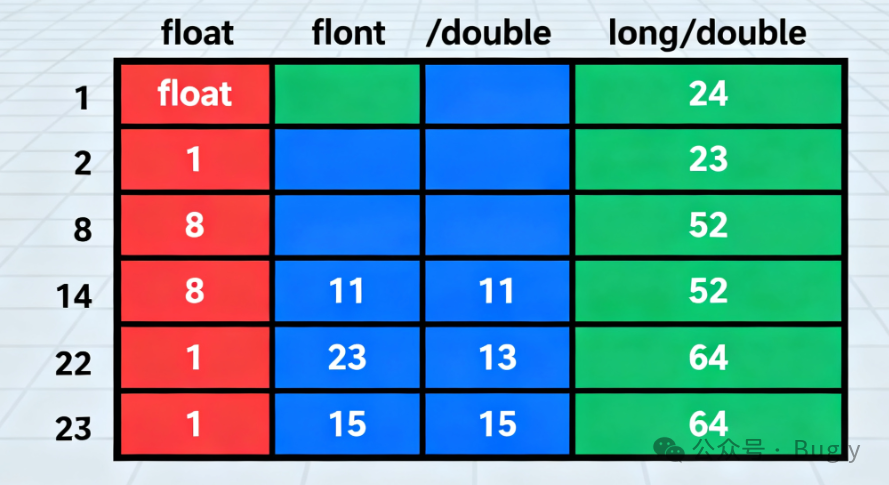
Like ANSI C, C++ provides three floating-point types to handle decimals and scientific calculations. Their main differences lie in precision (significant digits), range of representation, and memory usage.
1. Core Concepts
-
Precision (Significant Digits): Refers to the number of digits that can be accurately represented in a floating-point number, starting from the first non-zero digit. It determines the accuracy of the value.
- Written as
<span>14179</span>: 5 significant digits (1, 4, 1, 7, 9). - Written approximately as
<span>14000</span>: 2 significant digits (1, 4), with the three zeros being placeholders. - Written as
<span>14.162</span>feet: still 5 significant digits (1, 4, 1, 6, 2). This illustrates that the number of significant digits is independent of the decimal point position. - Your example is great: Mount Shasta is 14179 feet high.
-
Memory Usage and Standard Requirements:
<span>float</span>: Single precision. Typically occupies 32 bits (4 bytes).<span>double</span>: Double precision. Typically occupies 64 bits (8 bytes). The C++ standard guarantees that the precision of<span>double</span>is not less than that of<span>float</span>.<span>long double</span>: Extended double precision. Typically 80 bits, 96 bits, or 128 bits. The C++ standard guarantees that the precision of<span>long double</span>is not less than that of<span>double</span>.-
Exponent Range: The standard requires that the exponent range for these three types is at least 10⁻³⁷ to 10³⁷, meaning they can represent very small and very large numbers.
2. How to View System-Specific Limits
You can obtain detailed limits of floating-point types on your current compilation platform by including <span><cfloat></span> (C++ style) or <span><float.h></span> (C style) header files. These header files define many macros.
Code Example and Explanation
The following code demonstrates the basic usage of the three floating-point types and shows how to obtain system-specific limits from <span><cfloat></span>.
#include <iostream>
#include <iomanip> // For controlling output format, e.g., std::setprecision
#include <cfloat>  // Includes constants for floating-point type limits

int main() {
    using std::cout;
    using std::endl;
    using std::setprecision;

    // 1. Variable declaration and initialization
    float price = 19.99f;        // Note the 'f' suffix, explicitly indicating float type; otherwise, it defaults to double
    double distance = 3.141592653589793;
    long double atomWidth = 1.0e-15L; // Note the 'L' suffix, indicating long double

    // 2. Output variable values, demonstrating default precision
    cout << "=== Variable Values and Default Precision ===" << endl;
    cout << "Price (float): " << price << endl;
    cout << "Distance (double): " << distance << endl;
    cout << "Atom Width (long double): " << atomWidth << endl;
    cout << endl;

    // 3. Use setprecision to control the number of decimal places in output
    // It affects the number of digits displayed in the output stream but does not change the precision of the variable itself.
    cout << "=== Using setprecision(10) to Control Output ===" << endl;
    cout << setprecision(10); // Set subsequent output to display 10 significant digits
    cout << "Price (float): " << price << endl;
    cout << "Distance (double): " << distance << endl;
    cout << "Atom Width (long double): " << atomWidth << endl;
    cout << endl;

    // 4. View precision defined in <cfloat> (decimal significant digits)
    cout << "=== Getting System Precision from <cfloat> ===" << endl;
    cout << "Decimal significant digits for float (FLT_DIG): " << FLT_DIG << endl;
    cout << "Decimal significant digits for double (DBL_DIG): " << DBL_DIG << endl;
    cout << "Decimal significant digits for long double (LDBL_DIG): " << LDBL_DIG << endl;
    cout << endl;

    // 5. Demonstration of precision issues
    // float has about 7 significant decimal digits, exceeding this may lead to inaccuracies
    cout << "=== Demonstration of Precision Issues ===" << endl;
    float f1 = 1234567.89f;
    float f2 = 1234560.0f;

    cout << setprecision(10);
    cout << "f1: " << f1 << endl; // May not accurately display all digits
    cout << "f2: " << f2 << endl;

    // A dangerous comparison: due to precision limits, they may not be equal
    float f_sum = 0.1f + 0.1f + 0.1f;
    float f_expected = 0.3f;

    cout << "f_sum (0.1+0.1+0.1): " << f_sum << endl;
    cout << "f_expected (0.3): " << f_expected << endl;
    cout << "Are they equal? " << (f_sum == f_expected ? "Yes" : "No") << endl; // Likely outputs No!
    cout << "Difference: " << f_sum - f_expected << endl; // Displays a small error
    cout << endl;

    // 6. View other system limits
    cout << "=== Other System Limits (from <cfloat>) ===" << endl;
    cout << "Minimum positive float (FLT_MIN): " << FLT_MIN << endl;
    cout << "Maximum float (FLT_MAX): " << FLT_MAX << endl;
    cout << "Minimum positive double (DBL_MIN): " << DBL_MIN << endl;
    cout << "Maximum double (DBL_MAX): " << DBL_MAX << endl;

    return 0;
}
Code Output and Key Point Explanation
Running the above code, you may see output similar to the following (specific values depend on your compiler and system):
=== Variable Values and Default Precision ===
Price (float): 19.99
Distance (double): 3.14159
Atom Width (long double): 1e-15

=== Using setprecision(10) to Control Output ===
Price (float): 19.99000066
Distance (double): 3.141592654
Atom Width (long double): 1.0000000000000001e-15

=== Getting System Precision from <cfloat> ===
Decimal significant digits for float (FLT_DIG): 6
Decimal significant digits for double (DBL_DIG): 15
Decimal significant digits for long double (LDBL_DIG): 18

=== Demonstration of Precision Issues ===
f1: 1234567.875
f2: 1234560
f_sum (0.1+0.1+0.1): 0.3000000119
f_expected (0.3): 0.3000000000
Are they equal? No
Difference: 1.192092896e-08

=== Other System Limits (from <cfloat>) ===
Minimum positive float (FLT_MIN): 1.17549e-38
Maximum float (FLT_MAX): 3.40282e+38
Minimum positive double (DBL_MIN): 2.22507e-308
Maximum double (DBL_MAX): 1.79769e+308
Key Point Explanation:
- The Importance of Suffixes: The
<span>f</span>in<span>19.99f</span>tells the compiler that this is a<span>float</span>literal. Floating-point literals without a suffix (like<span>3.14159</span>) default to<span>double</span>type. Use<span>L</span>to indicate<span>long double</span>. - Output Precision Control:
<span>std::setprecision(n)</span>controls the number of digits displayed in the output stream, but it does not change the actual precision of the variable in memory. When you output a high-precision<span>float</span>, it exposes the fact that it cannot accurately represent all numbers (e.g.,<span>Price</span>becomes<span>19.99000066</span>). - Verification of Significant Digits: The output shows that
<span>FLT_DIG</span>is 6, meaning the<span>float</span>type guarantees at least 6 significant decimal digits. This is why<span>1234567.89</span>becomes inaccurate when outputting the 8th digit and beyond. - The Danger of Floating-Point Comparisons: The code clearly demonstrates that
<span>(0.1 + 0.1 + 0.1) == 0.3</span>results in<span>false</span>! This is because numbers like 0.1 cannot be precisely represented in binary floating-point (similar to how 1/3 cannot be precisely represented in decimal), leading to small rounding errors. Never directly use<span>==</span>or<span>!=</span>to compare floating-point numbers; instead, check if the absolute difference is within a small tolerance (epsilon). - Huge Range of Representation: From
<span>FLT_MAX</span>and<span>DBL_MAX</span>, it can be seen that floating-point types can represent extremely large numbers.
Summary and Recommendations
- Default Choice: For most general floating-point operations, **
<span>double</span>** is the best balance of precision and performance on modern computers and is the recommended default choice. - **When to Use
<span>float</span>**: When handling large amounts of data (such as graphics, scientific simulations) where memory bandwidth is a bottleneck, or in some embedded systems, using<span>float</span>can save space. - **When to Use
<span>long double</span>**: When extremely high precision calculations are needed, and performance is not a high priority (such as in finance, cryptography, or certain scientific fields). - Be Aware of Precision Limits: Always be aware that floating-point numbers are approximate representations, and be particularly careful when making equality comparisons.