In the data-driven development era, efficient and stable Redis management tools have become a necessity. Another Redis Desktop Manager (ARDM), as a cross-platform GUI client, is becoming the preferred choice for developers handling massive key-value data due to its excellent performance and user-friendly design. Whether you are a Windows, Mac, or Linux user, you can enjoy a smooth Redis operation experience with its dark theme, multi-language support, and professional features like SSH tunneling. Tool Information Open Source Address
https://gitee.com/qishibo/AnotherRedisDesktopManager
https://github.com/qishibo/AnotherRedisDesktopManager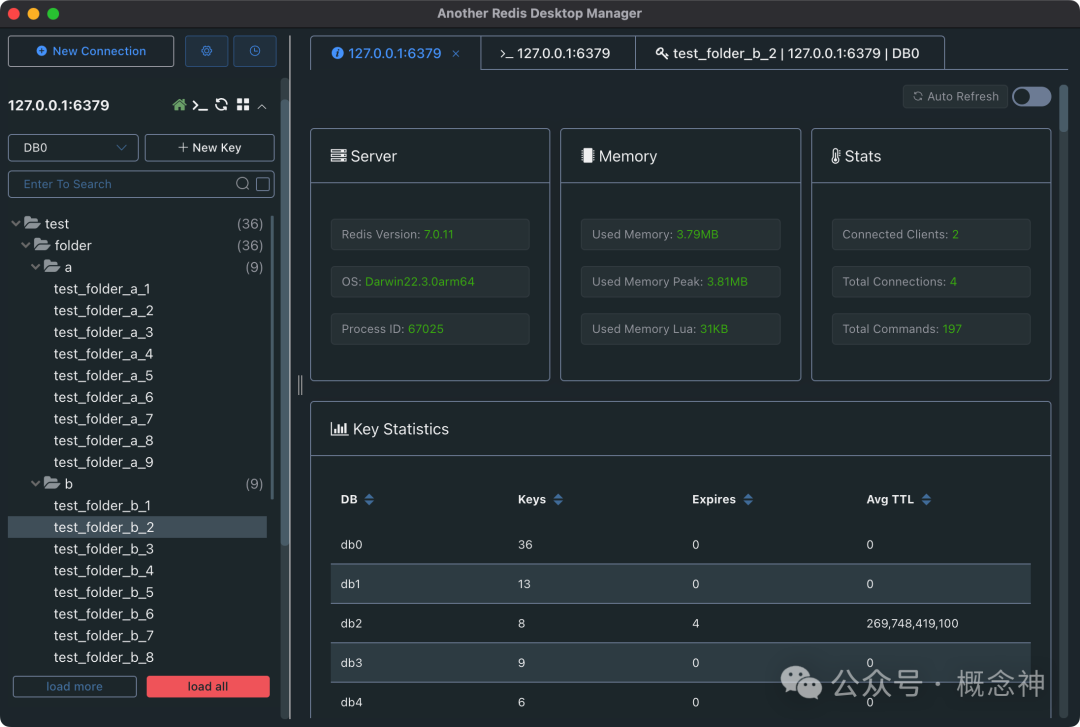 Installation Windows
- You can download the
<span>exe</span>installation package from GitHub or Gitee. - Or install via chocolatey:
<span>choco install another-redis-desktop-manager</span> - Or install via winget:
<span>winget install qishibo.AnotherRedisDesktopManager</span> - Or through the Win Store, which will help you automatically update the version.
Linux
- You can download the
<span>AppImage</span>package from GitHub or Gitee, run<span>chmod +x</span>, and double-click to run. - Or install via snap:
<span>sudo snap install another-redis-desktop-manager</span>Tips: If you encounter permission issues when selecting the private key, execute<span>sudo snap connect another-redis-desktop-manager:ssh-keys</span>to gain access to the ~/.ssh folder.
Mac
If you cannot open it after installing via brew or dmg and receive an error stating untrusted or move to trash, execute the following command before starting:
<span>sudo xattr -rd com.apple.quarantine /Applications/Another\ Redis\ Desktop\ Manager.app</span>
- You can download the
<span>dmg</span>installation package from GitHub or Gitee. - Install via brew:
<span>brew install --cask another-redis-desktop-manager</span> - Or through the App Store, which will help you automatically update the version.
Tool Usage
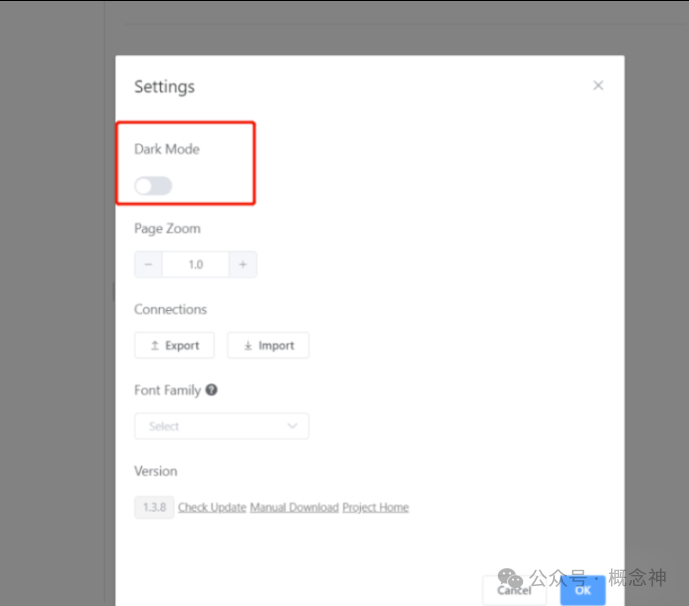
- Custom themes, default black.
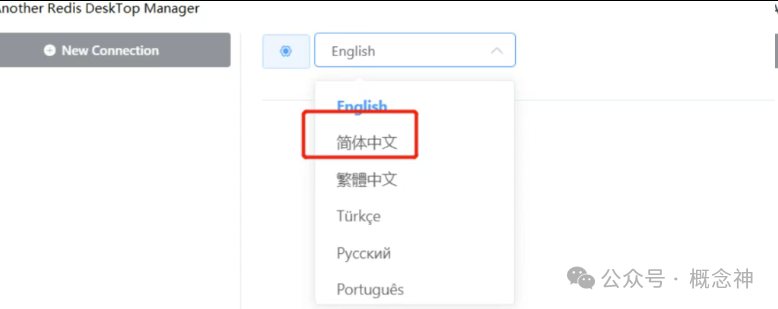
- Multi-language support
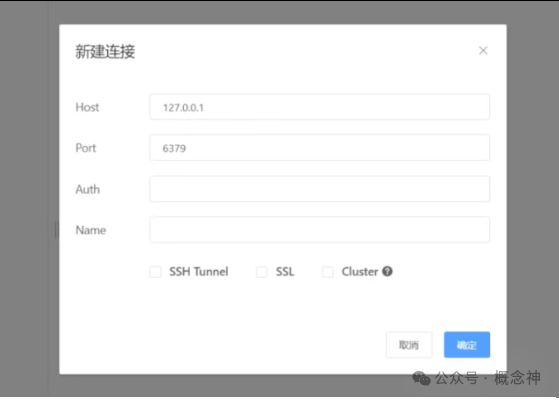
- New connection creation, supporting SSH jump hosts, SSL mode, and cluster mode connections
- View Redis status
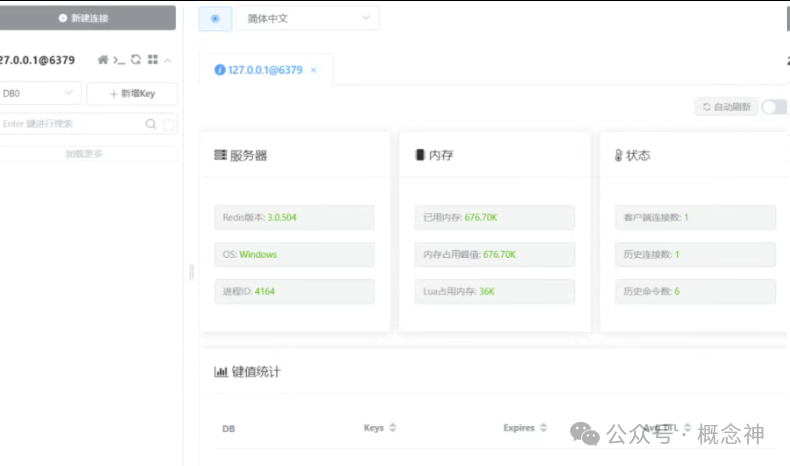
- View detailed Redis status
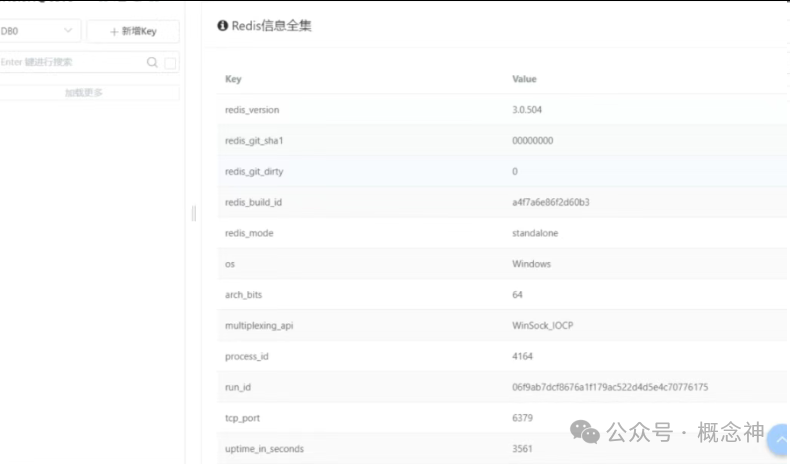
- Add new key
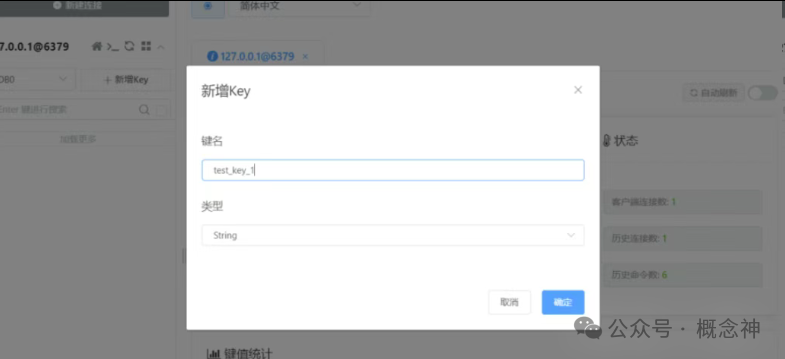
- Add value for the new key
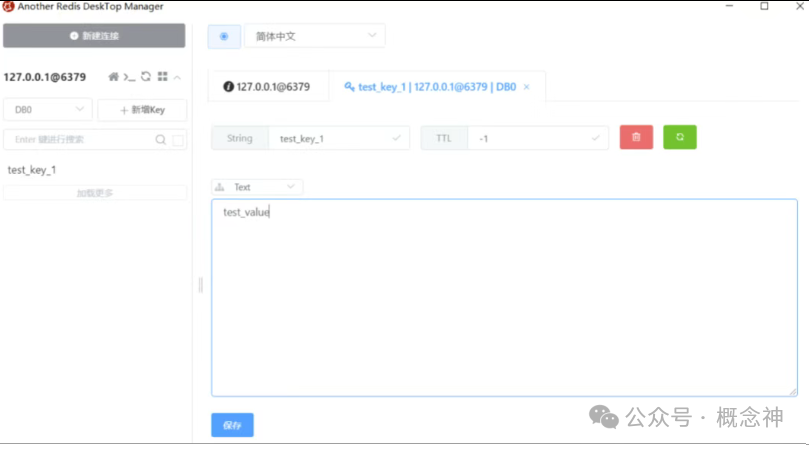
- Edit (change key name, value, expiration time, data type)
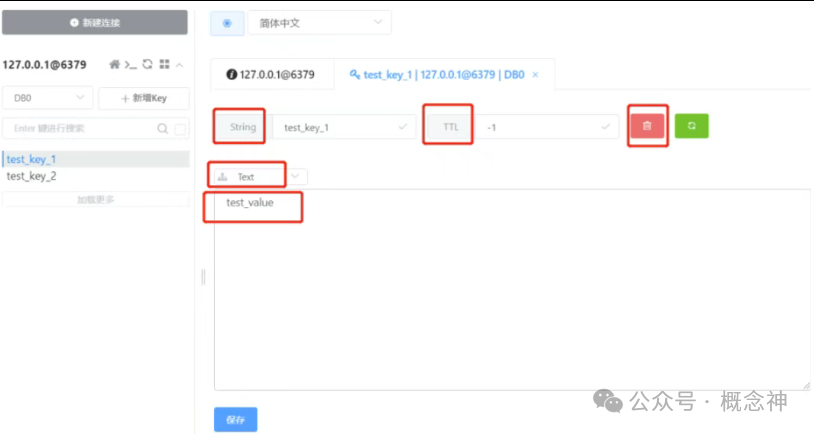
- One-click switch to command line operation
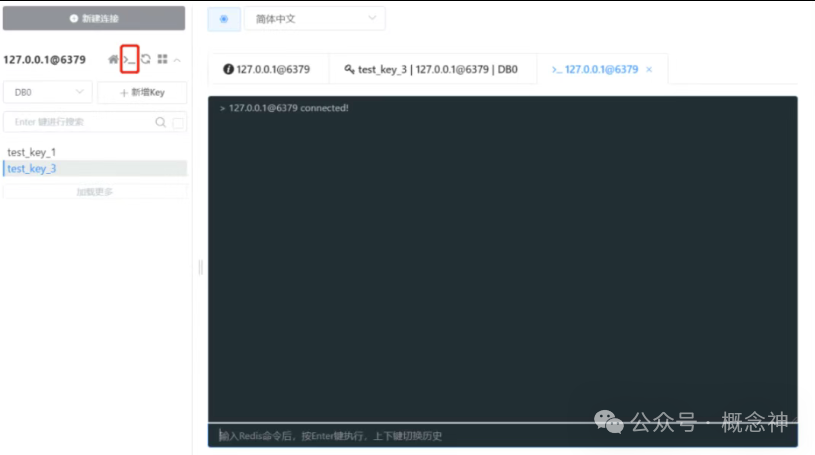
——Previous Highlights——3-second activation! Secrets to a lifetime free Windows/OfficeSQLPub: MySQL new version testing tool, free account available, worry-free upgrades, and learn new skillsOne-click activation for JetBrains suite (IDEA/PyCharm/WebStorm, etc.) for permanent use——END——