🔎 Why Do We Need Virtual Environments?
-
Isolation of Dependencies for Different Projects
-
Project A requires
<span>numpy==1.21</span> -
Project B requires
<span>numpy==1.26</span>If installed directly in the system environment, they will conflict; virtual environments allow them to exist independently.
Avoid Polluting the System Environment
-
The system’s built-in Python (e.g.,
<span>/usr/bin/python3</span>) may depend on some critical libraries, and installing packages randomly may cause issues with system tools. -
Virtual environments only modify within the project directory/conda environment and will not affect the system.
Convenient for Deployment and Migration
-
Dependencies of the virtual environment can be accurately recorded through
<span>requirements.txt</span>or<span>environment.yml</span>, allowing for one-click reproduction on another machine. -
Suitable for team collaboration, ensuring everyone has the same running environment, avoiding “It works on my machine, but not on yours” issues.
Multiple Versions of Python Coexisting
-
Sometimes a project requires Python 3.8, while another requires Python 3.11.
-
Virtual environments allow you to manage multiple versions on a single machine.
Security
-
When testing third-party libraries, they can be placed in a virtual environment to avoid irreversible effects on the system environment.
📌 When is it Necessary to Use a Virtual Environment?
-
Developing multiple projects on the same machine, each with different dependency versions
-
Conducting research/data science, requiring frequent trials of different versions of ML/DL libraries
-
Wanting to avoid damaging the system’s built-in Python environment (especially on Linux/Mac)
-
Team collaboration, ensuring everyone has a consistent environment
-
Need to quickly deploy projects on new machines/servers
💻Creating, Activating, and Deleting Virtual Environments on Windows1. Anaconda is already installedanaconda
Create a new folder to place the virtual environment and the loaded packages:
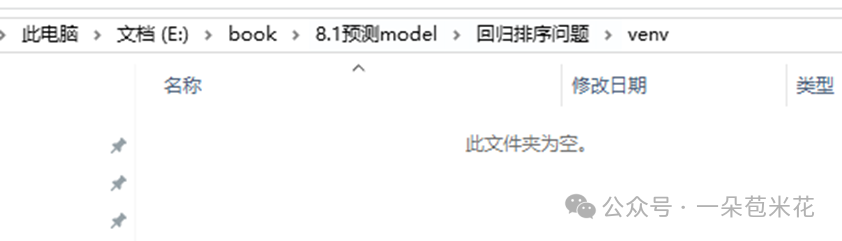
2. Open this:
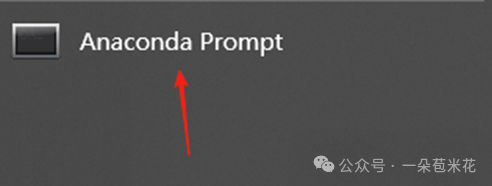
3. Preparation:
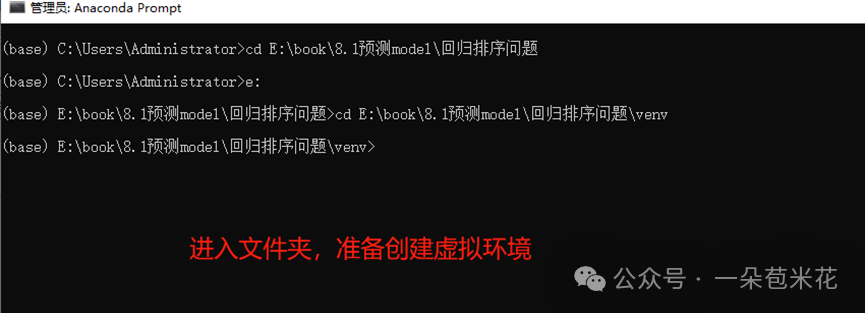
4. Create a virtual environment:
conda create -n mitsui python=3.11
5. Activate the virtual environment:
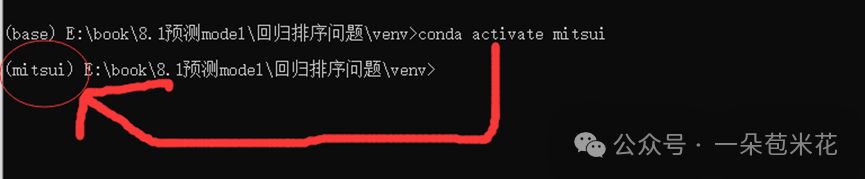
6. Use the virtual environment:
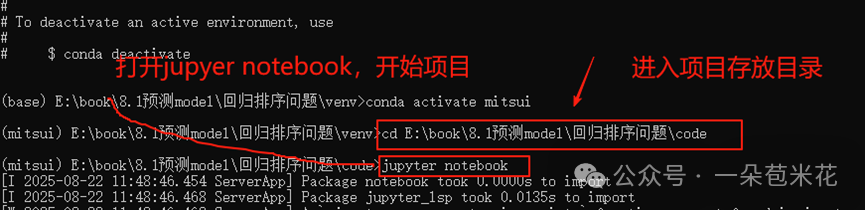
7. Check which virtual environments are on your computer:
conda env list8.Delete a virtual environment:
For example: to delete the virtual environment namedmitsui this will completely remove the environment and all its installed packages.
conda remove -n mitsui --all🖥️LinuxCreate a new virtual environment
1. Create a virtual environment (directory name myenv)
python3 -m venv myenv2. Activate the virtual environment
source myenv/bin/activate3. Deactivate the virtual environment
deactivate