1. Creating Frame-by-Frame Animation: Play a sphere with a changing diameter.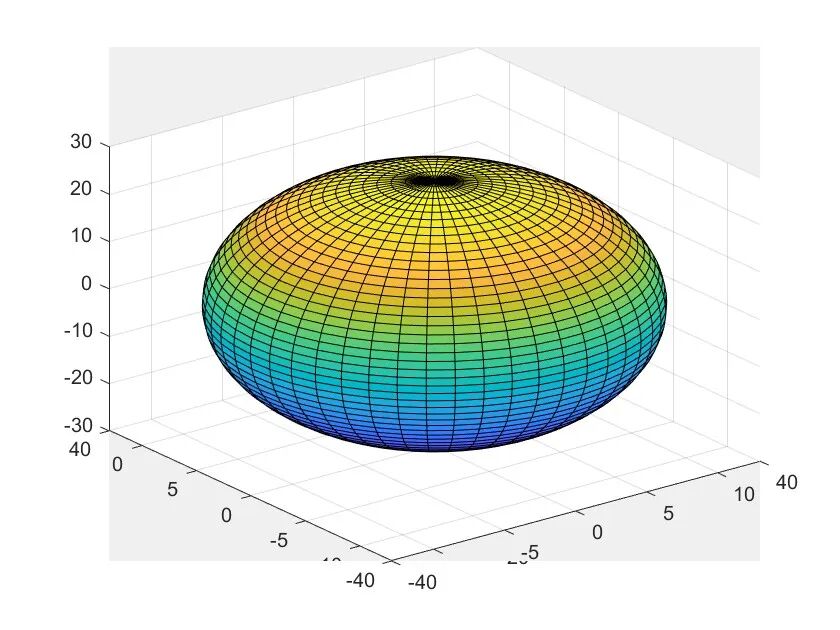
Figure1 Animation of the Sphere
2. Creating Trajectory Animation: Generate a three-dimensional motion trajectory.
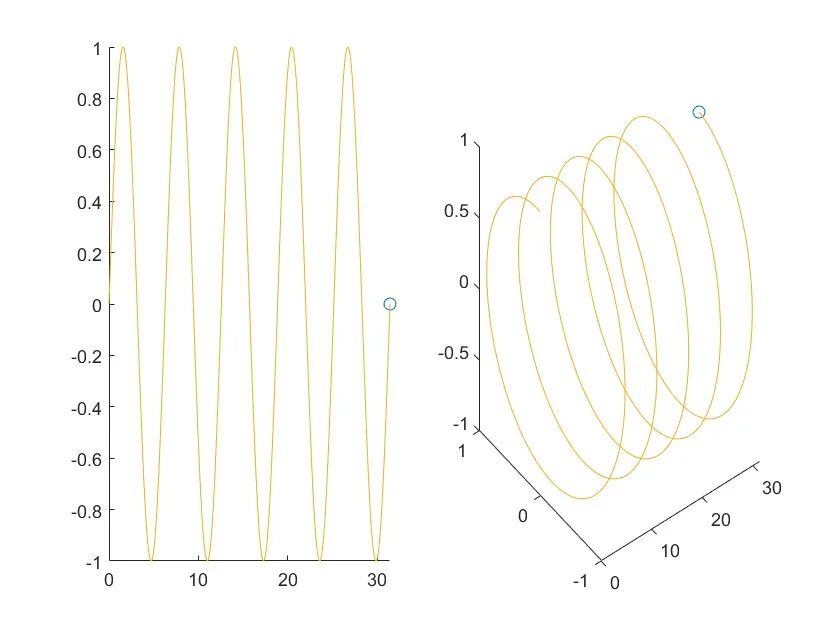
Figure2 Trajectory Animation
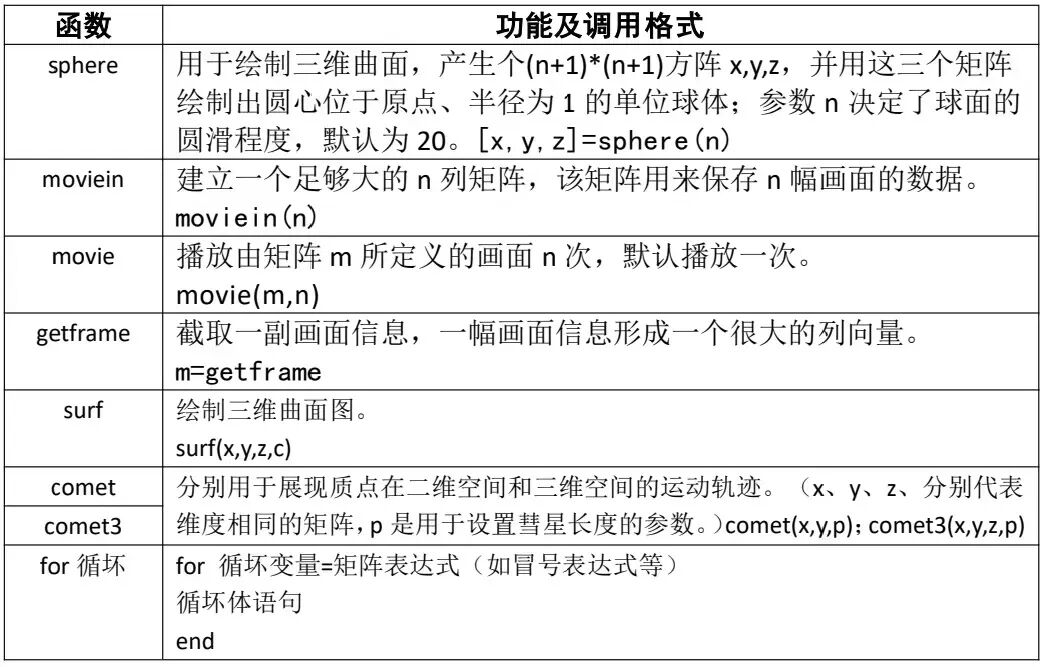
| Code for Figure 1 | Code for Figure 2 |
|
[x,y,z] = sphere(50);% Generate sphere data m = moviein(30);% Create a matrix for 30 frames of animation for i = 1:30% Loop to generate each frame surf(i*x, i*y, i*z) % Draw spheres of different sizes m(:,i) = getframe;% Capture the current frame end movie(m, 10);% Play the animation 10 times |
x = 0:pi/250:10*pi; y = sin(x); z = cos(x);% Create motion trajectory data comet3(x, y, z);% Generate three-dimensional trajectory animation |


Reviewed by/He Jingxian