eBPF stands for extended Berkeley Packet Filter, which means extended Berkeley Packet Filter in Chinese. Generally, to add new features to the kernel, one needs to modify the kernel source code or write kernel modules. However, eBPF allows programs to run without modifying the kernel source code or adding additional kernel modules. eBPF enhances the kernel’s scalability, making it more flexible and powerful.
Currently, eBPF has many applications in tracking, diagnosing, and networking, and it is increasingly attracting the attention of developers. In the field of security, eBPF is becoming a hot topic.
✦ ✦ ✦ ✦ ✦ ✦ ✦ ✦
Table of Contents Update (Completed)
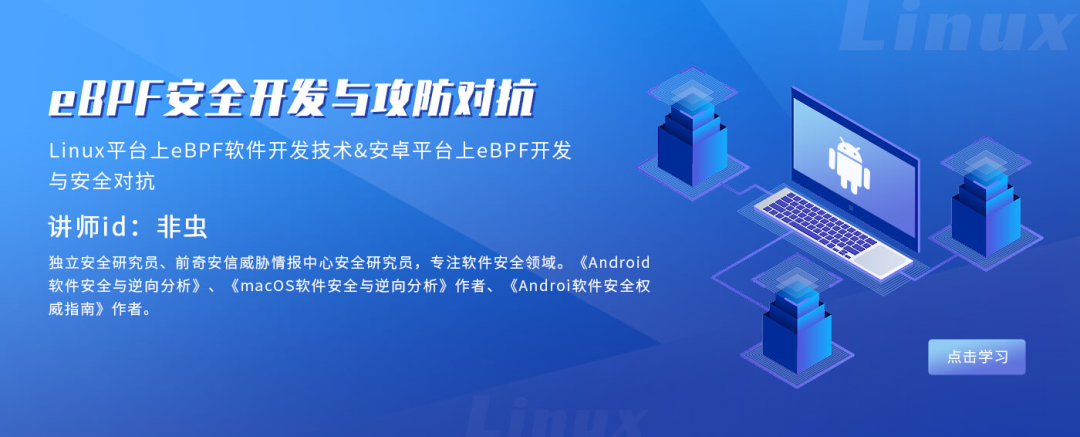
“eBPF Security Development and Attack-Defense”

Announcement: Starting from April 12, 2023, the course price will increase from 3199 yuan to 3799 yuan! As the content continues to improve, the discounts will gradually decrease.
Course Purchase Notes:
1. Playback Environment: Must use dedicated video encryption software for playback, and must be viewed on a “Windows physical machine” system!!! (Virtual machine VMware systems are not supported for viewing)2. No refunds are supported once purchased!3. For course inquiries or after purchasing the course, please add the assistant’s WeChat: kanxuecom, and send the encrypted course materials.
Course Introduction
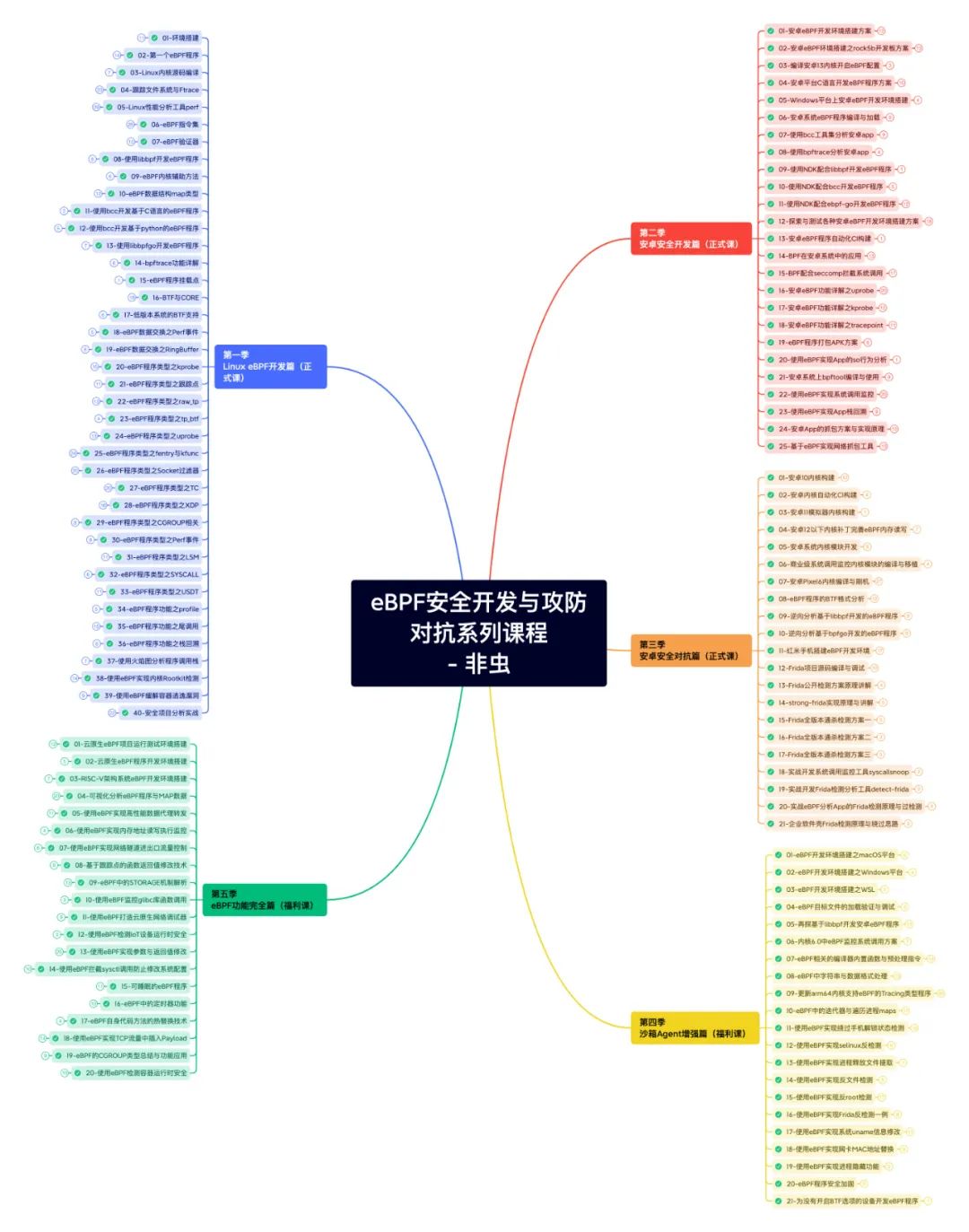
This course progresses from easy to difficult, with a total of three seasons and over 60 lessons. It is divided into basic development, Android development, and Android security defense sections. In addition, there is a special season that explains more software development techniques, which is part of the bonus content. Please refer to the course outline’s mind map for details.
This course will guide students to focus on learning eBPF software development technology on the Linux platform, as well as eBPF development and security defense on the Android platform.
Course Objectives
Upon completing this course, you will have the following abilities:
-
Technical principles and development capabilities of eBPF tools on the Linux platform;
-
Malware analysis capabilities of eBPF on the Linux platform;
-
Modification and customization capabilities of the Android kernel;
-
Development of packet capture software on the Android platform;
-
Hands-on experience in building a security analysis environment using eBPF;
-
Using eBPF to hook Android apps;
-
Using eBPF to perform security defense in sandbox environments.
Course Outline (Updated Version)
*Click the image to view the larger image
eBPF Learning Environment
The recommended learning environment for the eBPF series courses is to use development boards such as rock5b/orangepi5p/nanopct6. Friends who need to purchase equipment can contact the instructor for purchase; prices may fluctuate, please contact the instructor for details.
The equipment comes with a three-month hardware warranty service (theoretically supported by the manufacturer’s warranty at the time the instructor purchased the equipment). When purchasing equipment, corresponding configuration documents for the development board will be provided, but no technical support will be offered; please only contact if suitable.
Students not considering hardware purchases can download the virtual machine image environment provided in the first season and use the AVD environment discussed in the second season for learning. The course includes explanations of the setup process for the virtual machine environment, rock5b, AVD environment, and Pixel6 environment, but the course does not provide subsequent updates for the learning environment.
eBPF Course Playback
The course playback uses the player located in the software/Windows directory. Unzip the player installation program .zip, and double-click the installation program to install it. (Note: You need to disable antivirus software during installation) All courses are in .pcwl video format and can be opened by double-clicking.
The first playback requires playback authorization. You can choose WeChat authorization; the operation method is as follows: on the playback interface, first authorize via WeChat, and after scanning successfully, an authorization code will pop up. Copy the contents from the authorization code file in the course directory and paste it to complete the authorization. Note: After completing the authorization, do not change your WeChat ID; otherwise, the binding information will change, and the authorization will become invalid.
Course Q&A
After purchasing the course, first activate the learning course, and only ask questions when encountering issues; do not waste learning time. If you have questions during the learning process, students can ask questions in the Knowledge Planet for the first year.
The entire content of the eBPF course (excluding the eBPF bonus season, probe course, and Frida course) provides five years of video playback service and two years of Q&A service.
The first year offers unlimited free Q&A in the Knowledge Planet and mutual assistance in the group; personal WeChat Q&A service is not provided. The method for Q&A in the Knowledge Planet is: enter the software security and reverse analysis Knowledge Planet, publish edit -> click to ask -> input your question. The instructor will answer after seeing it every workday morning.
The second year provides mutual assistance Q&A in the group and five personal WeChat Q&A services per month.
The third to fifth years will only provide mutual assistance Q&A in the group, with no personal Q&A services provided. The eBPF bonus season, probe course, and Frida course do not provide any free or paid Q&A services; discussions can only be held in the group.
About Authorization
The course adopts a one-person, one-machine, one-WeChat authorization method, supporting only one authorization operation. The authorization code is located in each person’s private course root directory in the video authorization code.txt file.
From the date of purchase, the course must be activated for viewing within one week; the activation method is to successfully authorize playback of any course. From the date of purchase, the course provides five years of video playback service and two years of content Q&A service. Once sold, the course does not support refunds.
Students who do not activate the course after purchase cannot use this as a refund request. The course allows support for two computer playback; if one computer does not change hardware configuration, upgrade the system, or install virtualization software, switching to another computer can also scan for playback. However, if the machine configuration changes frequently, it is equivalent to using two authorizations on one computer. Therefore, ensure that the latest WSL and VMware are installed and remove external hard drives and USB drives before authorization. After completing the authorization following the eBPF course playback section steps above, no further authorization changes will be supported!
About Law and Piracy
We remind everyone that security technology should be used for legitimate purposes; those who reach out will be caught, so do not take chances. All students must sign a confidentiality agreement before activating the course, adhering to three basic points: no plagiarism, no leaks, and no illegal activities. To protect the rights of students, learners should actively combat piracy as authors do.
The course content is encrypted for each individual; if someone is found leaking course materials or content, recording course content using cracking methods, or plagiarizing, these actions will result in the revocation of authorization and be understood as prematurely terminating learning. Serious cases may lead to legal responsibility.
“eBPF Security Development and Attack-Defense”
Course Q&A
1. What is the teaching method, update progress, and how long will it take to complete?
The course adopts a recorded teaching method, with each student having a separate local learning environment. To ensure course quality, the update frequency is initially set to one to two lessons per week, promising to complete all courses within 200 days. After the course updates are completed, students can continue learning until they master the content.
2. Do I need to prepare a specific learning environment and equipment?
The learning environment only requires you to have a computer that can install Ubuntu 22.04 system; a Windows system virtual machine is also acceptable.
The learning environment for Android eBPF will be provided in the course; students can open and learn as needed. If you have a device with Android kernel version 4.9 or later (Pixel 2) and can access the kernel code, it can also serve as a supplementary learning device.
3. What basic programming knowledge and skills are required for learning?
To understand the course content, knowledge of programming languages such as C, Python, and Golang is necessary, with minimal involvement of C++ language.
Typically, there are C language version sample codes for these programs in the kernel; students need to be familiar with C language. The course content involving Python and Golang can be replaced with C language version programs if not familiar, but mastering these two languages will make your learning easier.
Additionally, students should be familiar with the basic software development processes for Linux/Android and have a basic understanding of the Linux kernel.

*Purchase Notes: Due to course material encryption, after purchasing the course
please add the course consultant WeChat: kanxuecom send the course order number. After verification, you will be added to the exclusive course group, where Mr. Non-Chong will send you all course materials. Other content is encrypted with dedicated software and sent one-on-one. ﹀﹀﹀

Share the Ball
Like the Ball
Watch the Ball
 Click “Read Original” to view course details!