
Congratulations on arriving at the 【JueDingGe Programming】 WeChat public account 【Knowledge Treasure House】, specially customized for everyone《Qt C++ Architect》 series–Qt Project Practical Issue No. 122:This issue will focus on a practical and challenging technical topic–【C++ 20 Standard and Qt Framework Implementation: High Concurrency Multithreading and Asynchronous Architecture for 10 Million Data Level】.Whether you are a beginner who has just mastered the Qt cross-platform framework and Linux C/C++ backend server development, or a developer who wants to delve into the research of C/C++ system architecture, this technology will open a door to deep learning, enhancing your technical development and architecture design capabilities, meeting the technical requirements of enterprise-level development positions. Wishing everyone success in their studies.
【Development Environment】: Win10/11 x64, Qt version 6.5;
📢 Daily sharing of high-quality open-source projects and high-paying technical programming content!
【Follow the UP master and join theQQgroup】:895876809 Download project source code (for research and study).
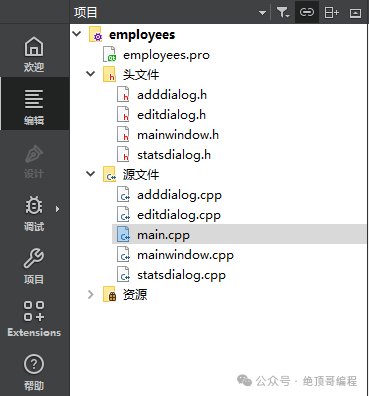
1: 【Project】📁 Source Code Structure
2: 【Project】🚀 Running Results
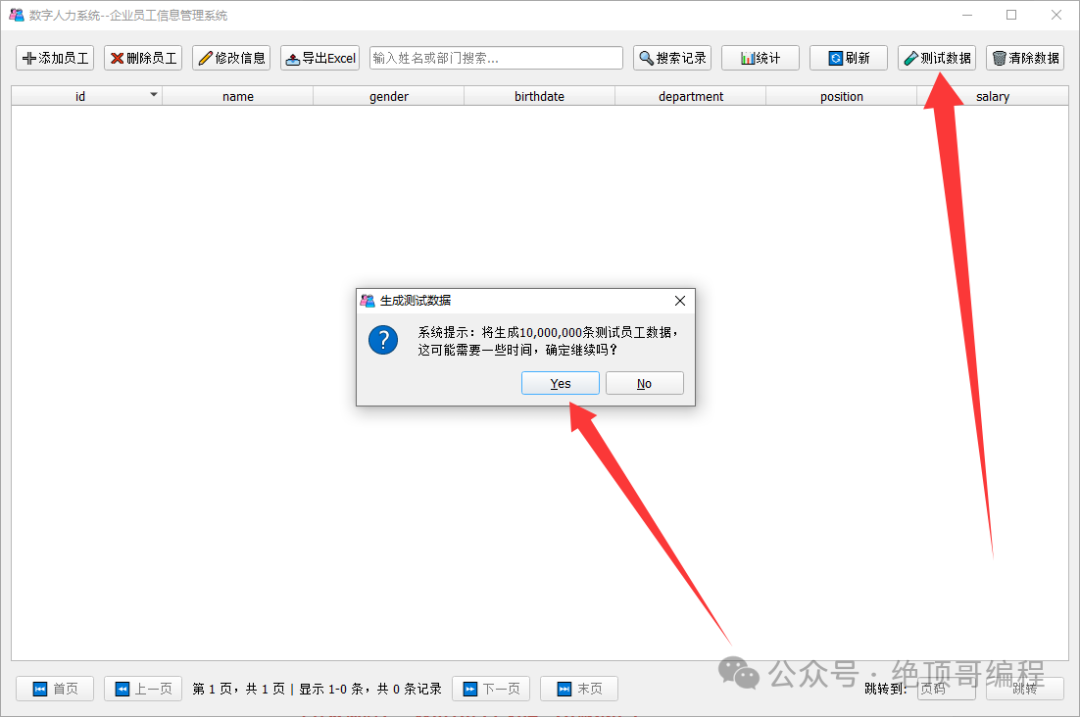
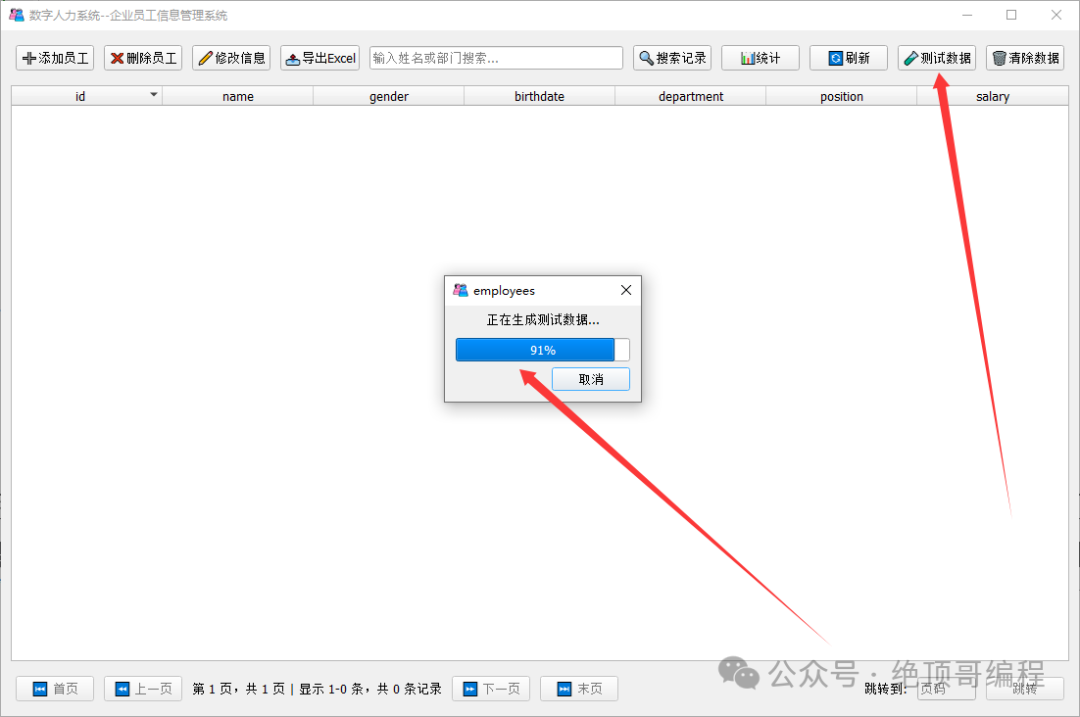
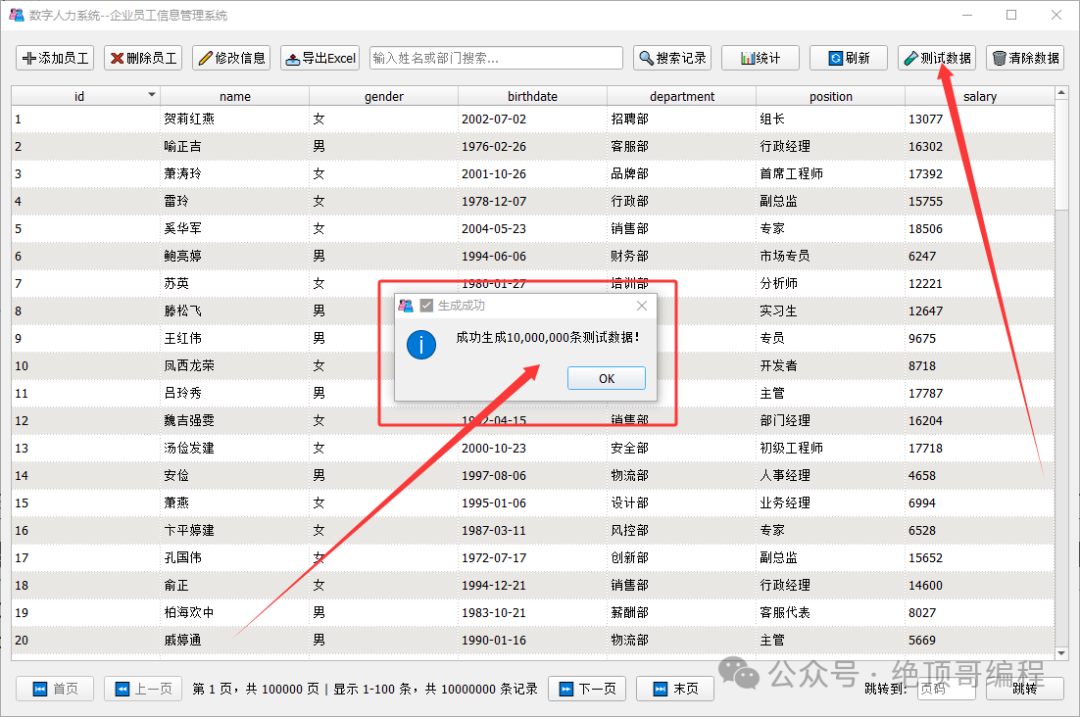
1: Generate test data with 10 million records (only takes 59 seconds)
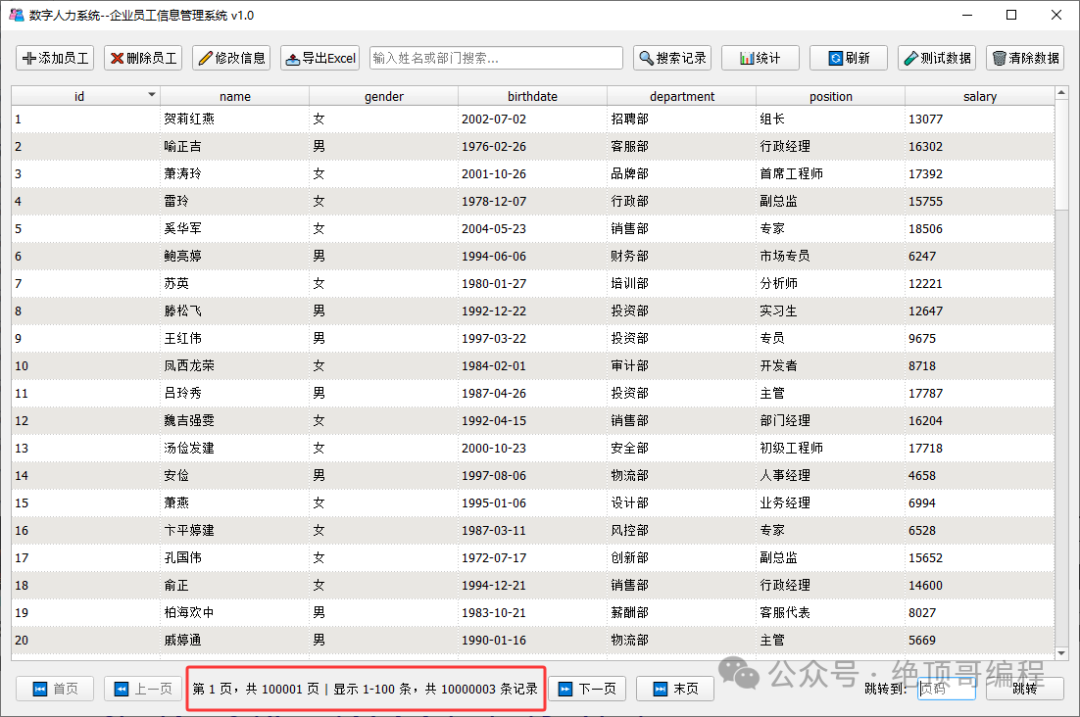
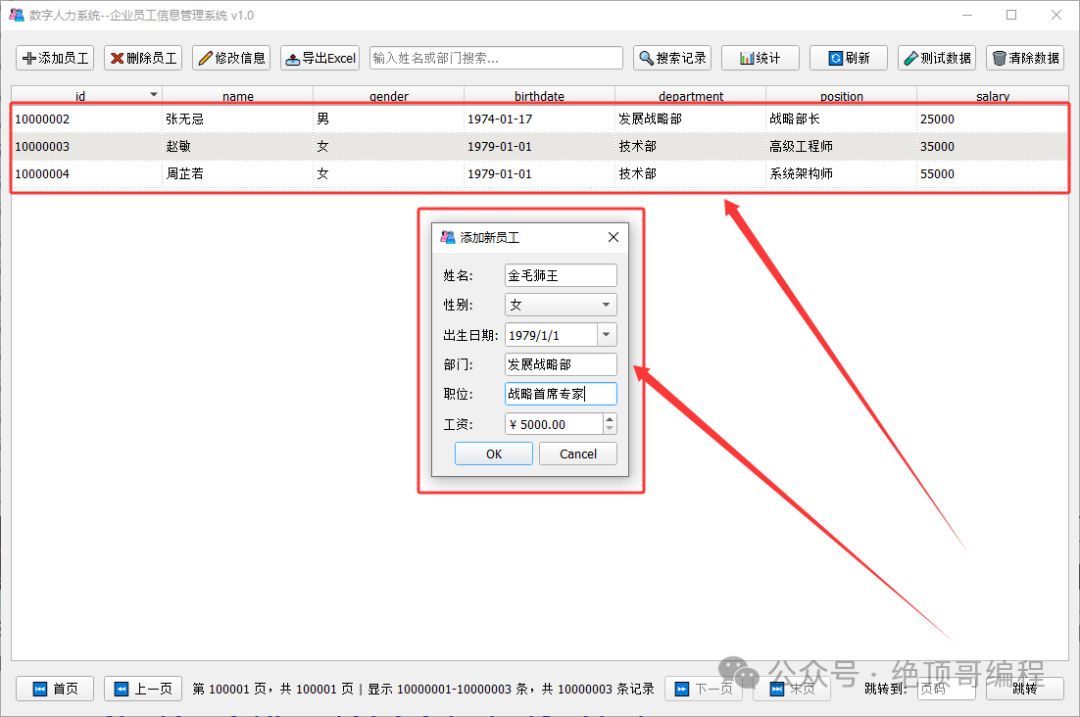
2: Add employee information (Golden Retriever)
3: Modify employee information (Golden Retriever: Gender, Salary)
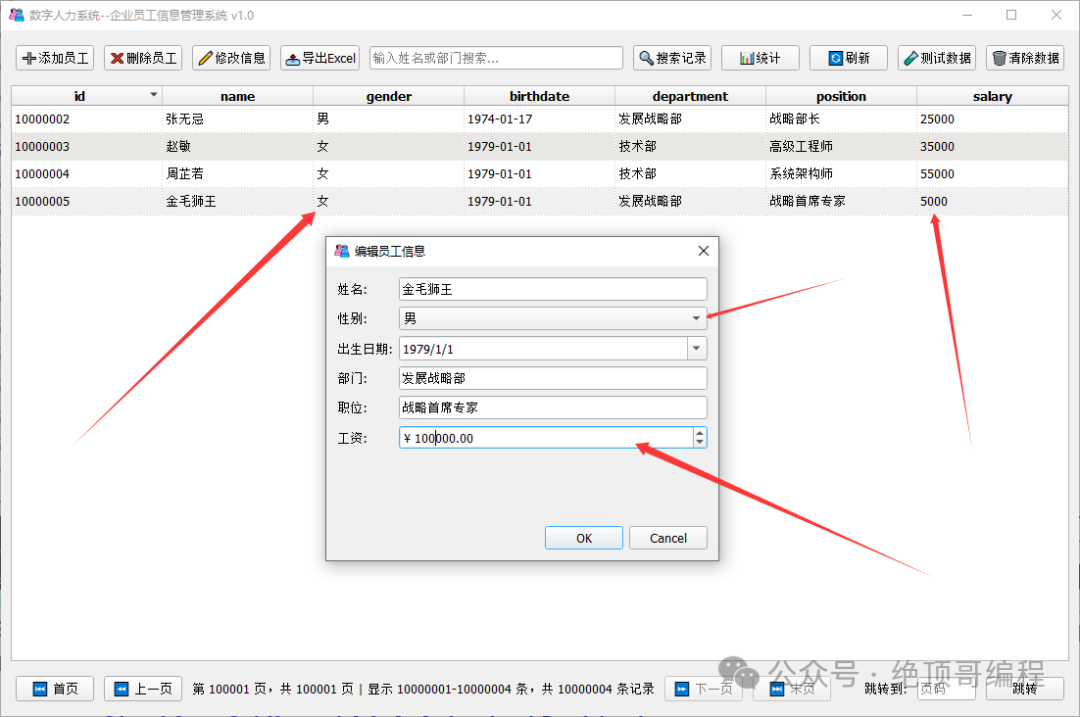
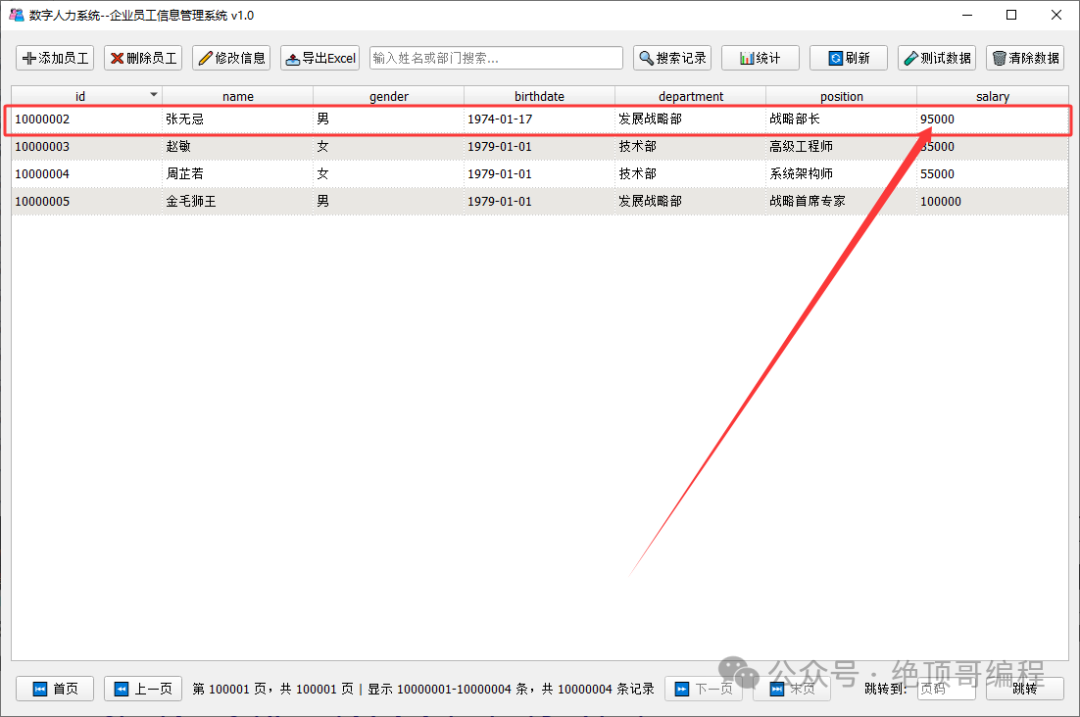
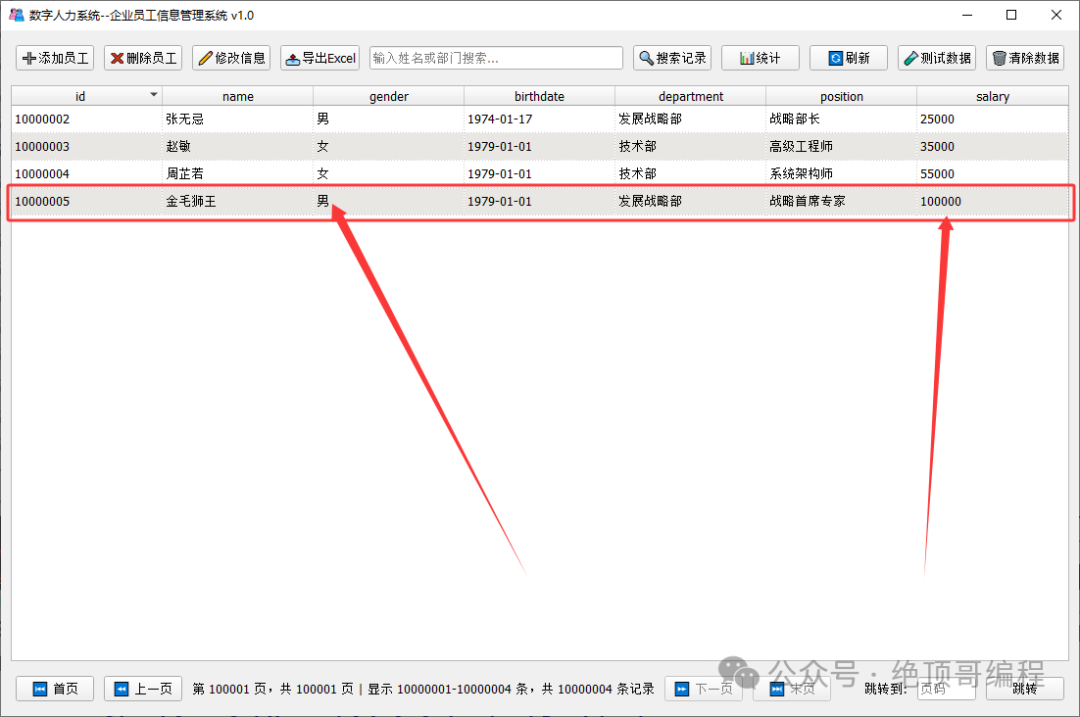 Modify employee information (Zhang Wuji: Salary)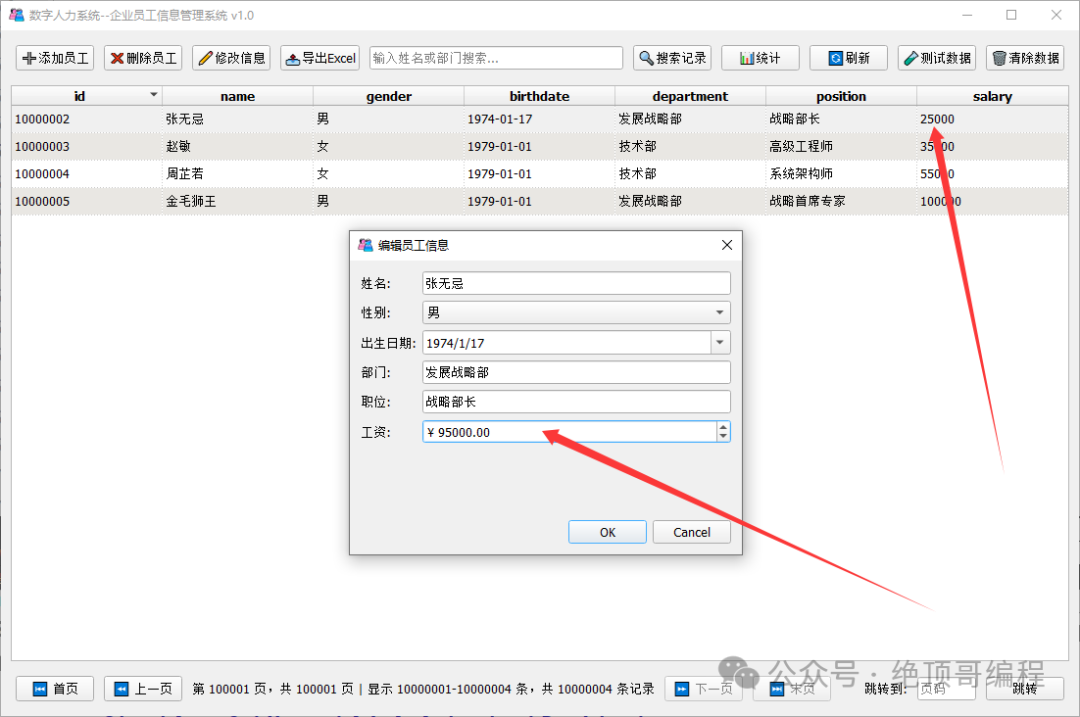
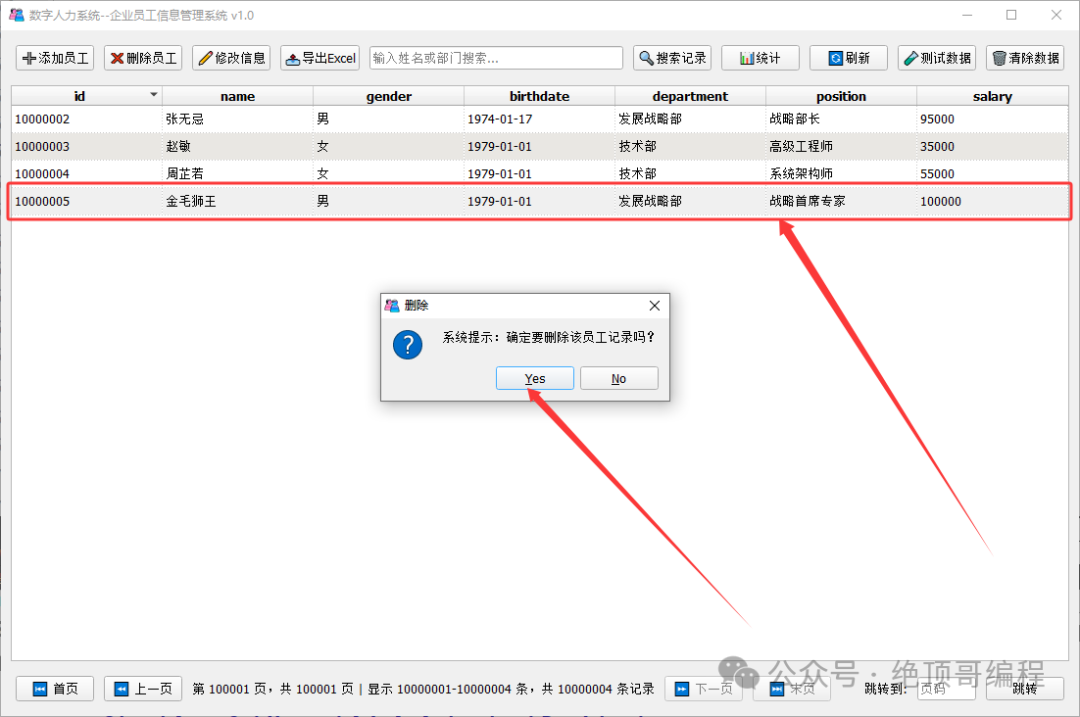
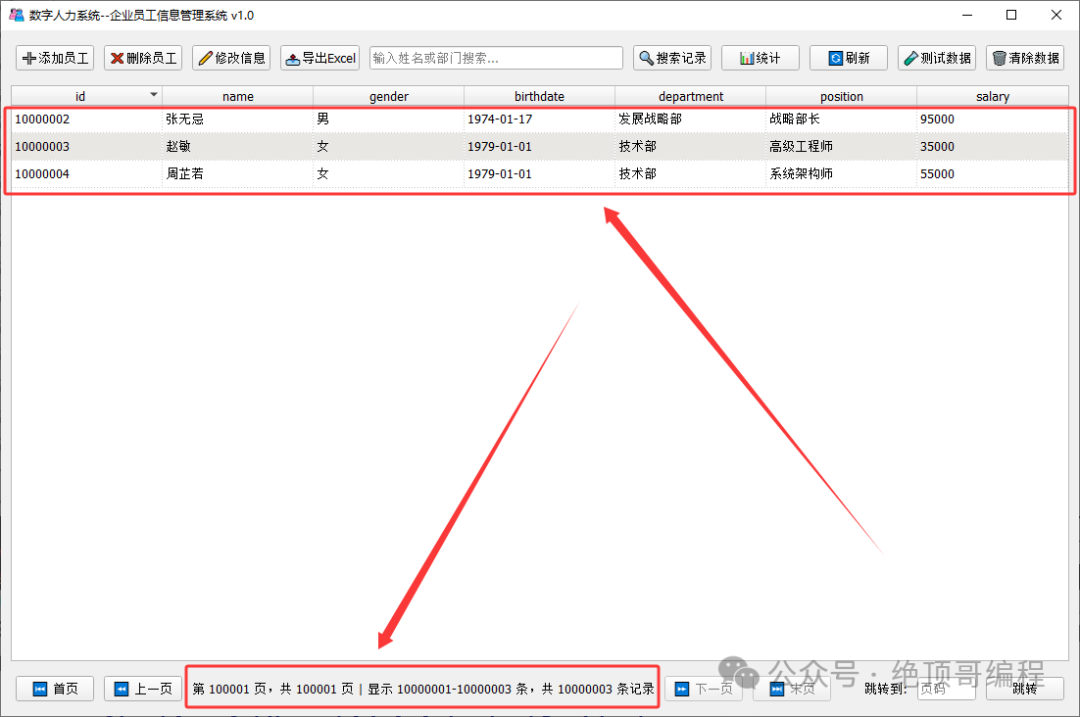
4: Delete employee information (Golden Retriever)
5: Statistics of employee information
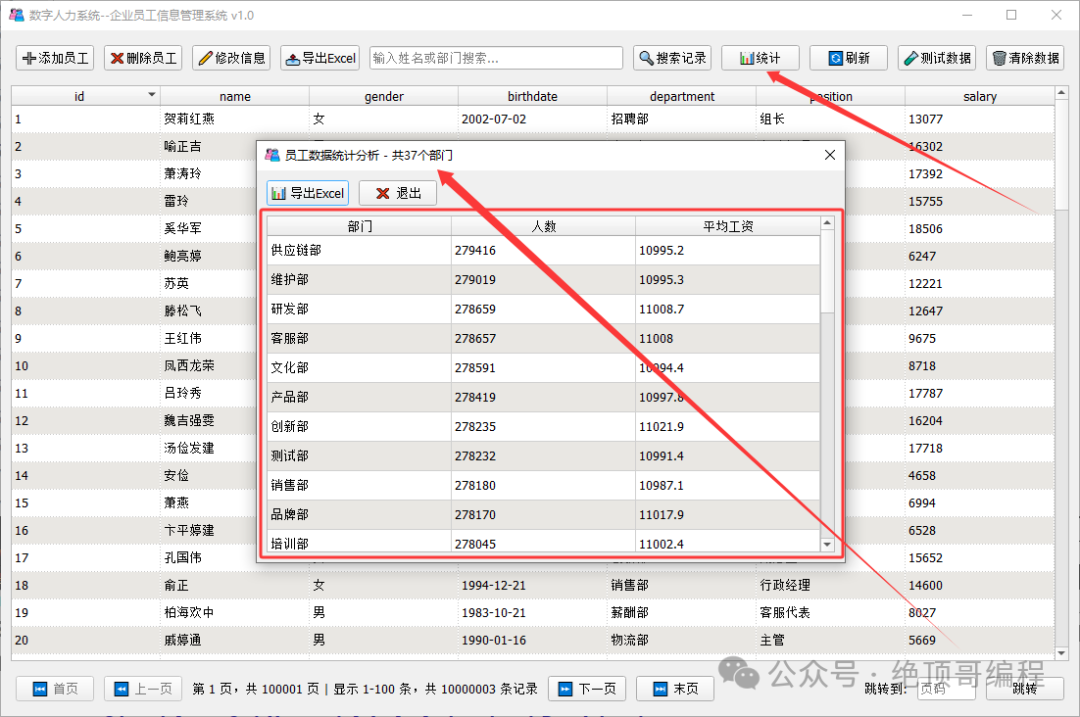
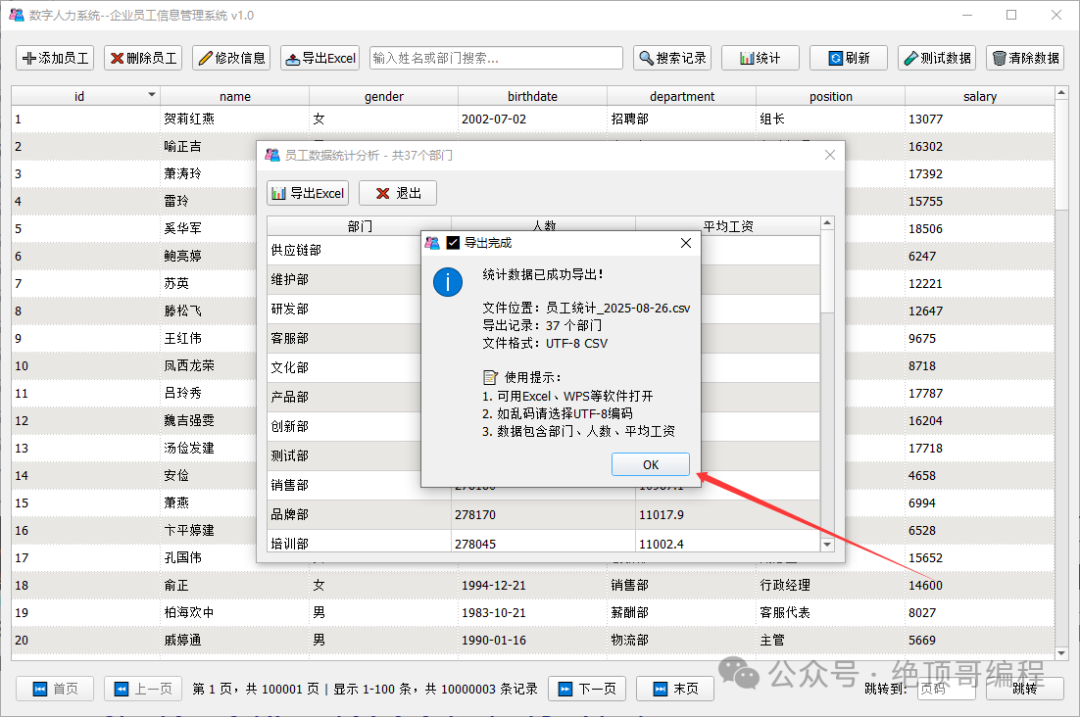
6: Search employee information
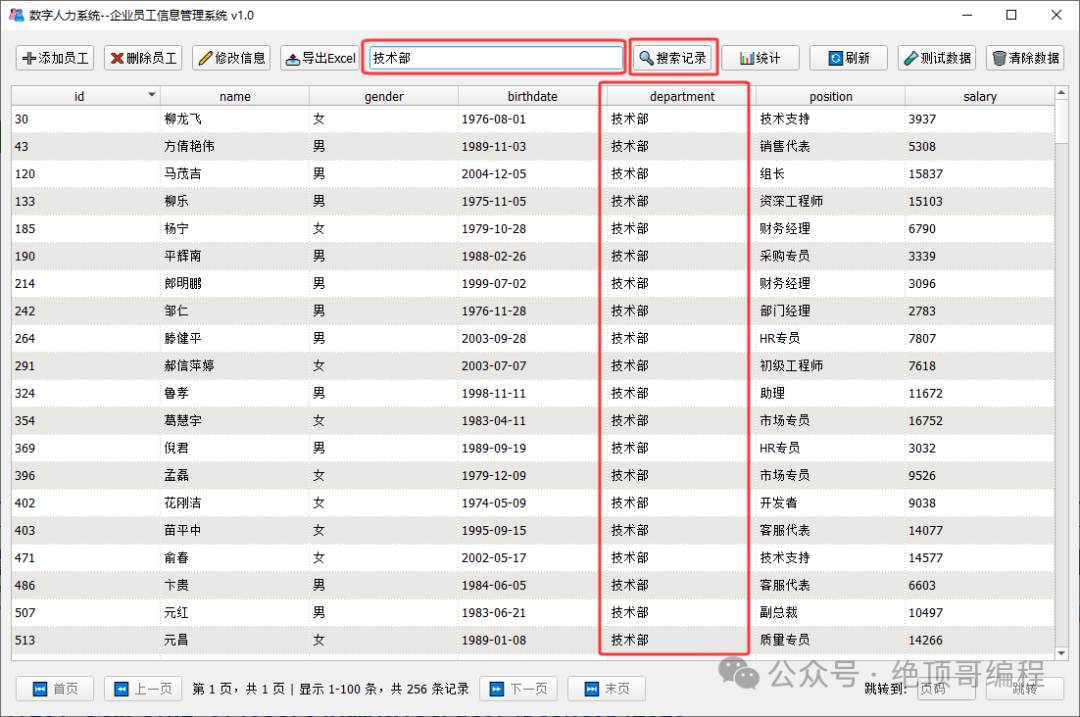 The remaining functions can be operated by everyone.
3: 【Project】🏗️ Project Overview and Features
The enterprise employee information management system is a modern desktop application developed based on the Qt6 framework, specifically designed for enterprise-level human resource management. The system uses SQLite database, supports large-scale data processing (tens of millions of records), and provides complete employee information management functions.
1: ✨ Core Features
🎯 Complete CRUD operations– Adding, deleting, modifying, and querying employee information
📊 Intelligent pagination display– Supports efficient pagination browsing of large data volumes
🔍 Real-time search filtering– Supports real-time search by name and department
📈 Data statistical analysis– Statistics of employee numbers and average salaries by department
📋 Excel data export– Supports exporting employee data and statistical results to CSV format
⚡ High-performance optimization– Multithreaded data processing, supporting the generation of tens of millions of data
🎨 Modern interface– User-friendly operation interface, supporting keyboard shortcuts
🛡️ Data security– Complete data validation and error handling mechanisms
2: ⚡ Performance Features
【Database Optimization】
Index optimization: Create indexes for commonly queried fields
SQLite tuning: Optimize cache, log mode, synchronization settings
Precompiled queries: Use prepared statements to improve query efficiency
Batch transactions: Use batch commits for large data inserts
【Multithreaded Processing】
Background data generation: Independent threads handle large-scale data generation
Progress feedback: Real-time display of operation progress
Cancellation mechanism: Supports user interruption of long operations
Thread safety: Complete concurrency control mechanisms
4: 【Project】📋 Source Code Analysis
1: main.cpp file
/** * @file main.cpp * @brief Entry point of the employee management system program * @author AI Assistant * @date 2024 * @version 1.0 * * Main program entry of the employee management system, responsible for: * 1. Creating QApplication application object * 2. Creating and displaying the main window * 3. Starting the Qt event loop * * System features: * - Developed based on Qt6 framework * - SQLite database storage * - Supports large data volumes (tens of millions of records) * - Multithreaded asynchronous data processing * - Modern user interface * * Compilation requirements: * - Qt 6.0+ * - C++17 standard * - SQLite support */#include "mainwindow.h"#include <QApplication>#include <QIcon>/** * @brief Main entry function of the program * @param argc Number of command line arguments * @param argv Command line argument array * @return Program exit code (0 indicates normal exit) * * Program startup process: * 1. Create QApplication instance, initialize Qt framework * 2. Set application basic information and properties * 3. Create main window instance * 4. Configure window properties (title, size, icon, etc.) * 5. Show main window * 6. Enter Qt main event loop, handle user interaction * * Notes: * - QApplication must be created before any other Qt objects * - The program will block at a.exec() until the user closes the window * - Supports Qt standard command line parameters (such as -style, etc.) */int main(int argc, char *argv[]){ // Create Qt application object (must be the first Qt object) // Automatically handle command line arguments, including Qt built-in parameters QApplication a(argc, argv); // Set application basic information (for setting dialog boxes, etc.) a.setApplicationName("Employee Management System"); a.setApplicationVersion("1.0"); a.setOrganizationName("AI Assistant"); a.setApplicationDisplayName("Enterprise Employee Information Management System"); // Create main window instance MainWindow window; /* Window property configuration */ // Set window title (displayed in the title bar) window.setWindowTitle("Digital Human Resource System--Enterprise Employee Information Management System v1.0"); // Set initial window size (width x height, unit: pixels) // Size design considerations: adapt to 1920x1080 monitors, reserve operation space window.resize(1100, 700); // Set minimum window size limit (to prevent interface elements from overlapping) window.setMinimumSize(1100, 700); // Set window icon (loaded from Qt resource file) // Path explanation: ":/" prefix indicates files in the Qt resource system // This icon needs to be defined in the images.qrc resource file window.setWindowIcon(QIcon(":/new/prefix1/images/logo.ico")); // Show main window (by default, the window is hidden) window.show(); // Start Qt main event loop // This function will block the program, continuously processing: // - User input events (mouse, keyboard) // - Window repaint events // - Timer events // - Network events, etc. // Until the user closes the main window, it returns return a.exec();} 2: editdialog.h file
// editdialog.h/** * @file editdialog.h * @brief Declaration file for the employee information editing dialog class * @author vico * @date 2024 * @version 1.0 * * Defines the EditDialog class, providing a user interface for editing existing employee information. * Supports loading existing data and making modifications, including data validation functionality. */#ifndef EDITDIALOG_H#define EDITDIALOG_H#include <QDialog>#include <QSqlRecord>#include <QLineEdit>#include <QComboBox>#include <QDoubleSpinBox>#include <QDateEdit>#include <QSqlError>#include <QSqlQuery>#include <QFormLayout>#include <QDialogButtonBox>class EditDialog : public QDialog{ Q_OBJECTpublic: explicit EditDialog(QWidget *parent = nullptr); void setData(const QSqlRecord &record); QString name() const; QString gender() const; QDate birthdate() const; QString department() const; QString position() const; double salary() const;private: QLineEdit *nameEdit; QComboBox *genderCombo; QDateEdit *birthEdit; QLineEdit *deptEdit; QLineEdit *posEdit; QDoubleSpinBox *salarySpin;};#endif // EDITDIALOG_H3: editdialog.cpp file
// editdialog.cpp#include "editdialog.h"#include <QVBoxLayout>EditDialog::EditDialog(QWidget *parent) : QDialog(parent){ setWindowTitle("Edit Employee Information"); setFixedSize(400, 300); // Fixed dialog size // Initialize controls nameEdit = new QLineEdit; genderCombo = new QComboBox; genderCombo->addItems({"Male", "Female"}); birthEdit = new QDateEdit; birthEdit->setCalendarPopup(true); deptEdit = new QLineEdit; posEdit = new QLineEdit; salarySpin = new QDoubleSpinBox; salarySpin->setRange(5000, 999999); salarySpin->setPrefix("¥ "); // Create form layout QFormLayout *formLayout = new QFormLayout; formLayout->addRow("Name:", nameEdit); formLayout->addRow("Gender:", genderCombo); formLayout->addRow("Birthdate:", birthEdit); formLayout->addRow("Department:", deptEdit); formLayout->addRow("Position:", posEdit); formLayout->addRow("Salary:", salarySpin); // Create button box QDialogButtonBox *buttonBox = new QDialogButtonBox( QDialogButtonBox::Ok | QDialogButtonBox::Cancel); // Connect signals and slots connect(buttonBox, &QDialogButtonBox::accepted, this, &QDialog::accept); connect(buttonBox, &QDialogButtonBox::rejected, this, &QDialog::reject); // Main layout QVBoxLayout *mainLayout = new QVBoxLayout; mainLayout->addLayout(formLayout); mainLayout->addWidget(buttonBox); setLayout(mainLayout);}void EditDialog::setData(const QSqlRecord &record){ nameEdit->setText(record.value("name").toString()); genderCombo->setCurrentText(record.value("gender").toString()); birthEdit->setDate(record.value("birthdate").toDate()); deptEdit->setText(record.value("department").toString()); posEdit->setText(record.value("position").toString()); salarySpin->setValue(record.value("salary").toDouble());} // Must fully implement all getter methods/** * @brief Get the modified employee name * @return QString Name string with leading and trailing spaces removed * * Get the modified text from the name input box, * automatically remove leading and trailing whitespace to ensure data consistency. */QString EditDialog::name() const{ return nameEdit->text().trimmed();}/** * @brief Get the modified gender * @return QString Current selected gender text ("Male" or "Female") * * Get the text of the currently selected item from the gender dropdown. */QString EditDialog::gender() const{ return genderCombo->currentText();}/** * @brief Get the modified birthdate * @return QDate User-selected birthdate object * * Get the modified date from the date selection control, * return QDate object for date-related operations and formatting. */QDate EditDialog::birthdate() const{ return birthEdit->date();}/** * @brief Get the modified department name * @return QString Department name with leading and trailing spaces removed * * Get the modified text from the department input box, * automatically remove leading and trailing whitespace. */QString EditDialog::department() const{ return deptEdit->text().trimmed();}/** * @brief Get the modified position name * @return QString Position name with leading and trailing spaces removed * * Get the modified text from the position input box, * automatically remove leading and trailing whitespace. */QString EditDialog::position() const{ return posEdit->text().trimmed();}/** * @brief Get the modified salary value * @return double User-input salary amount * * Get the modified value from the salary input box, * return a double precision floating point number, accurate to cents (2 decimal places). */double EditDialog::salary() const{ return salarySpin->value();}4: statsdialog.h file
/** * @file statsdialog.h * @brief Declaration file for the statistics information dialog class * @author vico * @date 2024 * @version 1.0 * * Defines the StatsDialog class, displaying statistical analysis information of employee data. * Provides information on the number of employees and average salary statistics by department, supporting export functionality. */#ifndef STATSDIALOG_H#define STATSDIALOG_H#include <QDialog>#include <QSqlQueryModel>#include <QHeaderView>class QTableView;class QPushButton;/** * @class StatsDialog * @brief Employee data statistics dialog * * Displays statistical analysis of employee data, including: * - Employee statistics grouped by department * - Number of employees in each department * - Average salary of each department * - Supports exporting statistical results to CSV files */class StatsDialog : public QDialog{ Q_OBJECTpublic: /** * @brief Constructor * @param parent Parent window pointer * * Creates the statistics dialog, executes SQL statistical queries, * initializes table view and operation buttons. */ explicit StatsDialog(QWidget *parent = nullptr);private slots: /** * @brief Export statistical data to Excel (CSV format) * * Exports the currently displayed statistical data to a CSV format file, * convenient for viewing in Excel or other spreadsheet software. */ void exportToExcel(); /** * @brief Exit the statistics dialog */ void exitPushbutton();private: QTableView *tableView; ///< Statistics display table QSqlQueryModel *model; ///< Statistical query data model QPushButton *excelButton; ///< Export Excel button QPushButton *exitButton; ///< Exit button};#endif // STATSDIALOG_H5: statsdialog.cpp file
/** * @file statsdialog.cpp * @brief Implementation file for the statistics information dialog class * @author vico * @date 2024 * @version 1.0 *  * Implements all functions of the StatsDialog class, including: * - Executing employee data statistical SQL queries * - Displaying statistics grouped by department * - Providing statistical data export functionality * - User-friendly statistical information interface */#include "statsdialog.h"#include <QTableView>#include <QVBoxLayout>#include <QHBoxLayout>#include <QPushButton>#include <QFileDialog>#include <QMessageBox>#include <QTextStream>#include <QPdfWriter>#include <QPainter>#include <QSqlError>#include <QStringConverter>#include <QAbstractItemView>/** * @brief StatsDialog constructor * @param parent Parent window pointer *  * Creates the employee data statistics dialog, performs the following initialization operations: * 1. Set basic properties of the window * 2. Create statistics display table * 3. Create functional buttons (export Excel, exit) * 4. Execute SQL statistical queries * 5. Set table properties and layout * 6. Connect signals and slots *  * Statistical content: * - Employee count statistics grouped by department * - Calculate average salary for each department * - Supports exporting statistical results to CSV format */StatsDialog::StatsDialog(QWidget *parent)    : QDialog(parent){    // Set basic properties of the dialog    setWindowTitle("Employee Data Statistical Analysis");    resize(600, 400);                    // Set appropriate window size    setModal(true);                      // Set as modal dialog    // Create functional buttons    excelButton = new QPushButton("📊 Export Excel", this);    excelButton->setToolTip("Export statistical results to CSV format file");    exitButton = new QPushButton("❌ Exit", this);    exitButton->setToolTip("Close the statistics dialog");    // Create button layout    QHBoxLayout *buttonLayout = new QHBoxLayout;    buttonLayout->setSpacing(10);        // Set button spacing    buttonLayout->addWidget(excelButton);    buttonLayout->addWidget(exitButton);    buttonLayout->addStretch();          // Add elastic space to left-align buttons    // Create statistics display table    tableView = new QTableView(this);    model = new QSqlQueryModel(this);    // Configure table properties    tableView->setEditTriggers(QAbstractItemView::NoEditTriggers); // Disable editing    tableView->horizontalHeader()->setSectionResizeMode(QHeaderView::Stretch); // Auto-adjust column width    tableView->setSelectionMode(QAbstractItemView::SingleSelection);   // Single selection mode    tableView->setSelectionBehavior(QAbstractItemView::SelectRows);    // Whole row selection    tableView->setAlternatingRowColors(true);  // Alternating row colors    tableView->verticalHeader()->hide();       // Hide row numbers    tableView->setStyleSheet("QTableView { gridline-color: #d0d0d0; }"); // Set grid line color    // Execute employee data statistical query    // SQL functionality description:    // 1. Group by department (GROUP BY department)    // 2. Count number of employees in each department (COUNT(*))    // 3. Calculate average salary for each department, keep 2 decimal places (ROUND(AVG(salary), 2))    // 4. Use Chinese aliases for easy display (AS 'Department', AS 'Number', AS 'Average Salary')    QString queryStr = "SELECT department AS 'Department', "                       "COUNT(*) AS 'Number', "                       "ROUND(AVG(salary), 2) AS 'Average Salary' "                       "FROM employees "                       "WHERE department IS NOT NULL AND department != '' "  // Filter out empty departments                       "GROUP BY department "                       "ORDER BY COUNT(*) DESC";  // Sort by number in descending order    model->setQuery(queryStr);    // Check if the query was successfully executed    if (model->lastError().isValid()) {        QMessageBox::critical(this, "Statistical Query Error",                              QString("Unable to execute statistical query:
%1

"                                    "Possible reasons:
"                                    "1. Database connection has been disconnected
"                                    "2. employees table does not exist
"                                    "3. Insufficient database permissions").arg(model->lastError().text()));        return;    }    // Bind data model to table view    tableView->setModel(model);    // Re-set column width auto-adjust (ensure correct display after data loading)    tableView->horizontalHeader()->setSectionResizeMode(QHeaderView::Stretch);    // Create main vertical layout    QVBoxLayout *mainLayout = new QVBoxLayout(this);    mainLayout->setSpacing(10);          // Set layout spacing    mainLayout->setContentsMargins(10, 10, 10, 10); // Set margins    mainLayout->addLayout(buttonLayout); // Add button layout    mainLayout->addWidget(tableView);    // Add statistics table    // Connect button signals and slots    connect(excelButton, &QPushButton::clicked, this, &StatsDialog::exportToExcel);    connect(exitButton, &QPushButton::clicked, this, &StatsDialog::exitPushbutton);    // Display the number of statistical results    int departmentCount = model->rowCount();    if (departmentCount > 0) {        setWindowTitle(QString("Employee Data Statistical Analysis - Total %1 Departments").arg(departmentCount));    }} /** * @brief Export statistical data to Excel (CSV format) *  * Exports the currently displayed department statistical data to a CSV format file, * this file can be opened in Excel, WPS, and other spreadsheet software. *  * Export process: * 1. Pop up file save dialog for the user to choose the save location * 2. Create CSV file and set UTF-8 encoding * 3. Write UTF-8 BOM header to ensure correct display of Chinese characters * 4. Write table header row * 5. Write statistical data row by row * 6. Display export success prompt *  * File format: * - UTF-8 encoding, includes BOM * - Comma-separated values (CSV) format * - The first row is the column header * - Supports Chinese content */void StatsDialog::exportToExcel(){    // Pop up file save dialog    QString fileName = QFileDialog::getSaveFileName(        this,         "Export Statistical Data",         QString("Employee Statistics_%1.csv").arg(QDate::currentDate().toString("yyyy-MM-dd")),         "CSV files (*.csv);;All files (*.*)");    // User cancels operation    if (fileName.isEmpty()) {        return;    }    // Try to create and open the file    QFile file(fileName);    if (!file.open(QIODevice::WriteOnly | QIODevice::Text)) {        QMessageBox::critical(this, "File Error",                              QString("Unable to create file:
%1

"                                    "Possible reasons:
"                                    "1. Target path does not exist
"                                    "2. File is occupied by another program
"                                    "3. Insufficient disk space
"                                    "4. No write permission").arg(fileName));        return;    }    // Create text stream and set UTF-8 encoding    QTextStream out(&file);    out.setEncoding(QStringConverter::Utf8);    // Write UTF-8 BOM (Byte Order Mark)    // This ensures Excel can correctly recognize Chinese character encoding    out << QByteArray("\xEF\xBB\xBF");    // Write CSV header row    for (int col = 0; col < model->columnCount(); ++col) {        QString headerText = model->headerData(col, Qt::Horizontal).toString();        out << headerText;        // Add comma separator except for the last column        if (col < model->columnCount() - 1) {            out << ",";        }    }    out << "\n";  // End of header row    // Write statistical data rows    for (int row = 0; row < model->rowCount(); ++row) {        for (int col = 0; col < model->columnCount(); ++col) {            QString cellData = model->data(model->index(row, col)).toString();            // If data contains commas or quotes, it needs to be surrounded by quotes            if (cellData.contains(',') || cellData.contains('"')) {                cellData = "\" + cellData.replace("\"", "\"\"") + "\"";            }            out << cellData;            // Add comma separator except for the last column            if (col < model->columnCount() - 1) {                out << ",";            }        }        out << "\n";  // End of data row    }    // Close the file    file.close();    // Display export success information    int totalRows = model->rowCount();    QMessageBox::information(this, "✅ Export Complete",                            QString("Statistical data has been successfully exported!

"                                  "File location: %1
"                                  "Exported records: %2 departments
"                                  "File format: UTF-8 CSV

"                                  "📝 Usage Tips:
"                                  "1. Can be opened with Excel, WPS, etc.
"                                  "2. If garbled, please select UTF-8 encoding
"                                  "3. Data includes department, number, average salary")                           .arg(QFileInfo(fileName).fileName())                           .arg(totalRows));} /** * @brief Exit the statistics dialog *  * Closes the statistics information dialog, returning to the main window. * This operation does not affect the main program's operation. */void StatsDialog::exitPushbutton(){    this->close();  // Close the dialog}
Due to space limitations, please follow the UP master to join the group and download the project source code for research and study.