1. Introduction to Hello World
/* Program functionality: Display a string of characters on the PC screen */
#include <stdio.h>
int main(void) {
    printf("Hello, World\n");
    return 0;
}
In Linux, when using GCC to compile the Hello World program, the simplest command is (assuming the source code file is named main.c):
$gcc main.c
$./a.out
Hello World
✅ We have written the code and pressed the compile button. What happens behind the scenes?
Because the usual development environment is a popular Integrated Development Environment (IDE), such as Visual Studio, Dev C++, etc. These IDEs generally complete the compilation and linking process in one step, and this combined process is usually referred to as a build. Since Linux compilers are open-source, the following explanation is based on the Linux environment to discuss the hidden processes.
👉 In fact, the code undergoes four processing steps!
2. Overview of Four Key Steps
🧠 Analogy: Prepare ingredients → Write recipe → Assembly line → Serve!
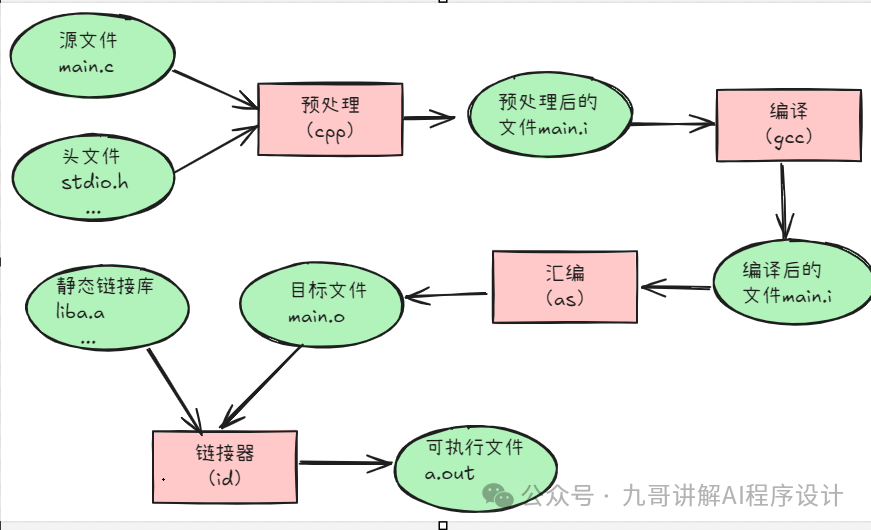
In fact, the above process can be broken down into four steps: preprocessing, compilation, assembly, and linking, as shown in the image above.
3. Preprocessing
First, the source code file main.c and related header files such as stdio.h are preprocessed by the preprocessor cpp into a .i file.
cpp main.c > main.i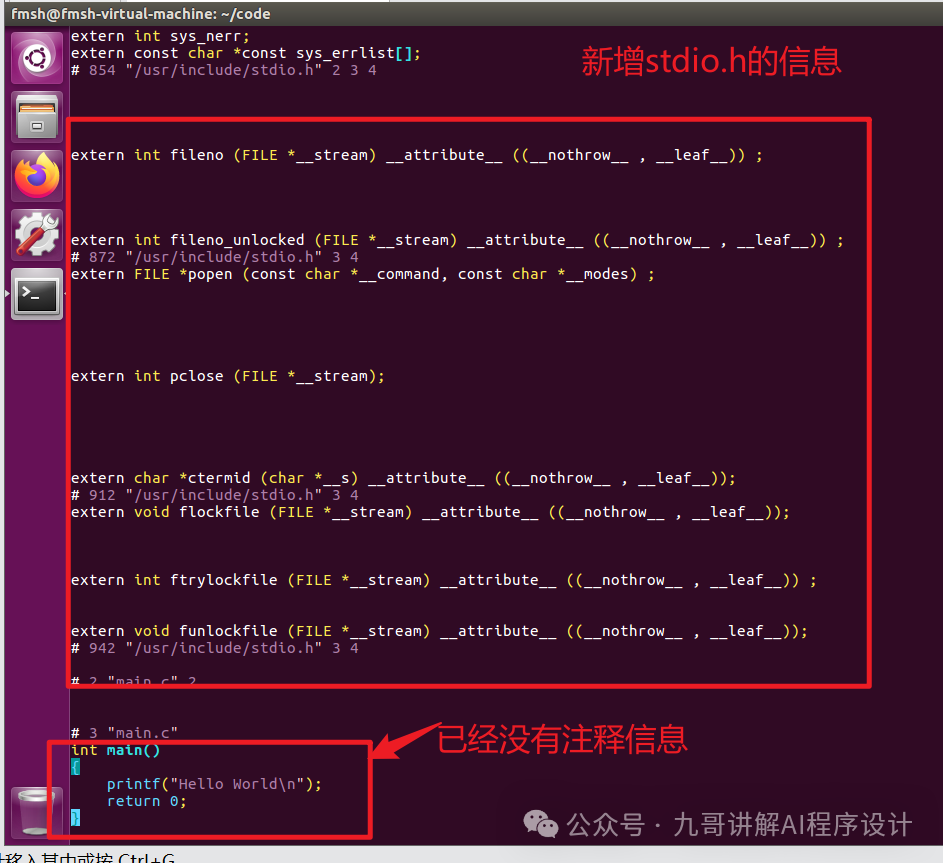
The preprocessing process mainly handles the preprocessor directives in the source code files that start with “#”. For example, “#include”, “#define”, etc. The main processing rules are as follows:
-
Remove all #define and expand all macro definitions.
-
Process all conditional preprocessor directives, such as #if, #ifdef, #elif, #else, #endif.
-
Process #include preprocessor directives, inserting the included files at the location of the directive. Note that this process is recursive, meaning that included files may also include other files.
-
Remove all comments “//” and “/* */”.
-
Add line numbers and file name identifiers, such as #2 “main.c” 2, to facilitate the compiler in generating debugging line number information and displaying line numbers when compilation errors or warnings occur.
-
Retain all #pragma compiler directives, as the compiler needs to use them.
4. Compilation
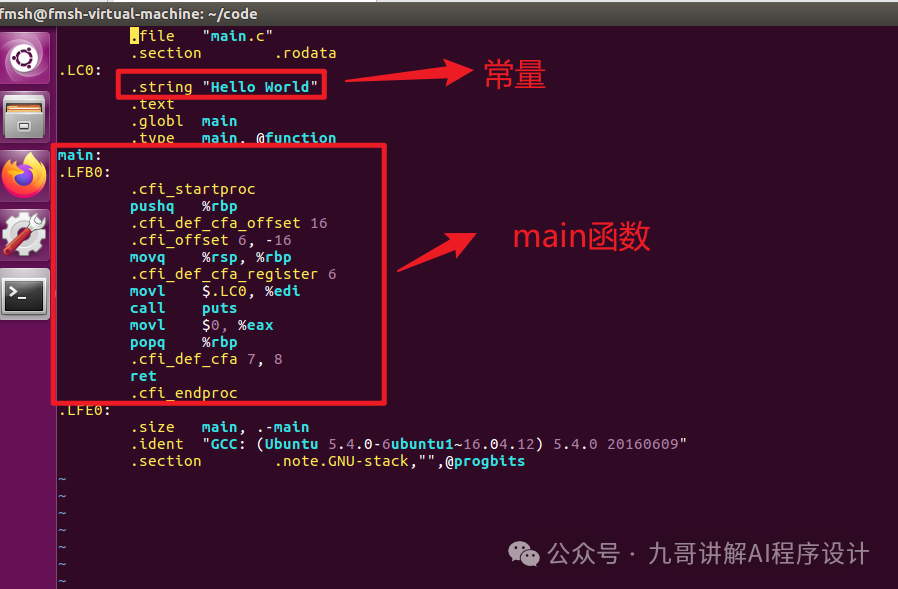
The compilation process involves performing a series of lexical analysis, syntax analysis, semantic analysis, and optimizations on the preprocessed file to produce the corresponding assembly code file. This process is often considered the core part of the entire program build and is one of the most complex parts.
$gcc -S main.c -o main.sContents of the compiled file.
5. Assembly
The assembler converts the assembly code into machine-executable instructions, where each assembly statement corresponds almost directly to a machine instruction. The generated <span>.o</span> object file cannot run yet, but it is already partially “executable”.
📁 Output:<span>.o</span> file
🧠 Analogy: A dish has been cooked on the assembly line but has not yet been served.
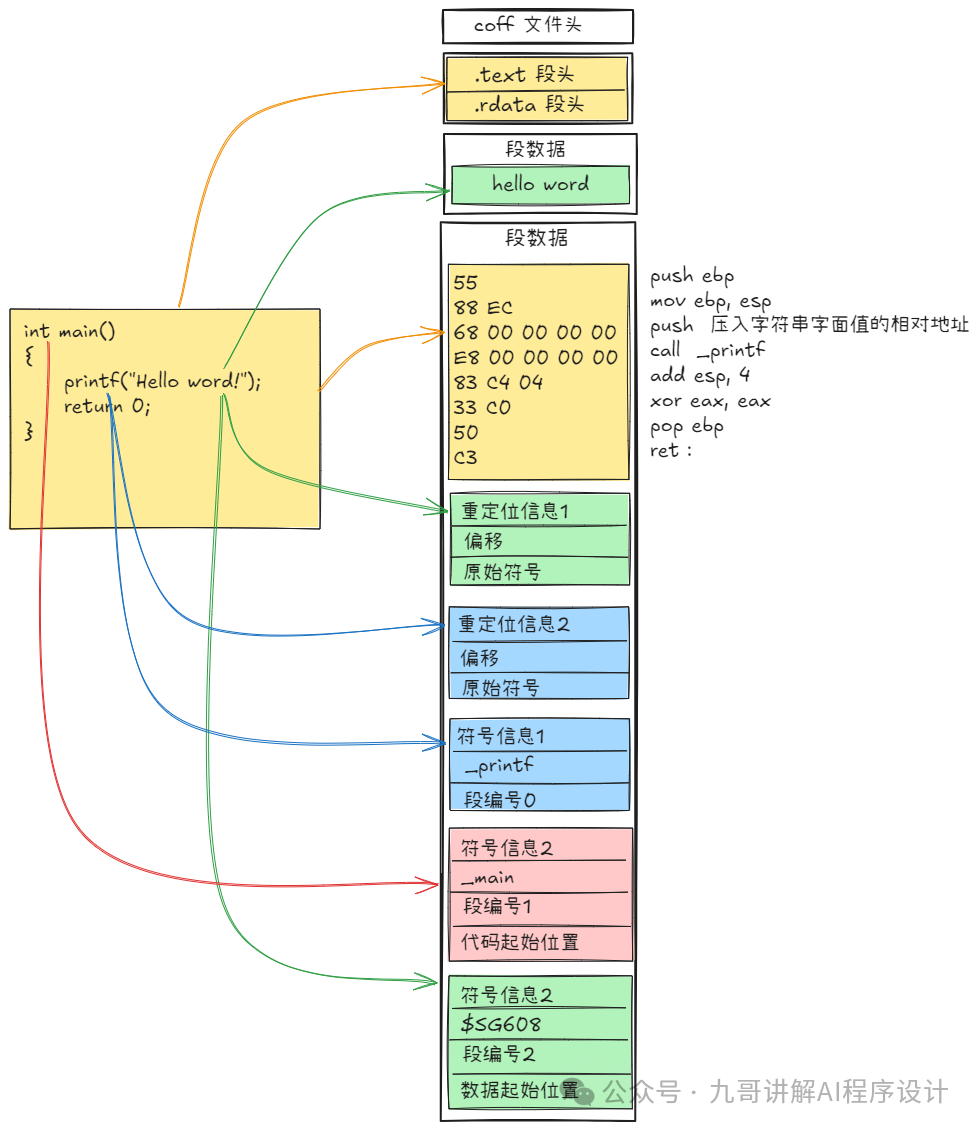
$gcc -c hello.c -o hello.oThe object file is very close to an executable file. The structure of the object file is similar in both Linux and Windows.
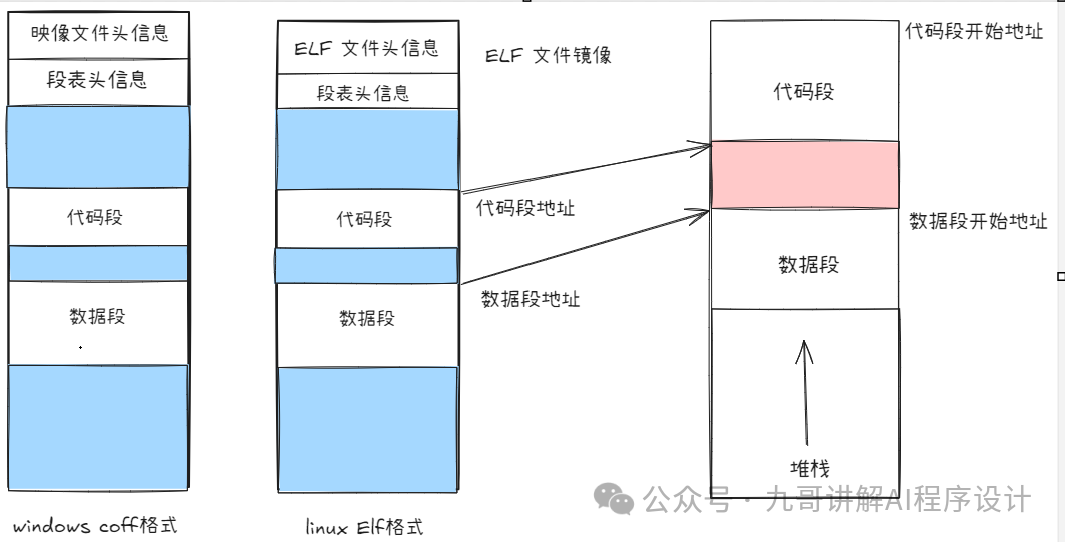
File header information
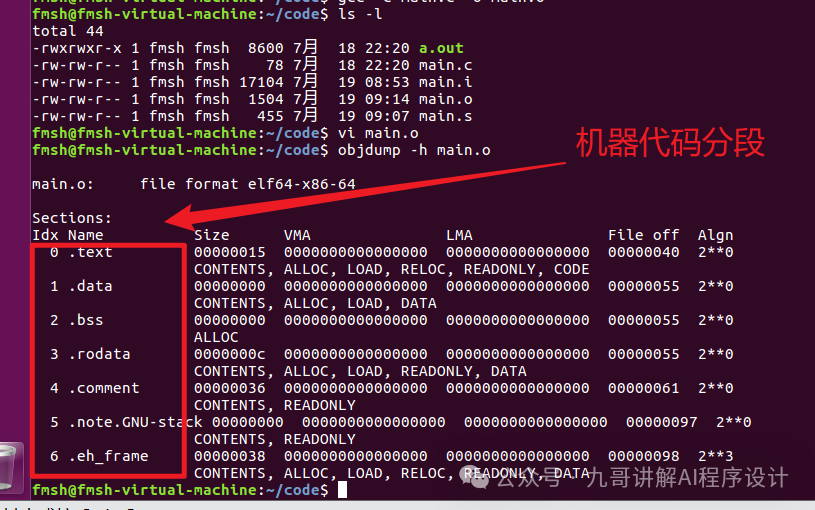 Code segment information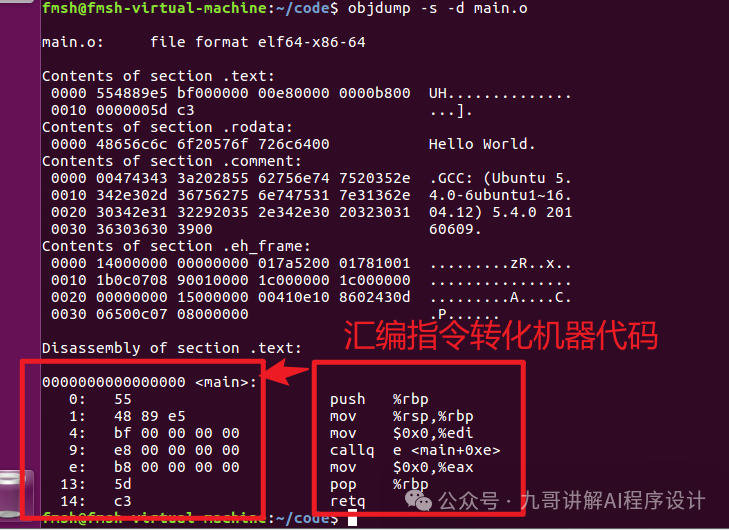
6. Linking
Combine your code + system libraries (such as <span>printf</span>) to finally generate a complete program. Output: Executable file (such as in Linux <span>./a.out</span>)
🧠 Analogy: All dishes are served, various cuisines require different culinary skills, and the meal is complete! In reality, this is much more complex, but having a basic concept is sufficient. These types will be explained in detail in the course on compilation principles. Ultimately, linking results in an executable file.
7. Summary and Mnemonic
✅ Summary Mnemonic
Preprocessing clarifies header files,
Compilation converts to assembly;
Assembly forms code into objects,
Linking functions into programs!
8. Recommended Practice
Recommended practice
Programming on the machine, modify the program:
1. Output your student ID and name.
2. Write two main functions, can they compile successfully?