🚀 Automation Tool for Operations: Easily Manage Hundreds of Linux Servers with Ansible
Say goodbye to manual operations! Manage 1000 servers with a single command, that’s the charm of Ansible.
🎯 Why Choose Ansible?
Are you still struggling to manage dozens of servers? Are you still working late into the night deploying applications one by one? As a seasoned operations engineer, I deeply understand the pain points of traditional operations. Today, I will share my practical experience using Ansible in production environments, so you can also become an automation operations expert!
💡 Three Core Advantages of Ansible
1. Zero Dependency Deployment
- • No need to install agents on target servers
- • Only requires SSH connection, inherently secure
- • Low learning curve, YAML syntax is simple and easy to understand
2. Idempotency Guarantee
- • Consistent results on multiple executions
- • Avoid system anomalies caused by repeated operations
- • More stable and reliable production environment
3. Powerful Module Ecosystem
- • Over 3000 built-in modules
- • Covers various fields such as networking, storage, and cloud platforms
- • Active community with continuous updates
🛠️ Preparing the Practical Environment
Environment Architecture
Control Node: CentOS 8 (Ansible Server)
Target Nodes: Ubuntu 20.04 × 10 (Web Servers)
Quick Installation of Ansible
# CentOS/RHEL
sudo yum install epel-release -y
sudo yum install ansible -y

# Ubuntu/Debian
sudo apt update
sudo apt install ansible -y

# Verify Installation
ansible --version
🔧 Core Configuration Details
1. Host Inventory Configuration
Create the <span>/etc/ansible/hosts</span> file:
[webservers]
web01 ansible_host=192.168.1.10
web02 ansible_host=192.168.1.11
web03 ansible_host=192.168.1.12

[databases]
db01 ansible_host=192.168.1.20
db02 ansible_host=192.168.1.21

[production:children]
webservers
databases

[production:vars]
ansible_user=root
ansible_ssh_private_key_file=~/.ssh/id_rsa
2. SSH Passwordless Login Setup
# Generate Key Pair
ssh-keygen -t rsa -b 4096

# Distribute Public Key in Bulk
for i in {10..12}; do
  ssh-copy-id [email protected].$i
done
3. Configuration File Optimization
Edit the <span>/etc/ansible/ansible.cfg</span>:
[defaults]
host_key_checking = False
timeout = 30
forks = 50
gathering = smart
fact_caching = jsonfile
fact_caching_connection = /tmp/ansible_facts_cache
fact_caching_timeout = 3600

[ssh_connection]
ssh_args = -o ControlMaster=auto -o ControlPersist=60s
pipelining = True
🎪 Practical Case: Batch Deployment of Web Servers
Case 1: System Initialization Playbook
---
- name: Standardized Configuration for Linux Servers
  hosts: webservers
  become: yes
  tasks:
    - name: Update System Packages
      apt:
        update_cache: yes
        upgrade: dist

    - name: Install Basic Software
      apt:
        name:
          - vim
          - htop
          - curl
          - wget
          - git
          - tree
        state: present

    - name: Configure Time Zone
      timezone:
        name: Asia/Shanghai

    - name: Create Operations User
      user:
        name: devops
        groups: sudo
        shell: /bin/bash
        create_home: yes

    - name: Configure Firewall Rules
      ufw:
        rule: allow
        port: "{{ item }}"
        proto: tcp
      loop:
        - 22
        - 80
        - 443
Case 2: Nginx Cluster Deployment
---
- name: Deploy Nginx Cluster
  hosts: webservers
  become: yes
  vars:
    nginx_version: "1.20.2"
    document_root: "/var/www/html"

  tasks:
    - name: Install Nginx
      apt:
        name: nginx
        state: present

    - name: Create Website Directory
      file:
        path: "{{ document_root }}"
        state: directory
        owner: www-data
        group: www-data
        mode: '0755'

    - name: Deploy Nginx Configuration File
      template:
        src: nginx.conf.j2
        dest: /etc/nginx/sites-available/default
        backup: yes
      notify: restart nginx

    - name: Deploy Website Files
      copy:
        src: "{{ item }}"
        dest: "{{ document_root }}/"
        owner: www-data
        group: www-data
      with_fileglob:
        - "files/web/*"
      notify: restart nginx

    - name: Start and Enable Nginx Service
      systemd:
        name: nginx
        state: started
        enabled: yes

  handlers:
    - name: restart nginx
      systemd:
        name: nginx
        state: restarted
Case 3: Application Release Automation
---
- name: Application Release Pipeline
  hosts: webservers
  serial: 2  # Rolling release, 2 servers at a time
  max_fail_percentage: 0

  tasks:
    - name: Health Check
      uri:
        url: "http://{{ ansible_host }}/health"
        method: GET
        status_code: 200
      register: health_check
      failed_when: health_check.status != 200

    - name: Remove Node from Load Balancer
      uri:
        url: "http://lb.example.com/api/remove/{{ ansible_host }}"
        method: POST
      delegate_to: localhost

    - name: Stop Application Service
      systemd:
        name: myapp
        state: stopped

    - name: Backup Current Version
      archive:
        path: /opt/myapp
        dest: "/opt/backup/myapp-{{ ansible_date_time.epoch }}.tar.gz"

    - name: Deploy New Version
      unarchive:
        src: "files/myapp-{{ app_version }}.tar.gz"
        dest: /opt/
        owner: myapp
        group: myapp

    - name: Update Configuration File
      template:
        src: app.conf.j2
        dest: /opt/myapp/conf/app.conf

    - name: Start Application Service
      systemd:
        name: myapp
        state: started

    - name: Wait for Service to Start
      wait_for:
        port: 8080
        host: "{{ ansible_host }}"
        delay: 10
        timeout: 60

    - name: Add Node to Load Balancer
      uri:
        url: "http://lb.example.com/api/add/{{ ansible_host }}"
        method: POST
      delegate_to: localhost
🔥 Advanced Tips and Best Practices
1. Use Vault to Protect Sensitive Information
# Create Encrypted File
ansible-vault create secrets.yml

# Edit Encrypted File
ansible-vault edit secrets.yml

# Use in Playbook
- name: Configure Database Connection
  template:
    src: database.conf.j2
    dest: /etc/myapp/database.conf
  vars:
    db_password: "{{ vault_db_password }}"
2. Dynamic Inventory
#!/usr/bin/env python3
# dynamic_inventory.py
import json
import boto3

def get_aws_instances():
    ec2 = boto3.client('ec2')
    response = ec2.describe_instances()

    inventory = {
        '_meta': {'hostvars': {}},
        'webservers': {'hosts': []},
        'databases': {'hosts': []}
    }

    for reservation in response['Reservations']:
        for instance in reservation['Instances']:
            if instance['State']['Name'] == 'running':
                private_ip = instance['PrivateIpAddress']
                tags = {tag['Key']: tag['Value'] for tag in instance.get('Tags', [])}

                if tags.get('Role') == 'web':
                    inventory['webservers']['hosts'].append(private_ip)
                elif tags.get('Role') == 'db':
                    inventory['databases']['hosts'].append(private_ip)

                inventory['_meta']['hostvars'][private_ip] = {
                    'ansible_host': private_ip,
                    'ec2_instance_id': instance['InstanceId'],
                    'ec2_instance_type': instance['InstanceType']
                }

    return inventory

if __name__ == '__main__':
    print(json.dumps(get_aws_instances(), indent=2))
3. Role-Based Management
# Create Role Structure
ansible-galaxy init roles/nginx
ansible-galaxy init roles/mysql
ansible-galaxy init roles/monitoring

# Playbook Using Roles
---
- name: Deploy LAMP Environment
  hosts: webservers
  roles:
    - nginx
    - php
    - mysql
    - monitoring
4. Performance Optimization Strategies
# Parallel Execution Optimization
- name: Batch File Transfer
  copy:
    src: "{{ item }}"
    dest: /tmp/
  with_items: "{{ files_list }}"
  async: 300  # Asynchronous execution, timeout 300 seconds
  poll: 0     # Do not wait for result
  register: copy_jobs

- name: Wait for All Transfers to Complete
  async_status:
    jid: "{{ item.ansible_job_id }}"
  register: copy_results
  until: copy_results.finished
  retries: 30
  delay: 10
  with_items: "{{ copy_jobs.results }}"
📊 Monitoring and Troubleshooting
1. Execution Status Monitoring
# View Detailed Execution Process
ansible-playbook -i inventory site.yml -v

# Simulate Execution (Dry Run)
ansible-playbook -i inventory site.yml --check

# Show Differences
ansible-playbook -i inventory site.yml --check --diff
2. Common Problem Solutions
SSH Connection Issues
# Test Connection
ansible all -m ping

# Debug SSH Connection
ansible all -m ping -vvv
Permission Issues
- name: Execute with Elevated Privileges
  command: systemctl restart nginx
  become: yes
  become_method: sudo
Idempotency Issues
- name: Check Service Status
  systemd:
    name: nginx
  register: service_status

- name: Conditional Execution
  command: nginx -s reload
  when: service_status.status.ActiveState == "active"
💰 Project Practice: Cost Optimization Case
Scenario: E-commerce Platform Double Eleven Preparation
Our team used Ansible to complete the expansion deployment of 200 servers within 2 hours, saving 90% of the time compared to traditional manual deployment, avoiding human errors, and ensuring stable business operations.
Core Benefits
- • Efficiency Improvement: Deployment time reduced from 8 hours to 30 minutes
- • Error Reduction: Human configuration error rate reduced by 95%
- • Cost Savings: Labor costs saved by 60%, downtime reduced by 80%
🎯 Learning Path Recommendations
Beginner Stage (1-2 weeks)
- 1. Familiarize with YAML Syntax
- 2. Master Basic Module Usage
- 3. Complete Simple System Configuration Tasks
Intermediate Stage (3-4 weeks)
- 1. Learn Playbook Writing
- 2. Master Variable and Template Usage
- 3. Understand Roles and Galaxy
Advanced Stage (2-3 months)
- 1. Custom Module Development
- 2. Dynamic Inventory Integration
- 3. CI/CD Pipeline Integration
- 4. Large Scale Cluster Management
🏆 Summary and Outlook
Ansible, as a core tool for automation operations, not only improves work efficiency but also embodies the essence of modern DevOps culture. Mastering Ansible means mastering the future of operations automation!
From my years of practical experience, the learning curve of Ansible is relatively gentle, but its power is immense. Whether you are a novice in operations or a seasoned engineer, it is worth delving into this powerful automation tool.
End of Article Benefits
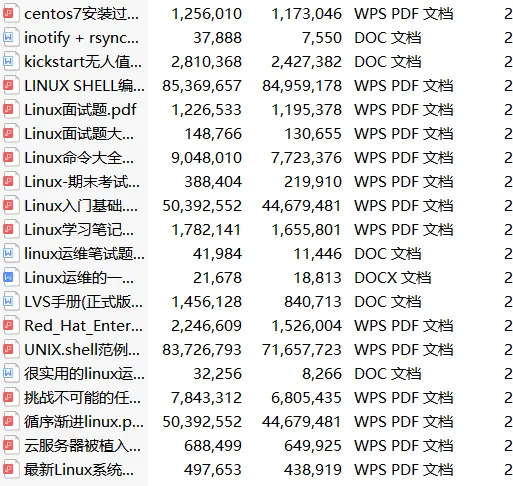
Currently, the transformation direction that traditional operations can impact with an annual salary of over 300,000 is the SRE & DevOps positions.To help everyone get rid of tedious grassroots operations work as soon as possible,I have organized a set of essential skills resource packages for senior operations engineers, the content is rich and detailed, see the picture below!There are a total of 20 modules 1.38 Most Comprehensive Engineer Skill Map
 2. Interview Gift Package
 3. Linux Books
 4. Go Books
······
6. Automation Operations Tools 18. Message Queue Collection

All materials can be obtained by scanning the code
Note: Latest Operations Materials
100% Free to Claim
(No further replies in the background, scan to claim with one click)