Chen Jianhao: Sharing IT technical articles, sharing work experience, sharing life insights..
Ascend Virtual Desktop 7.0: Application Services: Adding 360 Browser
(1) Edit Image – Publish Application (Install 360 Browser)
When installing software, pay attention to the software path. If you are using the administrator account to install the software, but using the u1 account for application services, and you publish the application from the software selected in the start menu, then when u1 runs this software, it will report that the path cannot be found.
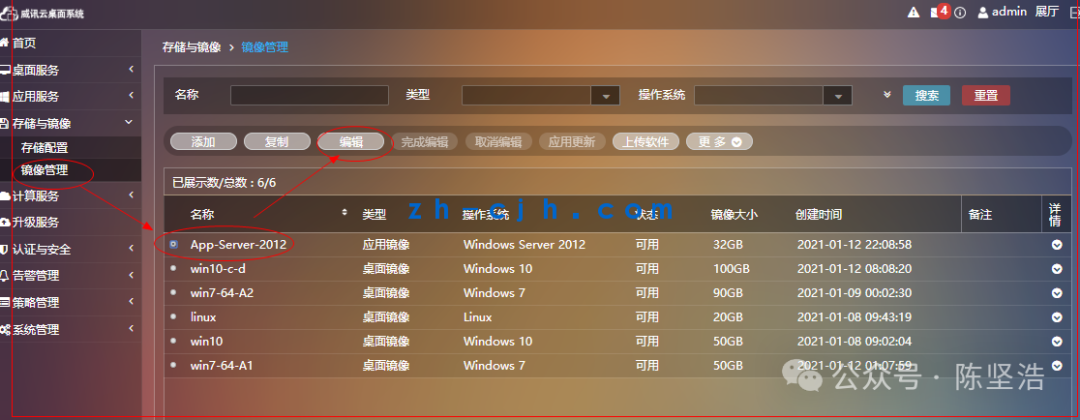
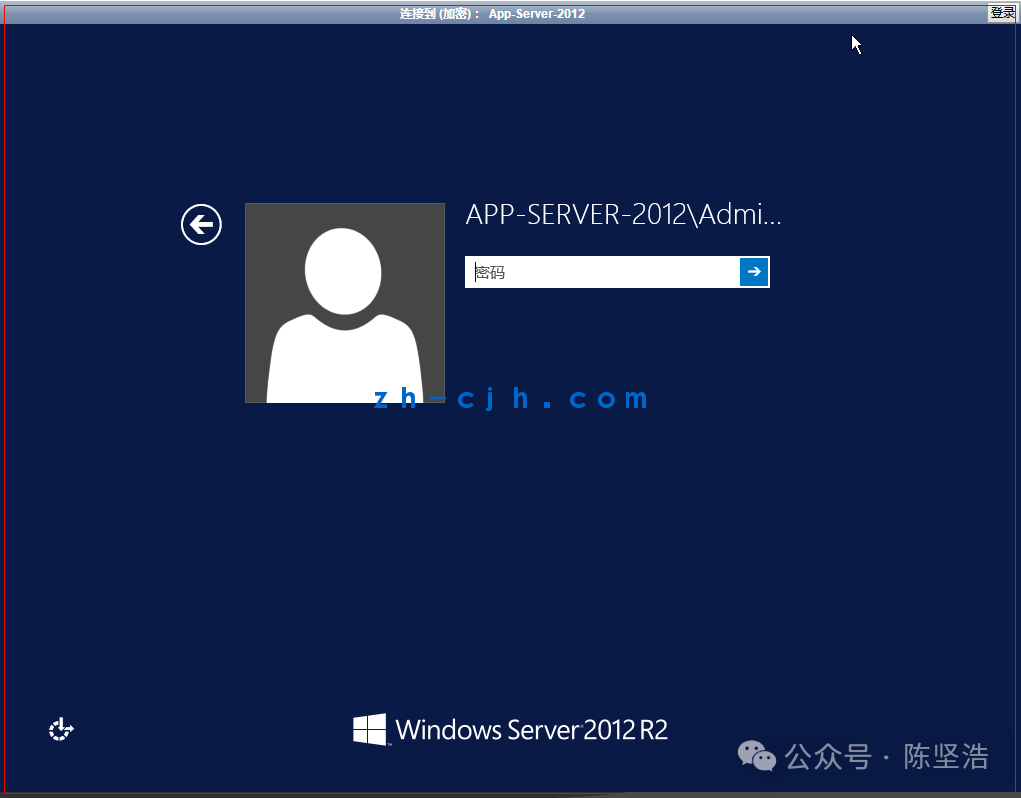
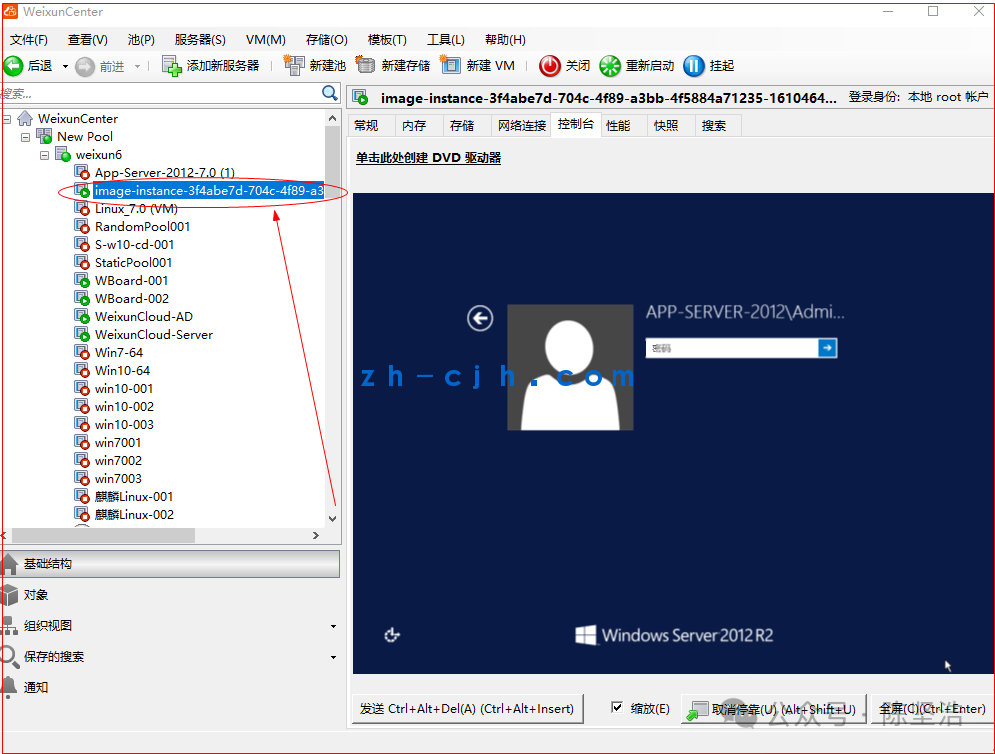
C:\Users\Administrator\AppData\Roaming\360se6\Application
C:\Users\Administrator\AppData\Roaming\360se6\Application\360se.exe
Note that the software installation path should be a public path, not a path belonging to a specific user; otherwise, the application exe cannot be found when publishing the application.
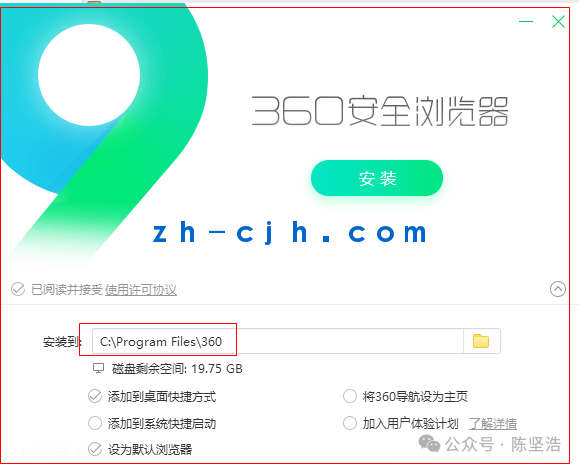
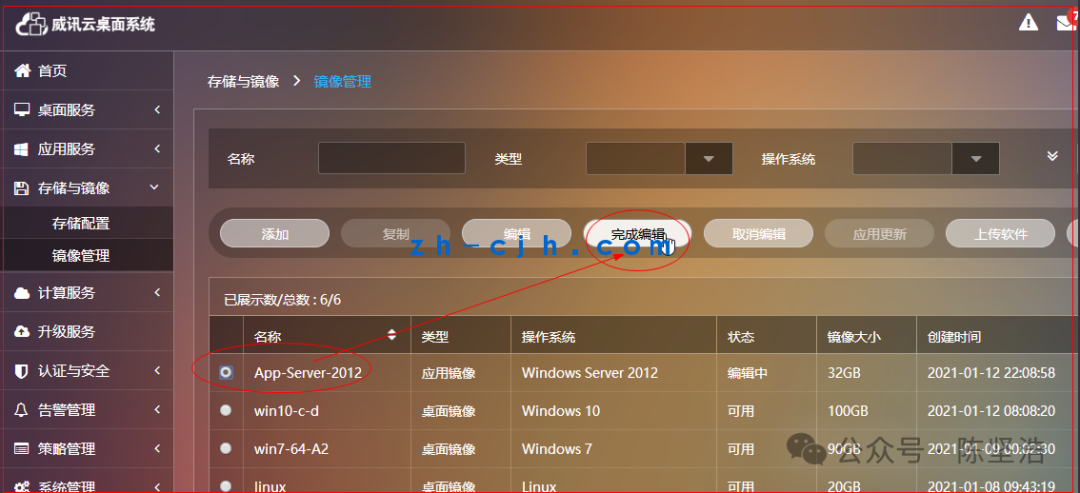
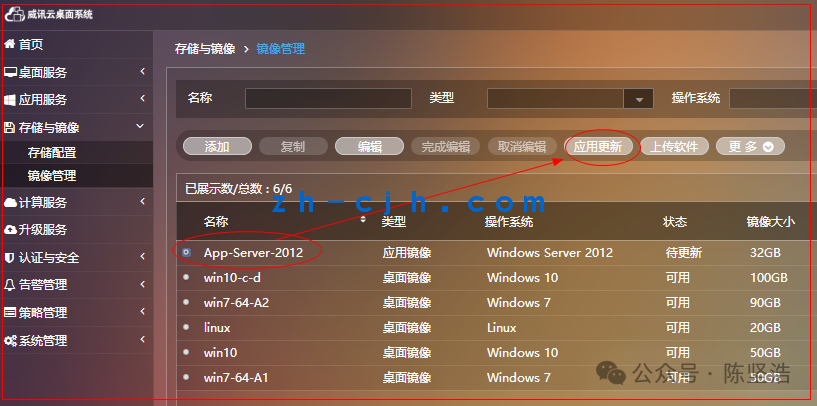
(2) Add Application Group
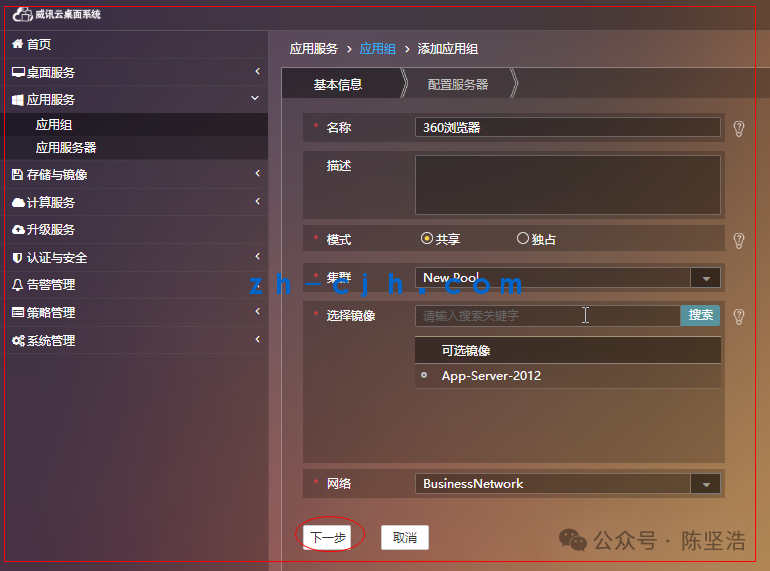
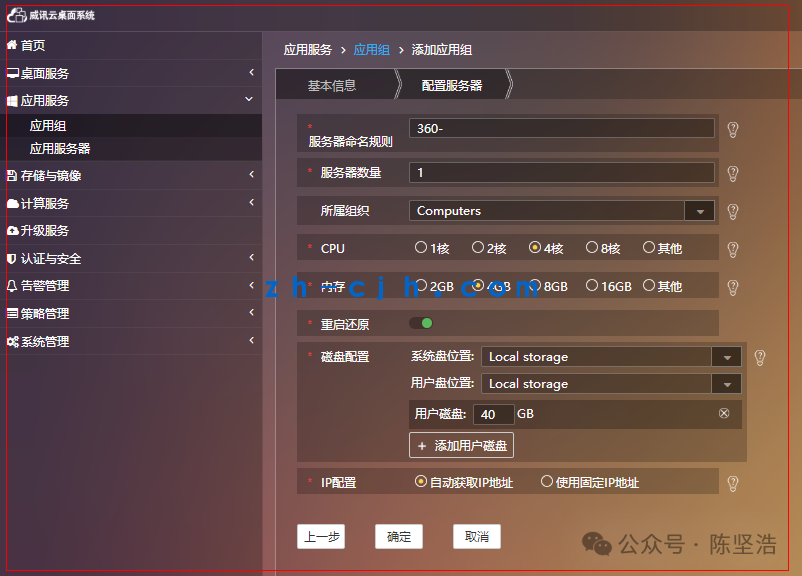
(3) Publish Application
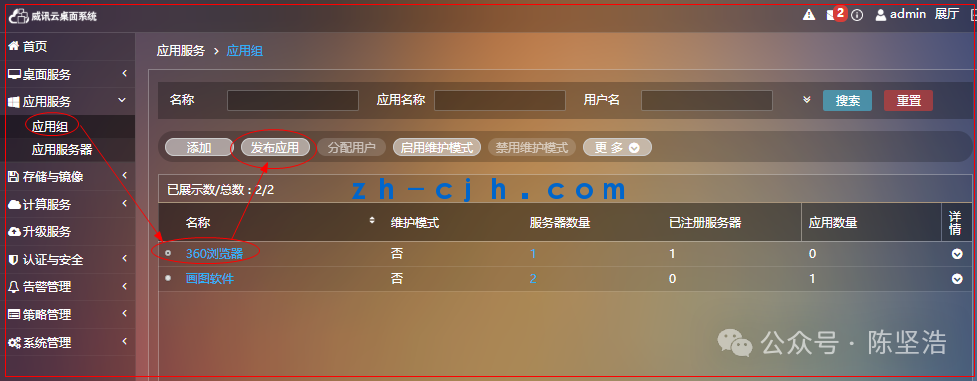
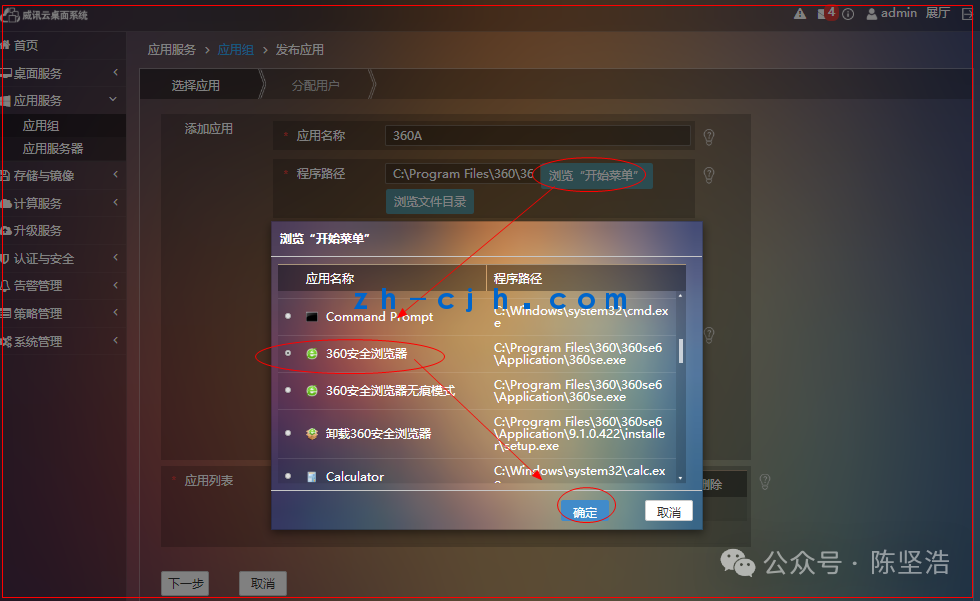
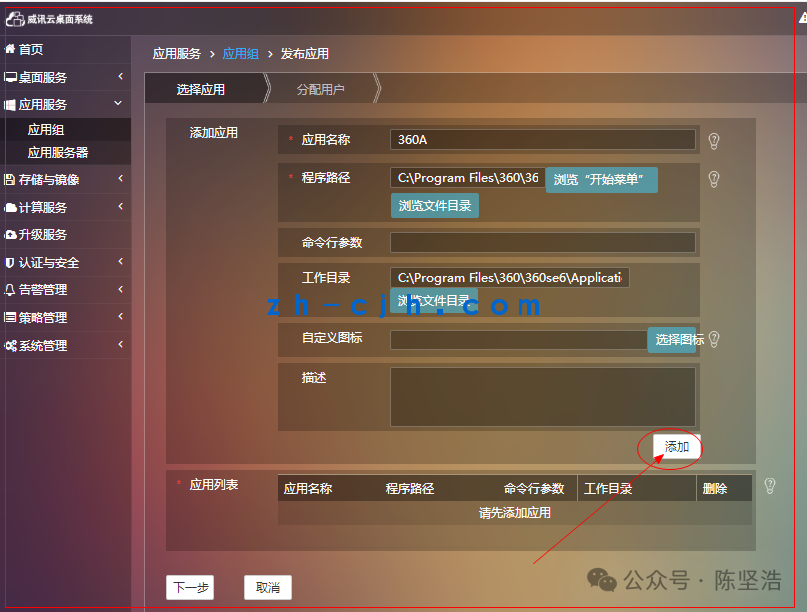
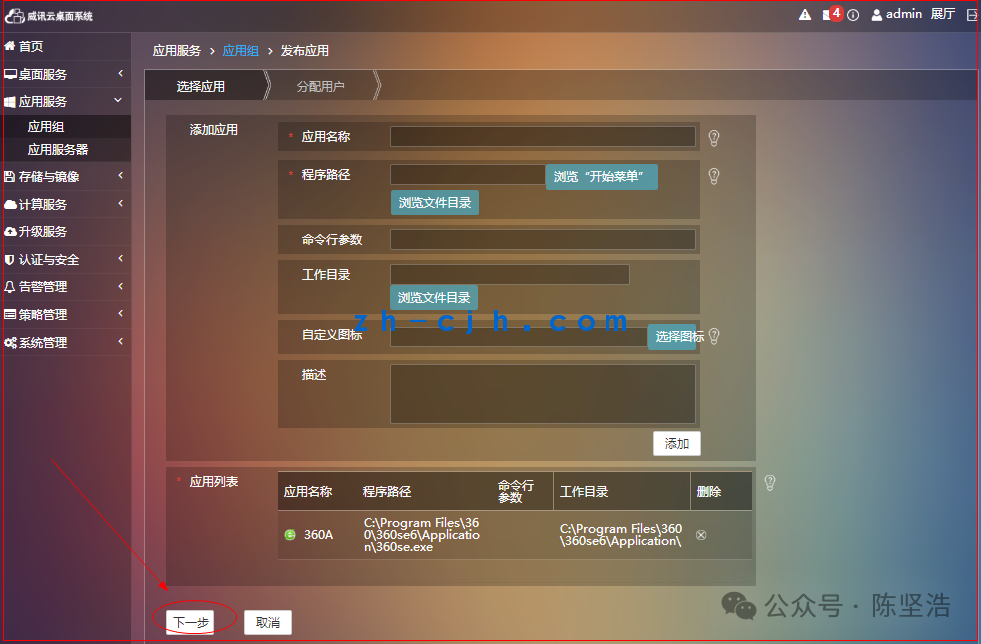
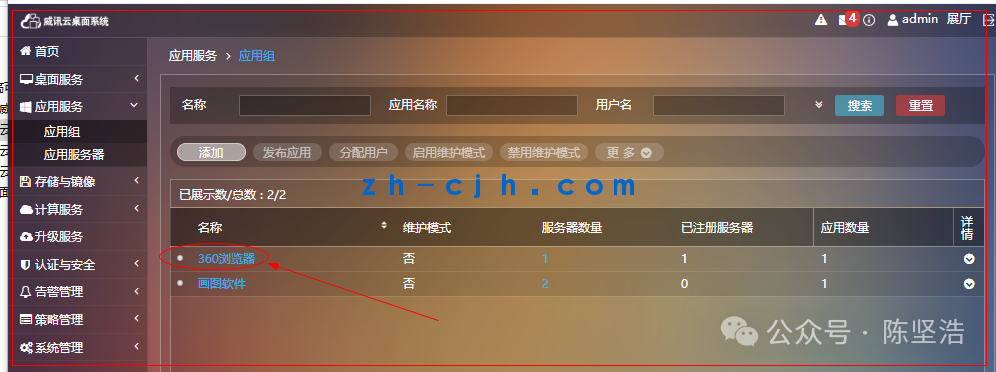
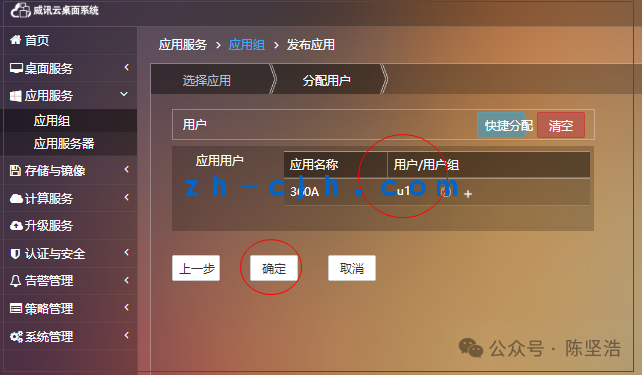
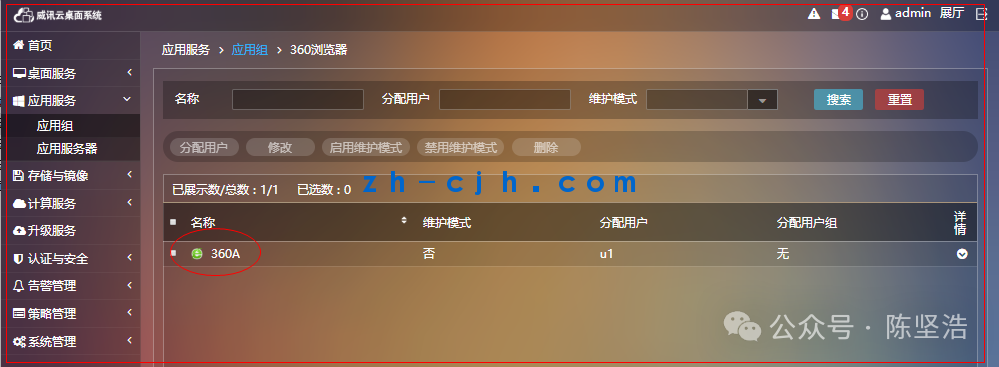
(4) Connect Application
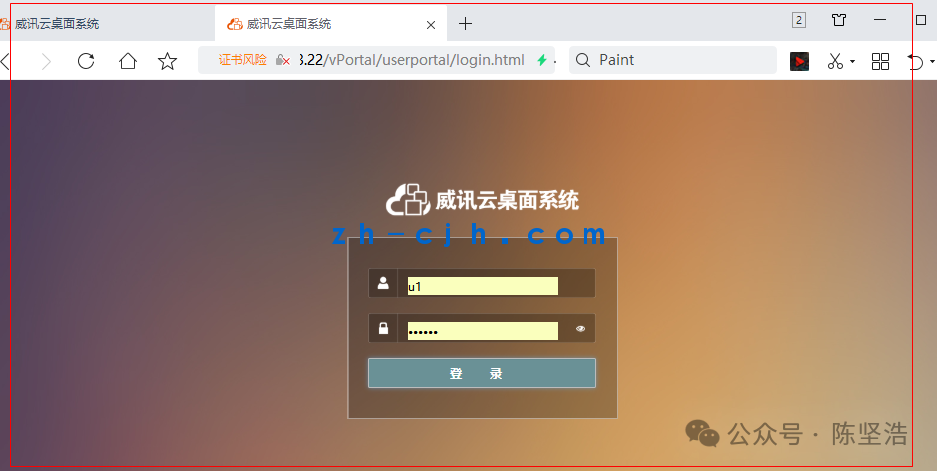
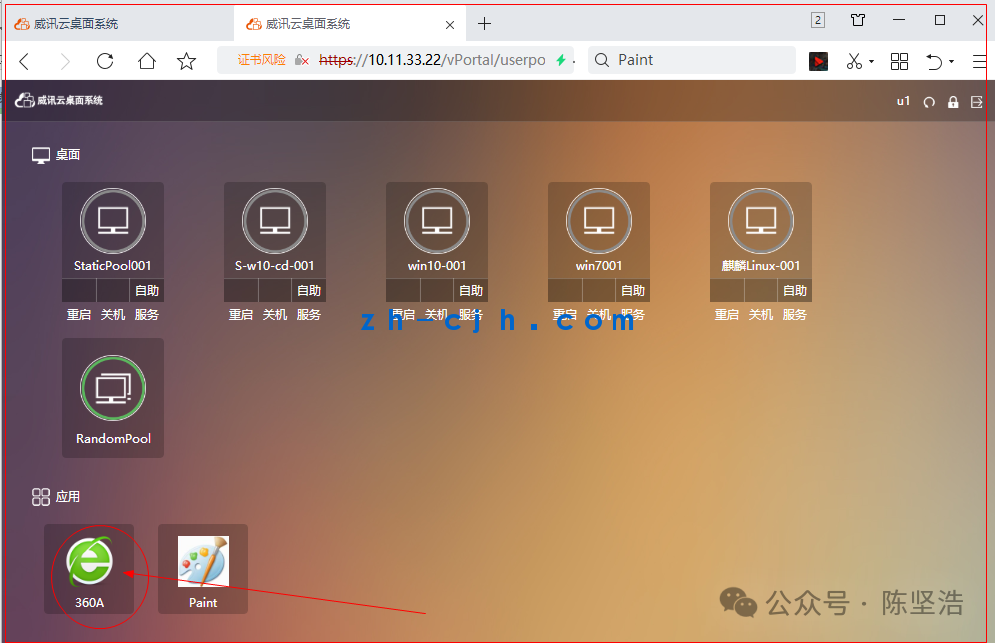
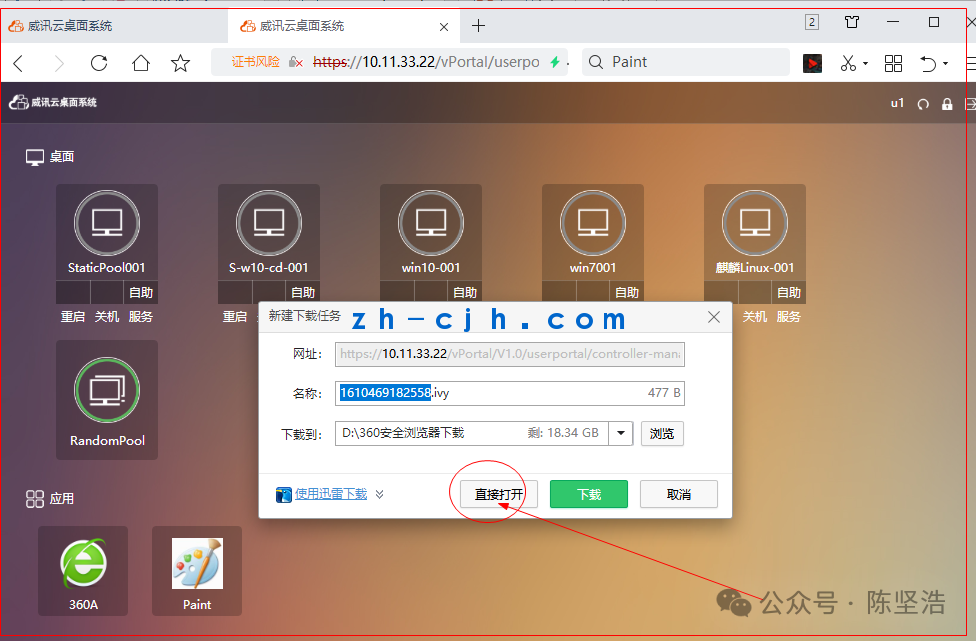
Note: The traffic of this application goes through the server’s network, not the local network.
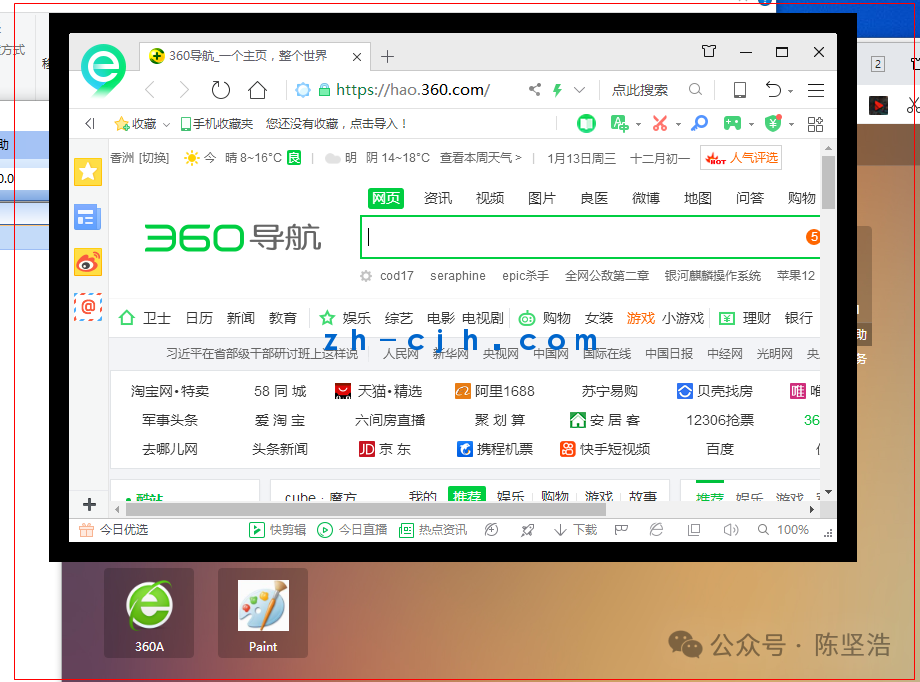
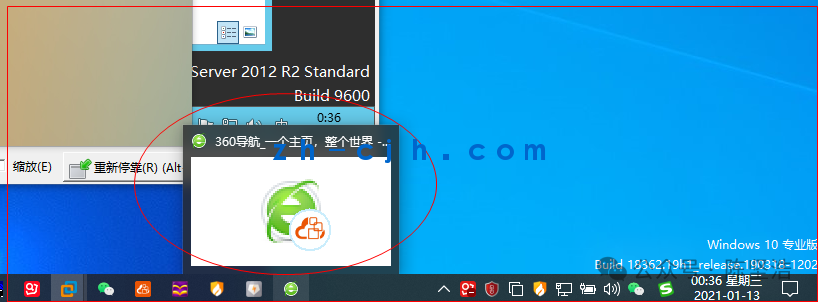
This article is complete.
Article link summary: July 1, 2025
Chen Jianhao’s personal statement:
1. This public account’s resources are continuously updated.2. The resources of this public account are mostly original, with some sourced from other paid resource platforms or collected from the internet. If there is any infringement, please contact us for timely handling.3. Most of the screenshots in this public account’s articles come from experimental testing environments. Please do not imitate them in production environments to avoid catastrophic consequences.
4. Everyone is welcome to engage in technical exchanges. Please add me on WeChat and note your region and name.