@Adding Register Viewing Functionality in Eclipse for Cortex-A5 MPU Debugging
-
Configure CMSIS in Eclipse -
Add MCU Repositories -
Open CMSIS Configuration Interface -
Configure Device in Eclipse -
Access Registers in Eclipse Debug
This tutorial will introduce how to configure the CMSIS package corresponding to the Microchip SAMA5 MPU in Eclipse, and then configure the device model in the project to enable real-time viewing of the chip register configuration during simulation.
Configure CMSIS in Eclipse
Add MCU Repositories
Eclipse -> Window -> Preferences -> C/C++ -> MCU Packages -> Repositories Select to add the following CMSIS Pack path
https://sadevicepacksprodus.blob.core.windows.net/idxfile/index.pidx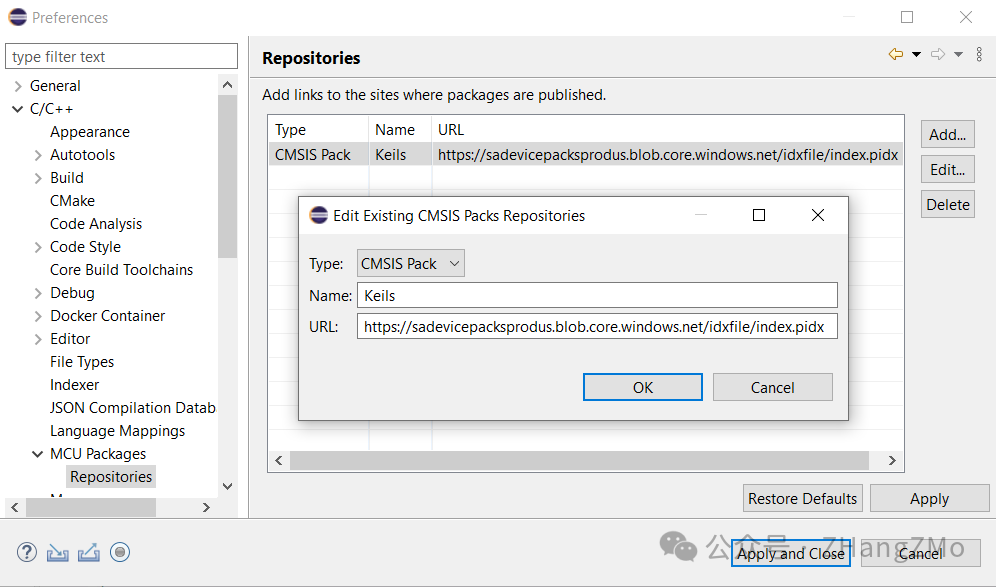
Open CMSIS Configuration Interface
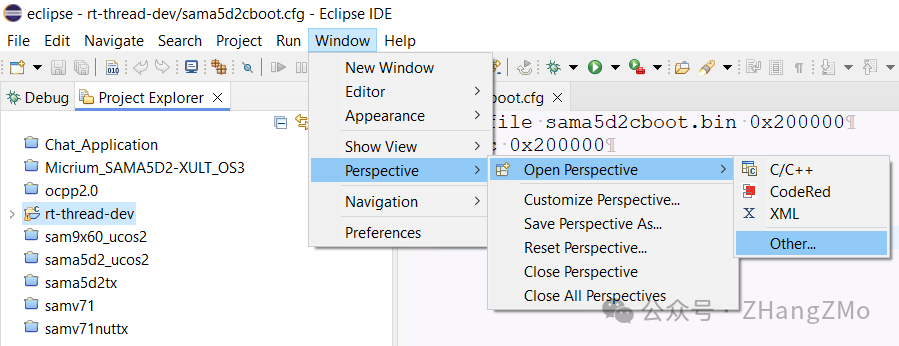
Select Windows->Perspective->Open Perspective-Other:
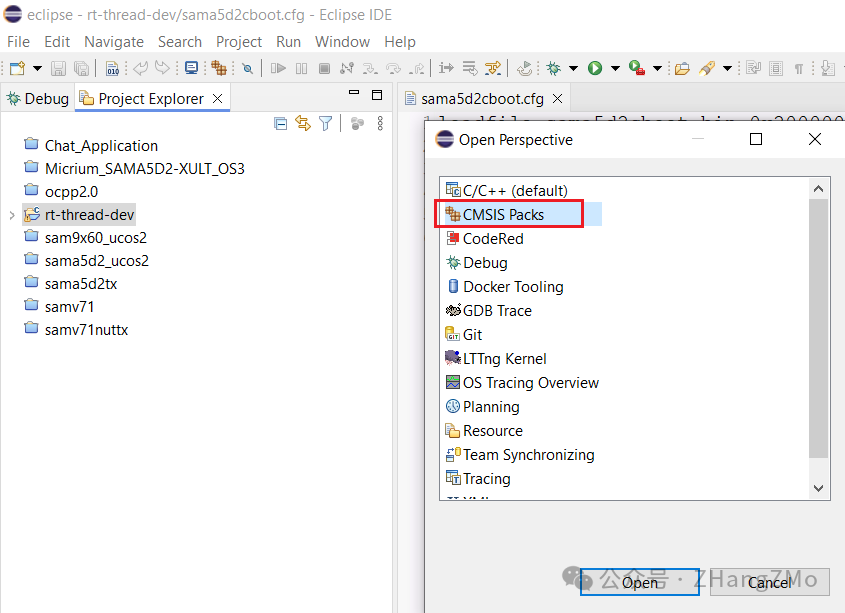
Select CMSIS Packs, then click Open:
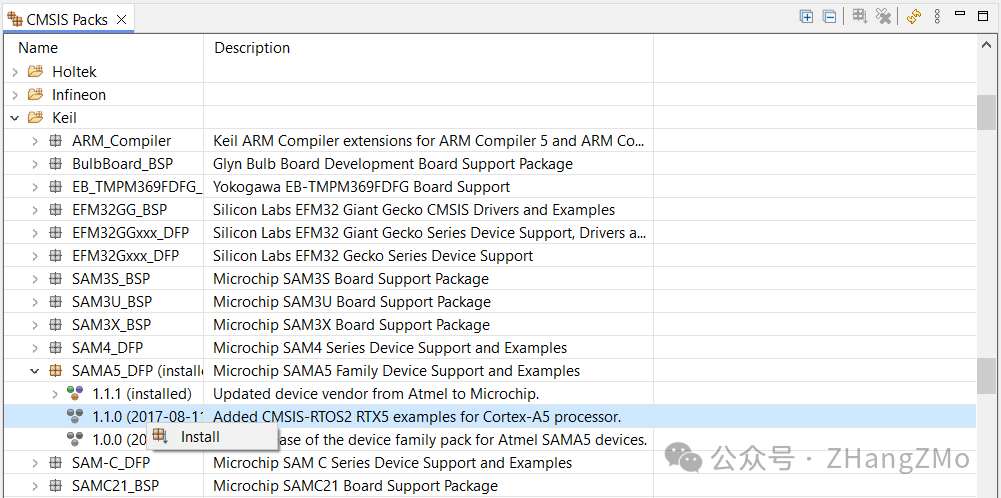
Select Keil-> SAMA5_DFP -> Choose 1.1.1, right-click, and choose Install, wait for the installation to complete:
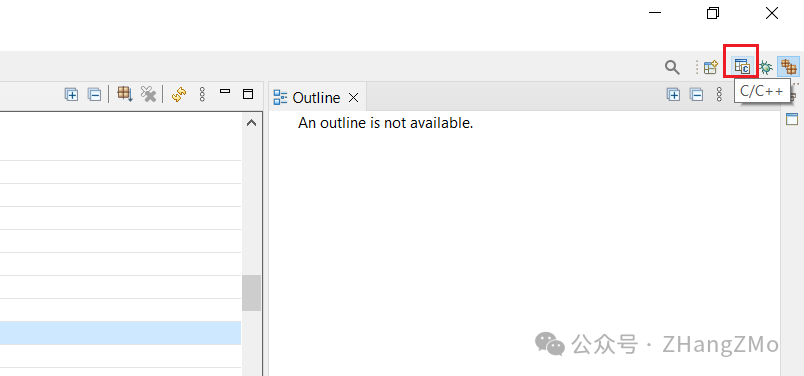
Switch back to the C/C++ project interface:
Configure Device in Eclipse
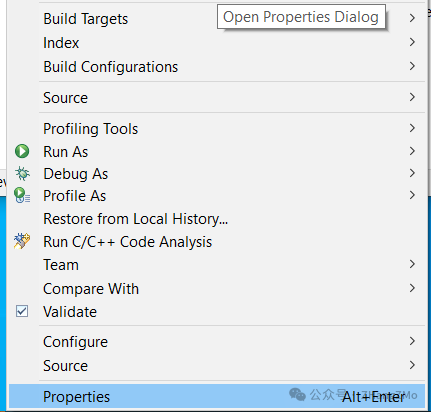
In the C/C++ project interface -> right-click rt-thread-dev project -> select Properties:
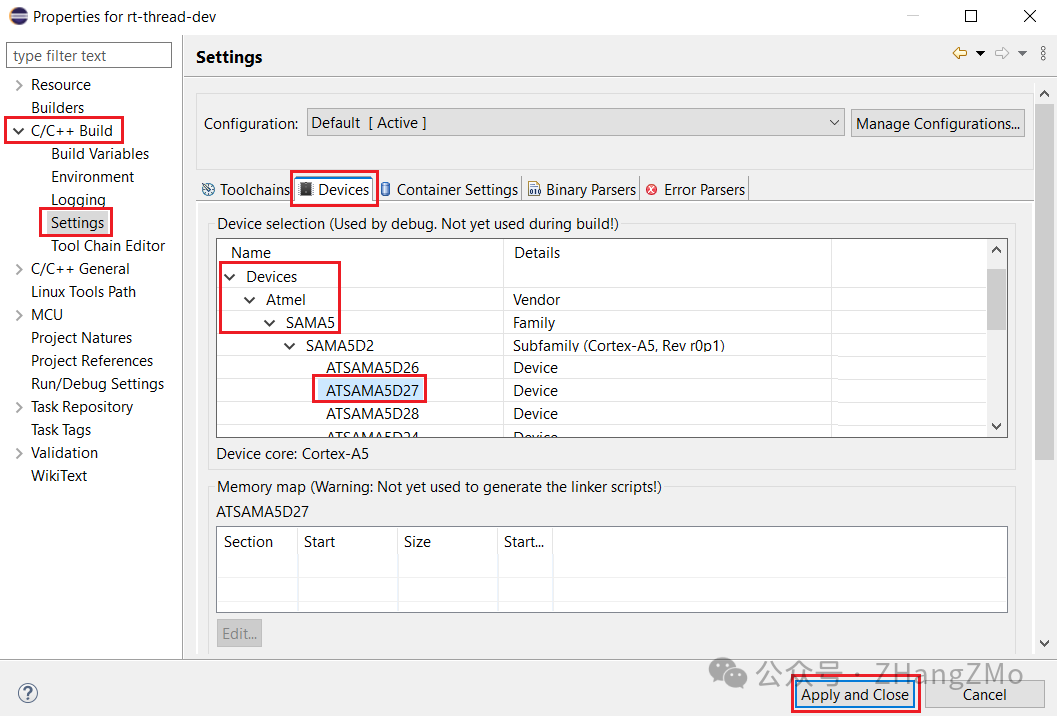
Configure in C/C++ Build -> Settings -> select ATSAMA5D27 -> finally click Apply and Close:
Access Registers in Eclipse Debug
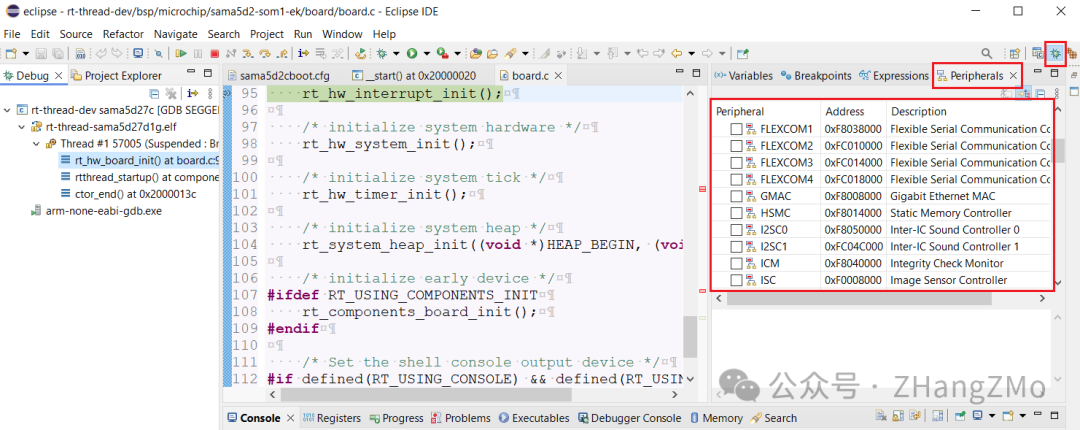
View external registers in the Debug interface -> left-click Peripherals -> check the peripherals you want to view:
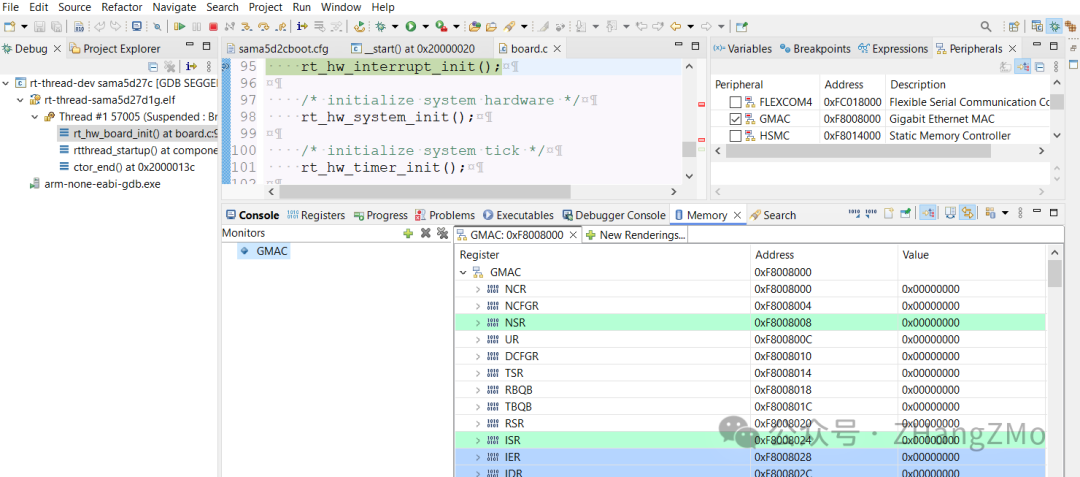
View GMAC register contents in the Debug interface:
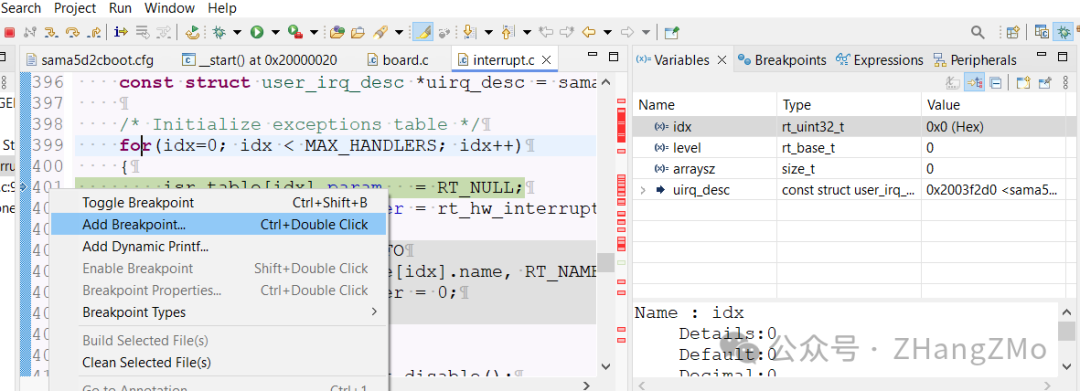
View variable values and breakpoints setting in the Debug interface: