Essential for Automation Test Engineers: 20 Linux Commands to Navigate Servers with Ease

Essential for Automation Test Engineers: 20 Linux Commands to Navigate Servers with Ease

Last week, our automation pipeline suddenly failed, and the error message was simply: Connection refused The developer said: “The service is down, go check the server.” I logged into the test machine and resolved it with three commands: ps -ef | grep order-service # Check processesnetstat -tunlp | grep 8080 # Check porttail -f /var/log/order.log … Read more

The Ultimate Python Debugging Tool: Using PyCharm Breakpoints and Log Analysis to Quickly Identify Bug Sources

“It worked fine during testing, but it throws an error once it’s live!”“ “This exception message is so confusing, where did it go wrong?”“ “I fixed one bug, but three new bugs popped up…” Does this experience sound familiar? Don’t worry, today I’m going to help you master the ultimate weapon for Python debugging: Using … Read more

Cybersecurity Emergency Response Techniques – Linux Edition

1.1 System Check 1. Port Check This is mainly used to check which ports are open on the server and which IP addresses are establishing connections. View all TCP connections netstat -tnlpa View UDP connections netstat -unlpa This is also used to view port connections, but it can show half-open connections initiated, such as outgoing … Read more

How grep Became an Efficient Tool for Text Search in Linux

When faced with hundreds of lines of log files, how can you quickly locate key error messages? When you need to filter valid content from a large number of configuration files, how can you avoid the tediousness of line-by-line searching? The Linux command we are introducing today—grep—is an efficient tool that solves these problems. Known … Read more

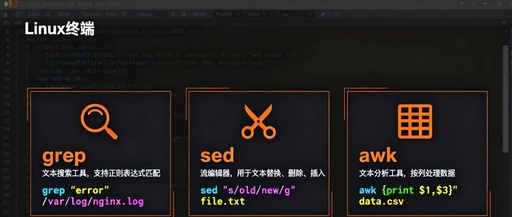
Mastering the ‘Three Musketeers’ of Linux: A Detailed Guide to grep, sed, and awk

Mastering the 'Three Musketeers' of Linux: A Detailed Guide to grep, sed, and awk

Mastering the ‘Three Musketeers’ of Linux: A Detailed Guide to grep, sed, and awk The Three Musketeers of Linux Introduction: “Why can others complete log analysis in 5 minutes while I have to manually search for a long time?” “Why do my operations colleagues always seem to perform ‘magic’ in the command line?” The answer … Read more

Advanced Linux Techniques for Log Analysis (Part 6)

Advanced Linux Techniques for Log Analysis (Part 6)

Today, we will analyze logs using Linux commands in a practical work scenario. This includes many useful tips that can significantly aid in performance testing, analyzing online logs, understanding user behavior, and troubleshooting issues. 1. Can we do this? When we want to analyze an online file, the first question to consider is whether we … Read more

Linux (15): Viewing & Manipulating File Content

Linux (15): Viewing & Manipulating File Content

1. Core Purpose & Concepts Core Purpose: To use a series of specialized commands to read, merge, reverse, and extract file content, all operations are performed in the command line without the need to launch a full text editor, thus achieving efficient file content preview and processing. Core Terminology: <span>cat</span> (concatenate): Its core function is … Read more

The Three Musketeers of Linux: awk

The Three Musketeers of Linux: awk

In Unix and Unix-like operating systems, text processing is a fundamental and critical task. Since the 1970s, with the development of computer technology and the growing demand for data processing, a series of powerful text processing tools have emerged. Among them, <span>awk</span> is highly regarded for its unique text analysis and report generation capabilities. The … Read more

Example Scripts for Managing Scheduled Tasks on Linux

Example Scripts for Managing Scheduled Tasks on Linux

Recently, I have been working on modifying and migrating several scheduled task scripts, so I took the opportunity to review my knowledge of cron and systemd timers, summarizing it into a series of articles. Interested readers can click the links below to read the original articles. Thank you for your support. Detailed Explanation of cron … Read more