Essential Linux Skills for Bioinformatics Analysis 4: Viewing File Contents
Essential Linux Skills for Bioinformatics Analysis 4: Viewing File Contents

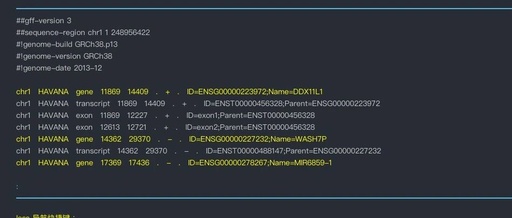
Good morning, everyone. Today we continue our discussion on “Essential Linux Skills for Bioinformatics Analysis“ In the world of bioinformatics analysis, we deal with various mysterious data files every day: FASTQ files hide the secrets of DNA sequences, GFF annotation files record the location information of genes, and VCF files store the results of variant … Read more

Linux | 23. File Viewing with wc, cat, head, tail

Linux | 23. File Viewing with wc, cat, head, tail

Introduction In this section, we will learn how to view files. In fact, we have used these commands multiple times in previous tutorials, so many of you may already be very familiar with them. In Windows, we know that both txt text files and word docx files have corresponding software to open and view them. … Read more

Mastering the Linux File System: A Guide to the ‘more’ Command and Its Practical Applications

Mastering the Linux File System: A Guide to the 'more' Command and Its Practical Applications

Warm Reminder If you like this article, please share it with your friends. If you have any questions or want more information, please follow or leave a message. In Linux systems, viewing file contents is an essential part of daily management tasks. For large files, trying to view all content at once can result in … Read more

Unexpectedly, There Are So Many Commands to View File Contents in Linux

Unexpectedly, There Are So Many Commands to View File Contents in Linux

Today, I would like to introduce some commonly used commands for viewing file contents that I often use, hoping they will be helpful to everyone. 1. head Command The head command is used to read the first ten lines of a given filename. The basic syntax of the head command is: head [options] [file(s)] For … Read more