Hello everyone, I am Xiaozao Jun.
Today, I am bringing you an extremely detailed review report on a wireless router.
Here’s how it all started:
After entering summer this year, my ASUS AC88 wireless router began to frequently crash. Considering that this router has been in use for a long time, and now we are already in the Wi-Fi 6 era, I decided to replace it with a new router.
When selecting a router, I initially planned to continue choosing ASUS. However, the prices of ASUS routers are simply too high, lacking cost-effectiveness.
So, I decided to switch brands and buy a domestic router priced under 600 yuan.
After some selection, I chose the ZTE AX5400Pro.
The reasons are as follows:
1. I often browse “What is worth buying”. This router has received a lot of attention there, and it is said that the hardware is quite impressive, especially the chip, which is reportedly very strong.
2. Although I have worked at ZTE for many years, I have never used ZTE’s routers. This time, I want to support my feelings.
3. I need a 2.5G wired port because I have a Synology NAS (Network Attached Storage) at home and plan to speed it up. The 2.5G from a certain brand is a “bottleneck”, and the 2.5G from another brand requires purchasing an optical module separately, which is too costly.
Alright, with the background introduction complete, let’s get to the main topic.
█ Unboxing Section
Open JD.com, search for self-operated products, and place an order directly.
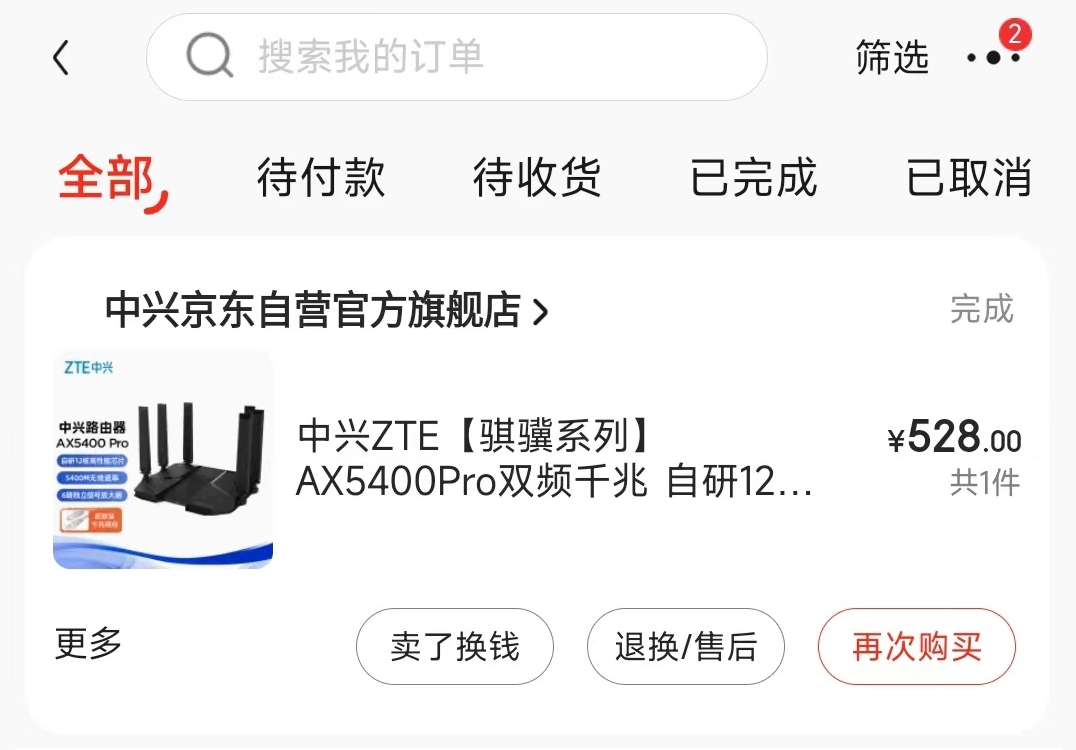
The official price of this router is 599 yuan, but with a store membership, I can get it for 549 yuan. After using a plus membership coupon and some JD beans, I finally got it for 528 yuan.
It is worth mentioning that this router often has discounts on JD’s “student price” and “Jingxi App price”, so keep an eye out.
JD’s self-operated delivery is very fast; the items arrived the next morning. (Since no one was home to receive it, it was delivered directly to the office.)
Alright, let’s officially unbox it.
After opening the JD packaging plastic bag, I found the original packaging of the ZTE router:
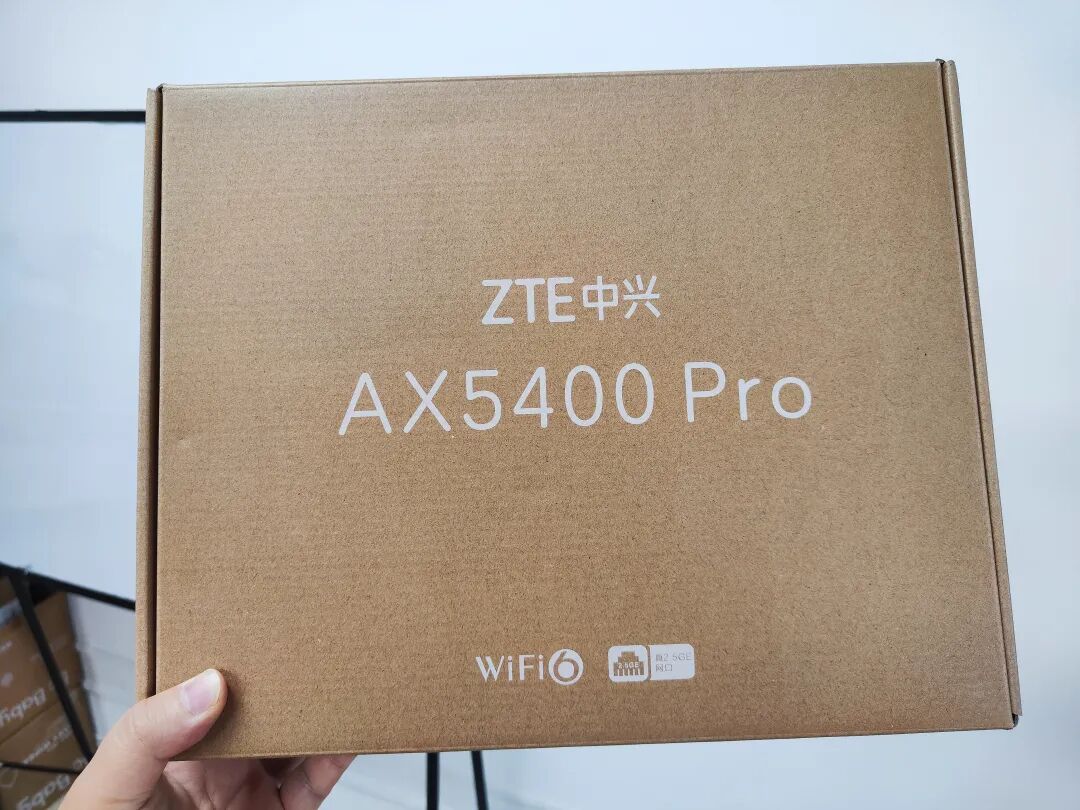
It is simply corrugated cardboard, without any colorful shell, looking very minimalist, somewhat like a work package.
The front of the packaging box only has the product name, “Wi-Fi 6” and the label “True 2.5GE port”. Why add a “true”? Hehe, here’s a manual @ a certain brand.
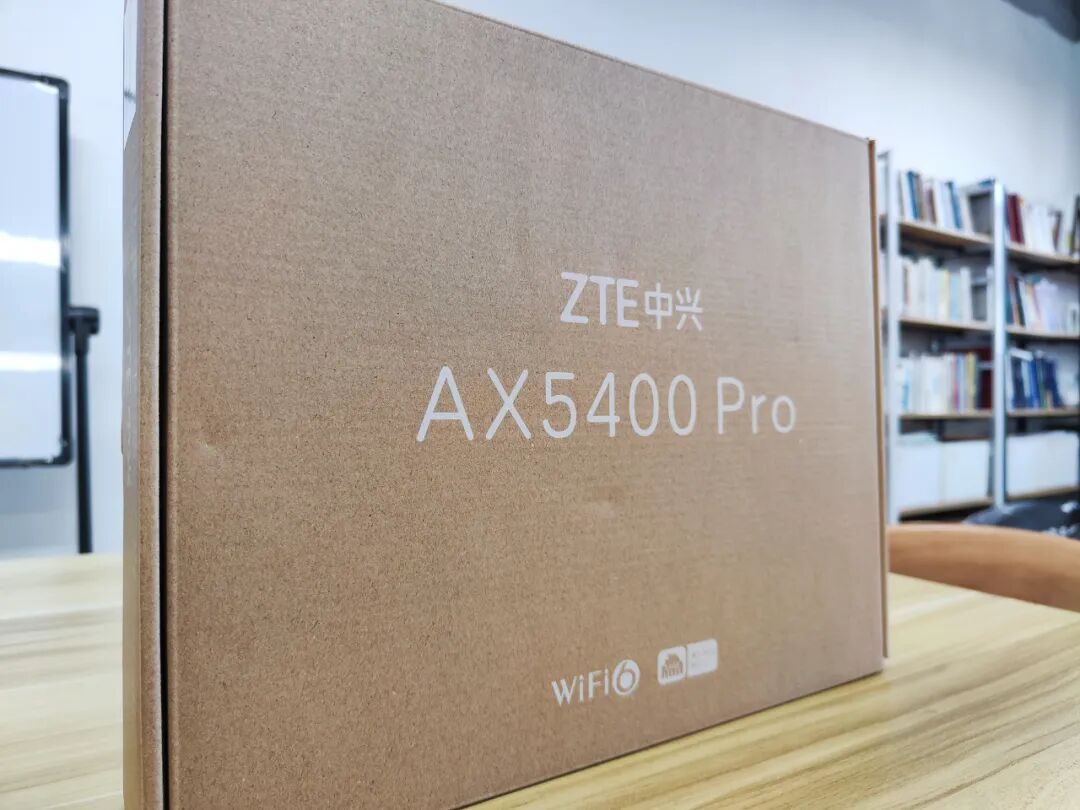
Here’s the side logo, which feels very familiar:
Here’s the slogan:

Alright, opening the packaging, the main body appears:
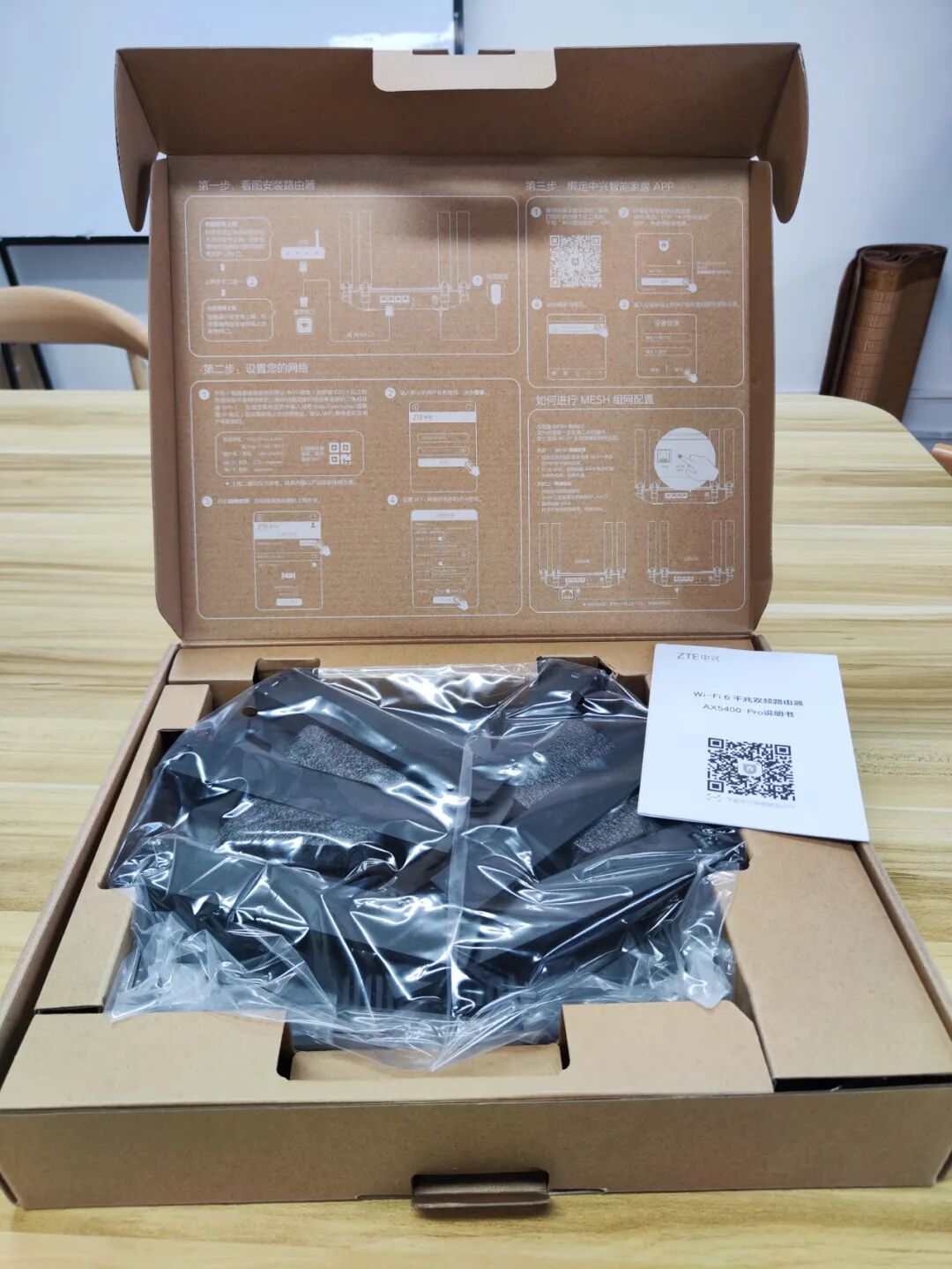
It still has a very simple style. Besides the main body, there is just a very thin instruction manual.
The product manual is also printed on the packaging shell, but it is of no use to me. I usually throw away the packaging shell directly and do not keep the paper manual.
Taking out the main body:
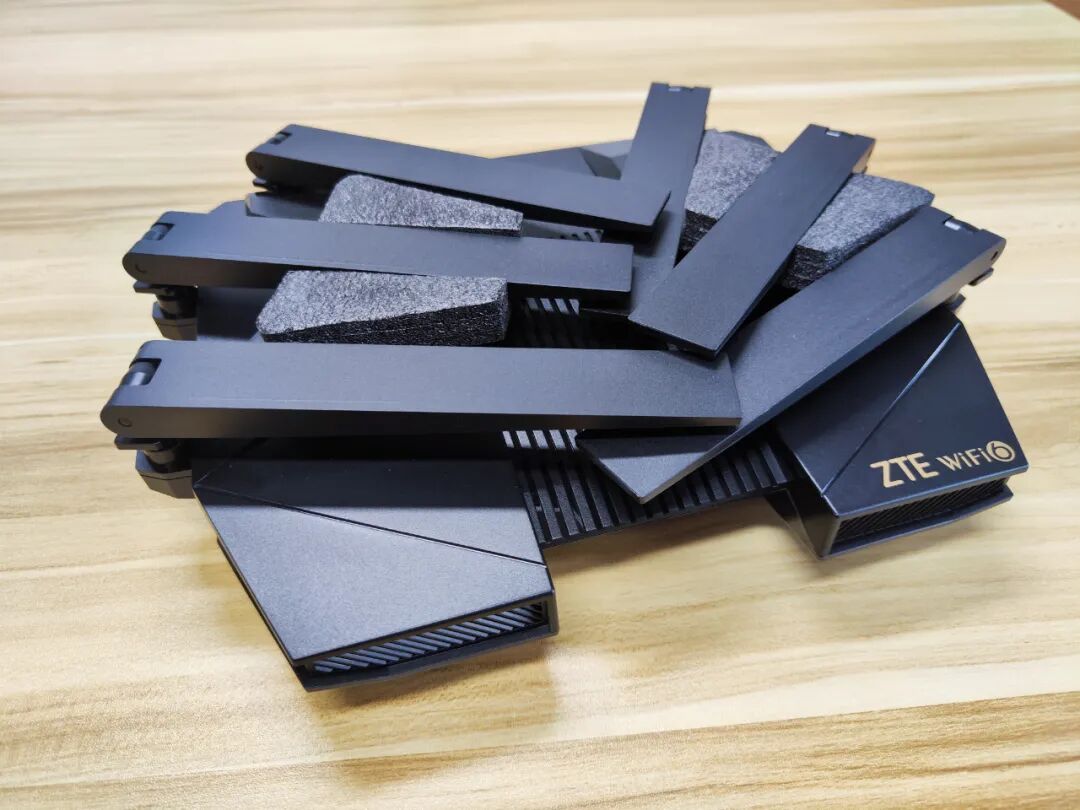
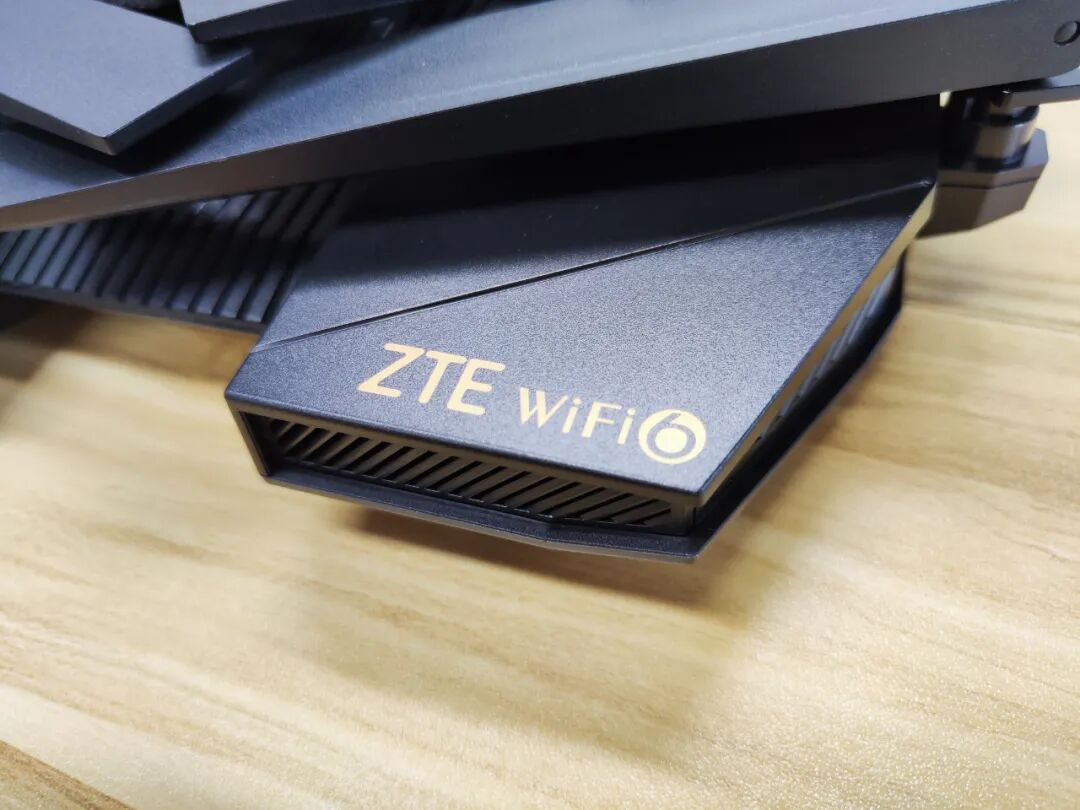
The golden logo is quite elegant:
Unfolding the antennas reveals the complete form:
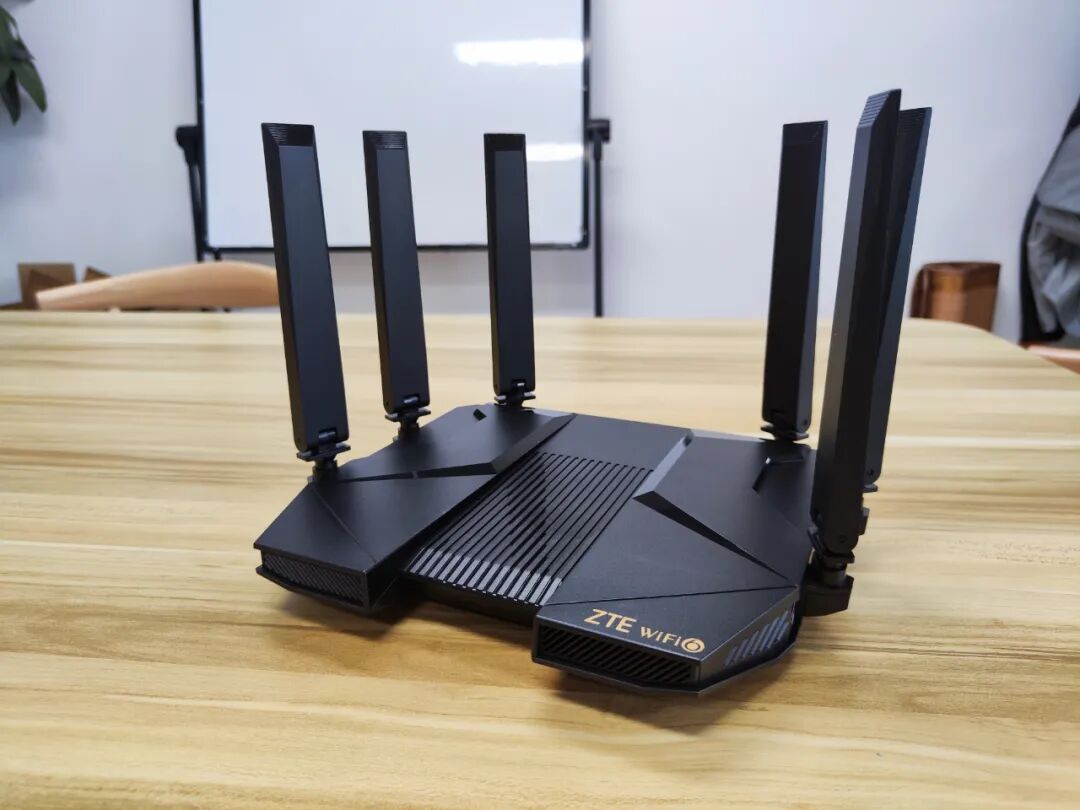
This router is entirely black, giving it a technological feel. The unique shape instantly reminds me of a starship from Star Wars.
All accessories are as follows:
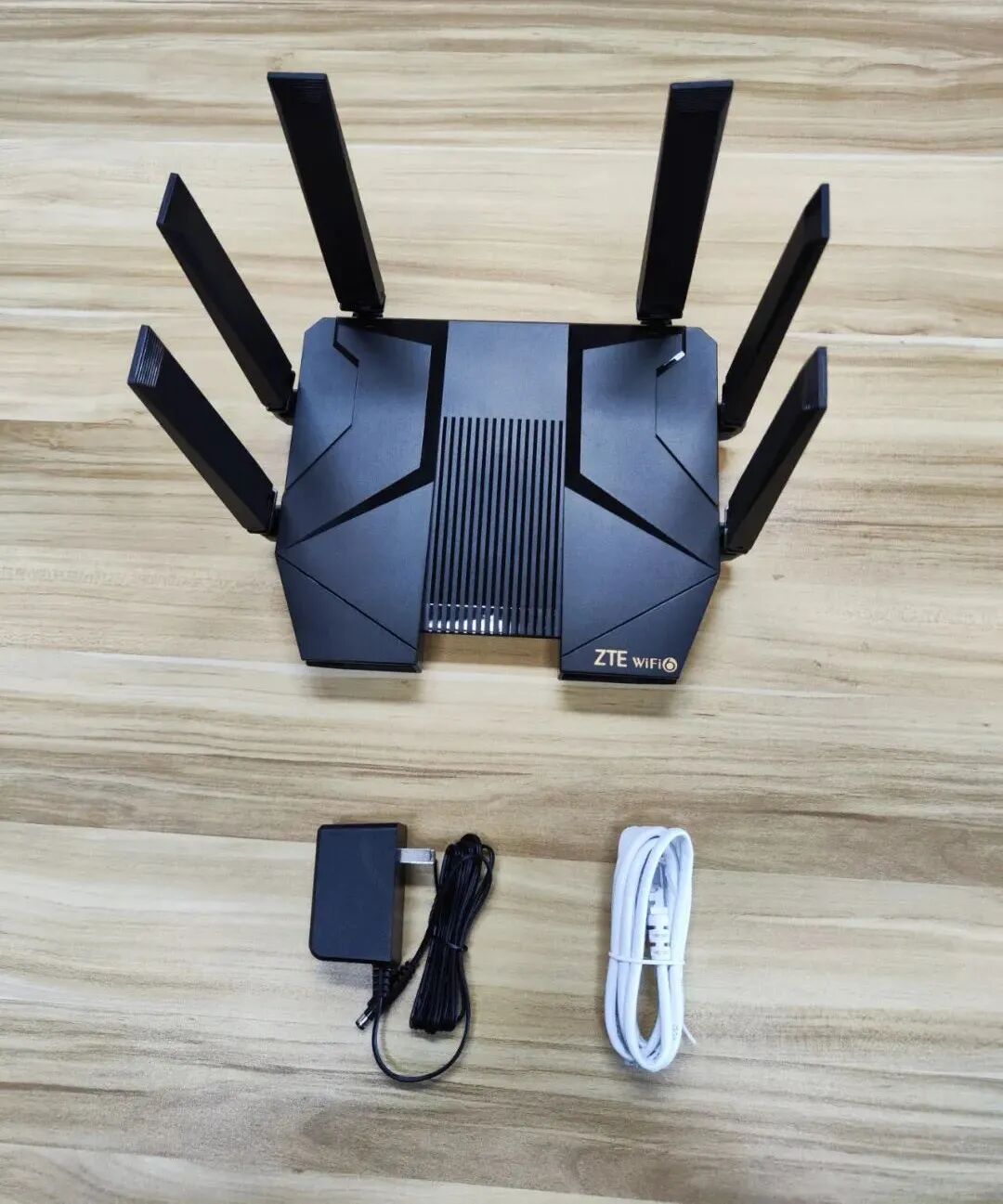
The black main unit and black power supply come with a white network cable. This is going to drive those with OCD crazy.
The surface of the router is made of matte plastic, and you can feel it with a macro mode on your phone:

The router’s antennas are omnidirectional and rotatable, which is quite flexible:
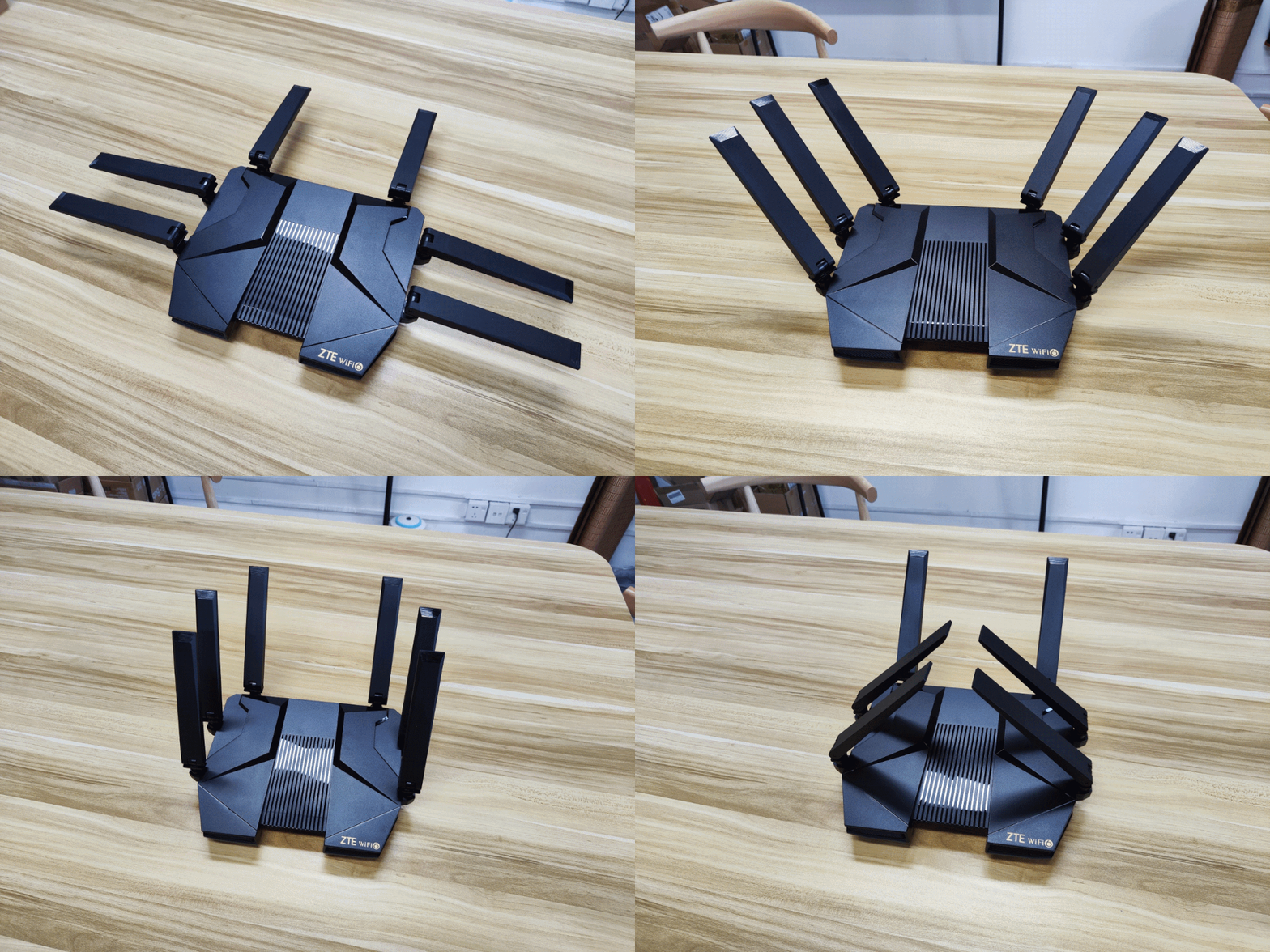
However, I feel like it doesn’t make much difference. Nowadays, Wi-Fi routers generally provide omnidirectional coverage, and adjusting the antenna angle doesn’t have much significance; it never looks good no matter how you adjust it.
This is a side view, showing the obvious heat dissipation holes and the antenna’s twisting joints:
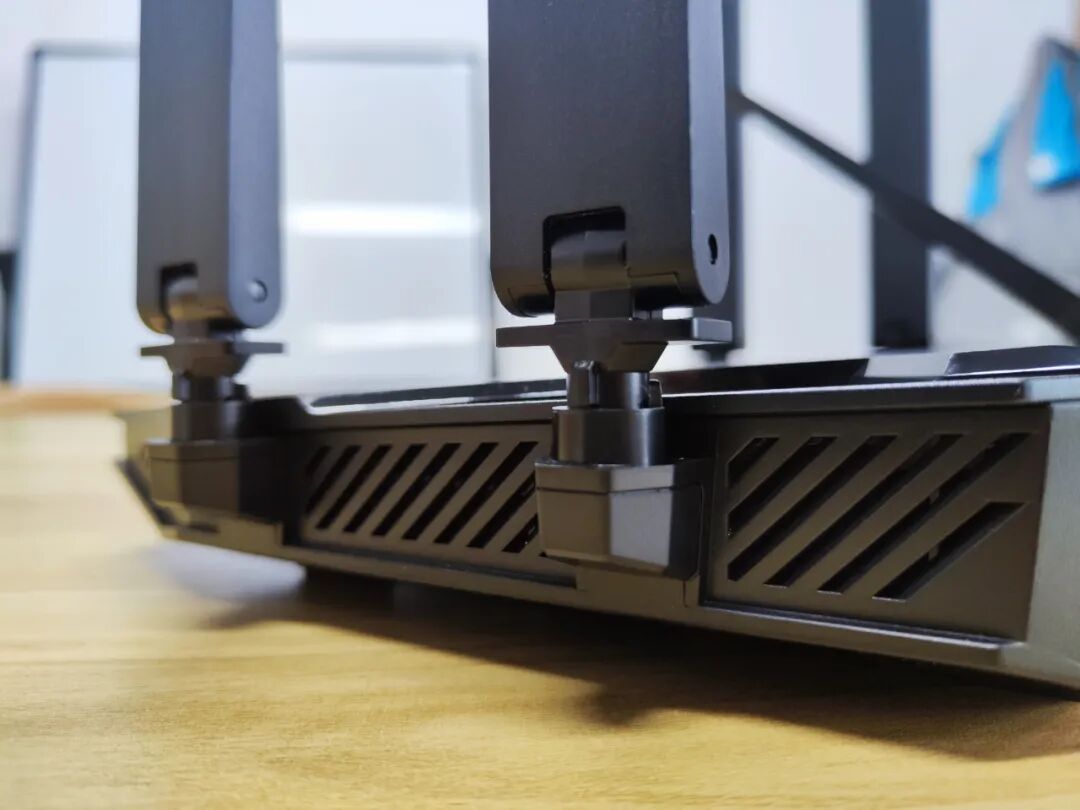
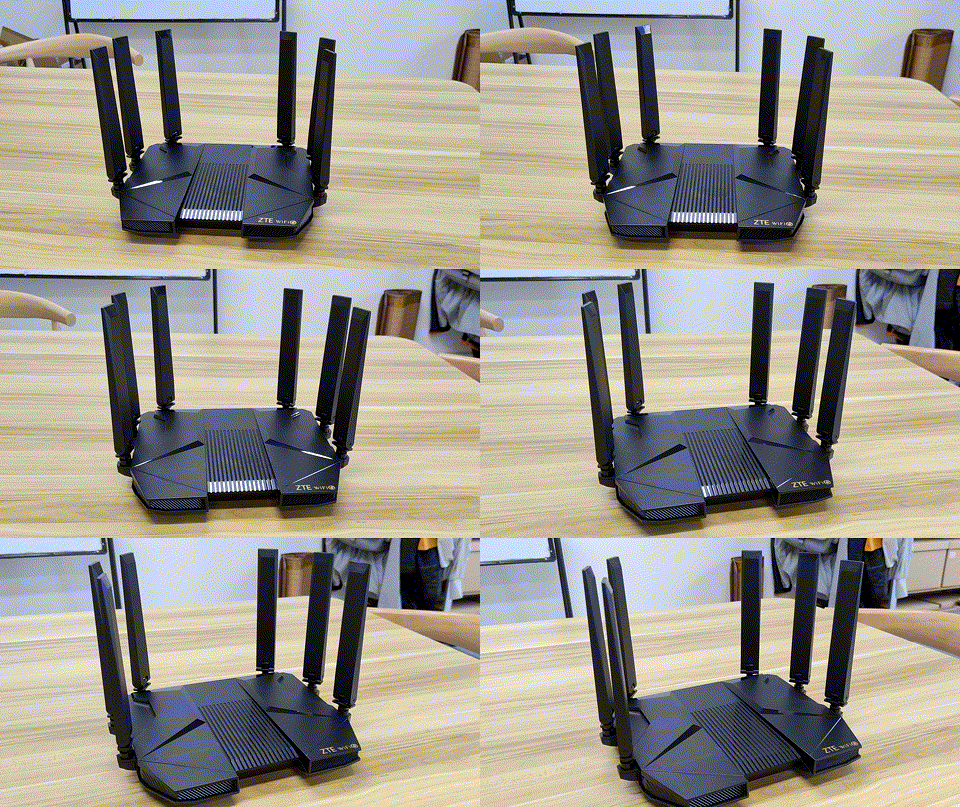
Here’s another inverted view, looking more and more like a Star Wars vehicle (that ground attack vehicle):
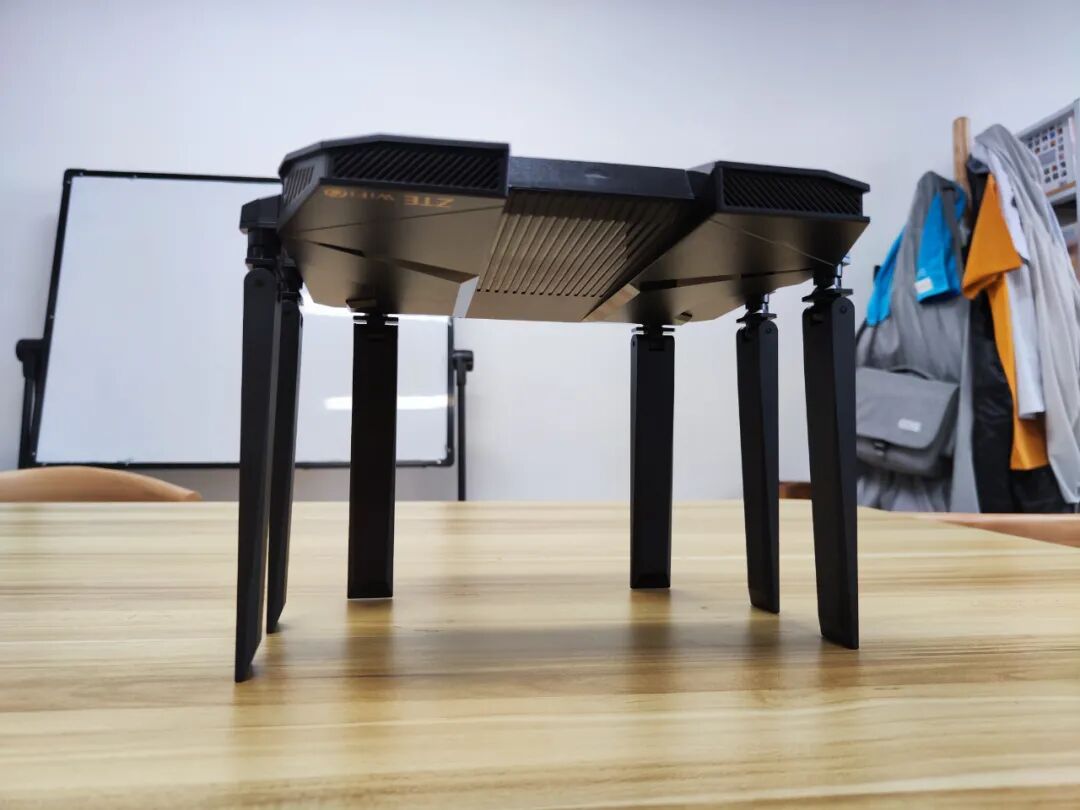
Here’s a GIF:
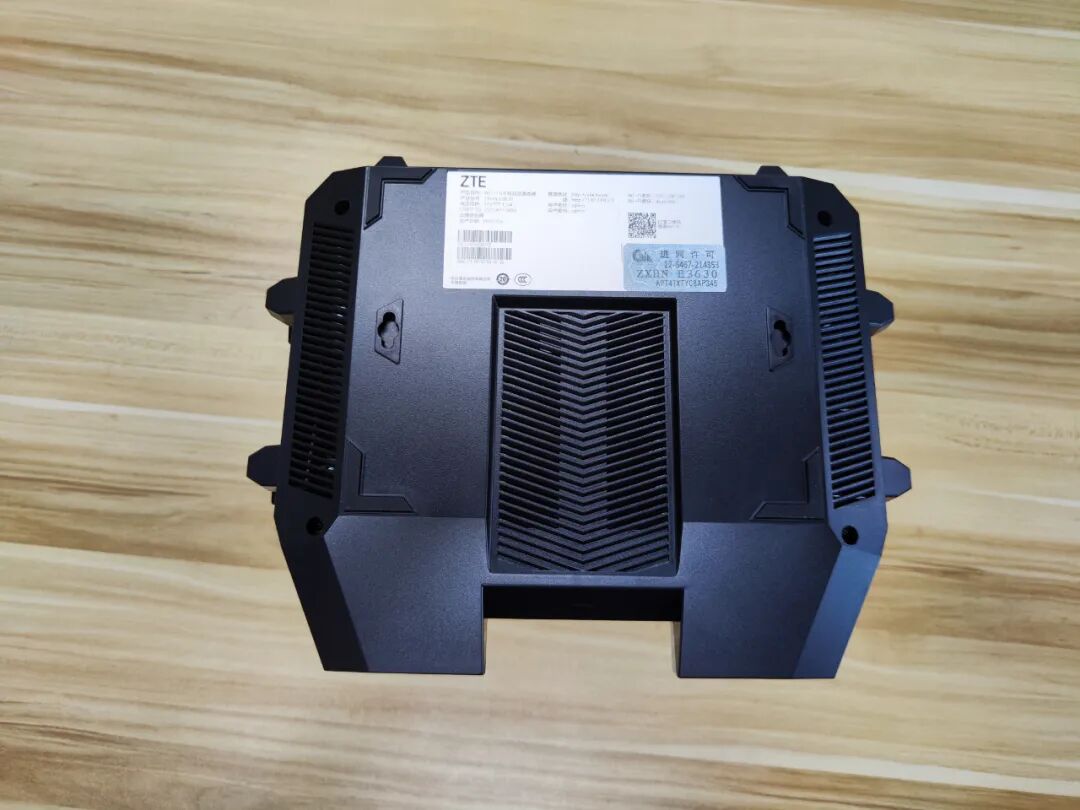
The bottom view of the router is quite simple. There are wall-mounting holes, which is a thoughtful consideration.
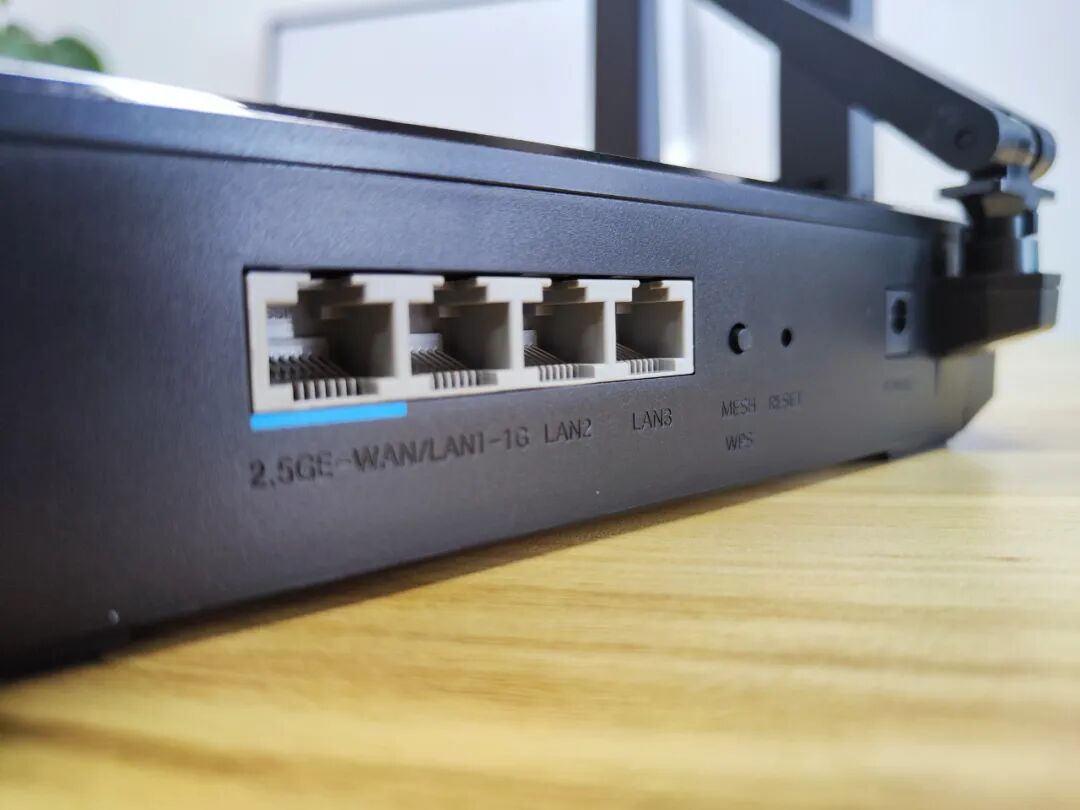
Below is the back of the router, where you can see 4 Ethernet ports, 1 mesh button, 1 reset hole, and 1 power socket, which is very simple:
I have always felt that the current configuration of four ports on routers does not meet the demands of the times.
Nowadays, many people’s homes start with three rooms and a living room. It seems that four ports are enough, but it does not consider the needs of NAS and port redundancy. (Don’t say to use wireless. Desktop computers and TV boxes generally still rely on wired connections for stability.)
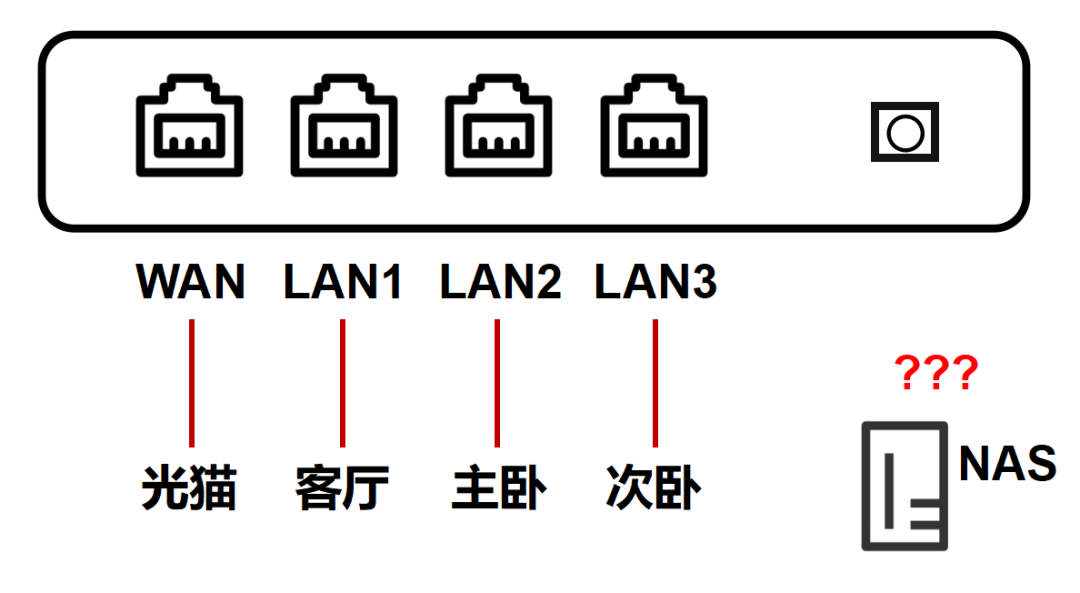
I personally believe that home routers should be designed with at least 5 ports (1 WAN + 4 LAN) to barely suffice.
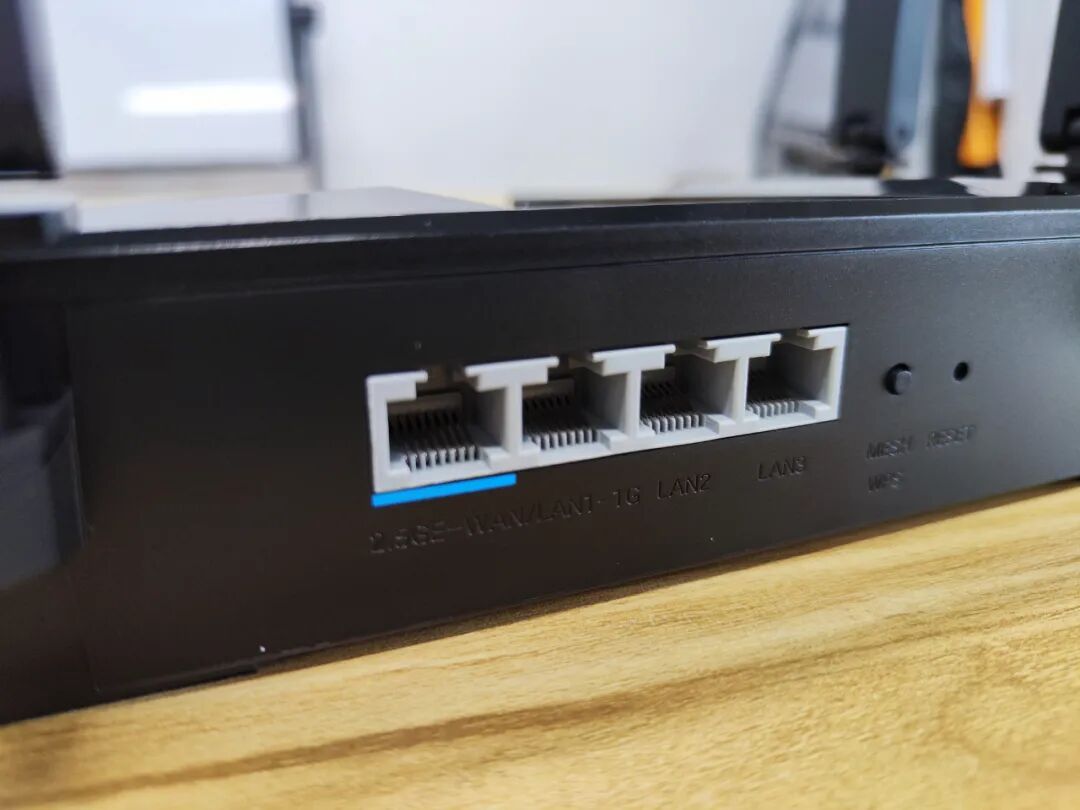
The leftmost port marked in blue is the 2.5G port. This port can be swapped with the second port. In other words, you can connect the 2.5G port to the WLAN external network or the LAN internal network.
As mentioned earlier, ZTE’s AX5400Pro has always touted the “True 2.5G port” as its selling point, which is actually aimed at the issue of a certain brand’s “2.5GE port” having a channel bandwidth of only 1Gbps to the gigabit switch chip.
Alright, that’s all for the unboxing section.
█ Data Configuration Section
Next is the configuration part, which I did at home in the evening.
Plug in the power and get started:
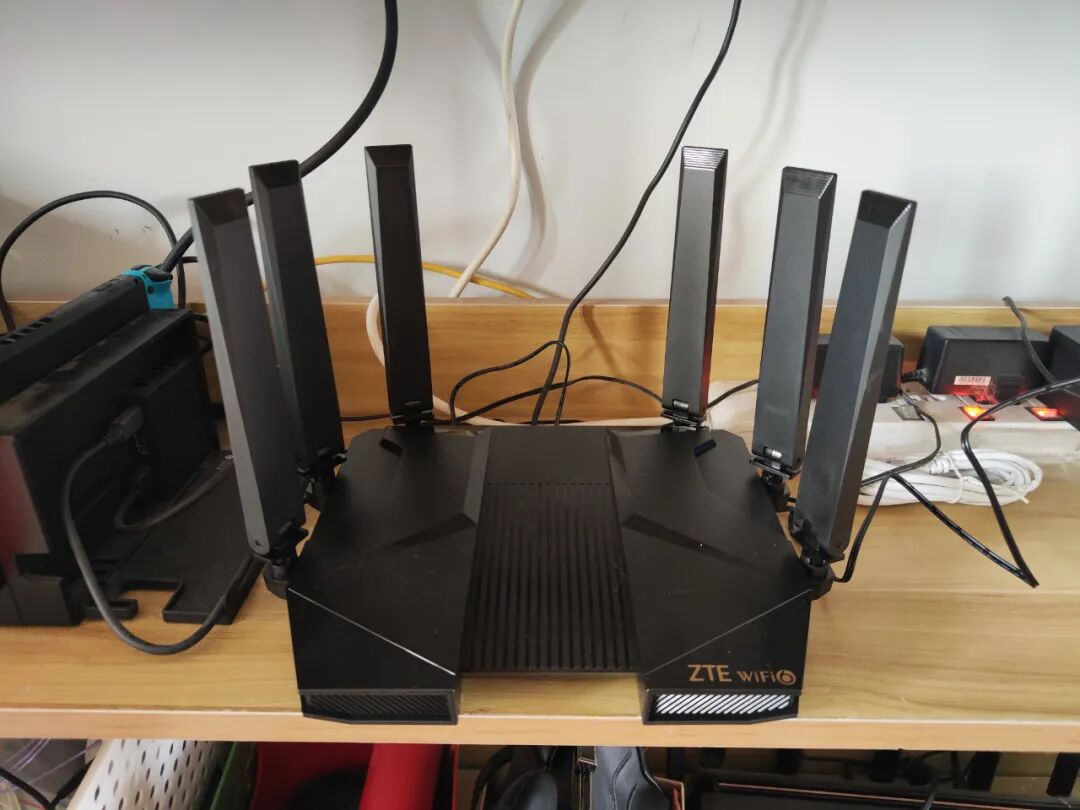
Please ignore the messy wiring; I will tidy it up later.
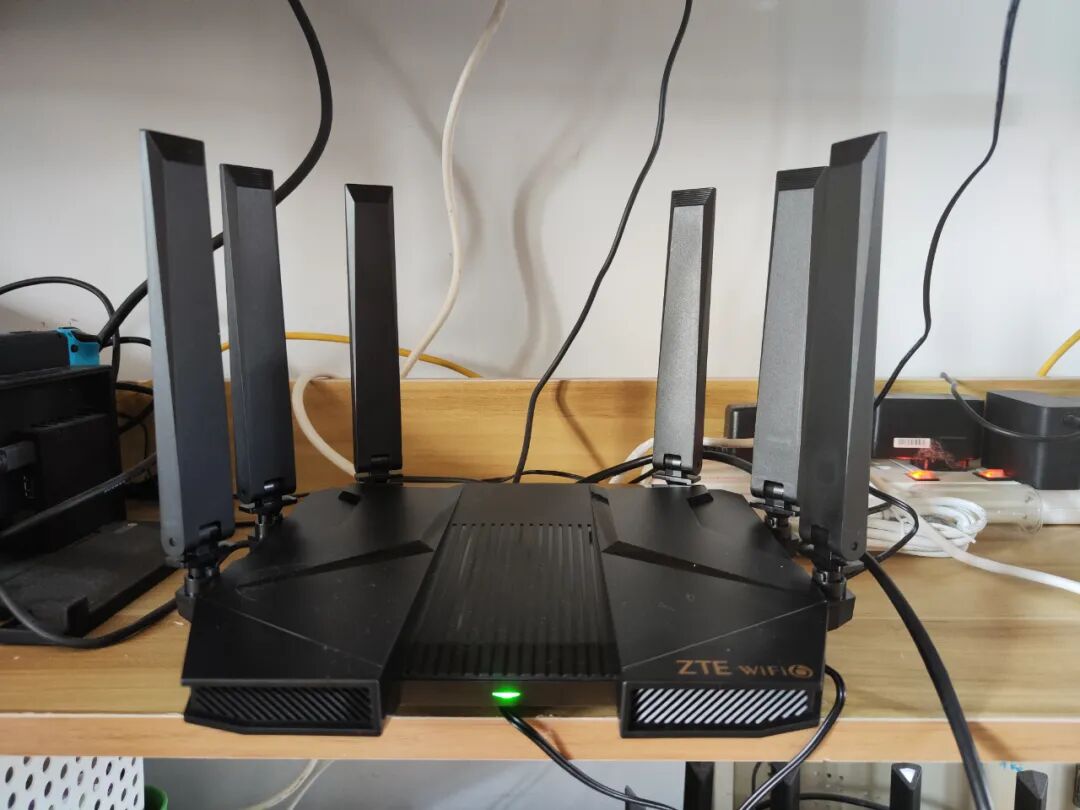
After powering on, the indicator light turns red.
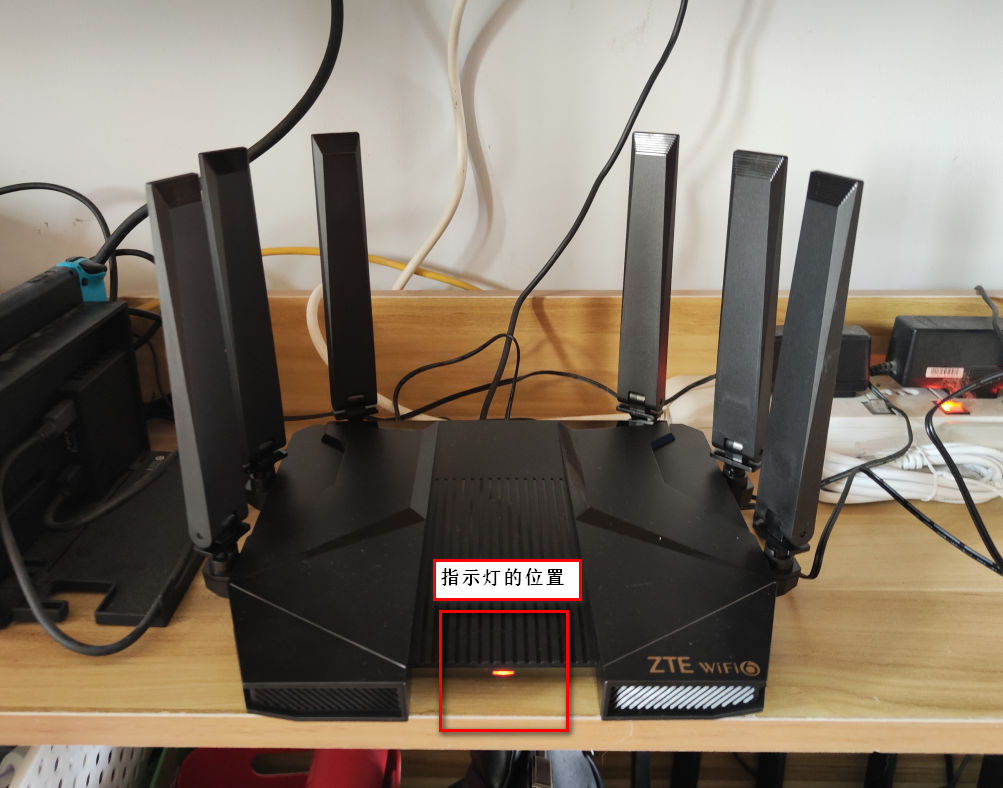
At this point, I realized that the position of the router’s indicator light is not very reasonable, located in the middle and lower part.
If I place the router lower or on the ground, I won’t be able to see the indicator light without bending down.
Power on successful, open the configuration interface:
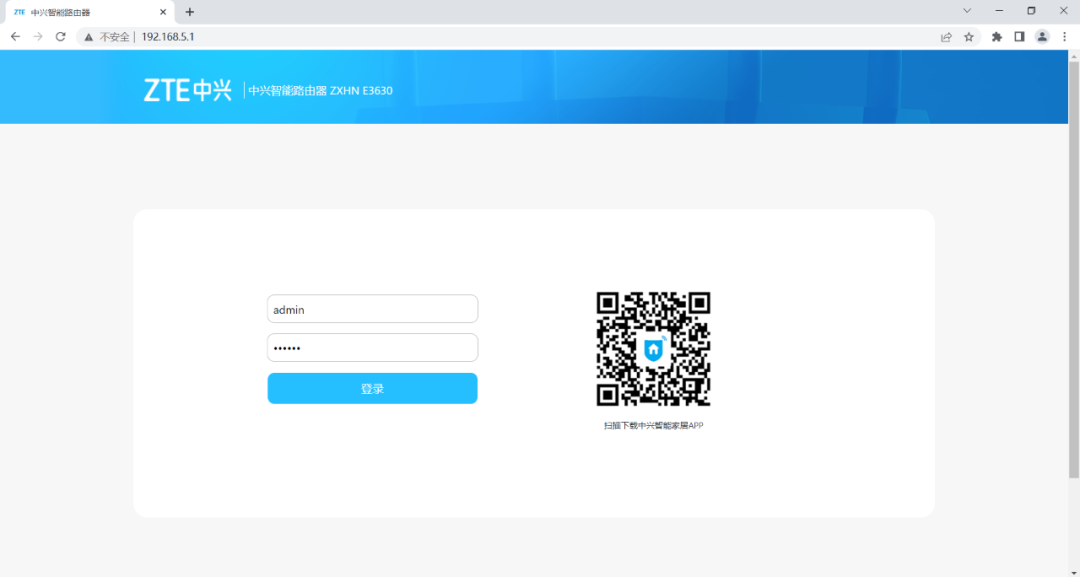
The default internal network address is in the “192.168.5.*” segment, which can avoid conflicts with the optical modem’s network segment. Good detail.
Following the instructions, I configured the WLAN’s PPPoE dial-up.
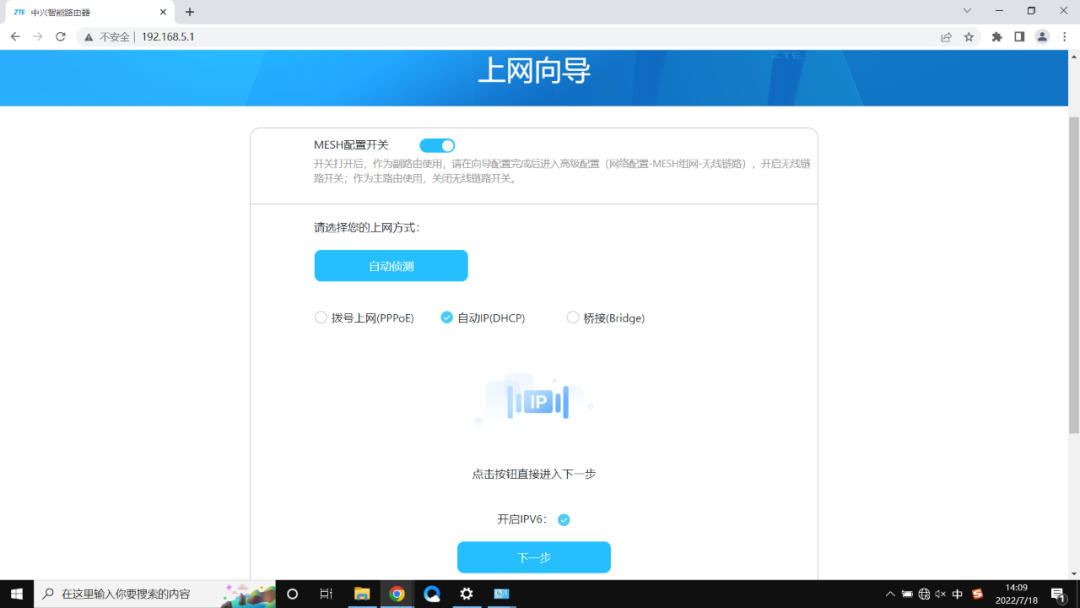
I am not using bridge mode, meaning the wireless router dials directly without letting the optical modem do the dialing.
Next is the wireless network settings:
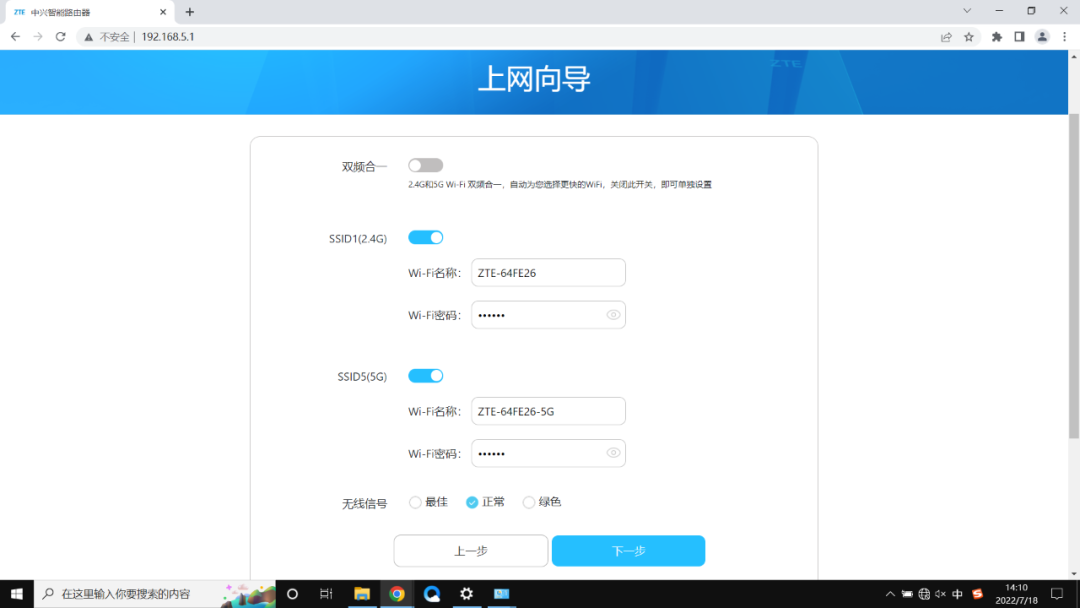
For the sake of convenience in speed testing later, I did not choose to merge the dual bands. Merging dual bands means that the 2.4GHz and 5GHz Wi-Fi bands use the same SSID, allowing the terminal to choose to connect autonomously.
There is also a wireless signal setting below, and I definitely selected Best.
Best means that the wireless signal transmission power will be slightly higher, but still within the range specified by the country.
Alright, the settings are complete, and the connection was successful on the first try:
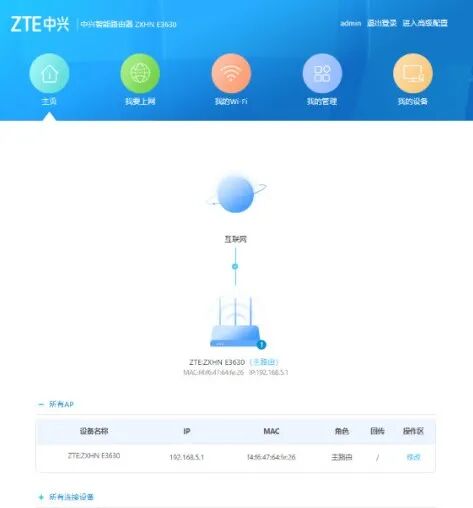
After a successful connection, the router’s indicator light changed from red to green:
Can’t wait, let’s start with a speed test on a wired connection:
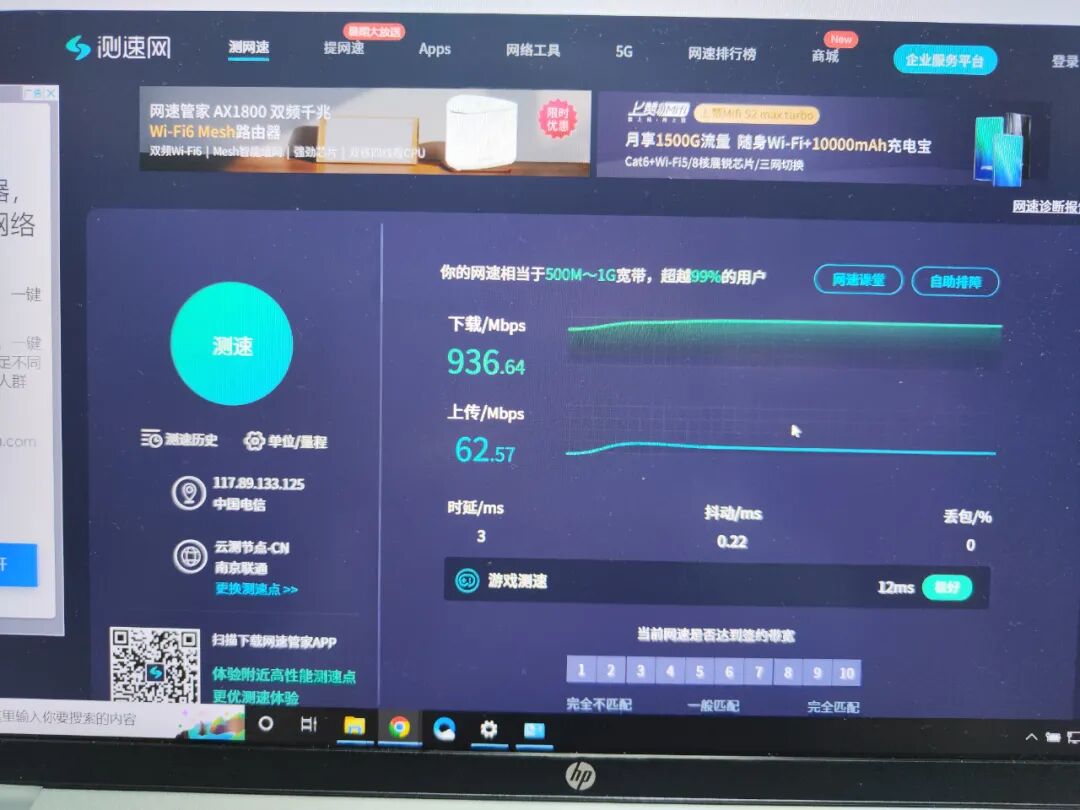
The broadband at home is a telecom gigabit, and the test showed 936Mbps, which is quite good.
Achieving a true 1000M full speed is still a bit difficult, as it relates to the network cable, crystal head, devices, and fiber optics.
Next, let’s take a look at other settings.
First, the configuration of the WAN and LAN ports:
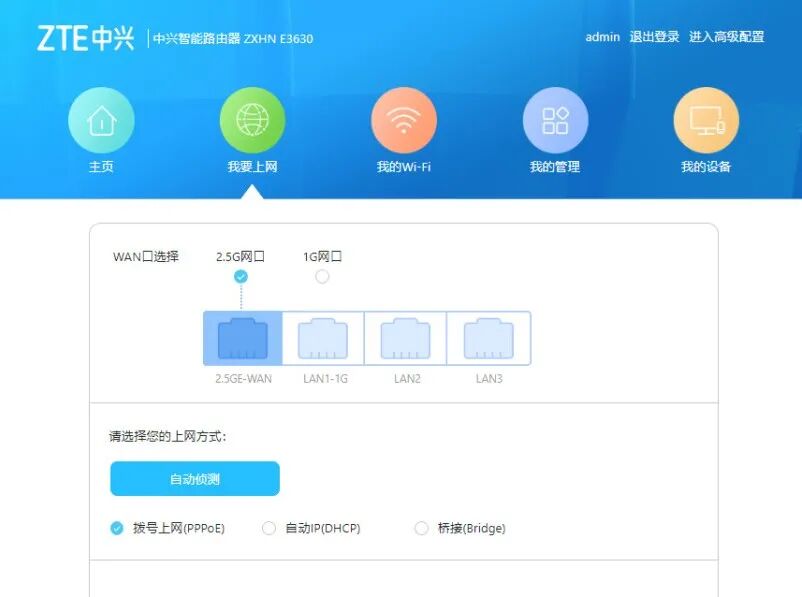
I need to mention this.
Generally, users would set the 2.5G port as the WAN port (the port connecting to the optical modem), as it is the most important for outgoing connections.
However, since my home broadband is a contracted bandwidth of 1000M, even if I use the 2.5G port, it is of no use and is actually a waste. (In the future, when 50G-PON becomes popular and the contracted bandwidth exceeds 1000M, it will make sense. This is expected to be after 2023.)
So, I left the 2.5G port for the Synology NAS. When multiple devices access the NAS, it will have an advantage.
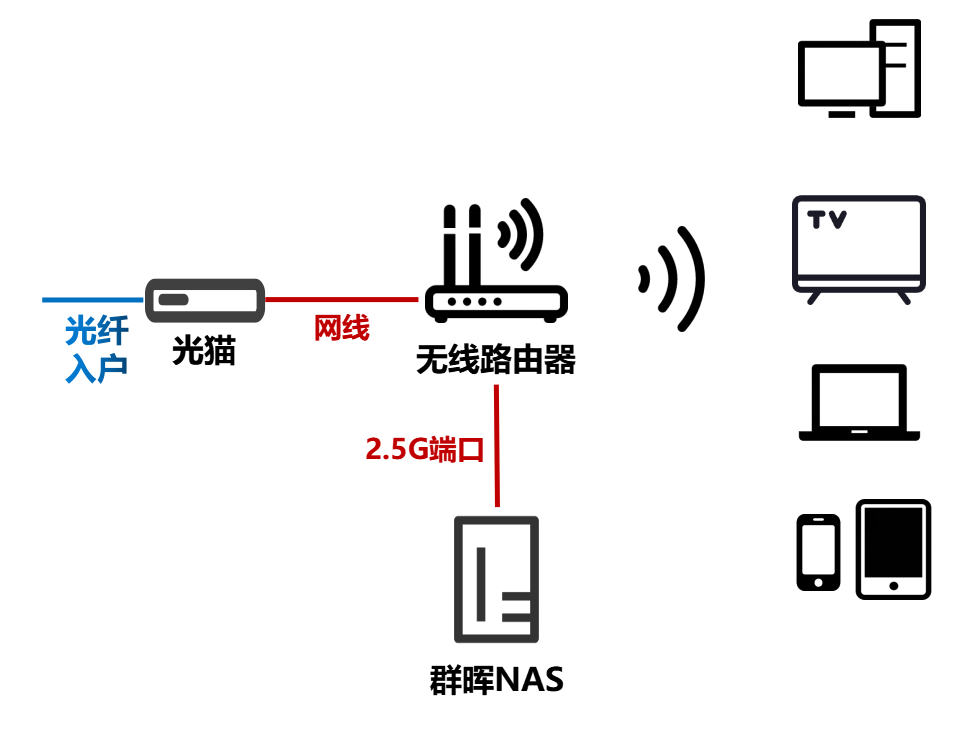
This is my home network diagram.
Xiaozao Jun’s NAS is a Synology DS920Plus, equipped with 4 12TB hard drives, specifically used for storing study materials.
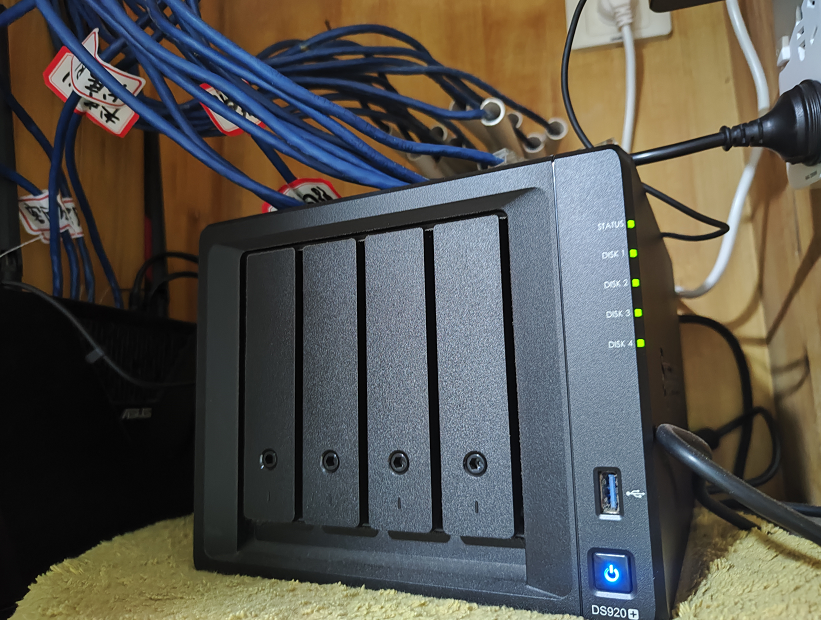
Synology 920Plus
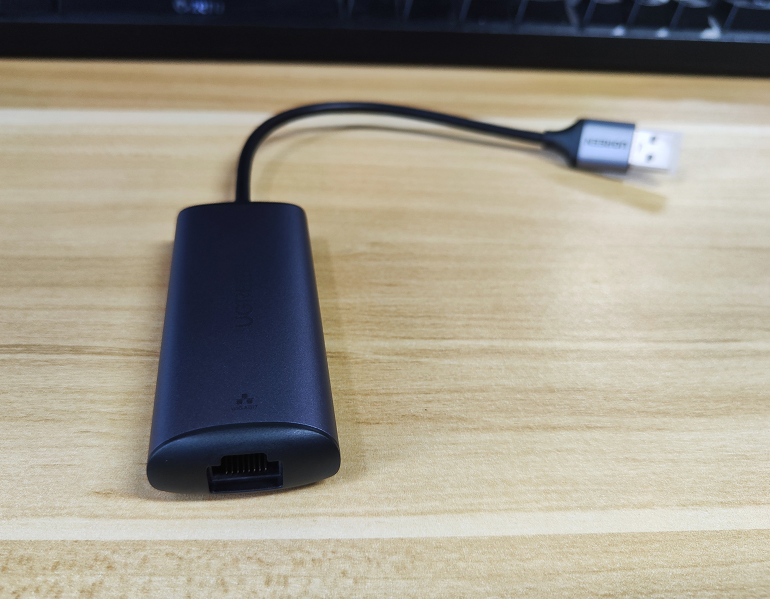
However, this NAS is gigabit (with 2 gigabit ports). To achieve a 2.5G connection, I purchased a Ugreen USB 2.5G network card separately.
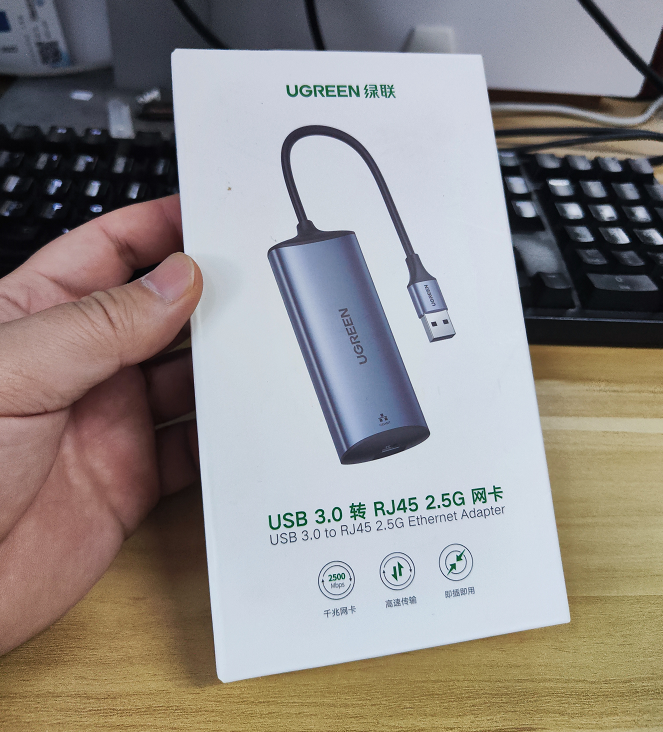
With this network card, the NAS can connect to the router’s 2.5G port (involving some driver installation steps, which are available online, so I won’t go into detail).
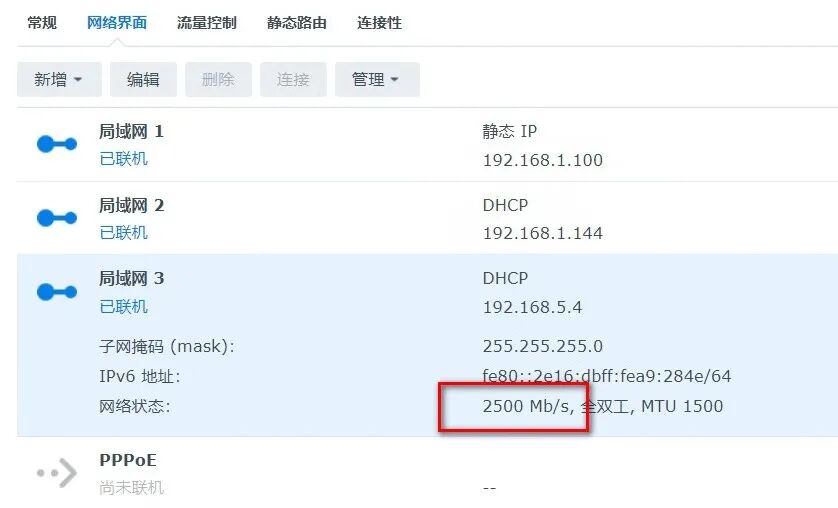
Successfully achieved a 2.5G wired connection.
Alright, let’s continue.
In the version upgrade interface, I found a new version and quickly upgraded.
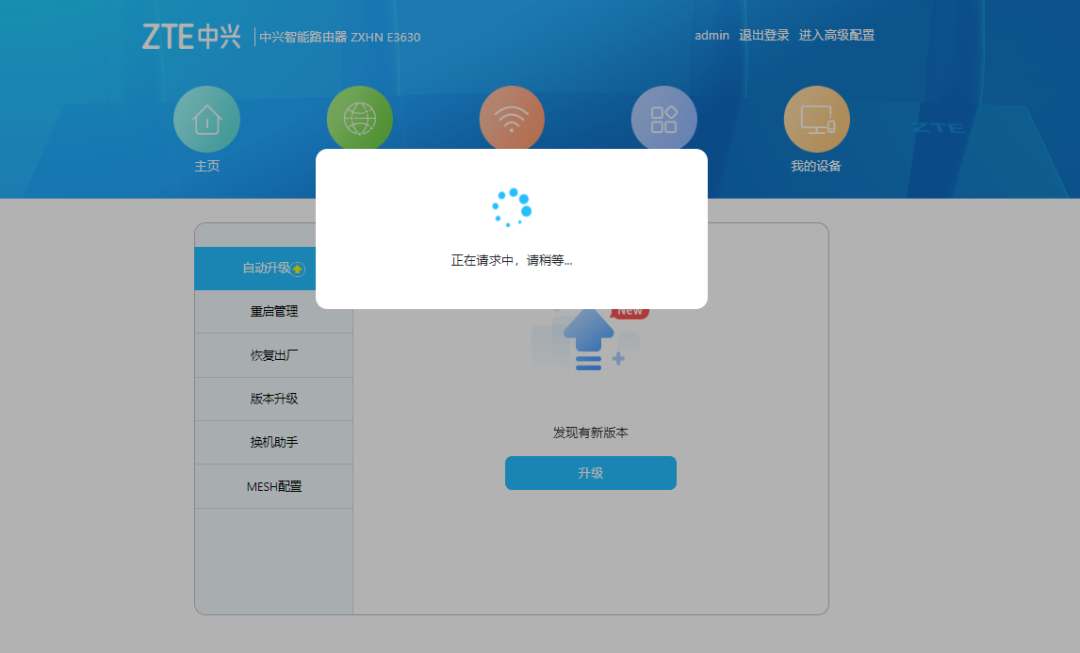
After the upgrade, the interface indeed changed significantly. Entering advanced mode opened up a new world.
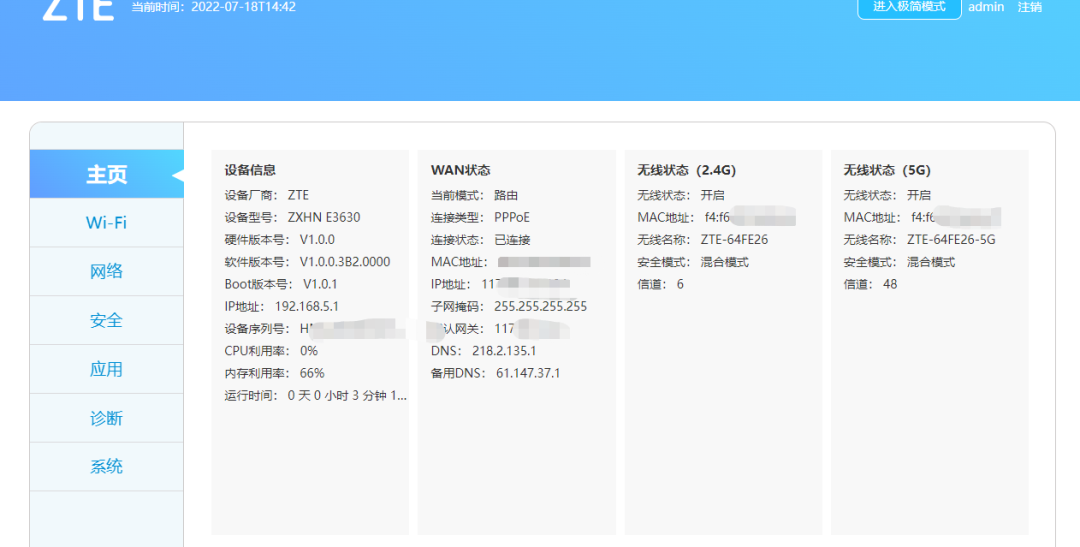
Let’s take a look one by one.
First, the Wi-Fi settings:
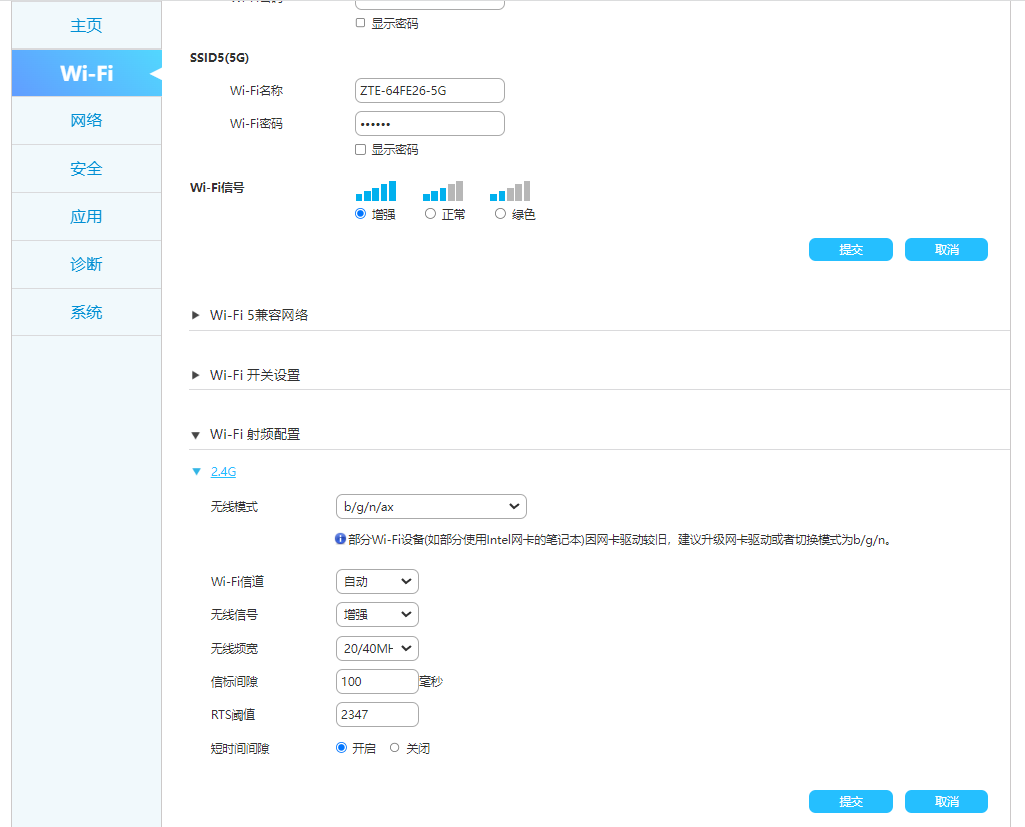
This is something everyone is familiar with, changing the Wi-Fi name, password, and channel. Guest network, wireless switch, anti-leeching, everything you need is there.
There is also a wireless performance enhancement option, which can toggle Tx Beamforming (signal beamforming during transmission), OFDMA (Orthogonal Frequency Division Multiple Access), and MU-MIMO (Multi-User Multiple Input Multiple Output).

This is quite powerful. Regardless of anything else, I turned them all on.
Then, the network settings.
There are two WAN settings, which means the router supports dual WAN dialing. In simple terms, it means dialing twice simultaneously to establish two connections.
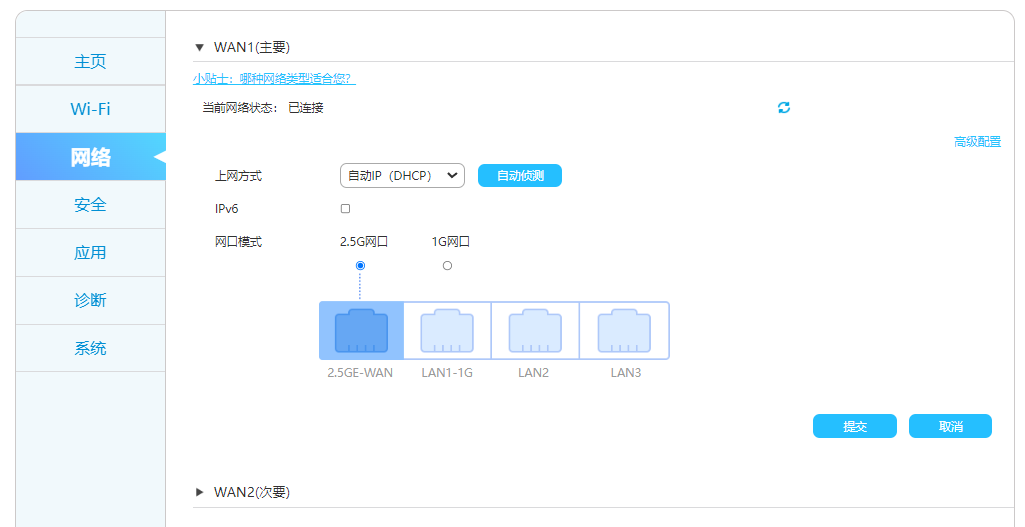
Considering that I already have gigabit broadband, dual dialing is meaningless. Moreover, dual dialing requires support from the broadband provider, and many do not support it anymore. So, it is not very useful. (Of course, if your internet speed is only 100M and your provider supports dual dialing, then your bandwidth can be increased to 200M through dual dialing.)
MAC address cloning is a common feature, so I won’t elaborate on it.
Let’s take a look at the NAT type:
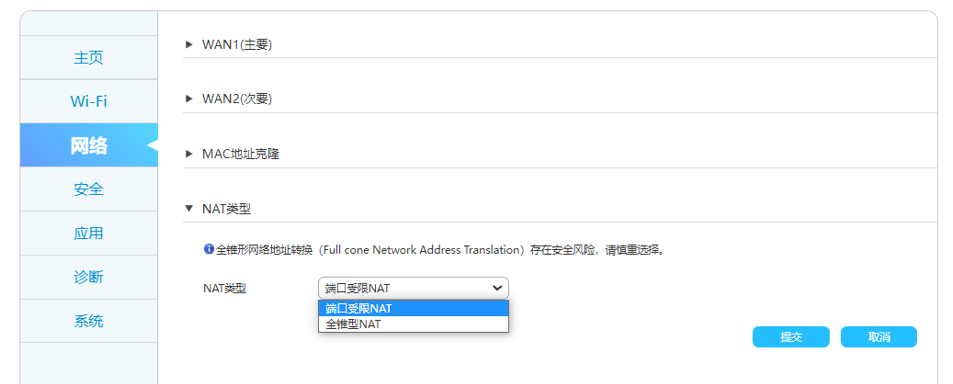
In the NAT address type, there is an interesting term—Full Cone Network Address Translation.
In Full Cone NAT, all requests sent from the same internal network (IP, port) will be mapped to the same external network (IP, port), and any external host can access the internal host device through the mapped public address. (External hosts can actively connect to internal hosts, which is not very secure.)
More secure than Full Cone NAT is Address Restricted NAT. The difference from Full Cone NAT is that the generated mapping table entries are related to the destination IP; only the destination IP that meets the requirements (the public server IP to be accessed) can communicate.
Port Restricted NAT is stricter than Address Restricted NAT. It adds port restrictions on top of Address Restricted NAT: besides the hosts that have actively connected, other hosts (different IPs or the same IP with different ports) cannot communicate with it.
Security first, so the default is set to Port Restricted NAT.
The remaining settings are for IPv4 and IPv6 addresses and DHCP, which I won’t elaborate on. I feel that with the addition of IPv6, the configuration has become much more complicated.
Mesh configuration will be introduced later:

Security, applications, diagnostics, and system features are very comprehensive.

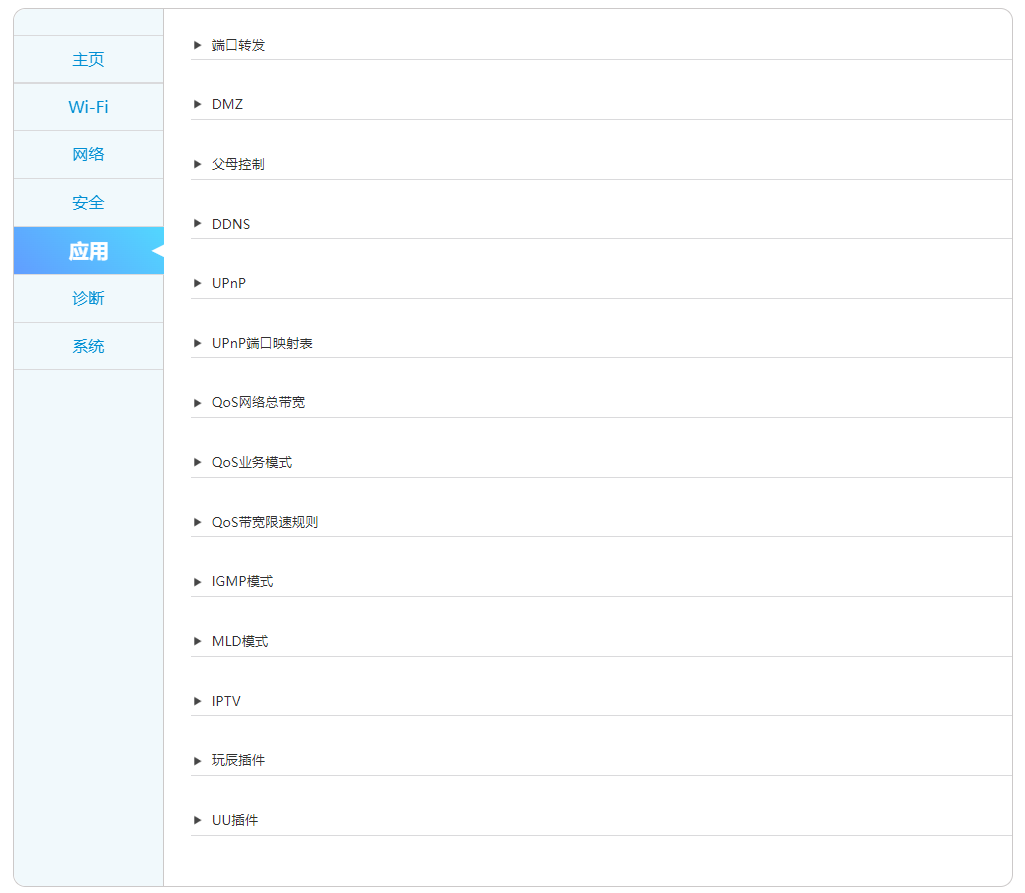
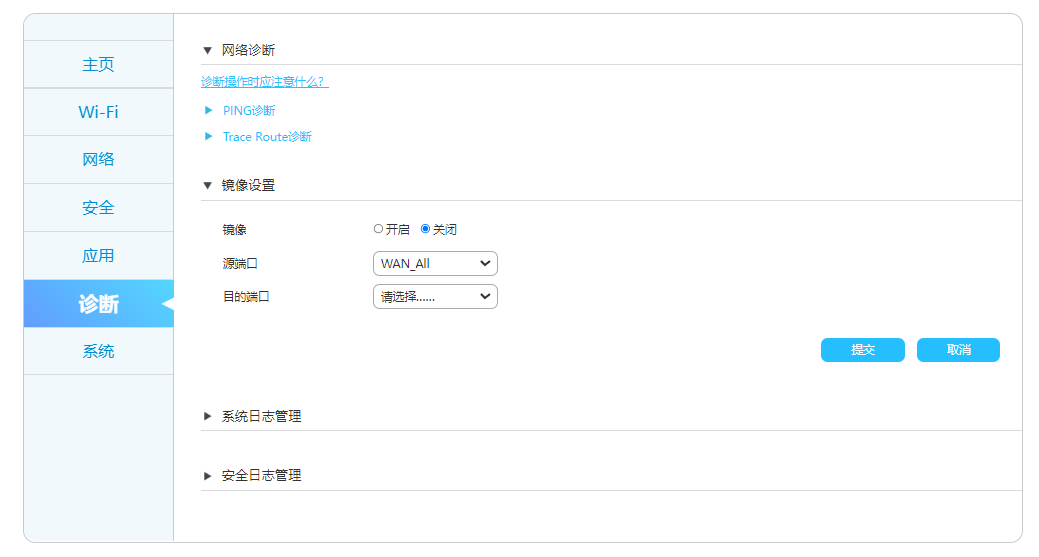

Most functions are similar to traditional routers, but I will highlight a few interesting ones.
The first is the mirroring function in diagnostics:

This is the first time I have seen this function on a home router. Those who have worked in networking should be familiar with this.
Some people think this is used for loading mirror files.
Actually, it is for port mirroring. In other words, if LAN2 and LAN3 are set to mirror, the data packets from LAN2 will appear exactly the same on LAN3. This is mainly used for packet capturing and troubleshooting.
The second is the smart reboot (scheduled reboot) function in the system, which is quite useful:

After the router runs for a period, choosing a quiet time at night to reboot can free up occupied resources and keep the router running smoothly.
The third is the IPTV function.
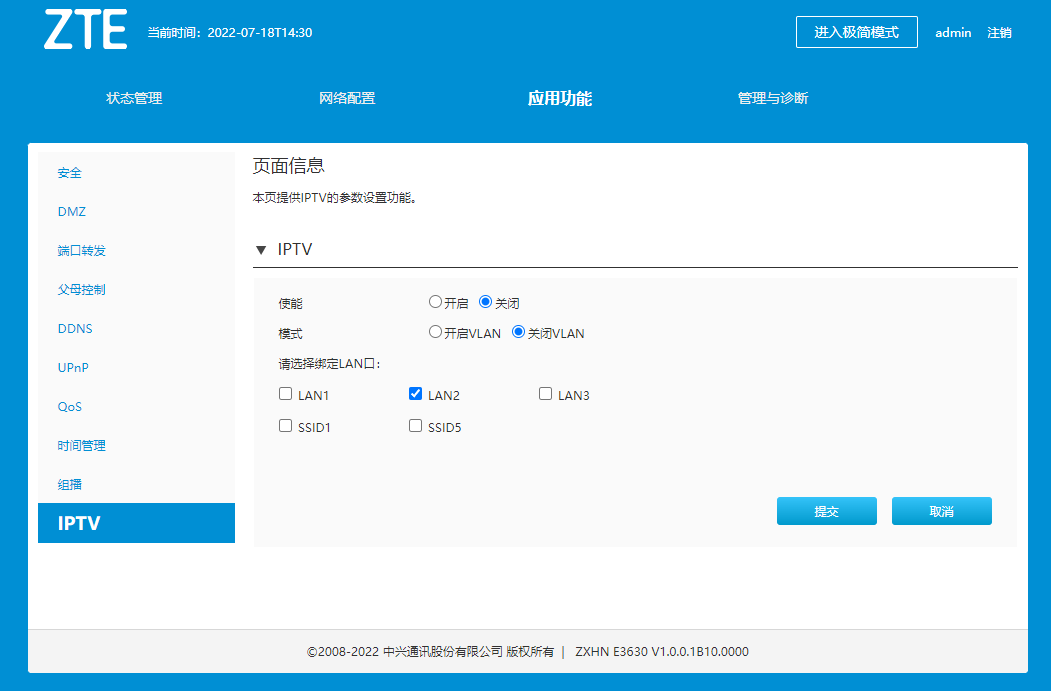
This function is very useful for many people.
Generally, users will place the wireless router in the living room, as this provides the best signal. At the same time, the customer’s IPTV set-top box is usually also placed in the living room.
However, from the weak electrical box to the living room, users generally only lay one network cable.
This creates a contradiction: how can one network cable serve both the wireless router and IPTV?
The traditional approach is to split the network cable, using 8 wires separately. This will cause the wireless router to drop from gigabit to hundred megabit.
Now, this IPTV function uses VLAN partitioning technology to turn the same physical connection into two virtual LANs. One for the wireless router and one for IPTV, which is very simple and effective.
I won’t elaborate on other functions; overall, it has everything you need.
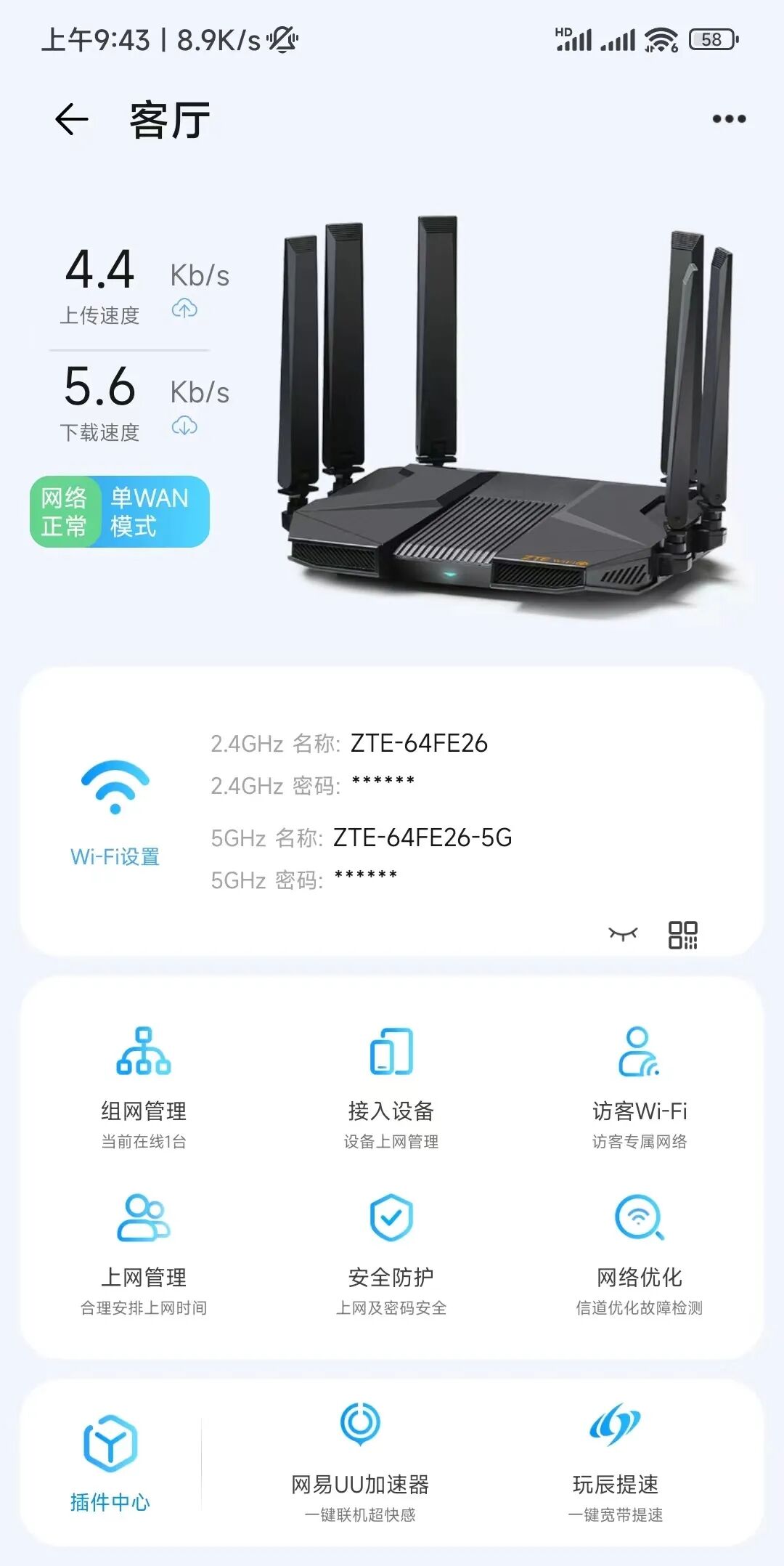
The ZTE AX5400Pro also has a mobile app integrated into the “ZTE Smart Life” app.

I took a quick look, and the configuration functions of the mobile app are simpler than those on the web version. However, it has everything you need, and basic configuration and status monitoring are sufficient.
█ Speed Test Section (External Network)
Alright, we finally reached the most exciting speed test section!
I divided the speed test into two parts: one for external network speed and one for internal network speed.
The wireless rate of the ZTE AX5400Pro router exceeds one gigabit. Therefore, for external network speed testing, the bottleneck is the contracted outbound bandwidth, which is my home telecom gigabit broadband (1000Mbps). This is to test the real experience speed of accessing the internet.As for internal network speed testing, it mainly tests the highest stable connection speed of the router’s wireless Wi-Fi.
First, let’s look at the external network speed test.
To verify how good the wireless signal of this router is, I will conduct speed tests in various locations around the house. The testing phones are my Xiaomi 12 and my wife’s iPhone 13.
Here’s the layout of my home, which is not large, 110 square meters, and the layout is relatively square, which is suitable for wireless signal coverage.
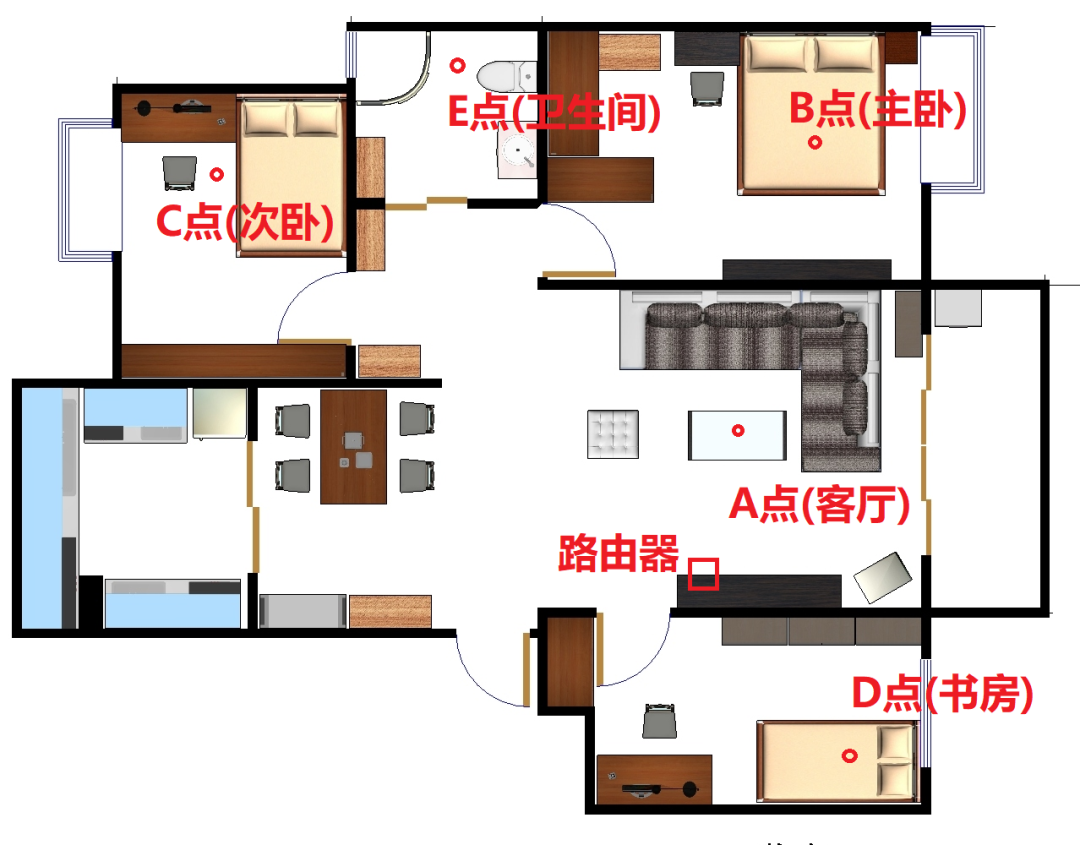
The wireless router is placed in the living room.
To accurately reflect the real speed, I will test each point three times and take the average.
Before testing, I used a speed test app to check the specific situation of the wireless channel and found that the interference on the 2.4GHz band is quite severe, almost overcrowded.
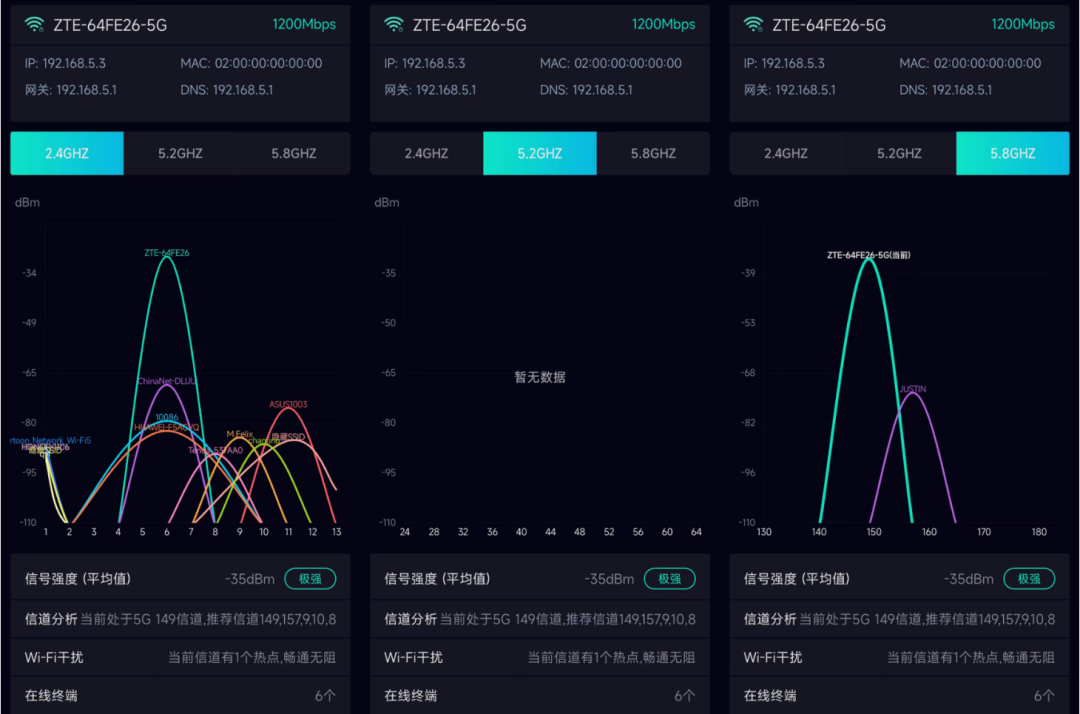
The 5.8GHz band also has interference, so I decided to use the 5.2GHz band (channel 36) for testing.
I won’t bother testing the 2.4GHz band. To be honest, I stopped using the 2.4G band a long time ago and would advise everyone not to use it. This band is slow, has a lot of interference, and the internet experience is very poor compared to the 5G band.
Currently, the 2.4G band is only used by some smart devices at home, such as Xiaomi’s wireless sockets, etc. All the phones at home default to connect to the 5G band, which is very comfortable.
Alright, let’s start testing!
First, I will test in the living room, which is right next to the router.
Instantly skyrocketed to 935.05Mbps, basically consistent with the previous wired speed test:
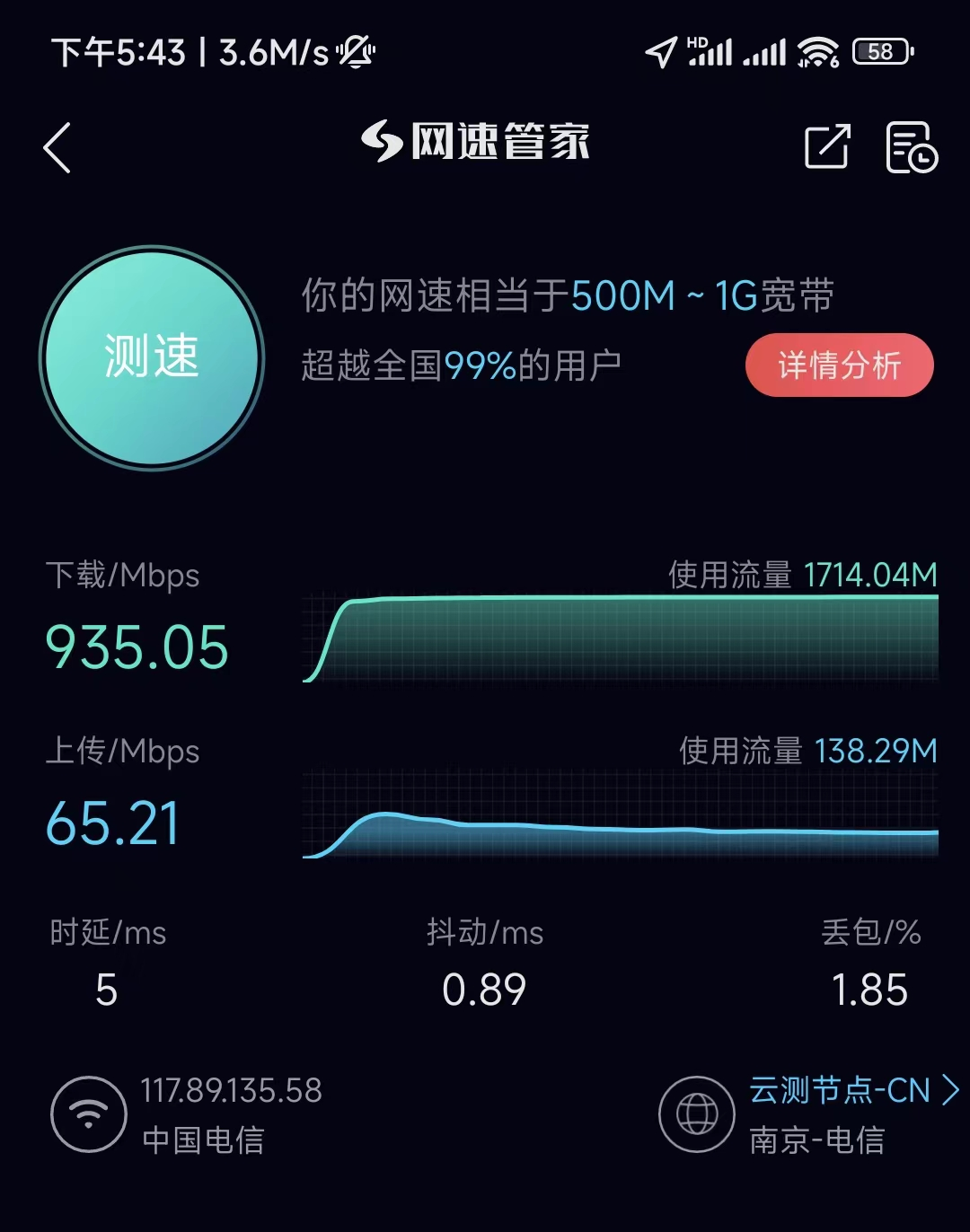
Upload speed is limited by the operator, only 65.21Mbps, which is unavoidable.
Next, I will test in the master bedroom.
To more accurately reflect the real situation, I closed the door of the master bedroom. The result was surprising; the master bedroom could reach over 800M:
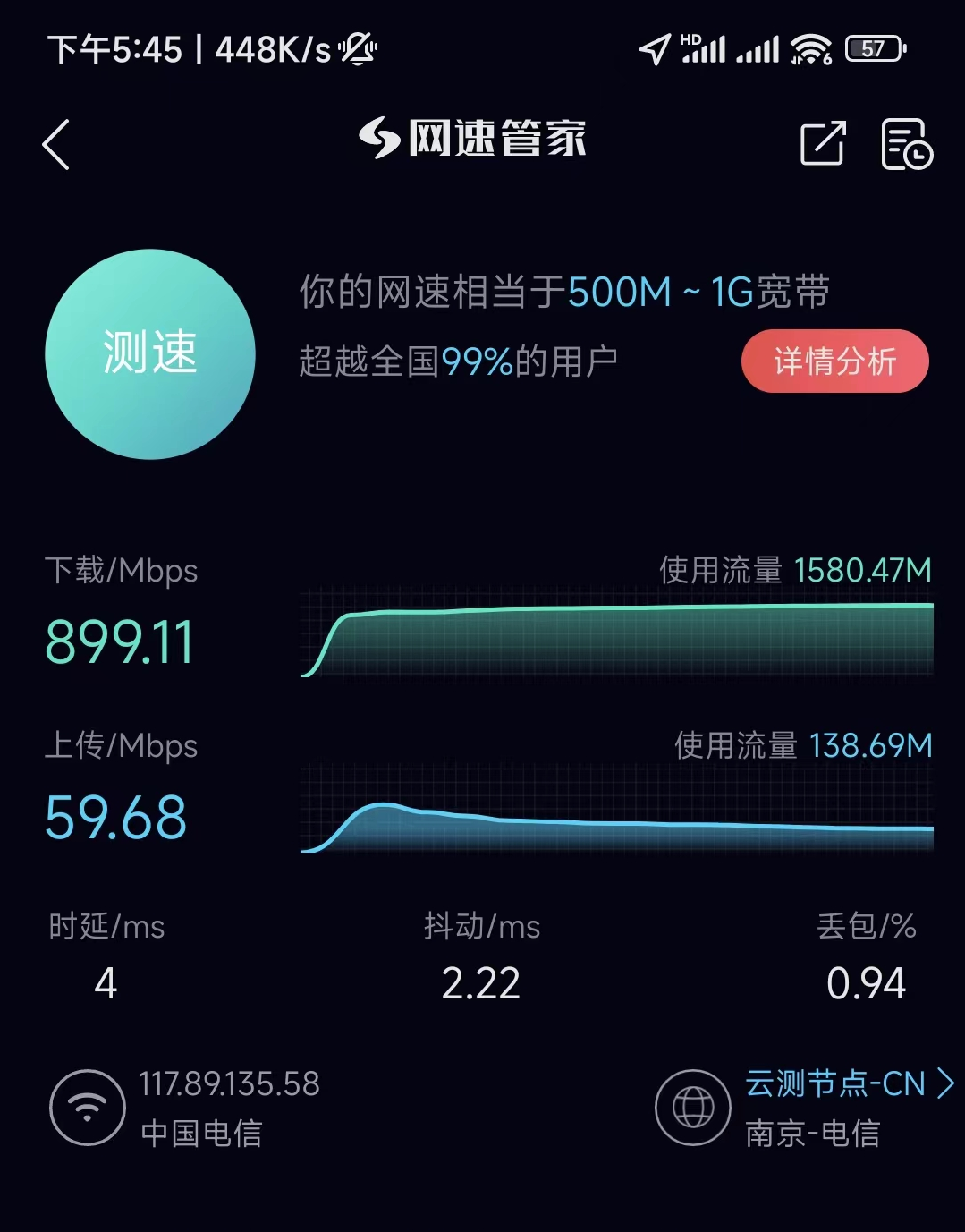
My first reaction: Wow, is the door of the bedroom too thin?
It shouldn’t be; TATA wooden doors are already considered a good brand.

Could it be that the wall is not thick enough?
I carefully looked at the renovation drawings, and yes, it is a load-bearing wall…
Anyway, I was very surprised that the speed hardly dropped after going through a wall or a door.
Here’s a video to prove it:

Speed test in the master bedroom.
It seems that the six 6db high-gain antennas are indeed not installed for nothing; their penetration capability is quite good.
I conducted speed tests in the secondary bedroom, study, and bathroom, and the final actual results are recorded as follows:
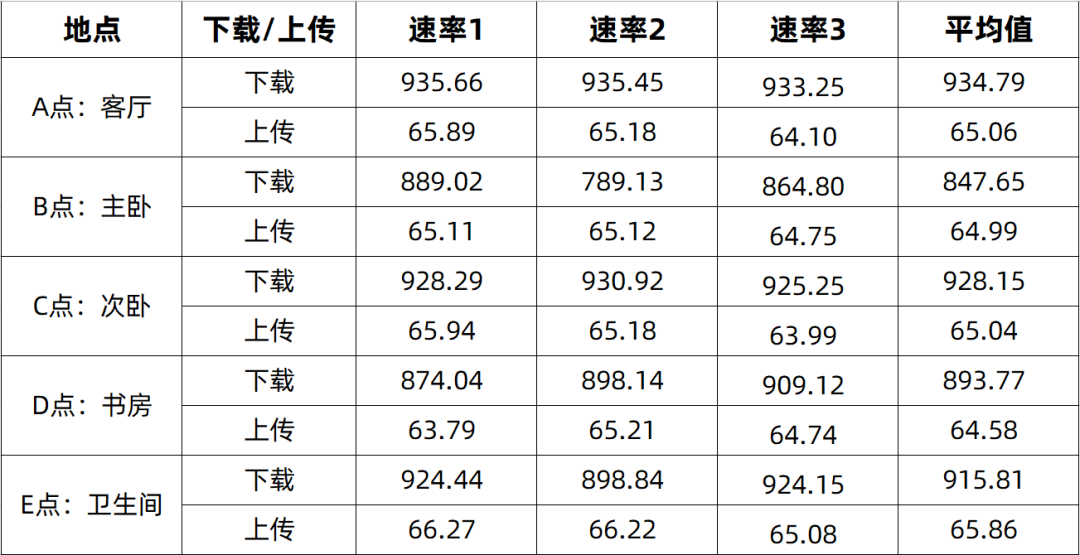
Speed test results for the entire house with Xiaomi 12 (unit: Mbps)
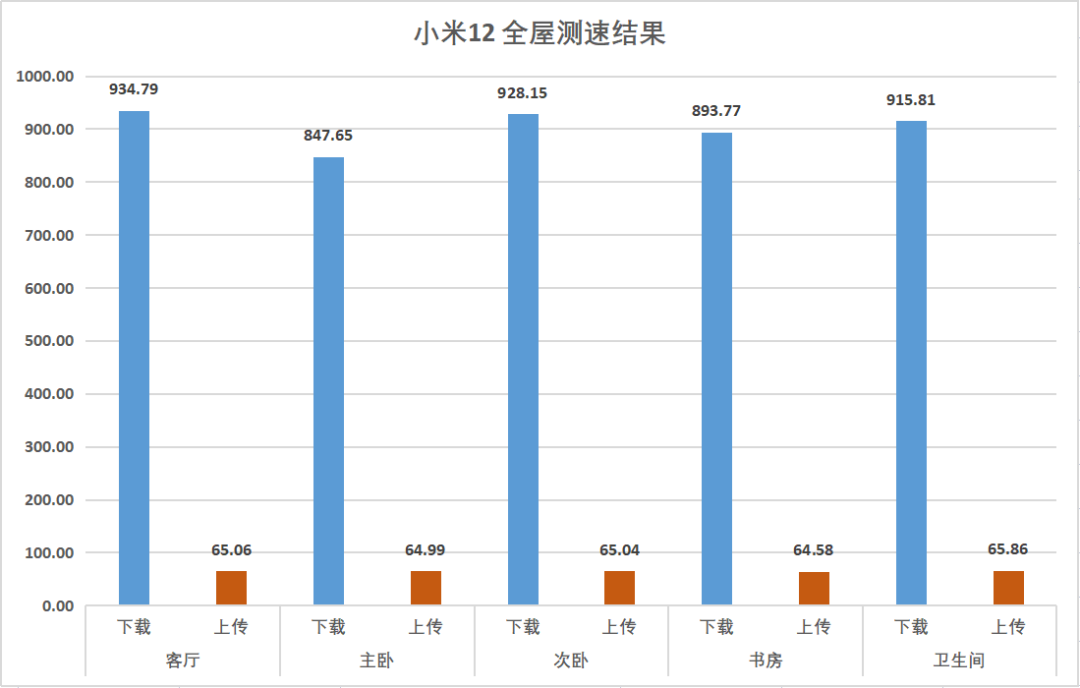
It can be seen that the download rates in various rooms are almost consistent with that in the living room.
This performance can be considered very satisfactory. Basically, one wireless router achieves gigabit coverage throughout the house. With this performance, FTTR is unnecessary… (Well, maybe because my house isn’t big enough…
Now, let’s switch to my wife’s iPhone 13 and continue testing.
I don’t know why, but the speed test performance of the iPhone 13 is far inferior to that of the Xiaomi 12, especially after going through walls, the speed drops significantly.
The speed test results for the iPhone 13 throughout the house are as follows:
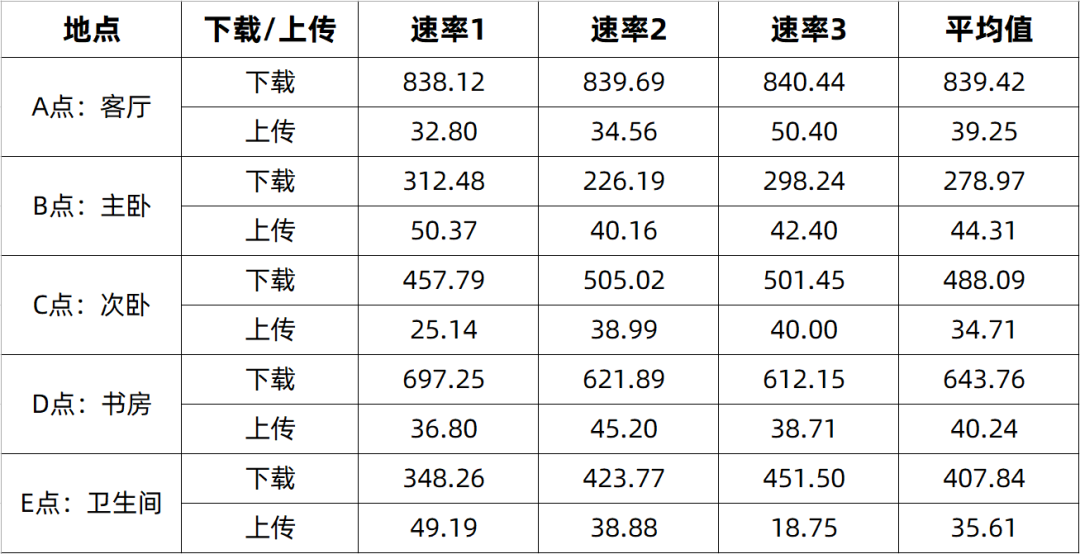
Speed test results for the iPhone 13 throughout the house (unit: Mbps)
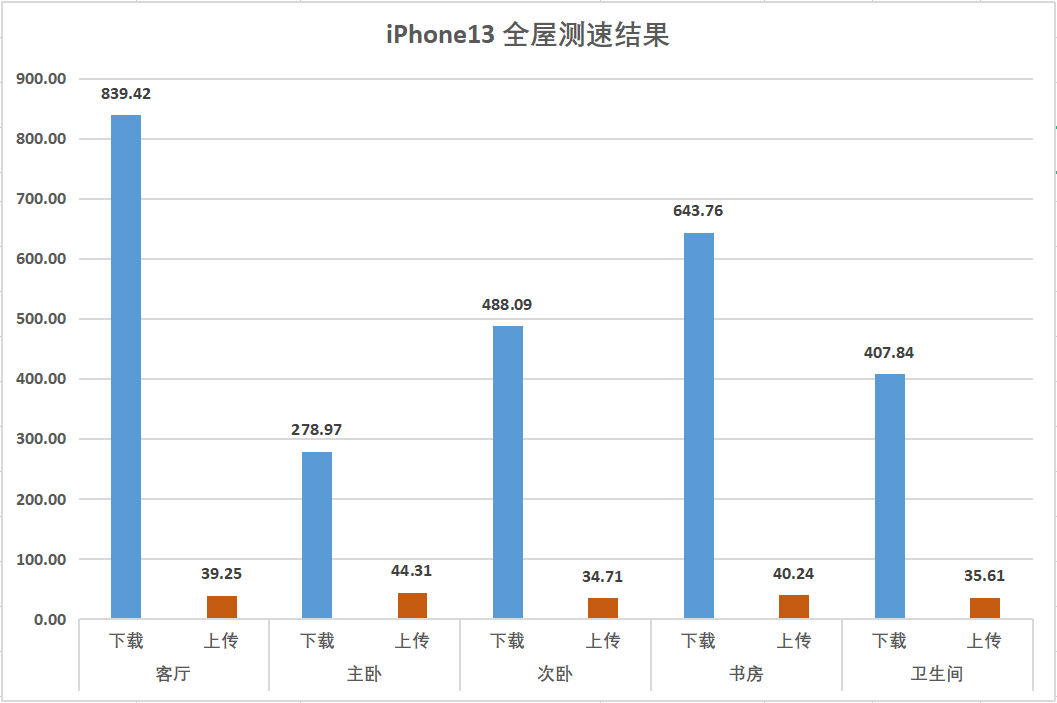
It can be seen that the download rates in the living room are fine, but they drop significantly in the rooms.
Currently, I am not sure about the reason for the speed difference between the iPhone 13 and the Xiaomi 12. I think it may still be related to the Wi-Fi chip and RF solution of the mobile terminal.
That’s all for the external network speed test.
Next, let’s look at the internal network speed test.
The method for internal network speed testing is as follows:
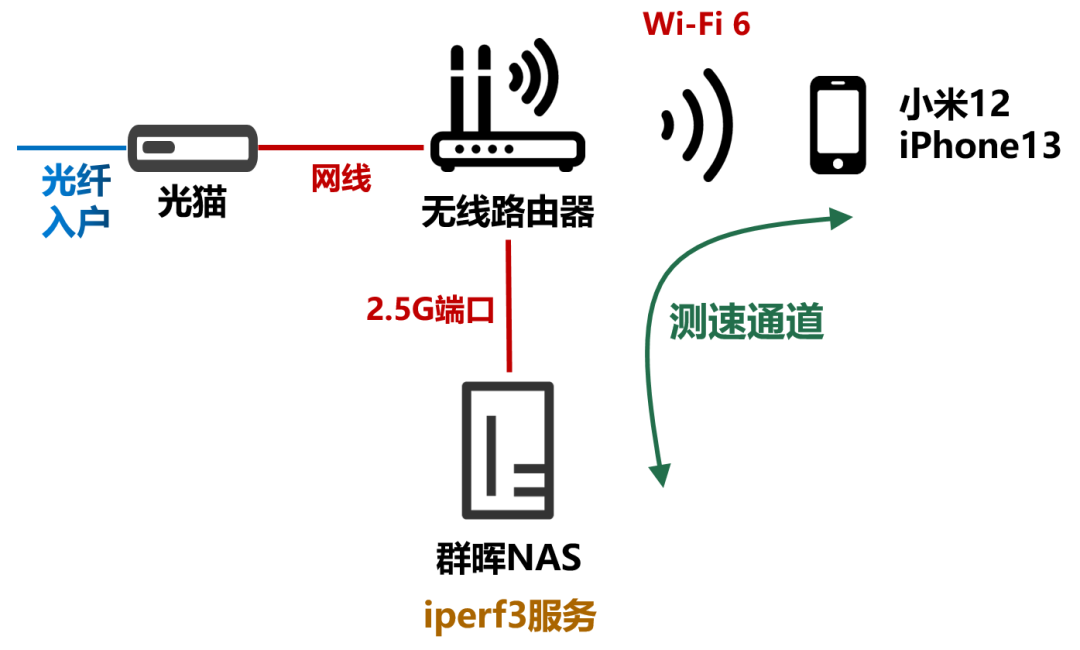
Internal network speed testing channel (green line)
In other words, the router’s 2.5G wired port connects to the NAS, and the wireless Wi-Fi 6 connects to the phone (5GHz band). I set up an iperf3 speed test service on the NAS using Docker for internal network speed testing.
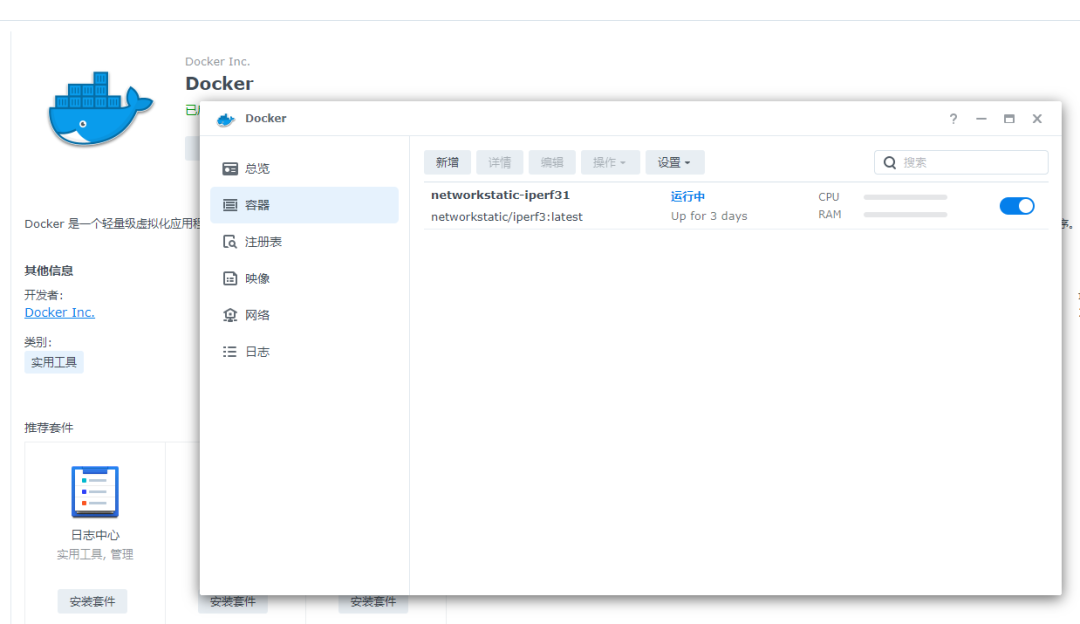
iperf3 in the Docker container
The wireless interface negotiation speed of the Xiaomi 12 is 2401Mbps. This speed is achieved based on a 160MHz bandwidth.
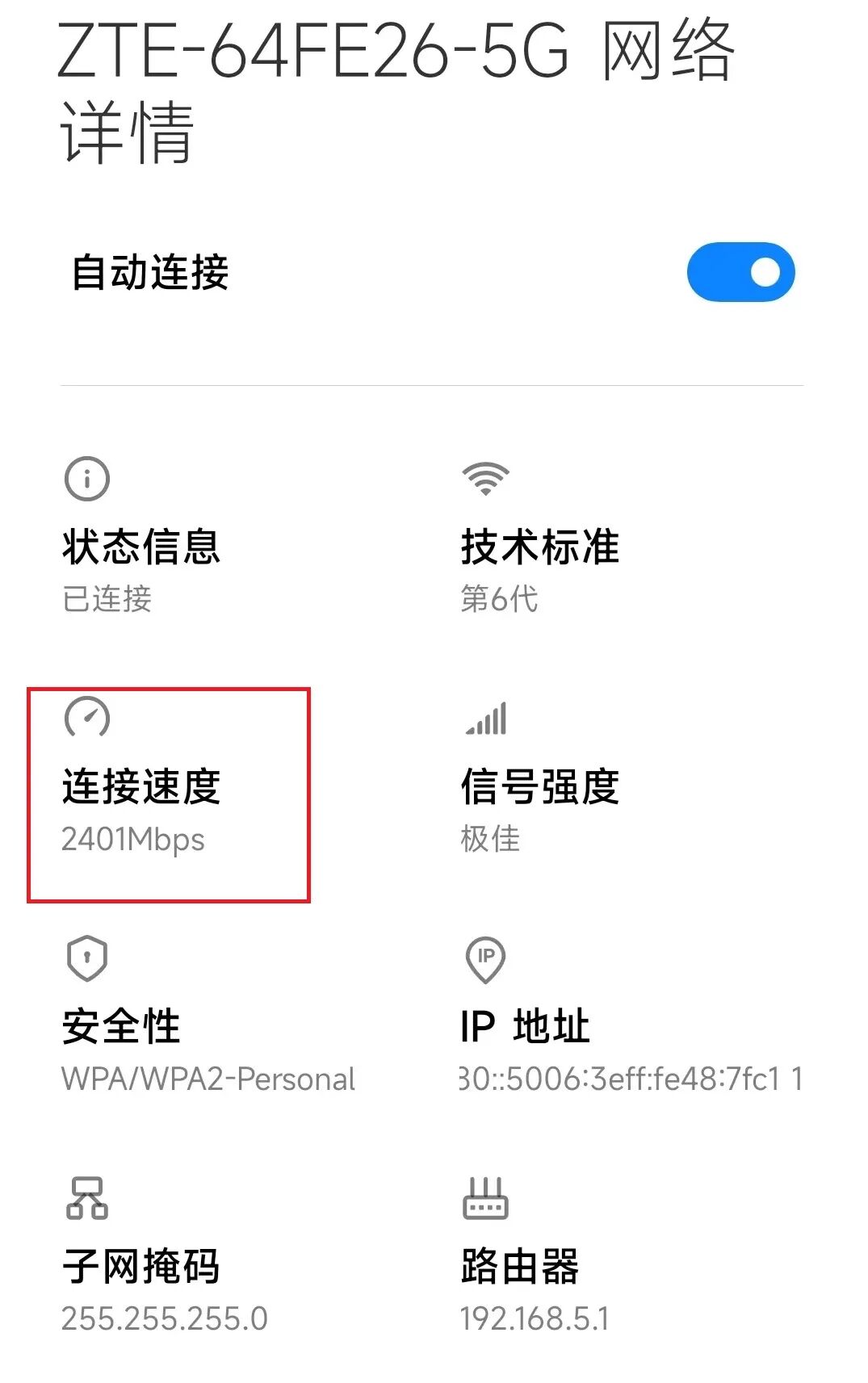
Starting the test:
This is the upload speed of the Xiaomi 12:
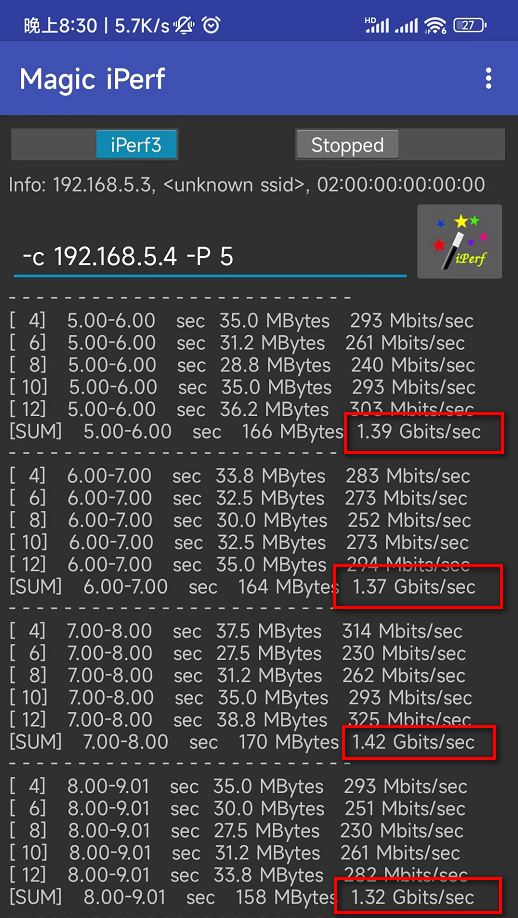 192.168.5.4 is the IP of the NAS192.168.5.3 is the IP of the phone
This is the download speed of the Xiaomi 12:
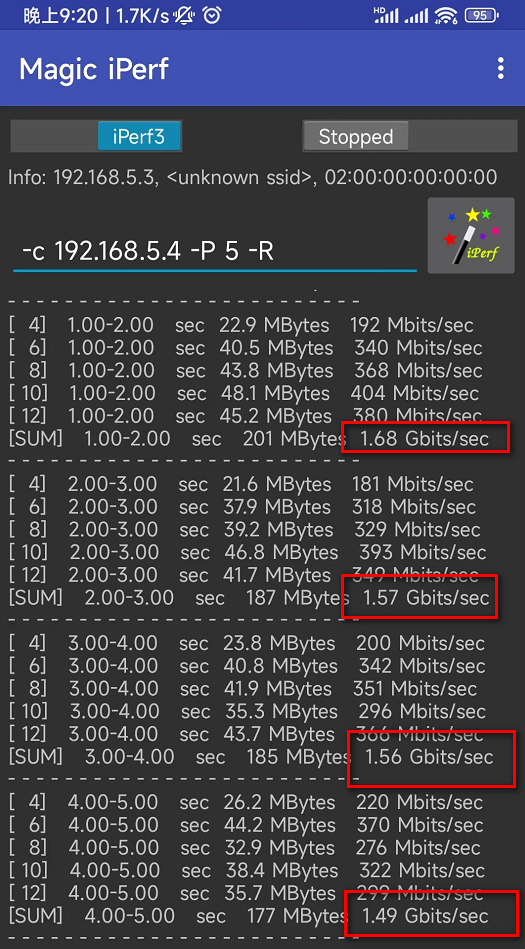
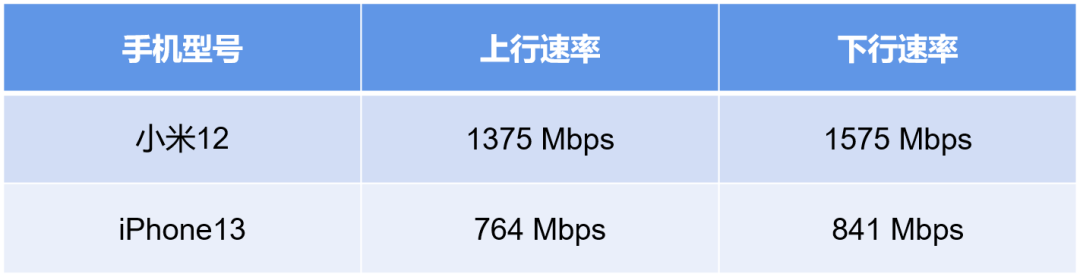
Overall, the upload speed is about 1.4Gbps, and the download speed is about 1.6Gbps, with a maximum of 1.68Gbps.
Wireless is a mysterious field; achieving the theoretical maximum speed is impossible. Currently, this speed is already quite good.
To achieve wireless speeds above 2Gbps, the mobile end needs 4×4 MIMO, which currently seems to have no mobile phones supporting it, basically only 2×2 MIMO.
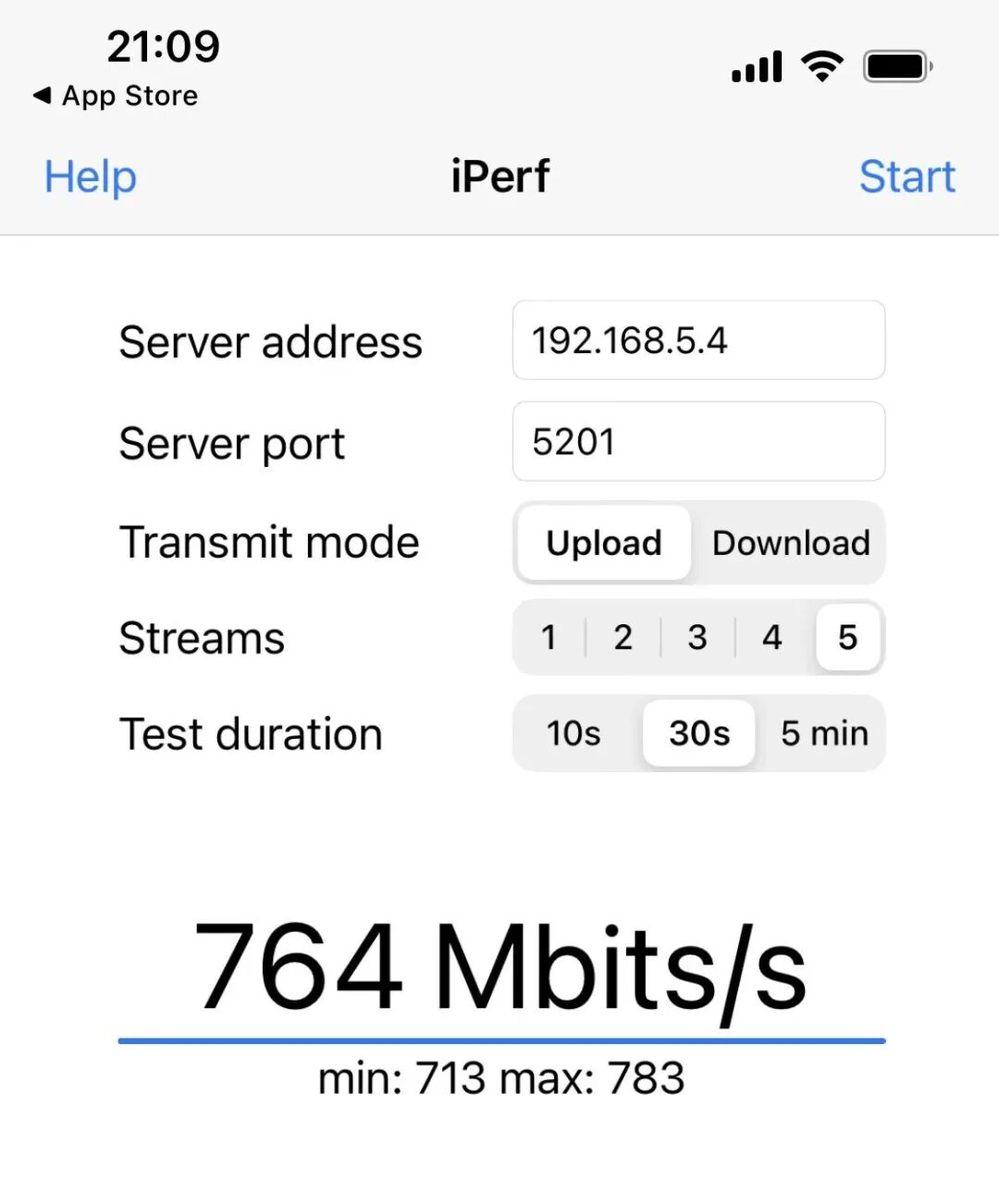
After switching to the iPhone 13 for testing, the results are as follows:
Upload speed:
Download speed:
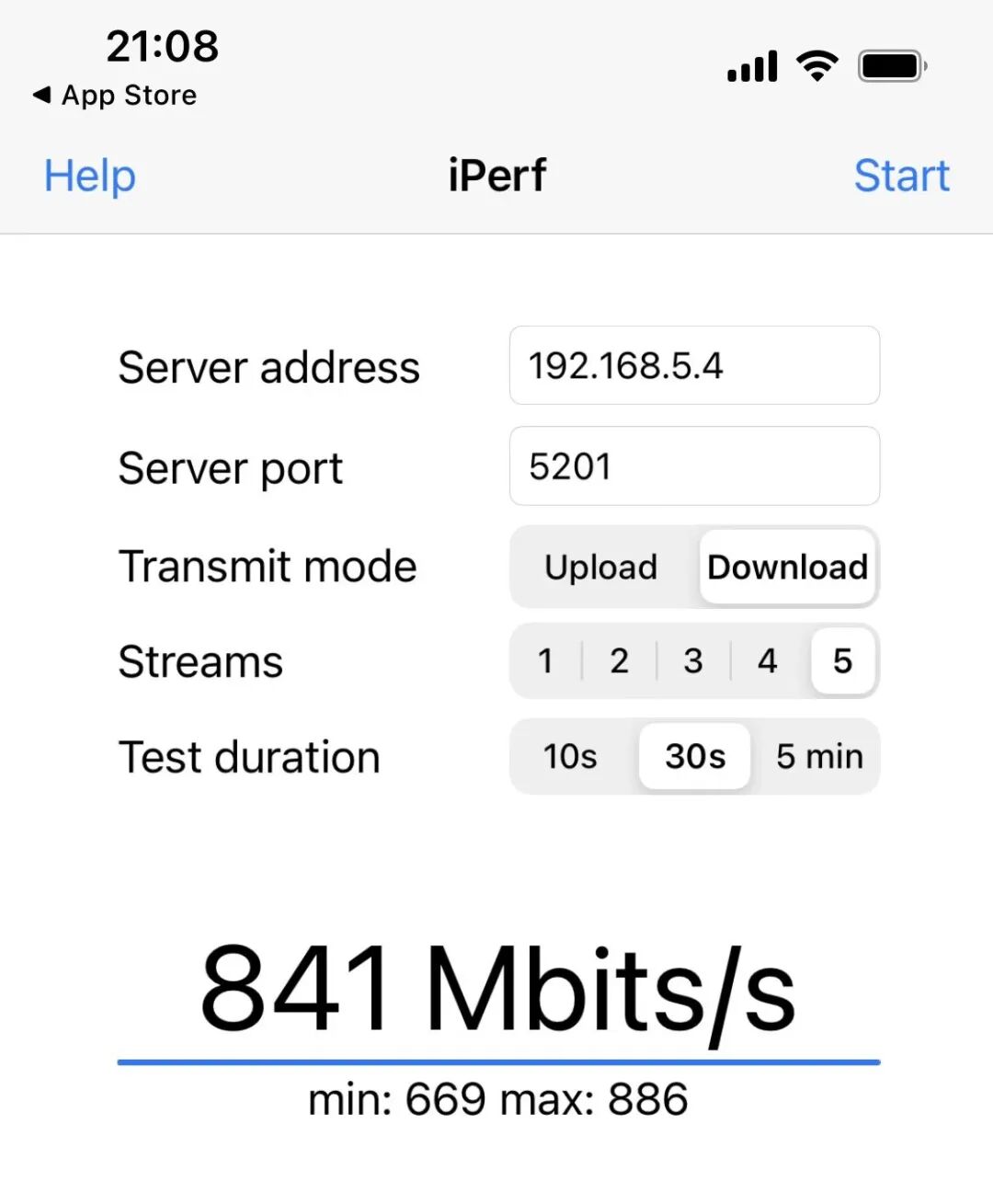
Let’s compare the list; the advantages of the Android device are still quite obvious:
Since the AX5400Pro only has one 2.5G port, I cannot test wired to wired speed. Otherwise, I could challenge the limit speed of 2.5Gbps. Normally, it should be able to achieve a NAS file copy speed of 210MB/s, close to the read and write limits of mechanical hard drives.
In the future, I may still switch to a 2.5G switch to establish a 2.5G channel between the desktop and NAS.
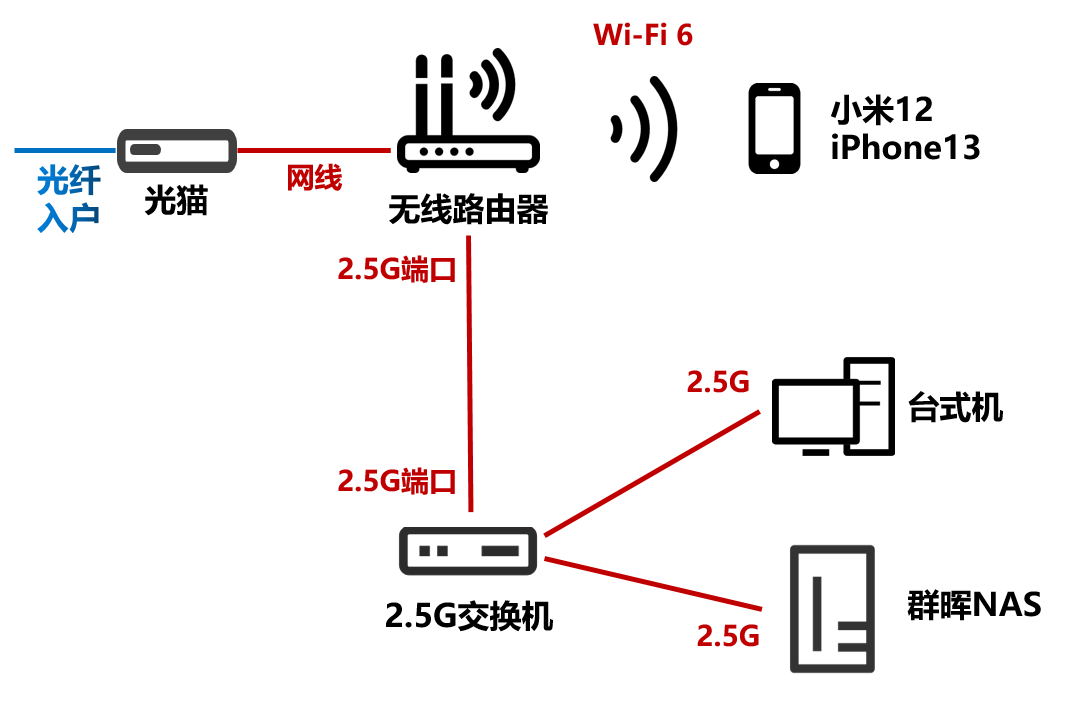 Target network architecture
Alright, that’s all for the speed test section.
Regarding network stability, this router officially started being used on the 17th. After using it for several days, I have not encountered any router rebooting issues.
Since I am busy with work, I rarely play games or watch videos, so it is hard to notice any disconnections. I asked my family, and they did not report any network abnormalities. I will observe it for a few more months.
Is the review over here?
Of course not! As a professional disassembly enthusiast, seeing such a device, how could I not feel the urge to take it apart?
Moreover, the ZTE AX5400Pro has a significant selling point, which is that it uses a self-developed 12-core chip.
I also want to see for myself if it really uses a self-developed chip. What does this chip look like?
So, let’s disassemble it!
█ Disassembly Section
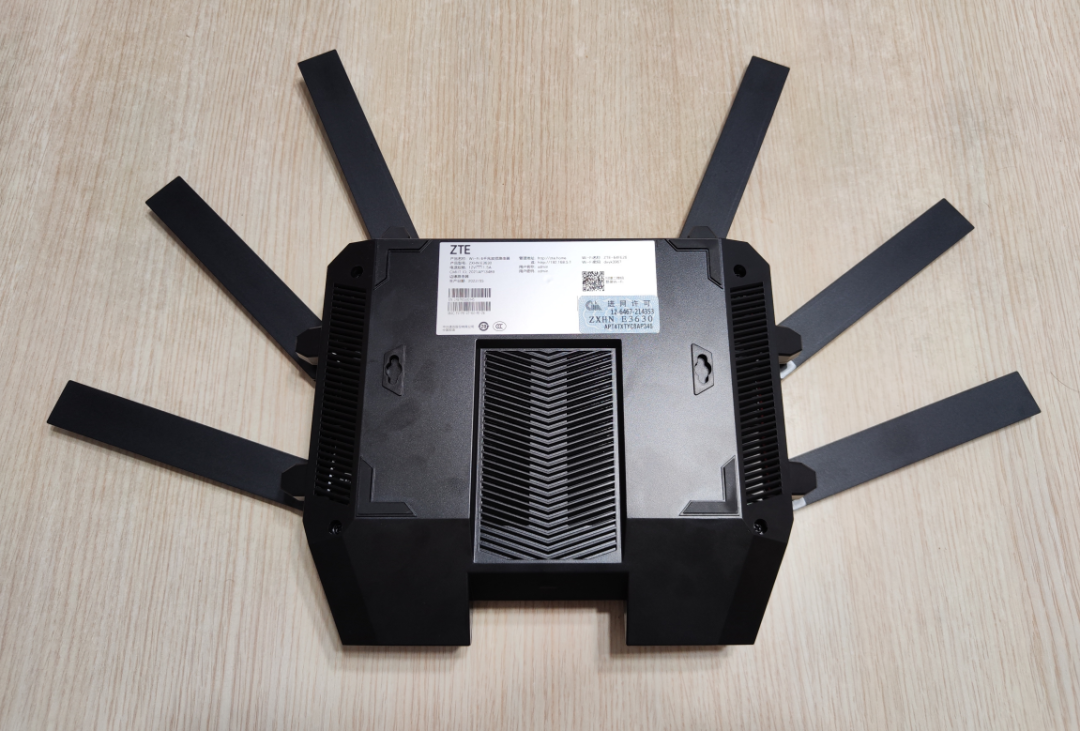 This router is relatively easy to disassemble. There are four screws on the back; unscrew them. Then, from the side, use a card to pry open a gap, and pry along the gap to open the shell.
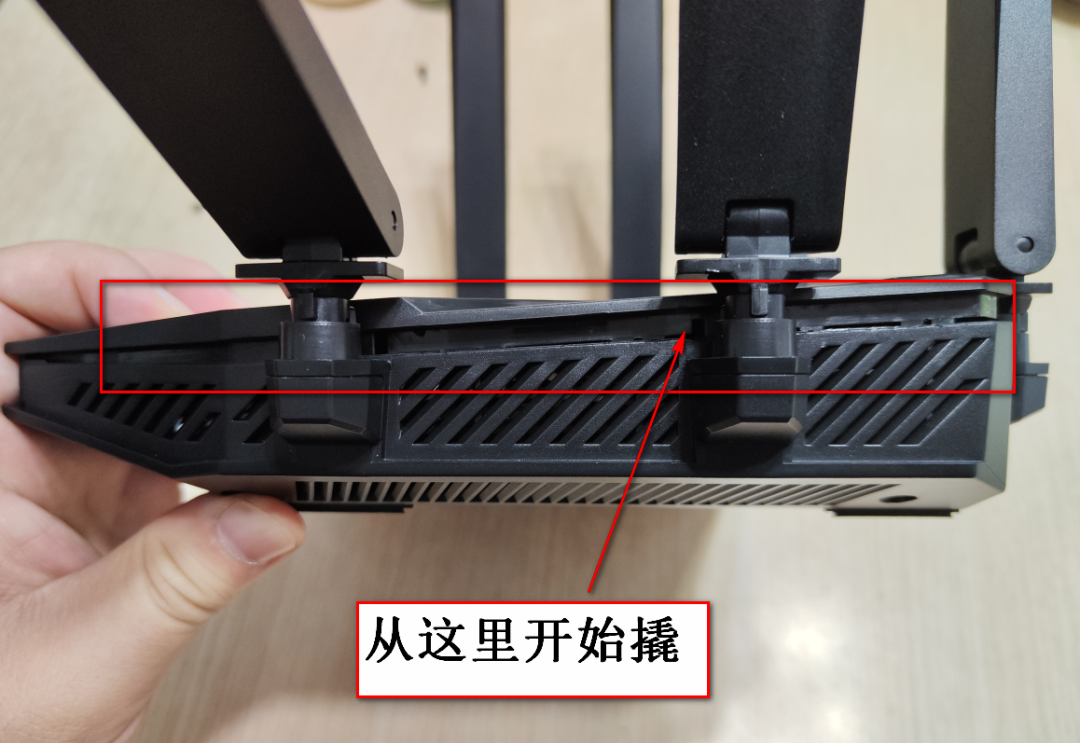 Ta-da… the shell is successfully opened!
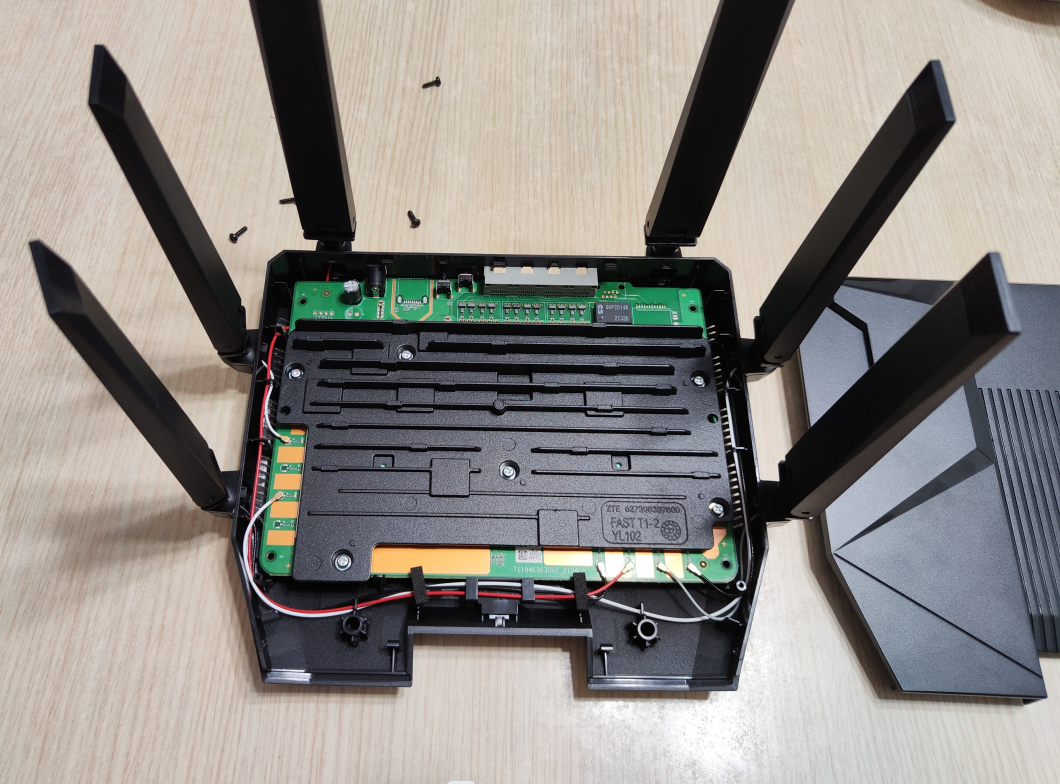 The black part is the heat sink, which is quite large. Unscrew the screws, and lifting the heat sink reveals the PCB mainboard:
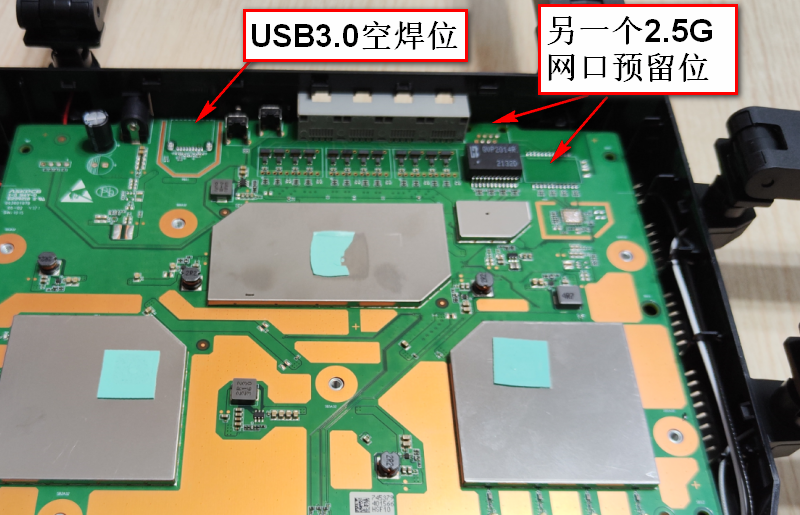
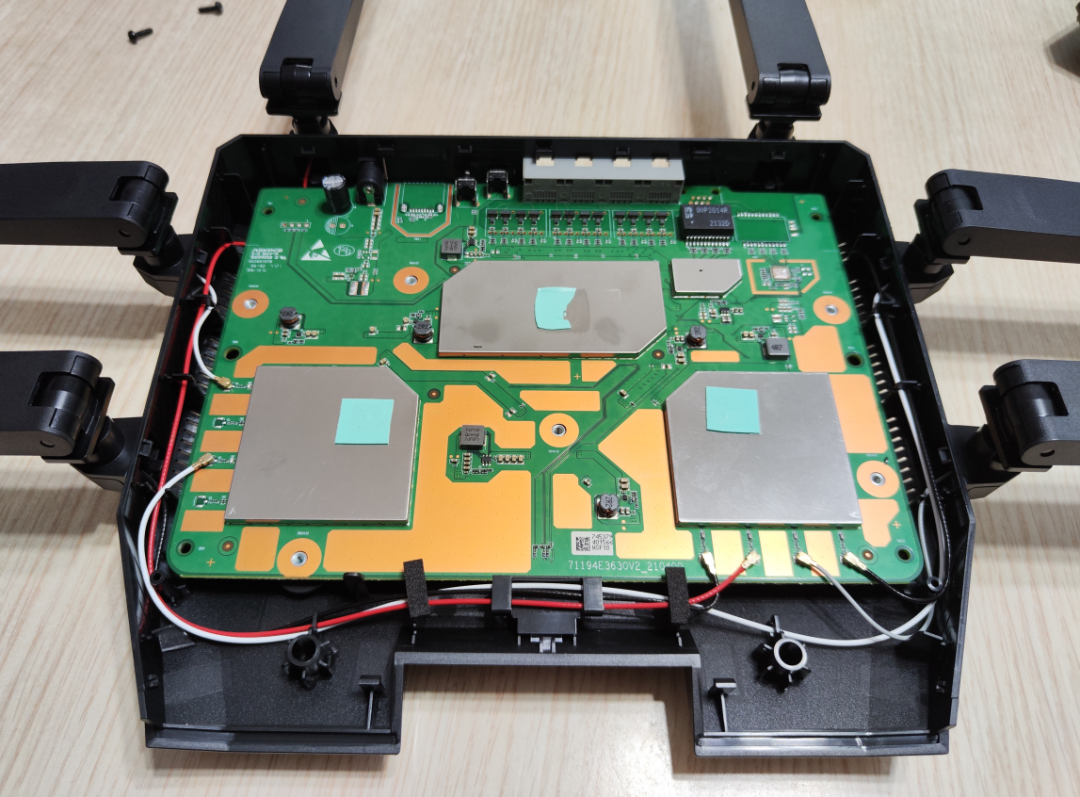 Overall, I am not very knowledgeable about hardware, but the PCB circuit layout seems to be quite standard.The three metal pieces in the middle are shielding covers, used to reduce signal interference. The black and white wires are the antenna connections.There are many empty soldering positions on the circuit board, which seem to be reserved for future upgrades.
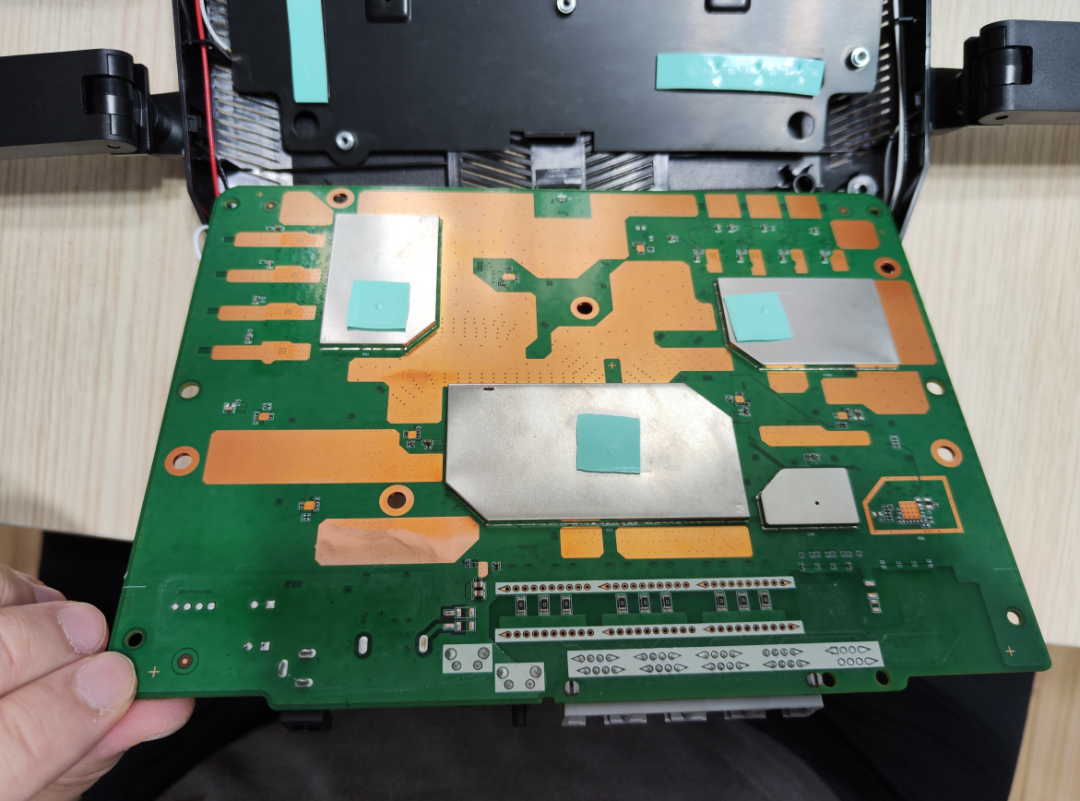
 The back of the circuit board (the back heat sink has been removed in the image):
 After removing the shielding cover in the lower right corner of the front, a chip is revealed.
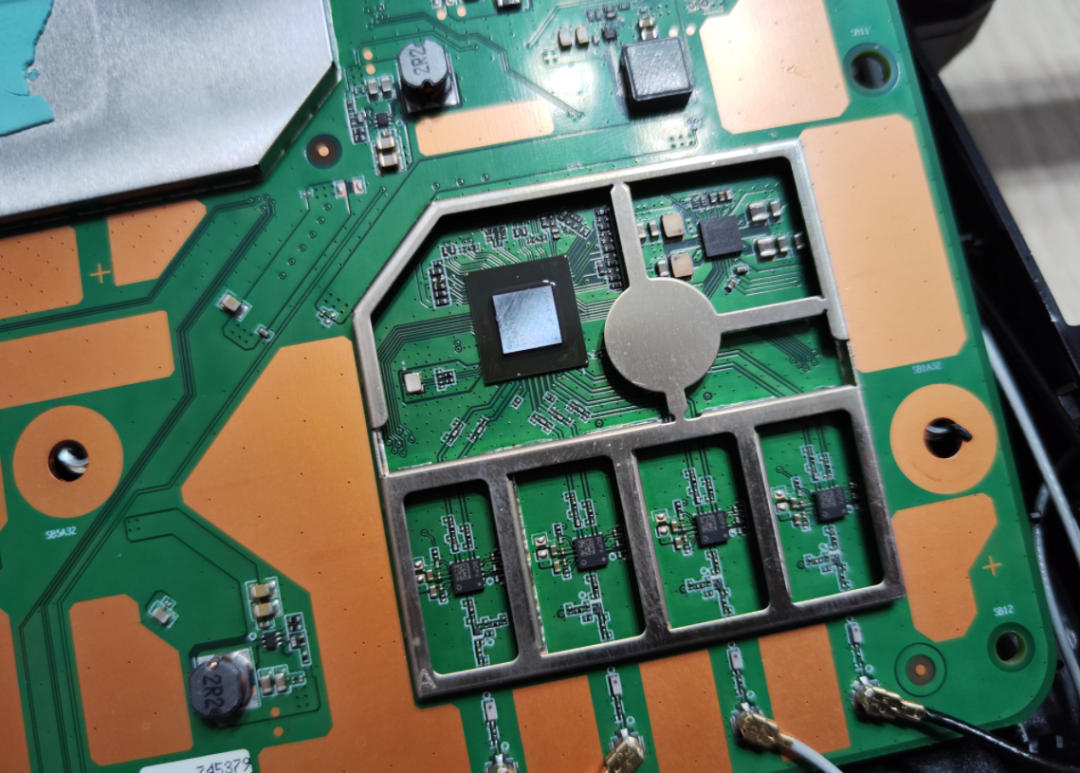 The chip is small and can only be seen clearly when enlarged; it is Qualcomm’s QCN6024.
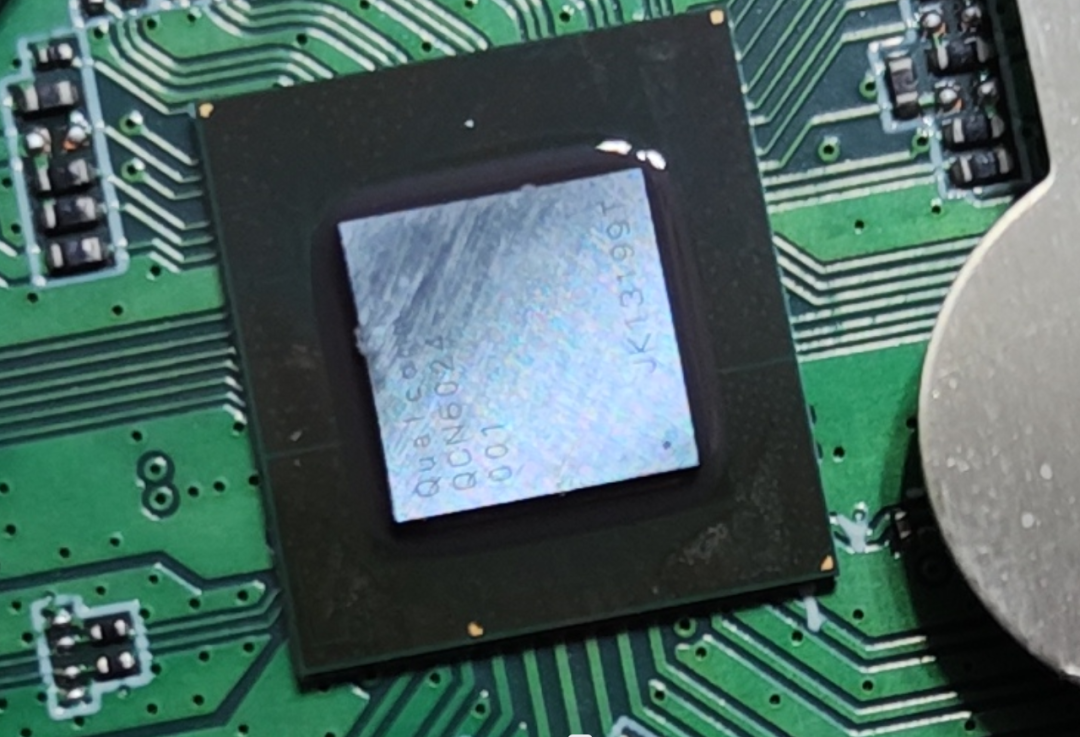 This is a 5G frequency Wi-Fi chip. According to online information, it supports 4×4 MIMO, 160MHz bandwidth, and a maximum wireless rate of 4804Mbps, with four independent Qorvo power amplifiers, model QPF4526.It seems that the one on the left should be the 2.4G frequency Wi-Fi chip.The shielding cover is not easy to remove; I got a little hurt…
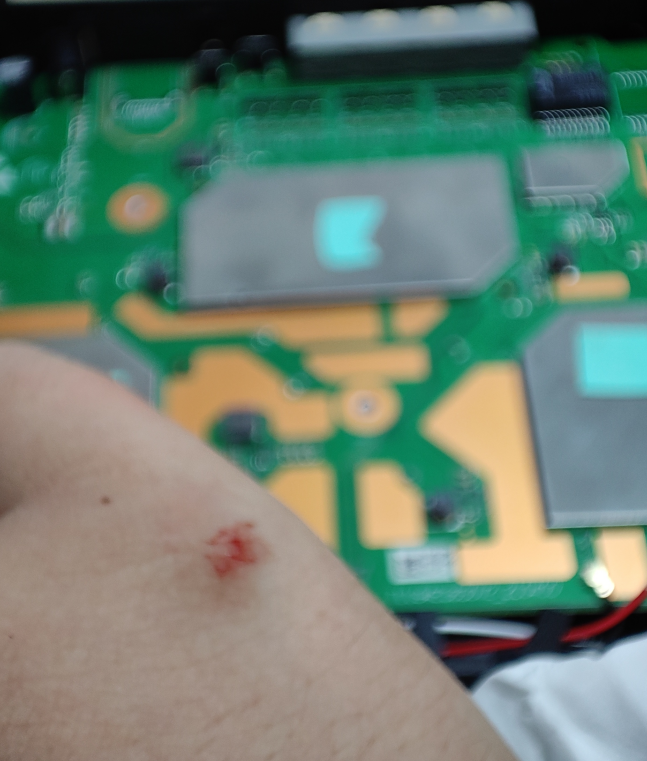 (I got hurt and forgot to remove the shielding cover of the 2.4G wireless part, directly removing the main chip’s shielding cover…)After removing the main chip’s shielding cover, I finally saw the true face of the ZTE chip—
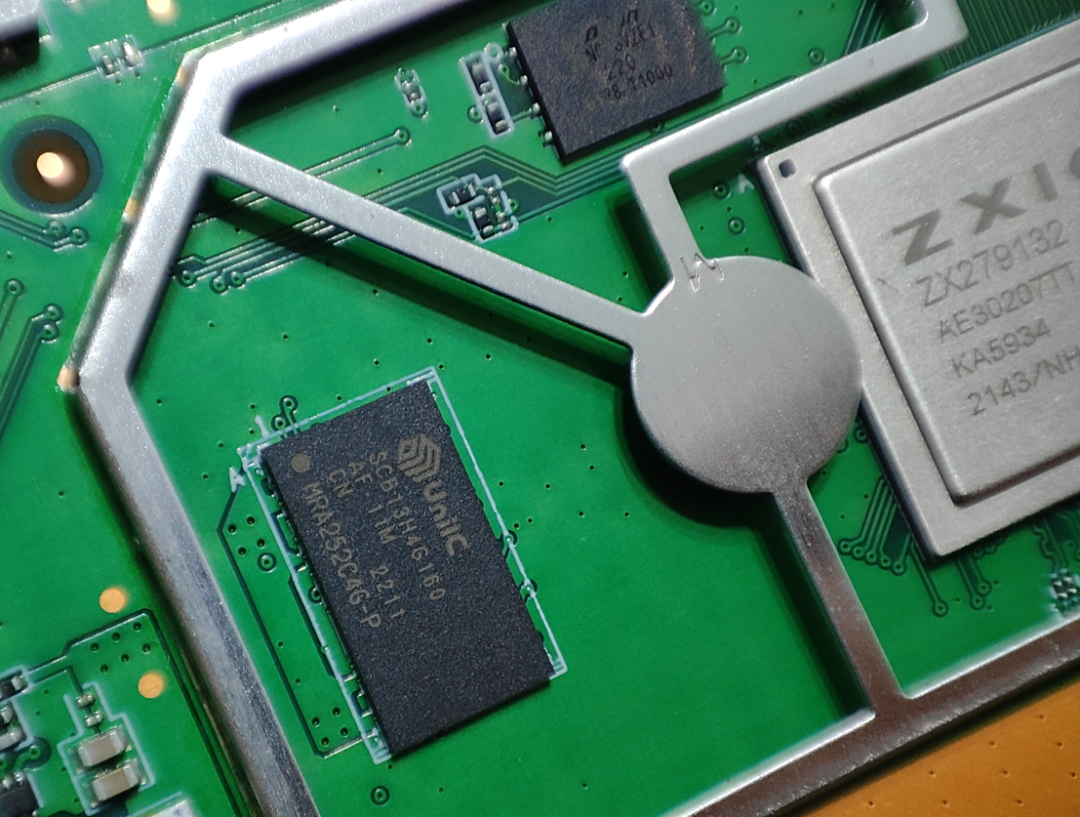
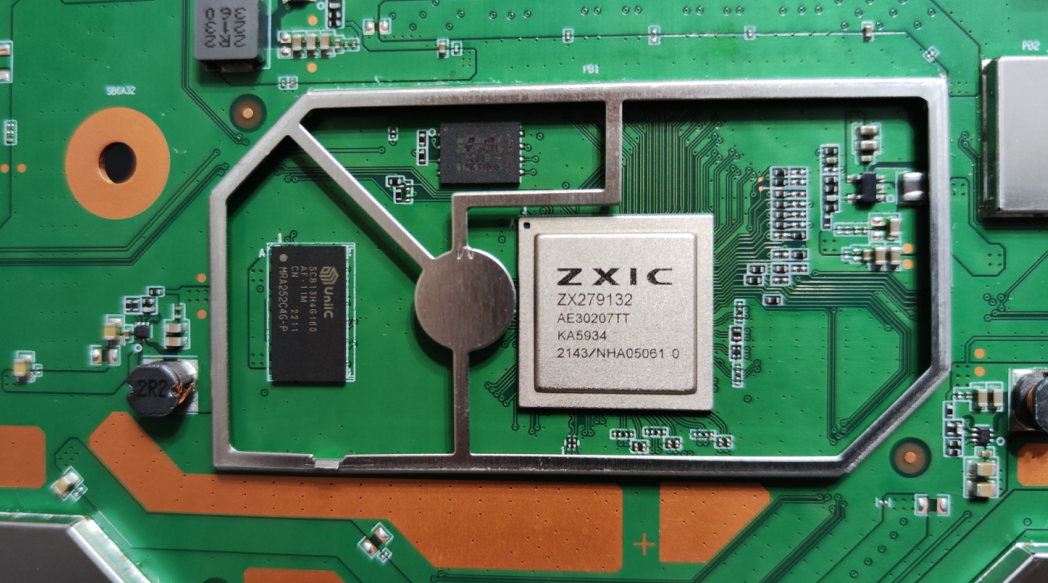 From ZTE Microelectronics, the ZX279132, a 4-core CPU + 8-core NPU, totaling 12 cores, with a frequency of 1.1GHz. According to online information, it is manufactured using a 14nm process from SMIC.Here’s a close-up:
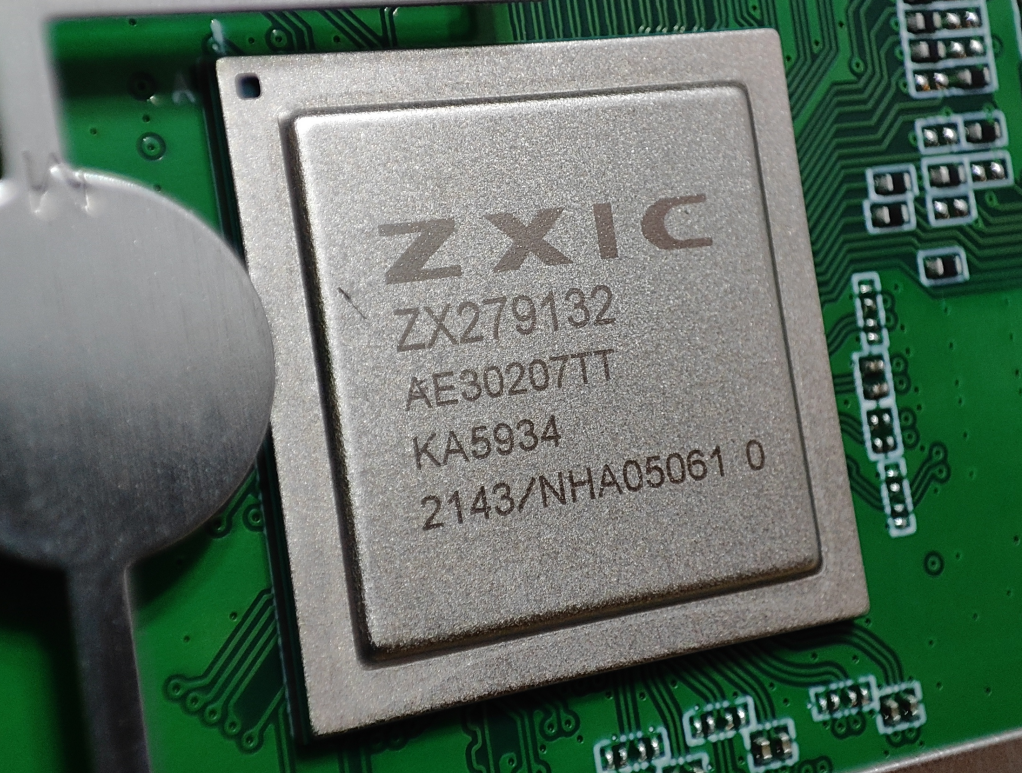 Oh! The one on the left is actually a domestic DDR chip from UniIC (Ziguang Guowei), SCB13H4G160. The flash memory chip is hard to see clearly; it seems to be Winbond’s.
 Here’s an overall view, kept as a memento:
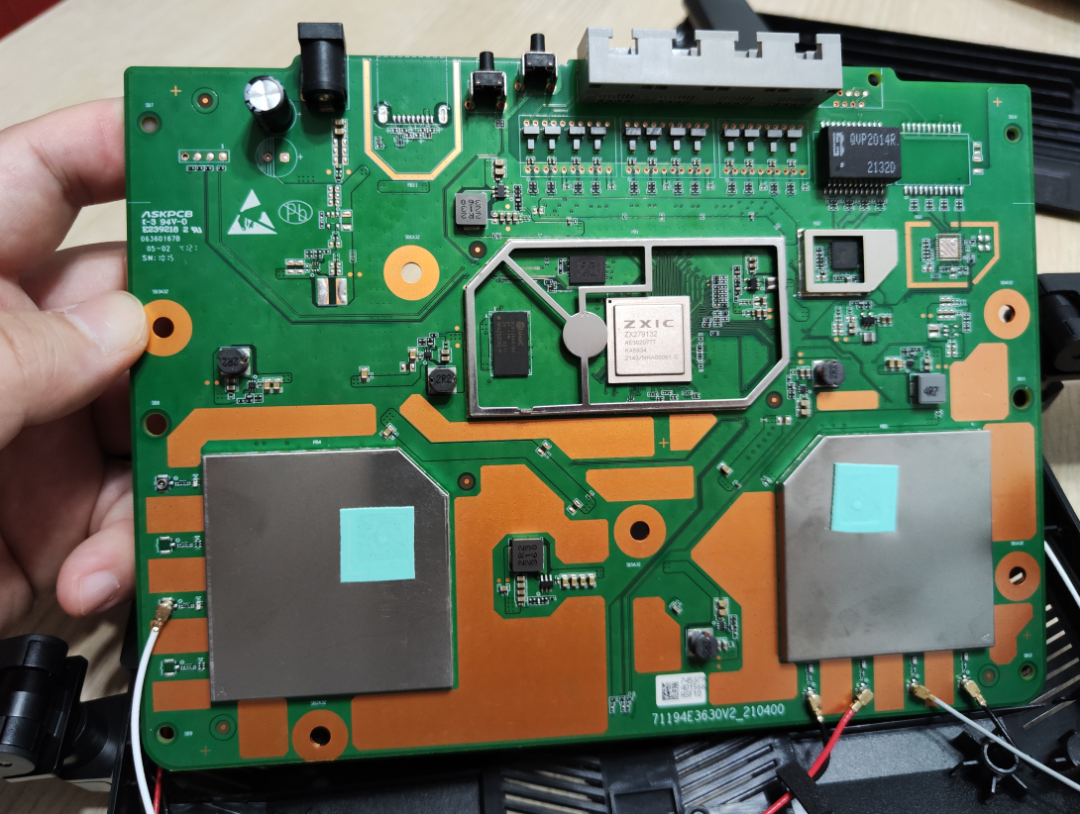 After disassembly, I still need to put it back together and continue using it.Reassembly is easier than disassembly; just screw a few screws on the heat sink, then align the shell and press it down until you hear a “pop”, and then tighten the shell screws, and it’s done.
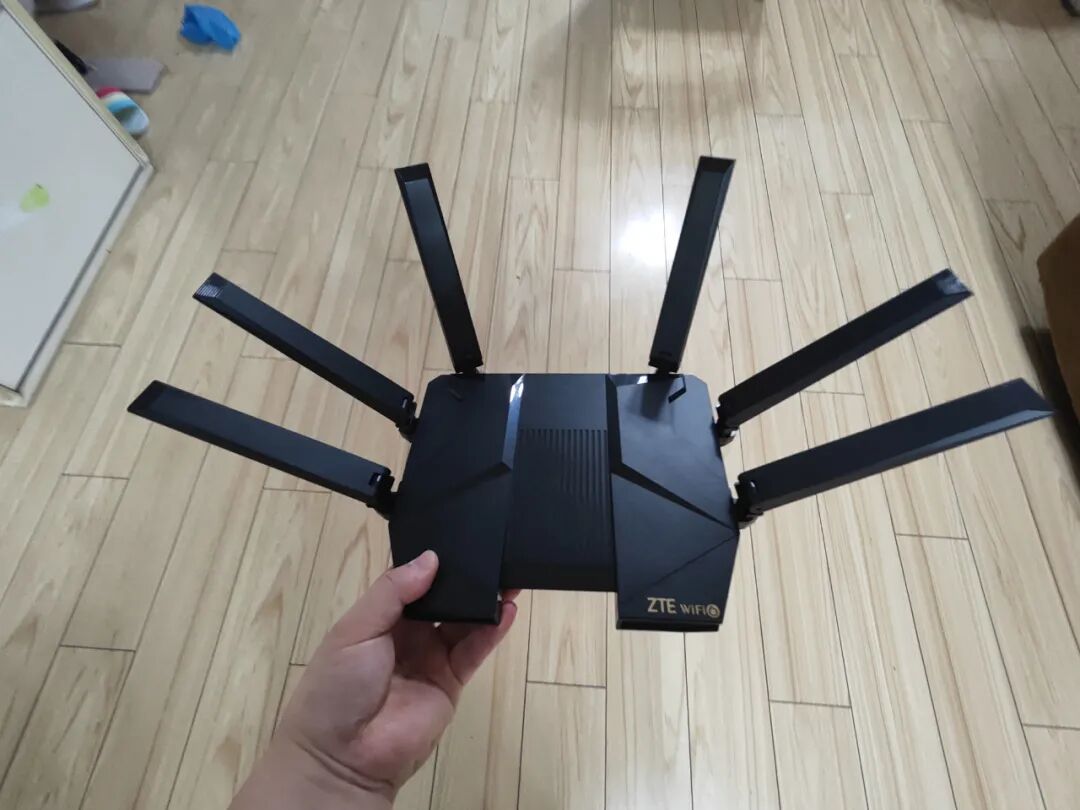 Perfect restoration… no extra screws, and none missing…
 █ ConclusionAlright, this is really the end, I’m exhausted…Unboxing, configuration, speed testing, and disassembly, all in one go. Are you satisfied?
 Finally, let’s summarize.In terms of appearance: the design is subjective, everyone has different preferences; I think the black appearance may be more suitable for young people; the antenna’s adjustability is quite strong; the design of the indicator light’s position is not very reasonable.In terms of hardware: the configuration is indeed good; domestic chips are commendable, and domestic storage chips are commendable; however, there is still room for improvement (if it could be equipped with USB3.0 ports and an additional 2.5G port, it would be perfect).In terms of software: the functions are powerful, but the configuration interface lacks design sense and is somewhat cluttered; overly professional functions should be made hidden settings (to avoid accidental changes).In terms of performance: commendable, nothing more to say, the upload and download speed performance is excellent, and the heat generation is not significant. Normally, a 120 square meter house can be easily covered. If the area is larger, consider using a ZTE AX3000 to form a mesh network.In terms of price: at the 500 yuan price point, the cost performance is still very high. However, the competition is also fierce; if it could add the previously mentioned USB3.0 port and an additional 2.5G port, it would be unbeatable.Others: the most important stability and reliability need to be further verified over time.Alright, that’s it for this review. Thank you all for your patience! See you next time!