Arduino: Having Trouble Installing ESP8266? 🤔
1. Why Does Arduino Report Errors When Installing ESP8266?
Many users encounter various errors when trying to install the ESP8266 development board using the Arduino IDE. This is often due to network issues that prevent the necessary packages from being downloaded smoothly. 😥
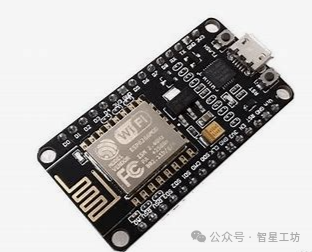
2. One Solution: Switch to a Domestic Mirror Source! 🚀
Switching to a domestic mirror source can effectively resolve download issues. The operation is simple; just add the domestic mirror address in the Arduino preferences.
3. How to Add a Domestic Mirror Source? 🧐
•
Open the Arduino IDE, go to <span>File</span> -> <span>Preferences</span>.
•
In the <span>Additional Board Manager URLs</span> field, enter the following address:
<span>https://alist.qianchen.link/d/local_public/%E5%8D%9A%E5%AE%A2%E9%99%84%E4%BB%B6/Arduino/package_esp8266com_index-ghfast.json</span>
•
Click <span>OK</span> to save the settings.
4. Start Installing the ESP8266 Development Board! 🎉
•Open <span>Tools</span> -> <span>Board</span> -> <span>Board Manager</span>.•Search for <span>esp8266</span>, find <span>esp8266 by ESP8266 Community</span>.•Click <span>Install</span> and patiently wait for the installation to complete. ⏳
Now, you should be able to successfully install the ESP8266 development board! Go ahead and give it a try! 🥳