Porcupine is a lightweight code editor written in Python, based on the Tkinter library. It is known for its simple design, rich features, and ease of use, providing developers with an efficient coding environment. This article will delve into the design philosophy, core features, and advantages of Porcupine, along with code examples demonstrating its usage.
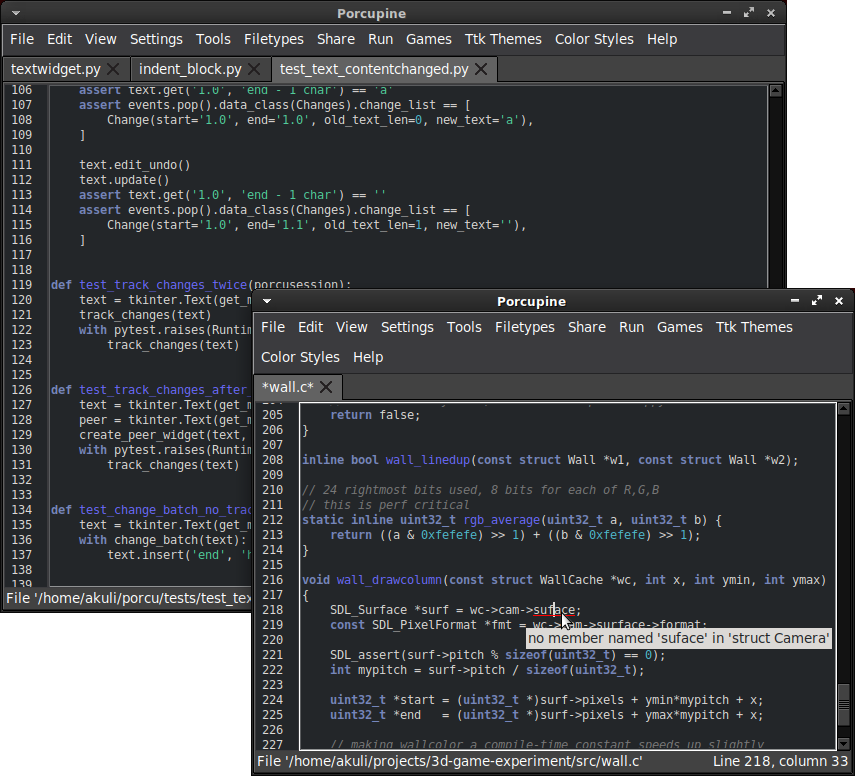
1. Design Philosophy
The design philosophy of Porcupine emphasizes simplicity, efficiency, and usability. It discards complex user interfaces and focuses on providing essential code editing features. Developers can quickly create, edit, and run code using Porcupine without needing to learn complicated interface operations.
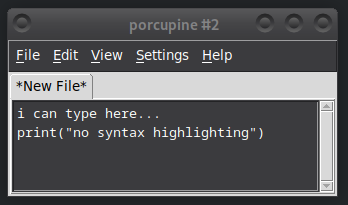
2. Core Features
Porcupine offers a rich set of code editing features that meet the basic needs of most developers.
2.1 Autocomplete
Porcupine supports an autocomplete feature that can automatically suggest possible code snippets based on the context, improving coding efficiency.
2.2 Syntax Highlighting
Porcupine supports syntax highlighting for multiple programming languages, making code easier to read and understand.
2.3 Code Folding
Porcupine supports code folding, allowing developers to collapse or expand code blocks for easier browsing and editing.
2.4 Find and Replace
Porcupine provides a powerful find and replace feature that supports regular expressions, enabling developers to quickly locate and modify code.
2.5 Multi-file Editing
Porcupine supports multi-file editing, allowing developers to open multiple files in the same window for easier code management.
2.6 Command Line Integration
Porcupine can integrate with command line tools, allowing developers to execute commands directly within the editor.
3. Code Example
Porcupine can be opened using the GUI or run with Python code. The following code example demonstrates how to create a simple Python code file using Porcupine:
# Open Porcupine editor
import porcupine

# Create a new Python file
editor = porcupine.editor.Editor()
editor.open_new_file(file_type='python')

# Insert code into the editor
editor.insert_text('print("Hello, world!")')

# Save the file
editor.save_as('hello.py')
4. Advantages
Porcupine has the following advantages:
-
• Lightweight: Porcupine consumes minimal resources and starts up quickly.
-
• Cross-platform: Porcupine supports various operating systems, including Windows, macOS, and Linux.
-
• Open-source and Free: Porcupine is open-source software, allowing developers to use and modify it for free.
-
• Easy to Extend: Porcupine provides a rich API, enabling developers to extend its functionality as needed.
5. Conclusion
Porcupine is a powerful and easy-to-use lightweight code editor. It is known for its simple design, rich features, and cross-platform support, providing developers with an efficient coding environment. Whether you are a beginner or an experienced developer, you can easily use Porcupine for coding and debugging.
https://github.com/Akuli/porcupine