
Click the blue words to follow us

Overview

This article introduces the method for configuring communication between Beckhoff PLC as an EtherCAT slave and Inovance PLC as an EtherCAT master.
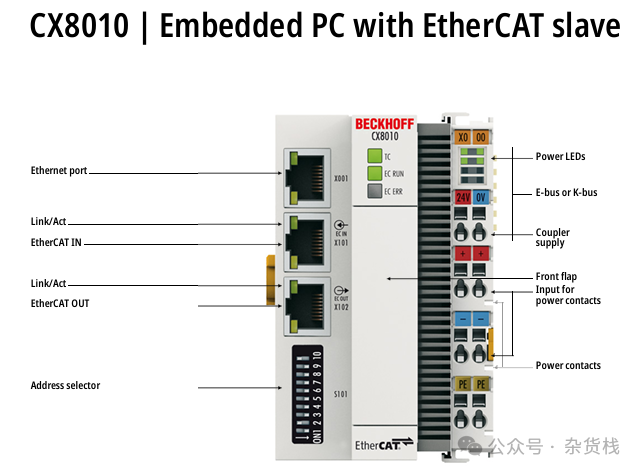
Beckhoff Hardware: CX8010
Inovance Hardware: AC802
Get related materials and software in the comments section.



01
Hardware Connection Method
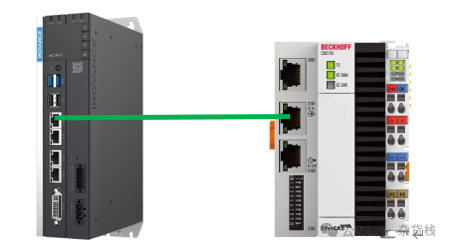
Connect the EtherCAT port of the Inovance PLC (master) to the X101 port of the Beckhoff PLC (slave) using an Ethernet cable (EtherCAT IN). (The EtherCAT OUT port of the Beckhoff PLC is used to connect to the next slave device.)
02
Beckhoff EtherCAT Slave Description File
The XML file provided with the Beckhoff CX8010 does not configure PDO data. It can be flexibly configured in the TwinCAT software, but in Inovance’s programming software InoProShop, PDO cannot be freely configured; communication can only be based on the data in the imported XML file.
Therefore, we need to first add the PDO of CX8010 in the XML file, and then import it into the Inovance software.
XML location (can also be found in the comments section):
C:\TwinCAT\3.1\Config\Io\EtherCATOpen the Beckhoff CXxxxx.xml file with an XML editor (the editor used in this article), and then search for the project content of CX8010, as shown in the figure below:
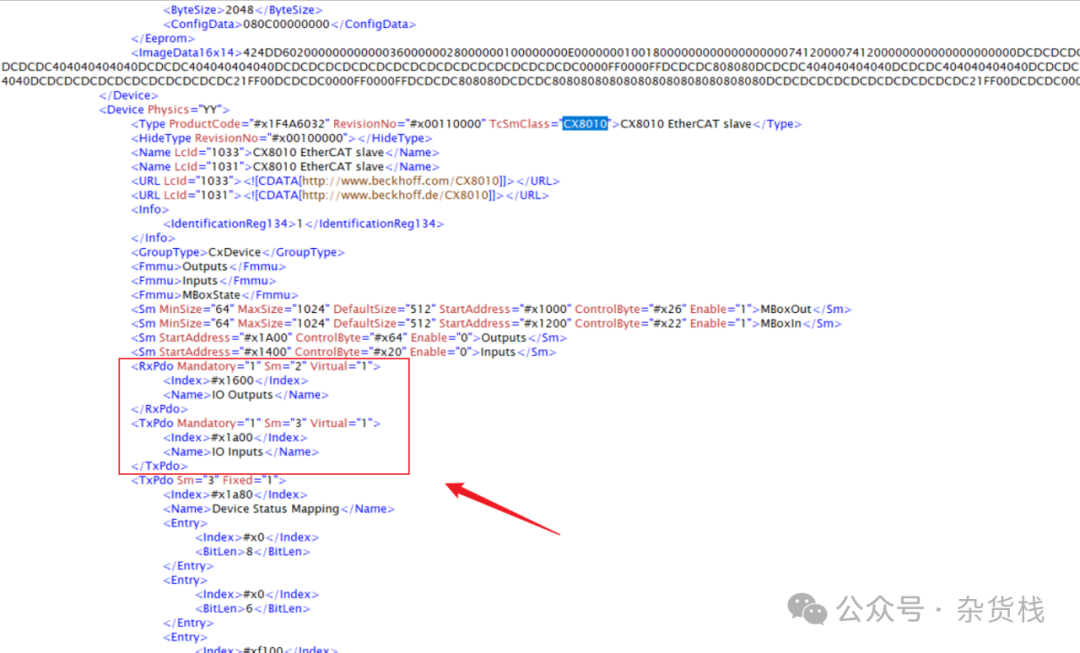
Then you can add the required Output and Input data inRxPDO and TxPDO.
Explanation of the Virtual attribute in the description file:
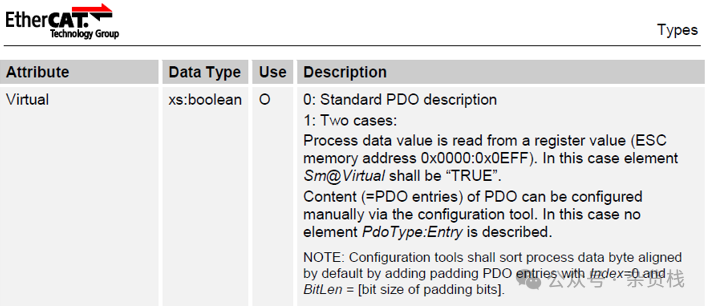
Since PDO cannot be configured in Inovance software, the Virtual should be set to 0 (standard PDO description, read directly from ESI), or directly delete the Virtual value, which defaults to 0.
Maximum data size: 512 bytes.
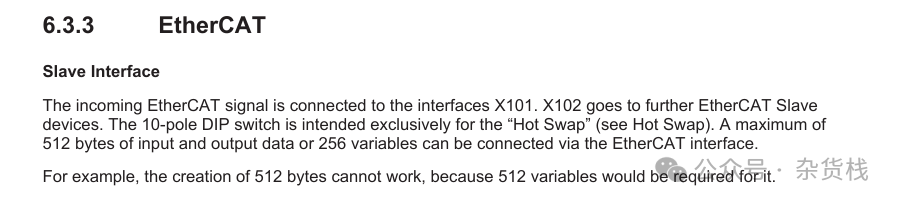
Example: Add two LINT type input and output data (you can also add different types of variables as needed) as follows:
<RxPdo Mandatory="1" Sm="2" Virtual="1"> <Index>#x1600</Index> <Name>IO Outputs</Name> <Entry> <Index>#x7000</Index> <SubIndex>1</SubIndex> <BitLen>64</BitLen> <Name>ToBeckhoff01</Name> <DataType>LINT</DataType> </Entry> <Entry> <Index>#x7000</Index> <SubIndex>2</SubIndex> <BitLen>64</BitLen> <Name>ToBeckhoff02</Name> <DataType>LINT</DataType> </Entry></RxPdo><TxPdo Mandatory="1" Sm="3" Virtual="1"> <Index>#x1a00</Index> <Name>IO Inputs</Name> <Entry> <Index>#x6000</Index> <SubIndex>1</SubIndex> <BitLen>64</BitLen> <Name>FromBeckhoff01</Name> <DataType>LINT</DataType> </Entry> <Entry> <Index>#x6000</Index> <SubIndex>2</SubIndex> <BitLen>64</BitLen> <Name>FromBeckhoff02</Name> <DataType>LINT</DataType> </Entry></TxPdo>We can save the modified file and it will be ready for use.
03
Configuration Method for Beckhoff and Inovance Software
-
 Configuration steps in Inovance InoProShop:
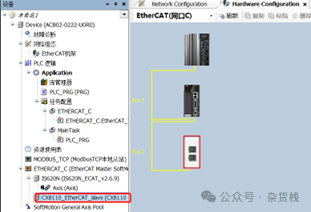
Step 1: Import the modified XML file from the ECT file and add the CX8010 to the configuration.
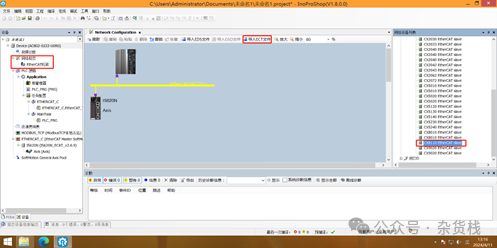
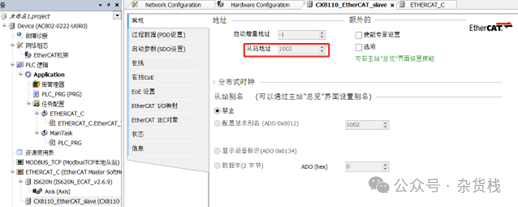
Step 2: Configure the slave address of CX8010, in this case, the address is set to the default configuration of1002.
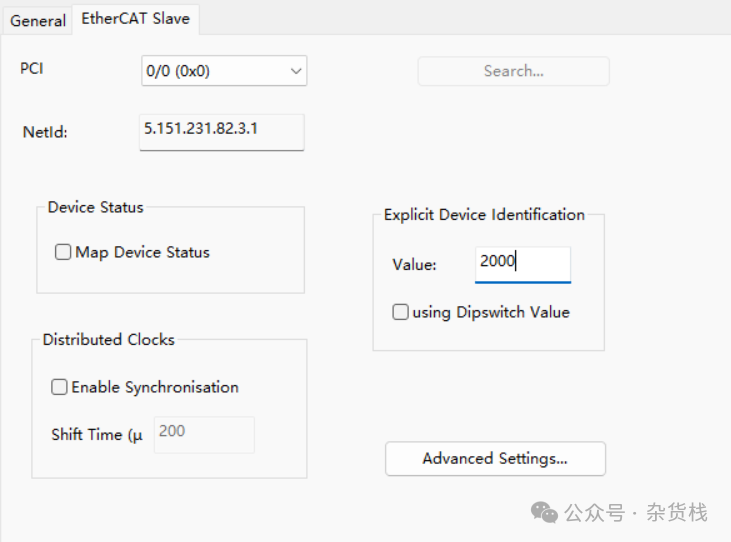
Step 3: If there are multiple CX8010s in the network, you can distinguish them by setting aliases, corresponding to theExplicit Device Identification value in Beckhoff settings:
Step 4: Then you can see the configured PDO data in CX8010, and link it to the PLC variables. That’s it.
-
Configuration method in Beckhoff software: (Using TwinCAT2 software as an example, the steps in TwinCAT3 are similar).
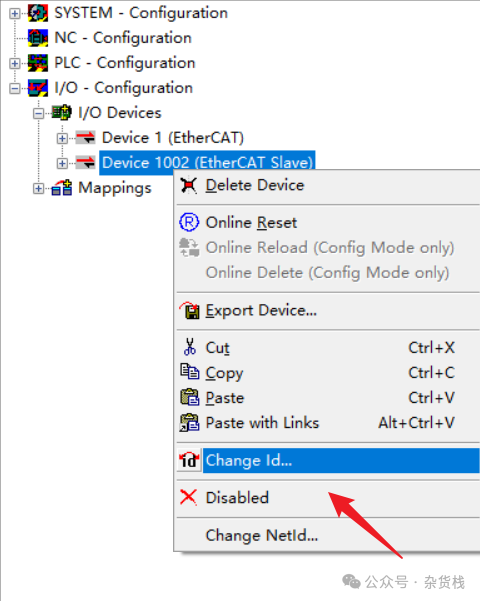
Step 1: Online scan the EtherCAT Slave of CX8010, configure the slave address to1002.
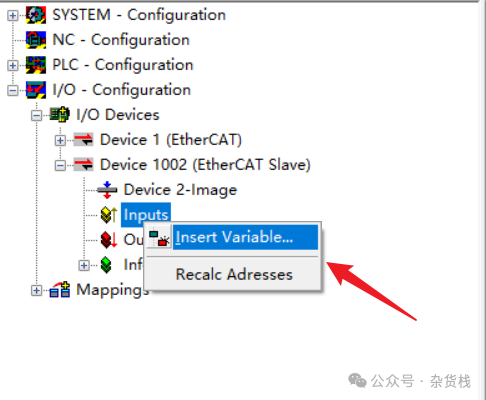
Step 2: Then add the previously planned variables in Inputs and Outputs, ensuring they match the variable types and quantities in theXML file, and link them to the PLC to activate the configuration.

Previous Articles

PLC | CoDeSys, ST Language and IEC 61131-3 Chinese Materials
PLC | ASCII Code Table
Mitsubishi PLC | Modbus TCP Master Station Configuration Example Project
Others | Data Format ABCD/BADC/CDAB/DCBA Parsing
CODESYS | SysMem Library: Introduction to SysMemForceSwap Function, Force Swap Memory, Can be Used for Byte Order Swap
CODESYS | SysMem Library: Introduction to SysMemSet, SysMemCpy Functions, Can be Used for Buffer Initialization, Data Type Conversion, etc.


Scan to follow
Follow, Share, Like
View Previous Articles