Keil uVision5 C51v959 Download Link and Installation Guide

Download Link ① Baidu Cloud:Link: https://pan.baidu.com/s/1c1VYsdhEgqXyCwZT1OoWqg?pwd=2024Extraction Code: 2024Download Link ② Quark Cloud (tested to be faster than Baidu Cloud without membership):Link:https://pan.quark.cn/s/9578d9ddc891
Software Compatibility: Windows 7/Windows 8/Windows 10/Windows 11. Software Language: Simplified Chinese
|
Software Introduction:
Keil software is a powerful, easy-to-use, and widely supported embedded development tool. It provides an integrated development environment, efficient compiler, and rich debugging features, enabling developers to efficiently develop microcontrollers and embedded processors. Whether for beginners or experienced developers, Keil software is a recommended choice.
Keil uVision5 C51v959 Installation Steps:
1. Extract the “Keil uVision5 C51v959 (64bit)” compressed file;
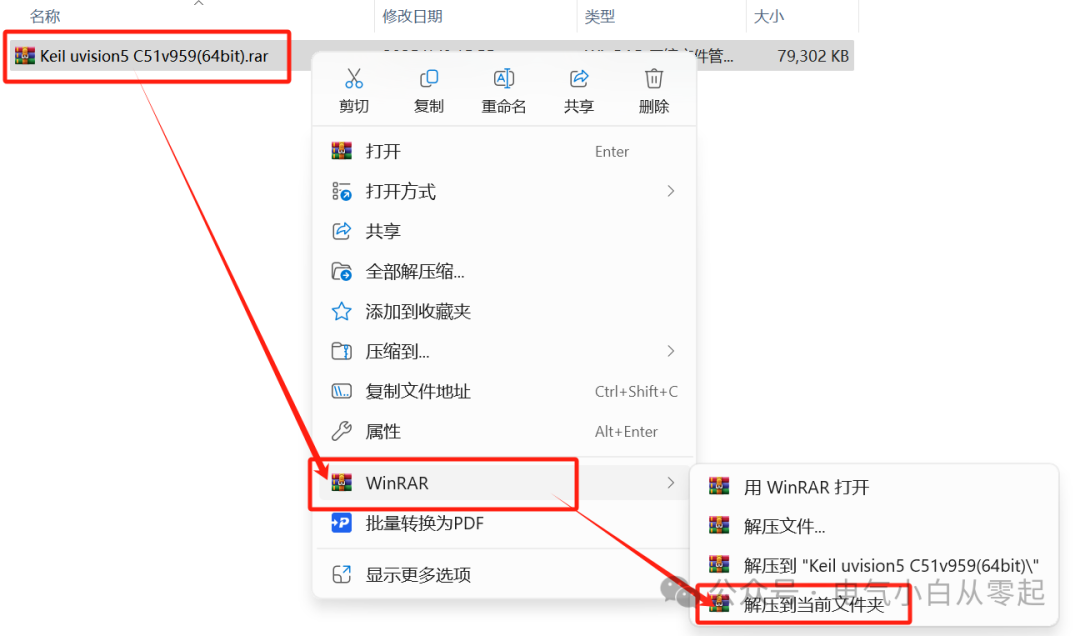
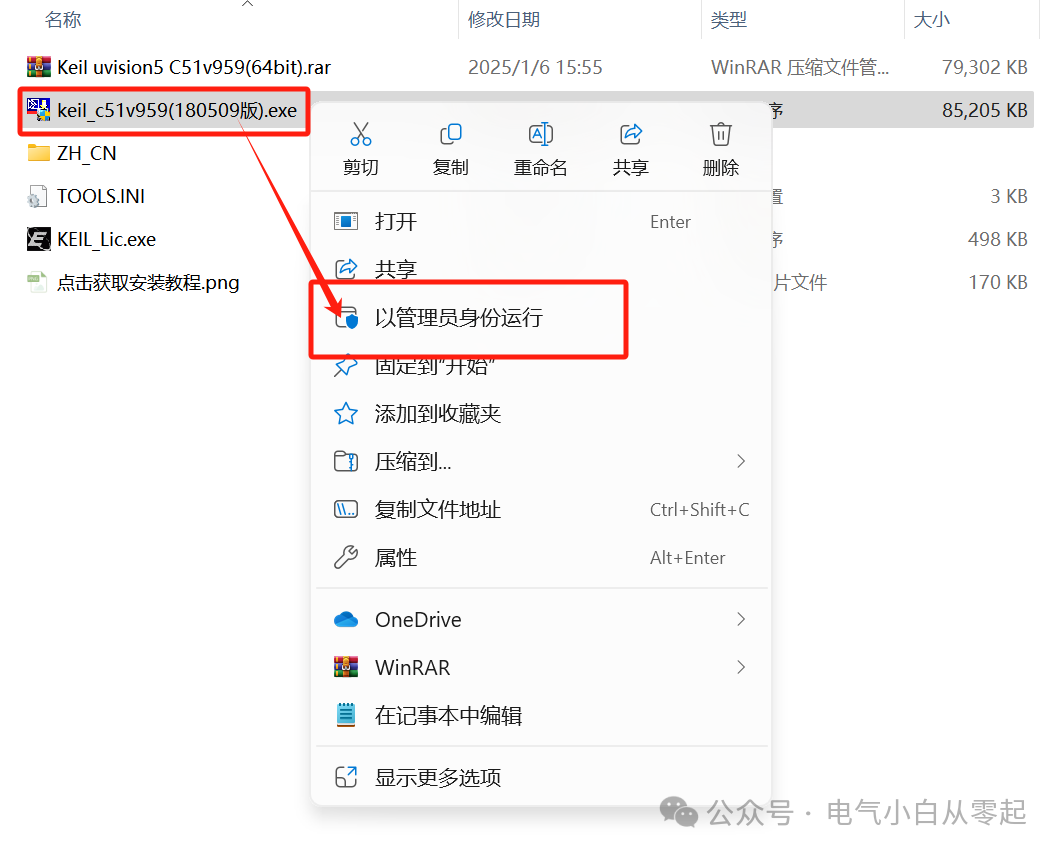
2. After extraction, right-click on “keil_c51v959(180509 version)” and select “Run as administrator”;
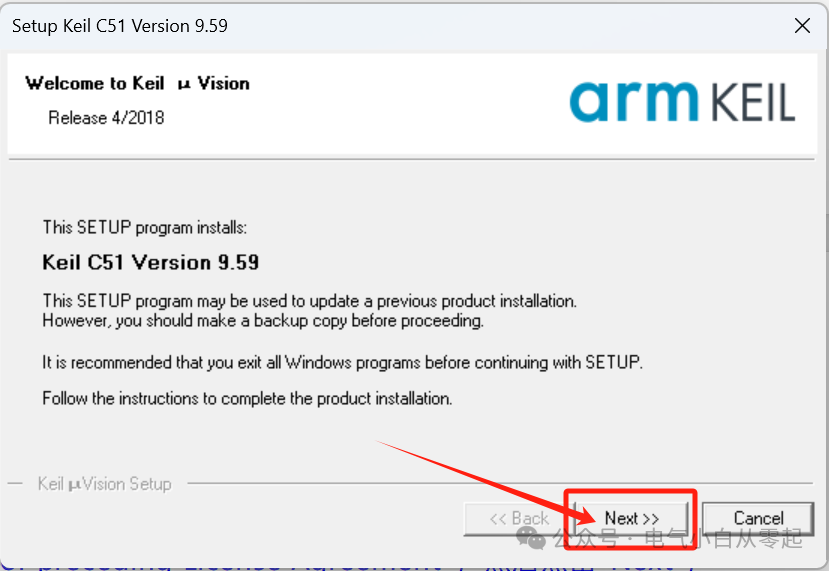
3. Click “Next”;
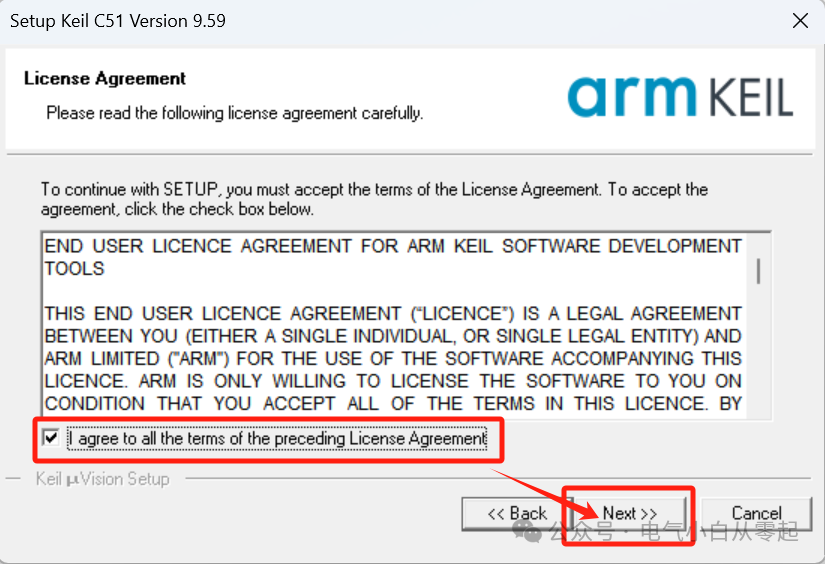
4. Check “I agree to all terms of preceding License Agreement”, then click “Next”;
5. Click “Browse” to set the installation path (it is recommended to install on a disk other than C, Note: The installation path cannot contain Chinese characters), then click “Next”;
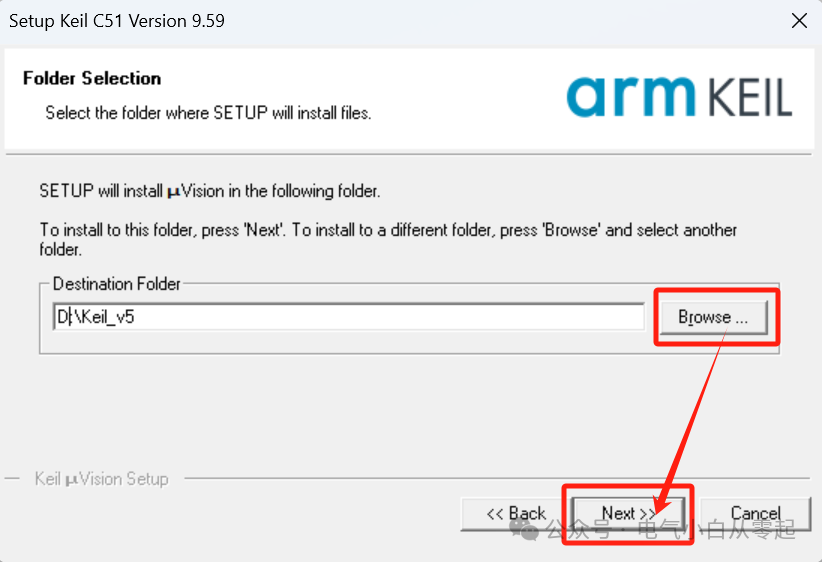
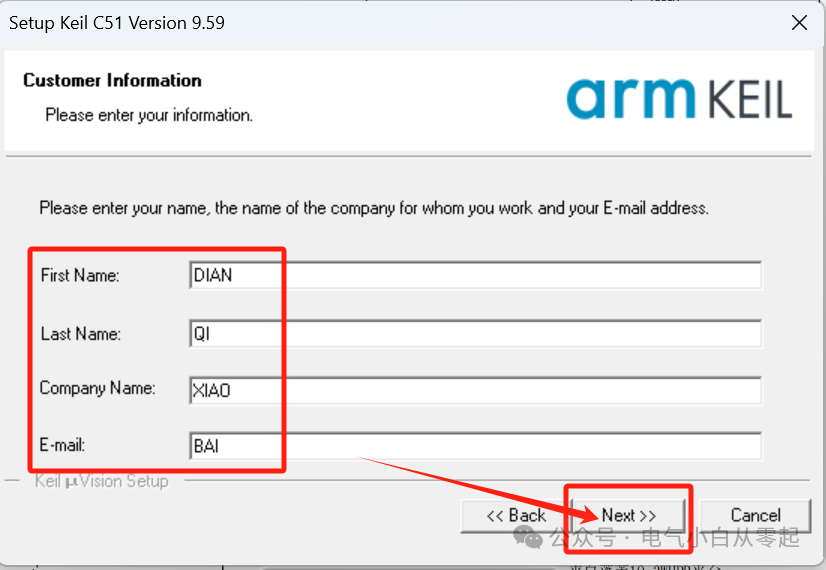
6. Enter “First Name, Last Name, Company, Email” (can be filled in arbitrarily), then click “Next”;
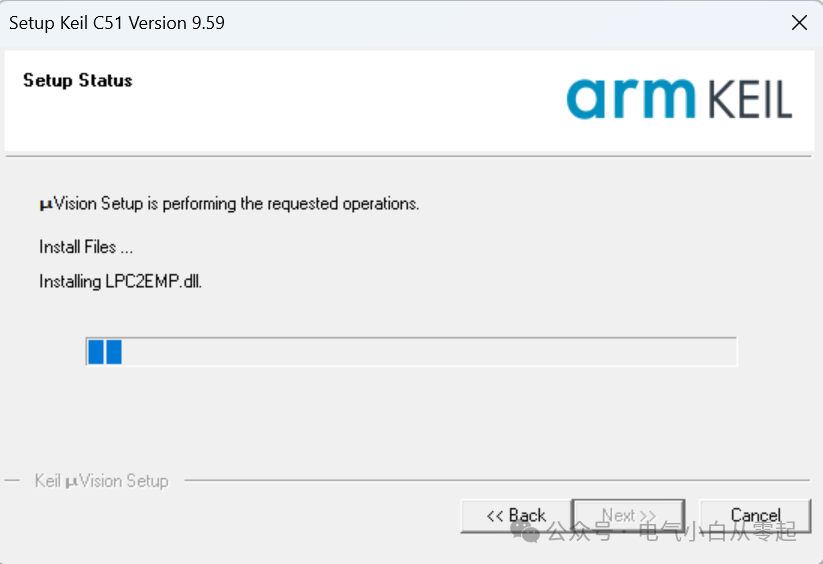
7. Installing…
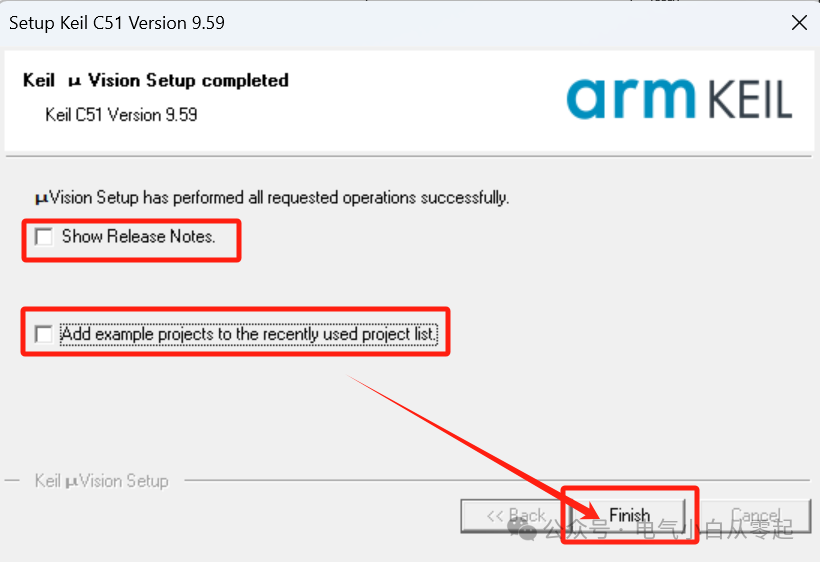
8. Uncheck “Show Release Notes” and “Add example projects to the recently used project list”, then click “Finish”;
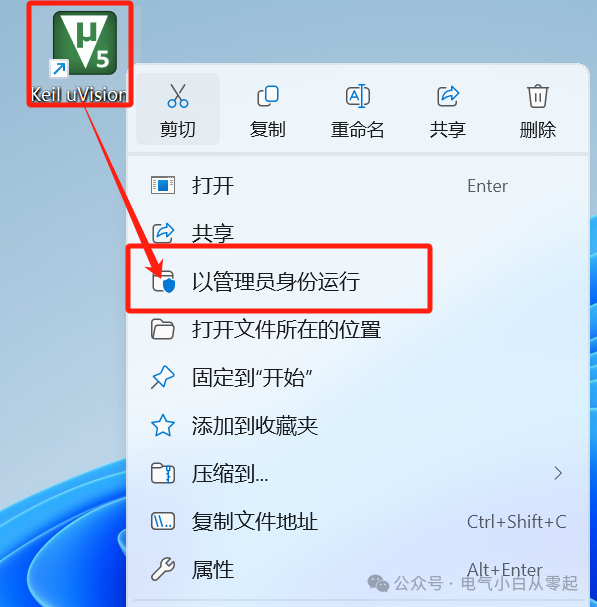
9. Right-click on “Keil uVision5” on the desktop, then click “Run as administrator”;
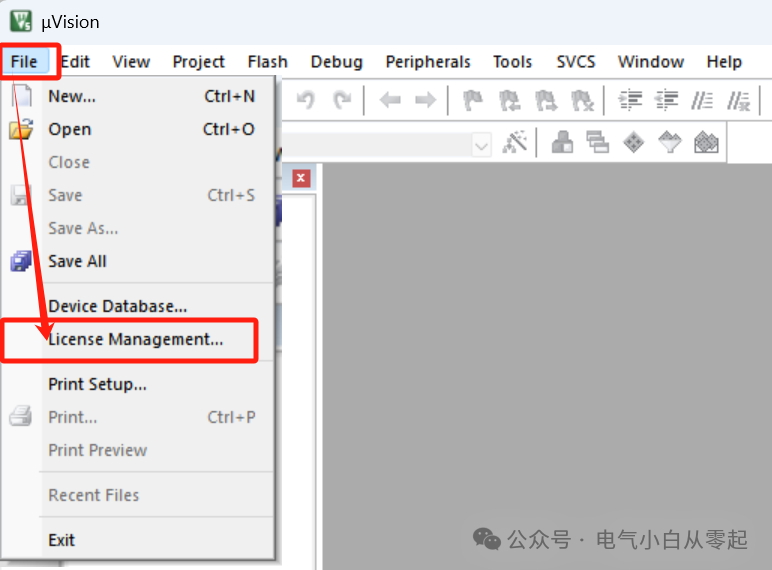
10. Click “File”, then click “License Management” (do not close the pop-up window);
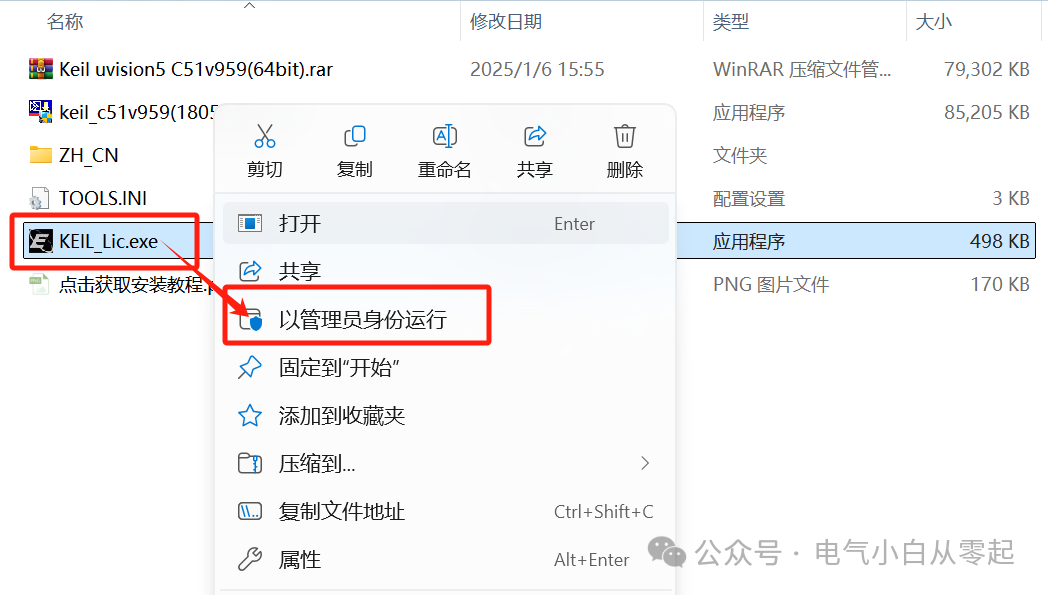
11. Go back to the installation folder, right-click on “KEIL_Lic”, then click “Run as administrator” ( When running “KEIL_Lic”, antivirus software must be turned off. If you do not see “KEIL_Lic” in the extracted installation files, please turn off the antivirus software and re-extract the installation package);
12. Activate the software: ① Copy the “CID” from “Keil uVision5” to the authorization software’s “CID”, ② Click the drop-down arrow to select “Professional”, ③ Click “Generate”, ④ Copy the generated activation code to “LIC”, ⑤ Click “Add LIC”;
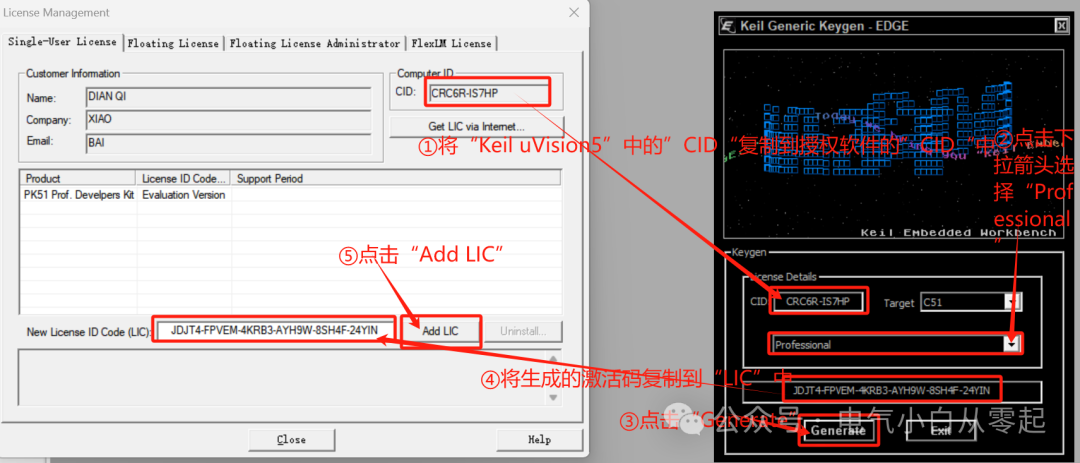
13. Activation successful, click “Close”, then close Keil;

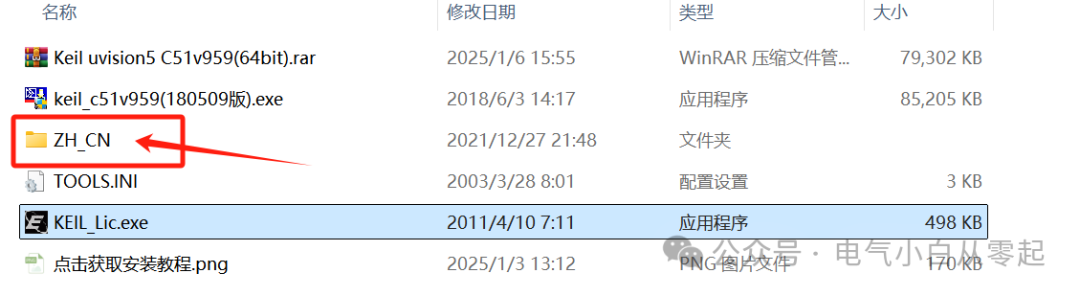
14. Go back to the installation package folder, double-click to open the “ZH_CN” folder (do not close the folder);
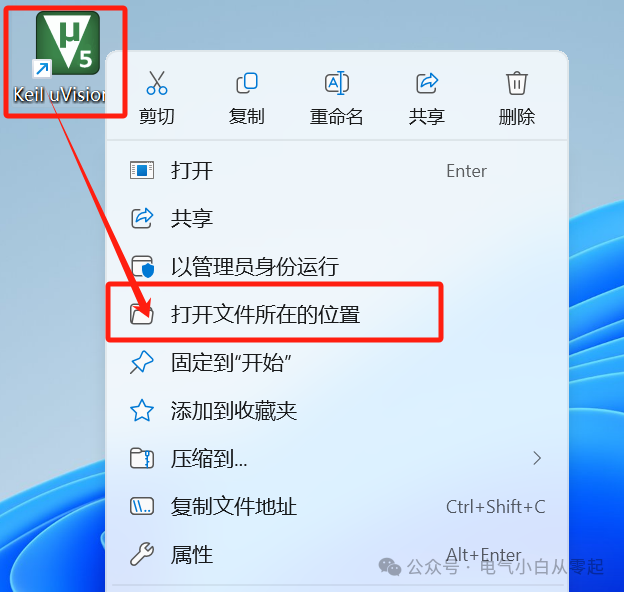
15. Go back to the desktop, right-click on “Keil uVision5”, then click “Open file location”;
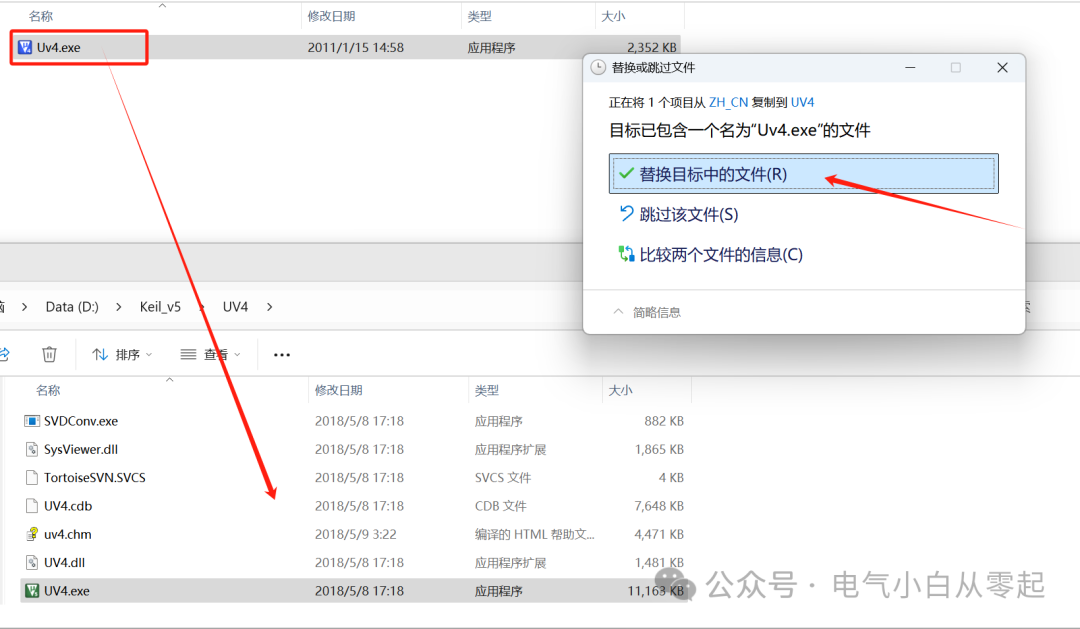
16. Copy the files from “ZH_CN” to the location of “Keil uVision5”;
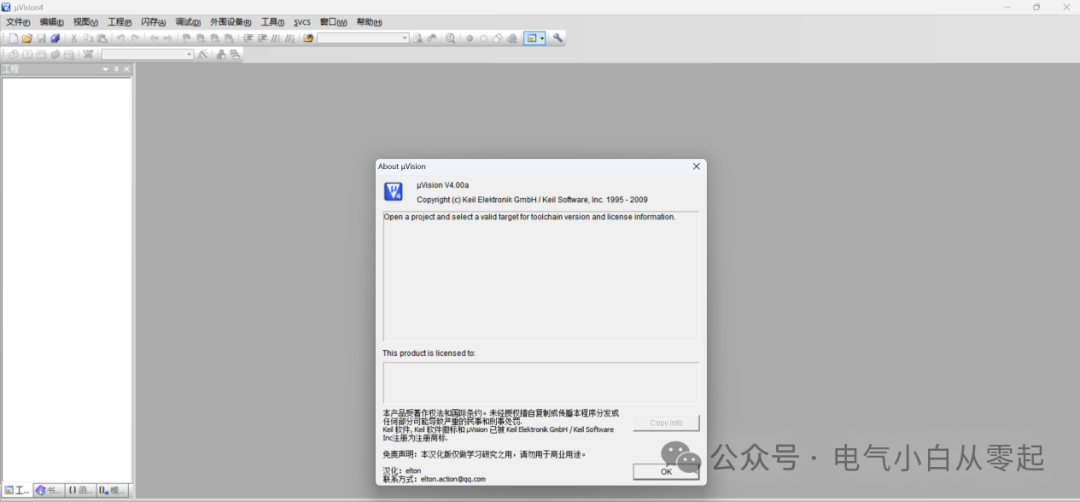
17. Go back and double-click to open “Keil uVision5”;

18. Installation complete ( Note: Due to the localization files, the software displays as uVision4, but it is actually Keil uVision5 V959).
Note: The download is for experience and testing purposes only and is not for commercial or legitimate use.
Long press to scan the QR code below to add the public account for more industrial control information and professional software.