Originally, I had one China Telecom broadband connection installed at home. Recently, China Mobile offered me a free broadband connection, so I accepted their offer and requested an installation technician to set up the mobile broadband. Initially, I planned to purchase another ASUS router to create a dual-router setup, but I discovered that OpenWrt can actually achieve dual-router functionality. Therefore, I flashed my Redmi AX6000 router with the following version: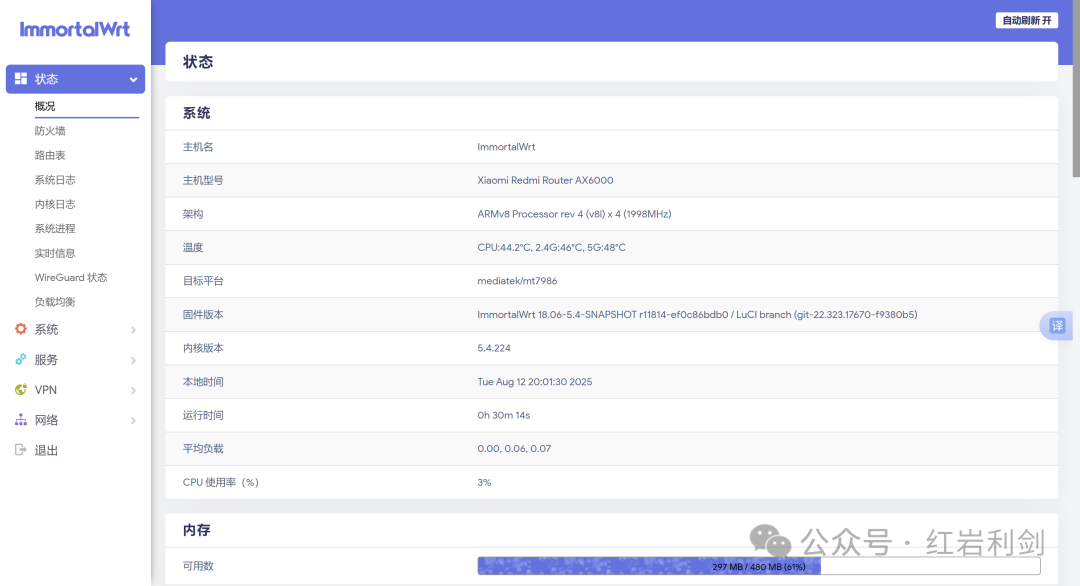 OpenWrt is a bit more complex to set up than the Xiaomi router, but it outperforms Xiaomi significantly, achieving dual WAN aggregation, load balancing, and allowing specific IPs to use designated ISP broadband.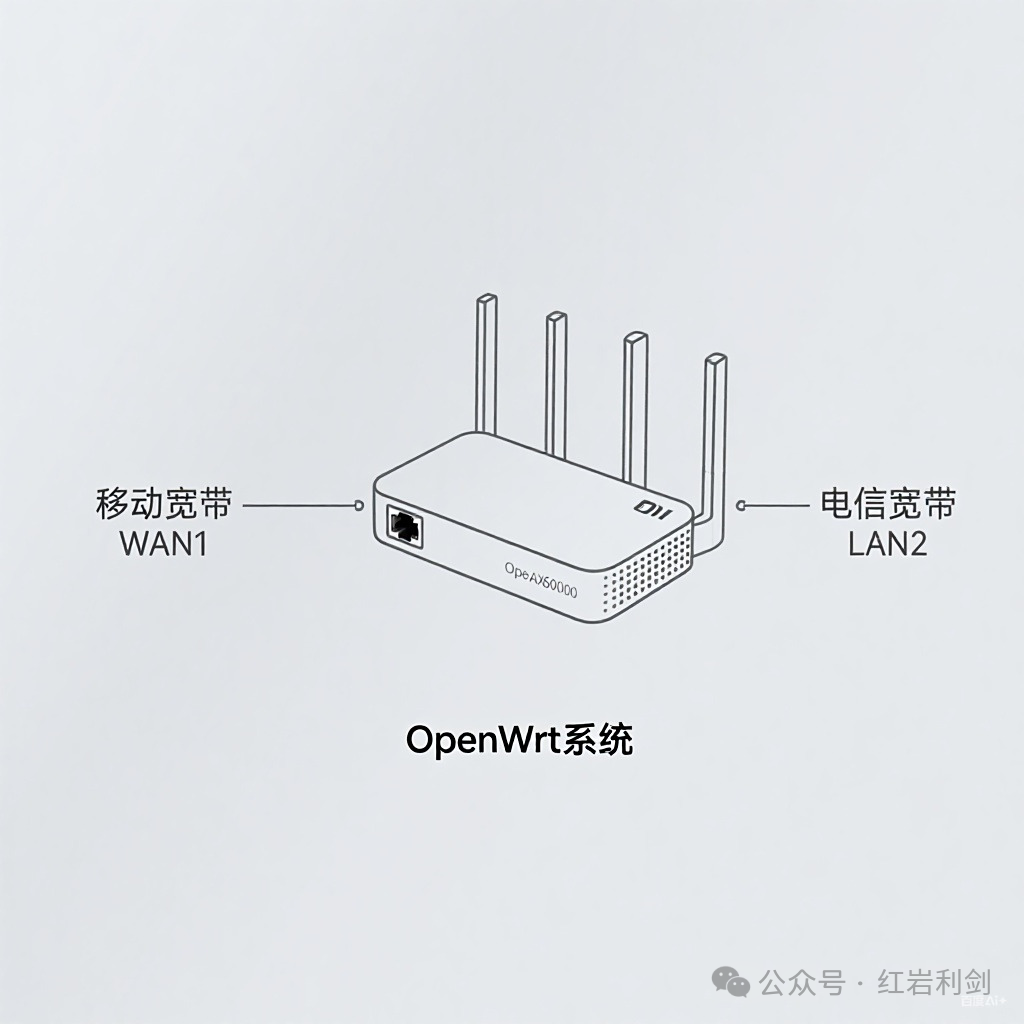
Configuring Dual WAN Interfaces in OpenWrt
The existing China Telecom broadband serves as the first WAN interface, with the default name: WAN
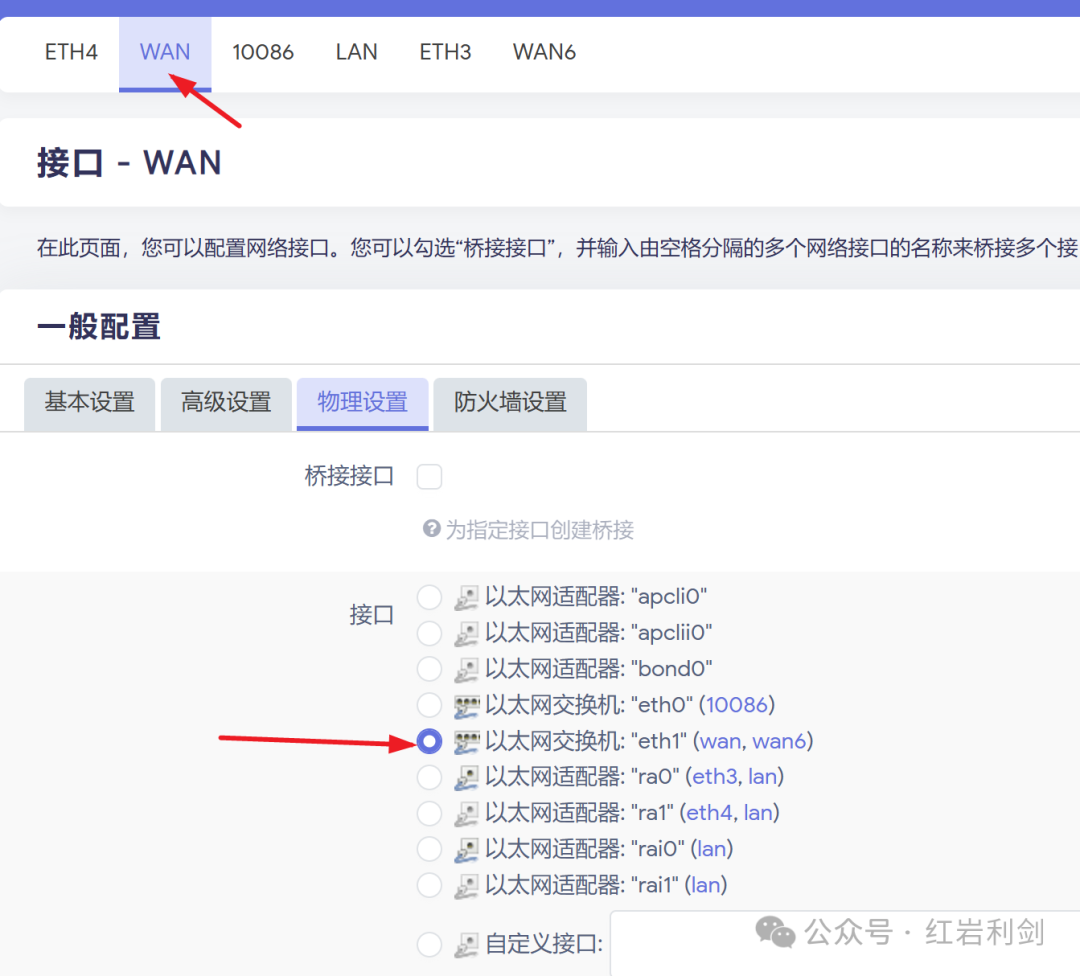
Step 1: Set the China Mobile broadband as the second WAN interface, naming it: 10086
 ▲ In theNetwork → Interfaces settings, select a LAN port to set as a WAN port. You can name the interface anything, and fill in the protocol according to your actual setup, selecting the corresponding interface.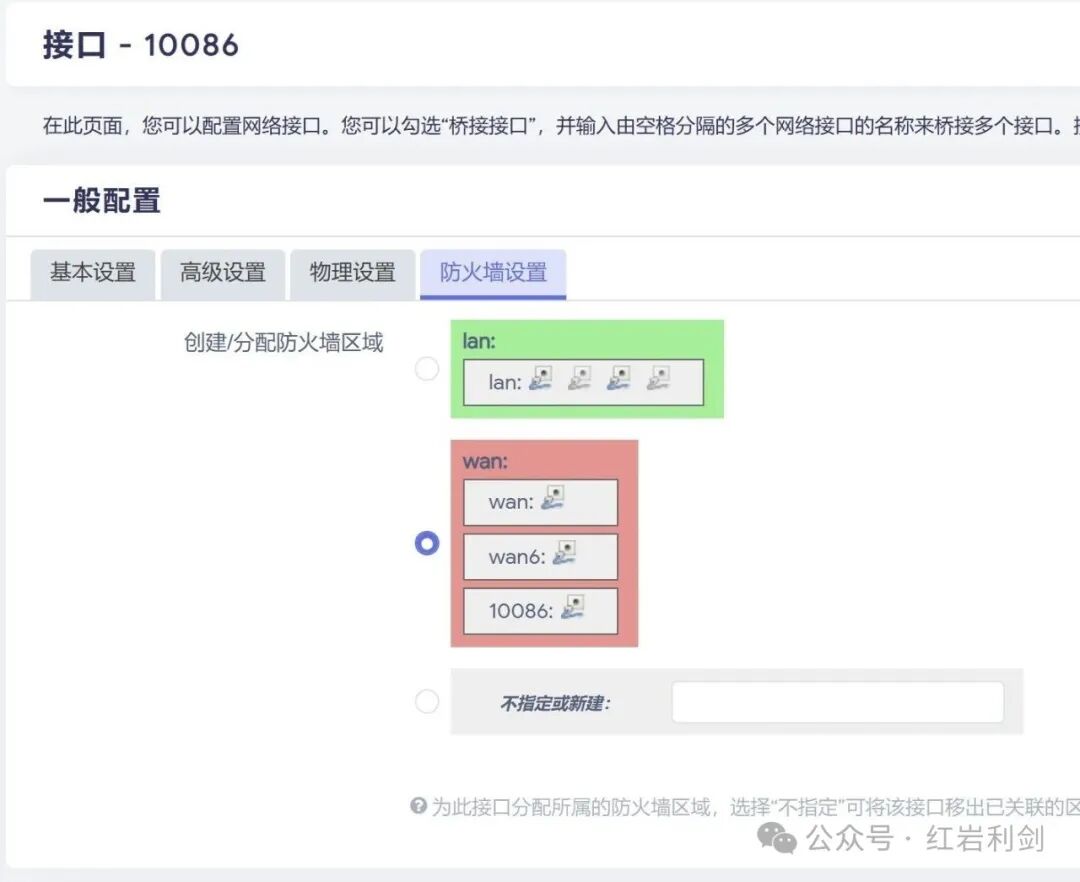
▲ Go to the firewall settings, and make sure to specify it asWAN, otherwise the 10086 interface cannot be set as a WAN port.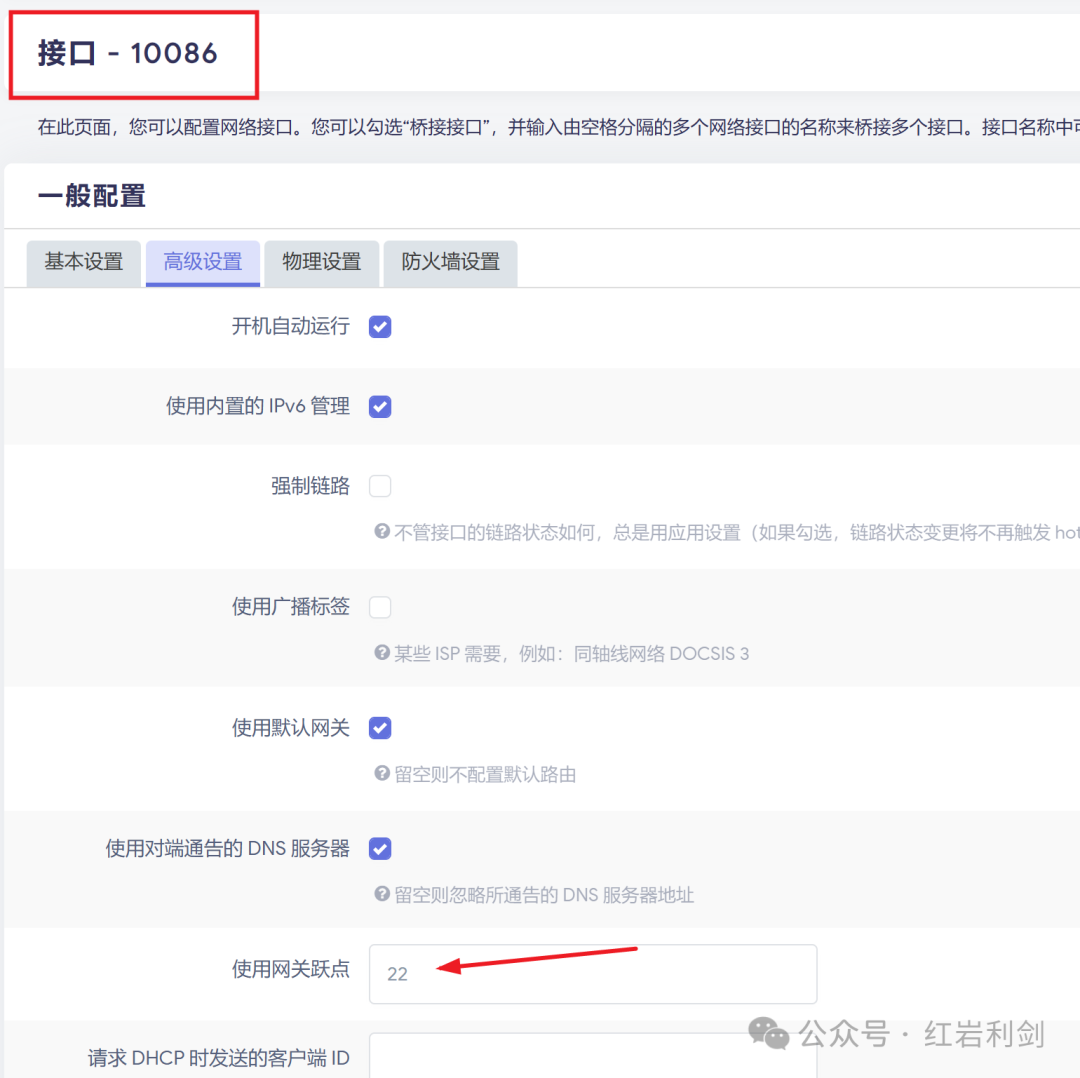 China Mobile interface gateway hop count set to 22
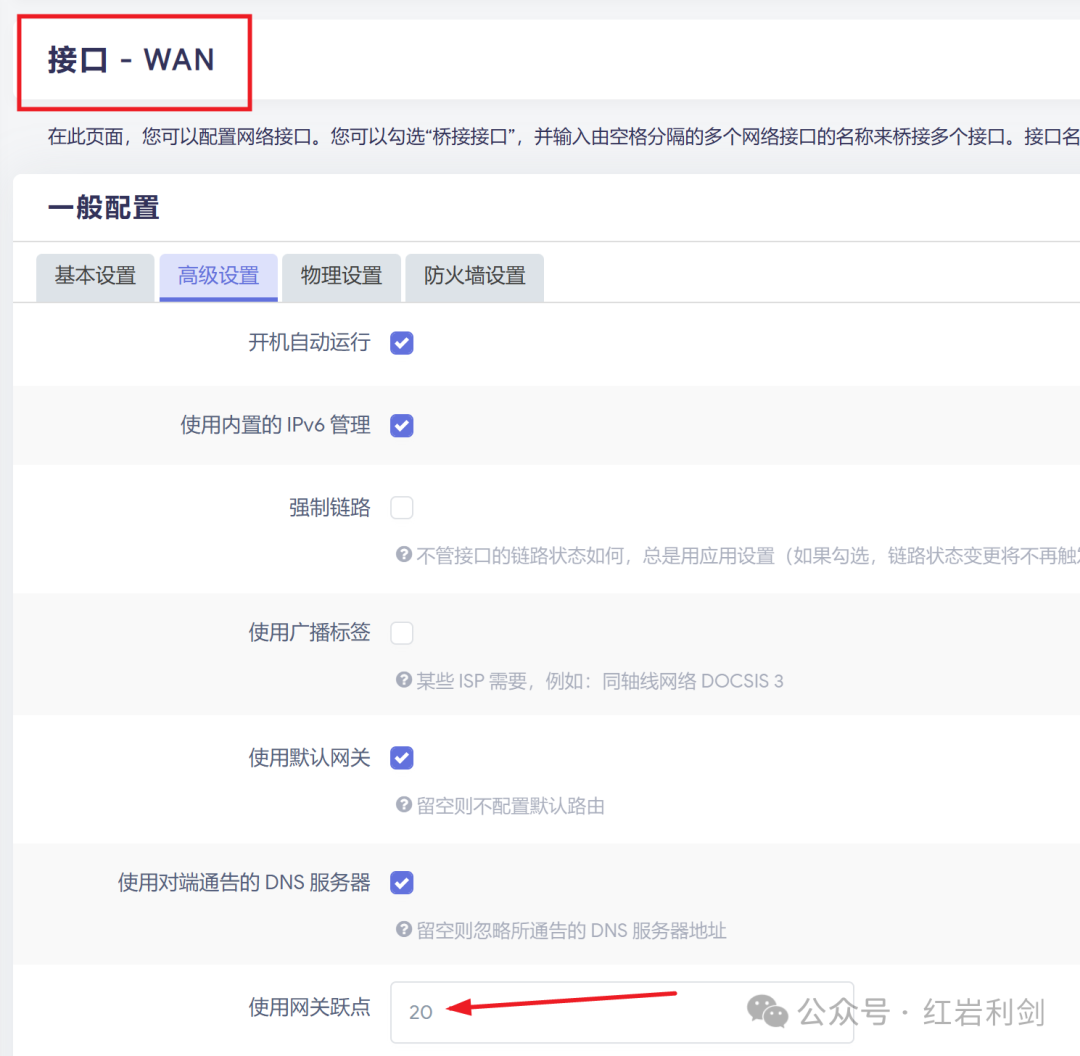 China Telecom interface gateway hop count set to 20▲ In the advanced settings, set the hop count, which indicates priority. Set it according to your actual situation; the smaller the number, the higher the priority.
Step 2: Set up Load Balancing
Open
Network → Load Balancing → Interfaces It is recommended to delete all default rules. You can also keep them, as long as they match my settings.
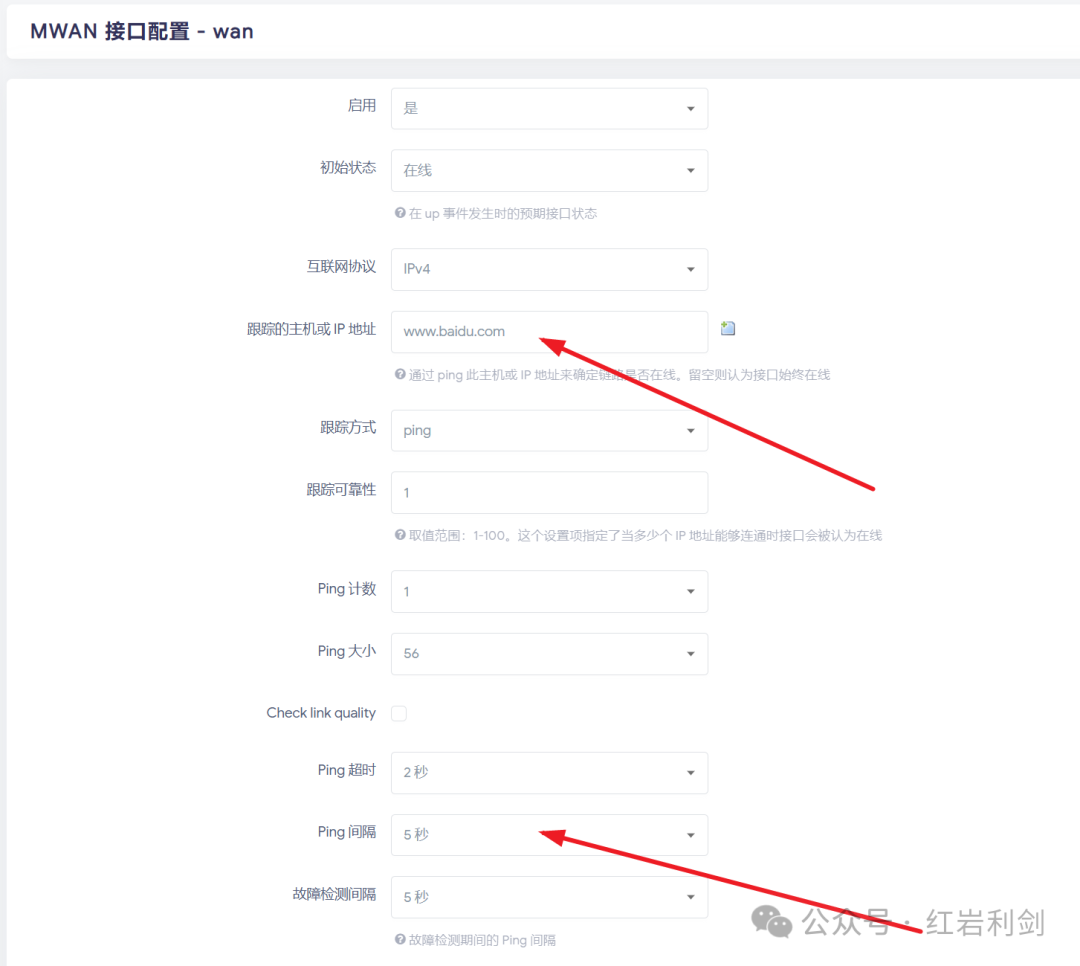
▲ Fill in an online URL or IP in the tracking host field; this will ping the address to determine if this WAN line is online.
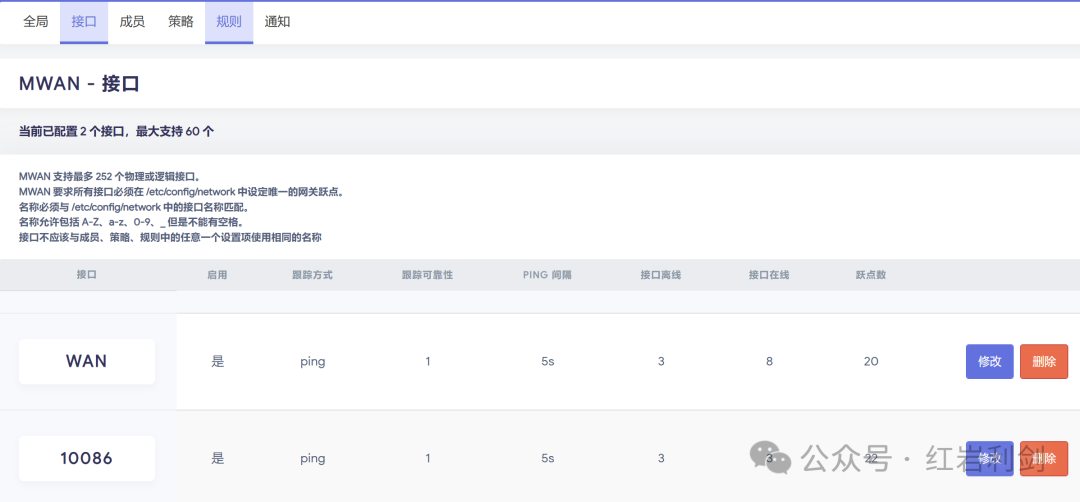
Above is the completed settings▲ The appearance after both lines are set up means that every 5 seconds, it pings to check if online. If there are 3 failures to communicate, it indicates the line is offline. The hop count here does not need to be filled in, as it is configured in the previous interfaces.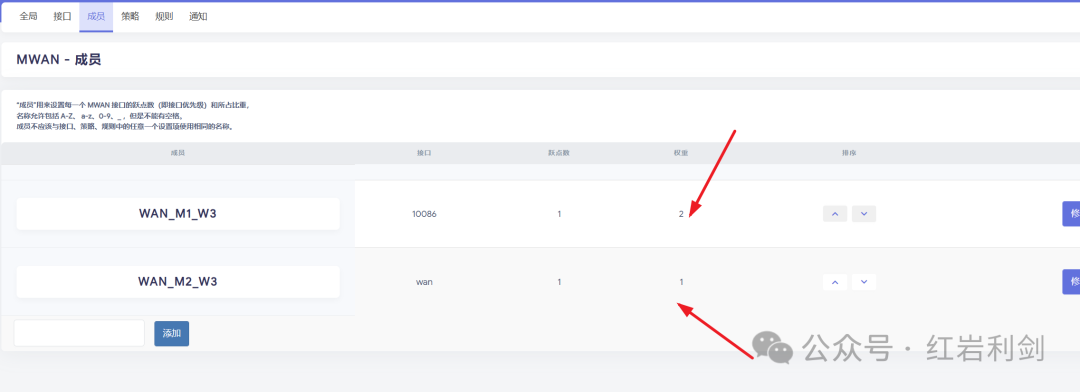 Set the weights according to the broadband speed; the smaller the number, the higher the priority▲ Go to theMembers tab, and configure the weights based on the bandwidth ratio and the traffic forwarding ratio.
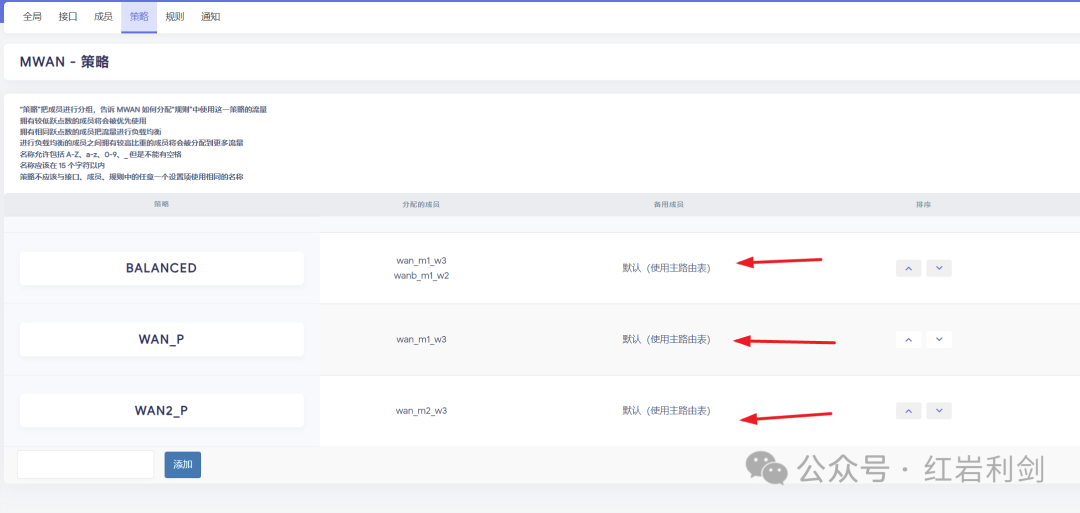
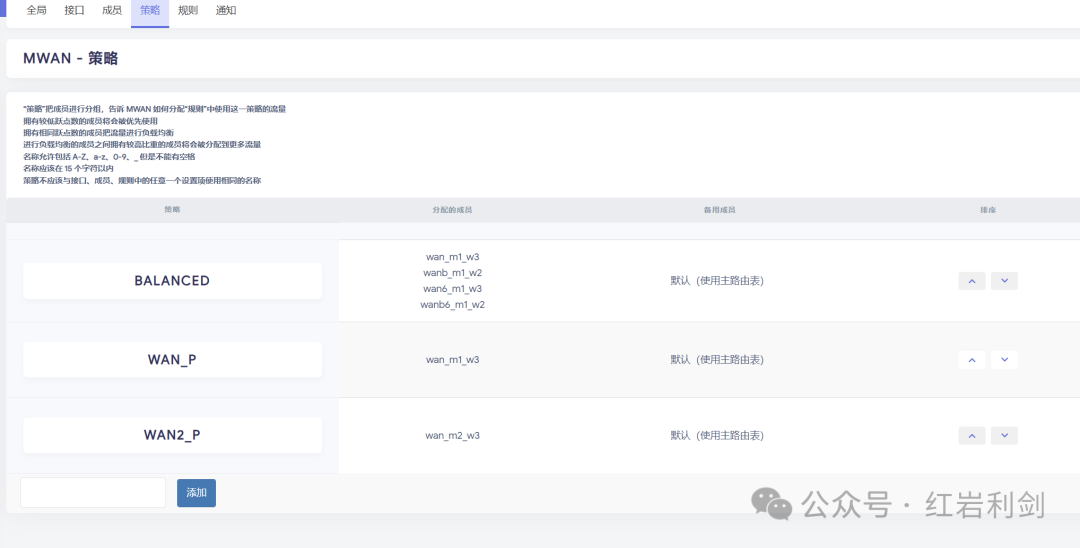 ▲ Go to thePolicies tab, as configured above. The first one is for both WANs, while the second and third correspond to the single WANs.
 Go to theRules tab, add two rules, and finally save and apply.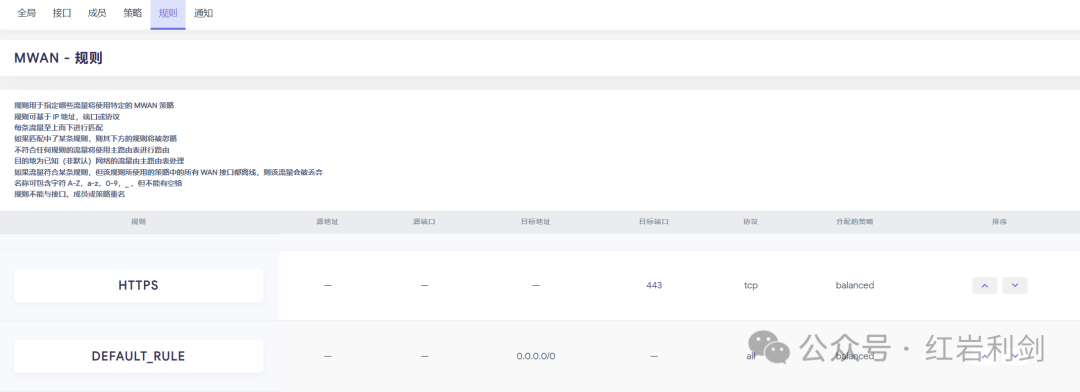
Check if the Dual Network Setup is Successful
OpenStatus → Load Balancing If both show online, then you have successfully set it up, and you can open any webpage to use the dual router.
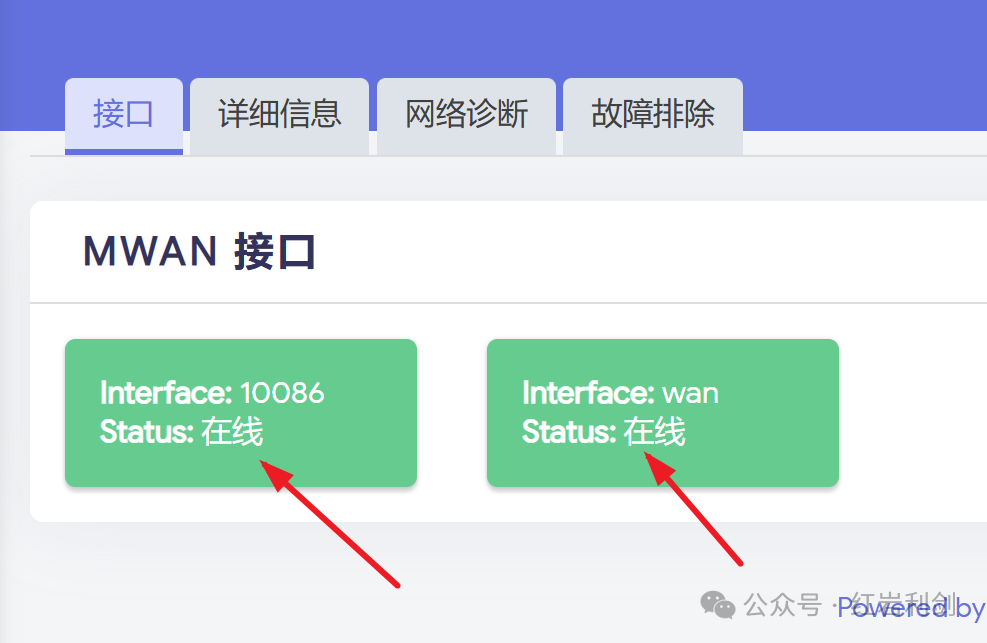
The above settings can meet 95% of the needs, and there is no need to set more complex traffic rules. I play games (LOL) which correspond to the China Telecom IP, and it has only been unstable once in half a month, switching to the mobile IP, while everything else is normal.
Directing IP Devices to Use Mobile or Telecom Exit
To achieve refined control of network traffic, this solution is based on the OpenWrt system to configure dual broadband load balancing for the Xiaomi AX6000 router. By setting policy routing rules, specific terminal devices (such as gaming consoles) or application scenarios (such as cross-border payments) can be directed for traffic forwarding: binding high-latency sensitive devices to the China Telecom line while prioritizing international access traffic to the mobile line. During implementation, it is necessary to create source address matching policies in the firewall rules and ensure the rules are at the top to take effect. This solution effectively addresses the differentiated service quality needs in a multi-line environment, optimizing the allocation of network resources.
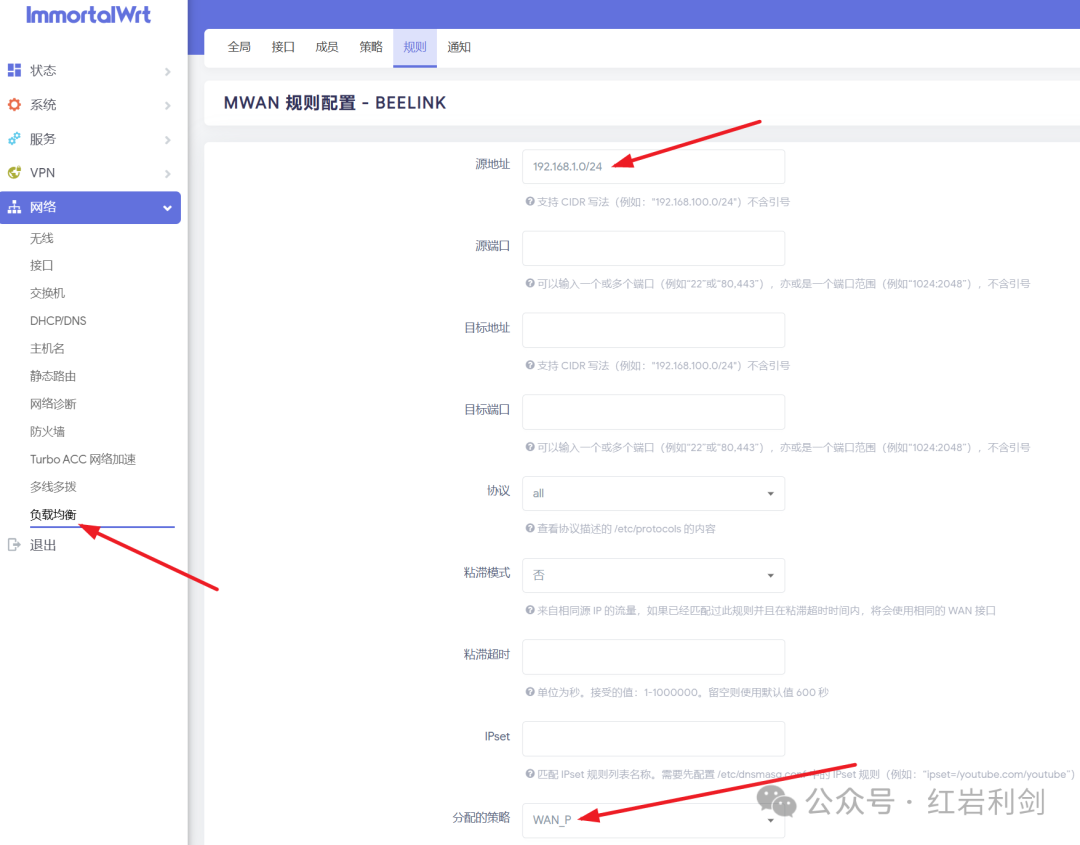
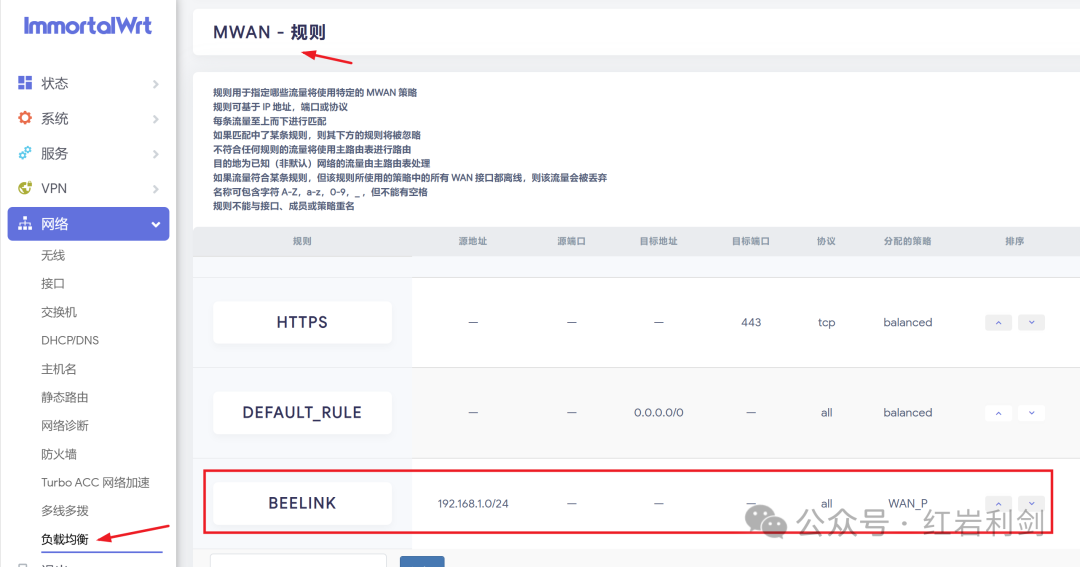
Open the rules page, create a new rule, and set the source address to your device’s IP. It is recommended to manually specify the IP to avoid changes. Note that the rule needs to beat the top position to take effect, and finally save and apply.