Applying for a visa is a very serious matter, and the U.S. Embassy in China has strict regulations regarding it. Especially the DS-160 form, which is complex and detailed, causing applicants to feel overwhelmed. Therefore, the TD application team has compiled a filling guide to help you complete the DS-160 step by step, saving your brain cells. Be sure to bookmark this!
What is the DS-160 Form?
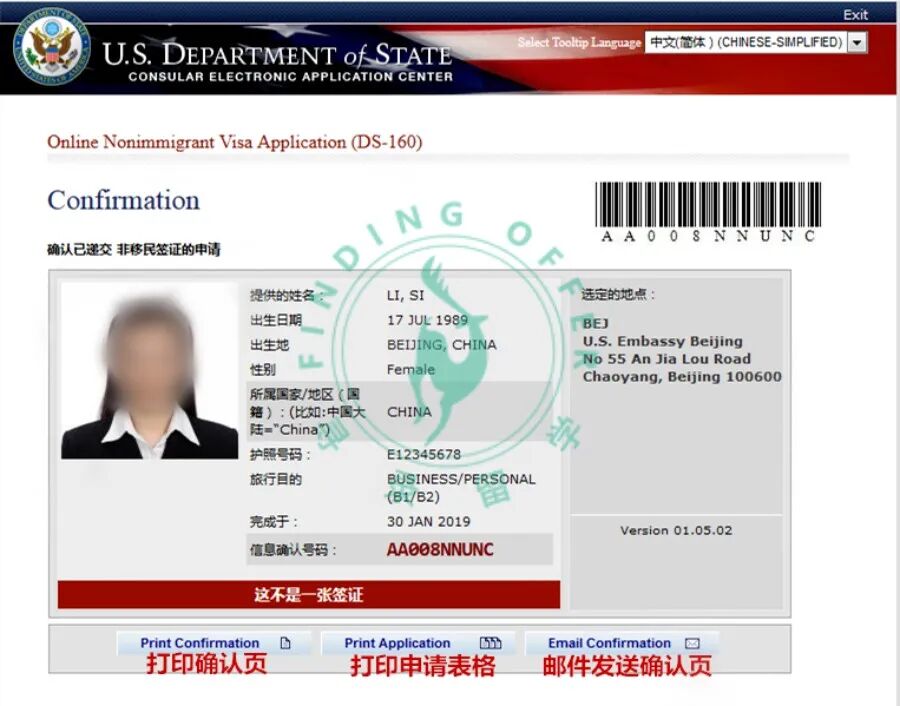
The DS-160 form, also known as the visa application form, is an essential part of applying for a U.S. visa. You must complete and submit the DS-160 form online and obtain the barcode number on the confirmation page of the form before you can schedule a visa interview. When attending the interview at the consulate, you must bring a clearly printed DS-160 confirmation page, otherwise you will not be able to attend the interview.
Step 1: Log in to the official website and start the application
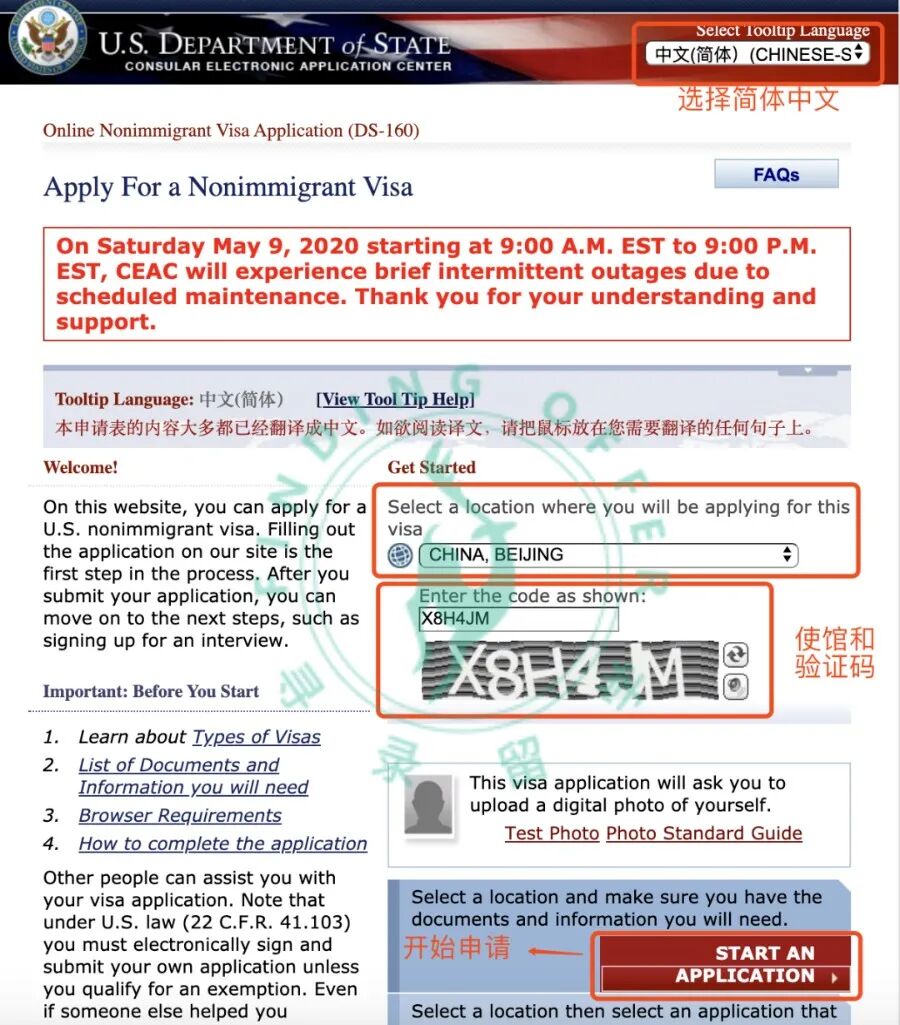
Official Website Address
https://ceac.state.gov/genniv/
Select Language
In the language window at the top right corner, select Simplified Chinese. When filling out the form, simply hover the mouse over the English text to see the Chinese translation.
Select Visa District
This is where you choose where to interview. There are five embassies in China, located in Beijing, Shanghai, Guangzhou, Chengdu, and Hangzhou. If you are renewing your visa or do not need to interview, please select “Guangzhou”.
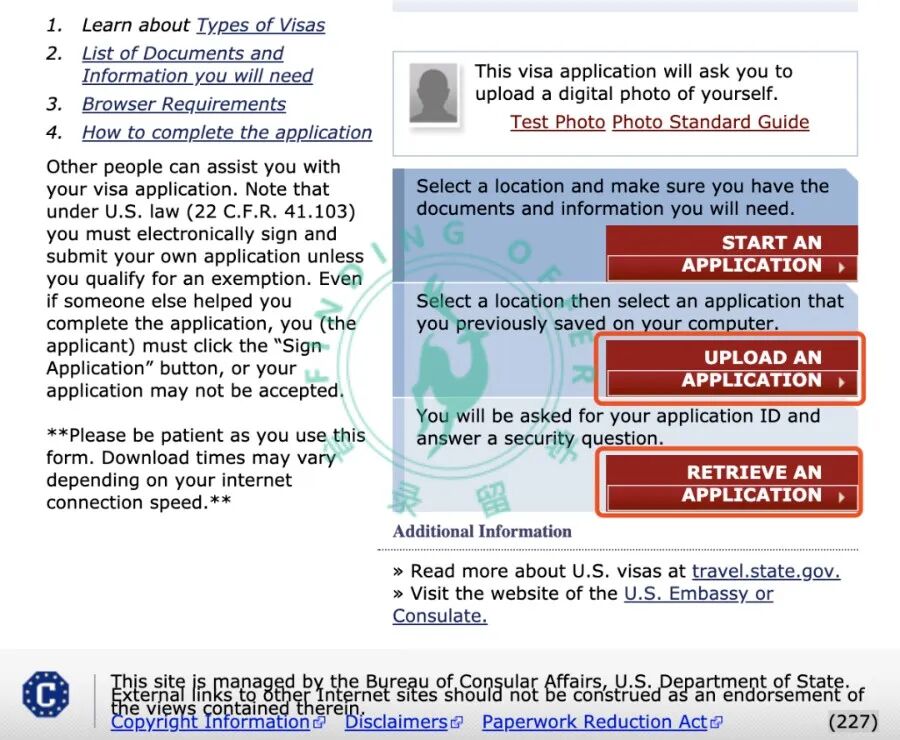
Start Application
Click “start an application” to begin. You can also upload or retrieve an application using “upload an application” and “retrieve an application”.
Step 2: Application ID&Security Question
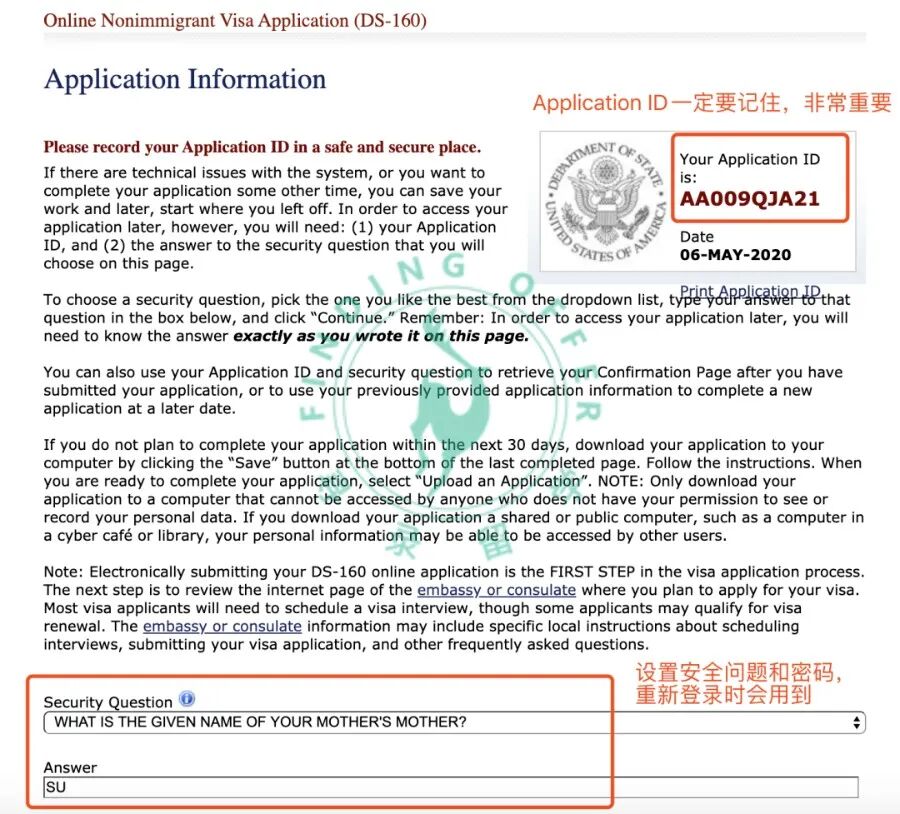
Application ID
Make sure to remember the Application ID in the upper right corner, as it is very important and will be needed during the interview.
Security Question
Select a security question, it is recommended to use the default first one, the easier the answer is to remember, the better, as it will be used when logging in again.
Step 3: Fill in Information
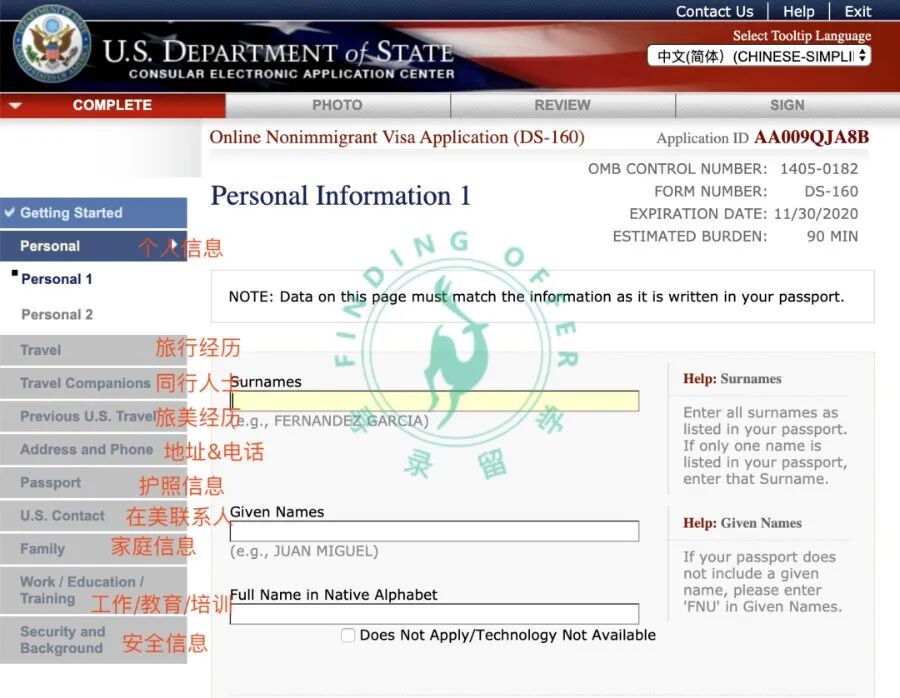
Personal Information
Fill in according to the actual situation, all information must be consistent with your passport and I-20.
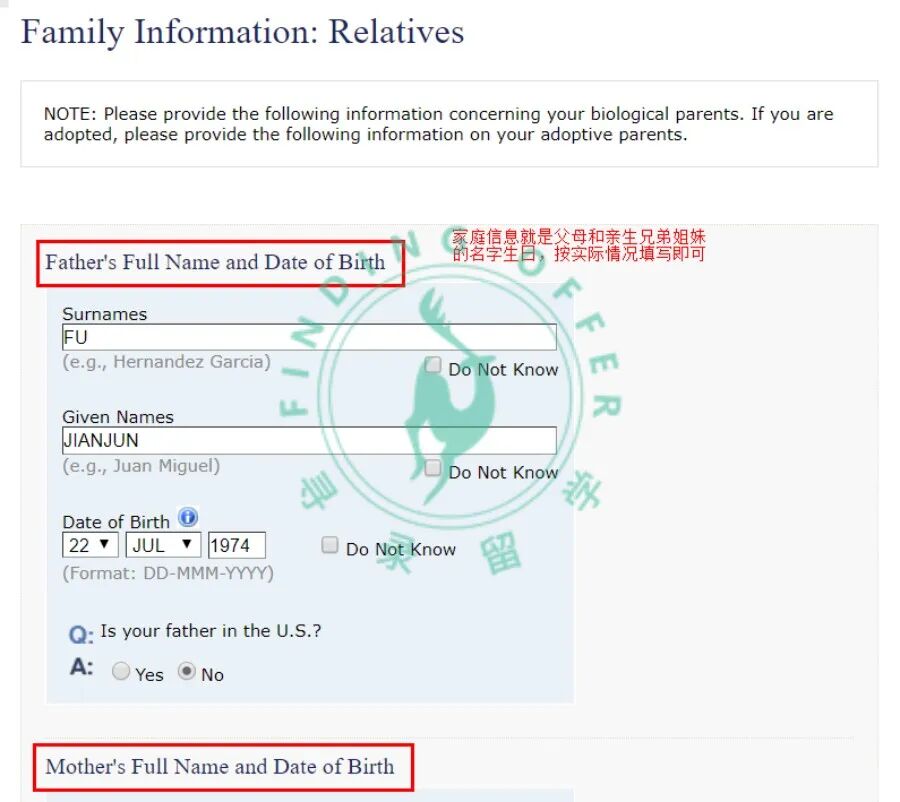
Only click “continue” after completing the information
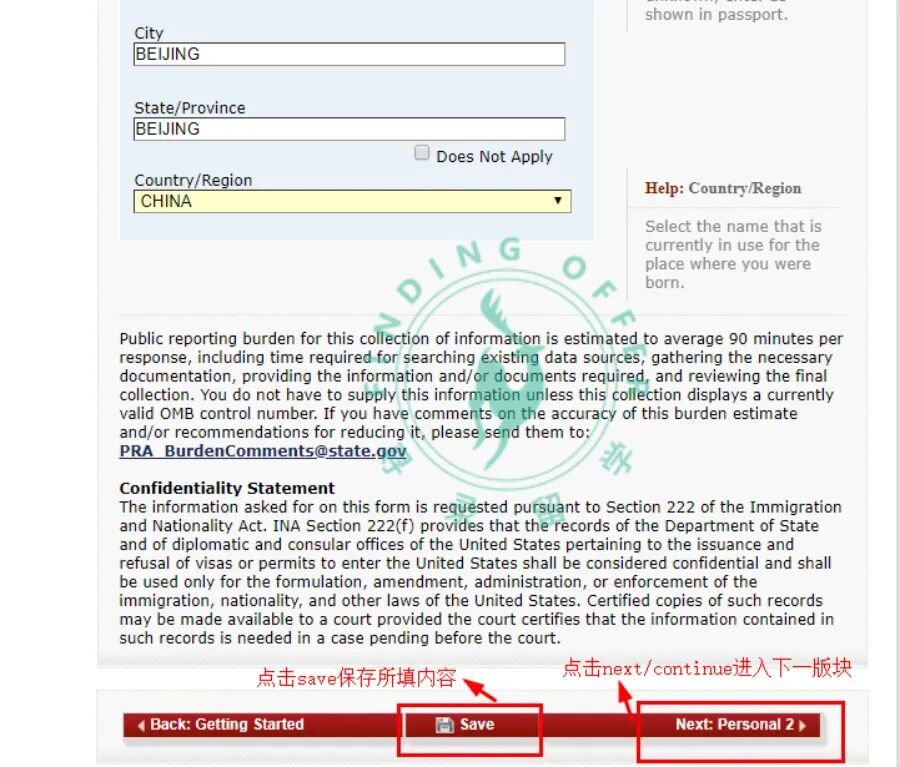
Name Code
Query Website:
https://apps.chasedream.com/chinese-commercial-code/
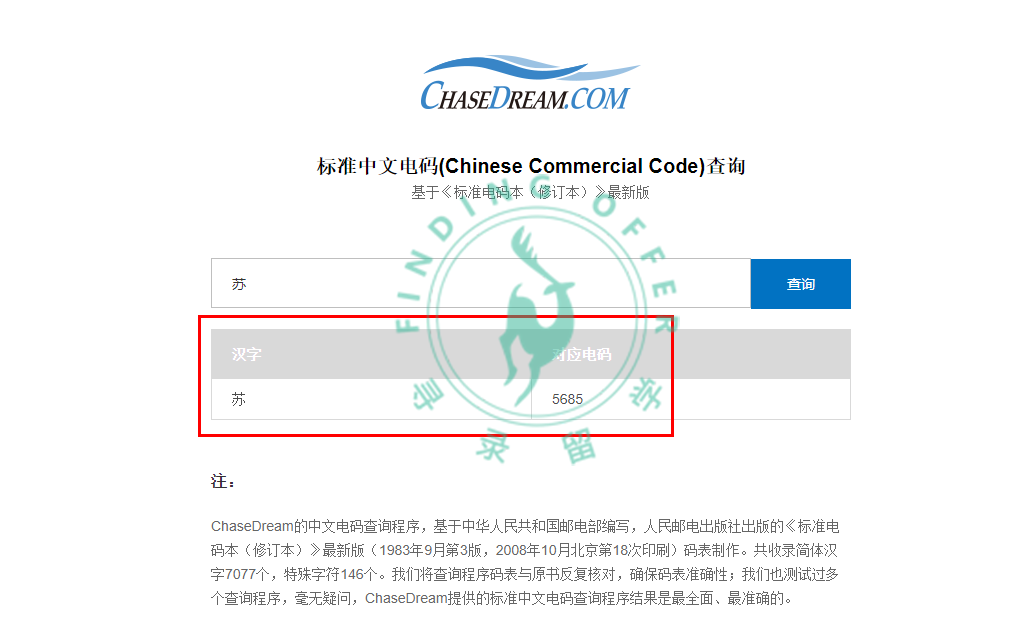
Visa Type
Students generally apply for F1, while accompanying parents apply for B1/B2.
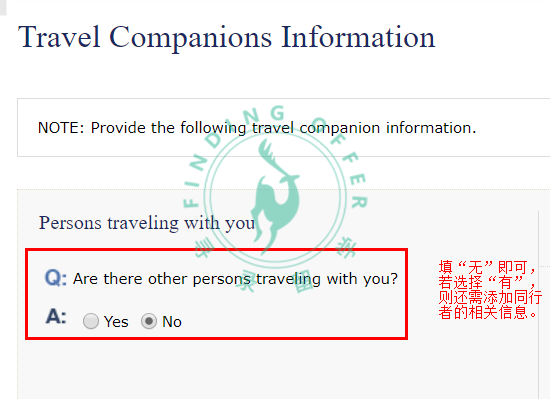
Address in the U.S.
The school address will be on the I-20 (do not write the office address), along with the contact person and their contact information (you need to check the university’s official website for the contact person’s phone number & email).
Experience in the U.S.
If you have been to the U.S. before, you need to fill in the arrival dates and duration of stay for the last 5 visits to the U.S., as well as relevant visa information; if you have lost a visa or have been denied a visa, you need to explain the reasons, and be careful that the reason should not affect this application, it can be attributed to being young at the time, not fluent in English, etc.
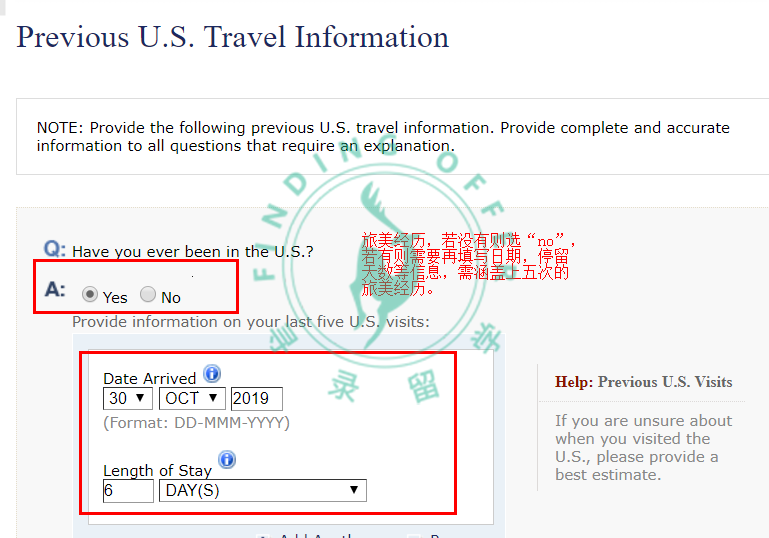
△ Have you traveled to the U.S.?
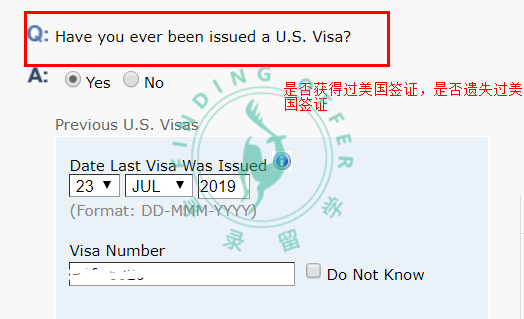
△ Have you ever obtained or lost a U.S. visa?
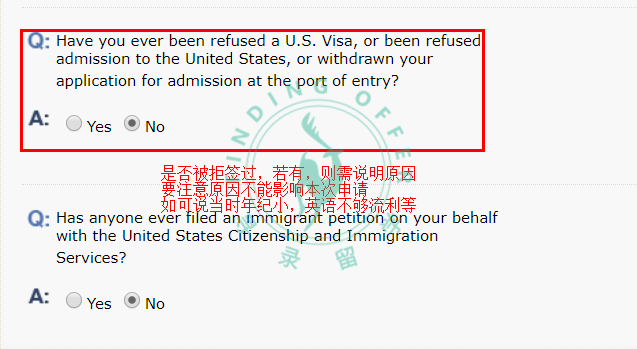
△ Have you ever been denied a visa?
Work/Education/Training
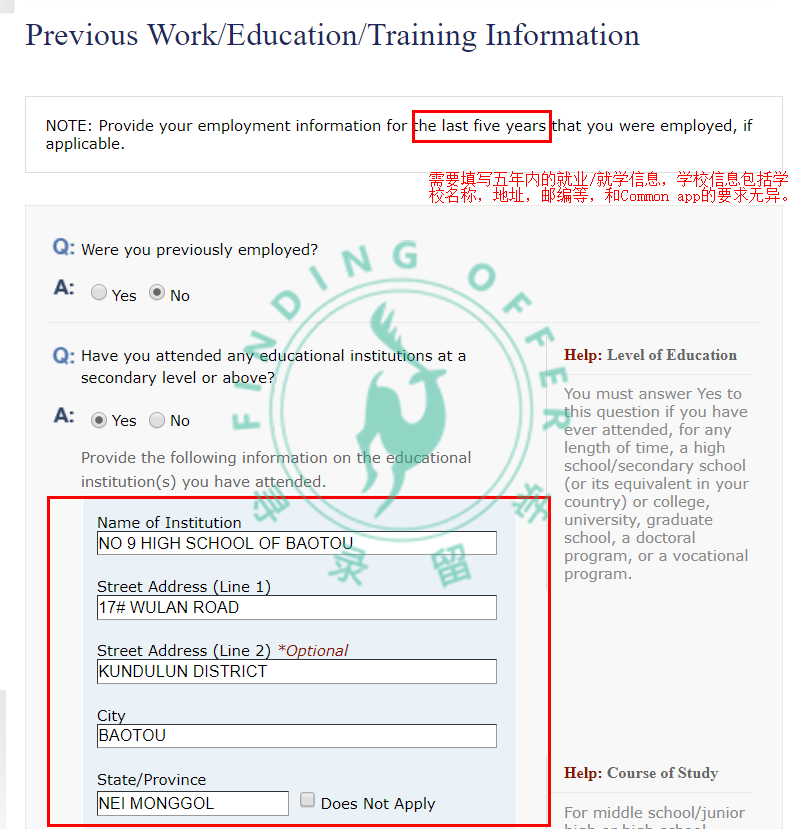
In this section, if you have not graduated, select “student”, and then continue to fill in the school information; if you have graduated, fill in according to the actual situation, if “not employed”, you need to explain the reason below, such as taking a gap year to prepare for U.S. undergraduate applications. Fill in educational history starting from high school and above, beginning with the highest degree.
Exit Records
Fill in the last 5 years, starting with developed countries, click “Add Another” to keep adding; similar to the “Experience in the U.S.” section.
Security Information
In the last section on security and background information, you can uniformly select no (unless there are relevant disciplinary records).
Step 4: Upload Photo
U.S. Visa Photo Requirements
A 5.1*5.1cm passport photo taken within the last 6 months with a white background, no colored contact lenses, accessories, or glasses, with clear facial features, must be in JPEG/JPG format;
Does it meet the requirements?
If a green checkmark appears after uploading, it indicates that the photo meets the requirements;
Step 5: Verify Information & Download Form
Verify Information
Be sure to carefully verify all information, including personal/address/phone/passport information;
Sign and Submit Application
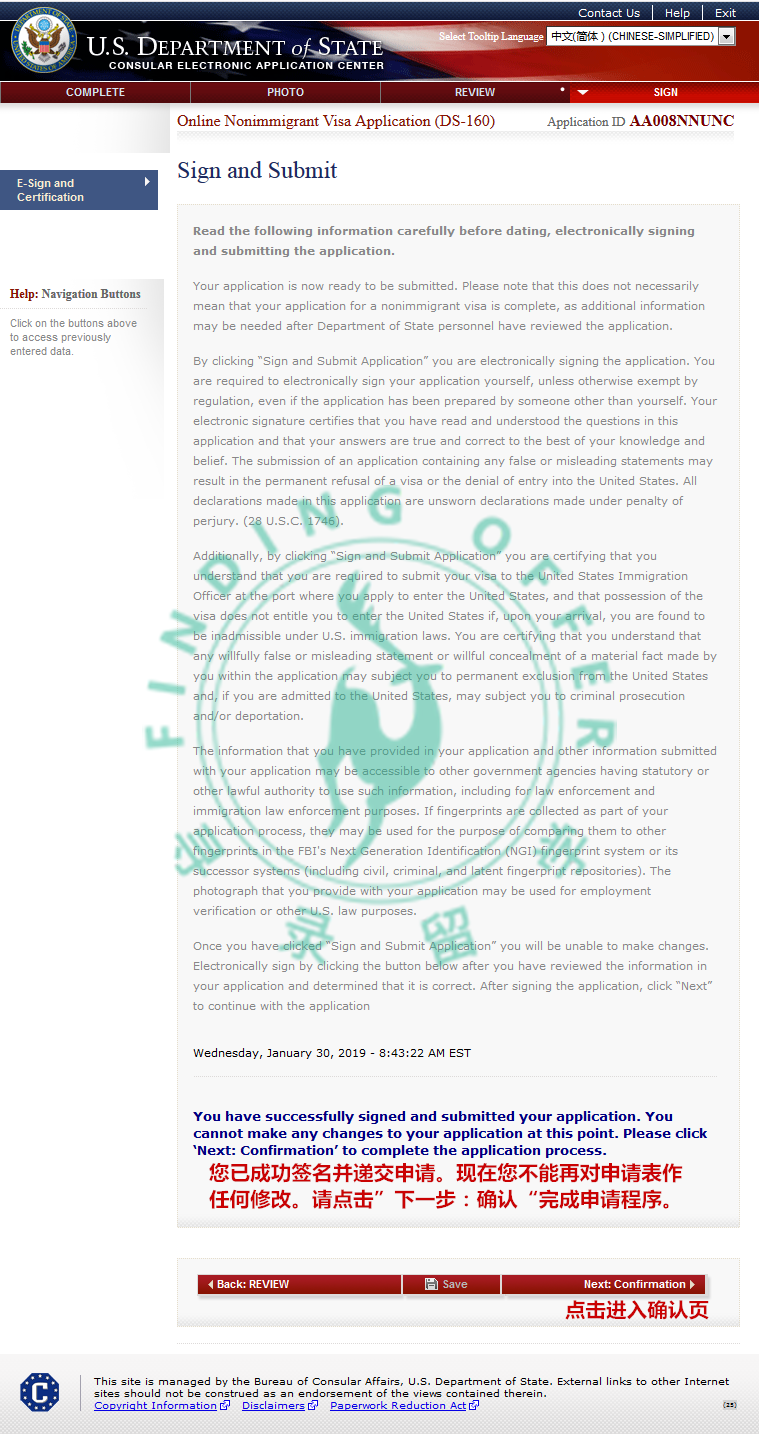
DS-160 Confirmation Page
Click “Print Confirmation Page” to save the confirmation page as a PDF for backup; click “Print Application Form” to save the filled DS-160 form as a PDF for backup (the English application form can only be saved once here, and once you exit, you cannot download it again).
In Conclusion
A reminder from the editor: the most! important! thing! is that if you do not save for 20 minutes, the interface will automatically log out, and you will need to log in again. To avoid losing the information you painstakingly filled out, I remind everyone to save as you go, so that you can always be “safe”!
Currently, 2024 applicants are busy with U.S. visa applications. Therefore, the TD application team has organized the above 5 steps, hoping to help everyone avoid pitfalls and efficiently fill out the application form. At the same time, 2025 and 2026 applicants can also bookmark this in advance!

Tap “Like” if you found this helpful! 👇