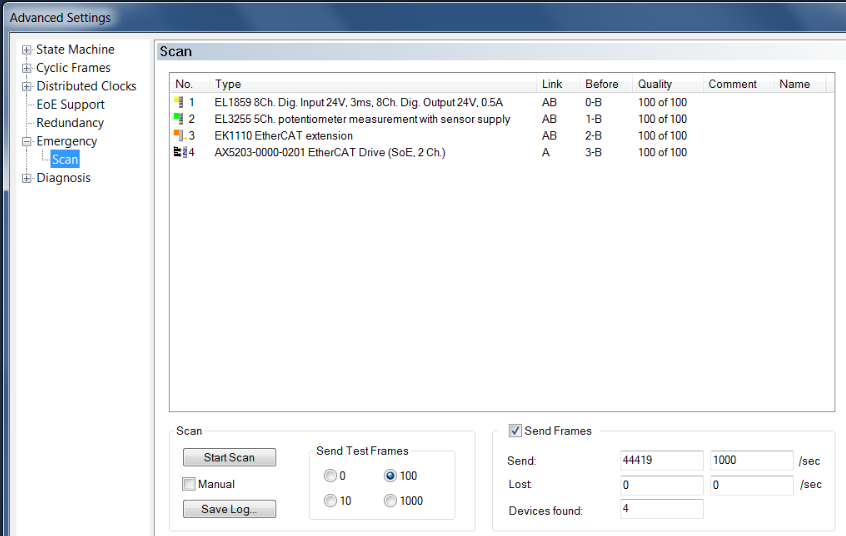
In the Advanced Settings, there is a tool called Emergency Scan, which can specifically check the connection status of slave devices.
To use Emergency Scan, TwinCAT must be in configuration mode, but no prior configuration is required.
Emergency Scan will check for frame loss to detect errors in wiring or cable shielding.
Emergency Scan will first check communication with the first device, then the second device, and then the third device, proceeding in this order. Since only one device is checked at a time, communication errors can be pinpointed. The system will check if it can communicate with another device while also assessing the communication quality, specifically how many frames sent were not received and lost.
-
StartScan can initiate a search for EtherCAT slave devices and begin sending test frames. In this example, the line is first opened to port 1-B, and the device with sequence number 1 is tested first. The line is then opened to port 2-B, and the device with sequence number 2 is tested next. As the scan progresses, more and more ports are opened sequentially until all devices are discovered and tested.
-
Send TestFrames allows you to select the number of test frames to send.
-
The test results will be displayed in the box above and in the lower right corner.