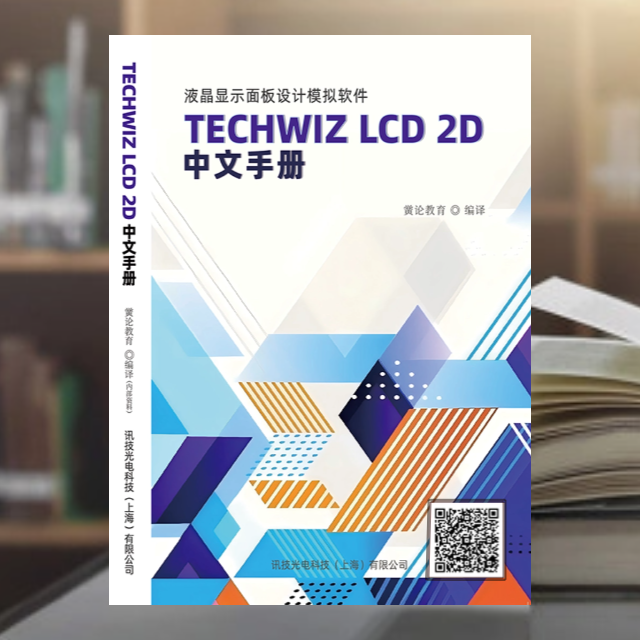
 Scan the QR code on the book to view details
Foreword
TechWiz LCD 2D is a 2D simulation software designed for LCD panel design. It can generate two-dimensional structures based on mask layouts and is specifically used for simulating IPS, FFS, PVA, and other modes.
TechWiz LCD 2D allows you to design LCD panels and analyze their electrical and optical properties. It can also be applied in industries such as liquid crystal lenses and 3D displays.
This simulation software can also be used for LCD panel development and defect analysis, effectively saving time and reducing costs.
To use this simulation software correctly, please read the user manual carefully before use. By reading this user manual, users can learn the basic operations of the software program as well as advanced techniques.
TechWiz LCD 2D is highly specialized in analyzing the electro-optical characteristics of in-plane switching (IPS) modes. The result viewer program (Viewer) allows you to design mask layouts and visualize simulation results. Additionally, real-time design of structures can be performed while creating 2D structures, enabling engineers to clearly understand the shape of the model. Effective optical analysis is achieved through advanced condition control during simulation.
TechWiz LCD 2D is one of the software in the TechWiz LCD series, allowing engineers to extract 2D cross-sections from 3D models or extract 1D sections from 2D models for convenient simulation. The compatibility between the TechWiz series provides a dynamic environment for rapid in-depth analysis in specific areas.
TechWiz DB is a highly efficient database program that manages the data used for simulations. It includes a comprehensive database system divided into sections such as Materials, Layers, Light Sources, Signals, Gamma Curves, and TFT Models. Additionally, measurement data from AxoScan, EZContrast, and spectrometers can be imported and used in simulations. This means engineers can easily edit, modify, or merge internal database information through simple file lookups, and can also add user-defined data materials.
Table of Contents
Foreword1
Table of Contents2
Part One: Software Installation6
1 Install TechWiz LCD 2D Program6
2 Install License Server Program8
3 Request License9
3.1 Using Host Name Program9
3.2 Using Tool Program10
4 Install Hardware Lock Driver11
5 Set Up License13
5.1 Register License13
5.1.1 Evaluation License13
5.1.2 Floating License14
5.2 Check License Server Status19
6 Configure Firewall21
6.1 Windows XP21
6.2 Windows 7, Windows 823
Part Two: Using the Program27
1 TechWiz DB Module27
1.1 TechWiz Database (DB) Module Interface Configuration27
1.1.1 List27
1.1.2 Manage Projects28
1.1.3 Project Types28
1.1.4 Information Window28
1.1.5 Options29
1.2 Material Database (Material DB)32
1.2.1 LC34
1.2.2 Insulators40
1.2.3 Metals43
1.2.4 Polarizers48
1.2.5 Phase Delay Films50
1.2.6 Filters53
1.3 Layer Database (Layer DB)55
1.3.1 Single Layer57
1.3.2 Group Layer62
1.3.3 AxoScan Structure Layer72
1.4 Light Source Database (Light Source DB)73
1.4.1 Brightness Tab76
1.4.2 Spectrum Tab77
1.5 Signal Database (Signal DB)78
1.5.1 Signal Tab79
1.6 Gray Scale Database (Gray Scale DB)82
1.6.1 Gray Scale Tab83
1.7 TFT Model Database (TFT Model DB)85
1.7.1 Model Parameter Tab86
1.7.2 Ids (Current) Tab87
1.7.3 Channel Capacitance Tab87
2 TechWiz LCD 2D Program89
2.1 TechWiz LCD 2D Interface Layout and Description89
2.1.1 Main Menu89
2.1.2 DB Explorer101
2.1.3 Stack List101
2.1.4 Structure Viewer107
2.1.5 Properties109
3 Using the TechWiz LCD 2D Program112
3.1 Create Project112
3.1.1 Create New Project112
3.1.2 Open Existing Project112
3.2 Define TechWiz LCD 2D Structure112
3.2.1 Define Structure112
3.2.2 Use Mask to Define 2D Structure114
3.2.3 Define Electrode Angle124
3.3 Properties125
3.3.1 Light Source Properties125
3.3.2 Polarizer Properties127
3.3.3 Liquid Crystal Properties129
3.3.4 Insulator Properties135
3.3.5 Metal Properties137
3.3.6 Compensation Film Properties140
3.3.7 Color Filter Properties144
3.3.8 Group Layer Properties146
3.3.9 Multi-domain Structure Layer Properties146
3.4 Variables148
3.5 Simulation Conditions149
3.5.1 Simulation Properties149
3.5.2 Mesh Conditions151
3.5.3 Time Conditions151
3.6 Run152
4 TechWiz LCD 2D Viewer154
4.1 Create a TechWiz LCD 2D File154
4.2 TechWiz LCD 2D Viewer Interface Layout and Description154
4.2.1 Main Menu154
4.2.2 Toolbar166
4.2.3 Result Panel167
4.3 Result Analysis through TechWiz LCD 2D Viewer168
4.3.1 Structure168
4.3.2 Graphs182
4.3.3 Graph (3D)191
4.3.4 Capacitance197
4.3.5 Gamma199
4.3.6 Color205
4.3.7 Polar Coordinate Graph213
4.3.8 Ray221
Part Three: FAQ242
1 Installation242
2 Using the Program242
Part Four: Appendix249
A Case Study of Creating TechWiz LCD 2D Structure249
A.1 Create a Glass Layer249
A.2 Create Pixel Electrodes249
A.3 Create Common Electrodes250
A.4 Create PI Layer251
A.5 Create Liquid Crystal Layer252
A.6 Define Polarizers253
A.7 Define Backlight253
A.8 Set Calculation Conditions254
A.9 Set Simulation Conditions254
B Multi-domain255
B.1 Create Multi-domain Structure255
B.1.1 Create Structure Layer Group255
B.1.2 Create Multi-domain256
B.1.3 View Multi-domain Structure258
B.1.4 Run258
B.1.5 Result Analysis259
C Color Analysis259
C.1 Create Structure with Filters259
C.1.1 Define Filter DB259
C.1.2 Define Same Structure for R/G/B Filters260
C.1.3 Define Different Structures for R/G/B Color Filters
C.2 Color Analysis264
D GRIN LC Lens Simulation268
D.1 Create Liquid Crystal Lens Structure268
D.2 TechWiz LCD 2D Viewer Analysis269
E Half-reflection Simulation270
E.1 Define Reflective Materials270
E.2 Define Half-reflective Structure271
E.3 Result Analysis272
F Structural Variables274
F.1 Create a Structure275
F.2 Result Analysis277
G Local Mask278
G.1 Create Local Mask Structure278
H Import Structure Data281
H.1 Import (Text Structure Data (*.txt))281
H.1.1 Extract Text Structure Data from TechWiz LCD 3D281
H.1.2 Import Text Structure Data from TechWiz LCD 2D283
H.2 Import (Polygon Structure Data (*.str))285
H.2.1 Extract Polygon Structure Data from TechWiz Layout286
H.2.2 Import Polygon Structure Data from TechWiz LCD 2D287
I LC Phase Grating Simulation (Diffraction)289
I.1 Create a Structure289
I.2 Result Analysis289