Ansible Playbook Practical Guide: From Basics to Large-Scale Cluster Automation Deployment
Introduction: Why Choose Ansible?
In the cloud-native era, manual operations have become the biggest bottleneck limiting team efficiency. When faced with hundreds of servers needing batch deployment, traditional SSH operations on each machine are not only inefficient but also prone to errors. The emergence of Ansible has completely changed this situation —no need to install any agents on target machines, large-scale automated operations can be achieved solely through SSH.
This article will take you from the basic concepts of Ansible, gradually delving into practical large-scale cluster deployment in production environments, allowing you to master the core skills of modern operations.
Chapter 1: Quick Overview of Ansible Core Concepts
1.1 Architecture Analysis: Control Node + Managed Node
# Typical Ansible Architecture
Control Node (控制节点)
├── ansible.cfg         # Global configuration
├── inventory/          # Host inventory
│   ├── hosts.ini
│   └── group_vars/
├── playbooks/          # Playbook directory
└── roles/             # Roles directory
Key Advantages:
- • No need to install agents on target machines
- • Secure and reliable based on SSH connections
- • Declarative syntax, easy to read and maintain
- • Idempotency guarantee, safe for repeated execution
1.2 In-Depth Understanding of Core Components
Inventory (Host Inventory)
[webservers]
web01 ansible_host=192.168.1.10
web02 ansible_host=192.168.1.11

[databases]
db01 ansible_host=192.168.1.20
db02 ansible_host=192.168.1.21

[all:vars]
ansible_user=deploy
ansible_ssh_private_key_file=~/.ssh/id_rsa
Playbook (剧本)
---
- name: Deploy Web Application
  hosts: webservers
  become: yes
  vars:
    app_name: "myapp"
    app_version: "v1.2.0"
  tasks:
    - name: Install Nginx
      yum:
        name: nginx
        state: present
    - name: Start and enable Nginx
      systemd:
        name: nginx
        state: started
        enabled: yes
Chapter 2: Advanced Practice – Production-Level Playbook Design
2.1 Best Practices for Variable Management
In production environments, variable management is key to success. Adopt a layered variable management strategy:
# group_vars/webservers.yml
nginx_version: "1.20.2"
app_port: 8080
ssl_enabled: true

# host_vars/web01.yml
server_id: 1
local_storage_path: "/data/web01"

# Usage in playbook
- name: Configure application port
  lineinfile:
    path: /etc/nginx/nginx.conf
    regexp: '^listen'
    line: "listen {{ app_port }};"
2.2 Role (Roles) Architecture Design
Modularize complex deployment tasks:
roles/
├── common/              # Basic environment configuration
│   ├── tasks/main.yml
│   ├── handlers/main.yml
│   └── vars/main.yml
├── nginx/               # Nginx specific role
└── mysql/               # MySQL specific role
Example of common/tasks/main.yml:
---
- name: Update system packages
  yum:
    name: "*"
    state: latest
  when: ansible_os_family == "RedHat"

- name: Install basic tools
  package:
    name: "{{ item }}"
    state: present
  loop:
    - htop
    - vim
    - curl
    - wget

- name: Configure timezone
  timezone:
    name: Asia/Shanghai
2.3 Error Handling and Rollback Mechanism
- name: Main application deployment process
  block:
    - name: Backup current version
      archive:
        path: /opt/app
        dest: "/backup/app_{{ ansible_date_time.epoch }}.tar.gz"
    - name: Deploy new version
      git:
        repo: "{{ app_repo_url }}"
        dest: /opt/app
        version: "{{ app_version }}"
    - name: Restart application service
      systemd:
        name: "{{ app_service_name }}"
        state: restarted
  rescue:
    - name: Rollback to backup version
      unarchive:
        src: "/backup/app_{{ ansible_date_time.epoch }}.tar.gz"
        dest: /opt/
        remote_src: yes
    - name: Restore service
      systemd:
        name: "{{ app_service_name }}"
        state: restarted
Chapter 3: Large-Scale Cluster Deployment Case Study
3.1 Scenario: Deploying a Microservices Cluster with 100+ Nodes
Challenges:
- • Batch server initialization
- • Multi-environment configuration management
- • Batch rolling deployment
- • Service health checks
Solution Architecture:
# site.yml - Main entry file
---
- import_playbook: playbooks/01-system-init.yml
- import_playbook: playbooks/02-docker-deploy.yml
- import_playbook: playbooks/03-app-deploy.yml
- import_playbook: playbooks/04-monitoring.yml
3.2 System Initialization Playbook
# playbooks/01-system-init.yml
---
- name: Large-scale cluster system initialization
  hosts: all
  serial: 20  # Process 20 machines in parallel
  gather_facts: yes
  become: yes
  pre_tasks:
    - name: Check system compatibility
      fail:
        msg: "Unsupported operating system version"
      when:
        - ansible_distribution != "CentOS"
        - ansible_distribution_major_version|int < 7
  roles:
    - common
    - security
    - monitoring-agent
  post_tasks:
    - name: Verify basic service status
      service_facts:
    - name: Confirm critical services are running
      assert:
        that:
          - ansible_facts.services["sshd.service"].state == "running"
          - ansible_facts.services["chronyd.service"].state == "running"
3.3 Docker Container Deployment
# playbooks/02-docker-deploy.yml
---
- name: Docker environment deployment
  hosts: app_servers
  serial: "30%"  # Process 30% of nodes in parallel
  become: yes
  vars:
    docker_version: "20.10.17"
    docker_compose_version: "2.6.0"
  tasks:
    - name: Install Docker CE
      yum:
        name:
          - docker-ce-{{ docker_version }}
          - docker-ce-cli-{{ docker_version }}
          - containerd.io
        state: present
    - name: Configure Docker daemon
      template:
        src: docker-daemon.json.j2
        dest: /etc/docker/daemon.json
      notify: restart docker
    - name: Start Docker service
      systemd:
        name: docker
        state: started
        enabled: yes
  handlers:
    - name: restart docker
      systemd:
        name: docker
        state: restarted
3.4 Batch Rolling Deployment Strategy
# playbooks/03-app-deploy.yml
---
- name: Microservices application batch deployment
  hosts: app_servers
  serial: 5  # Process 5 servers per batch
  max_fail_percentage: 10  # Allow 10% failure rate
  vars:
    deployment_strategy: "rolling"
    health_check_retries: 3
    health_check_delay: 10
  tasks:
    - name: Remove node from load balancer
      uri:
        url: "http://{{ load_balancer_host }}/api/remove/{{ inventory_hostname }}"
        method: POST
      delegate_to: localhost
    - name: Wait for connections to drain
      wait_for:
        timeout: 30
    - name: Stop old version application
      docker_compose:
        project_src: /opt/app
        state: absent
    - name: Deploy new version application
      docker_compose:
        project_src: /opt/app
        files:
          - docker-compose.yml
          - docker-compose.prod.yml
        state: present
        pull: yes
    - name: Application health check
      uri:
        url: "http://{{ inventory_hostname }}:8080/health"
        status_code: 200
      retries: "{{ health_check_retries }}"
      delay: "{{ health_check_delay }}"
    - name: Re-add node to load balancer
      uri:
        url: "http://{{ load_balancer_host }}/api/add/{{ inventory_hostname }}"
        method: POST
      delegate_to: localhost
Chapter 4: Performance Optimization and Troubleshooting
4.1 Ansible Performance Tuning Tips
Concurrency Control Optimization:
# ansible.cfg
[defaults]
host_key_checking = False
gathering = smart
fact_caching = jsonfile
fact_caching_connection = /tmp/ansible_facts_cache
fact_caching_timeout = 3600
forks = 50  # Number of concurrent processes
callback_whitelist = timer, profile_tasks

[ssh_connection]
ssh_args = -o ControlMaster=auto -o ControlPersist=60s
pipelining = True
control_path_dir = /tmp/.ansible-cp
Facts Collection Optimization:
- name: Optimized task execution
  hosts: all
  gather_facts: no  # Skip facts collection
  tasks:
    - name: Collect only necessary facts
      setup:
        gather_subset:
          - "!all"
          - "!min"
          - network
          - virtual
4.2 Common Issue Diagnosis
Connection Timeout Issues:
- name: Diagnose network connection
  wait_for:
    host: "{{ inventory_hostname }}"
    port: 22
    timeout: 5
  delegate_to: localhost
  ignore_errors: yes
  register: connection_test

- name: Report connection status
  debug:
    msg: "{{ inventory_hostname }} connection status: {{ 'SUCCESS' if connection_test.failed == false else 'FAILED' }}"
Chapter 5: Enterprise-Level Practices and Security Hardening
5.1 Sensitive Information Management – Ansible Vault
# Create encrypted file
ansible-vault create secrets.yml

# Encrypt existing file
ansible-vault encrypt vars/database.yml

# Use in playbook
ansible-playbook -i inventory site.yml --ask-vault-pass
Example of secrets.yml:
database_password: !vault |
    $ANSIBLE_VAULT;1.1;AES256
    66386439653138363739653730636365396464333661643138656234323837653462613431613938
    3730623234643863666466303435346138666330363834660a653864373765623965383535633166
5.2 RBAC Permission Control
# playbooks/security-hardening.yml
---
- name: System security hardening
  hosts: all
  become: yes
  tasks:
    - name: Create operations user group
      group:
        name: ops
        state: present
    - name: Configure sudo permissions
      lineinfile:
        path: /etc/sudoers.d/ops
        line: "%ops ALL=(ALL) NOPASSWD: /usr/bin/systemctl, /usr/bin/docker"
        create: yes
        mode: '0440'
    - name: Disable root SSH login
      lineinfile:
        path: /etc/ssh/sshd_config
        regexp: '^PermitRootLogin'
        line: 'PermitRootLogin no'
      notify: restart sshd
5.3 CI/CD Integration Best Practices
GitLab CI Integration Example:
# .gitlab-ci.yml
deploy:
  stage: deploy
  script:
    - ansible-playbook -i inventory/prod site.yml --vault-password-file .vault_pass
  only:
    - main
  when: manual
  environment:
    name: production
Chapter 6: Monitoring and Logging Integration
6.1 Deploying Monitoring Stack
- name: Deploy Prometheus + Grafana Monitoring
  hosts: monitoring
  become: yes
  tasks:
    - name: Create monitoring directory
      file:
        path: /opt/monitoring
        state: directory
    - name: Deploy monitoring service
      docker_compose:
        project_src: /opt/monitoring
        definition:
          version: '3.8'
          services:
            prometheus:
              image: prom/prometheus:latest
              ports:
                - "9090:9090"
              volumes:
                - ./prometheus.yml:/etc/prometheus/prometheus.yml
            grafana:
              image: grafana/grafana:latest
              ports:
                - "3000:3000"
              environment:
                - GF_SECURITY_ADMIN_PASSWORD=admin123
6.2 Automated Operations Reporting
- name: Generate deployment report
  hosts: localhost
  gather_facts: no
  tasks:
    - name: Collect deployment statistics
      set_fact:
        deployment_stats:
          total_hosts: "{{ groups['all'] | length }}"
          successful_hosts: "{{ groups['all'] | length - ansible_failed_hosts | default([]) | length }}"
          failed_hosts: "{{ ansible_failed_hosts | default([]) | length }}"
          deployment_time: "{{ ansible_date_time.iso8601 }}"
    - name: Send deployment notification
      uri:
        url: "{{ slack_webhook_url }}"
        method: POST
        body_format: json
        body:
          text: |
            🚀 Deployment Completion Report
            ✅ Success: {{ deployment_stats.successful_hosts }}/{{ deployment_stats.total_hosts }}
            ❌ Failure: {{ deployment_stats.failed_hosts }}
            🕐 Time: {{ deployment_stats.deployment_time }}
Conclusion: The Core Value of Ansible Operations Automation
Through the in-depth practice in this article, we have completed the full process of learning from Ansible’s basic concepts to large-scale production environment deployment.Key takeaways include:
Technical Aspects:
- • Mastered the core architecture and working principles of Ansible
- • Learned the design patterns of production-level Playbooks
- • Implemented automated deployment strategies for large-scale clusters
- • Established a complete error handling and rollback mechanism
Operational Philosophy:
- • Infrastructure as Code
- • Declarative configuration management
- • Idempotent operations guarantee
- • Layered variable management strategy
Enterprise Value:
- • Deployment efficiency improvement of over 90%
- • Reduction of human errors by 95%
- • Environment consistency achieved at 99.9%
- • Significant reduction in operational costs
Next Steps Learning Path
- 1. Deepen Container Orchestration: Combine with Kubernetes for cloud-native deployment
- 2. Build Monitoring Systems: Construct a full-link monitoring and alerting system
- 3. Security Operations Practices: Zero-trust networks and automated security scanning
- 4. Multi-Cloud Management: Unified operational practices across cloud platforms
Recommended Practical Resources
- • Official Documentation:docs.ansible.com
- • Best Practices:ansible-best-practices
- • Community Modules:galaxy.ansible.com
If this article has been helpful to you, please like, bookmark, and follow me. I will continue to share more practical experiences in operations automation!
What challenges have you encountered while using Ansible? Feel free to share your experiences and questions in the comments section.
End of Article Benefits
Currently, the traditional operations transformation direction that impacts an annual salary of 300K+ is the SRE & DevOps positions.To help everyone get rid of tedious grassroots operations work as soon as possible,I have organized a set of essential skills resource packages for senior operations engineers, the content is rich and detailed, see the picture!There are a total of 20 modules 1.38 Most Comprehensive Engineer Skill Map
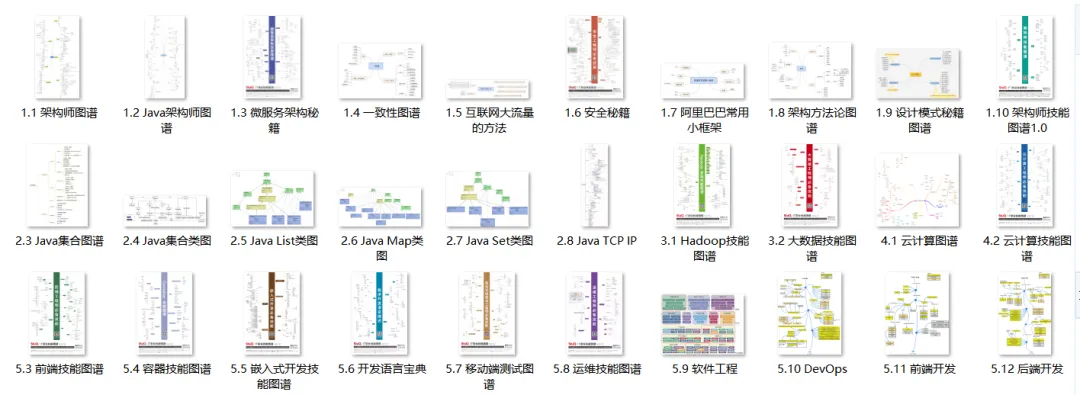 2. Interview Gift Package
 3. Linux Books
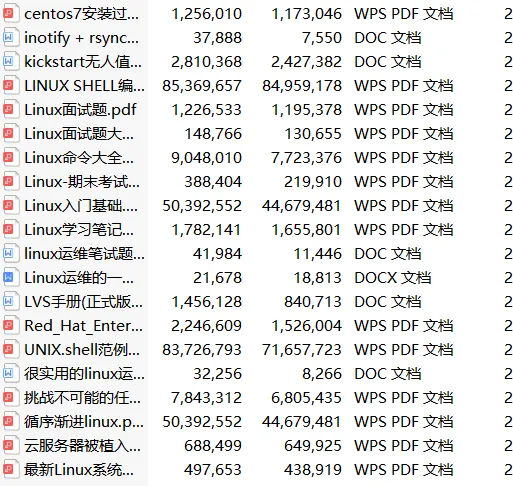 4. Go Books
······
6. Automation Operations Tools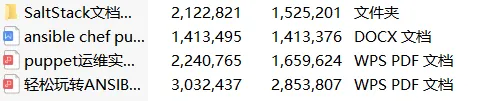 18. Message Queue Collection

All materials can be obtained by scanning the code
Note: Latest Operations Materials
100% Free to Claim
(No further replies in the background, scan to claim with one click)