Copyright Statement: This article is an original work by the author, following the CC 4.0 BY-SA copyright agreement. Please include the original source link and this statement when reprinting.
Article link:
https://blog.csdn.net/m0_60173255/article/details/119110877
Hello everyone, I am the leader. Talking about money can hurt feelings. I believe many of you have encountered situations where someone owes you money, and if you don’t ask them for it, they will forget to pay. Recently, a friend borrowed some money from me, and it has been over a month without repayment. I wonder if he has forgotten about it, so I decided to create a small tool to remind him to repay the money! (I suggest you bookmark this, you never know when it might come in handy.)
Tool
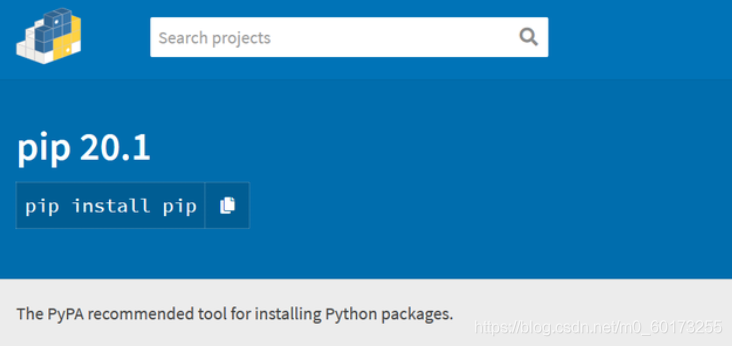
This tool uses PIP, and Python 2.7.9+ or Python 3.4+ comes with pip.
Pip is a modern, general-purpose package management tool for Python. It provides functionalities for searching, downloading, installing, and uninstalling Python packages.
Source Code
import win32api,win32con,time
from apscheduler.schedulers.blocking import BlockingScheduler
def DrunkWater():
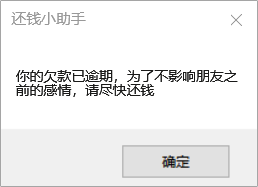
    win32api.MessageBox(0, "Your debt is overdue. To avoid affecting the friendship, please settle it as soon as possible!", "Debt Reminder",win32con.MB_OK)
# BlockingScheduler
scheduler = BlockingScheduler()
scheduler.add_job(DrunkWater, 'interval', minutes=1)
if __name__ == '__main__':
    while True:
        scheduler.start()
        time.sleep(1)
Effect
Here we set reminders every half hour.
Executable File
Packaging tool choice: pyinstaller Popup reminder choice: pywin32
Install pyinstaller & pywin32
pip install pyinstaller
pip install pywin32
Packaging Command
Execute directly in the path where the py file is located:pyinstaller -F -w demp.py.
-F: means to package the code into a standalone executable file.-w: means to run in noconsole mode, i.e., without the cmd black box.
Result
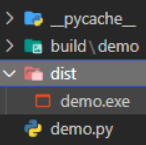
Now we can consider it a success. As shown in the image above,<span>dist</span> contains the file that is our packaged executable, which can perform the same functions as <span>demo.py</span>.
Conclusion
If you encounter such situations in the future, don’t forget that there is this way to deal with it. Thank you for reading. If you like my articles, please like and follow! I will continue to work hard to update more quality content!