Introduction
Plex Media Server (PLXS Server) is a powerful media server software that allows users to stream multimedia files such as audio, video, and photos from their personal media library to various devices, enabling cross-platform access and sharing.
Main Features
Users can centrally manage their personal media library through Plex Media Server, including adding, deleting, renaming, and organizing media files.
Plex can automatically recognize and retrieve metadata for media files, such as movie titles, plot summaries, cast lists, and information about seasons and episodes for TV shows, making it easier for users to browse and search their media library.
Users can also add tags, posters, and summaries to media files to further enrich the content of their media library.
Plex Media Server supports transcoding media files for playback on different devices. For example, if a device does not support a certain video format or codec, Plex can automatically transcode it to a compatible format, ensuring playback compatibility and smoothness.
Users can remotely access Plex Media Server through the Plex app or a web browser, whether on a local network or over the internet. This means users can access their media library anytime, anywhere, and stream on different devices.
Plex Media Server allows users to share their media library with others. Users can set access permissions to control what other users can access and what actions they can perform on their media library. This makes it easy for family members or friends to share media content.
Highlighted Features
Multi-user Management: Plex Media Server supports multi-user management, allowing each user to have their own media library and access permissions.
Online Content and Channels: In addition to local media files, Plex also supports access to online content and channels, such as free and on-demand movies, shows, live TV, podcasts, and web programs.
Automatic Collections and Recommendations: Plex can automatically collect and recommend media content based on users’ viewing history and preferences, enhancing the user experience.
Secure Communication: Plex collaborates with DigiCert to provide users with high-quality SSL certificates, ensuring secure communication between the media server and devices.
Application Scenarios
Home Entertainment: Plex Media Server is an essential part of a home entertainment system. Users can store media files such as movies, TV shows, music, and photos on the media server and access and play them through various devices, achieving a home theater-like experience.
Remote Access: For users who travel frequently or are often away on business, the remote access feature of Plex Media Server is very practical. Users can access their media library over the internet anytime, anywhere, and watch movies or listen to music in hotel rooms or other locations.
Media Sharing: The sharing feature of Plex Media Server allows family members or friends to easily share media content. Users can set different access permissions to ensure the security and privacy of media content.
For more information, you can visit the official website or refer to related technical documentation.
GitHub Repository
https://github.com/plexinc/pms-docker
Docker Image
https://hub.docker.com/r/plexinc/pms-docker
Installation Guide
Install Docker
sudo apt update
sudo apt install -y docker.io docker-compose
Pull the Image
sudo docker pull plexinc/pms-dockerStart the Service
docker run \
    -d \
    --name plex \
    --network=host \
    -e TZ="<timezone>" \
    -e PLEX_CLAIM="<claimToken>" \
    -v <path/to/plex/database>:/config \
    -v <path/to/transcode/temp>:/transcode \
    -v <path/to/media>:/data \
    plexinc/pms-docker
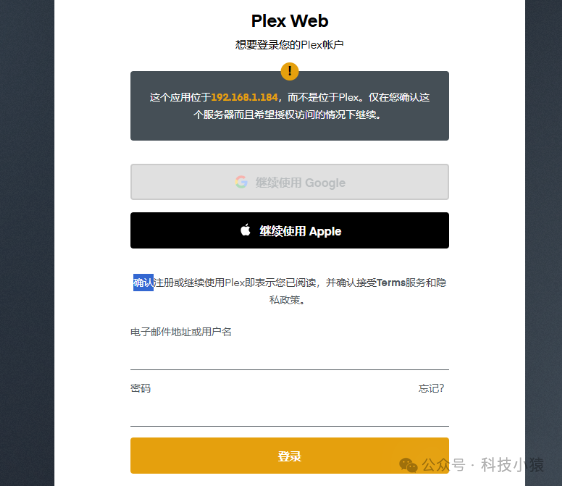
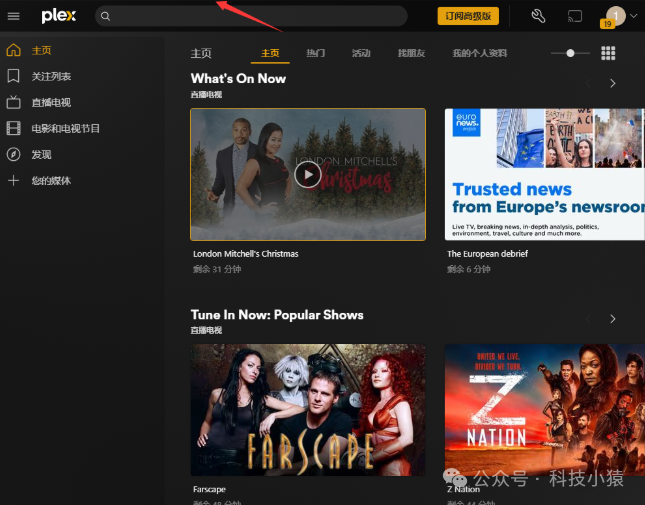
Enter http://IP:32400 in your browser to log into the Plex interface.
 Follow our public account for more original content recommendations!
More content can also be found in the author’s published books!
———————————————