This article will primarily introduce the commonly used 3D printing host software in 3D printing. This type of 3D software will provide significant assistance to users. By classifying these software, users can select the one that best suits their needs.
No need to fear; we have answered all these questions, as well as details about proficiency and downloadable options. Most importantly, most of them are completely free and open-source.
Did we miss your favorite 3D printing software? Let us know in the comments, and we will add them in future updates.
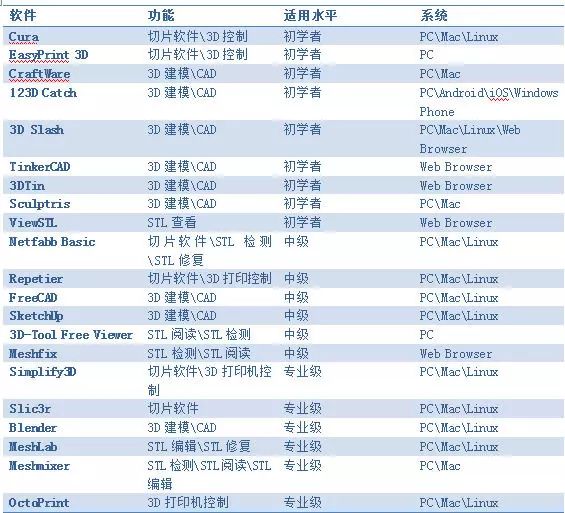
1. Cura
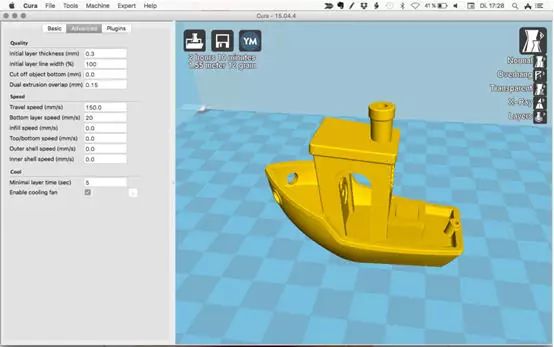
Cura can be referred to as the standard slicing software for 3D printing. It is compatible with most 3D printers, and its code is completely open-source, with the ability to be extended through plugins.
Cura is very convenient to use. In general mode, users can quickly print, or they can choose the “Expert” mode for more precise 3D printing. Additionally, this software can directly control the 3D printer after connecting to the computer via USB.
2. EasyPrint 3D
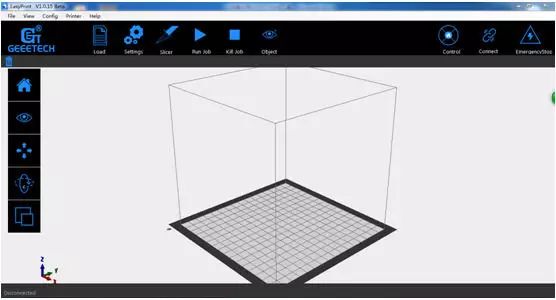
EasyPrint 3D is not just a slicing software; slicing is only one of its functions. It can also connect to a 3D printer via USB to control its specific operations.
From a user perspective, this software is very suitable for beginners. Its simple operation makes printing no longer a difficult task. At the same time, it is also suitable for professional users, as its functionalities are not much different from Cura, but the user interface is very convenient.
3. CraftWare
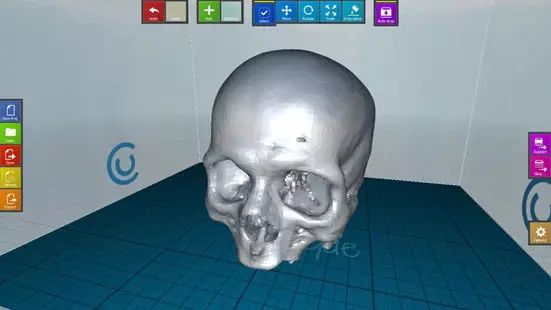
CraftWare 3D printing slicing software is developed by a Hungarian 3D printer equipment manufacturer. This software also supports other 3D printers. Like Cura, it supports switching between “Simple” and “Expert” modes, allowing users to change based on their habits. Its biggest feature is personal management, but this function requires payment.
4. 123D Catch
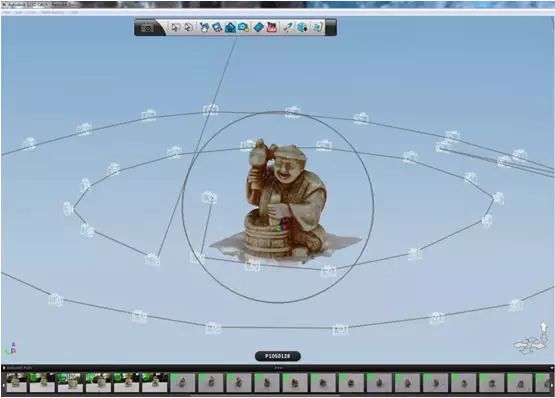
123D Catch is a free application for PC and mobile that can synthesize photos taken by users into 3D models. Its working principle is to take multiple photos of the subject from different angles and positions (the more, the better) and then synthesize them to create a 3D model.
5. 3D Slash
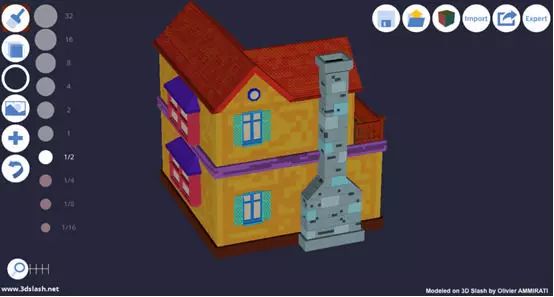
This is a relatively novel 3D printing software that allows users to build 3D models using simple modules.
From a usage perspective, it starts from the most basic model and removes excess parts with various cutting tools. It can also build models by assembling cubes, circles, and other shapes.
6. TinkerCAD
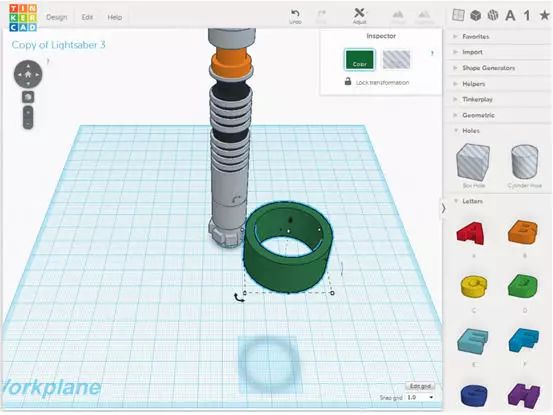
TinkerCAD is known as one of the simplest modeling software in the world. It does not require downloading any related software; users can operate directly on the web. Compared to Blender, FreeCAD, and SketchUp, its integrated features are not yet complete, and many users switch to other more comprehensive design tools after learning to use it.
7. 3DTin
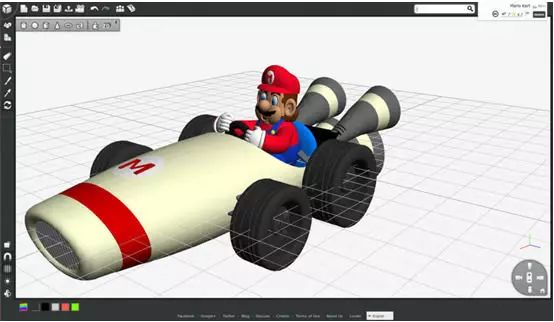
3DTin is another type of online 3D modeling software. Due to its intuitive interface and relatively convenient operation, it is very suitable for beginners to create 3D printing models, and users only need to launch a browser. Its biggest feature is that models created by users can be uploaded to the cloud, and other users can download them through payment methods.
8. Sculptris
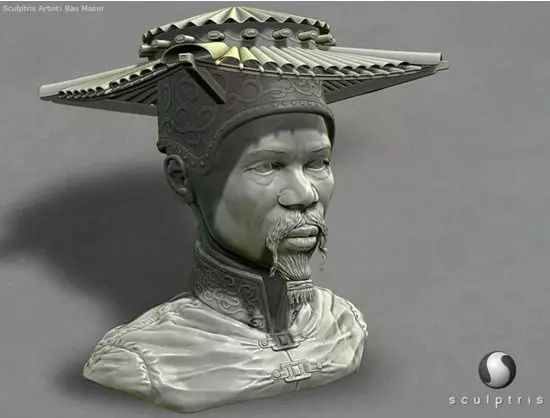
Sculptris is a virtual modeling software that focuses on the concept of modeling clay. If users want to create small sculptures, this software is very suitable.
9. ViewSTL
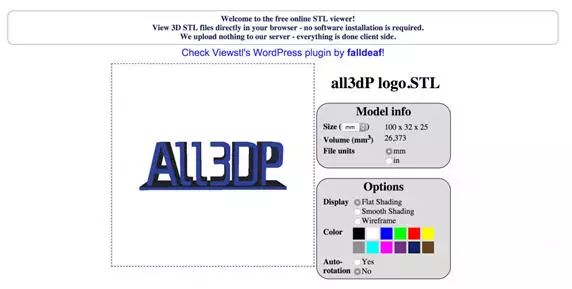
ViewSTL is a browser for previewing STL files. Users only need to drag the STL file into the dashed box to select it, and ViewSTL can directly browse the STL file.
10. Netfabb Basic
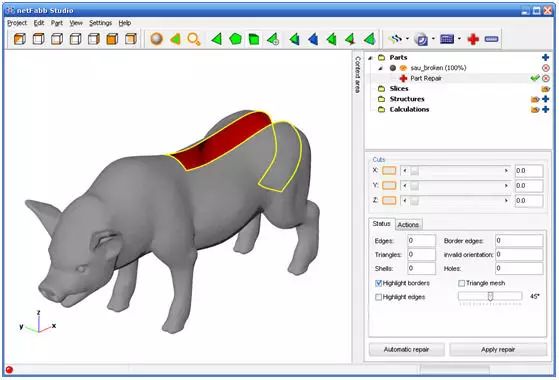
Netfabb Basic is a powerful 3D slicing software that automatically analyzes the model before slicing, repairing and editing the STL file. If you do not want to use other tools like MeshLab or Meshmixer, this software can meet your needs.
11. Repetier
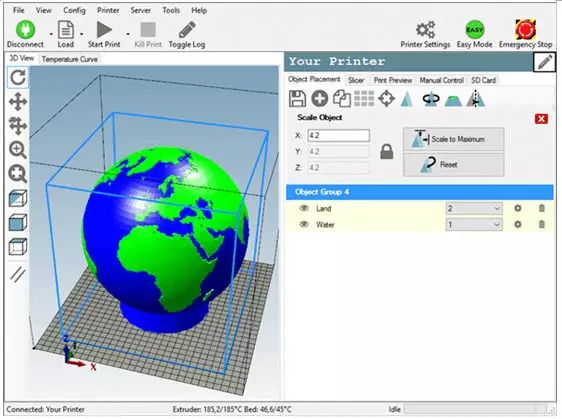
If the above software cannot meet users’ needs, then Repetier may be the next choice. Repetier’s functionality spans from intermediate to advanced user groups. As an integrated solution, it supports multiple extruders (up to 16) and is compatible with multiple slicing tools, making this software compatible with nearly all FDM 3D printers on the market.
12. FreeCAD
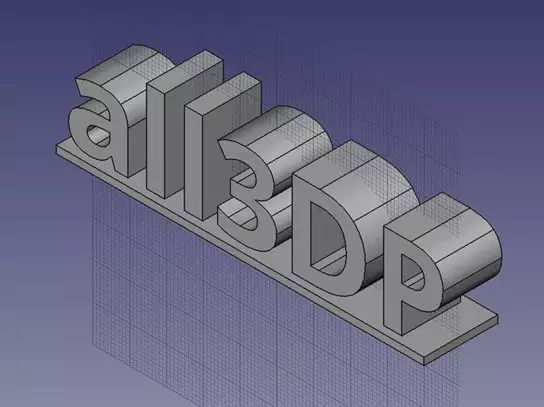
FreeCAD is a feature-rich CAD software and is the design tool of choice for intermediate users. Through this software, users can perform data-driven modeling of models, directly completing designs by modifying parameters.
13. SketchUp
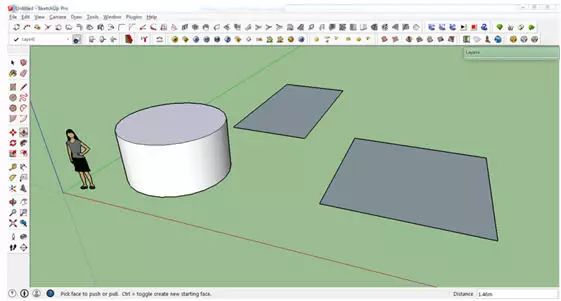
SketchUp has a user-friendly interface, making it relatively easy for users transitioning from beginner to intermediate levels. This software can be divided into different versions based on users’ professions, such as architecture, interior design, and more.
14. 3D-Tool Free Viewer
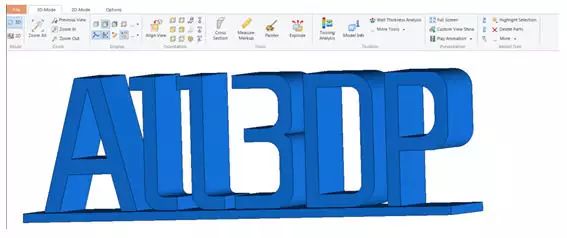
3D-Tool Free Viewer is a relatively complex STL viewing tool that allows users to check the structural integrity of STL files and provide printing suggestions.
15. Meshfix
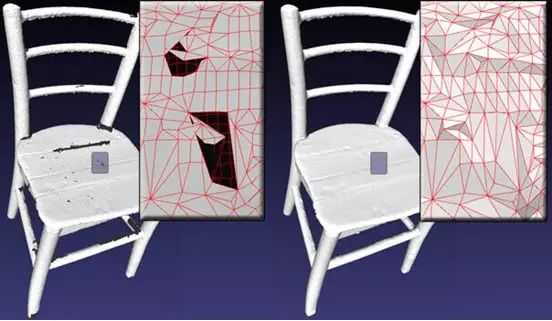
Meshfix is an open-source 3D repair tool primarily used to correct various defects in models, such as holes and intersections. The only downside of this software is that it can only run on Windows systems.
16. Simplify3D
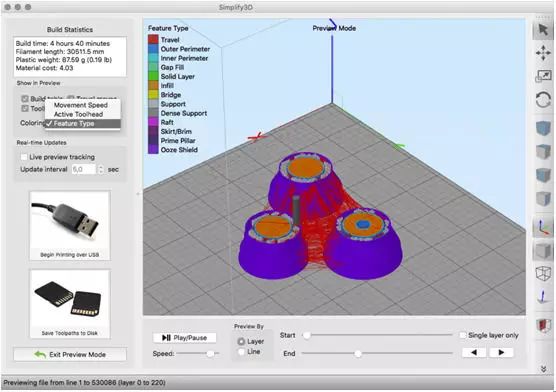
Simplify3D is referred to by users as the Swiss Army knife of 3D printing software tools. It not only repairs issues in models but also performs slicing and other operations. This software supports over 90% of desktop 3D printers on the market and is firmware-compatible with Marlin, Sprinter, Repetier, XYZprinting, FlashForge, Sailfish, and MakerBot.
17. Slic3r
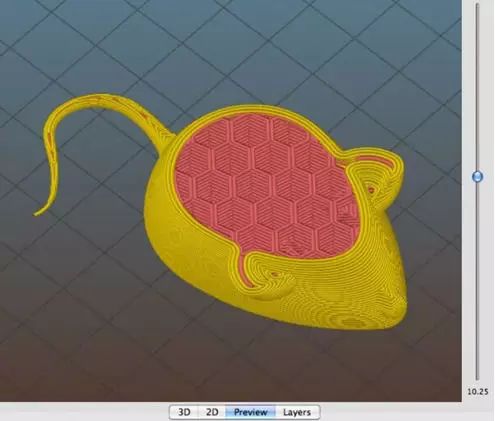
Slic3r is also an open-source 3D slicing software. Its biggest feature is the use of honeycomb filling in internal filling to achieve greater strength. Another feature is direct integration with Octoprint. When files are on the user’s desktop, they can be directly uploaded to the user’s “print” box for easier operation.
18. Blender
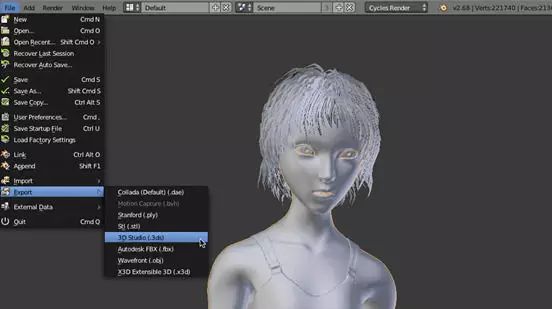
Blender is a popular modeling software mainly used by professional users. It is not the best choice for beginners. For professional users, this software can fully develop models that meet their requirements for 3D printing.
In short, Blender is recognized as the most powerful modeling tool. It operates on an open-source model, which allows many users to extend its functionality, making the software more aligned with user needs and building more powerful features.
19. MeshLab
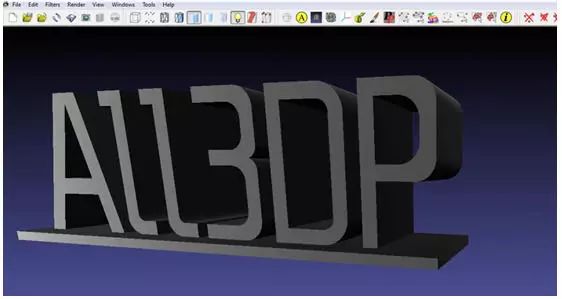
MeshLab is a relatively advanced STL editor that allows users to directly delete contents from 3D models or merge two models into one. If users need to modify 3D models or perform repair tasks using 3D printing software, MeshLab may be a good choice.
20. Meshmixer
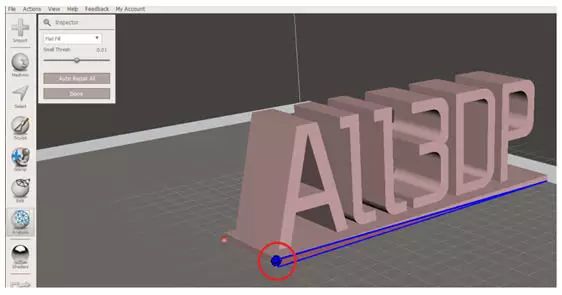
Meshmixer is an advanced 3D printing software that allows users to view, detect, repair, and program STL files. It is suitable for identifying potential STL issues and will automatically repair them. As part of the Autodesk 3D printing software series, it is expected to be similar in nature to TinkerCAD.
21. OctoPrint
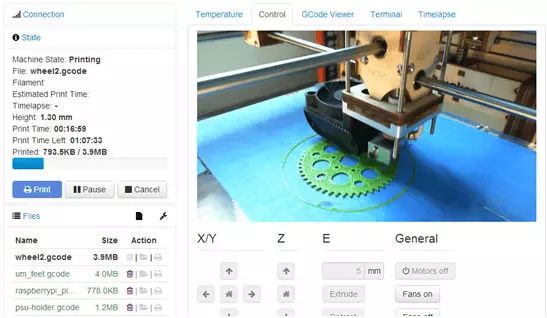
Octoprint is a 3D printer control software that allows users to issue commands such as start, pause, and stop to the 3D printer via mobile after connecting to WiFi. This software is very suitable for users to remotely monitor the 3D printer’s working status via the internet.
Additionally, Octoprint is compatible with nearly all 3D printer G-code and allows users to view G-code files before 3D printing.
22. C4D
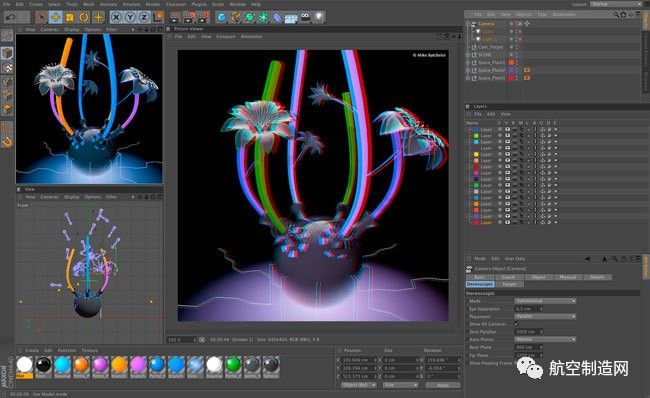
Literally meaning 4D movies, it is still a 3D presentation software developed by Maxon Computer in Germany, known for its high computation speed and powerful rendering plugins. It has performed outstandingly in various films created with it, and with its increasingly mature technology, it has attracted more and more attention from film companies. It has also excelled in the television packaging field, becoming a mainstream software in the country, and its future is sure to be even brighter.
23. ZW3D
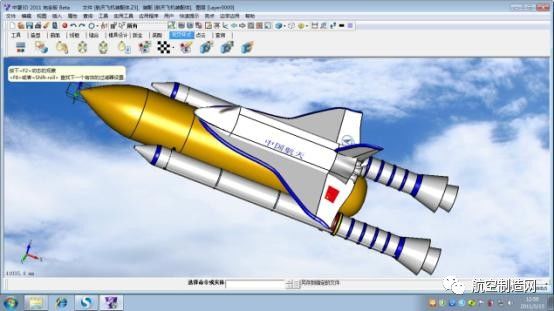
ZW3D is a high-cost-performance integrated software product for high-end 3D CAD/CAM owned by ZW Company, providing customers with integrated solutions from entry-level product design, mold design to CAM processing. It features a unique Overdrive hybrid modeling kernel, supports A-class surfaces, and supports 2-5 axis CAM processing. The latest version is ZW3D 2015 official version.
-End-
☞Source: Pacific Computer Network
☞Edited by: Qinghe
☞Business Cooperation: 010-88379864
Hot News
Cars Turn into Large Mobile Phones! Decoding Qualcomm’s First Automotive Cellular Chip
Feel the Amazing Birth of an Audi Q5 Through 30 GIFs
Will the Joint Venture Between Toyota and Mazda Usher in a New Spring for Japanese New Energy?
Metal Processing APP
(☞ClickDownload)
This is the 5985th article published by Metal Processing (mw1950pub). The editor works hard every day, collecting and organizing various content to better serve our readers. If you agree, please share it with your friends. Many readers have not yet developed the habit of liking after reading, so we hope everyone will take a moment to click the thumbs up after reading to show encouragement! to show support!
Learning is a belief, and shouting for Chinese manufacturing is an attitude! (Metal Processing WeChat Official Account: mw1950pub)