As a PLC programmer, what is the first thing we should do when we receive a project? Many might say to review the process programming, but it is far from that simple. There are many tasks to complete before you start programming.
Many PLC programmers often take over projects from others, and they find it quite daunting. The reason is that many PLC programmers do not adequately plan the project program during the initial preparation phase, leading to increasingly chaotic programming later on, to the point where they don’t even want to look at it again. If you are such a PLC programmer, please take a good look at this article.
This article uses a small project I have worked on as an example.
Prelude Step 1: Organize Components
Upon receiving the project, you will receive a pile of materials and drawings, including various sensors, actuators, P&ID diagrams, primary and secondary electrical diagrams, and process flow diagrams. After browsing through them, it’s time to start working.
The first thing to do is to organize all the sensors and actuators used in the project. Name these components according to the electrical diagrams, following the naming conventions depicted in the electrical schematics, and clarify their functions and usage notes. It is best to include their installation locations on-site, as indicated in the P&ID diagrams.
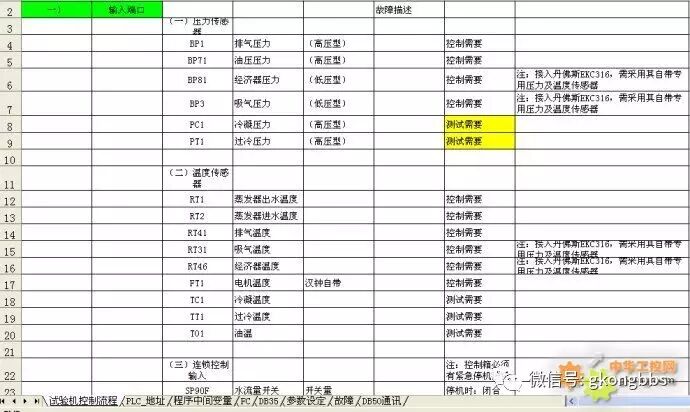
Prelude Step 2: Create I/O Tables
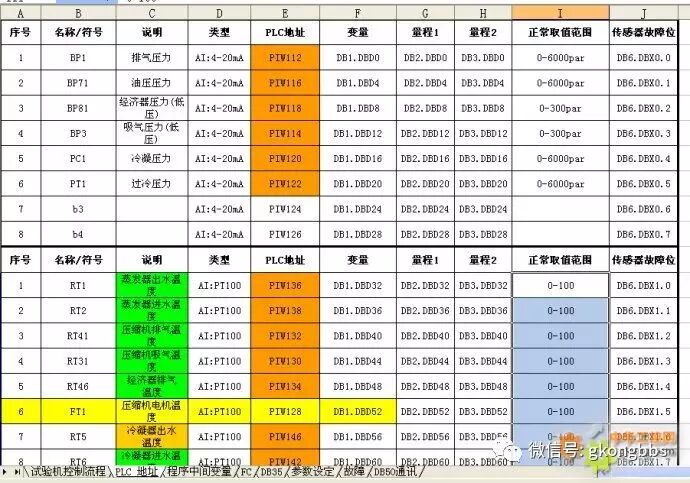
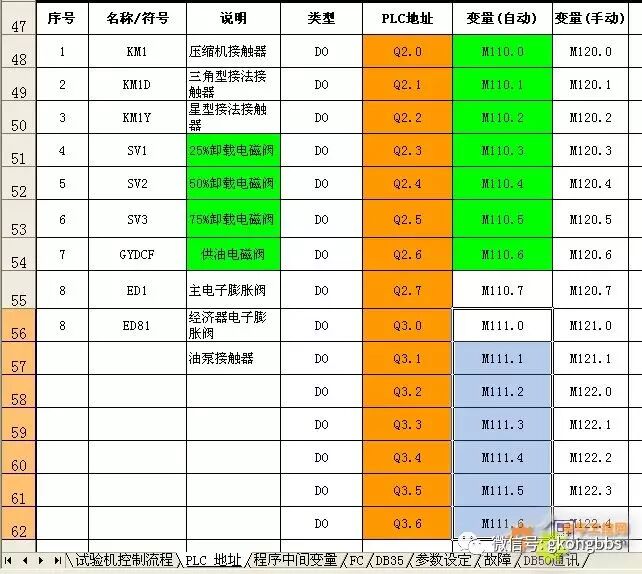
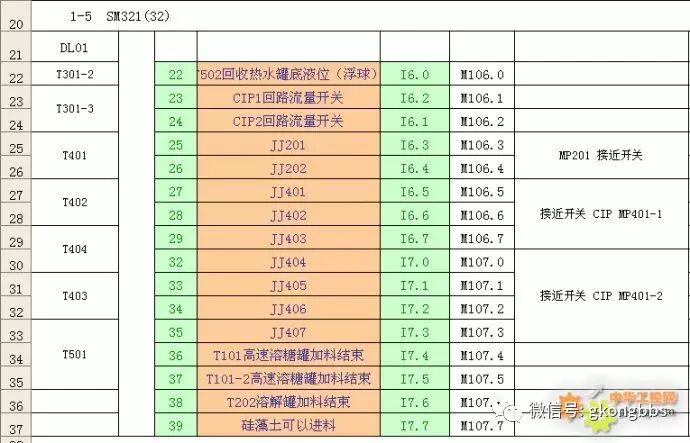
Take out the electrical diagrams and start creating the I/O table. This task is probably very familiar to many, and there are likely many who do not create I/O tables and instead refer directly to the diagrams while programming. I do not agree with this approach because creating the I/O table simultaneously organizes the point assignments for the I/O. Don’t believe it? Just take a look!
For analog signals:
For digital signals:
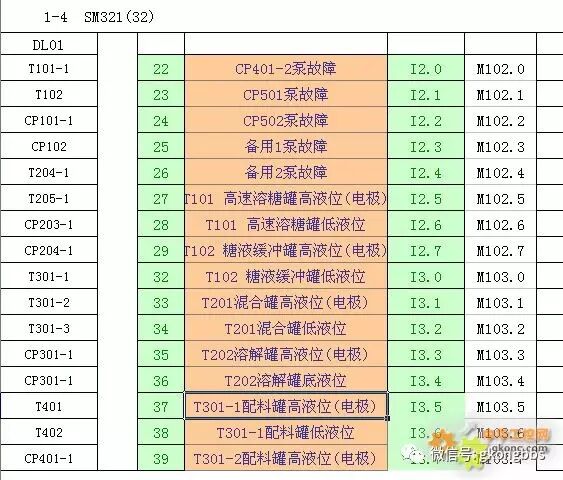
You can also create it based on the module distribution; in any case, it should be visually appealing and easy to understand.
Step 3: Allocate Program Segments and Register Variables
Once all components are organized and understood, the next step is to review the process and plan the functional areas of our program based on the provided process, defining the functional distribution.
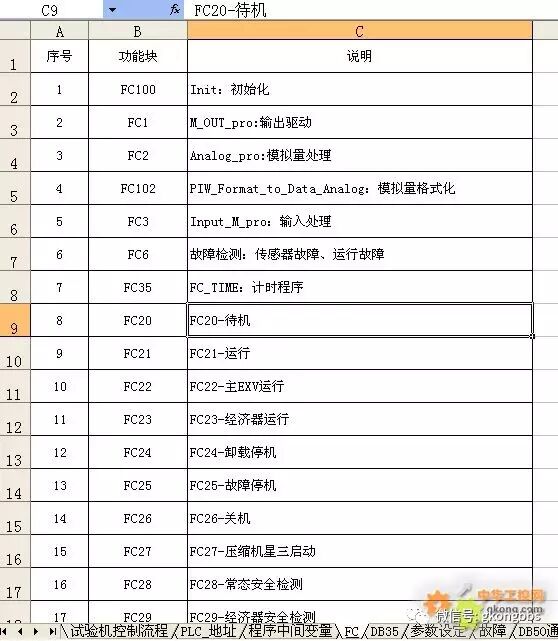
At this point, the main functions based on the process should be allocated, and we should now focus on each program segment.
For smaller projects, it is best to draw a flowchart.
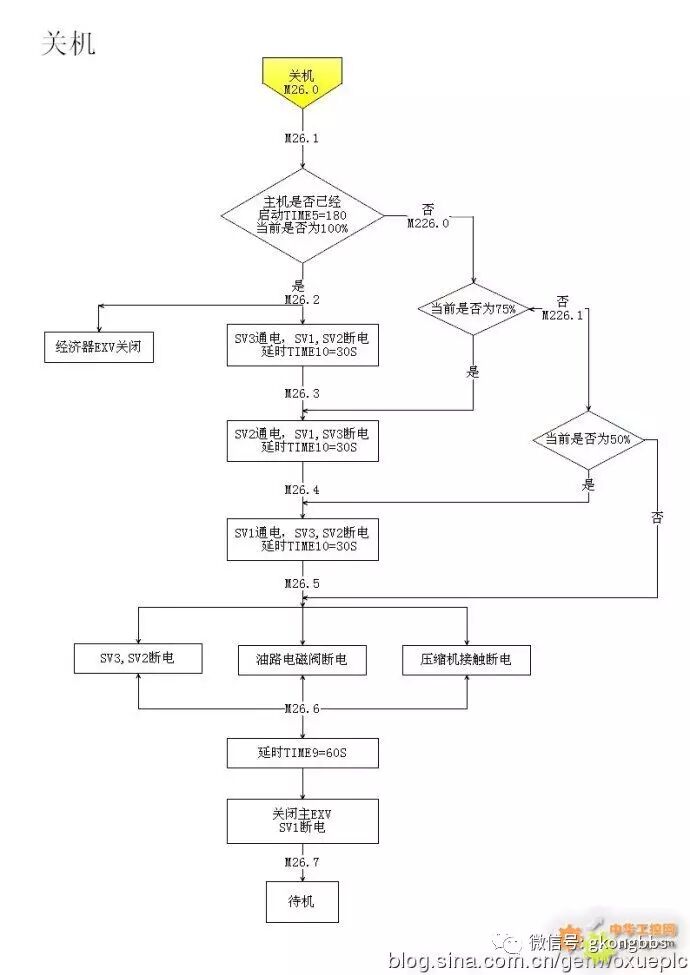
For larger projects, drawing a flowchart is impractical and labor-intensive. At this point, you should directly allocate register bits.
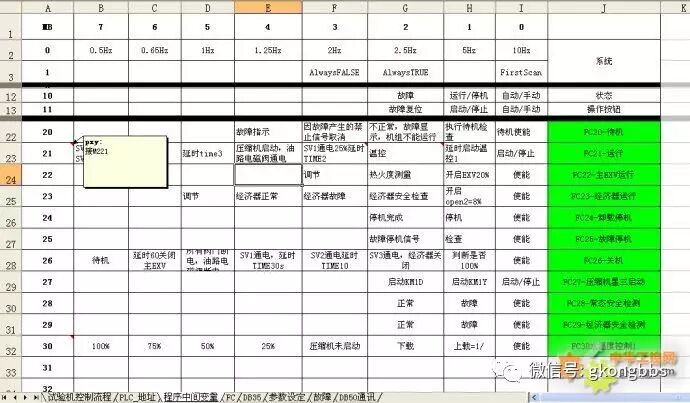
In this example, I used M for smaller points; for larger projects, just define DB blocks.
Prelude Step 4: Allocate Parameter Addresses and Alarm Faults
Every project will have many parameter settings and alarm faults, which are essential.
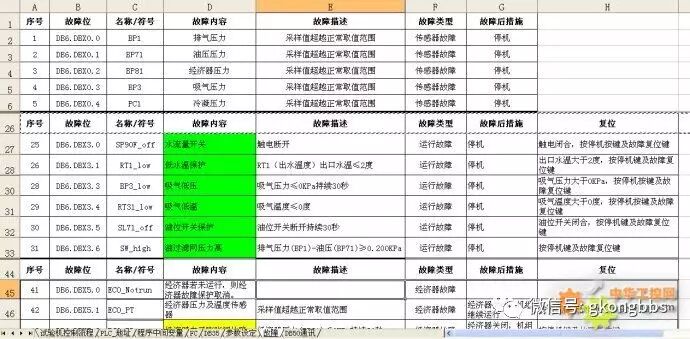
Prelude Step 5: Consider the Overall Picture
At this point, you should have a clear understanding of the entire program flow. From a holistic perspective, you need to define and allocate variables, determine if there is communication, and whether many timers need to be defined. In short, prepare everything you can think of in advance.
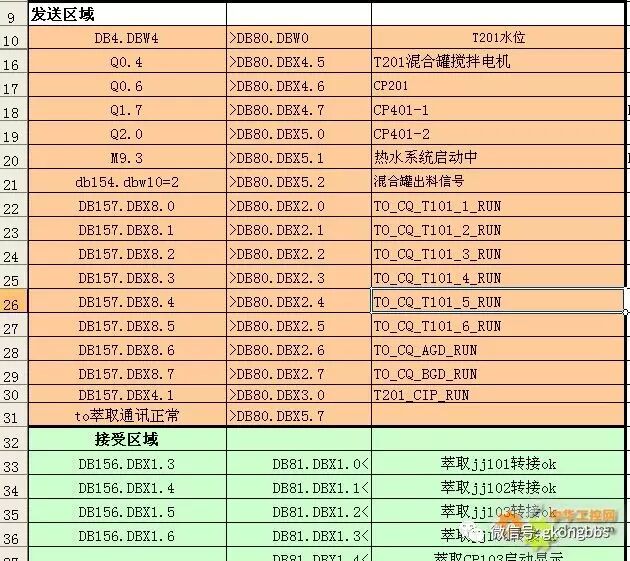
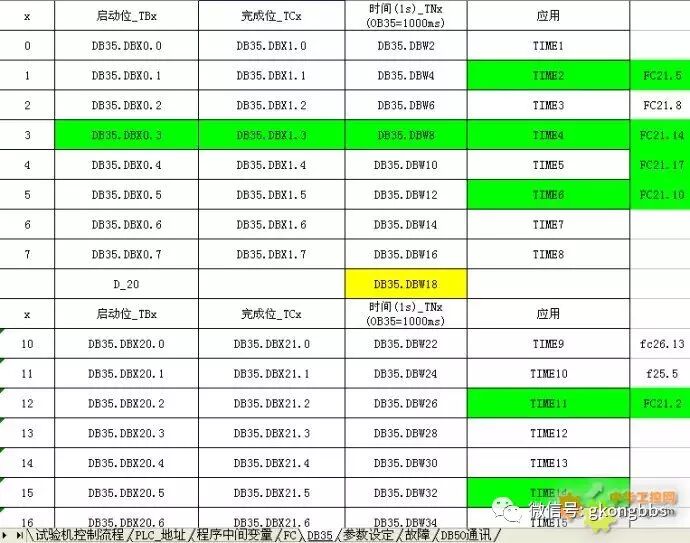
As the saying goes, “sharpening the axe does not delay the work of cutting wood.” With all the preparations above, when you start writing the program, you should feel a sense of “having read thousands of books, writing comes naturally.” You will not be interrupted by address allocation while writing the program, reducing errors. At the same time, when defining variables in the programming software and creating HMI screens, you can simply do CTRL+C and the next action is CTRL+V, enjoying the feeling of writing the program in one go. If you add appropriate comments while writing the program, others will not keep calling you with questions about parts of the program they do not understand. A neat and beautiful program structure is thus completed. If handled properly internally, this is a successful case. My abilities are limited, so feel free to throw bricks at me.
—————–End—————-
@Industrial Control Person – On the Road
Submission email: [email protected]. Accepted submissions will receive a fee!
Long press the QR code to follow the forum.