The method to download materials is at the end of the article.
Proteus Video Tutorial Learning Materials
Proteus is an electronic design automation (EDA) software developed by Labcenter Electronics in the UK, widely used in electronic circuit design, simulation, and PCB design, especially favored in education and small project development. It includes two core modules: ISIS and ARES. The ISIS module supports simulation of analog, digital, and mixed-signal circuits, with a rich library of components (covering resistors, chips, sensors, etc.) and virtual instruments (such as oscilloscopes and logic analyzers). It also allows for co-simulation of microcontrollers and peripheral circuits, enabling direct program writing to verify system operation. The ARES module can import schematics for PCB layout and routing, supporting single-sided, double-sided, and multi-layer board designs, with automatic/manual routing capabilities and 3D preview features. Its characteristics include integrated design, combining simulation and PCB design, easy-to-learn operation, cost reduction through virtual simulation, and strong compatibility with other EDA software. Typical application scenarios include electronic course teaching in education, small project development for makers and electronics enthusiasts, and rapid prototyping for engineers. Compared to similar software like Altium Designer and Multisim, Proteus has advantages in microcontroller system simulation and ease of use, but its high-end PCB design capabilities are weaker, making it less suitable for complex multi-layer board designs.
Proteus Beginner to Master 01
Proteus Beginner to Master 02
Proteus Beginner to Master 03
Proteus Beginner to Master 04
Proteus Beginner to Master 05
Proteus Beginner to Master 06
Proteus Beginner to Master 07
Proteus Beginner to Master 08
Proteus Beginner to Master 09
Proteus Beginner to Master 10
Proteus Beginner to Master 11
Proteus Beginner to Master 12
Proteus Beginner to Master 13
Proteus Beginner to Master 14
Proteus Beginner to Master 15
Proteus Beginner to Master 16
Proteus Beginner to Master 17
Proteus Beginner to Master 18
Proteus Beginner to Master 19
Proteus Beginner to Master 20
Proteus Beginner to Master 21
Proteus Beginner to Master 22
Proteus Beginner to Master 23
Proteus Beginner to Master 24
Proteus Beginner to Master 25
Proteus Beginner to Master 26
Proteus Beginner to Master 27
Proteus Beginner to Master 28
Proteus Beginner to Master 29
How to Download Materials
Follow the Electronics Chip public account and send the corresponding number in the public account, not in the article comments, if you don’t know how, click on the article → Material acquisition method 
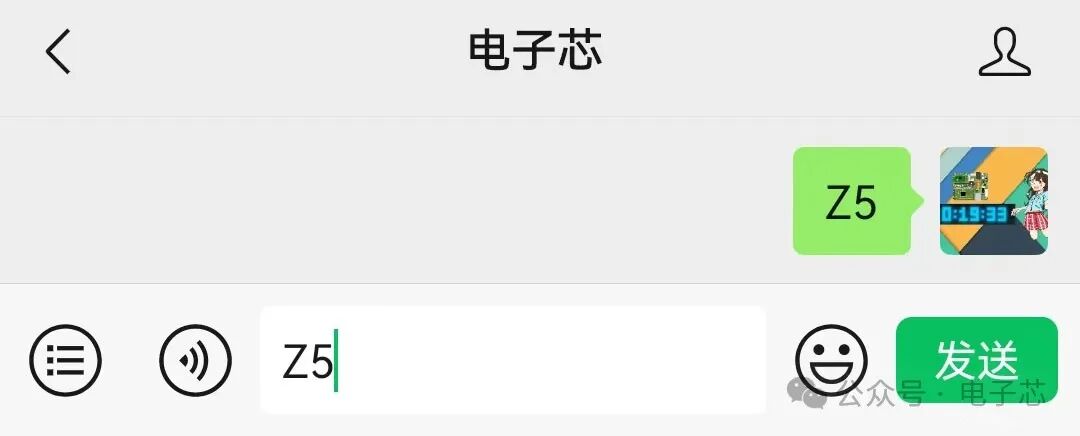 If the link is broken, you can call me in the comments section. More materials can be found in the directory of materials below the arrow, which you can subscribe to for easy access.This article corresponds to the code Z58.