Source: WeChat Official Account 【Osprey Talks Microcontrollers】
Author: Osprey
ID: emOsprey
Osprey previously introduced how to generate bin files using Keil in the notes titled “Generating bin and axf Files” and also discussed how to use third-party tools to generate bin files in “Powerful HEX Open Source Conversion Tools You Should Have.” So why write this note?While third-party tools are powerful, the built-in tools in KEIL do not require additional software installation, making them more convenient. However, the methods circulating online for generating bin files with Keil have a common drawback: if the ROM is divided into multiple parts, it will generate a folder containing multiple bin files for each ROM.For example, if your configuration is as follows:
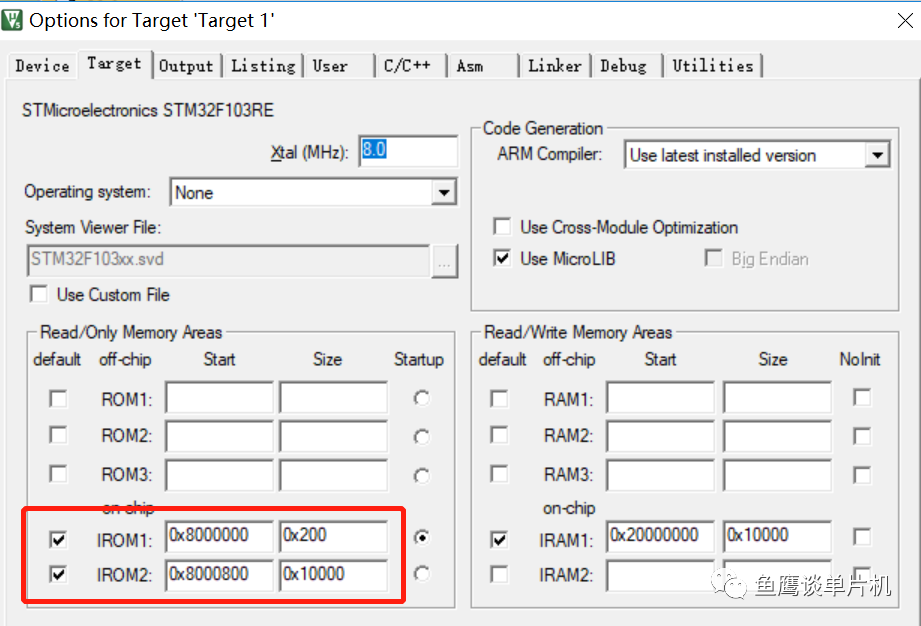
If you use the command below, it will generate a folder instead of a single out.bin file. (!L represents the axf file in the current project directory and will be automatically updated based on the target settings.)
fromelf.exe --bin -o ./out.bin !L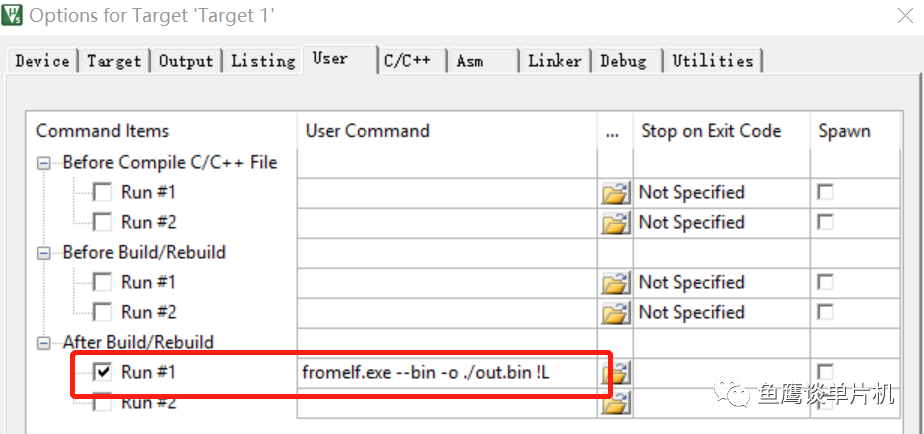
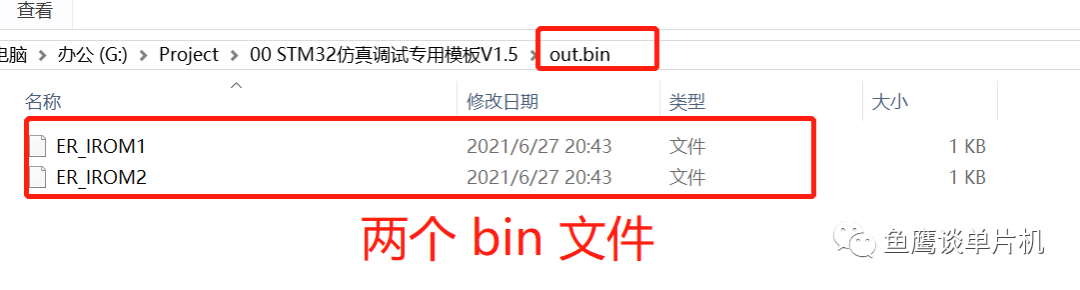
The generated files are two separate ones; the original out.bin should have been a single file, but since there are two ROMs, two bin files were generated for the two ROMs’ programming. However, in reality, we only have one ROM (flash); we just artificially divided it into two (for example, BootLoader and APP parts). What should we do if we want to program them at once?
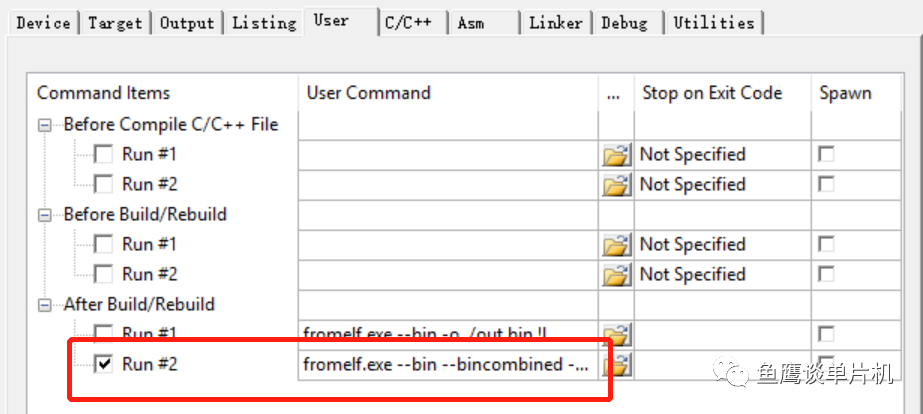
In such cases, some developers might use third-party tools to merge the two bin files. However, what Osprey wants to share with you today is not that; otherwise, how could it be called the correct method? This method is something Osprey stumbled upon a few days ago and found it very useful, so I’m sharing it with everyone so that you can also master this method. Without further ado, here’s the command:
fromelf.exe --bin --bincombined --bincombined_padding=1,0xff --output outfile.bin !LYes, you read that right; we are still using the fromelf.exe program, but this time we added extra parameters. Therefore, you can use it to directly generate a outfile.bin file (the filename can be anything) from the axf file. Since there may be gaps in between, the parameter is set to fill the gaps with data, which in this case is 0xff.
The default generation path is in the folder where the project files are located:
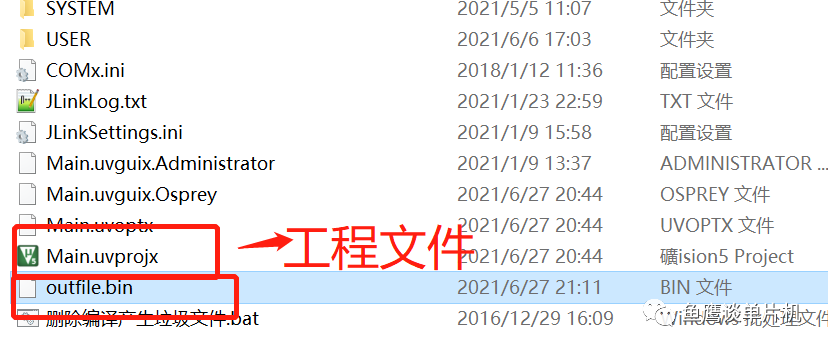
And this command can be applied to a single ROM situation, so it is recommended that everyone use this command to generate bin files.
Have you learned it?
Recommended Reading: Detailed Explanation of Embedded System Priorities, Summary of KEIL Debugging Experience, How to Calculate CPU Usage of Threads? After a long time, you will thank yourself for writing exception handling code, Ultimate Serial Port Receiving Method, Evolution of Delay Functions (Collection), How to Write a Robust and Efficient Serial Port Receiving Program? After years of debugging microcontrollers, how should breakpoints be set? | Disrupting Cognition
-THE END-
If this was helpful to you, remember to share it!
WeChat Official Account “Osprey Talks Microcontrollers“
Weekly updates on microcontroller knowledge

Long press to go to the WeChat account in the image to follow
Osprey, a bestselling author hindered by embedded systems
Personal WeChat “EmbeddedOsprey“

Long press to open the other person’s business card to follow