(Pre-view Tip: The code in this article runs using PyCharm)
(Content is concise, reading time is only a few minutes)
The core of cross-directory module import in Python is to ensure that the Python interpreter can find the module you want to import.
The Python interpreter searches for modules in the order of directories listed in sys.path.
This sys.path is the key to solving the cross-directory import problem.
Assuming we place the hello.py module in the root directory of the D drive, there are several ways to reference it:
0
1
01 Modify sys.path
Since Python searches for modules in the order of the sys.path list, the most direct way is to add the address of our module to sys.path.
import sys
sys.path.append('D:/')  # Add the absolute path of the target directory
from hello import hello  # Import the module from the target directory
hello('mike')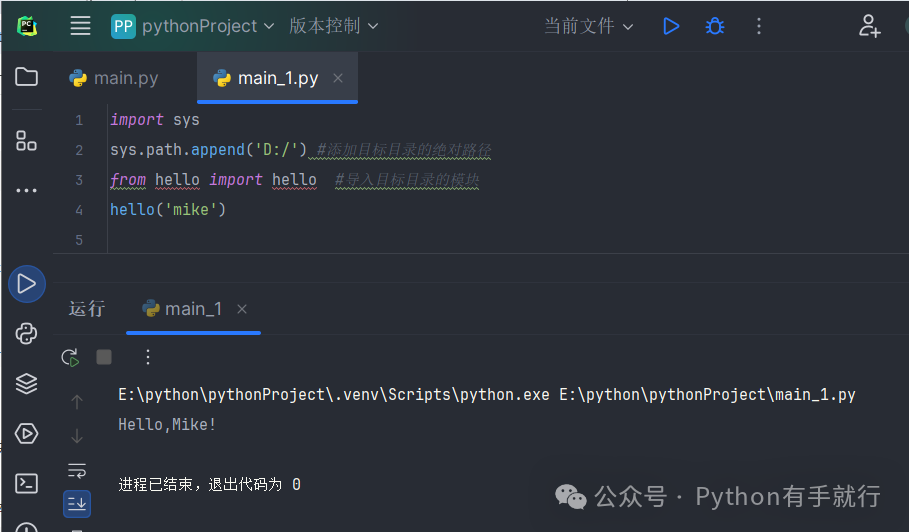
0
2
02 Set PYTHONPATH Environment Variable
By setting the PYTHONPATH environment variable, you can add additional module search paths, and Python will automatically include these paths in sys.path.
However, this method will affect all Python projects on the computer, which may cause unexpected conflicts and other issues.
Generally, this is only used when you need to use a library long-term and stably, and do not want to modify the code.
On Windows, you need to set it in Command Prompt or PowerShell:
set PYTHONPATH=D:\After setting, you can directly import the module in Python, just like in the same directory.
0
3
03 Use importlib for Dynamic Import
importlib is a Python library that allows for more flexible imports.
# These three lines import the necessary three modules
import importlib.util
import sys
from pathlib import Path

# Specify the absolute path of the module to import
module_path = Path("D:/hello.py")  # Create module specification
spec = importlib.util.spec_from_file_location("hello_module", str(module_path))

# Create module object based on specification
hello_module = importlib.util.module_from_spec(spec)

# Add the module to the cache of sys.modules
sys.modules["hello_module"] = hello_module

# Execute module code
spec.loader.exec_module(hello_module)

# Use the module
hello_module.hello("mike")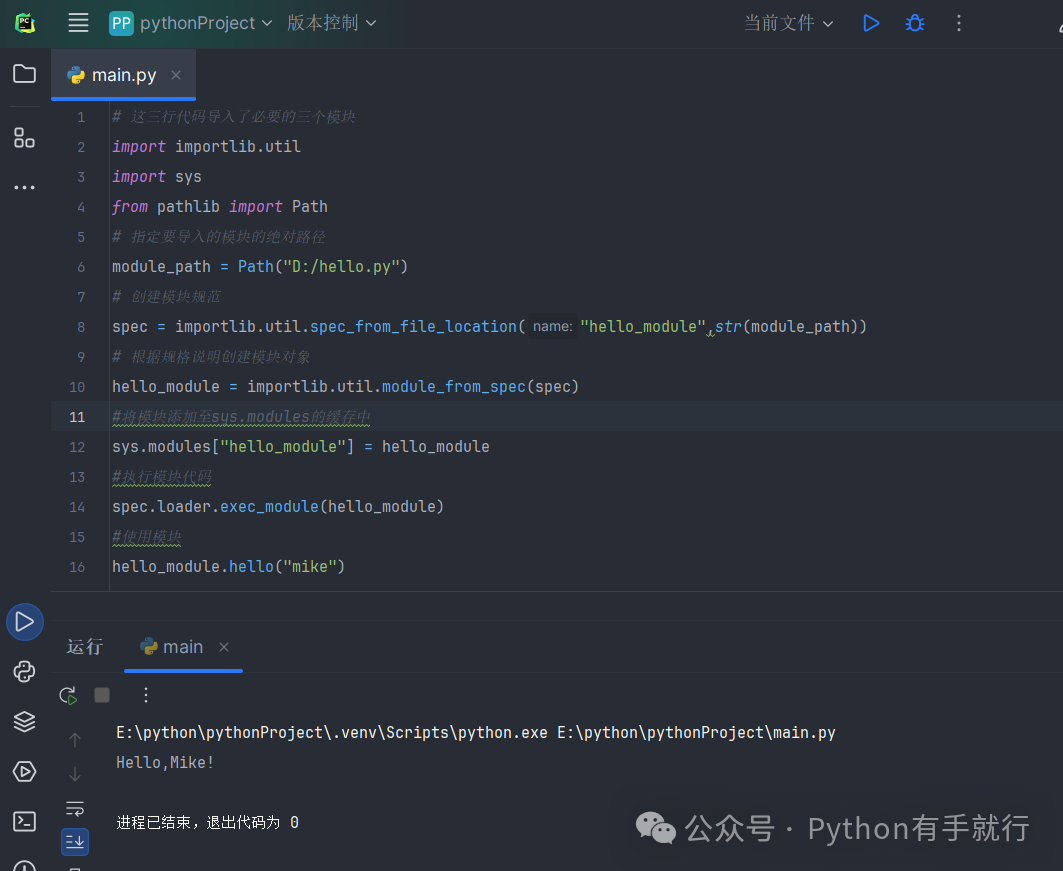
importlib allows you to decide which module to import at runtime based on the program state, especially in cases where the path is only known at runtime.
In simple terms, you can use an if statement to change the address of module_path to achieve the effect of deciding which module to import based on the program state.
Of course, this is just the simplest and most understandable example; importlib has more in-depth applications, which we will explain further in the future, and you can also learn on your own.
0
4
04 Use Package Structure
This is the most standardized and recommended method for large projects, by creating a directory that contains an __init__.py file to build a package structure.
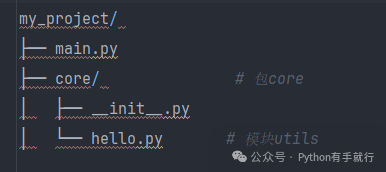
The __init__.py file can be empty; it just needs to exist.
However, this method does not allow you to place modules randomly on your computer, but must follow the structure below:
Thus, in main.py, we can use absolute references:
from core.hello import hello
hello("mike")
Conclusion

That’s all for today; congratulations on learning another knowledge point.
Please click the ‘Like’ button below to let me know we are learning together!
Author | Hanko
Images | Internet (Infringement will be deleted)
Public Account | Python is Easy
Zhihu | Python is Easy
I appreciate every like and view!