Software Download
1. Software Name:Proteus
2. Software Version: 8.153. Software Size: 633 MB4. Installation Requirements: Windows 7/Windows 10/Windows 11 (64-bit operating system)
5.Quark Cloud Disk Download Link:
https://pan.quark.cn/s/ccf474adfa65
Access Quark on mobile to get 1TB of free space
Save first before downloading to avoid losing resources, do not extract online directly!
Software IntroductionProteus is a powerful EDA software focused on simulating microcontrollers and their peripheral components. This software integrates schematic drawing, circuit simulation, PCB design layout and routing, microcontroller simulation, and is compatible with various processors and compilers, equipped with a diverse component library and simulation instruments, widely used in electronic design, education, and research fields.Installation Steps
Important Note
The computer must have decompression software installed (e.g., RAR/7-Zip, etc.)
Please ensure that antivirus software is turned off before installation, including real-time protection and firewall functions
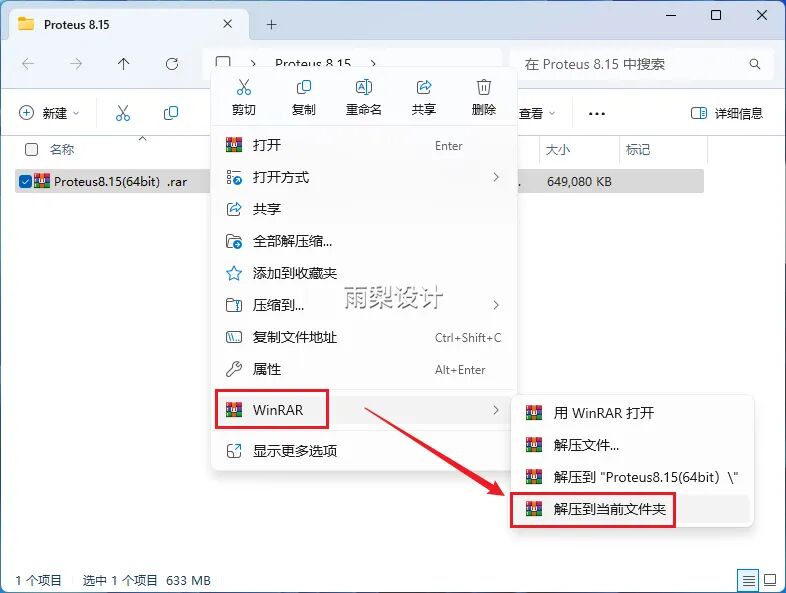
Right-click the downloaded compressed file, then select [Extract to Current Directory].
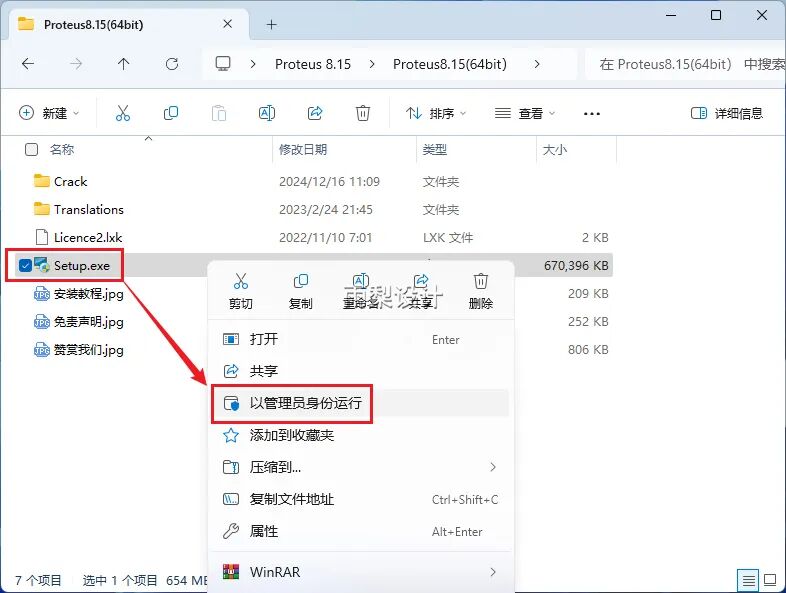
2.Right-click [Setup] and select [Run as Administrator]
3. Click [Next]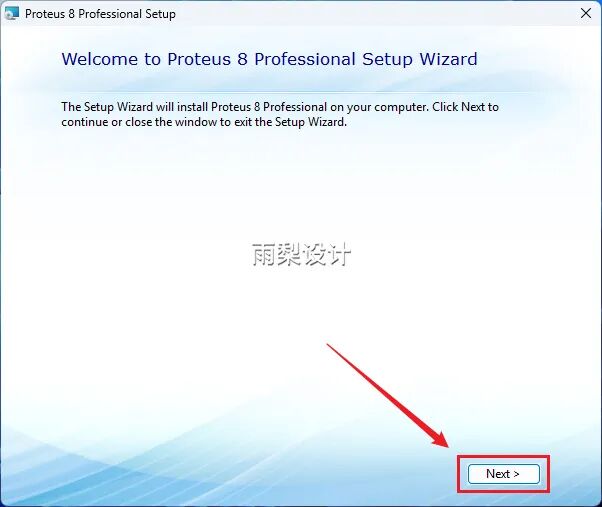
4. Check [I accept…];Click [Next]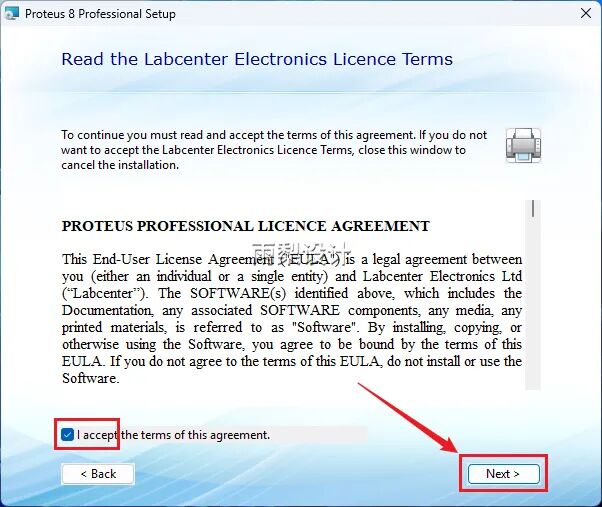
5.Click [Next]
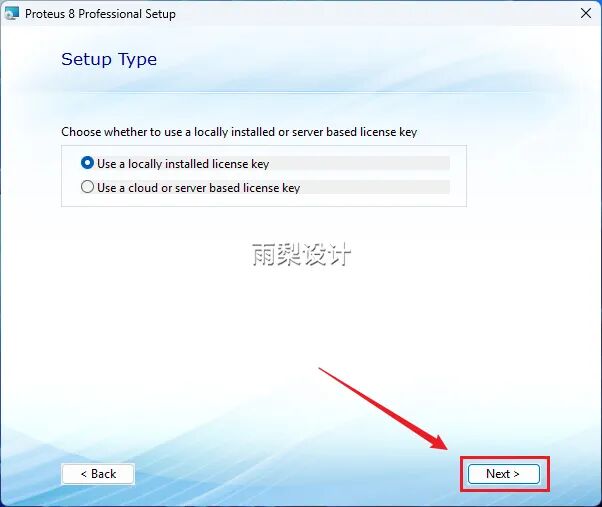
6.Click [Next]
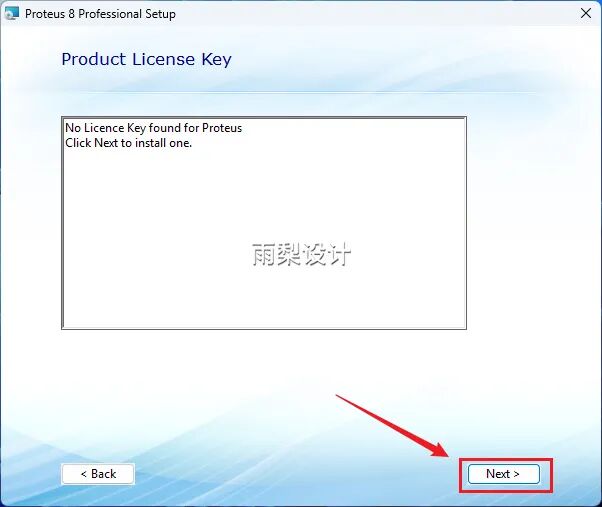
7.Click [Browse For Key File]
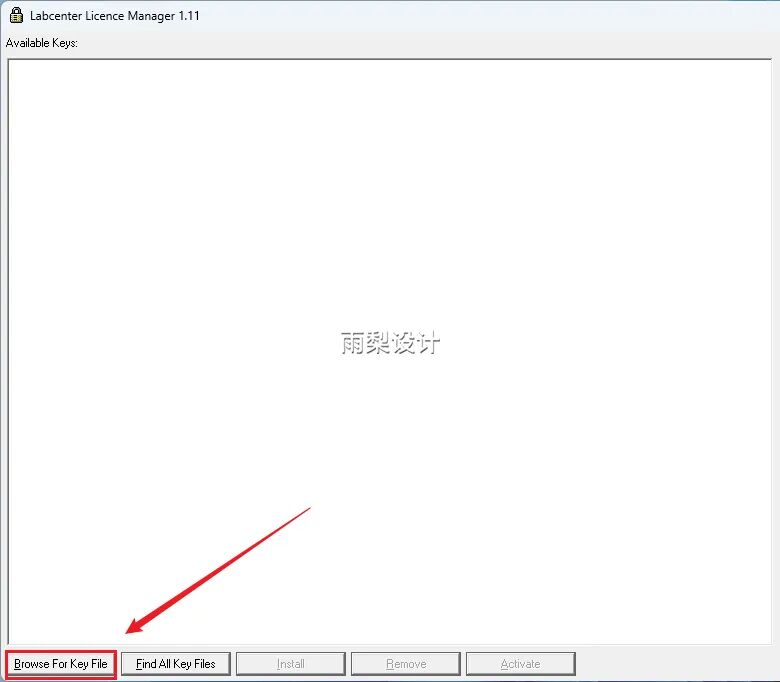
8. Extract the archive to the [Licence2.xlk] fileClick [Open]
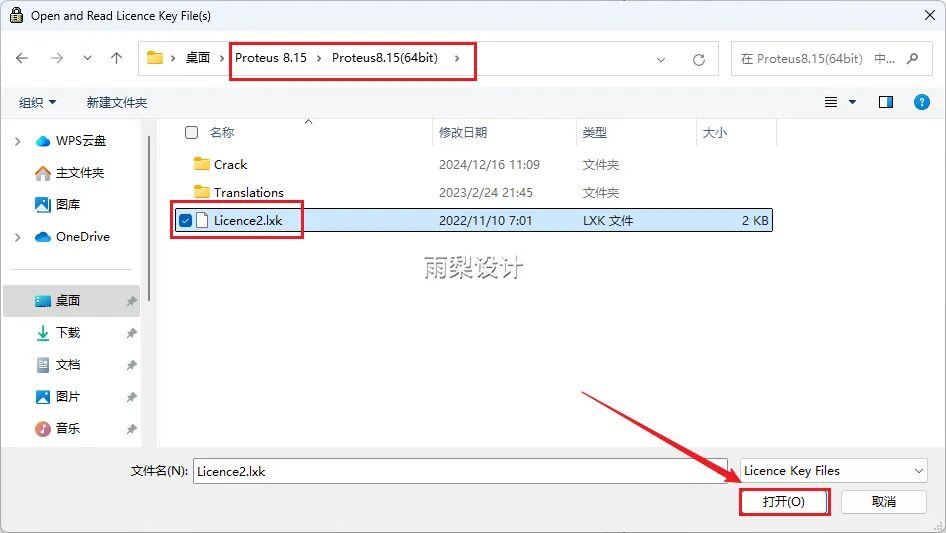
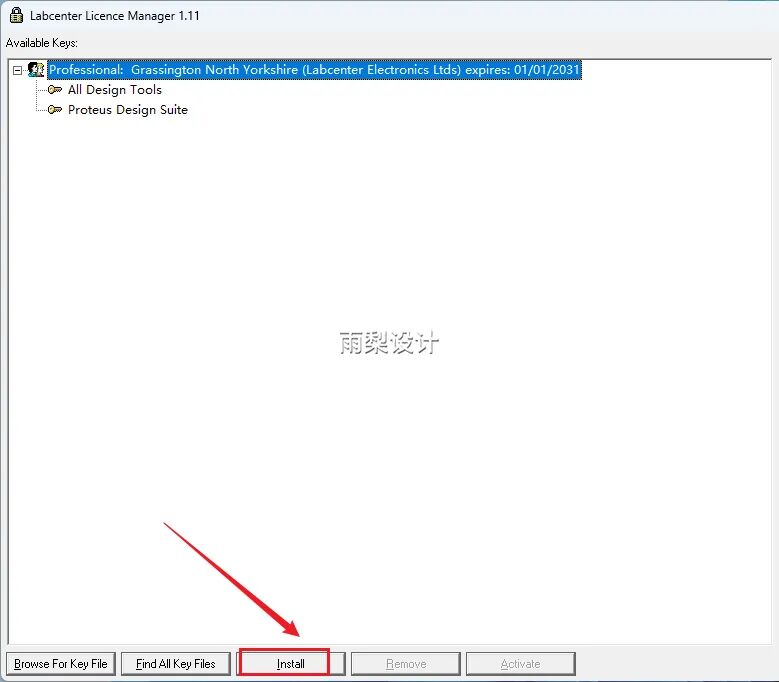
9. Click [Install]
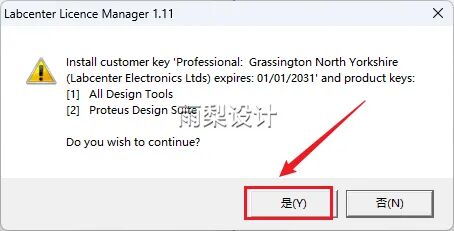
10.Click [Yes]
11. Click [Close]
12.Click [Next]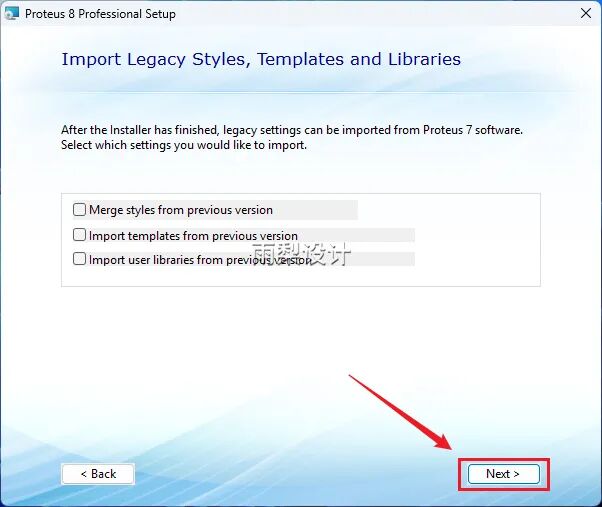
13.Click [Custom]
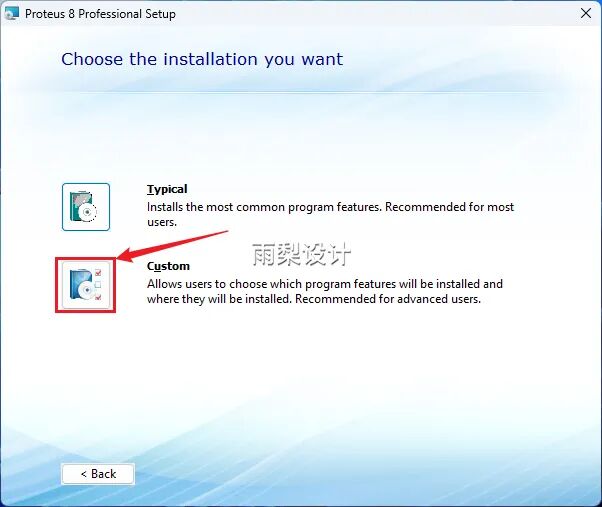
14.Change the letter C in the installation path to D; Click [Next]
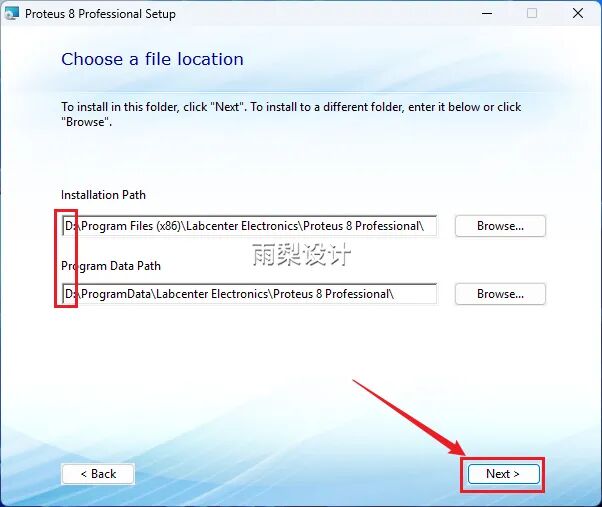
15.Click [Next]
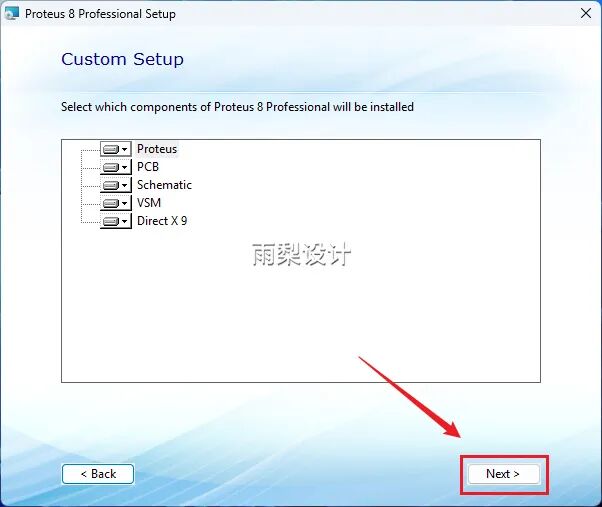
16.Click [Next]
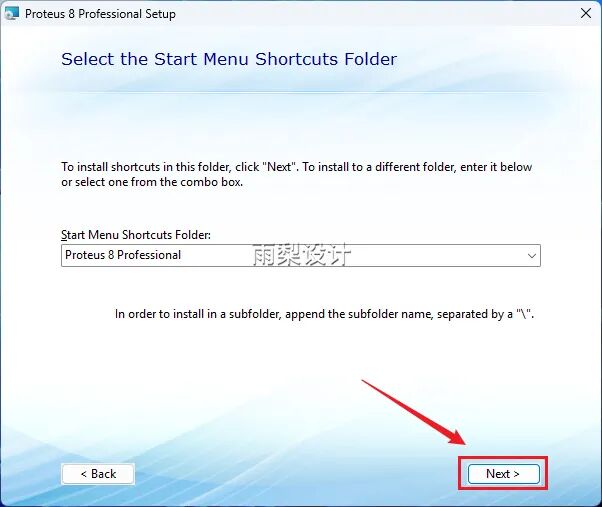
17. Click [Install]
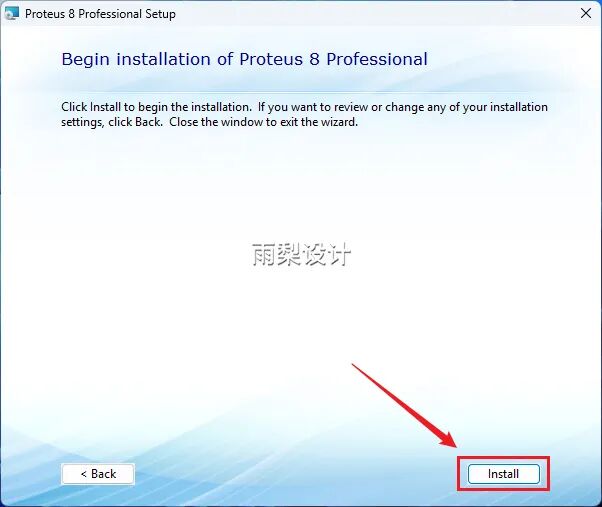
18.Installing automatically…
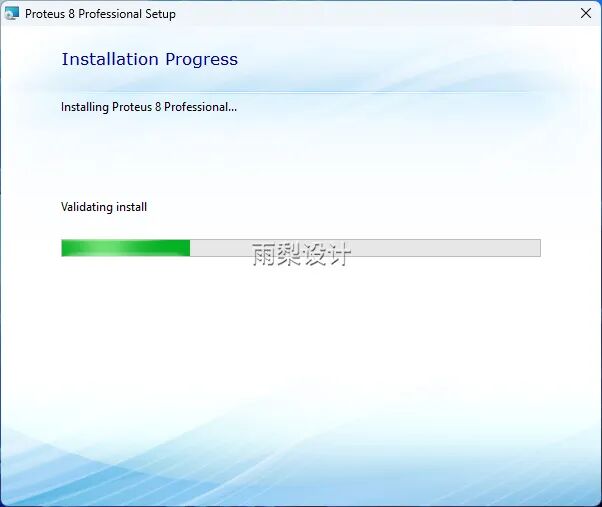
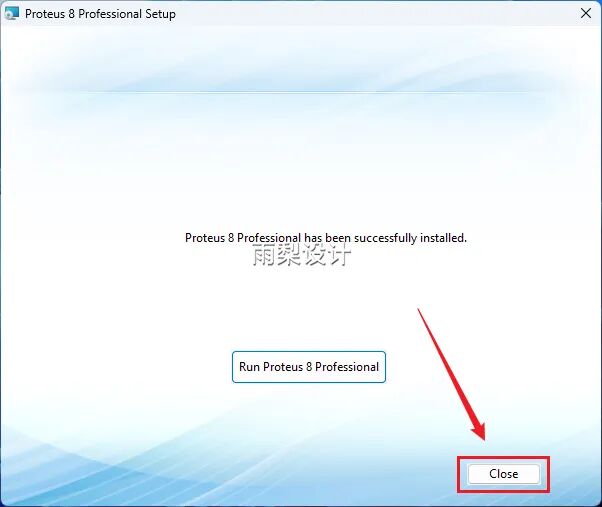
19.Click [Close]
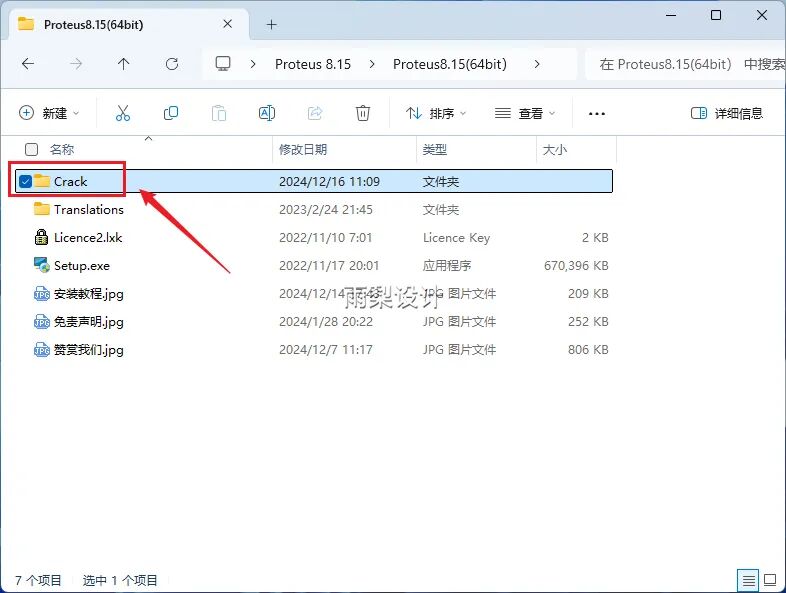
20.Return to the folder extracted in step one;Double-click to open the [Crack] folder
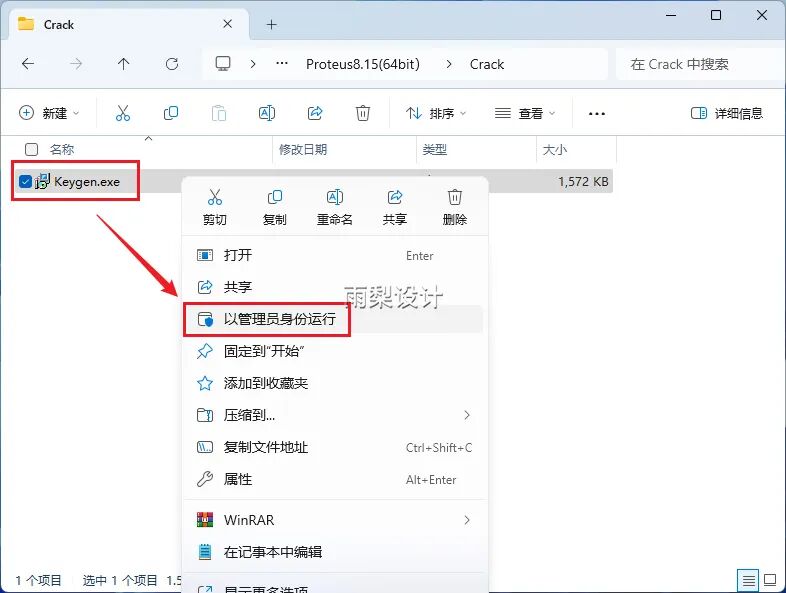
21.Right-click [Keygen] and select [Run as Administrator]
22. Click [OK]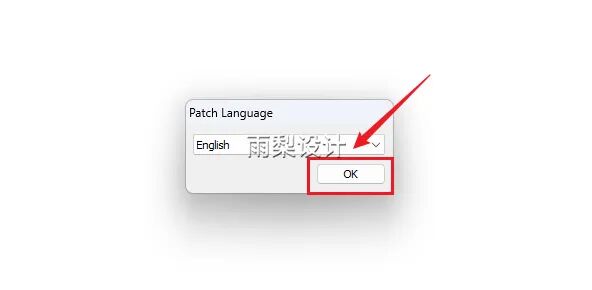
23. Click [Start]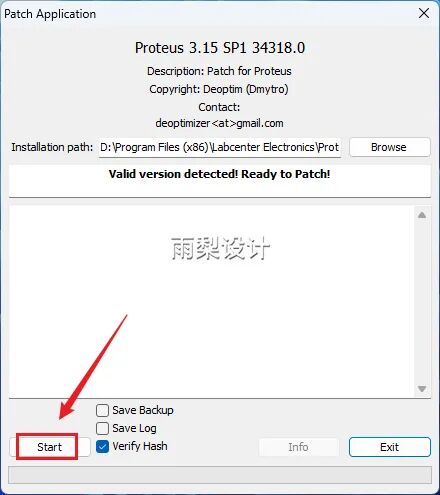
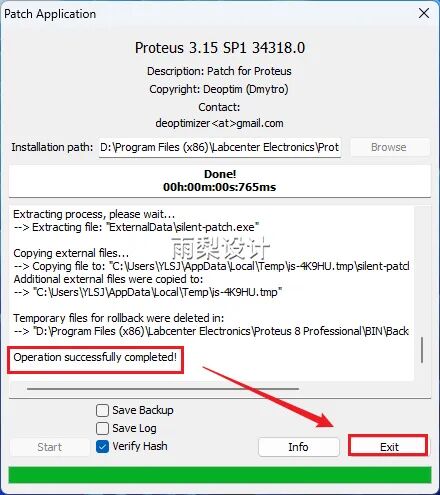
24.[successful completed] Exit
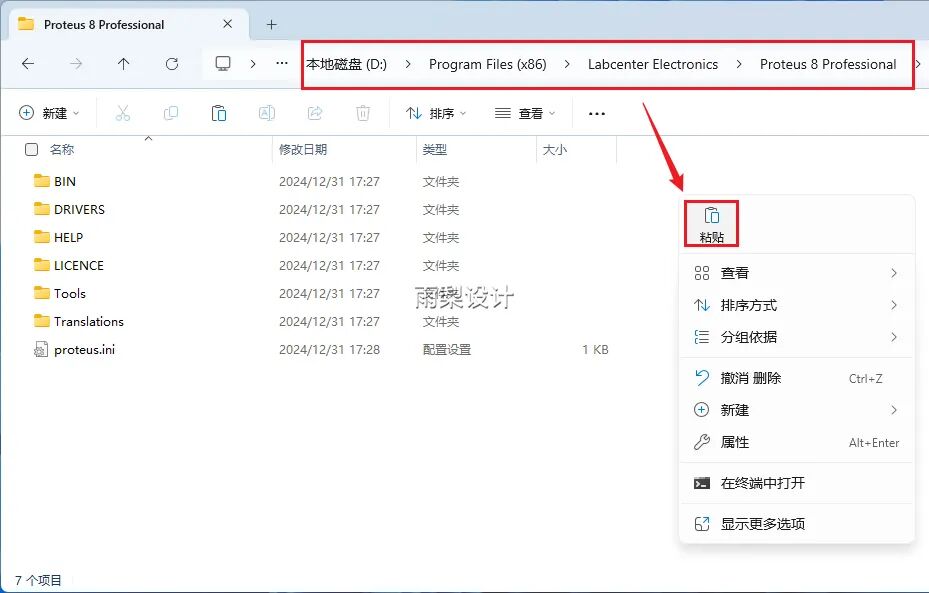
25. Return to the installation package;Right-click the [Translations] folder and perform [Copy]
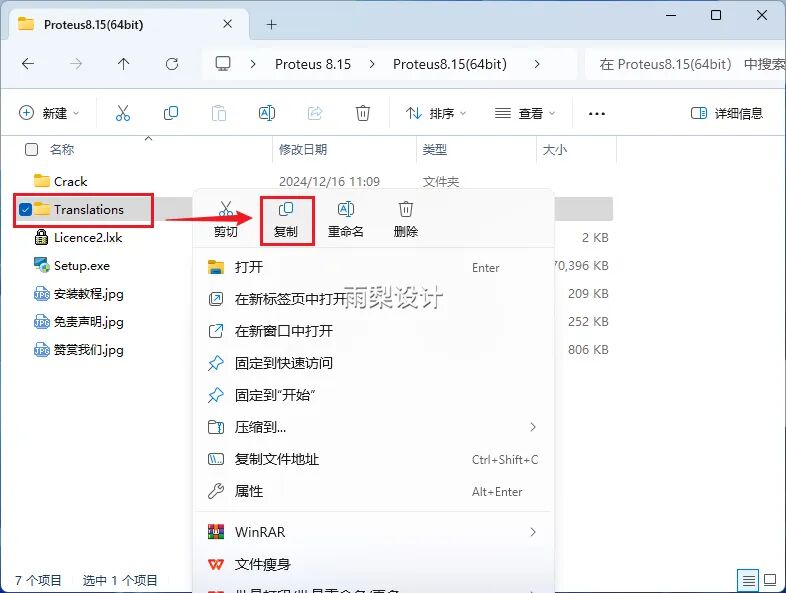
26. Access the program storage directory, right-click to perform [Paste] (refer to section 14).
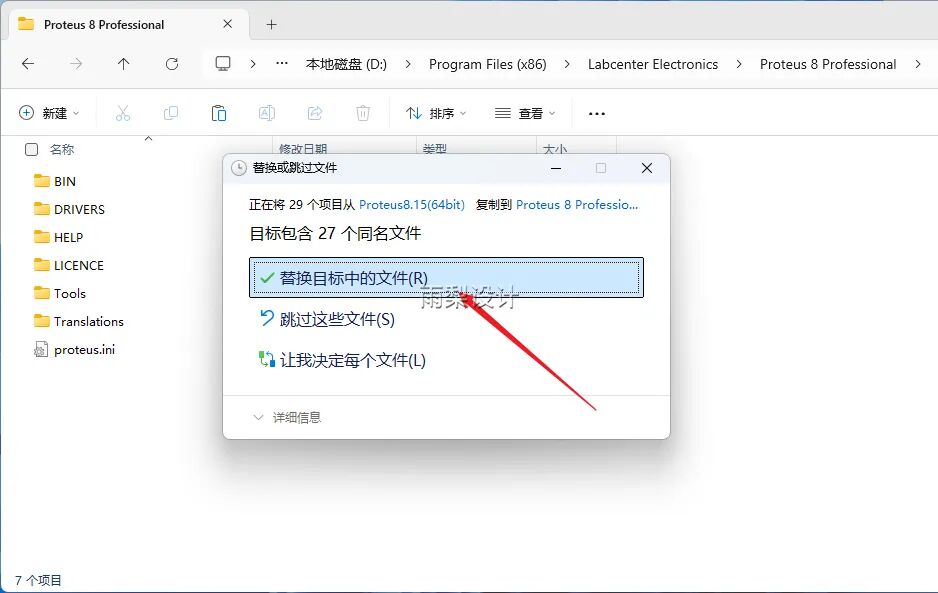
27.Click [Replace files in the target]
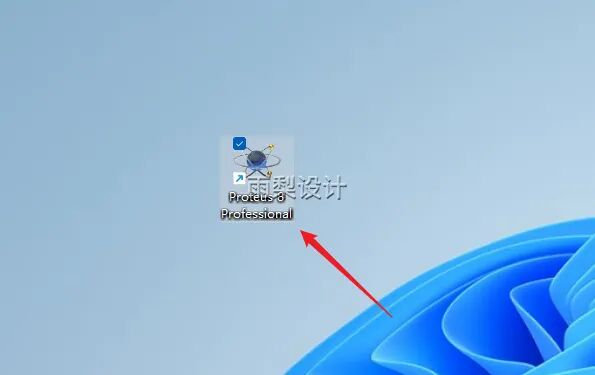
28.Find the software icon on the desktop and double-click to start the program
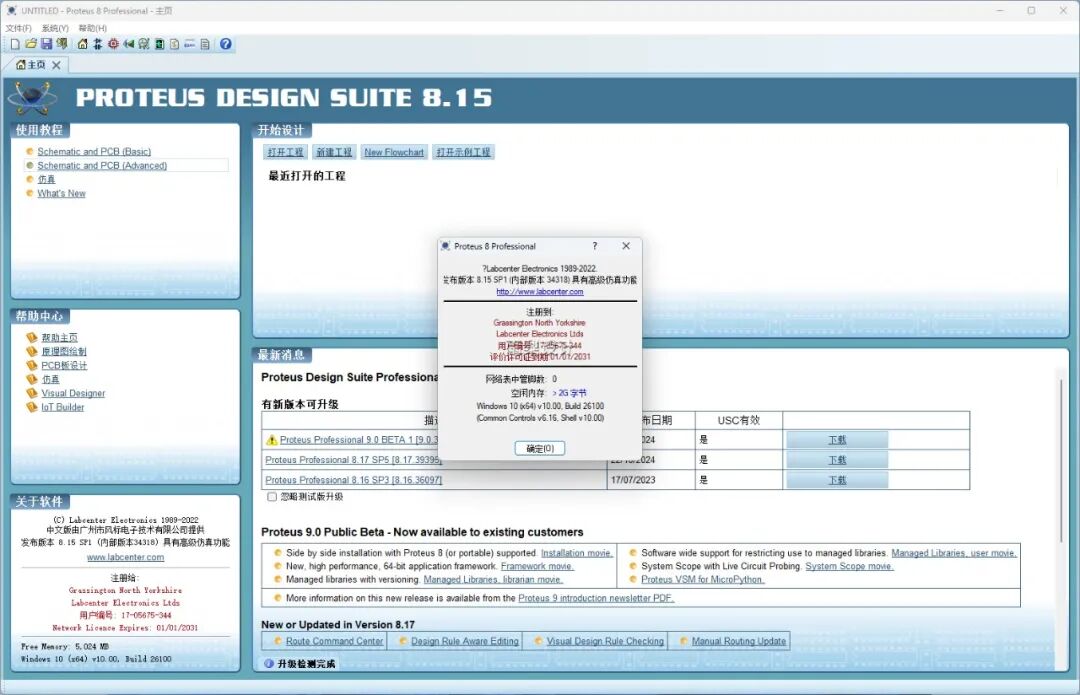
29. Installation complete, it opens as shown below
 Remember to “like” and “recommend“, you can find it later in the look, thank you!
Disclaimer:The files provided by the public account are sourced from online collections and shared by netizens, all rights belong to the copyright holders and companies. They are for personal study and research only, not for commercial use. Please delete within 24 hours after downloading to avoid copyright disputes. Please respect the rights of the original authors and purchase genuine products. For commercial use, please purchase and obtain legal authorization. If infringement is found, please contact us in a timely manner, and we will delete the relevant content immediately. Thank you for your understanding and support!