MQTT is an application layer protocol. After the client and server establish a network connection (usually TCP/IP), the client sends a CONNECT message to the server to request the establishment of an MQTT connection, and the server replies with a CONNACK message to accept or reject the connection. The connection process is as follows:
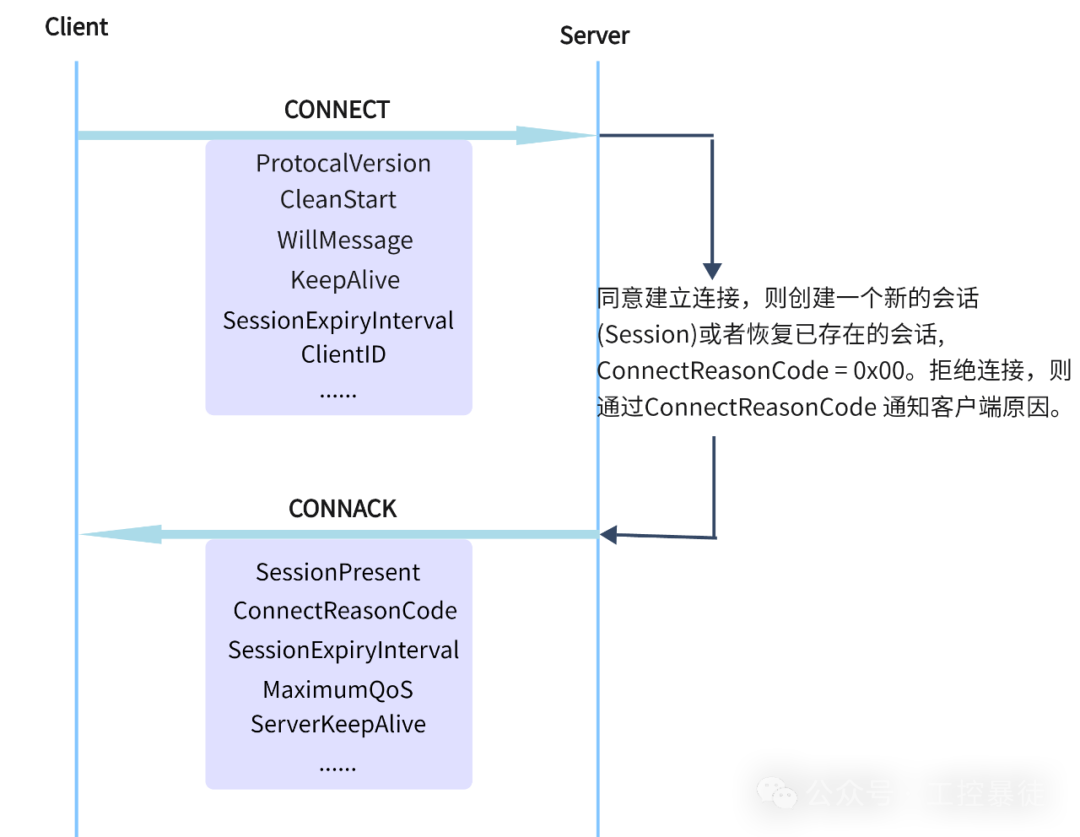
 __CONNECT Parameters__
Protocol Version
The MQTT protocol version currently used by the client.
Clean Start
Specifies whether this connection starts a new session or resumes an existing session.
Will Message
The client can register a Will Message with the server when connecting. If the client unexpectedly disconnects, the server will send this Will Message to other clients subscribed to the corresponding topic.
The Will Message publication must meet two conditions:
– The network connection has been closed.
– The Will Delay Interval has been reached or the session has terminated.
Exceptions for not publishing:
– The Will Message is deleted by the server due to receiving a DISCONNECT message with reason code 0x00 (normal disconnection).
– A new connection is initiated with the same ClientID before the Will Delay Interval is reached.
Will QoS
The QoS level of the Will Message. QoS 0: at most once; QoS 1: at least once; QoS 2: exactly once.
Will Retain
Whether it is a retained message.
Will Delay Interval
The delay time for publishing the Will Message (in seconds).
Will Message Expiry Interval
The expiry time of the Will Message (in seconds).
Will Topic
The topic name of the Will Message.
Will Payload
The content of the Will Message.
Keep Alive
The maximum time interval (in seconds) between two consecutive MQTT control messages sent by the client. When the Keep Alive value is non-zero, if the server does not receive any control message from the client within 1.5 times the Keep Alive time, the server must immediately close the network connection. When the CONNACK message contains the Keep Alive parameter, the client must use the Keep Alive value returned by the server instead of the client’s original setting.
Session Expiry Interval
The retention time (in seconds) of the session state after the connection is disconnected.
Client Identifier (ClientID)
Each client connected to the server has a unique ClientID, which allows the client and server to identify the association state of their MQTT session.
__CONNACK Parameters__
Session Present
Whether the server is reusing the previous session state for the current ClientID.
Connect Reason Code
The result of the connection notified by the server to the client. 0x00 = connection successful, others: reasons for connection failure.
Session Expiry Interval
The value notified by the server to the client to replace the original Session Expiry Interval setting in the CONNECT message.
Maximum QoS
The maximum QoS level supported by the server.
Server Keep Alive
The value notified by the server to the client to replace the original Keep Alive setting in the CONNECT message.