
Software Introduction
| Keil uVision5 provides a complete development solution including a C compiler, macro assembler, linker, library management, and a powerful simulation debugger, all integrated into a single development environment (μVision). If you are programming in C, Keil is almost your best choice. Even if you are programming solely in assembly language, its user-friendly integrated environment and powerful software simulation debugging tools will significantly enhance your productivity. | |
| Language: Chinese/English | Size: 406M |
| Installation Environment: Windows 7 and above | |
| Configuration Requirements: CPU @ 2+ GHz, Memory @ 4G (or higher) | |
| Baidu Cloud Download Link (Copy to browser to open): | |
| https://pan.baidu.com/s/1rnWO8TD5SAtmMHxAztF_2w?pwd=2ia7Extraction Code: 2ia7 | |
| Other Notes: |
Installation Instructions
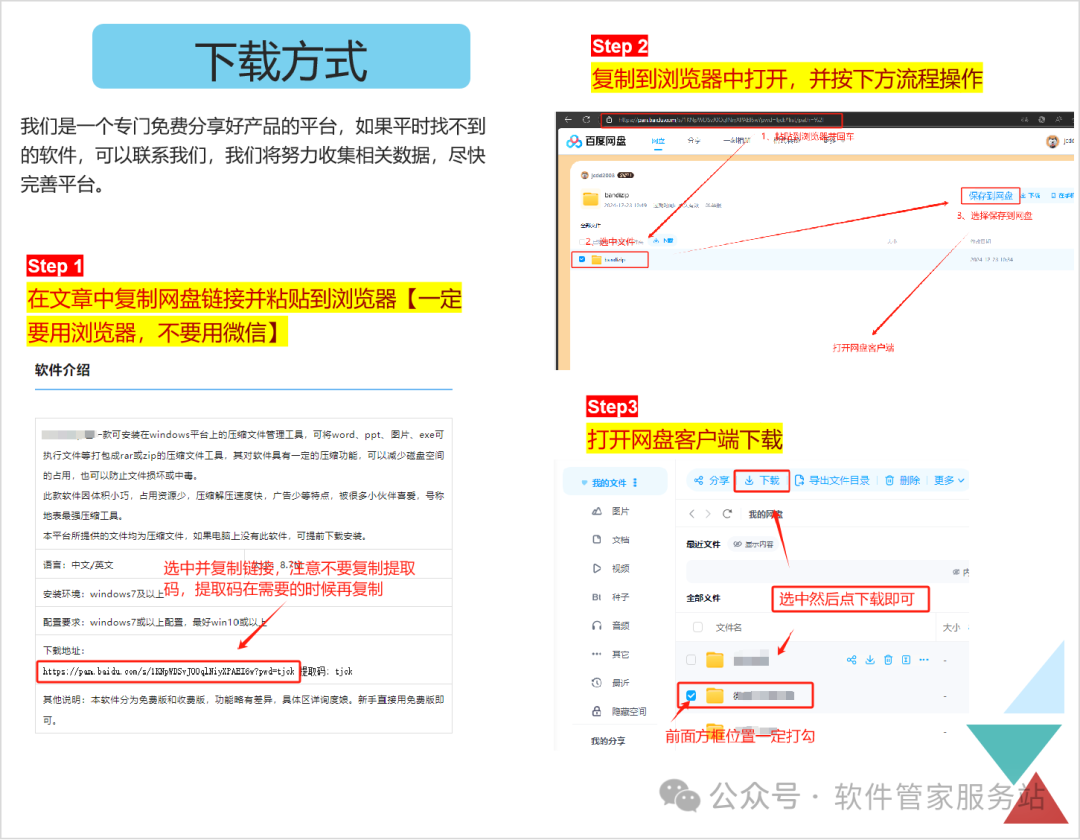
Step 1: Download the software. To avoid link expiration, first save it to your own cloud drive before downloading. (Note: Cloud drive expansion: Register and log in to the cloud drive using the mobile app to receive 100G of cloud space.)
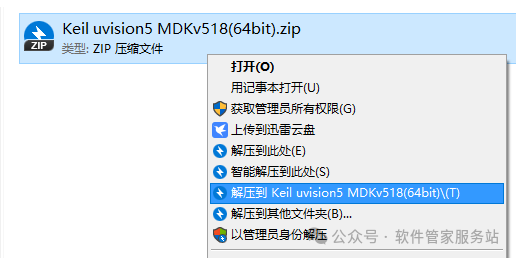
Step 2: Select the downloaded file, right-click, and extract to…
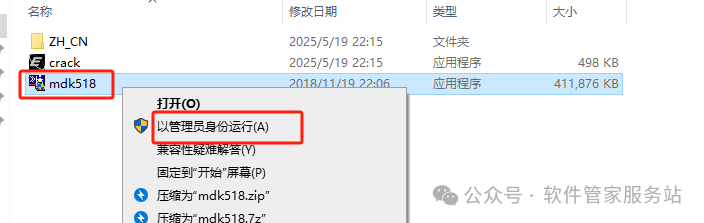
Step 3: Select the mdk518 installation program, right-click and run as administrator.
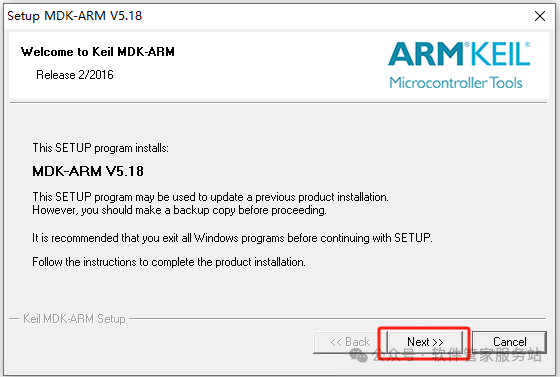
Step 4: Click Next.
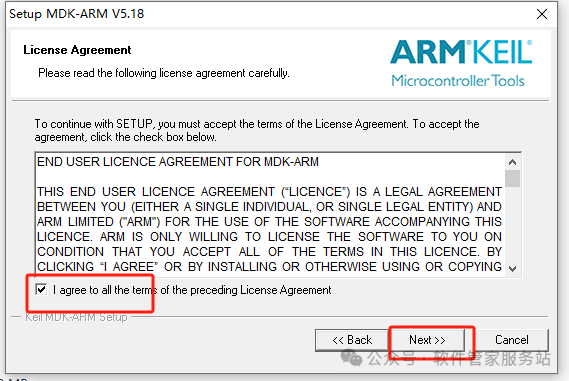
Step 5: Check I agree to…, then click Next.
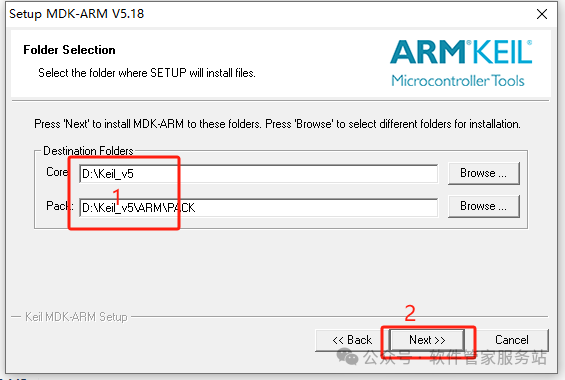
Step 6: Change the installation location to D drive, then click Next.
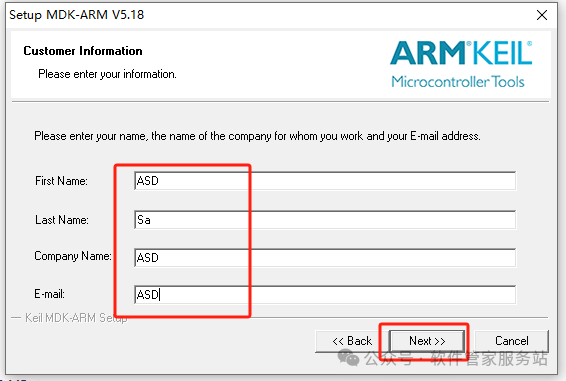
Step 7: Fill in the relevant information as desired, then click Next.
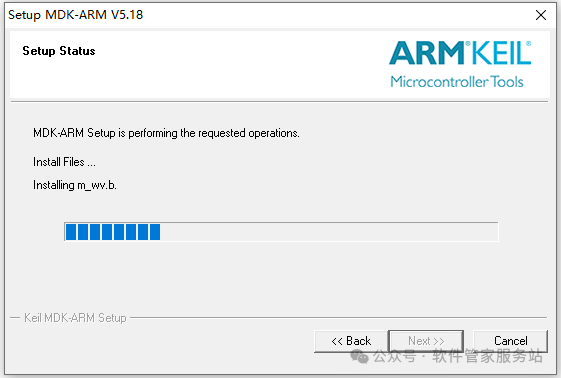
Step 8: Wait for the installation to complete.
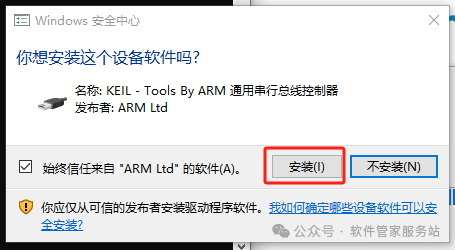
Step 9: Click Install.
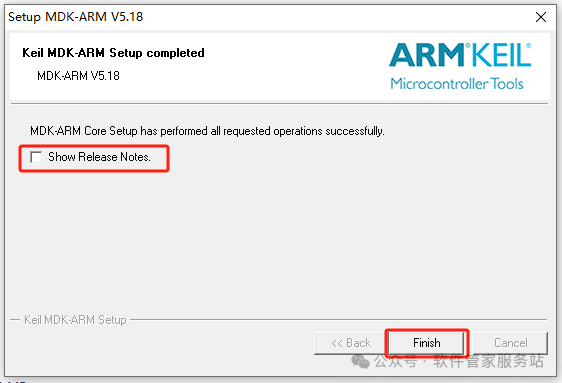
Step 10: Uncheck [show release notes], then click Finish.
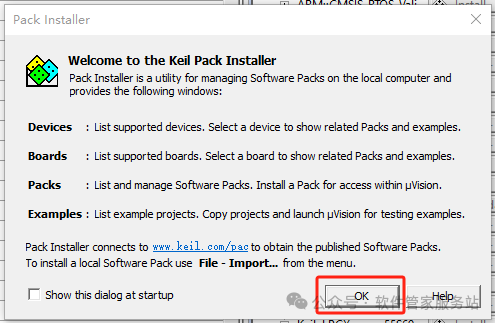
Step 11: Click OK.
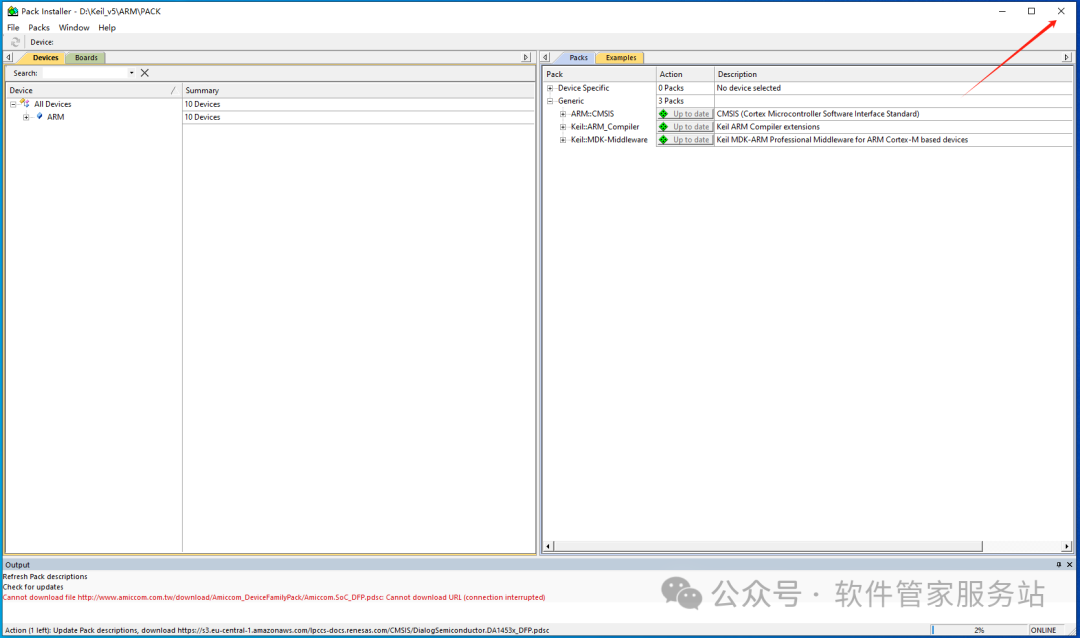
Step 12: Close the window in the upper right corner.
Step 13: Click Yes.
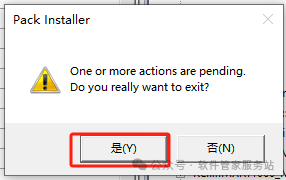
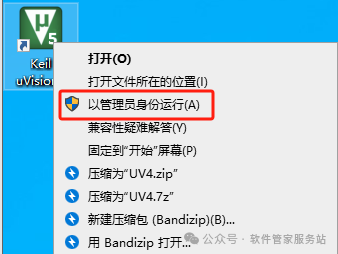
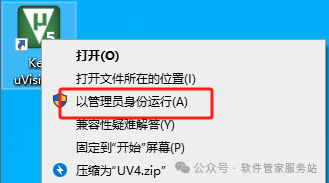
Step 14: Right-click the desktop icon and run as administrator (must run as administrator).
 Step 15: ① Click [File]; ② Select [License Management](this interface must not be closed)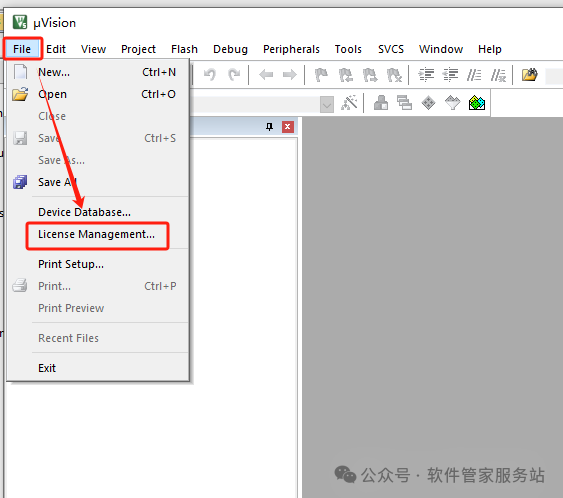
Step 16: Go back to the folder extracted in Step 2, find the Crack compressed file, right-click and extract here. (Note: Before extracting, close antivirus software and firewall to avoid the activation file being mistakenly deleted; if deleted, close and re-extract.)
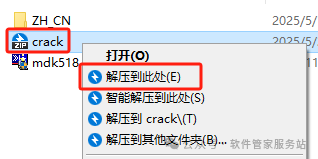
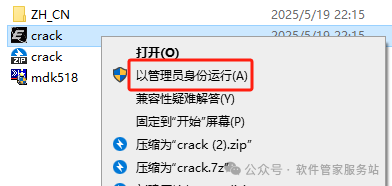
Step 17: Select the extracted Crack, right-click and run as administrator.
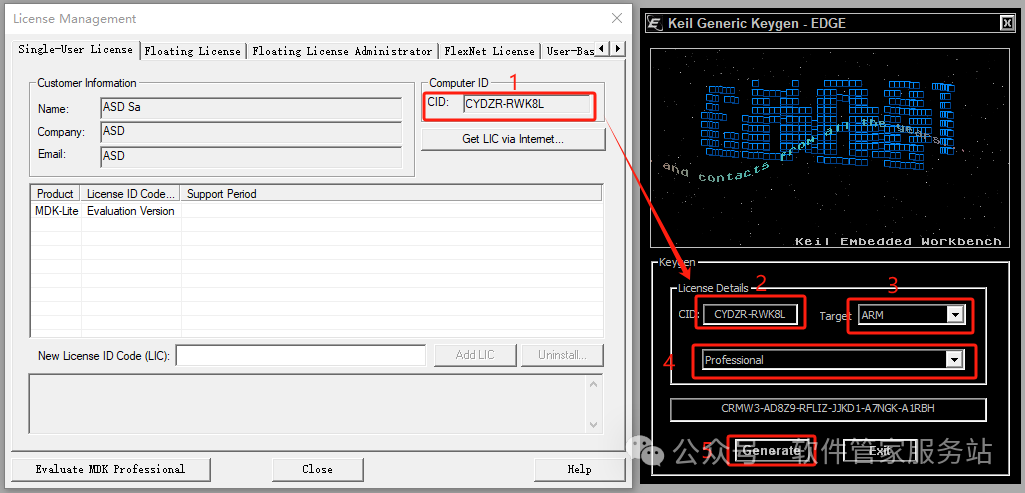
Step 18: 1. Press “Ctrl+C” to copy the code after [CID]; 2. Press “Ctrl+V” to paste the code into the input box after [CID]; 3. Click the [expand symbol] to select [ARM]; 4. Click the [expand symbol] to select [professional]; 5. Click [Generate] to generate the activation code.
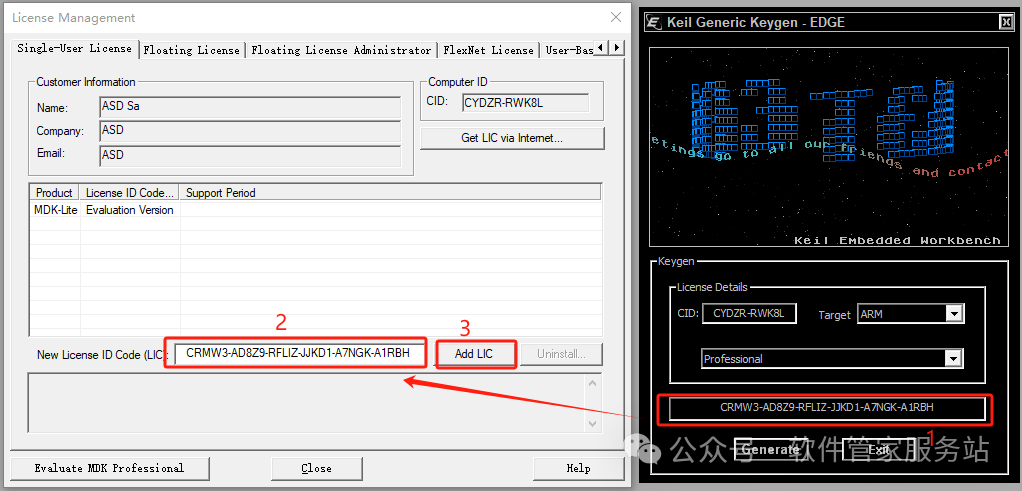
Step 19: Input the activation code: 1. Press “Ctrl+C” to copy the activation code; 2. Press “Ctrl+V” to paste the activation code into the [New License ID] input box; 3. Click [Add LIC].
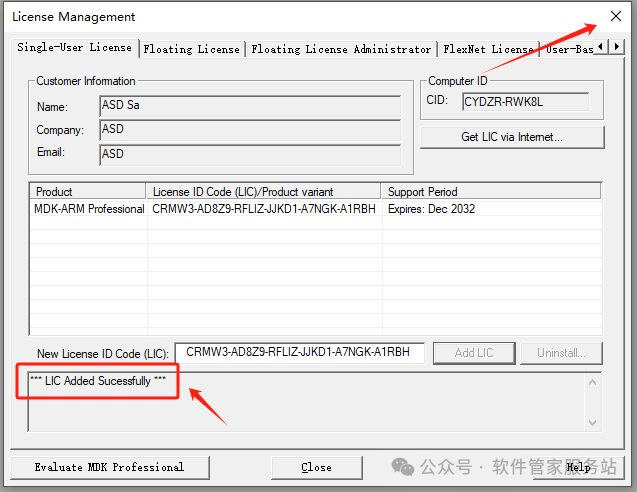
Step 20: If you see the prompt below, it means activation was successful. Close this window in the upper right corner.
Step 21: Localization (for those with good English, this step can be ignored), open the folder extracted in Step 2, find the ZH_CN folder, open it and copy the files inside.
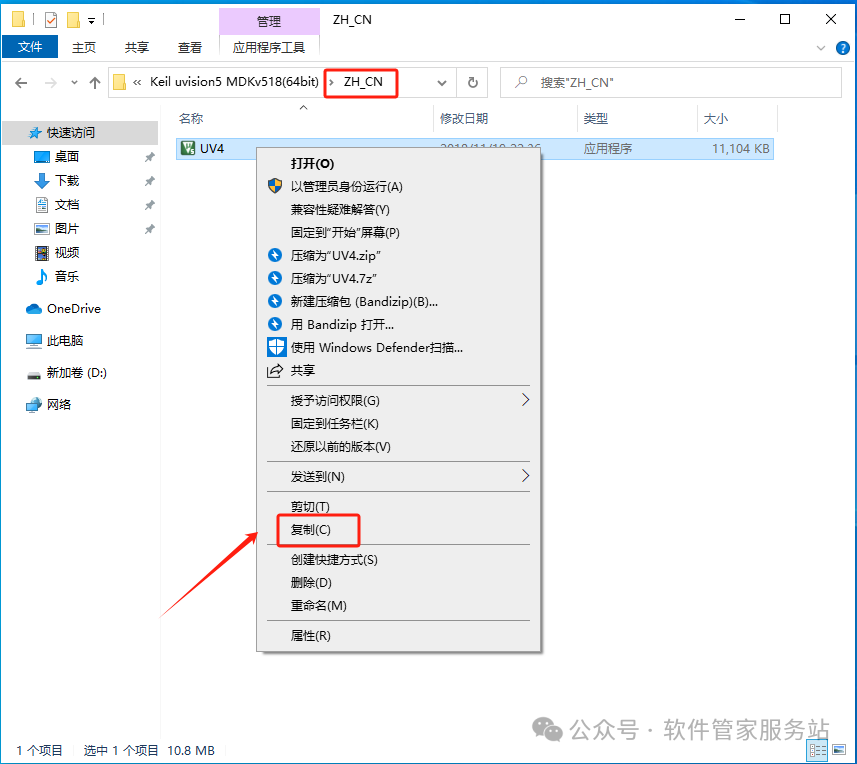
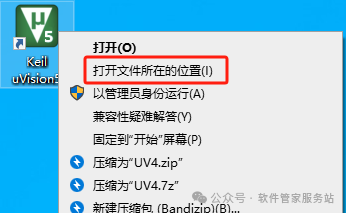
Step 22: Right-click the desktop icon and open the file location.
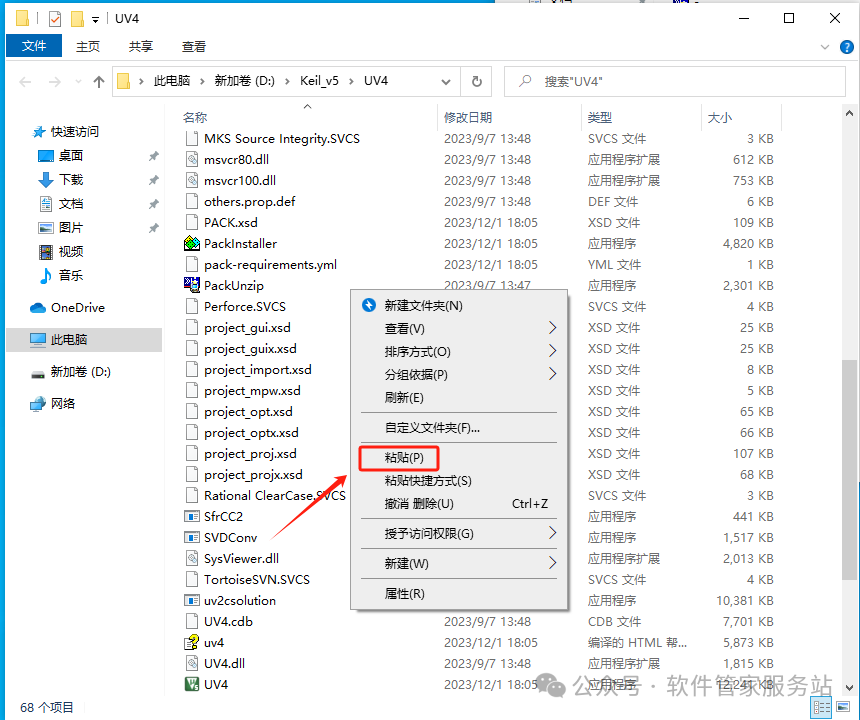
Step 24: Paste in the blank space, and paste the files you just copied here.
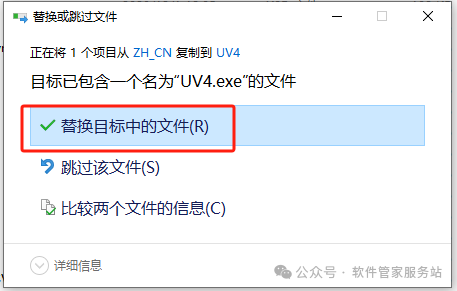
Step 24: Replace the files in the target.
Step 25: Right-click the desktop icon and open the software again.
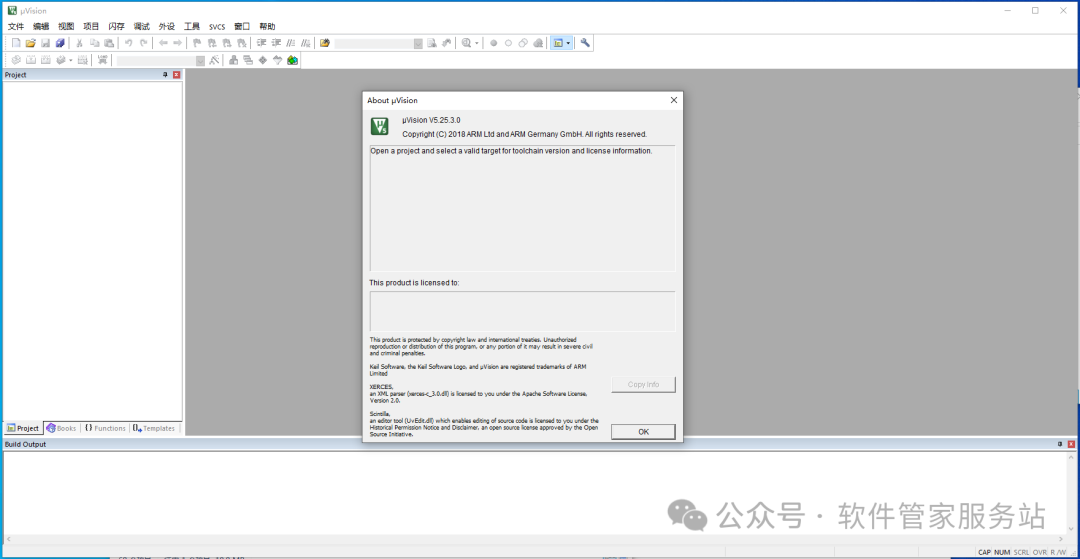
Step 26: The software can now be used normally.
 END
END Disclaimer: The software resources are sourced from the internet for educational exchange purposes only. All copyrights belong to the original copyright holders. Any copyright disputes are not related to this public account. The downloaded files cannot be used for commercial or illegal purposes. By accessing and downloading this file, you agree to this statement and assume all consequences. Support genuine software and purchase registration.