SoftwareIntroduction
Proteus 8.6 is a computer-aided design software package for electronic circuits. This package is a circuit simulation system based on PSPICE electronic component models. Proteus is a single application that includes many service modules, providing different functionalities (schematic capture, PCB layout, etc.). The wrapper that enables all various tools to communicate with each other consists of three main parts. The software combines ease of use with powerful features, helping you design, test, and layout professional PCBs in ways never before possible.
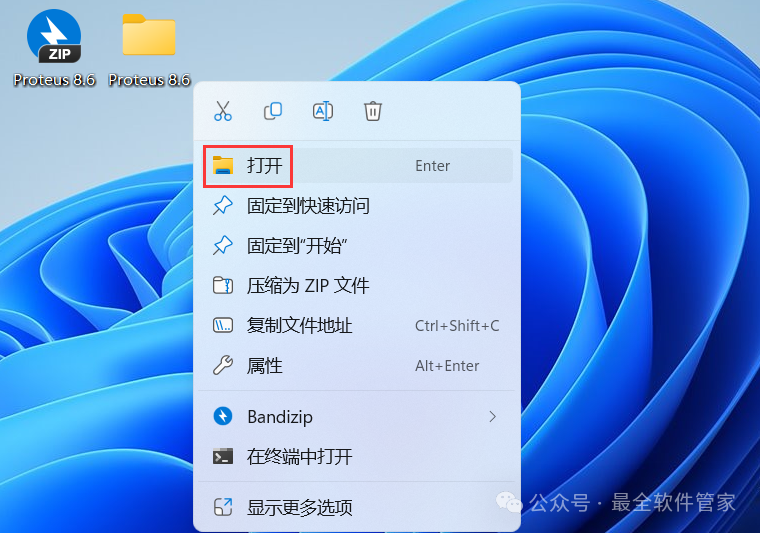
InstallationRequirements[Software Name]:Proteus 8.6[Software Size]:249MB[Software Language]:Simplified Chinese[Installation Environment]:Windows 7 and above[Download Link]:Reply in the public account:Proteus[Unlimited Speed Download]:Get a free unlimited speed download tool from Baidu Cloud.Reply in the public account: Unlimited Speed[Notes]:Pleaseturn off the network, antivirus software, and firewall before installation, otherwise, installation may fail.Reply in the public account: 1[Decompression Software]:The decompression software used by the editor is Bandizip, get the Bandizip software installation package.Reply in the public account: 2InstallationGuide1. Download the Proteus 8.6 software installation package to your computer, right-click and select 【Extract to Proteus 8.6】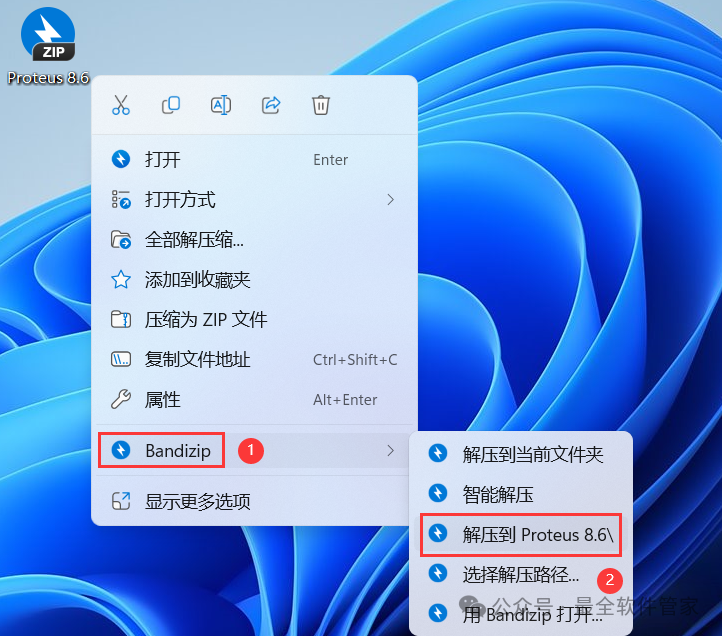 2. Right-click 【Open】 the extracted folder
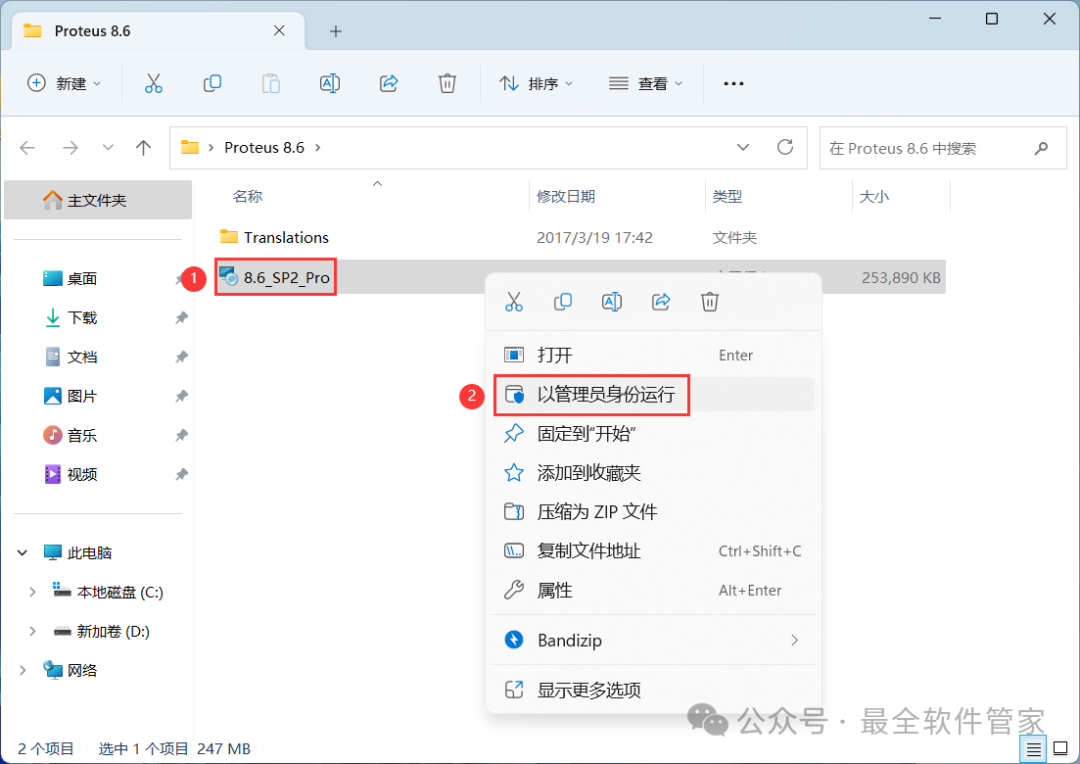
 3. Find the 【8.6_SP2_Pro】 application, right-click and select 【Run as administrator】
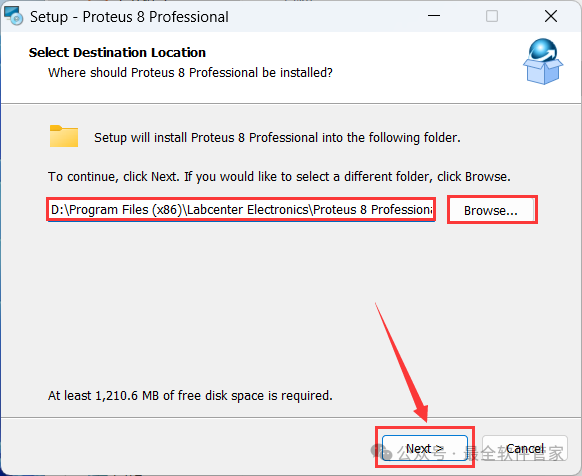
 4. The software is installed by default on the C drive, you can customize the installation location; here the editor chooses to install on the D drive; click 【Next】
 5. Click 【Next】
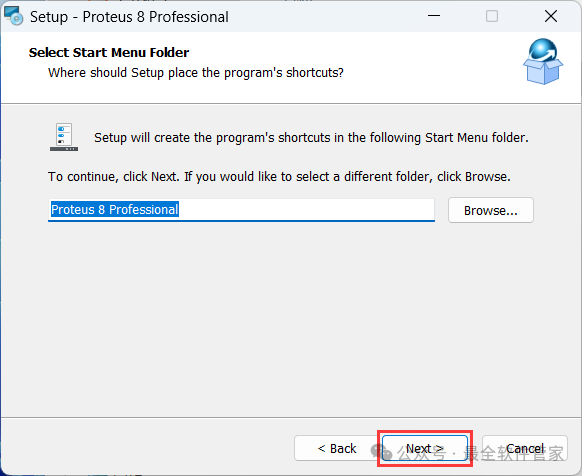 6. The software is installing, please wait a moment
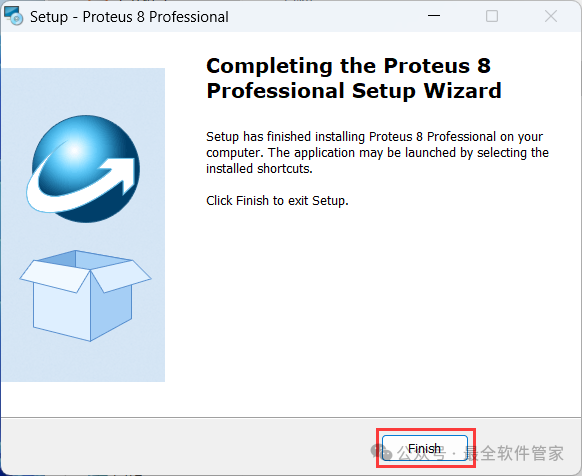
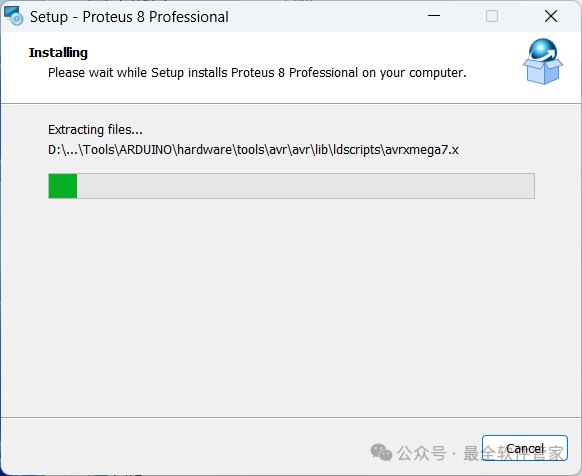 7. Click 【Finish】
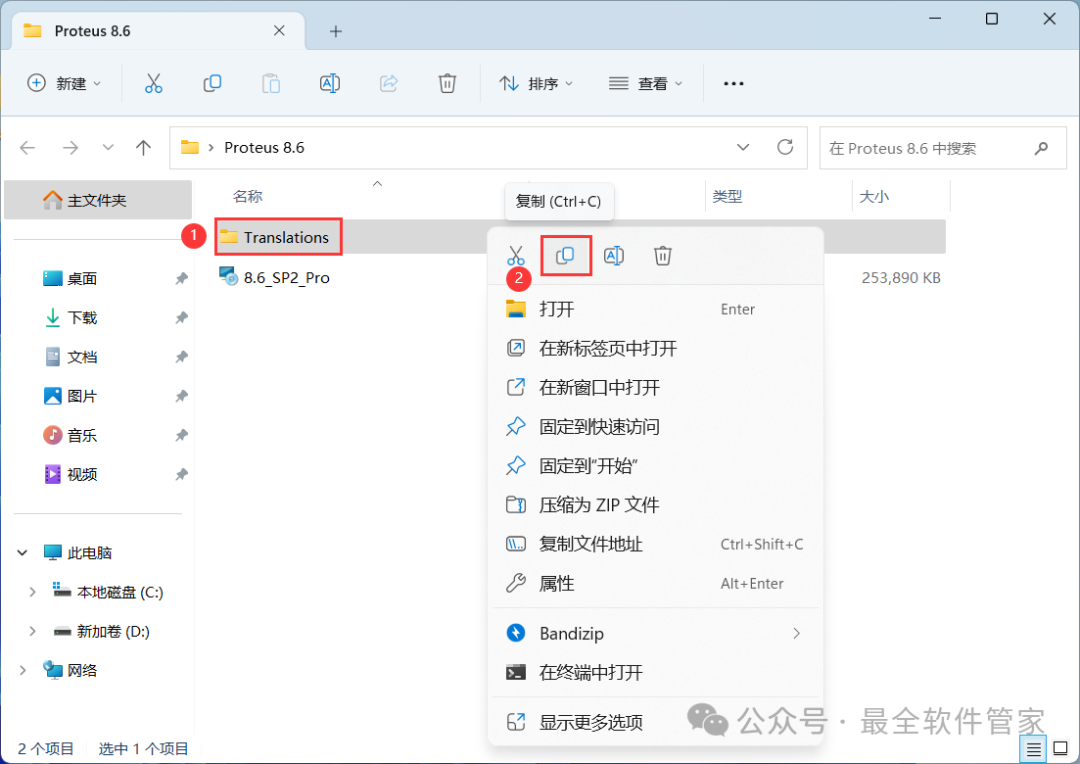
 8. Go back to the Proteus 8.6 folder, find the 【Translations】 folder, right-click and click 【Copy】
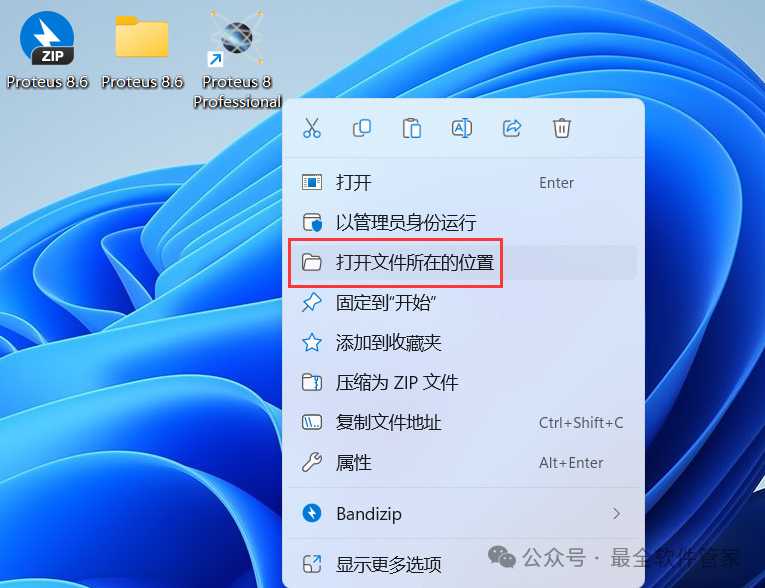
 9. Go back to the desktop, right-click the 【Proteus 8 Professional software icon】 on the desktop, click 【Open file location】
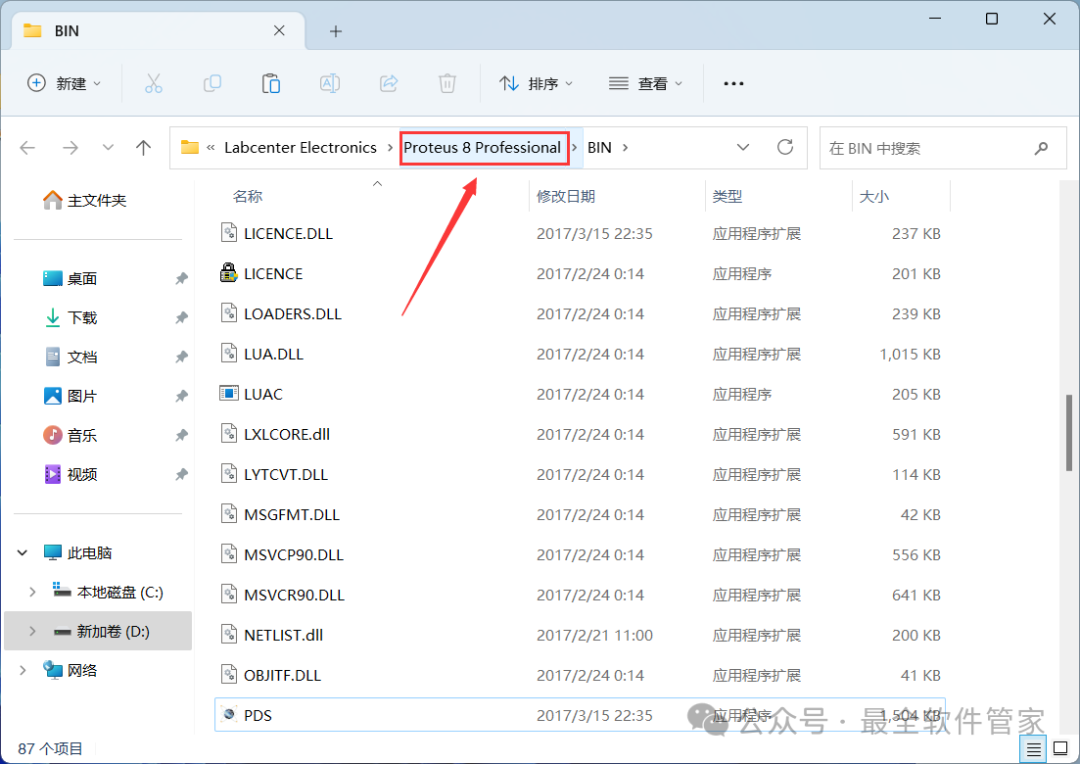
 10. Click on the path 【Proteus 8 Professional】
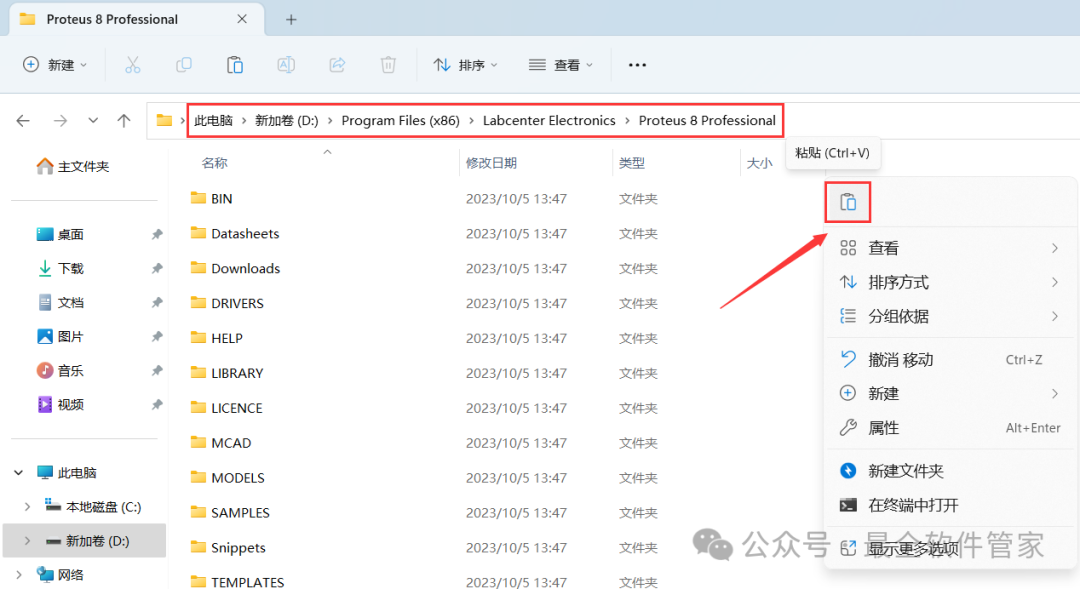
 11. Right-click in the empty space of the folder, click 【Paste】
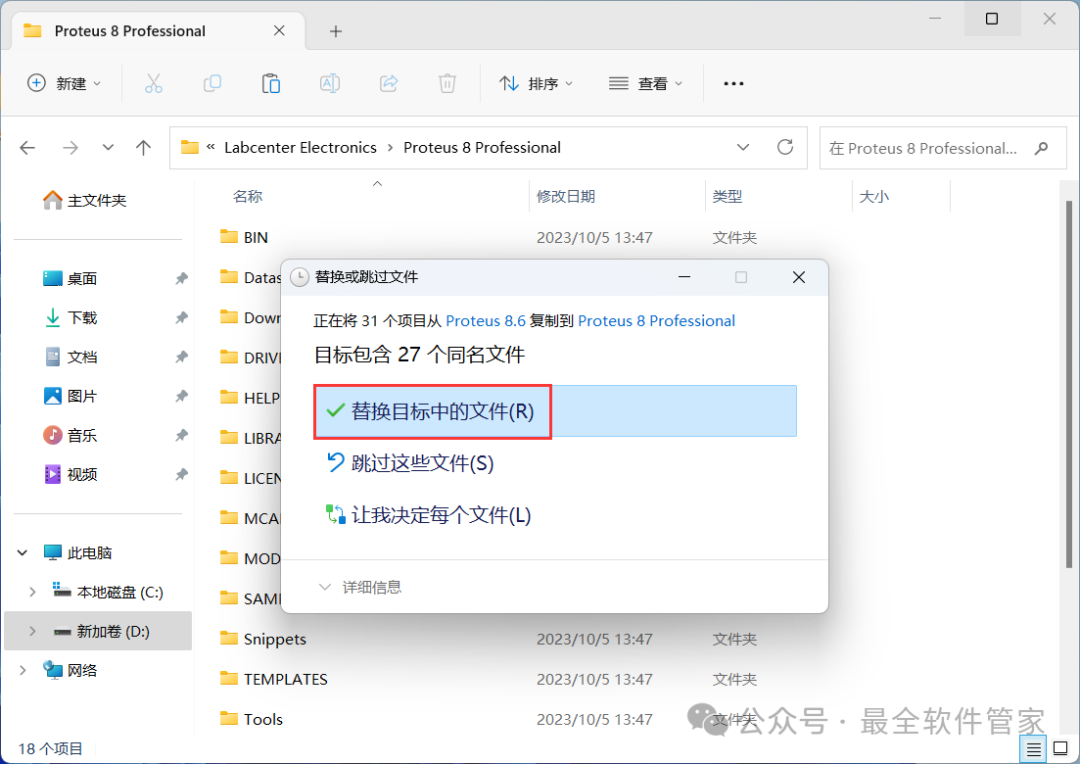
 12. Click 【Replace the files in the destination】
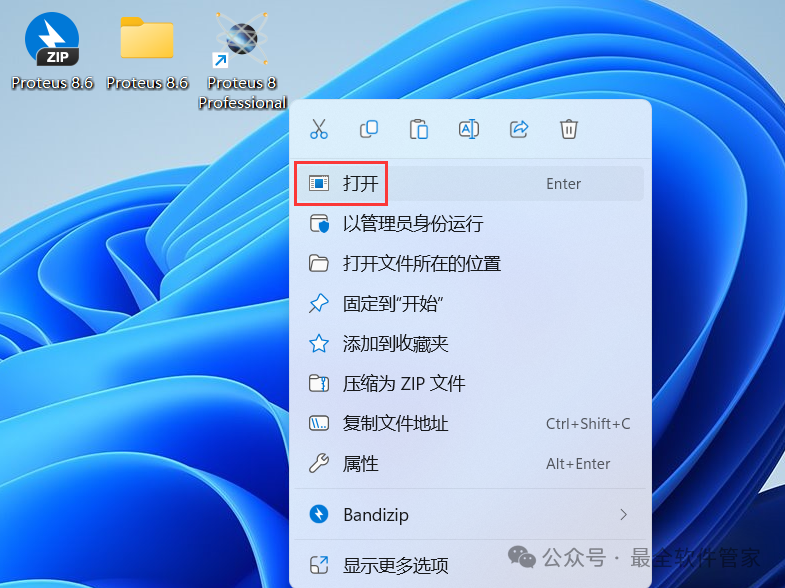
 13. Go back to the desktop, right-click the 【Proteus 8 Professional software icon】 on the desktop, click 【Open】
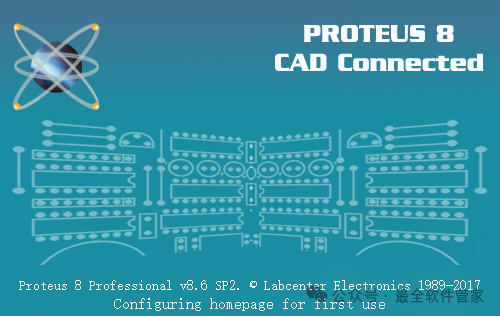
 14. The software is opening, the startup interface is as follows:
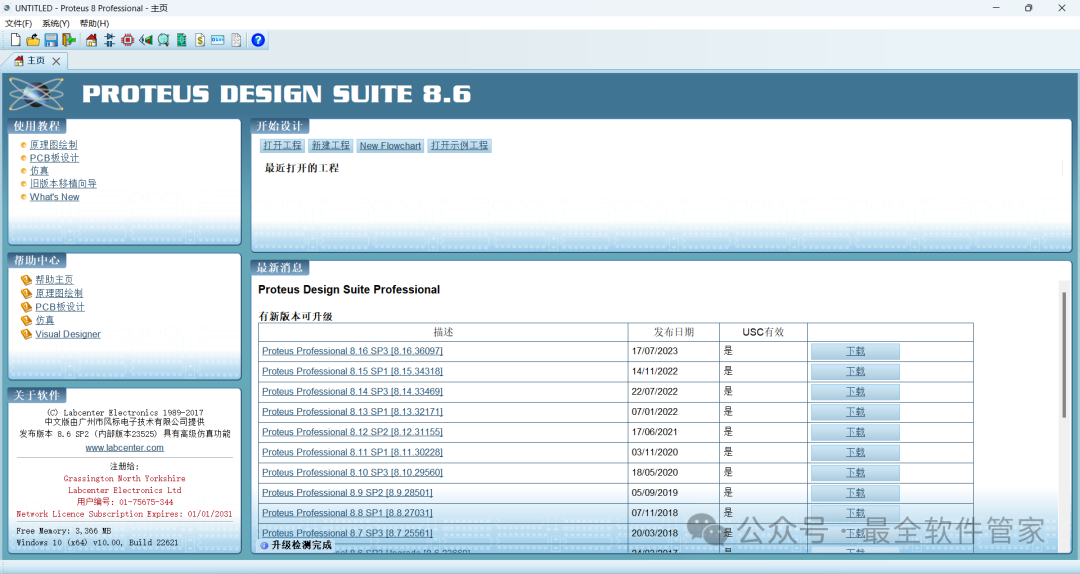
 15. The software opened successfully, the running interface is as follows:
 16. This is the entire process of installing Proteus 8.6 software. If it has been helpful to you, please give the editor a thumbs up!Disclaimer: The software resources are sourced from the internet, intended for user communication, learning, and research purposes only. Copyright belongs to the original copyright holder, and any copyright disputes are unrelated to this public account. Users must not use the downloaded files for commercial or illegal purposes; otherwise, the consequences will be borne by the user. By accessing and downloading this file, you agree to use this software only for reference and learning, not for other purposes. Otherwise, you will bear all consequences. Please delete it within 24 hours after downloading, and it is not allowed for commercial use; otherwise, you will bear legal responsibilities. If you like this software, please support the original software by purchasing a license for better service.