Many users have tried to share Douyin videos on WeChat, but opening Douyin command links (such as https://v.douyin.com/if…) directly from WeChat may encounter issues with redirection.
This is because WeChat has restrictions on Douyin links. Here are the steps to quickly resolve this in 2 minutes:
Method 1: Manually Copy the Link to Douyin (Most Stable)
Long press the link to copy
In WeChat, long press the Douyin command link (such as https://v.douyin.com/if…), and select “Copy Link”.
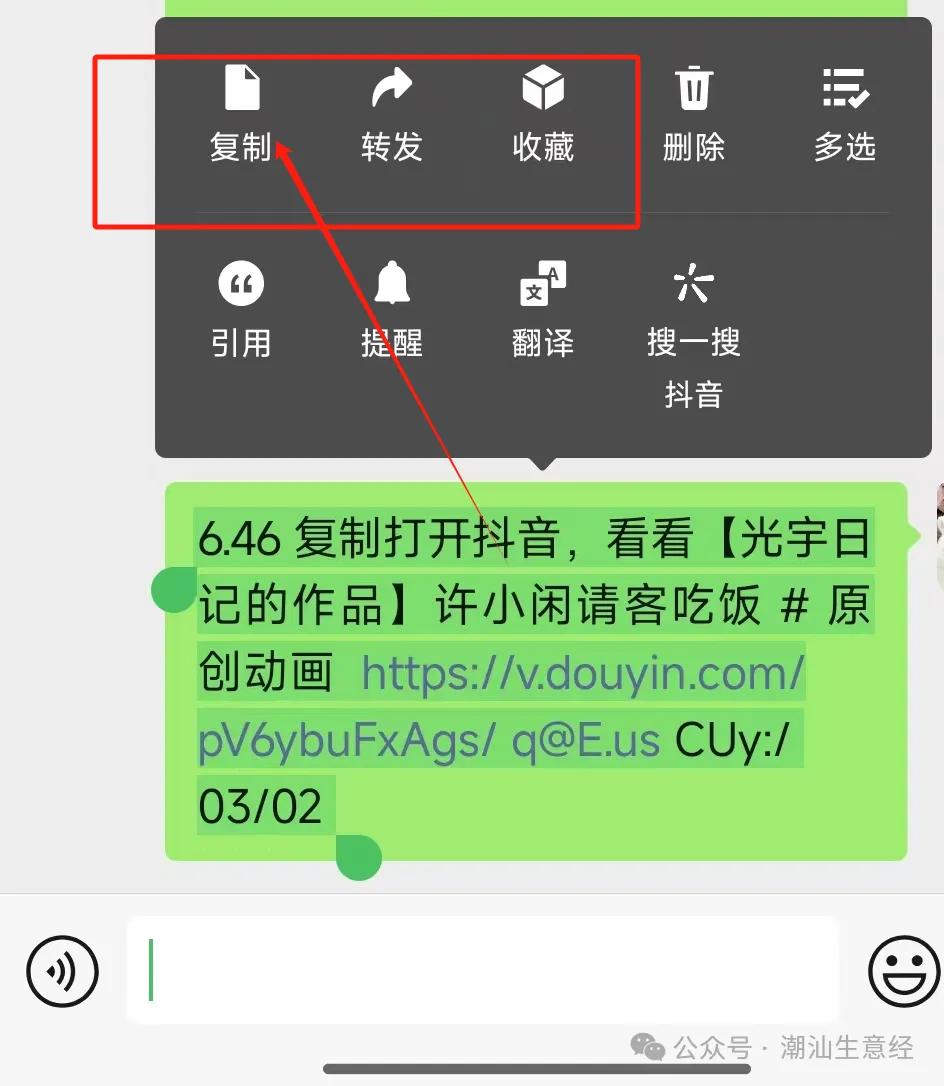
Then we open the Douyin APP for automatic redirection
Exit WeChat, directly open the Douyin APP, and the copied link will be automatically recognized and redirected to the target video (no manual pasting required).
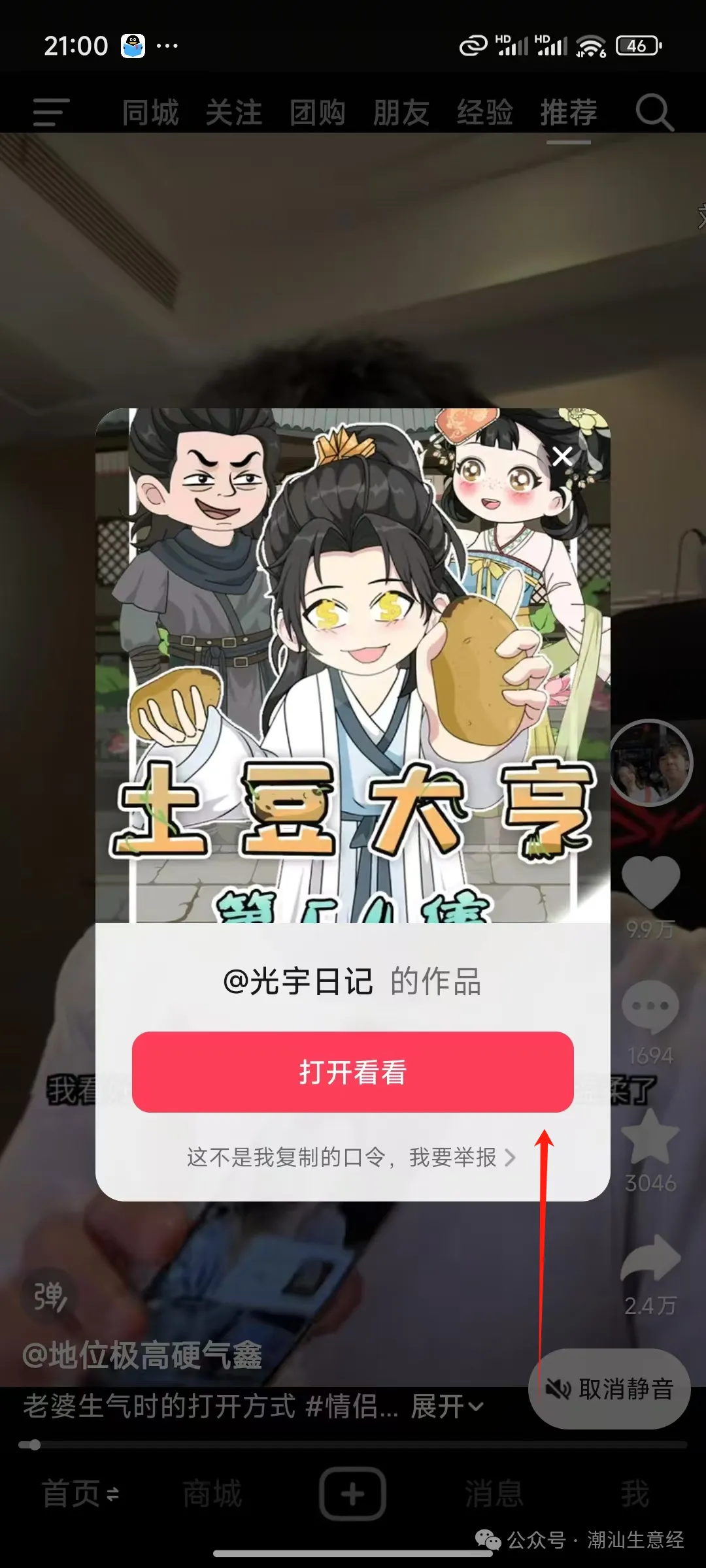
Method 2: Use a Browser as a Proxy (No Douyin APP Required)
Click the link in WeChat
After clicking the link, WeChat will prompt “Unable to open”; at this point, click the top right corner “…” and select “Open in Browser” (recommended to use the default mobile browser or Safari).
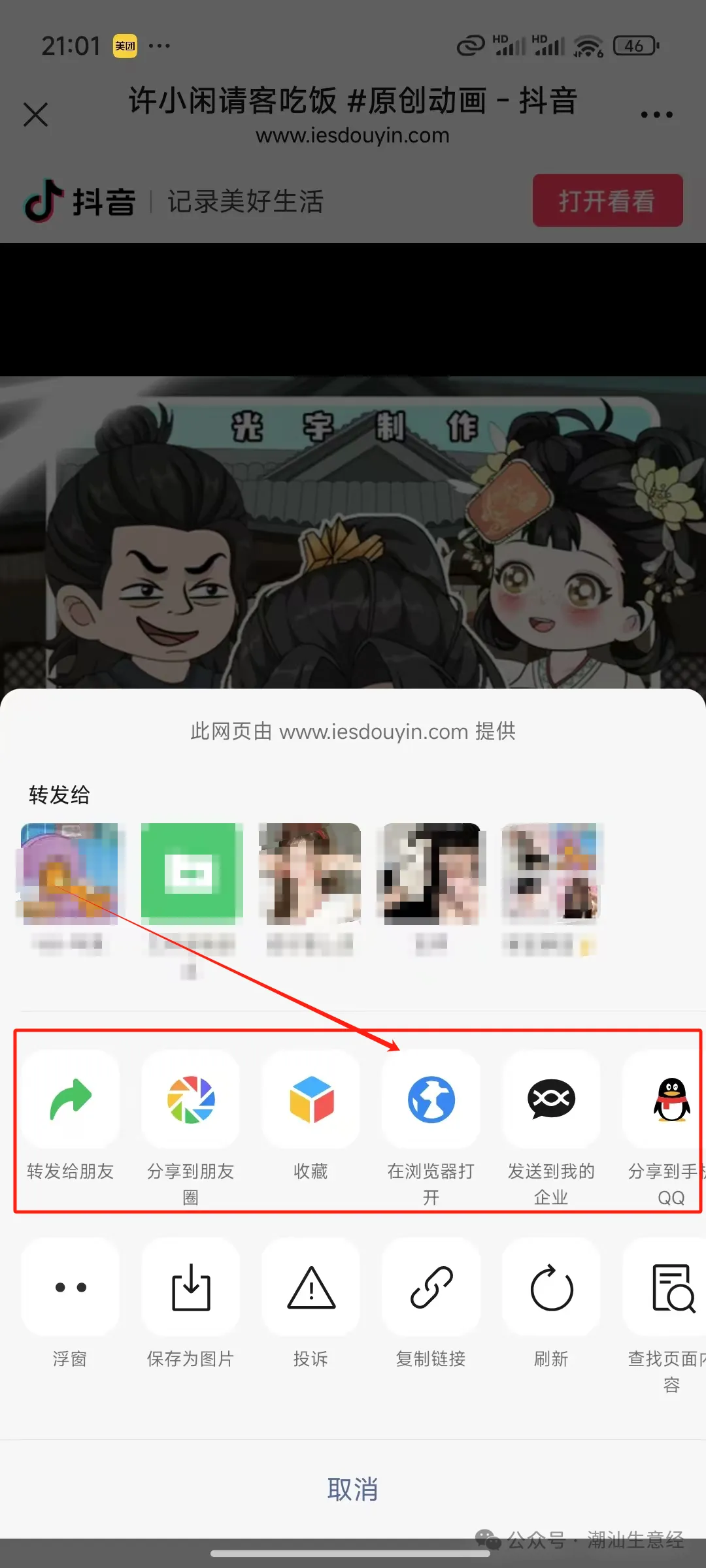
Redirect to Douyin in the Browser
After the browser opens the page, click the “Open APP” button to redirect to the Douyin video page.
Method 3: Save the Command Code for Manual Search (Universal Solution)
If the link is invalid, you can:
Copy the command code from the link (such as the characters after if).
Open the Douyin APP, click the top search bar → paste the command code → search to find the original video.
Why can’t WeChat open Douyin links?
WeChat and Douyin are different platforms and are in competition, so WeChat blocks direct redirection of Douyin external links.
The Douyin command link is essentially a “secret code” that needs to be decoded through the Douyin APP to access.
Notes:
If the Douyin APP is not installed, the browser will prompt for download.
Some older Android phones may need to manually allow “APP redirection permissions”.
By following the above steps, you can successfully open it within 10 seconds! If there are still issues, the link may have expired, and you can ask the other party to share it again.