|
Although BLE HID (Bluetooth Low Energy Human Interface Device) has a simple structure and low power consumption during development, it often encounters tricky issues due to challenges in cross-platform compatibility, security certification, and connection stability. Below are common problems and corresponding solutions applicable to scenarios involving the development of BLE HID keyboards, mice, remote controls, and other devices using chips such as Nordic, ESP32, and Dialog. |
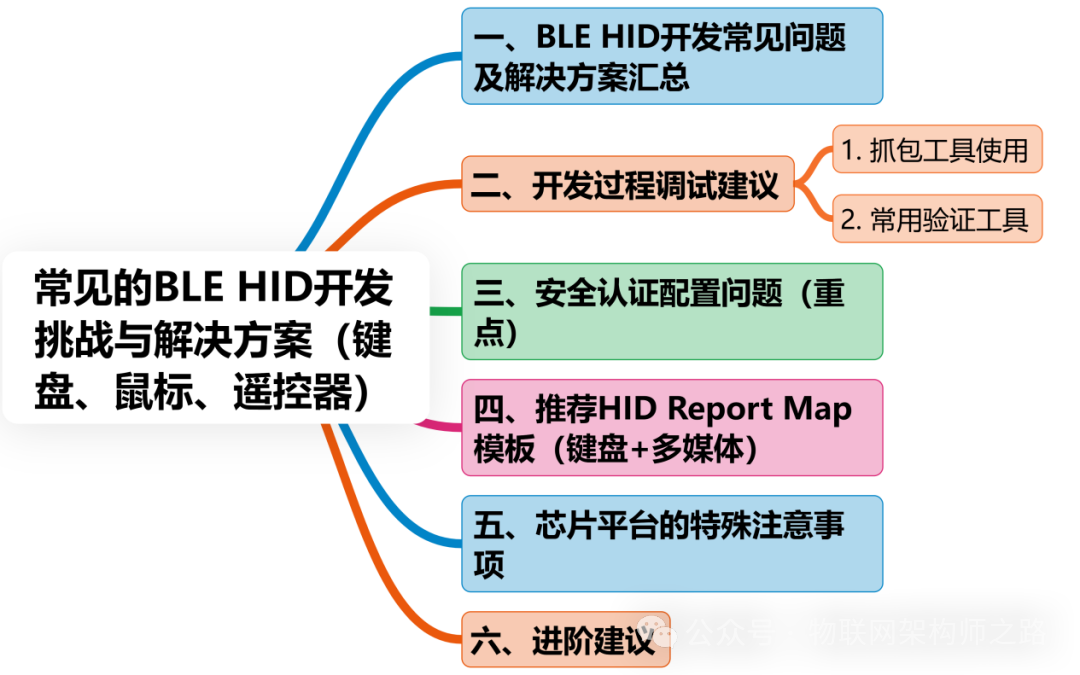
1. Summary of Common Issues and Solutions in BLE HID Development
|
Problem Type |
Specific Problem Description |
Cause Analysis |
Solution |
|
Connection/Pairing |
Device cannot be recognized by mobile phone/computer or pairing fails |
Incorrect HID descriptor or advertising data not set correctly |
✅ Check Advertising Flags to ensure LE General Discoverable Mode and BR/EDR Not Supported are set ✅ Add HID UUID to the advertising packet |
|
iOS/macOS cannot pair with HID peripherals |
Apple platforms require HID devices to have Security Mode 1 Level 3 (encrypted pairing) |
✅ Set MITM + Bonding security certification (using Passkey or Just Works) |
|
|
Automatically disconnects a few seconds after connecting |
Usually due to incorrect ATT configuration or not implemented according to HID Profile requirements |
✅ Check if GATT services are fully registered (including Report Map, HID Information, etc.) |
|
|
HID Descriptor |
Input report cannot be recognized (no response to key presses) |
Report Map configuration error or Report ID conflict |
✅ Use standard Report Map templates (mouse/keyboard/Consumer Control) ✅ Ensure Report ID is unique and consistent between host and device |
|
Multimedia keys (Play/Pause) ineffective |
Not all operating systems support Consumer Control Usage |
✅ Use standard Usage Page (0x0C) + Usage (0xCD) ✅ Test and confirm on macOS/iOS |
|
|
System Compatibility |
Android devices can recognize HID, but iOS cannot use it |
iOS has stricter requirements for HID, especially regarding security and HID Profile integrity |
✅ Implement BLE HID over GATT standard, ensure HID Service is complete, and pairing uses secure channels |
|
Windows 10/11 recognizes but cannot use |
HID Report Map does not match host parsing capabilities |
✅ Avoid using non-standard or rare HID Usage, use mainstream keyboard/mouse protocols |
|
|
Power Consumption Issues |
Device power consumption is too high |
Did not enter low power mode or connection parameters set incorrectly |
✅ Set reasonable Connection Interval (e.g., 50~100ms) ✅ Enter Deep Sleep/Light Sleep when idle |
|
Data Transmission |
Key/mouse data has packet loss or delay |
Report Notify interval is too long or system limitations |
✅ Set high-priority GATT Notify (e.g., every 10~30ms) ✅ Avoid sending too many bytes at once |
|
Reconnect Issues |
Cannot automatically connect to the host after reboot |
Did not perform persistent pairing (Bond) processing |
✅ Enable Bonding (save pairing information) ✅ Use a whitelist or persistently save Peer Info |
2. Debugging Suggestions During Development
1. Use of Sniffing Tools
•Use nRF Sniffer + Wireshark to capture BLE communication data;
•Confirm whether HID Report is correctly sent via GATT Notification;
•Analyze whether MTU, Connection Parameters, etc., affect stability;
2. Common Validation Tools
•Windows: HID Tester / HID View
•macOS/iOS: Bluetooth Explorer (included with Xcode)
•Android: nRF Connect + Bluetooth Input Testing Tool
•Linux: bluetoothctl, hcitool, btmon
3. Security Certification Configuration Issues (Key Focus)
BLE HID devices must enable encrypted communication and bonding, especially:
|
Platform |
Requirements |
|
iOS/macOS |
Must pair before transmitting HID data, encryption must be enabled |
|
Windows 10/11 |
Supports Just Works, but it is recommended to use Passkey/MITM |
|
Android |
Generally can Just Works, but pairing bonding is also recommended to enhance stability |
Recommended configuration (using Nordic SDK as an example):
|
C ble_gap_sec_params_t sec_params; memset(&sec_params, 0, sizeof(sec_params)); sec_params.bond = 1; // Enable Bonding sec_params.mitm = 1; // Enable MITM (Man-in-the-Middle protection) sec_params.io_caps = BLE_GAP_IO_CAPS_DISPLAY_ONLY; // or NO_INPUT_NO_OUTPUT |
4. Recommended HID Report Map Template (Keyboard + Multimedia)
|
C // Combined Keyboard + Media Key Report Map Example 0x05, 0x01, // Usage Page (Generic Desktop) 0x09, 0x06, // Usage (Keyboard) 0xA1, 0x01, // Collection (Application) 0x85, 0x01, // Report ID 0x05, 0x07, // Usage Page (Key Codes) 0x19, 0xE0, // Usage Minimum (224) 0x29, 0xE7, // Usage Maximum (231) 0x15, 0x00, 0x25, 0x01, 0x75, 0x01, 0x95, 0x08, 0x81, 0x02, // Input (Data, Variable, Absolute) ; Modifier byte // … 0xC0, // End Collection // Consumer Control Report 0x05, 0x0C, // Usage Page (Consumer Devices) 0x09, 0x01, // Usage (Consumer Control) 0xA1, 0x01, 0x85, 0x02, // Report ID 0x15, 0x00, 0x25, 0x01, 0x09, 0xCD, // Play/Pause 0x09, 0xB5, // Scan Next Track 0x75, 0x01, 0x95, 0x02, 0x81, 0x02, 0x95, 0x06, 0x81, 0x03, 0xC0 |
5. Special Considerations for Chip Platforms
|
Chip Platform |
Common Issues |
Recommended Solutions |
|
Nordic nRF52 |
Security configuration errors lead to iOS rejecting connections |
Use the official SDK example (ble_app_hids_keyboard) as a template |
|
ESP32 |
HID Profile message format incompatible with some systems |
Use the esp_hidd example project to debug the HID Report Map |
|
Dialog DA145xx |
HID over GATT example is outdated |
Use the latest Dialog SDK or CubeSuite to generate standard descriptors |
6. Advanced Recommendations
•Implement Battery Service to support headphone battery level synchronization;
•Support OTA (Over-the-Air updates);
•Use dual-mode Bluetooth (Classic + BLE) for compatibility with older systems (e.g., Win7);
•Customize Feature Report to implement command channels (e.g., noise cancellation mode switching, EQ settings, etc.);