The Bluetooth Remote Control is a mobile application developed based on Bluetooth (Android system). It connects to the target control device via Bluetooth, allowing users to control the target device through this software. This article will introduce how to connect to a computer when using the Bluetooth Remote Control software for the first time, enabling control of the computer via the Bluetooth remote control software for convenient daily use.The article is mainly divided into two parts: Computer Side and Mobile Side. By following the tutorial below, users can operate the software to connect and control the computer.Note: This article will take connecting with Windows 11 as an example.Computer Side
- Open the computer settings interface.
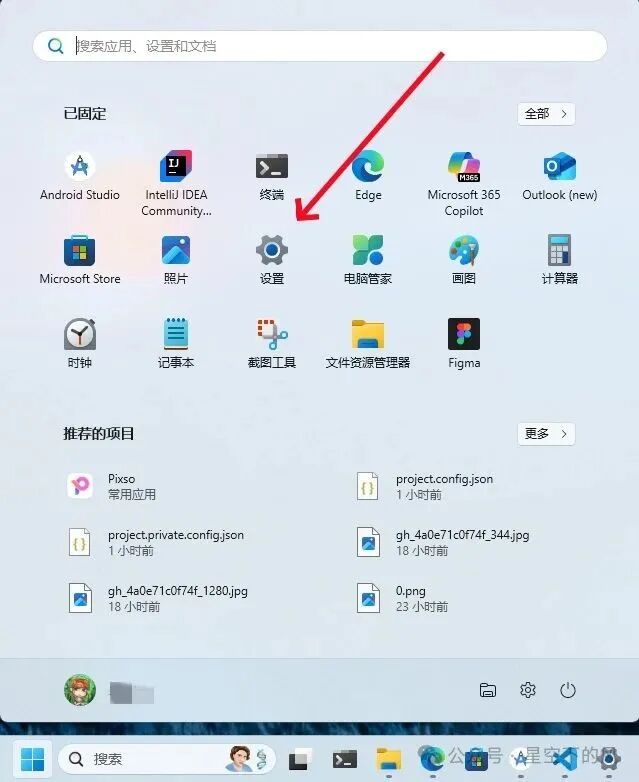
- Enter the computer settings interface.
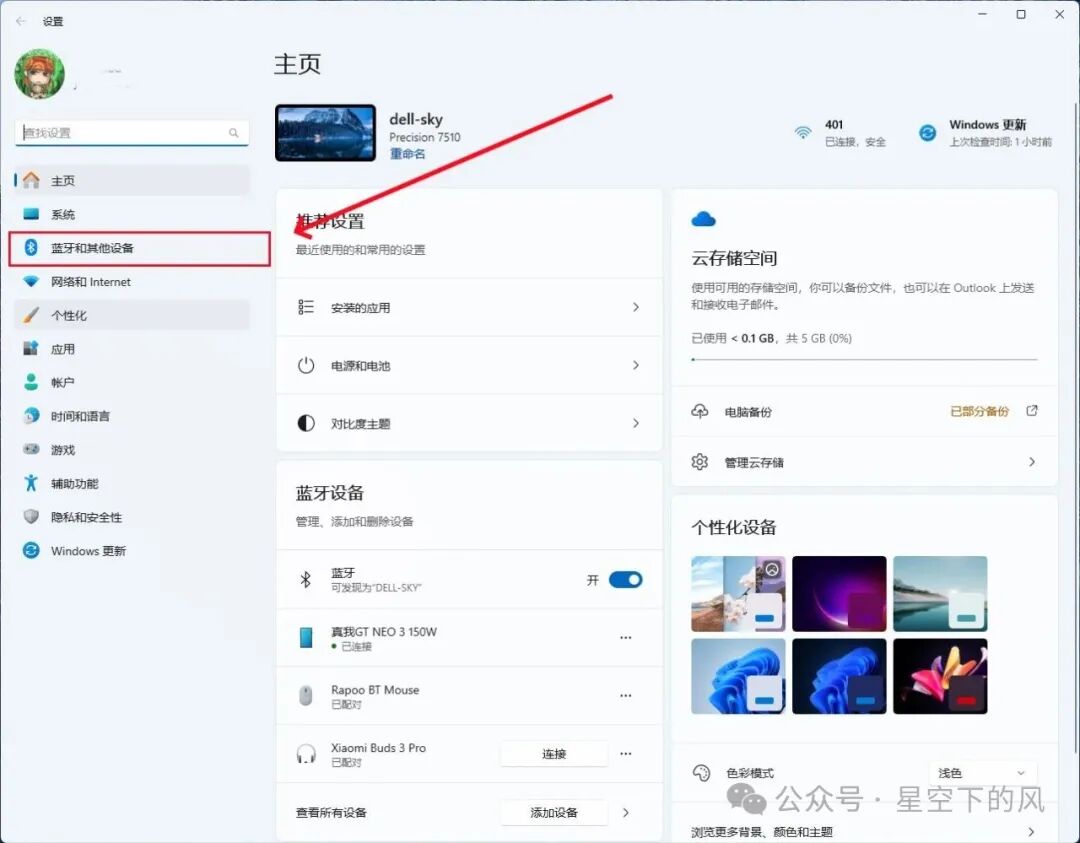
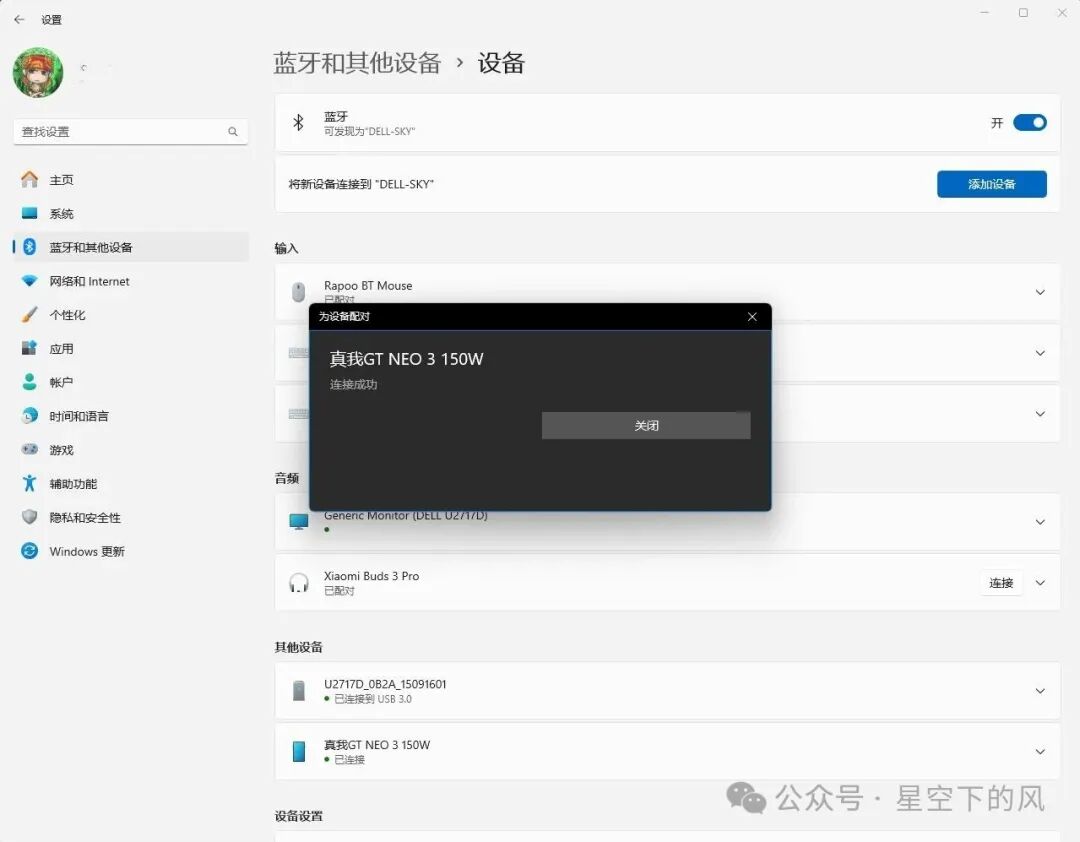
- Go to the Bluetooth settings interface.
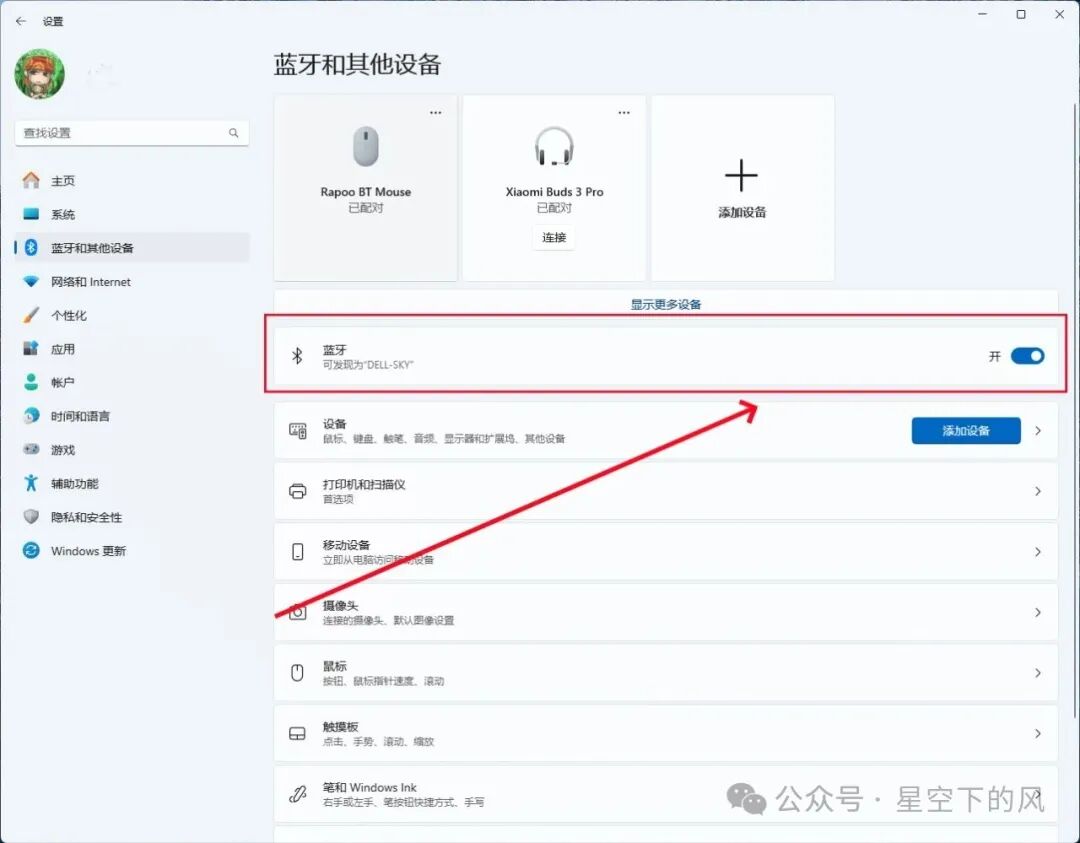 Note: Bluetooth needs to be turned on and set to discoverable.
 - Keep the interface open and wait for the mobile side to initiate pairing. When the prompt box appears, click Yes.
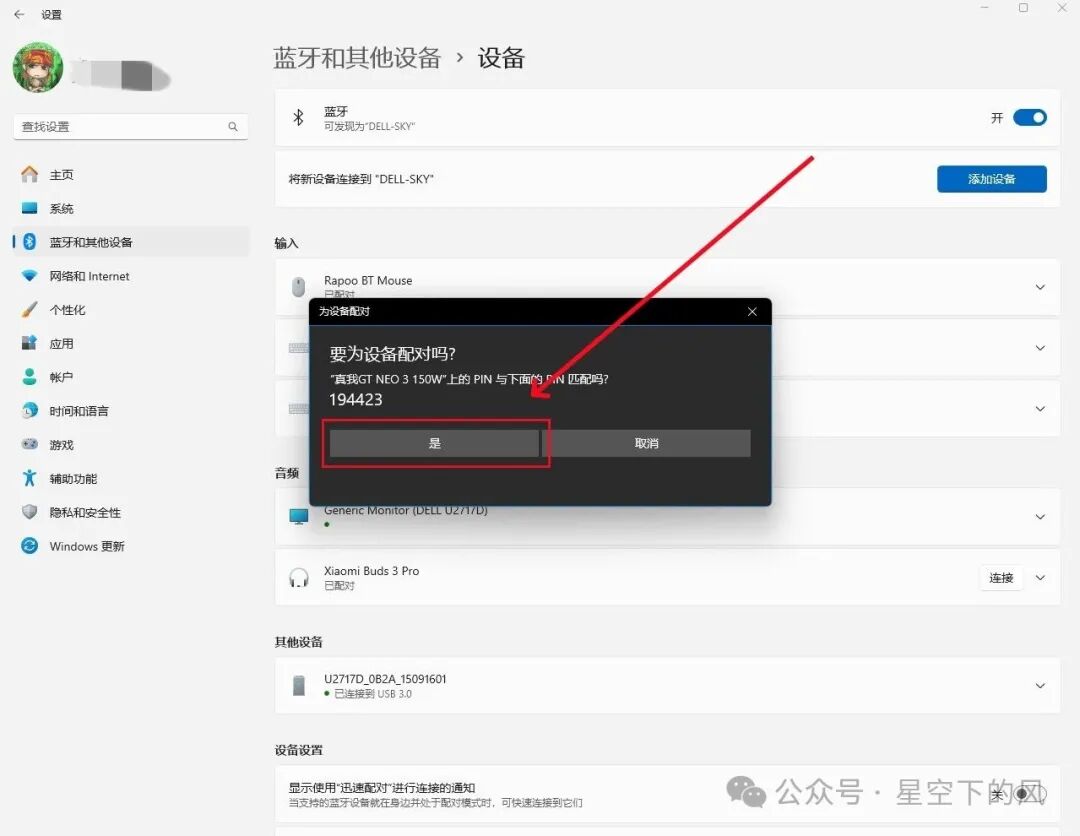
- Connection successful.
Mobile Side
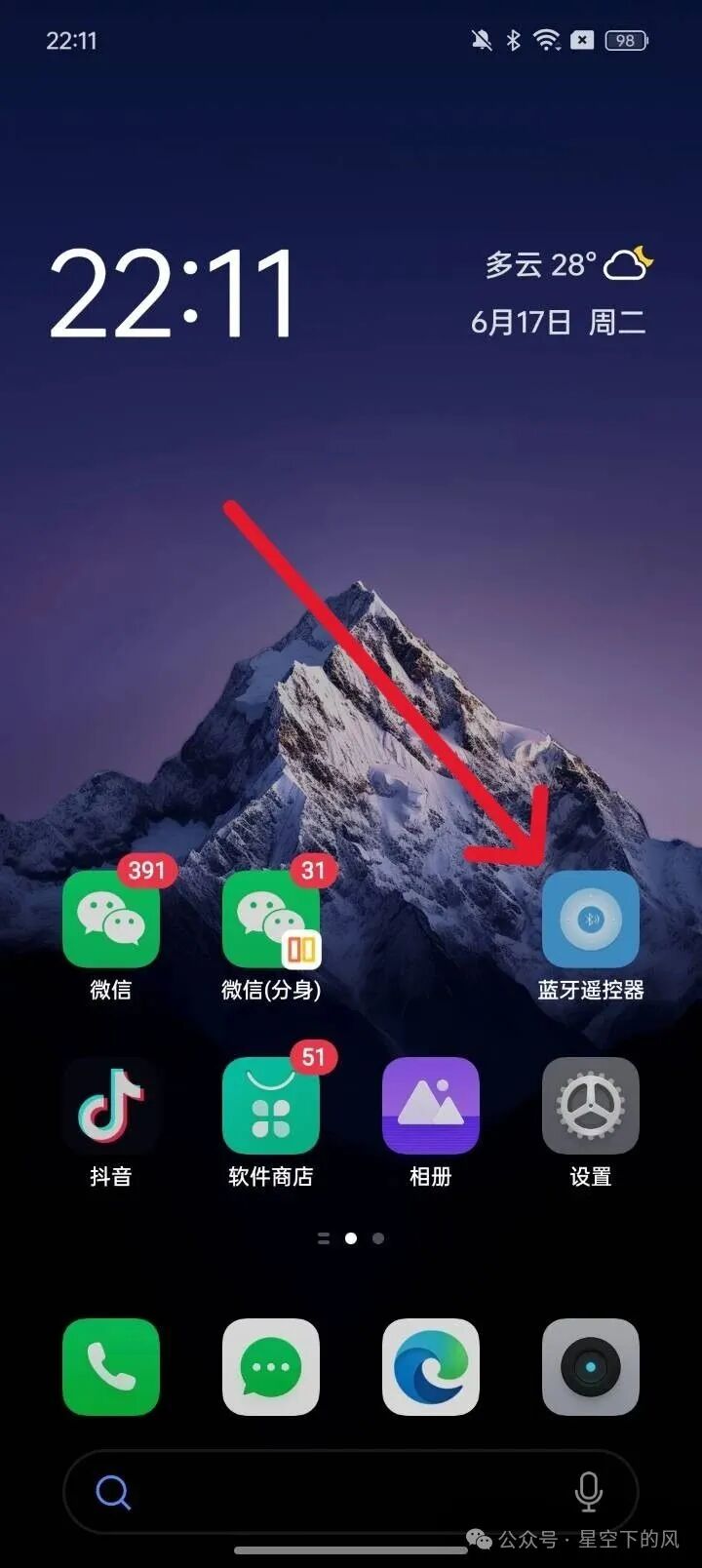
- Open the Bluetooth Remote Control software on the desktop.
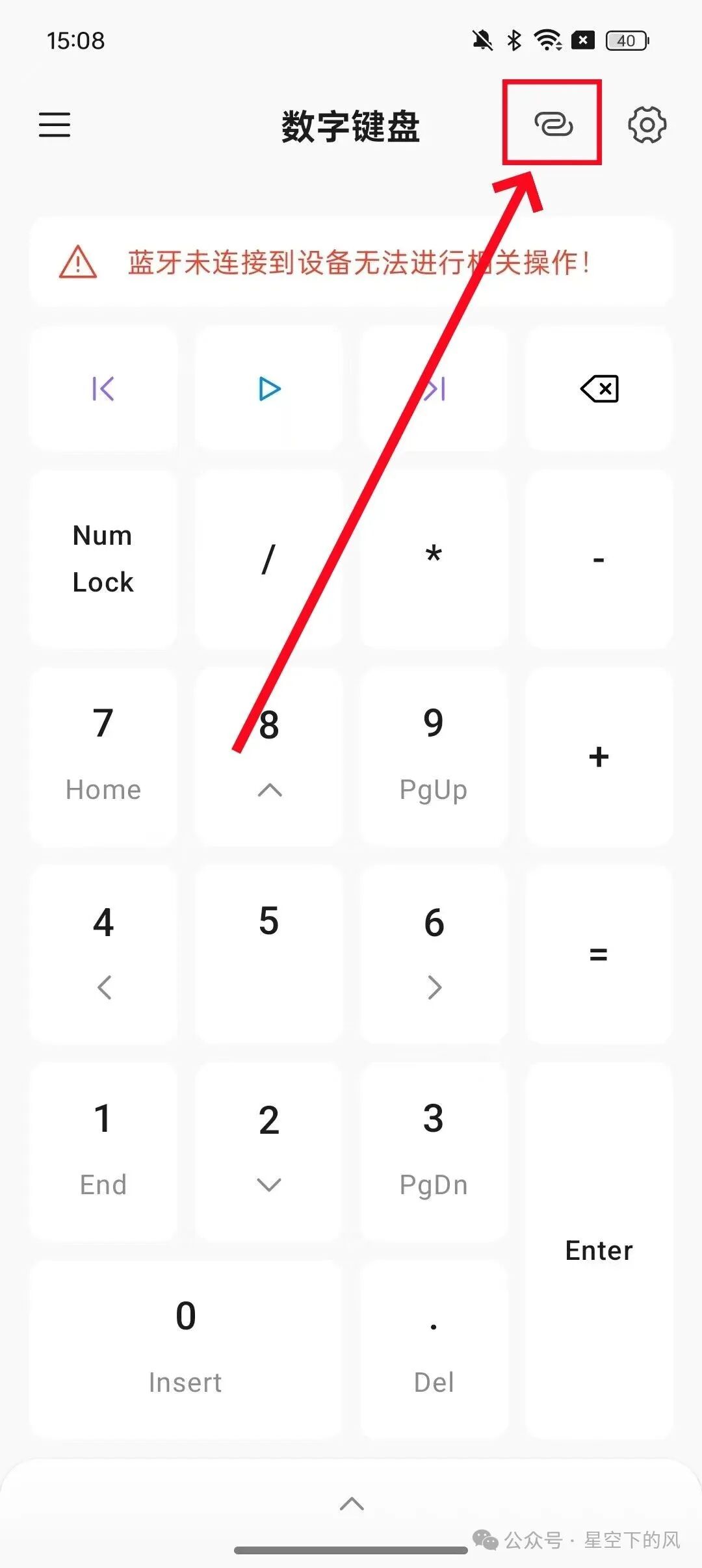
- Enter the Bluetooth device interface. Click the icon as indicated by the arrow in the image.
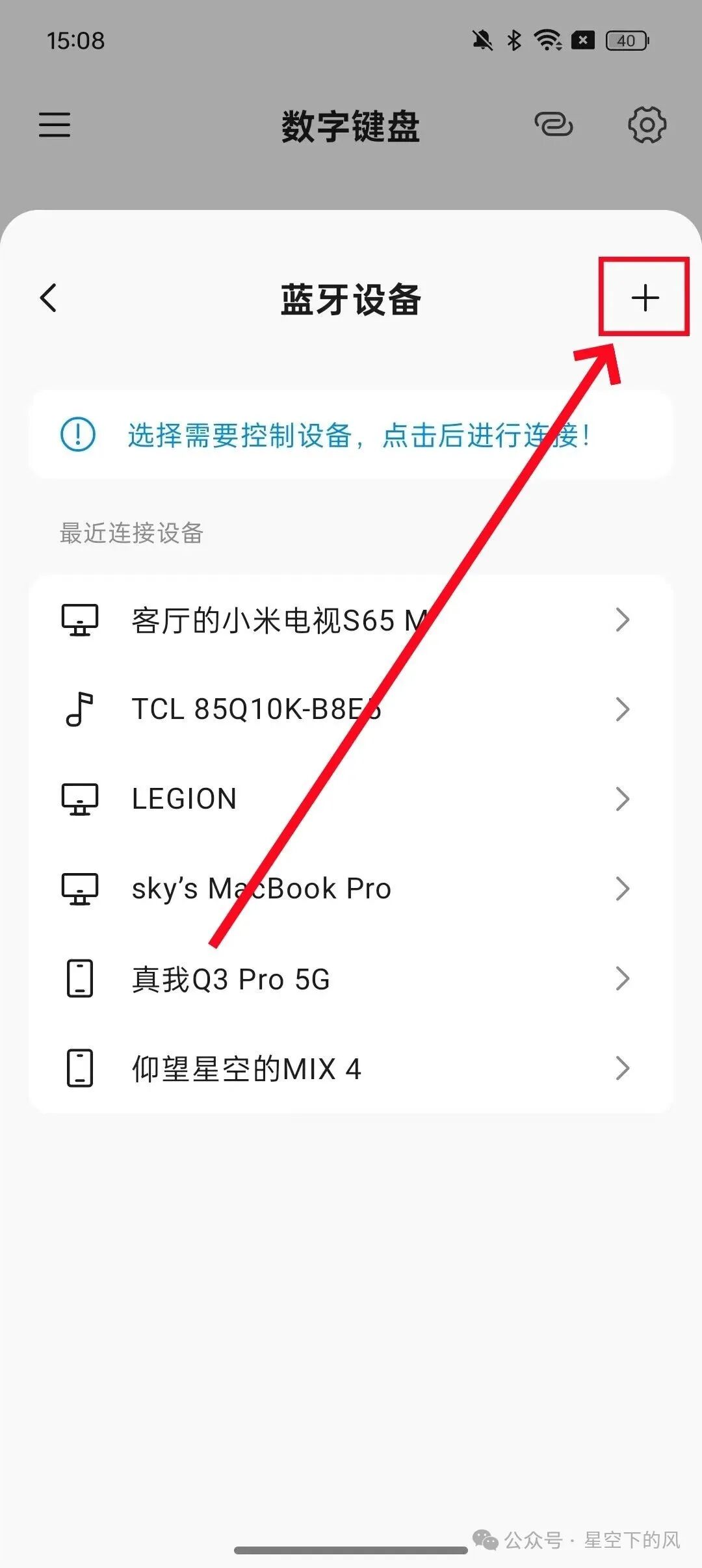
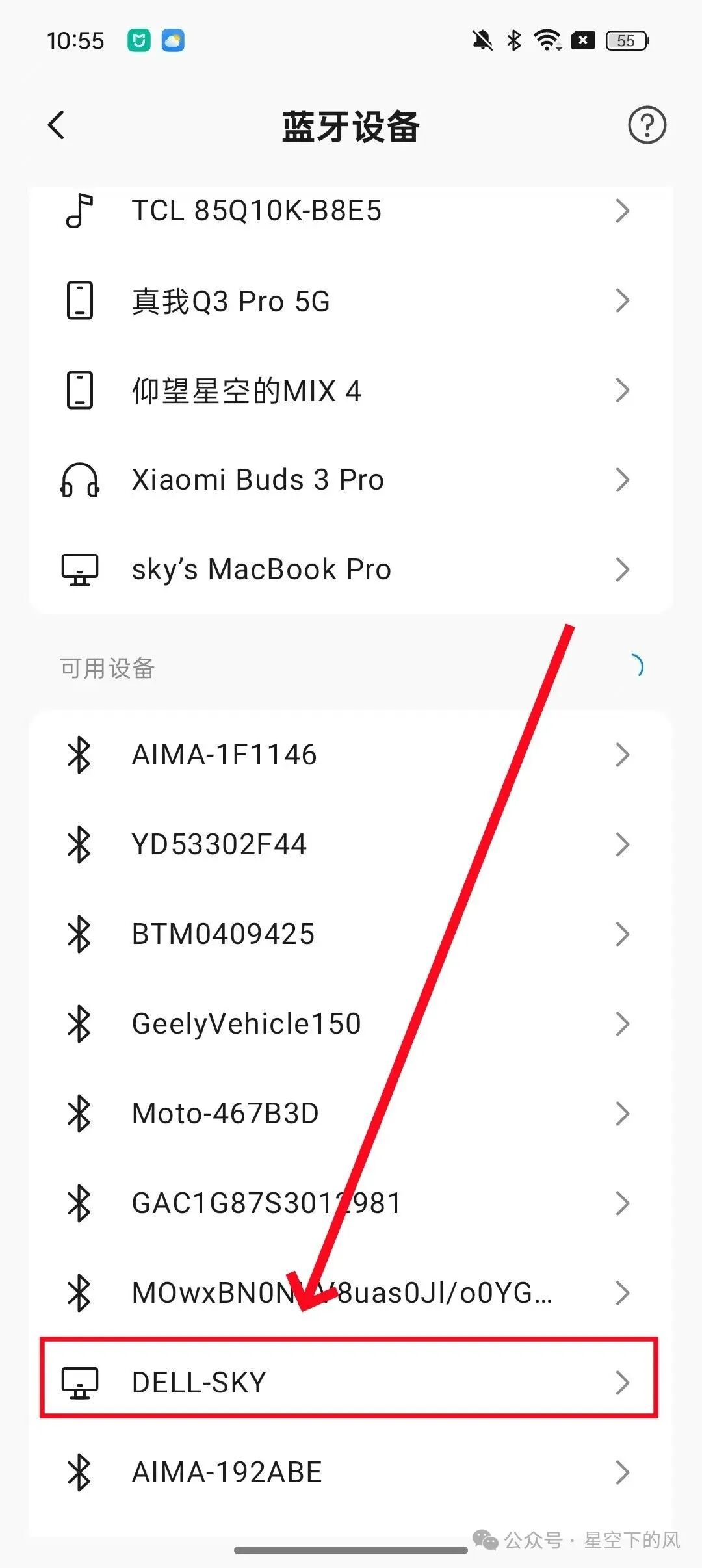
- Click to find the computer device in the available devices.
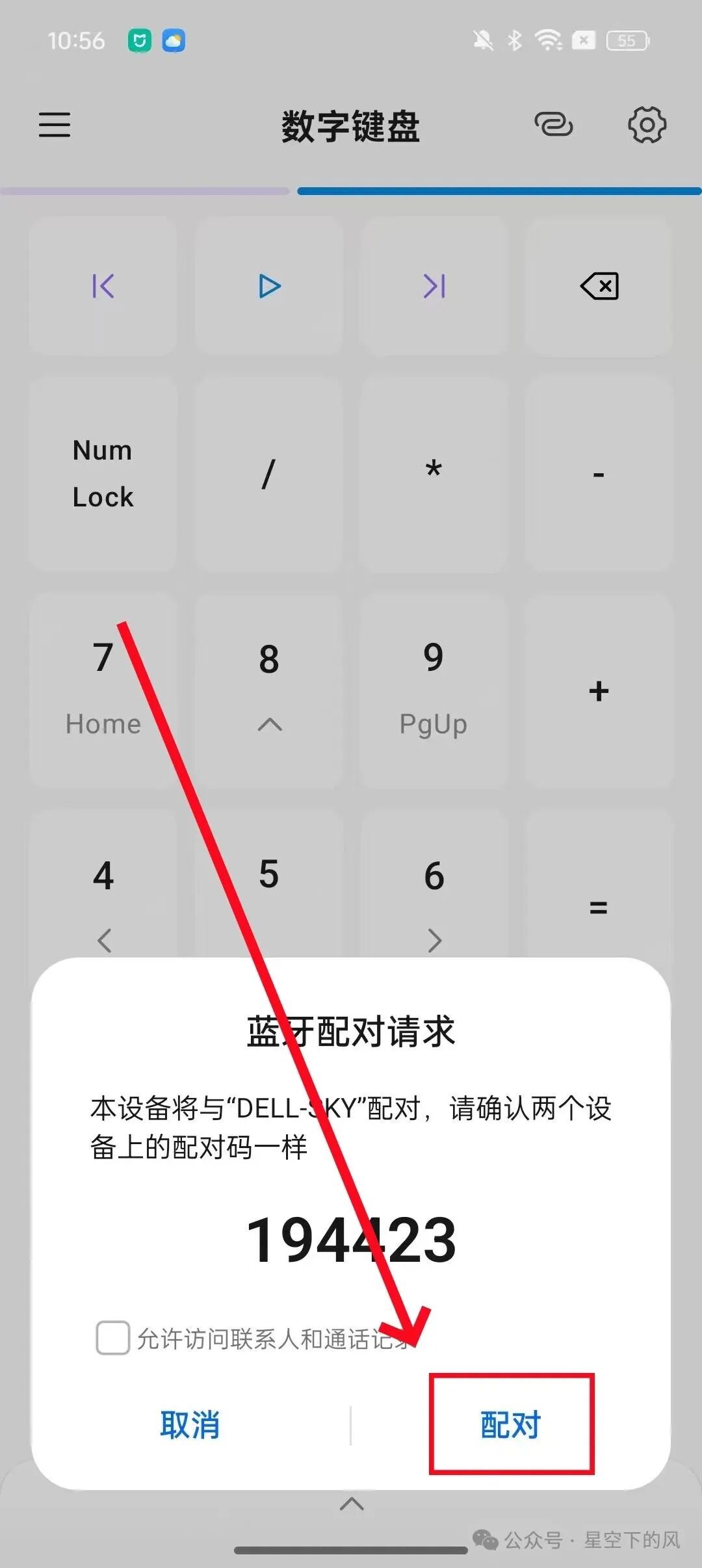
- Wait for the connection until both devices display the pairing prompt box, then click Pair.
- Once connected successfully, you can control the computer from the interface.
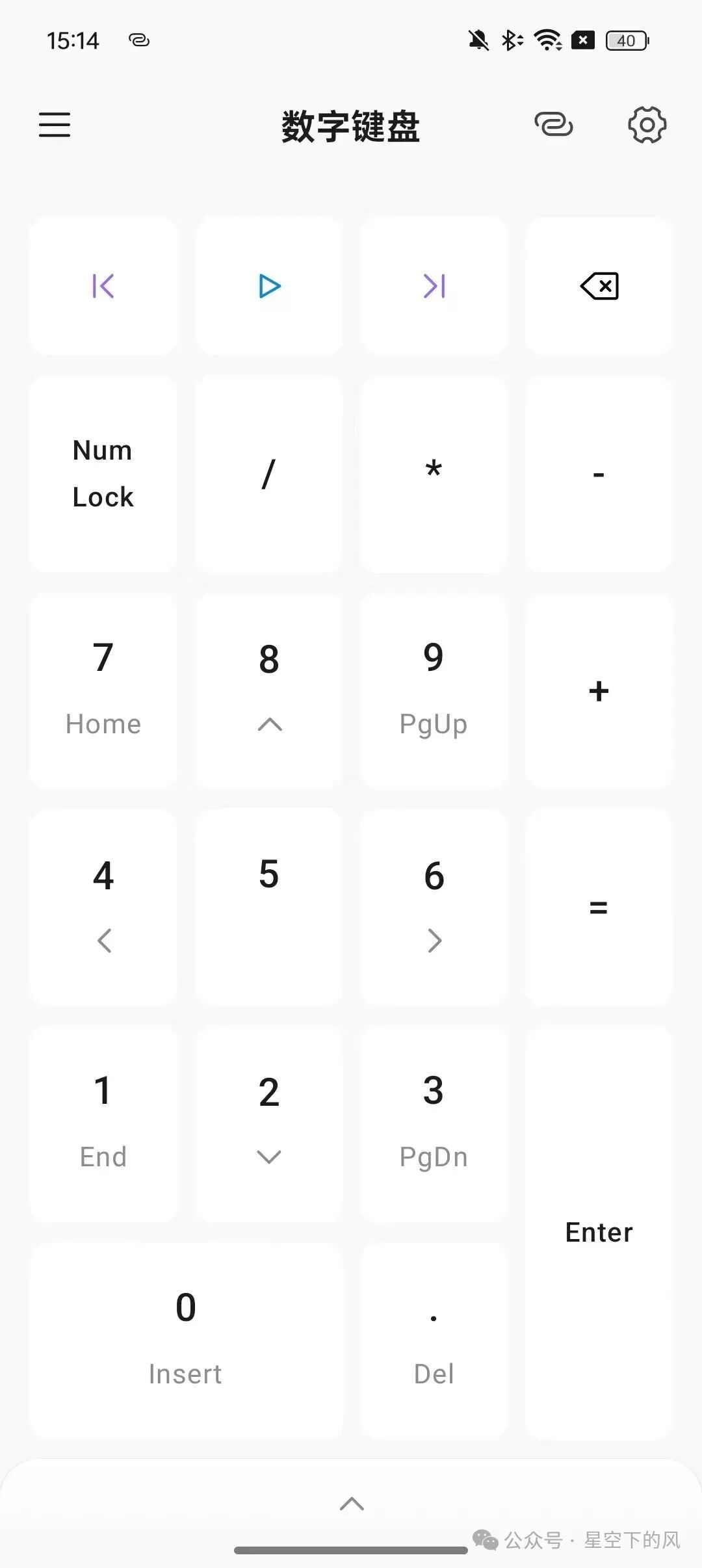
- The device connection is now complete.
Note: If all buttons become unresponsive, you can close the application from the recent tasks or unpair the remote device in the phone’s Bluetooth settings, then try the above connection again.
If you need to continue using the software to control the computer next time, open the software and find the recently connected devices in the Bluetooth devices section, then click the corresponding device to connect.
Finally, the download link for the software experience: send “Bluetooth Remote Control” or “Remote Control” to the public account to obtain the latest version download package of Bluetooth Remote Control v1.0. If you encounter any issues using the software, you can also follow the public account to find corresponding solutions.