ASUS ExpertCenter PN42 Review
A fanless mini PC
In July 2023, Intel and ASUS became the focus of news: Intel decided to stop producing NUC mini PCs, while ASUS took over the responsibility for the production and development of future NUC systems.
Fortunately, ASUS has delivered on its promise by launching several different mini PCs. Although they belong to a niche market, today I will review a more niche product: ASUS ExpertCenter PN42. This mini PC aims to provide high energy efficiency, silent operation, a comprehensive range of interfaces, a compact size, and good build quality at a very low price.
Do these features make it a product suitable for everyone, or is it only applicable for specific uses?
 ASUS ExpertCenter PN42 Unboxing
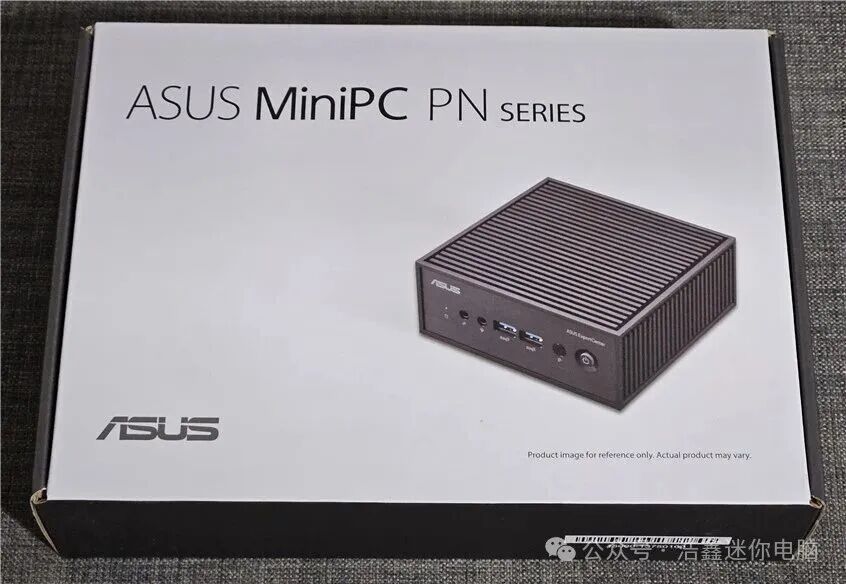
The ASUS ExpertCenter PN42 is an affordable mini PC, so its packaging is quite simple. It comes in a gray-black cardboard box, with the product image and ASUS branding printed on the lid.
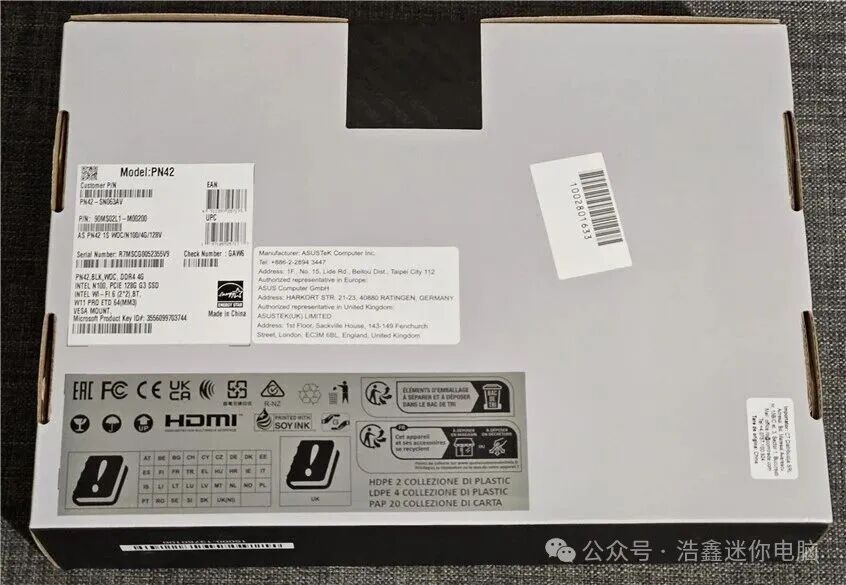
There is very little information printed on the packaging box, but there are some stickers on the back that display the exact model you purchased, the serial number, and detailed hardware configuration information.
Upon opening the packaging, the first thing that catches your eye is the mini PC itself. After taking out all the accessories, you will find quite a few items: a 65-watt power adapter and power cord, a bag of screws, a VESA mounting bracket, a warranty card, a user manual, and other promotional leaflets. In some regions and stores, the ASUS ExpertCenter PN42 may also be sold as a bundle that includes a keyboard and mouse. Some versions may also come with a DVD drive.
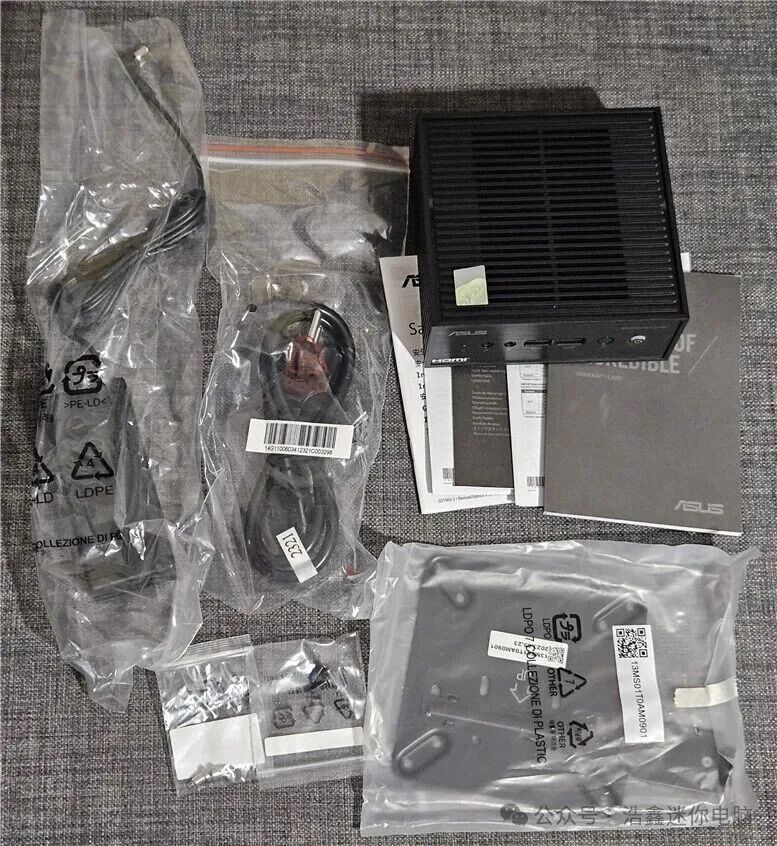
As shown in my pictures, ASUS has adopted a pragmatic style in the packaging design of the ExpertCenter PN42. The unboxing process is very quick; the box contains everything needed to use this mini PC. Of course, if you purchase the barebones version, you will need to install the solid-state drive yourself to use it.
Design and Hardware Specifications
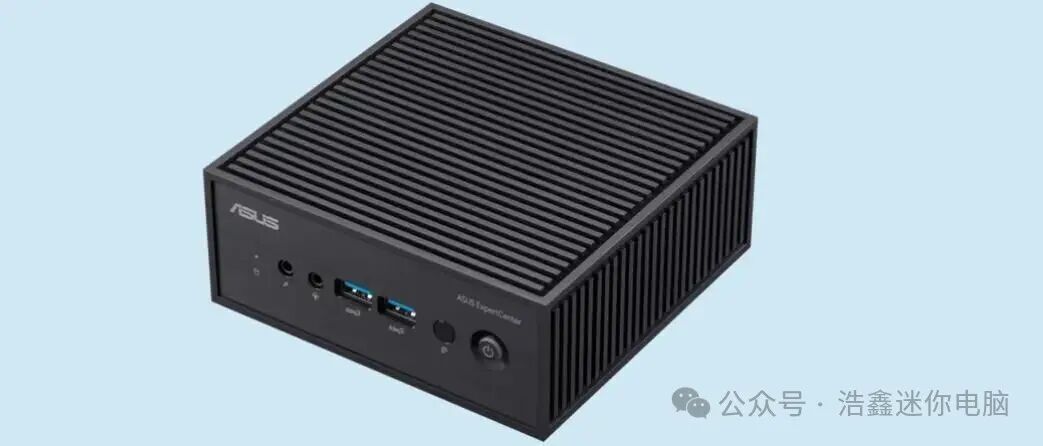
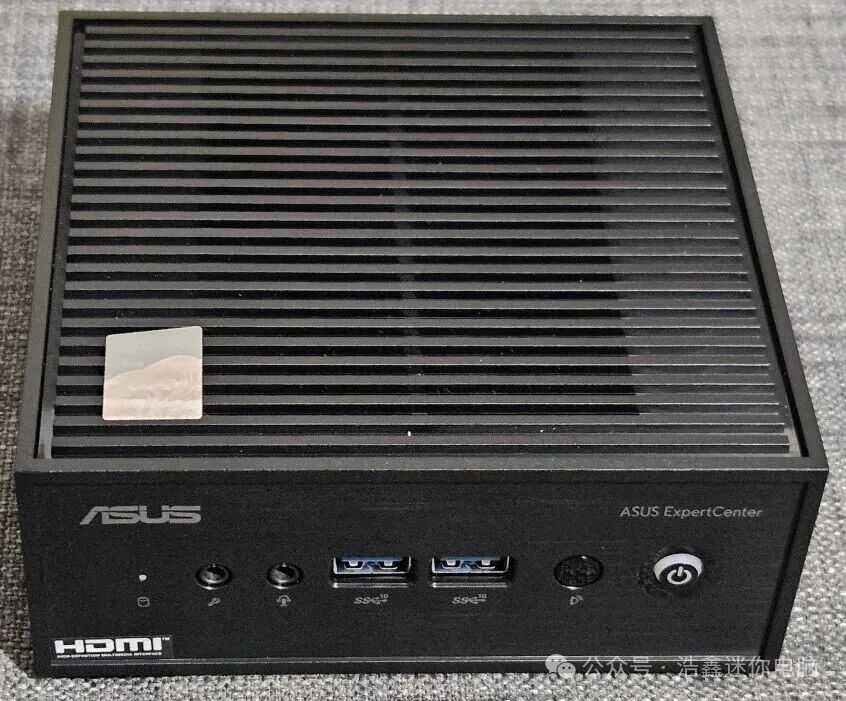
The ASUS ExpertCenter PN42 is a compact mini PC designed to provide an ultra-high cost-performance ratio, silent operation, and energy-efficient experience. Its design is simple, focusing on durability and efficiency. The front of the mini PC is equipped with an LED indicator (to show the working status of the storage drive), a microphone jack, an audio jack, two USB 3.2 Gen 2 ports, an infrared receiver, and a power button. A highlight is that the power button features RGB lighting to indicate the working status of the ExpertCenter PN42. It can display whether the system is running normally, if there are processor errors during startup, memory failures, or display failures. This design is very clever, and I hope it can be more widely adopted, including in laptops.
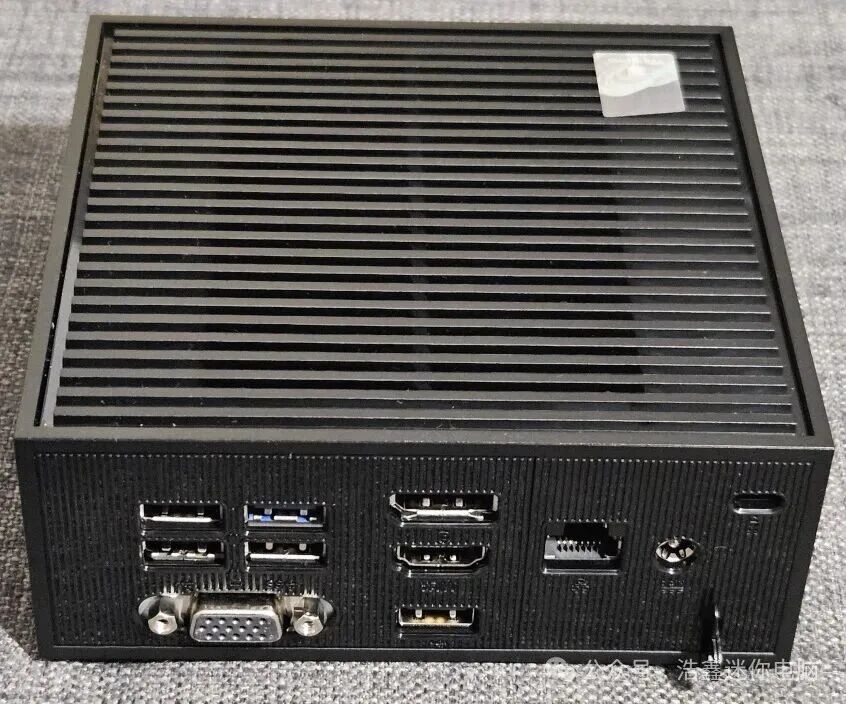
On the back of the ASUS ExpertCenter PN42, you will find the following ports: two USB 2.0 ports, two USB 3.2 Gen 1 ports, one DisplayPort 1.4 port, one HDMI port, a third USB 2.0 port, a 2.5 Gbps Ethernet port, a power connector, a lock slot, and a Kensington security lock. Additionally, there may be a configurable port at the bottom. It can be a VGA port (like the machine I reviewed), a second HDMI or DisplayPort port, or a USB Type-C port. You can also choose to have a second 2.5 Gbps Ethernet port.
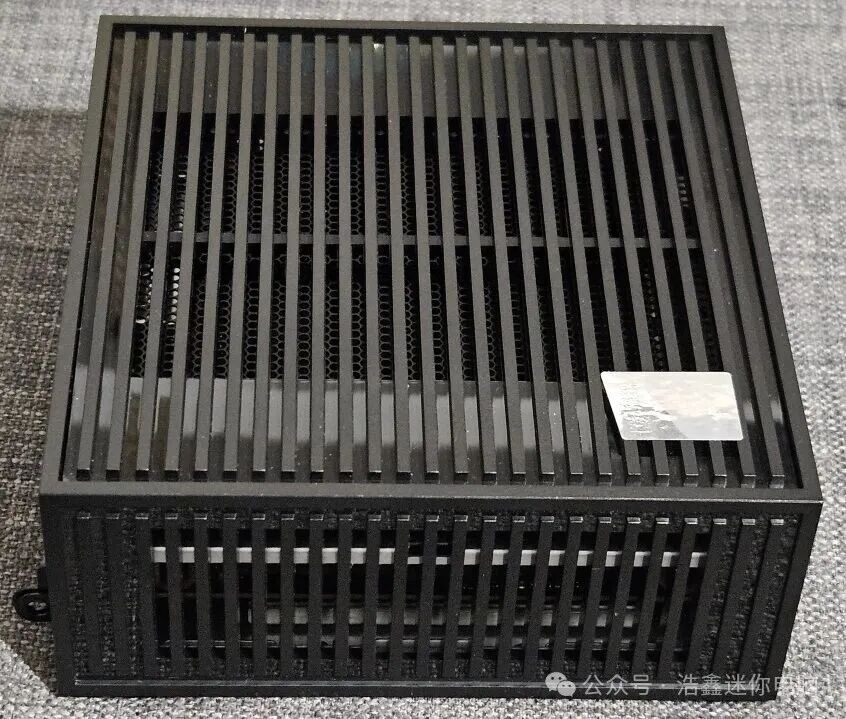
The other sides of this mini PC only have ventilation grilles to ensure that the internal hardware remains as cool as possible. The chassis dimensions are only 127.5 x 132 x 57.6 mm (W x D x H), or 5.01 x 5.19 x 2.26 inches. It weighs only 1 kg (2.2 lbs). ASUS claims that this mini PC has passed the MIL-STD-810 military standard tests to assess its durability and environmental adaptability. Although the chassis of the ASUS ExpertCenter PN42 is made entirely of plastic, over 30% of the materials are post-consumer recycled plastic (PCR) to reduce its environmental impact.
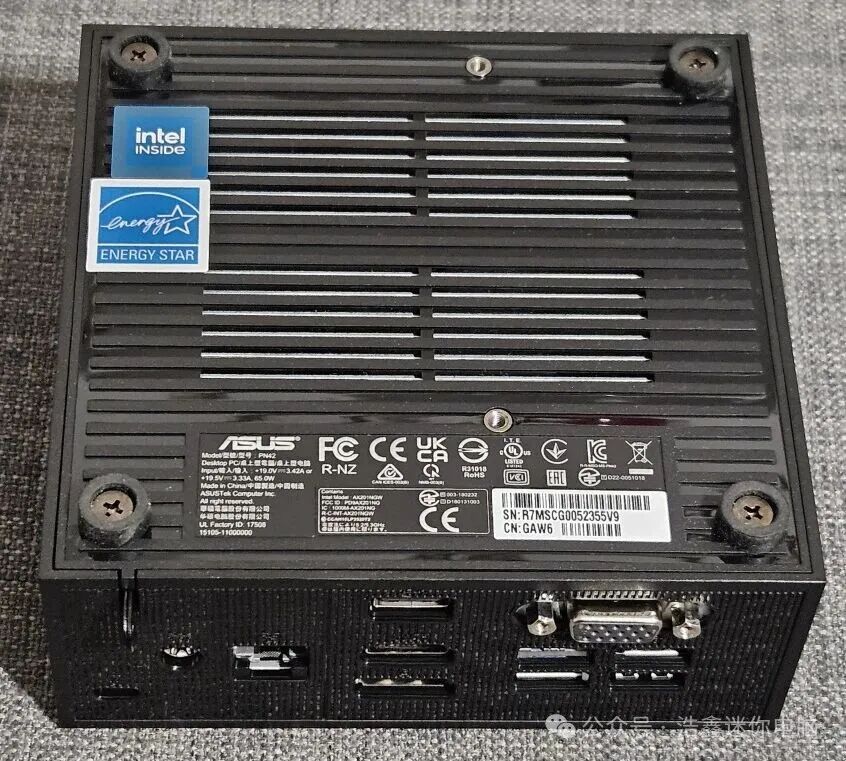
The bottom of the mini PC has more ventilation grilles, a label with product information, the Intel logo, and an Energy Star certification label indicating that the product has high energy efficiency. Additionally, there are four rubber feet for securing the device, as well as screws for opening the chassis and servicing the internal hardware.
Speaking of hardware configuration, the internal hardware of the ASUS ExpertCenter PN42 is as powerful as its interfaces. This mini PC can be equipped with the following processors: Intel N100, N200, or Intel Celeron N4500. I tested the version with the Intel N100, which has only four cores and a maximum TDP of just 6 watts. However, I personally prefer the slightly more powerful Intel N200, which has a higher maximum turbo frequency.
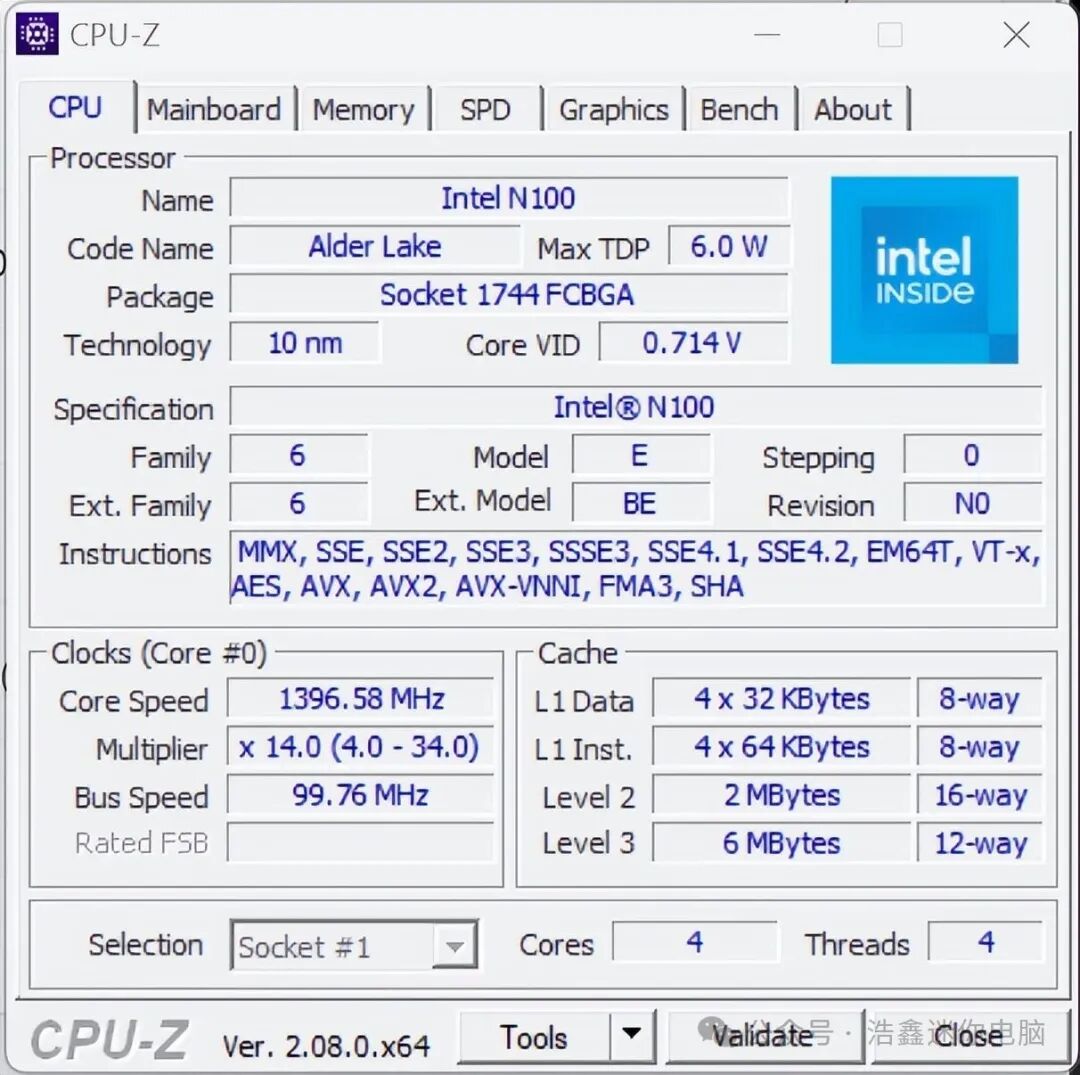
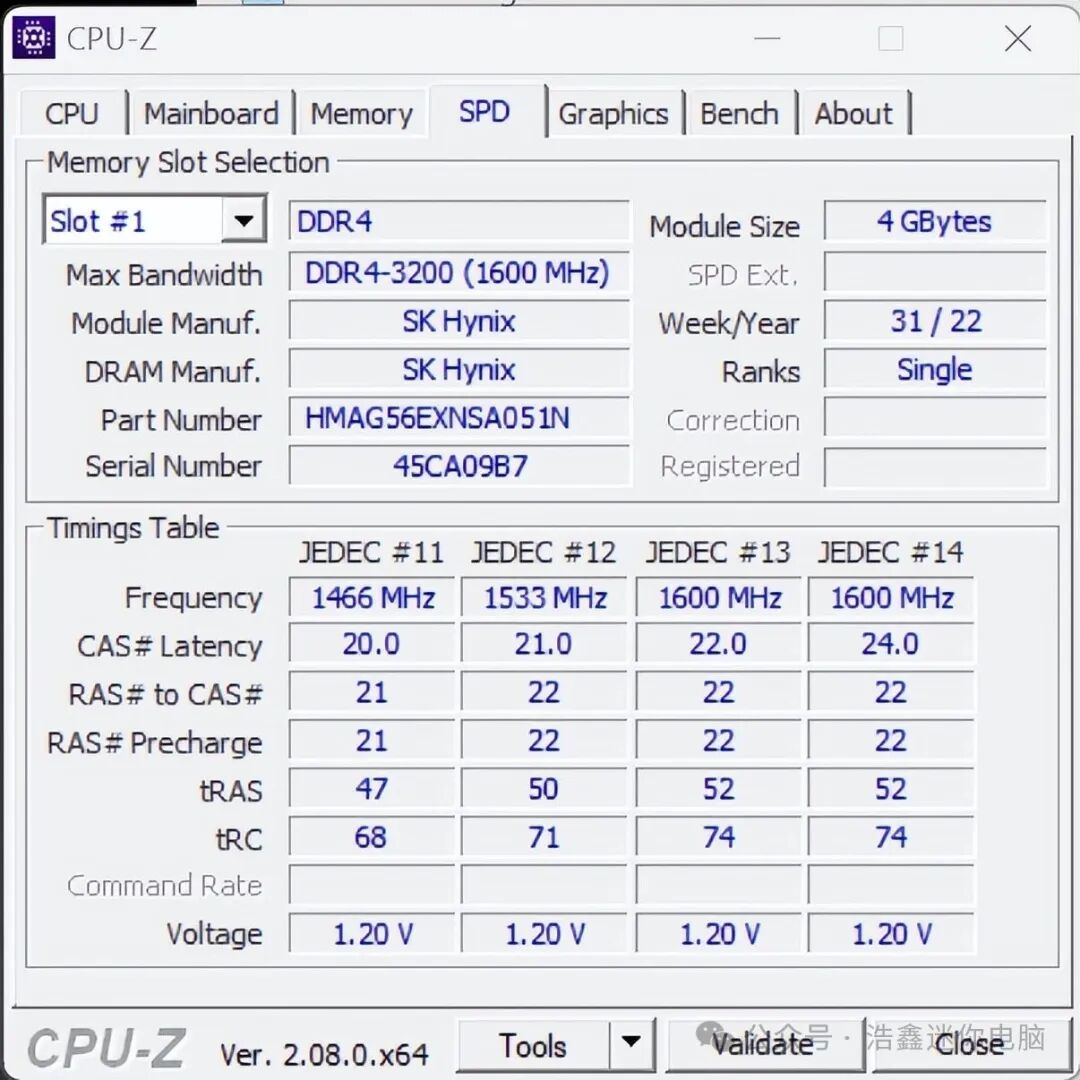
This mini PC can be equipped with up to 16GB of memory, depending on the processor you choose. There are only two memory slots inside the chassis, and the machine I reviewed is equipped with only 4GB of Hynix DDR4-3200 memory.
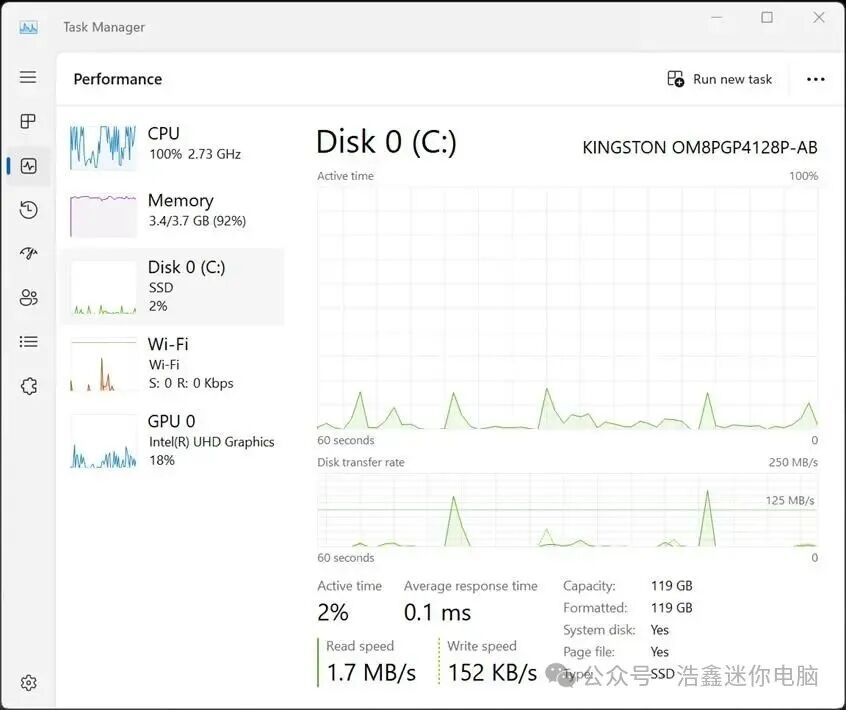
The ASUS ExpertCenter PN42 is equipped with integrated Intel UHD graphics, supporting up to three displays with a maximum resolution of 4K at 60Hz. In terms of storage, this mini PC can be equipped with NVMe SSDs, with capacities ranging from 128GB (like the one I reviewed) to 2TB. Unfortunately, it only has one M.2 2280 PCIe Gen3 x4 slot, so if you need large storage space, you must purchase a model equipped with a large-capacity SSD. Speaking of SSDs, the model I reviewed is equipped with a Kingston SSD, as shown in the picture below.
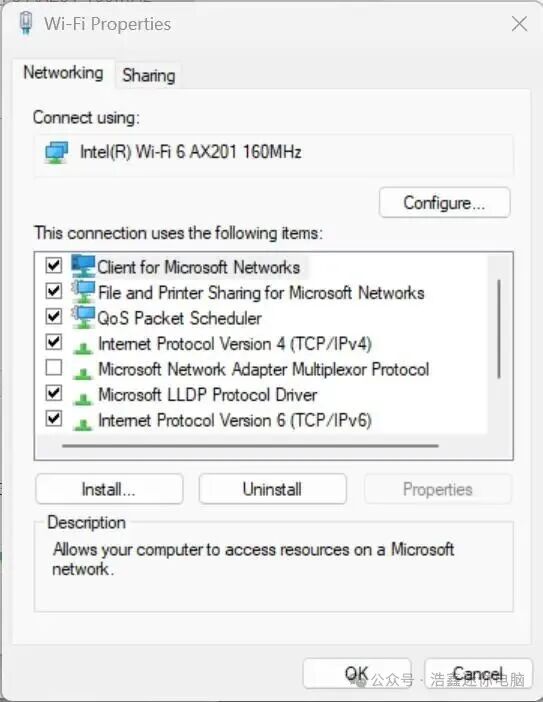
The ASUS ExpertCenter PN42 offers Bluetooth 5.2 connectivity and Wi-Fi 6 or Wi-Fi 6E, depending on the version you choose. The model I reviewed is equipped with the Intel AX201 wireless card that supports Wi-Fi 6. Other models may be equipped with the Intel AX211 card.
If you do not like the hardware configuration provided by ASUS, the company also offers a barebones option that does not include memory, storage, or wireless card. You can choose the processor that best suits your needs and customize other internal components as needed.
If you do not choose the barebones version, the ASUS ExpertCenter PN42 can come pre-installed with Windows 10 Pro, Windows 10 IoT Enterprise, Windows 11 Pro, or Windows 11 Home. It is worth noting that this mini PC is also compatible with Linux systems and versions without pre-installed operating systems can be purchased.
Using the ASUS ExpertCenter PN42
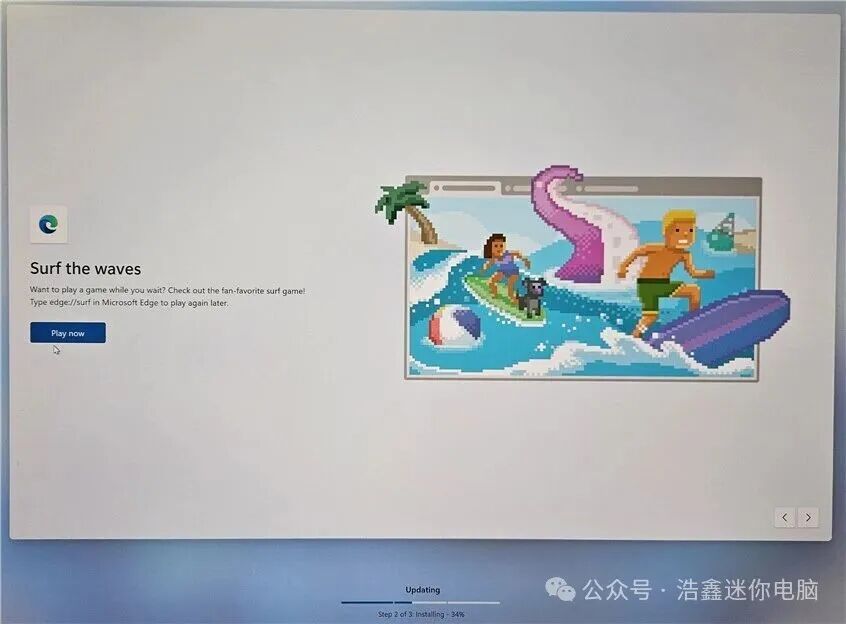
Although the Intel N100 and N200 processors have made progress compared to Intel’s previous low-power processors, they are still slow and underperforming for users like me who have high demands for computer performance. Moreover, they seem to be poorly matched with Windows 11 or Windows 10. This became evident when I booted the ASUS ExpertCenter PN42 and configured the installation of Windows 11 Pro. The entire process was noticeably slower than a traditional desktop, and updates seemed to take an eternity. It was so slow that I got bored and started playing the built-in surfing game.
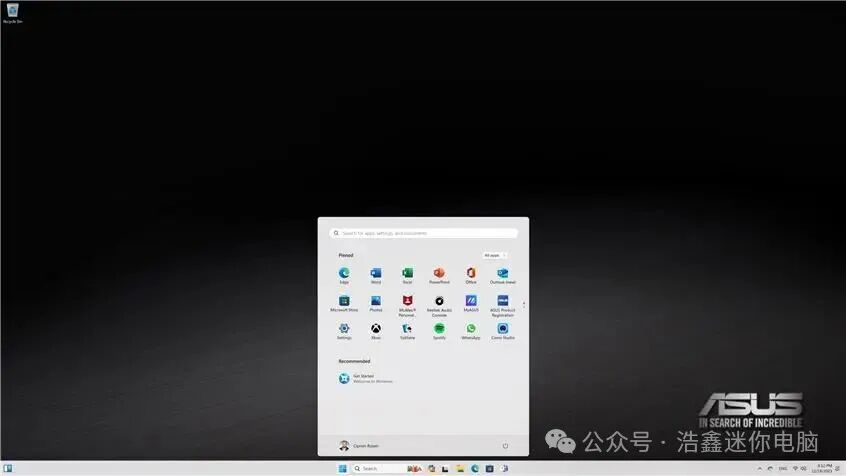
When I finally completed all the settings and logged into Windows 11, I found the system running extremely slowly. The Intel N100 processor was constantly at 100% utilization, and even simple tasks like opening the Microsoft Edge browser and taking screenshots were challenging. I investigated the cause and found that the pre-installed McAfee security software and Microsoft OneDrive were consuming a lot of resources. I spent a lot of time uninstalling them, and only then did the processor utilization decrease.
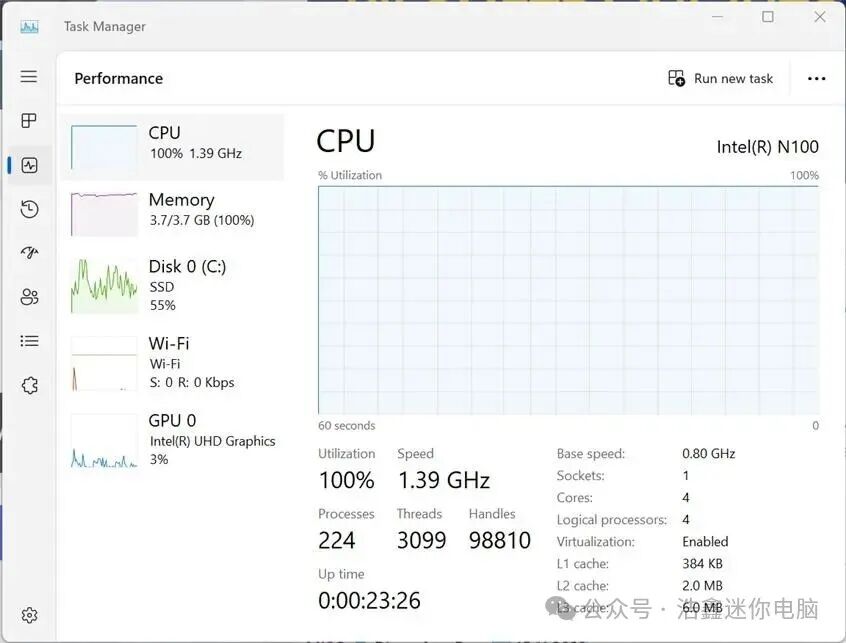
After using the ASUS ExpertCenter PN42 for a few hours, I concluded that it would be better to choose another option than running Windows 11 or Windows 10 on it. A mini PC with only 4GB of memory is too weak for Microsoft’s operating systems. Even performing simple tasks, the memory usage exceeded 80%, and the performance was not ideal. If you want to run Windows on the ExpertCenter PN42, I recommend purchasing a model with at least 8GB of memory, or choosing the barebones version and then installing 16GB of memory and a fast, high-capacity solid-state drive yourself. Setting performance issues aside, Windows 11 runs reasonably well, meaning it does not crash and can always complete my tasks, albeit slowly.
The ASUS ExpertCenter PN42 features a fanless design, which means you won’t hear any fan noise, a feature that will please many users. This is thanks to the low performance of the Intel N100 or N200 processors, which do not generate much heat even under full load. This mini PC is designed for simple computing tasks that do not require high performance. It works better with a Linux system, running faster. It is affordable, has a rich array of connectivity options, and offers high-speed Wi-Fi, Bluetooth, and LAN connections, making it an ideal choice for various DIY projects.
You can use it for various computer programming experiments, set up a simple home or small business server (such as private cloud storage, video surveillance system management, email server, home multimedia streaming server, etc.), or run dedicated programs in industrial environments. Additionally, it is an ideal choice for point-of-sale systems, self-service terminals, and smart vending machines, which run simple software and have low hardware requirements. However, to get the best experience with the ASUS ExpertCenter PN42, you must remove its pre-installed bloatware.
ASUS ExpertCenter PN42 Bundled Applications
Despite being a low-power computer, it still comes pre-installed with some bloatware. First, Microsoft has pre-installed a lot of applications in Windows 10 and Windows 11, and ASUS has added some more:
-
ASUS Product Registration – Allows you to register your mini PC, log in with your ASUS account, check your warranty status, and more.
-
Camo Studio is useful when connecting a webcam. It can control various settings of the webcam, add various effects to the video stream, and use AI to fine-tune video quality.
-
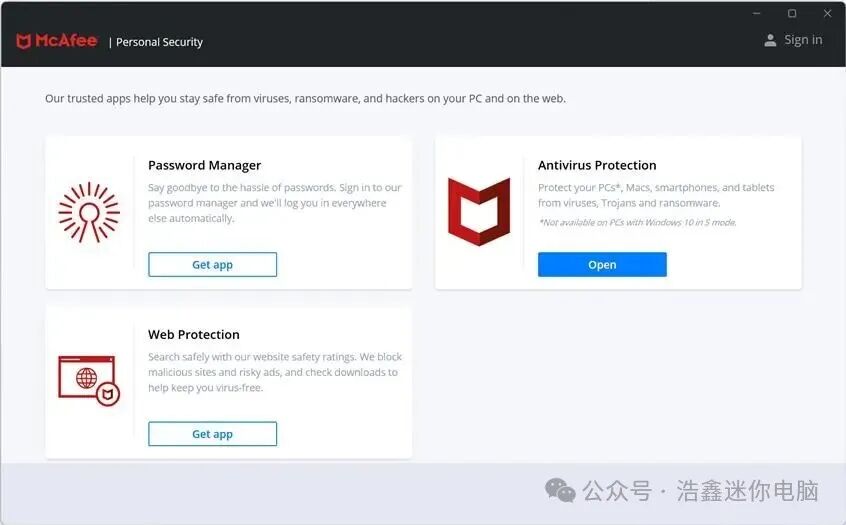
McAfee Personal Security, McAfee LiveSafe, and WebAdvisor by McAfee are a suite of security applications from McAfee that provide multi-layer protection and can verify the safety of the websites you browse, blocking malicious downloads, viruses, ransomware, and other types of threats. Unfortunately, these products require a subscription after the 30-day free trial, and their performance is inferior to other antivirus software. Additionally, they severely impact the performance of the mini PC, making it nearly unusable, especially when you are using the entry-level configuration with only 4GB of memory. I strongly recommend uninstalling all of these software. If you need help, please read this guide on uninstalling desktop programs and Microsoft Store apps in Windows.
-
Microsoft 365 and Microsoft OneNote are two popular office applications from Microsoft that allow you to view and edit various documents, create notes, and sync these notes across different devices using your Microsoft account. In addition to these applications, ASUS has also pre-installed various Office and OneNote language packs.
-
MyASUS is an application that allows you to customize various features of the mini PC: for example, AI noise-canceling microphone, speakers, enabling WiFi SmartConnect, etc. This application also allows you to access ASUS promotions and the latest updates and BIOS versions from ASUS.
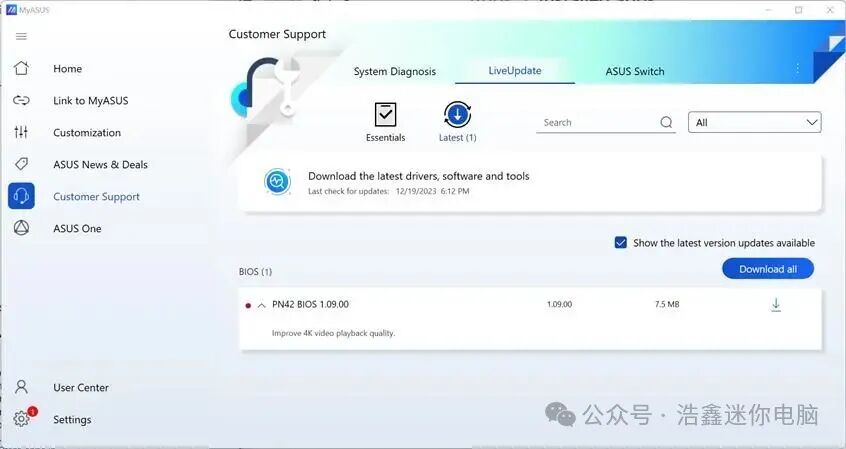
Although the bloatware pre-installed on the ASUS ExpertCenter PN42 is not extensive, it is enough to slow down the operating speed, which is frustrating. The McAfee products that come with this mini PC have a particularly severe impact on performance. I strongly recommend uninstalling these products immediately after your first login for a smoother experience.
Benchmark Performance
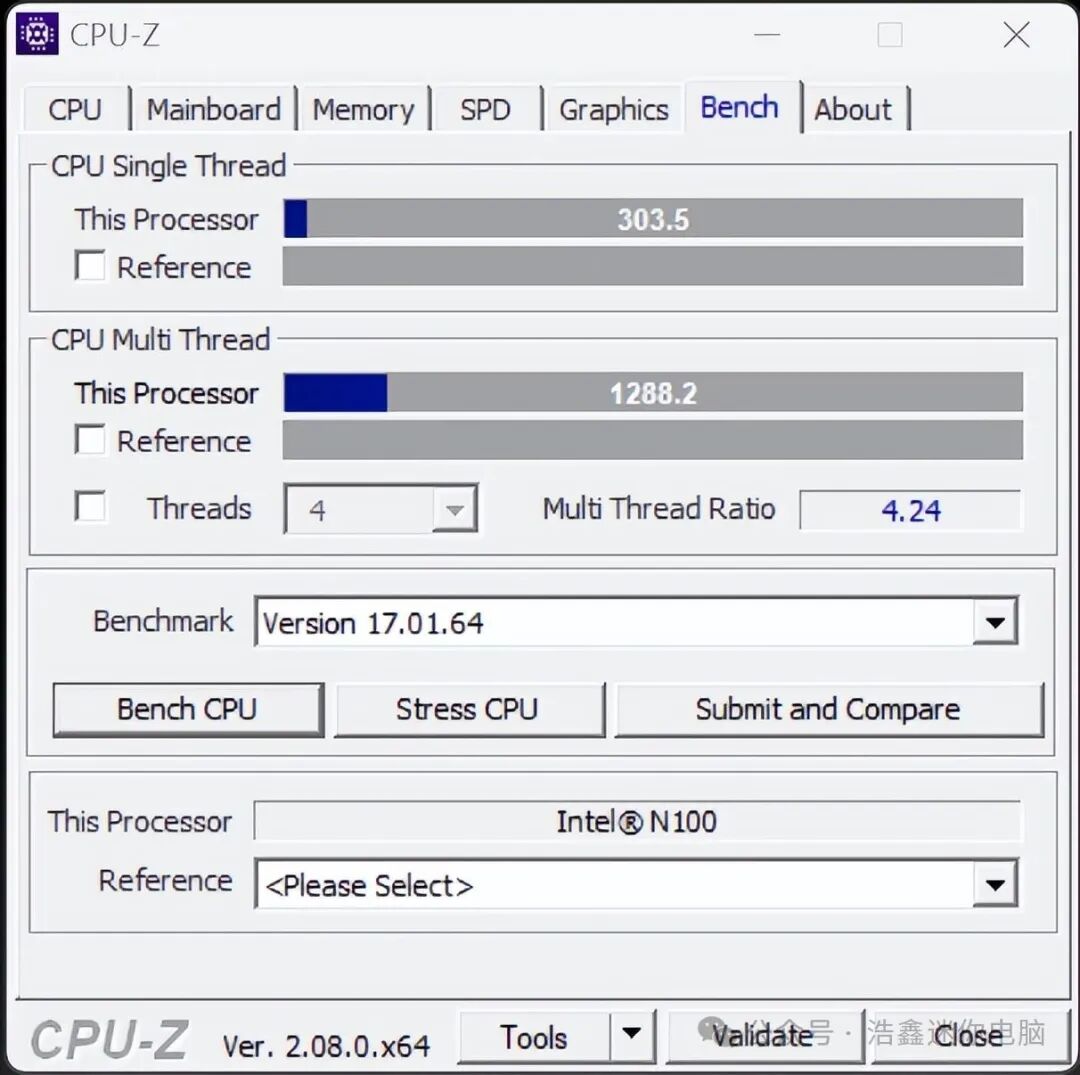
The ASUS ExpertCenter PN42 is not a mini PC designed to deliver exceptional performance. As my testing experience has shown, this mini PC runs slowly, especially when pre-installed software consumes its limited resources. To visually demonstrate its performance, I ran some benchmark tests so you can compare it with other systems. First, I ran CPU-Z.
In the single-thread test, the Intel N100 processor scored only 303 points, less than half of the Intel Core i7-12700H, which is the configuration of the more expensive Intel NUC 12 mini PC enthusiast kit. In the multi-thread test, it scored only 1288 points, six times slower than the Intel Core i7-12700H. These benchmark results confirm that the ASUS ExpertCenter PN42 is not designed for CPU-intensive tasks.
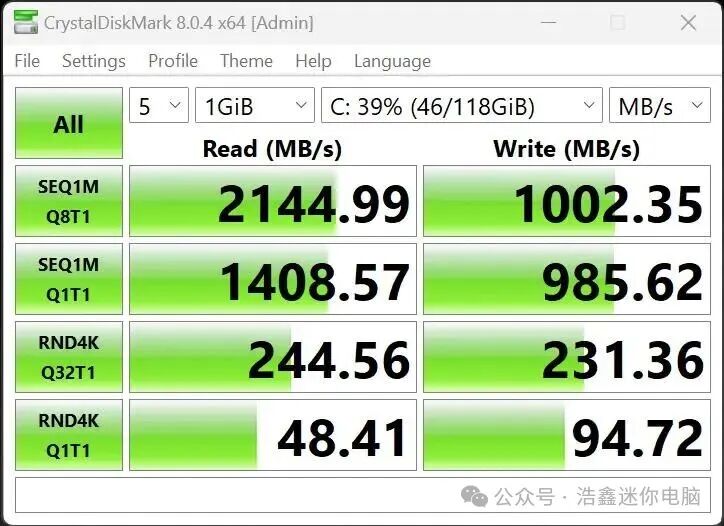
Next, I wanted to test the speed of the solid-state drive, so I ran CrystalDiskMark for testing. The sequential read and write speeds were quite good: the read speed was 2.14 GB/s, and the write speed was 1 GB/s. This test shows that the bundled solid-state drive significantly enhances the performance of this low-power mini PC.
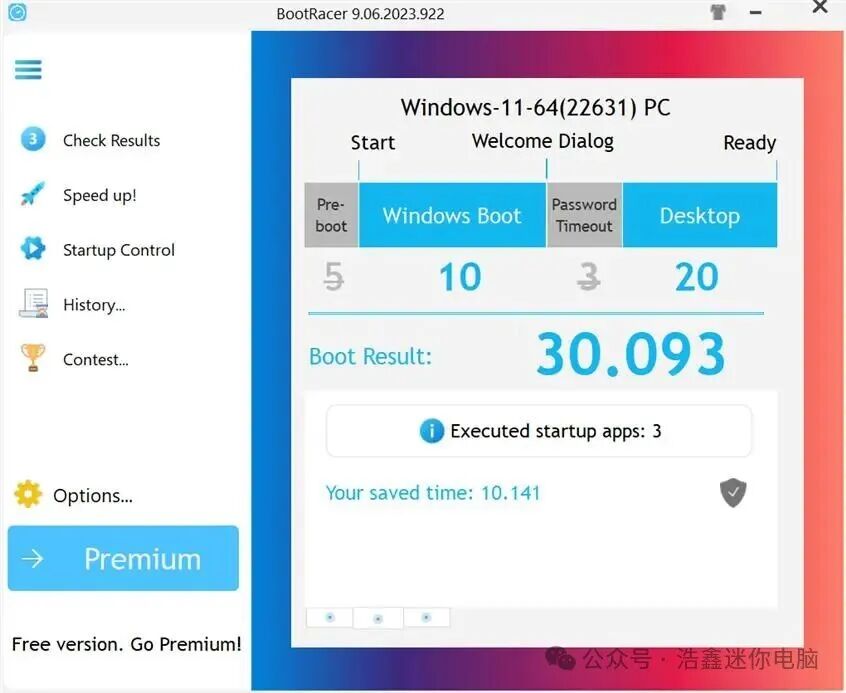
The SSD also showed its value when booting Windows 11. I tested the boot time several times using BootRacer and found that the fastest boot time was only 30 seconds, and the slowest was only 44 seconds. For such a low-power mini PC, this speed is excellent.
I also wanted to test the Wi-Fi 6 connection speed of the ASUS ExpertCenter PN42. After running SpeedTest, I measured a maximum download speed of 568 Mbps and an upload speed of 699 Mbps. Although these results are decent, I have tested the Intel AX201 wireless card on several laptops, and each time the speed was faster. I suspect that the 4GB of memory and the underperforming Intel N100 processor have also become bottlenecks for Wi-Fi transmission. Therefore, unless you plan to utilize the 6 GHz band, which is not as easily interfered with as the 2.4 GHz and 5 GHz bands, I do not recommend choosing Wi-Fi 6E connectivity.

Finally, I wanted to test the performance of the cooling system under high load. Therefore, I ran the AIDA64 system stability test for about eight minutes. The temperature of the Intel N100 processor started at around 36 degrees Celsius, peaked at 59 degrees Celsius, and eventually stabilized around 53 degrees Celsius. Moreover, the processor did not experience any throttling during this stress test, which is excellent. ASUS has designed the cooling system very well, and it deserves praise!
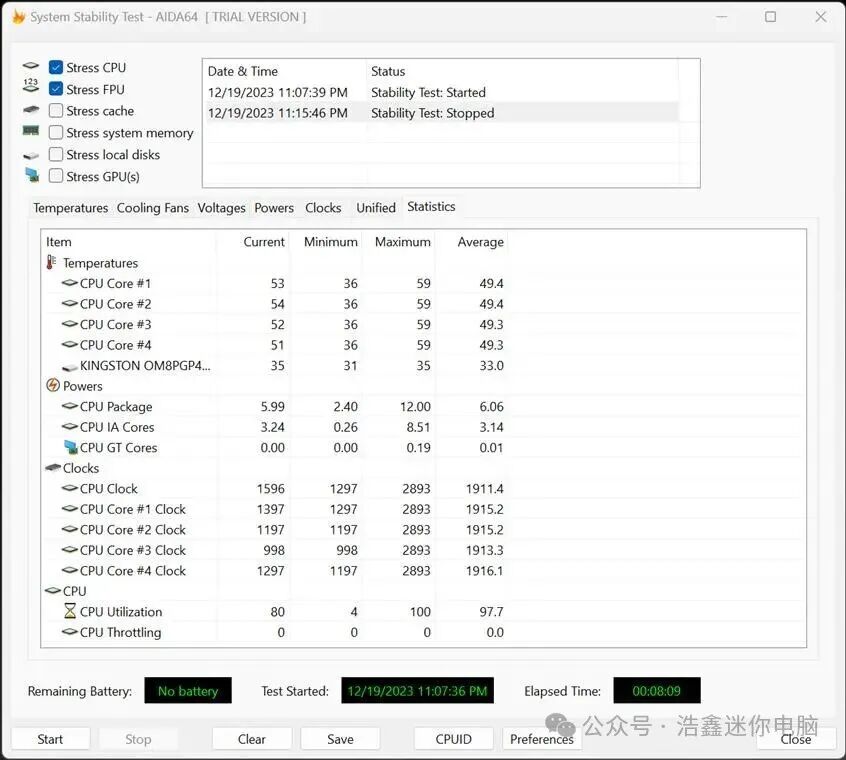
As I expected when reading the hardware specifications of this product, the benchmark tests I ran confirmed that this mini PC does not perform well. The ASUS ExpertCenter PN42 is suitable for handling simple tasks that do not require high processor demands and have extremely high energy efficiency requirements. If you want better performance than my test results, I strongly recommend choosing a version equipped with at least 8GB of memory and the slightly more powerful Intel N200 processor.
Conclusion
Despite its low price and high energy efficiency, this product is not suitable for everyone. I appreciate its build quality, fanless design, and excellent connectivity options, but its hardware is mainly suitable for computing tasks that do not require high processing power. The ASUS ExpertCenter PN42 is suitable for various professional uses: signage, point-of-sale systems, self-service terminals, smart vending machines, or low-power servers for home networks and small businesses. For example, you can use it as a private cloud storage service, manage video surveillance systems and store video recordings, or serve as a simple email server. Although ASUS can pre-install Windows 10 or Windows 11, these operating systems are too bloated. For the best experience, the ASUS ExpertCenter PN42 is better suited for use with a Linux system, as Linux runs much faster than Windows.
This review concludes here, and now you should have a good understanding of the performance, build quality, and user experience of the ASUS ExpertCenter PN42. As you can see, this is a niche product aimed at resource-intensive computing tasks.
END Haoxin MicrocontrolContact information below13366787371