Source | Embedded Intelligence Bureau
Recently, WiFi was used in a project, but at the beginning of the debugging process, several concepts were not particularly clear. Therefore, I have summarized this for easier development in the future.
The Internet of Things (IoT) is currently quite popular, and various devices need to be connected to the internet, making WiFi a “standard configuration” for device connectivity. But have you ever wondered why some devices can create their own WiFi hotspots while others can only connect to routers? Why can some gateways both receive and transmit data?
This is mainly due to the three working modes of WiFi: AP mode, STA mode, and AP+STA hybrid mode. Today, we will delve into these three modes:
1. Role Definitions and Working Principles of WiFi Modes
1. AP Mode (Access Point)
In this mode, it acts like a “WiFi transmitter tower,” actively creating a network.
 Working Principle:
Broadcasts WiFi signals (SSID), waits for other devices to connect, and assigns IP addresses to connected devices (via DHCP). Typical devices include wireless routers and smart home device configuration hotspots.
Example: A smart socket, when first used, activates AP mode, allowing the user’s phone to connect directly and configure the home WiFi password.
2. STA Mode (Station)
In this mode, the device acts like a “WiFi user,” passively connecting to an existing network.
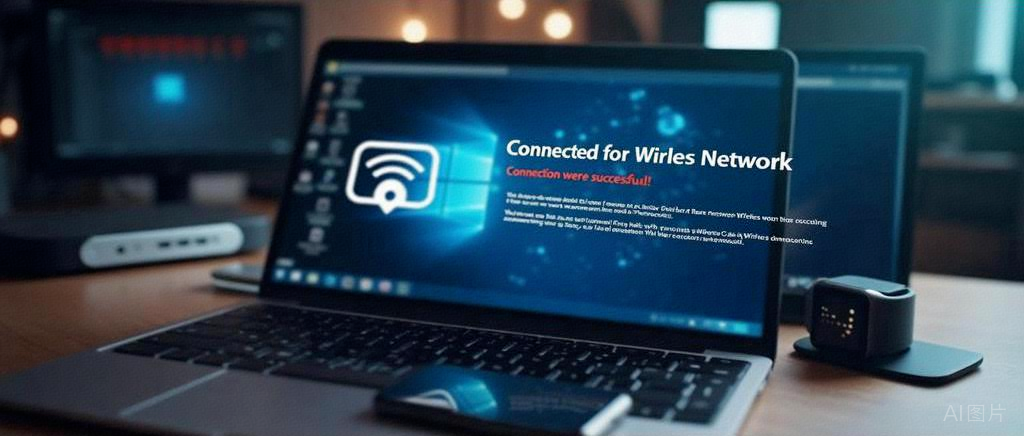 Working Principle: Scans for nearby AP signals (such as home routers), enters a password, and connects. Accesses the internet or local servers through the AP. Typical devices include smart cameras and temperature and humidity sensors.Example: A smart door lock connects to the home router via STA mode to report unlocking records to the cloud.
3. AP+STA Hybrid Mode
In this mode, the device acts like a “network relay station,” simultaneously taking on two identities.
Working Principle:
STA side: connects to the upper-level network (such as a home router), AP side: creates a sub-network for other devices to connect. Typical devices include wireless repeaters and industrial IoT gateways.
Example: A gateway in an agricultural greenhouse connects to 4G for data upload on the STA side, while the AP side aggregates data from local soil sensors.
2. Why Do We Need These Three Modes?
In short: AP mode solves the initial networking problem for devices;STA mode enables continuous communication between devices and the cloud/local;AP+STA hybrid mode achieves multi-level interaction.
1. AP Mode:
Smart devices cannot predict the user’s WiFi password at the factory, so they need to use AP mode to allow the user’s phone to connect directly to the device to complete the configuration (such as SmartConfig technology). For example, when a smart bulb is first used, the phone connects to the bulb’s AP hotspot, enters the home WiFi password, and then the bulb switches to STA mode to connect to the network.
2. STA Mode
• Devices access the internet via STA mode, supporting remote control, data reporting, OTA upgrades, etc. For example, a smart meter connects to community WiFi via STA mode and uploads electricity usage data to the power company every hour.
3. AP+STA Hybrid Mode
This mode is primarily used for implementing wireless relaying and protocol conversion. For example, protocol conversion: the local AP side connects to Zigbee/BLE devices, while the STA side uploads to the cloud via WiFi (such as a smart home gateway). In a factory, an edge computing gateway: the AP side connects to a local PLC controller, while the STA side uploads processed data to the cloud platform via TCP.
3. The Hierarchical Relationship with TCP/UDP
WiFi modes (AP/STA) belong to the OSI link layer (Layer 2), responsible for building the physical network between devices (who creates the network, who connects to the network), while TCP/UDP belongs to the transport layer (Layer 4), responsible for how data is transmitted reliably or efficiently. Therefore, regardless of whether the device is in AP, STA, or hybrid mode, it can freely choose TCP or UDP for transmission.
MQTT is commonly used, and we typically adoptSTA mode and AP+STA hybrid mode.
Smart home devices (STA) publish their status (such as air conditioning on/off) to the cloud broker via the MQTT protocol.
Edge gateways (AP+STA) aggregate local data and upload it via MQTT over TCP.
How to choose the mode? The summary is as follows:
• No network: prioritize AP mode for configuration.
• Need wide-area communication: choose STA mode.
• Multi-level networking requirements: use AP+STA hybrid mode.
———— END ————
What exactly are Reality AI tools applied to MCU/MPU?
The annual exhibition of electronics and embedded technology, free registration for attendees!

The “barometer” of embedded technology is reopening! Focusing on AIoT and humanoid robotics hard technology.