“Little Dou, Little Dou,” “Xiao Ai Student,” “Xiao Ai Pain Boots”… We are collecting the “nicknames” your elderly family members have given to smart speakers. Recently, our family calls it “Xili” because my mom is here.
There is an old saying, “If you don’t listen to the advice of the elderly during renovations, happiness will be fleeting year after year.”
Trendy, unlit lighting, voice assistants that respond to your commands, and remote control that allows you to take a hot shower as soon as you get home… Everything is designed according to my aesthetics and habits.
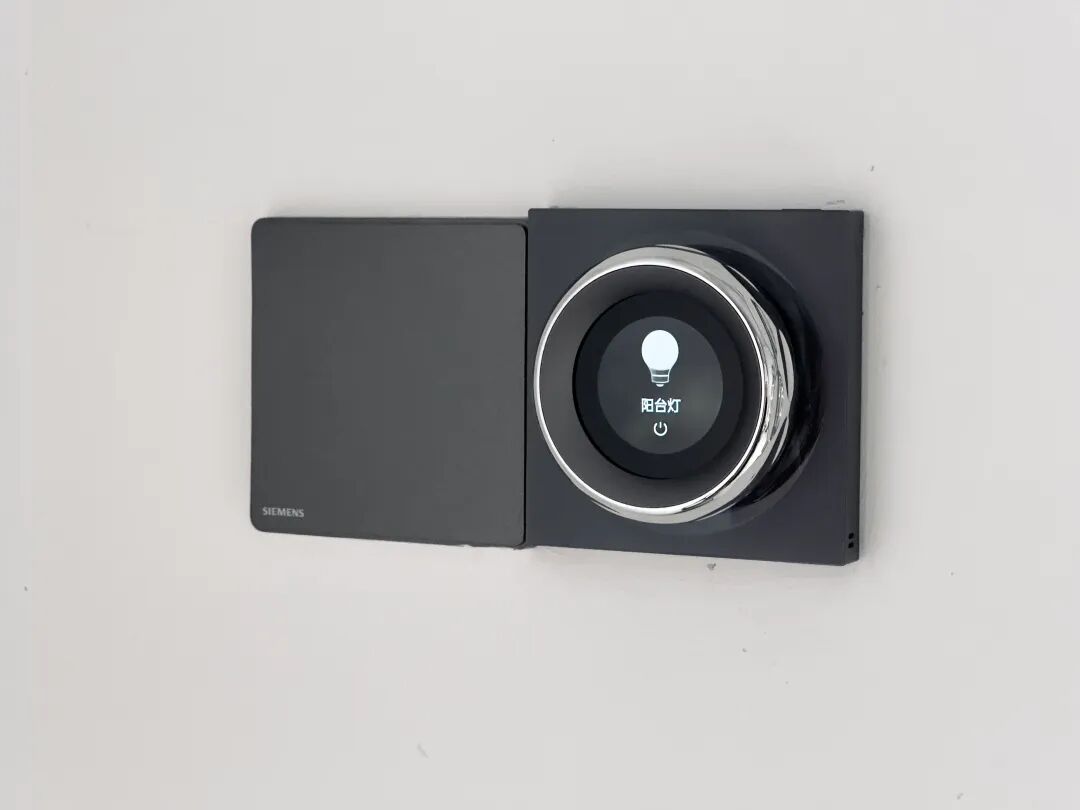
Smart switch panel | Image provided by the author
I say this is technology benefiting humanity, but she insists I am “taking off my pants to fart.” Take the smart switch panel, for example; every time she stares at the screen filled with text, wanting to click but afraid of clicking the wrong thing, she always complains, “You know, the old switches were so much better; I knew exactly which was which.”
It’s a bit funny and a bit sad; to her, what is clearly the simplest “life instinct” has become unfamiliar due to the addition of smart technology.
She can’t open her mouth and can’t keep up
“Xiao Du, Xiao Du”
“Here”
“Play me a song… (actually hasn’t finished speaking)”
“What should I play?”
“zhuǎ lèi”
“I didn’t hear clearly just now; can you say it again?”
“zhuǎ lèi, zhuǎ lèi”
“Xiao Du found the following quality skills for you.”
“Rural Love, the rural zhuǎ lèi.”
“… (Xiao Du is silent)”
“The zhuǎ lèi from Rural Love.”
“Now playing the first episode of Rural Love.”
“Xiao Du, my zhuǎ lèi song.”
“Found Zhang Lei’s song ‘Nanshan Nan.’ Would you like to play it now?”
“zhuǎ lèi!”
“This song only supports a preview. You can sing the full song after subscribing to Xiao Du membership. Thunder strikes, this heavenly skill collapses the earth with a purple gold hammer.”

Giphy
A friend bought a smart screen for his grandmother, and she effortlessly confused the voice assistant with just one song, “Zha Lei.”
In 2014, when Amazon created the first smart speaker, Echo, they saw it as an opportunity to control smart home scenarios. Because voice is one of the most natural forms of human interaction—today’s hardware products still believe this.
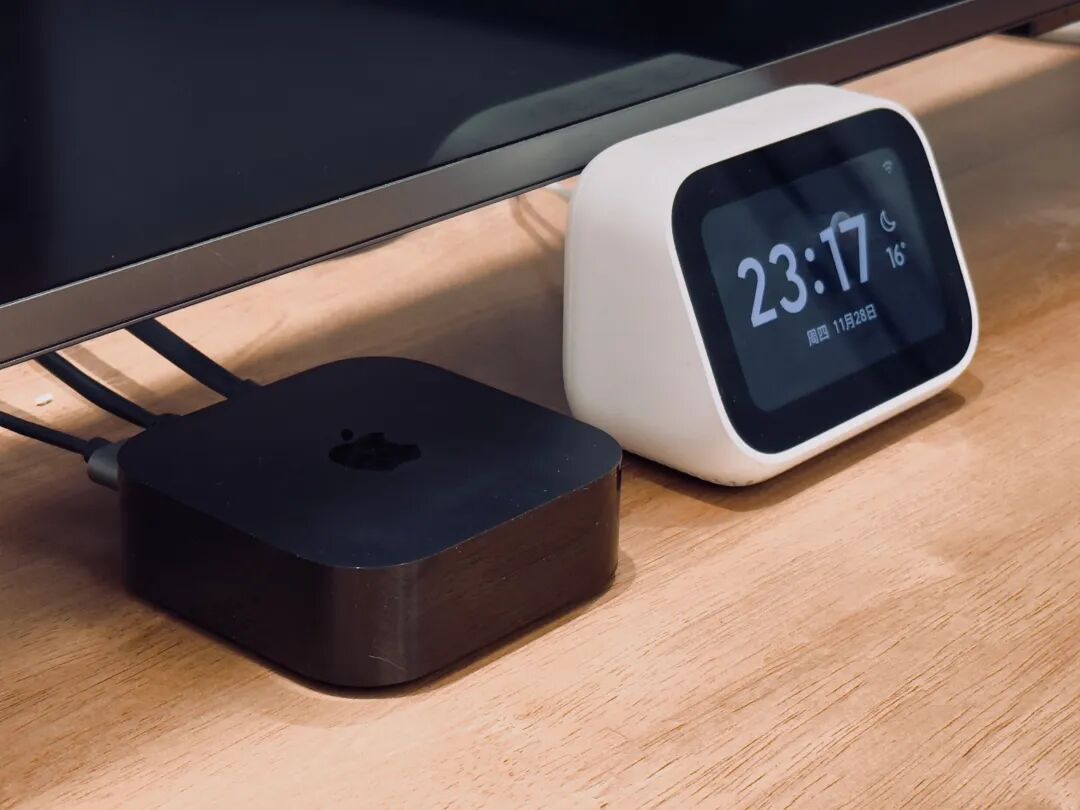
Left Apple TV, right Xiao Ai touchscreen speaker | Image provided by the author
Although today’s large models have made significant progress in semantic understanding (humanized communication) and reasoning ability (intent recognition and task planning), conversations with middle-aged and elderly people often feel like a buff stacked high.
First of all, the act of waking up the voice assistant by speaking feels a bit awkward to them. I had to teach my mom how to talk to Siri like a child learning to speak. In a moment of urgency, she still forgets, and then… the two of them just stare at each other.

Giphy
Using Xiao Ai, at least she doesn’t feel as constrained when speaking. But we know that the name is used because it appears frequently in daily life, which also means a high rate of false triggers.
One night, my mom was dozing off while watching TV in the living room, and Xiao Ai suddenly said, “I’m here”… which scared her so much that she couldn’t sleep the whole night…
It often happens that she says “city gate tower,” and it replies “hip bone axis.” For example, she asks Siri to turn on the corridor light, but Siri, not having a light called “corridor” in the settings, persistently asks, “Which one?” After three unsuccessful attempts, my mom completely exploded. I said, “Mom, that light I set is called ‘living room corridor’ light,” to which my mom angrily retorted, “Is there a difference?”

That moment I be like | Giphy
One day, our parents’ generation will be seen by AI as “precious footage of humans not yet tamed by AI.”
It’s hard to guess the thoughts of parents
The elderly’s avoidance of technology mainly stems from its uncontrollability.
This is somewhat similar to the different usage habits brought by the central control screen in car infotainment systems compared to traditional physical buttons. People accustomed to driving traditional fuel vehicles develop “subconscious” behaviors, thus strongly disliking having commonly used physical buttons hidden under multi-level menus on screens.
It seems that home control devices with screens are more efficient than smart speakers. But I overlooked the learning cost for the elderly.
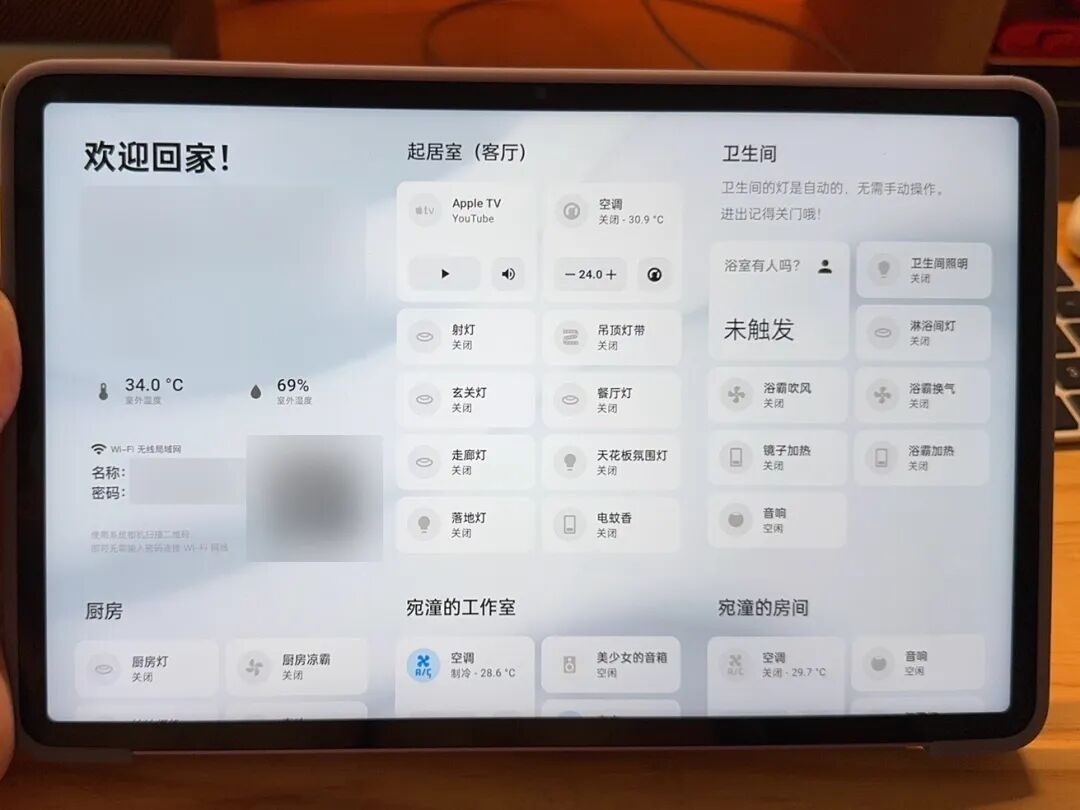
Image provided by the author
Take the smart switch panel, for example; although unlit lighting is elegant, to achieve detailed control, many switches are needed. We have seven in our house, which confuses my mom.
She complains that the text is smaller than her fingernail; is it the ceiling light in the living room or the bathroom? It takes her two seconds to think; the light slowly dims, but she always thinks it hasn’t turned off, so she has to press it several times, accidentally touching the dimming and color adjustment options.

Giphy
The argument finally erupted one night when my mom got up at night, found it troublesome to turn on the light, and almost tripped.
I suddenly realized that getting my mom to adapt to this was not going to work. Although it’s no longer a technological fantasy, smart home technology still feels somewhat “superior” to the elderly.
Since my mom fell in the bathroom and ended up in the hospital, I’ve been wanting to install a camera. She strongly resisted, saying it was no different from being caged like an animal in a zoo.
“Elderly-friendly” assistant transformation, start!
I plan to transform a “control hub” that neither changes my living habits nor leaves my mom constantly confused.
The interaction method will still use voice, but the interaction must be simple enough to match her verbal expressions.
In fact, the interaction scenarios my mom often uses are quite fixed, mainly sleeping, getting up at night, and cooking. Just write down the devices used in each scenario for automation; the key is to find a suitable wake-up method.
I found that calling out the voice assistant still feels too deliberate for her, so I plan to remove the so-called wake-up word.
After searching for existing smart home products, I plan to use a voice companion product from Aqara as a “mediator”—just pick it up and shake it, and it will start listening for voice commands, acting as a mobile microphone for the smart hub.
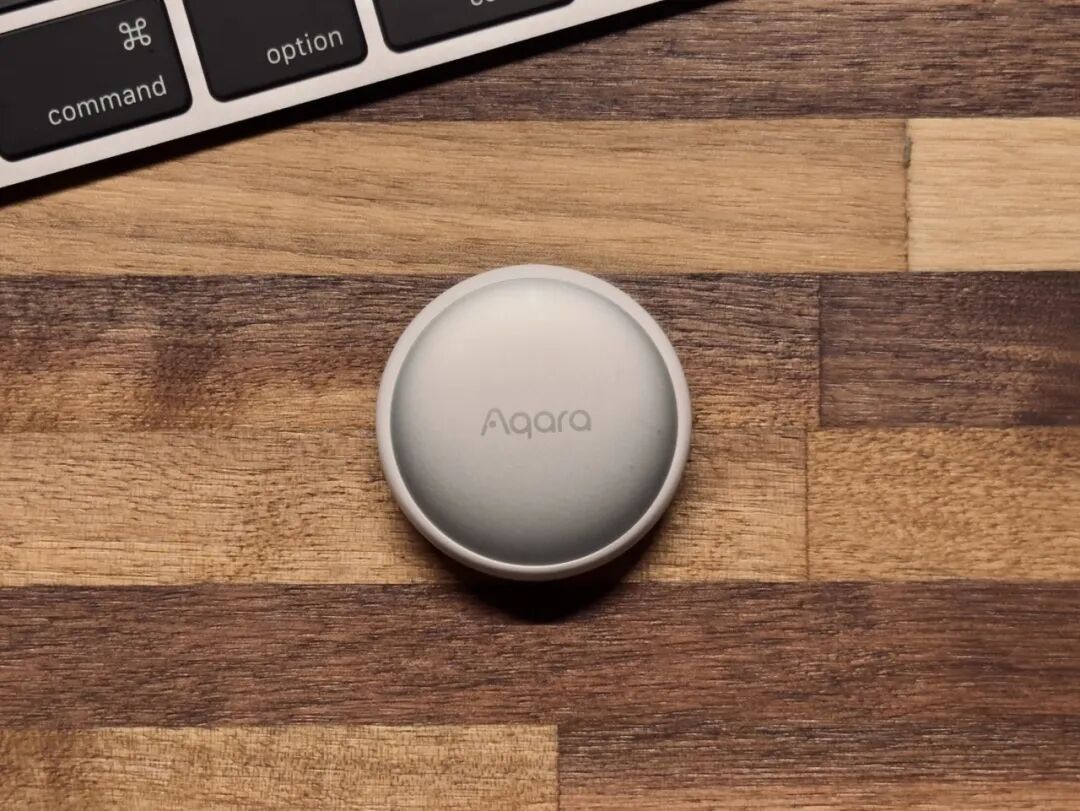
Image provided by the author
Its size is similar to that of an AirTag, just right to hang on the radio my mom carries. If no action of picking it up or voice command is detected, the connected control hub will not make any sound to avoid startling her.
Then I will write the commonly used interaction scenarios into automation.
I mentioned in a previous article that using Home Assistant can integrate and control devices from Xiaomi, Apple, Tuya Smart, etc. However, the “voice commands” of the Aqara voice companion currently cannot be directly integrated into Home Assistant.
So I used Matter to convert the Aqara voice companion into a “sensor.” When the “sensor” detects a voice command, it executes the corresponding automation process.
Matter is a standard for smart homes, aimed at making devices from different platforms compatible with each other. For example, if a manufacturer produces a light bulb that supports the Matter standard, it can be added to Apple HomeKit, Home Assistant, Aqara Home, or Tuya Smart platforms for control. Of course, the prerequisite is that you need the corresponding Matter hub for these platforms, such as Apple’s HomePod, Samsung’s TV, or Aqara’s M3 hub.
The specific operations are as follows:
1. Set up voice command steps on Aqara
Open the Aqara Home app, go to the “My” page,
Click on “Third-party Ecosystem”
Then select “Matter > Scene and Signal Synchronization,” and click on “Signal Management”
Click the plus sign in the upper right corner
Click the “Add” button under “When”
Select “Voice Training” on the pop-up page
In the input box, enter the voice command, such as “sleeping”
After entering, click the confirm button in the upper right corner
Click save, enter the name of this signal as “sleeping,” and confirm
In the pop-up “Please confirm the execution device,” select the M3 hub, and click confirm
Now, there will be a “sleeping” sensor in Home Assistant.
2. Set the automation process in Home Assistant

Now, when my mom says “sleeping,” it will turn off the lights, pull the curtains, set the air conditioning to 26 degrees on low speed, and turn off the air purifier. Similarly, if she says “getting up at night,” it will turn on the lights in the living room corridor and bathroom. If she says “going back to the room,” it will turn off the living room lights and TV.
Of course, to avoid my mom forgetting, I also installed “human presence sensors” in key places. If no one is detected to be present, all appliances will automatically turn off. I also have a personal interest in using the fall detection feature of the human presence sensor to replace the camera.
My mom is quite pleased with this device, but not because she is worried about falling. “The lights turn off when no one is around; how energy-saving is that!”
“Isn’t it?” I said, “Mom, I went through all this trouble, and you’re just happy about saving energy?”
Author: Wan Tong
Editor: Shen Zhihan

This article is from Guokr and may not be reproduced without authorization.
If needed, please contact [email protected]