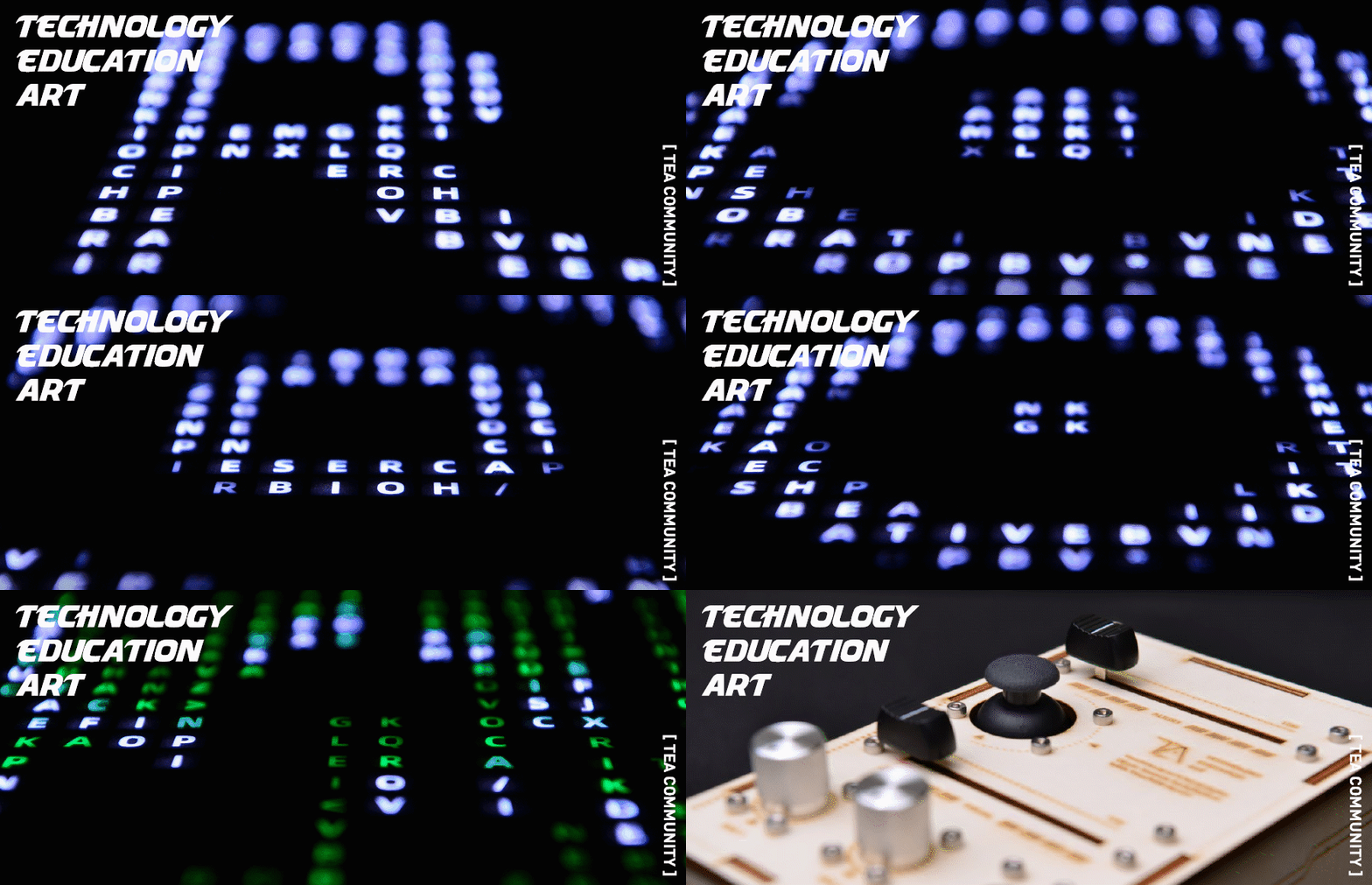
Artists, since modern times, have evolved from creators of “beauty” to breakers of human thought boundaries, evolving alongside the times. With the diversification of creative ideas, artists must use different forms to express their views, catering to audiences and enhancing differentiation. This undoubtedly promotes the fusion development of art and technology.
Installation art, which originated from the founder of Cubism—Pablo Picasso, began to use mixed materials to repeat the creation of easel art within the frame. Duchamp opened the door to contemporary conceptual art with “Fountain,” and installation art, which has derived from various schools, has become a more approachable art form.


Clarinet and Violin, 1913 – Pablo Picasso
Monument to the Third International – Vladimir Tatlin
TV Buddha, 1974 – Nam June Paik
Wooden Mirror – Daniel Rozin
And the keen sense of commercial brands has allowed various installation artworks to break through the bright white space of museums and reach the public. Whether for the so-called “visual marketing” or as a strategy for commercial operations, this has led public art to develop in a new direction, which is the interaction between artworks and all factors in the field.

GENTLE MONSTER Front Beach Taikoo Li Shanghai

GENTLE MONSTER HAUS Shanghai

GENTLE MONSTER HAUS Shanghai
Taking GENTLE MONSTER, a South Korean eyewear retail brand, as an example, “through visual innovation, continuously providing fresh experiences to consumers.” It must be said that this strategy of spending heavily on store displays has not only made GENTLE MONSTER a breakout luxury brand but has also led its sales to reach 200 million dollars in 2019. Financial institutions assess that it will grow at 3-4 times annual growth rate and enter the unicorn brand club of 1 billion dollars.
Of course, GENTLE MONSTER is not the first brand to do this:
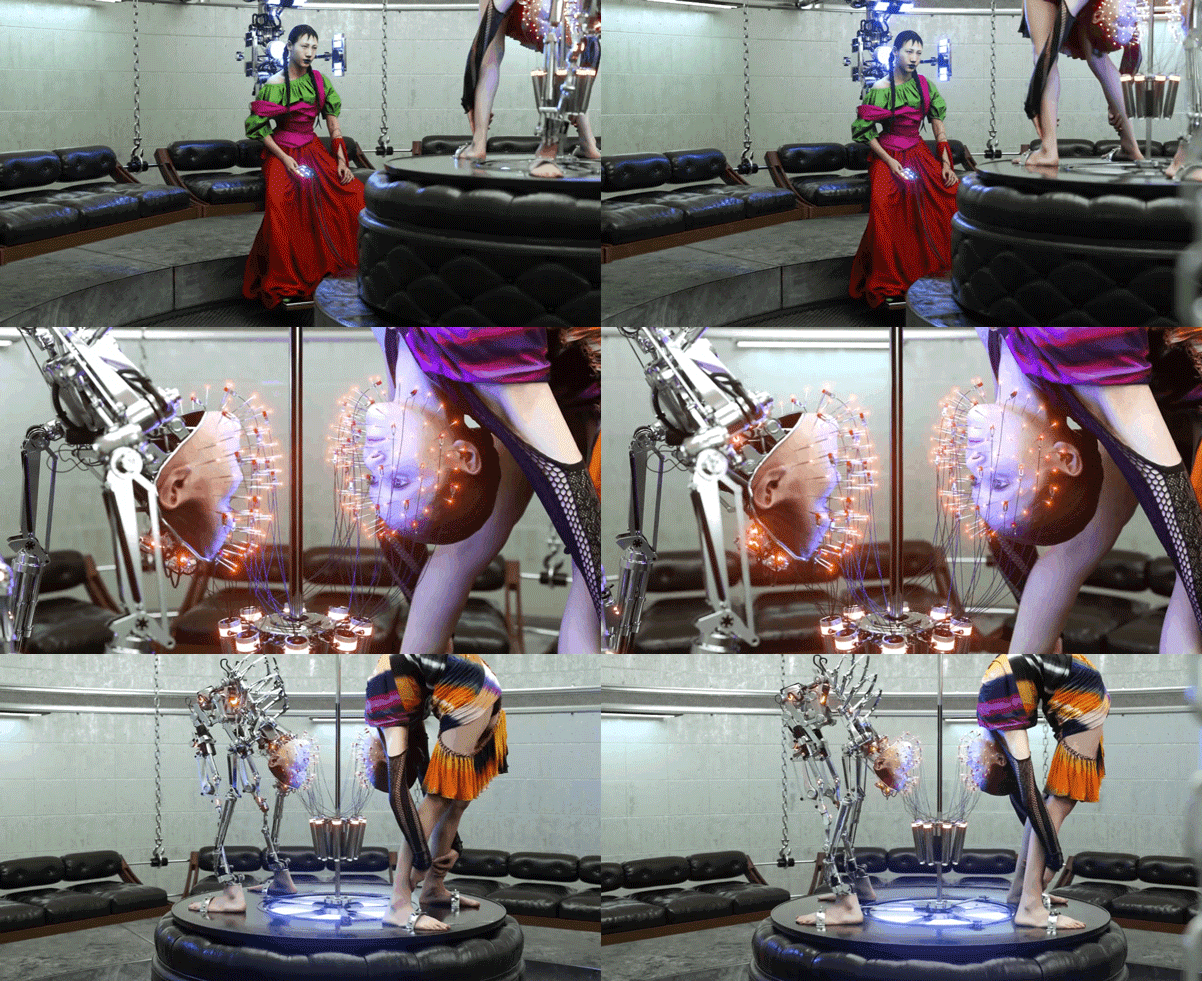
‘Ceremonial Formality’ by Frederik Heyman

Hermès window display in Tokyo designed by Tokujin Yoshioka

weSC 2010 window display

Nike Flyknit retail tables for Nike China

Zim & Zou-Journey of a Lifetime – window display for Hermès
Major comprehensive commercial entities are also frequently updating the artistic installations in their spaces, giving customers a refreshing feeling every time they visit the mall:

K11 – MUSEA

Jason Burge Studio – Digital Ornithology
Currently, whether in the art industry or commercial exhibitions, installation art is undoubtedly a popular field.
So what knowledge is needed to create a complete interactive art installation? You may need to know microcontrollers, stepper motors, creative programming, system integration… For a creative person who is not from a science and engineering background, these seemingly profound professional terms appear to be stumbling blocks to turning your ideas into reality.
Today, we are so fortunate: the convenience of information in the internet age, the hardware integration of modern industry; as long as you want, knowledge can be simplified.
Come learn this
Quick to get started
Many hardware options
Low pressure
of
Interactive Device Development Course
We are proud to introduce a truly effective online course that can help you realize your creative ideas: Digital Magic Enhancement Course – TouchDesigner and Open Source Interactive Devices Phase 4!

Common Course Pain Points
Arduino Progresses Slowly Memorizing vocabulary can only get you to abandon, learning Arduino always stays at lighting up an LED, from basic knowledge to being able to apply it in creation (for somewhat substantial mechanical installations or lighting installations) is a long journey.
Difficulty in Integrating Interactive Visuals and Hardware There is inspiration for visual creation but no idea how to link it with physical installations.
High Cost of Commercial Hardware Common TouchDesigner peripherals are mainly commercial hardware, often costing thousands, which puts a lot of budget pressure on individual and small team creations.
Low Reference Value of Courses Some courses lack knowledge indexing functions.
Introduction
INTRODUCTION
This course combines TouchDesigner and open-source hardware platforms (such as Arduino boards, ESP32 boards), focusing on interactive art installations, including interactive images, creative visuals that perceive environments and behaviors, understanding various motors to build mechanical installation prototypes, creating your own VJ interface and VJ controller, small interactive lighting installations, etc. No prior knowledge of Arduino or other open-source hardware is required.

x

(*Arduino — a microcontroller, an integrated circuit chip that can process information and output it as other electrical signals. It can drive stepper motors and sense different physical parameters such as light and heat.)
Contents
CONTENTS
Quickly create interactive images
Build mechanical installations
Design lighting art
Create your own sound and visual performance
Master software and hardware skills
Train artistic technical thinking
Ultimately realize personal creative projects.
Employment Prospects
PROSPECT
-
Independent installation artist
-
Wearable interactive designer
-
New media art company
Project manager
-
Independent installation art curator
-
Interactive installation knowledge area blogger
-
Multi-module VJ
-
Interactive technology development guide
-
Interactive lighting designer
-
Digital experience studio
Technical execution manager
-
Internet of Things project manager
*Of course, creating an art installation can also make your overseas study portfolio stand out among many competitors.
Course Directory
*All images are
Actual photos of course content
CATALOGUE
[ 01 ]Course Introduction
Introduce the course outline, learning methods, and entry into programming with open-source hardware represented by the Arduino platform.
1.1 Foundation: Course Introduction
1.2 Introduction to open-source hardware
1.3 Introduction to microcontrollers
Course kit actual photos
[ 02 ] Interactive Images
Learn to create visuals that can sense environments and behaviors. Use common sensors combined with TouchDesigner to complete advanced visual creation (instantiation, feedback loops, geometry and materials, post-processing), so that visual works can respond to the environment and people.
2.1 Touch Color
Touch sensor
2.2 Light Interconnection

Light intensity sensor
2.3 Interstellar Tunnel
Ultrasonic sensor
2.4 Cyber Terrain
Three-axis accelerometer
*All of the above are actual course effect photos
[ 03 ] Mechanical Installations
From digital to physical, shaping dynamic physical spaces. Understand various power core motors for mechanical installations. Build mechanical installation prototypes, and use TouchDesigner as the control system to design dynamic installations.
3.1 Wind Control Magic: DC Motor
3.2 Mechanical Pixels: Servo Motors
3.3 Power Transmission: Stepper Motors (optional)
Course kit actual photos
[ 04 ] VJ Performance
Audio-visual performance, using TouchDesigner as a tool to create a unique VJ interface and controller, awakening the audience’s retina with your creative visuals.
4.1 How VJ Works

4.2 Workshop for Knights

Homemade VJ Controller
4.3 “Knight Equipment Library”

Build your own VJ interface
4.4 Magic Generation
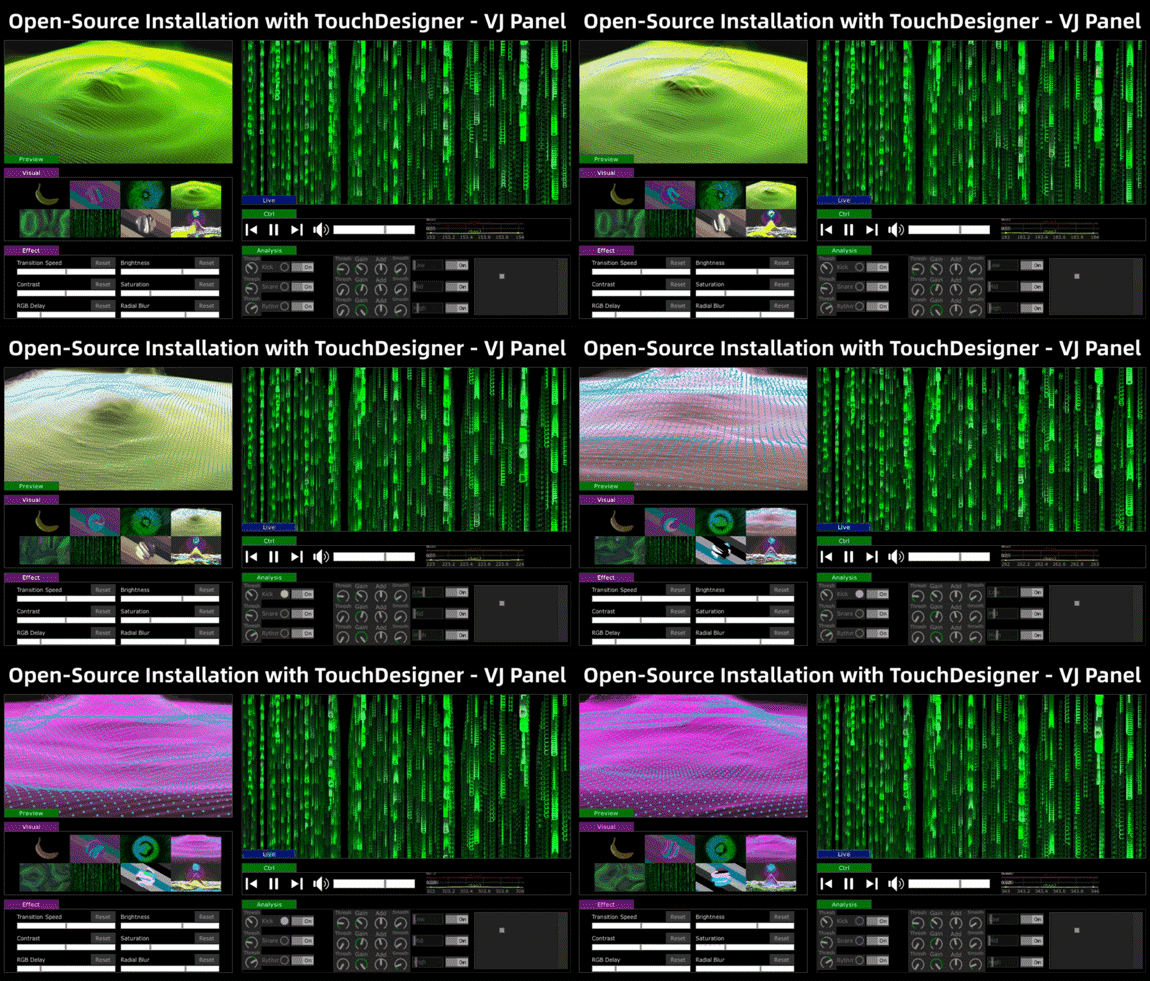
Audio-visual interactive visuals
*All of the above are actual course effect photos
[ 05 ] Lighting Art
From digital pixels to physical pixels, conducting some interesting light experiments. Understand the new open-source hardware—ESP32 microcontroller, create desktop-level lighting installation prototypes, learn to map images on the screen to numerous LEDs, and wirelessly transmit DMX data.
5.1 Magic of Light: Controlling Full-Color LEDs in Arduino
5.2 Hardware Spells: Introduction to DMX
5.3 Skill Enhancement: Experiments with Visual Content and Light
Course content actual photos
[ 06 ] Source Enhancement
From knowing the facts to understanding the reasons, synchronously unlocking some new equipment. Systematically review open-source hardware programming, understand the basic principles, and gather more software and hardware platforms and reference materials that can serve your creations.
6.1 Like Counting Treasures: Review of Open-Source Hardware
6.2 “Stable” New Knowledge: Review of TouchDesigner
6.3 Side Quest Easter Eggs: In-depth analysis of various TIPS
Course Format
FORM
Online recorded videos (20 sessions)
+
Live communication (5 times)
+
Supporting hardware hands-on practice
+
After-class group for teacher Q&A at any time
1. Fully online video course, ignoring time and space, learn at your own pace.
2. Set up a camp class group where teaching assistants reply at any time, and collect course content-related questions regularly, posting them in the group.
3. Twice a month live sharing sessions, online meet-ups, where mentors and students share and exchange weekly learning and creative results, and even have small workshop sessions to help you get into the best creative state within two months of registration.
Camp Schedule

Live sharing themes
Interactive images, live sharing
Mechanical installations, live sharing
VJ performance,live sharing
Lighting art, live sharing
【Learning Period】40 days after registration。Recorded courses can be viewed unlimitedly
Check-in sharing for rewards (certificates, textbooks, stickers, canvas bags)
Teaching assistant group answers 24 hours
Group interaction among students
【Validity Period】2 years
Recorded courses can be viewed unlimitedly
Group interaction among students
▲Swipe up for detailed instructions
“Magic” Device Kit
COURSE KIT
The hardware kit for this course is based on a survey of twelve universities, gathering the most practical and user-anticipated sensors currently available on the market. We have also used laser cutting technology to customize some product enclosures, making it a more complete product kit.


<<Swipe left to view the complete list
And this device package worth 1299 yuan is given away with the course, not for sale!
(Shipped within three days after payment)
Instructor Introduction
FRANK

Cong Haotian Frank—A media artist working in Shanghai. He is one of the authors of the book “TouchDesigner: A New Interactive Design and Development Platform.” The course content was developed collaboratively by TEA Community (TD Asian Community Operations), Digital FUN (New Media Interactive Art Studio) team, and instructor Cong Haotian, reflecting the efforts of several teachers.
Cong Haotian’s practice and research focus on the artistic exploration of digital media and biological media, aiming to construct interdisciplinary communication between art and biotechnology. He has exhibited, curated, and given talks at various art, design, and technology events, including the 2016 Première Vision Exhibition, the 2017 Consciousness Restructuring Conference, the 2018 Songjiang Art Museum exhibition “Out of Control,” the 2019 Linz Electronic Arts Festival in Austria, and the 2020 Shanghai Science and Technology Festival.
<<Swipe left to view the complete introduction
Instructor Cases

Aspects of Her Life
ASPECTS OF HER LIFE

Amphibious
AMPHIBIOS

Immersive Space
Tube Showroom – Boundaryless

Co-author
THE CO-AUTHOR
Previous Student Works
Student Works
by Duker Tong
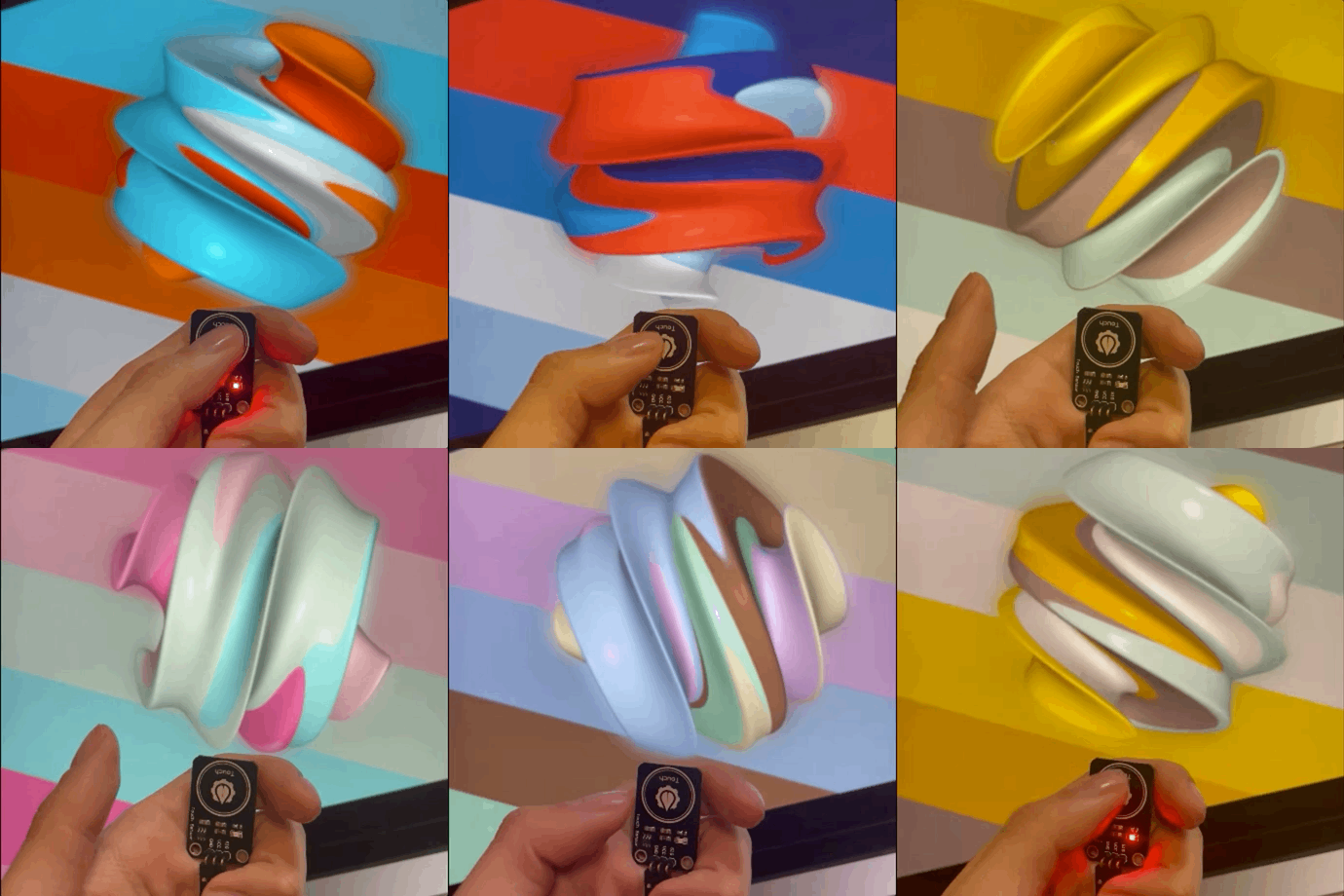
by yr
by Duker Tong
by Zhao Hui
by Xiao Hong
by Dora Ma
by Ai Zhuo
by Zhao Hui
*The above are some of the students’ completed works
Course Price:
¥5999

Scan to consult customer service

You will getfree of charge
YOU WILL GET
A brand new TEA Community custom Arduino hardware set;

Consistentwork check-ins, certificates will be awarded after the course,and you will receive a value of 308 surrounding gifts and a 9% scholarship on tuition. The surrounding gift package includes: “TouchDesigner: A New Interactive Design and Development Platform” book, TouchDesigner stickers, and a canvas bag.

TD Canvas Bag

TD Surrounding – Stickers

Completion Certificate

TD Chinese Official Textbook
Pre-course Notice
NOTICE
Can beginners learn? Can everyone learn?
No prior knowledge of Arduino or other open-source hardware is required. Beginners of TD need to watch the introductory course video of TouchDesigner before learning. The 2022 completely revised introductory tutorial is available for free.
A course WeChat group will be established, with regular Q&A within 48 hours. Live sharing will be held every Sunday afternoon based on everyone’s questions.
We also have a TD Asia Community Technical Exchange Group, where you can ask questions anytime~

Disclaimer: This article regarding course content description is based on original photography or production by TEA Community. If you need to quote any images in the article for non-commercial purposes, please inquire in advance and obtain our permission. Any form of unauthorized use will bear corresponding legal responsibilities.
The brand new TouchDesigner and body-sensing interactive design course is hotly enrolling, including Leap Motion precise gesture capture and Kinect full-body skeletal capture, providing a comprehensive analysis of all interactive methods of the devices, with TEA’s exclusive body-sensing data simulation plugin. Click the image to unlock new skills in interactive design.

