
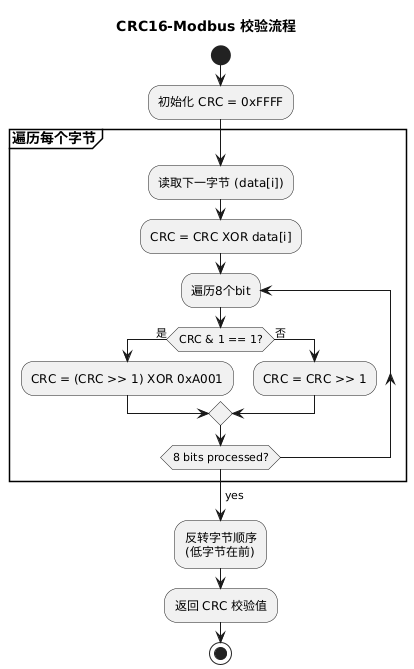
 01Introduction:
Let’s start with the correct code. We will use a six-byte array for testing: [0x0a, 0x03, 0x02, 0x00, 0x00, 0x16].
02Function and Results
1. Function
// Example with 0a 03 02 00 00 16
var buffer = [0x0a, 0x03, 0x02, 0x00, 0x00,0x16];
// Call the function to calculate the CRC checksum
var crc = crc16Modbus(buffer);

function crc16Modbus(buffer) {
var crc = 0xFFFF;
var i, j, l;
for (i = 0, l = buffer.length; i < l; i++) {
    crc ^= buffer[i];
    for (j = 0; j < 8; j++) {
      if (crc & 0x0001) {
        crc = (crc >> 1) ^ 0xA001;
      } else {
        crc = crc >> 1;
      }
    }
  }
// Split the result into low byte and high byte
var crcLow = crc & 0xFF;
var crcHigh = (crc >> 8) & 0xFF;
// Return the checksum result
return [crcLow, crcHigh];
}
// Output the checksum (low byte and high byte)
console.log("CRC Low: " + crc[0].toString(16));
console.log("CRC High: " + crc[1].toString(16));
2. Results
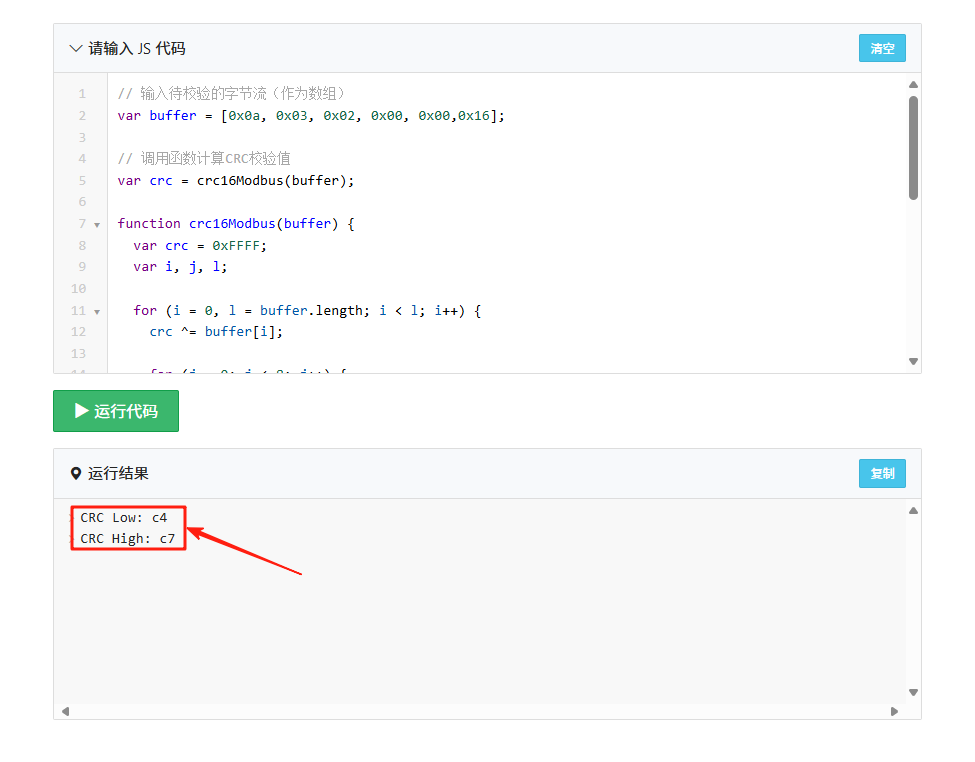 The result is C7C4
3. Verifying the Results
We input the hex data into an online CRC calculator, selecting the CRC-16/MODBUS model, click calculate, and check the result. It matches the output above, proving there are no errors. The function can be used directly.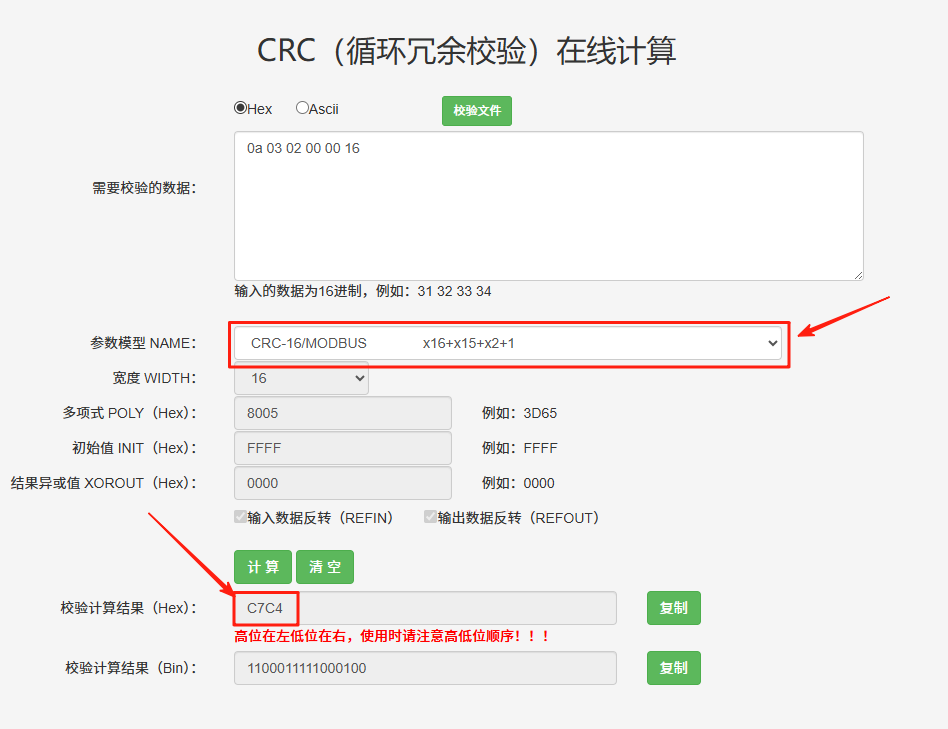 You can also check the results in a serial debugging assistant (the high and low bits can be set), as shown below:
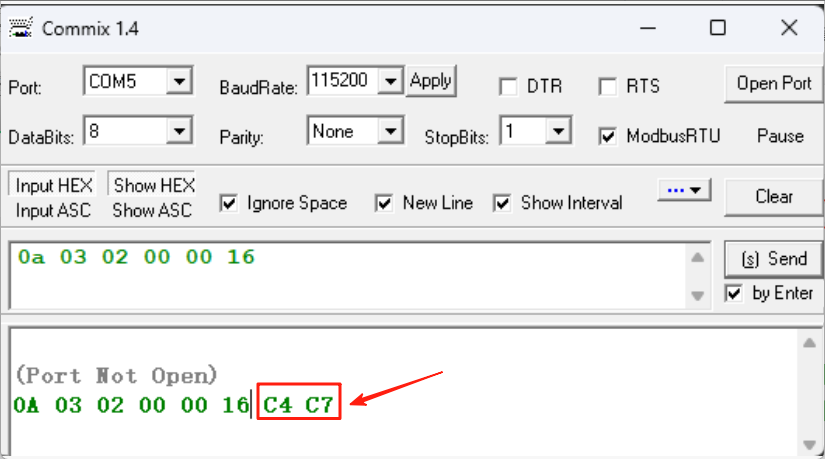 There are also no errors.03DeepSeek’s Error
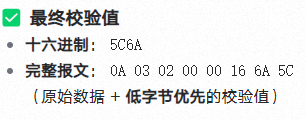
1. Problem Statement
The CRC16-Modbus checksum result for the hexadecimal string <span><span>0a0302000016</span></span> is as follows:
2. Where is the mistake?
First, here is the code provided by DeepSeek, including comments:
// JavaScript implementation example
function crc16Modbus(data) {
let crc = 0xFFFF;
for (let byte of data) {
    crc ^= byte;
    for (let i = 0; i < 8; i++) {
      if (crc & 1) crc = (crc >> 1) ^ 0xA001;
      else crc >>= 1;
    }
  }
return crc;
}

// Input conversion (hex string to byte array)
const hex = "0a0302000016";
const bytes = hex.match(/.{2}/g).map(b =>parseInt(b, 16));

// Calculate result
const result = crc16Modbus(bytes); // Output: 0x5C6A
It can be seen that the last line of the code comment states “// Output: 0x5C6A”, and then DeepSeek took it for granted, thinking the output is 5C6A.
3. After removing the comments, running the DeepSeek function
// JavaScript implementation example
function crc16Modbus(data) {
let crc = 0xFFFF;
for (let byte of data) {
crc ^= byte;
for (let i = 0; i < 8; i++) {
if (crc & 1) crc = (crc >> 1) ^ 0xA001;
else crc >>= 1;
}
}
return crc;
}
// Input conversion (hex string to byte array)
const hex = "0a0302000016";
const bytes = hex.match(/.{2}/g).map(b =>parseInt(b, 16));
// Calculate result
const result = crc16Modbus(bytes); // Output: 0x5C6A
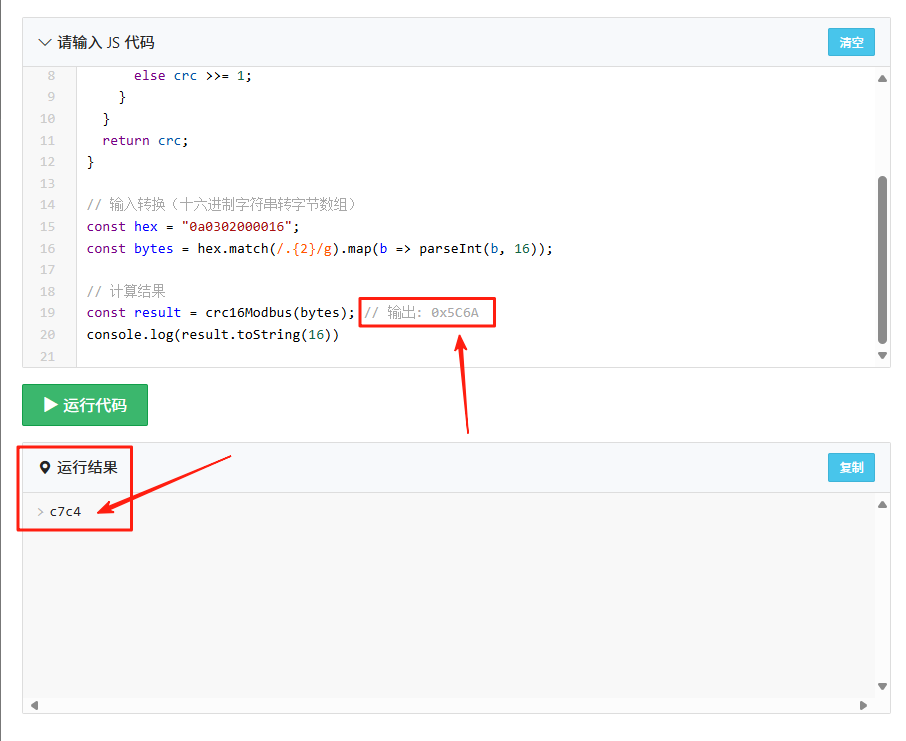 It was found that only the comment was incorrect, and the running result was also correct. DeepSeek’s conclusions were all based on the erroneous comments to cover up the actual running situation of the code.04Conclusion: When using DeepSeek, we cannot simply copy and paste. We must have our own thinking.