Copyright belongs to the author. If you wish to share, please indicate the source of the article: https://cyrus-studio.github.io/blog/
Introduction to LineageOS
LineageOS is an open-source operating system based on the Android Open Source Project (AOSP), primarily maintained by community developers. It originated from the CyanogenMod project, which ceased operations in 2016, after which LineageOS became its successor.
Main Features:
- • Open Source: All source code is open source, allowing anyone to view, modify, and distribute it.
- • No Pre-installed Bloatware: Compared to some custom ROMs that come with a lot of pre-installed applications, LineageOS maintains a clean and simple system environment.
- • Regular Updates: The community provides ongoing security patches and new feature updates.
- • Wide Device Support: Supports a variety of brands and models, especially older devices that are no longer officially supported.
- • Privacy Protection: LineageOS offers enhanced privacy protection features, such as a permission manager and private mode.
Note: Before flashing, please ensure that your device has unlocked the bootloader.
Downloading LineageOS
Before starting the flashing process, first visit the LineageOS official website[1] to find your device model and download the corresponding flashing package.
Alternatively, download the LineageOS source code[2] to compile the system yourself.
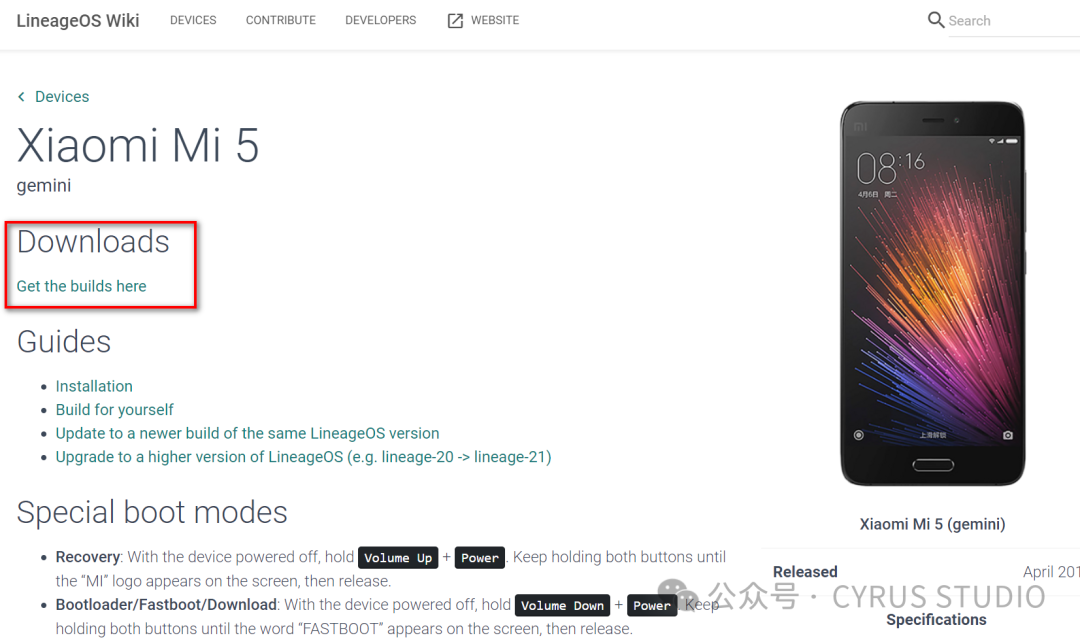
Download the GMS package[3] (optional).
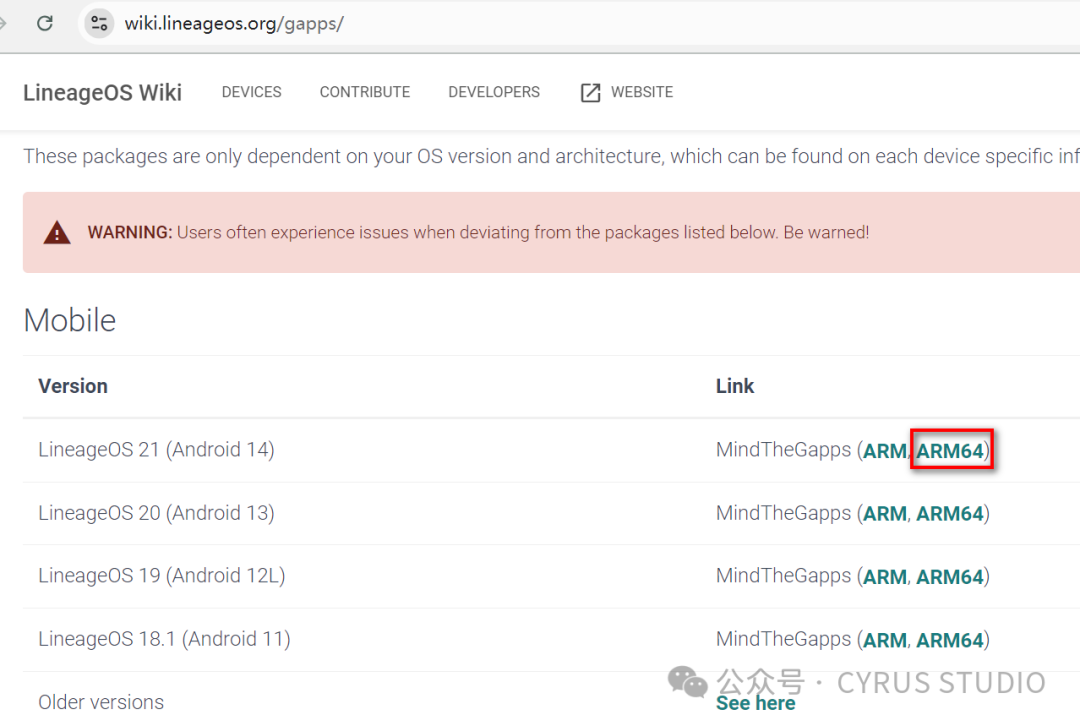
Preparing the Flashing Environment
Configure the Android SDK Platform-Tools[4] in Linux by following these steps:
1. Download Android SDK Platform-Tools:
# Change directory to where platform-tools is stored
cd /mnt/case_sensitive
# Download platform-tools
wget https://dl.google.com/android/repository/platform-tools-latest-linux.zip
# Unzip platform-tools
unzip platform-tools-latest-linux.zip
2. Configure Environment Variables:
To use adb and fastboot commands from anywhere, you need to add the platform-tools directory to your PATH.
Edit the ~/.bashrc file.
nano ~/.bashrcAdd the following line at the end of the file:
export PATH=$PATH:/mnt/case_sensitive/platform-toolsThen reload the .bashrc file:
source ~/.bashrc3. Verify Configuration
You can check if adb is configured successfully with the following command:
adb versionTest the connection to the device, ensuring your Android device is connected via USB and that developer mode and USB debugging are enabled.
adb devicesThis will list the connected devices.
Flashing Third-Party Recovery
The official Xiaomi recovery does not have flashing options (and is unlikely to support third-party ROMs), so you need to flash a third-party recovery first.
TWRP Official Website: https://twrp.me/Devices/
1. Flash TWRP via Fastboot
Find the appropriate twrp.img for your device on the TWRP official website and download it locally.
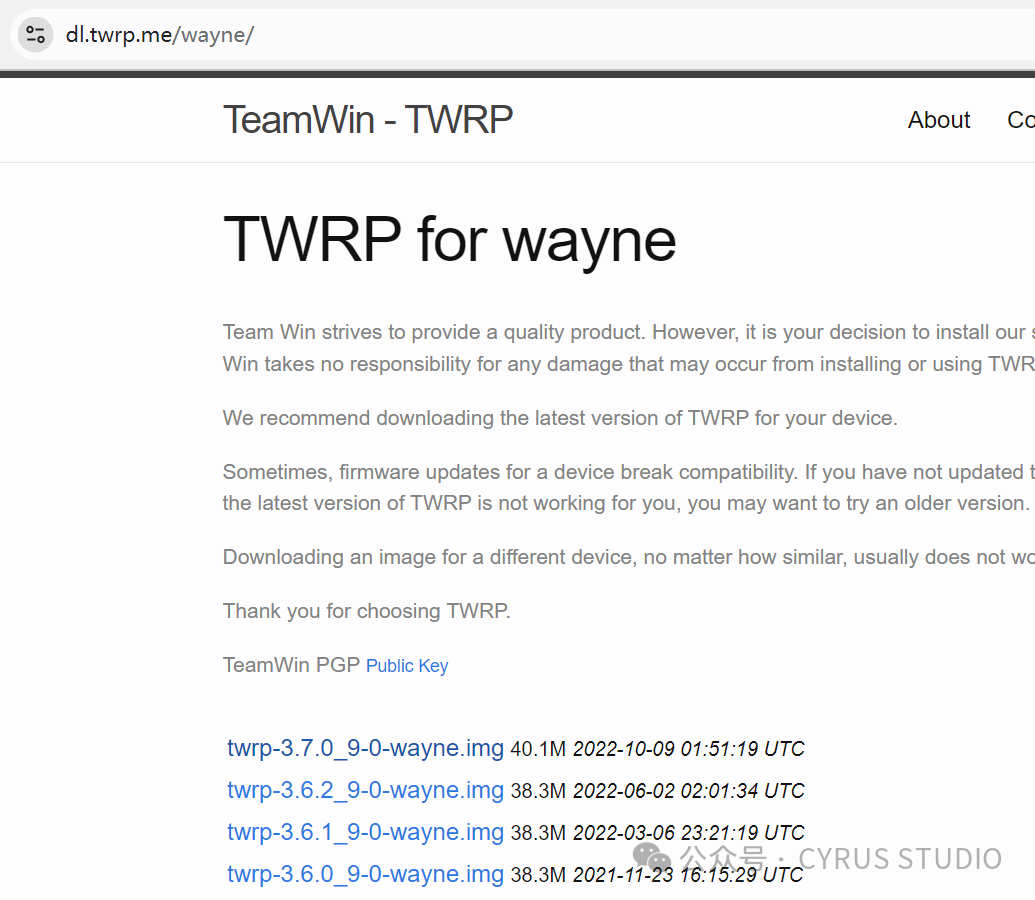
Refresh recovery:
# Enter fastboot mode
adb reboot fastboot

# Flash recovery
fastboot flash recovery twrp.img
2. Flash TWRP via App
After downloading and installing, open the TWRP app, select 【TWRP FLASH】【SELECT A DEVICE】【enter your device model in the input box】【click search results to download TWRP image】.
After downloading, click 【Select a file to flash】 to choose the downloaded twrp.img to complete the installation.
Starting the Flashing Process
Enter recovery mode (or press 【Volume +】 and 【Power】 simultaneously).
fastboot reboot recoveryComplete the flashing using one of the following two methods.
1. Install Flashing Package
【Mount】【Enable MTP mode】 to transfer the flashing package to the phone’s storage.
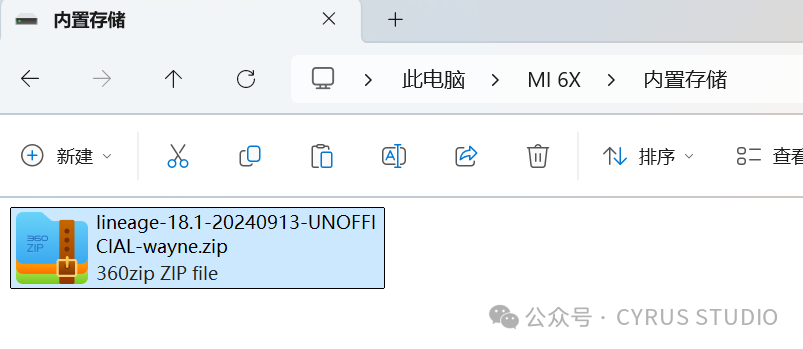
Click 【Wipe】 and swipe to perform a factory reset.
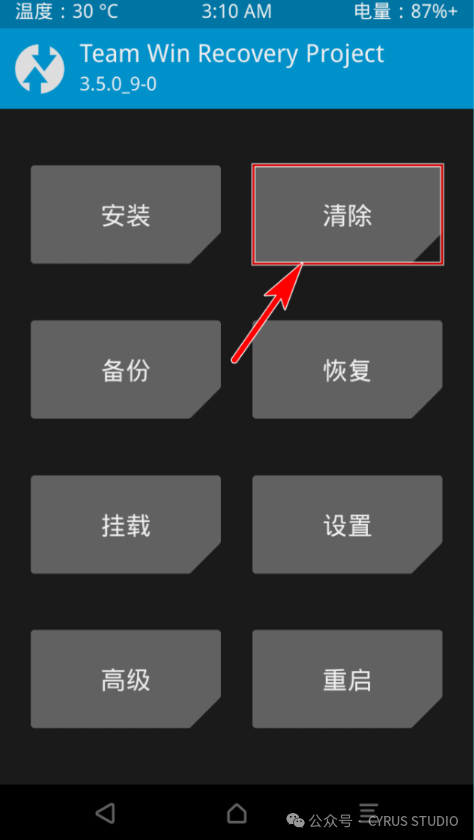
Return to the main page, click 【Install】 to select the flashing package pushed to the sdcard, and swipe to start the flashing process.
Flashing the GMS package follows the same procedure.
After flashing, reboot the system.
2. Flashing via Sideload
Enter recovery mode (or press 【Volume +】 and 【Power】 simultaneously).
fastboot reboot recoveryClick 【Wipe】 and swipe to perform a factory reset.
Then on the TWRP main interface, click “Advanced” -> “ADB Sideload” -> “Swipe to start Sideload”.
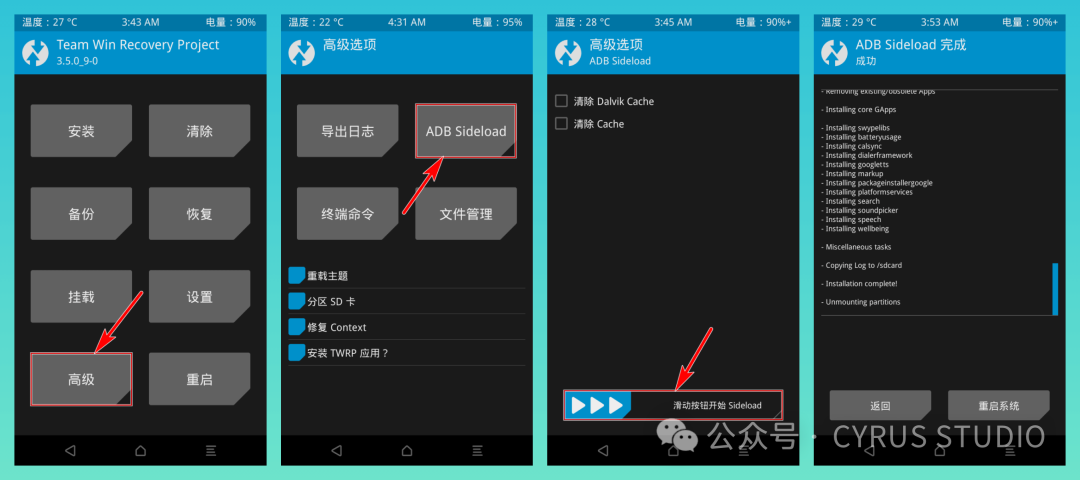
Execute the following command to start the flashing process:
adb sideload E:\lineage-21.0-20240805-UNOFFICIAL-gemini.zipFlashing the GMS package:
adb sideload E:\MindTheGapps-14.0.0-arm64-20240612_135921.zipAfter completion, click to reboot the system.
Using LineageOS Recovery for Flashing
Some ROMs may require using the recovery.img generated by LineageOS itself to flash successfully.
Enter fastboot mode (or press 【Volume -】 and 【Power】 simultaneously).
adb reboot bootloaderFlash LineageOS Recovery:
fastboot flash recovery recovery.imgEnter recovery mode (or press 【Volume +】 and 【Power】 simultaneously).
fastboot reboot recovery【Factory reset】【Format data】 to format data.
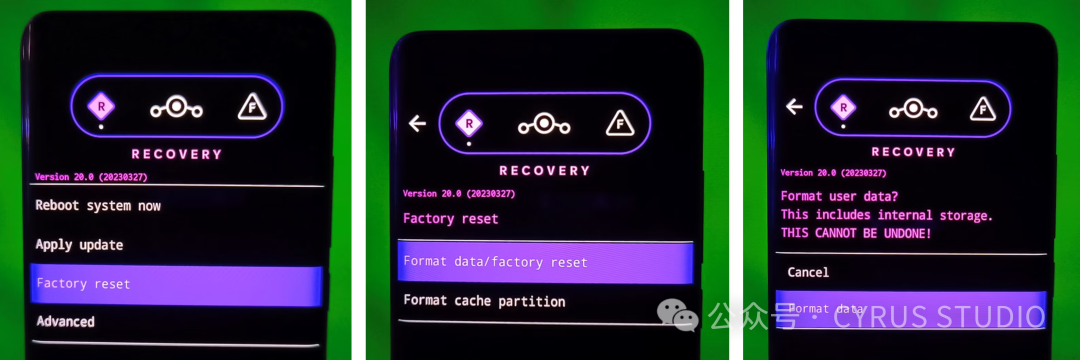
【Apply update】【Apply from adb】 to enable adb sideload.
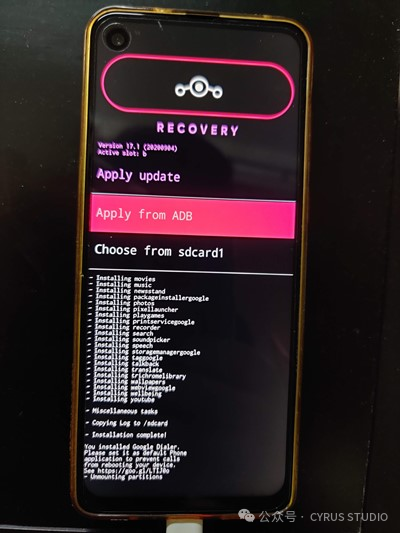
Start the flashing process:
adb sideload E:\lineage-21.0-20240805-UNOFFICIAL-gemini.zipWait for the flashing to complete and reboot the system.
Related Links:
- • Tutorial for Flashing LineageOS on Xiaomi Phones[5]
- • Twrp V3.2.1 For Mi 5c Released (7to.cn)[6]
Reference Links
<span>[1]</span> LineageOS Official Website:https://wiki.lineageos.org/devices/<span>[2]</span>LineageOS Source Code:https://github.com/LineageOS/android<span>[3]</span>GMS Package:https://wiki.lineageos.org/gapps/<span>[4]</span>Android SDK Platform-Tools:https://developer.android.com/tools/releases/platform-tools?hl=zh-cn<span>[5]</span>Tutorial for Flashing LineageOS on Xiaomi Phones:https://miuiver.com/how-to-flash-lineageos/<span>[6]</span>Twrp V3.2.1 For Mi 5c Released (7to.cn):https://xiaomi.eu/community/threads/twrp-v3-2-1-for-mi-5c-released-7to-cn.43743/